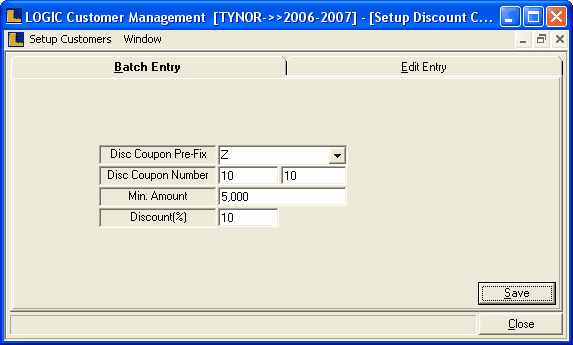
Setup Discount Coupons: This form allows you to create discount coupons. These discount coupons can be issued various retail customers and can be redeemed in Sale Bill.
•
|
Multiple discount coupons can be created a one go.
|
•
|
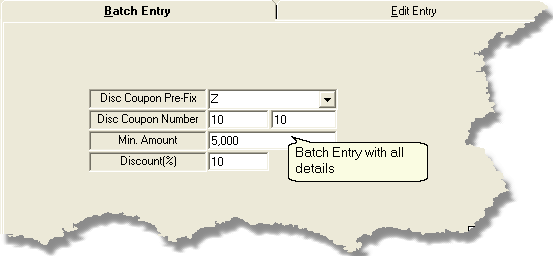
Disc Coupon Pre-Fix : It is a character pre-fix to a discount coupon ,so that the series of discount coupons started with the allocated character.
|
•
|
Disc Coupon Number : Enter the discount coupon number manually,It is a mandatory column can't be left blank.Discount coupon number can never be zero.
|
•
|
Min Amount : Enter the Min amount manually,it is an optional column can be left blank.
|
•
|
Discount(%) : Enter the Discount(%) manually,It is a mandatory column can't be left blank.
|
|
•
|
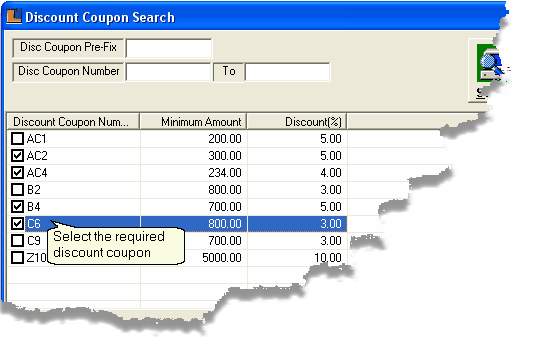
Select Discount Coupons : To select the discount coupons check the box > Discount Coupon Search dialog box > select the required coupons > click ok.To display the selected discount coupons in the grid click Refresh button.
|
|
•
|
Save : Used to save the changes made by the user.Click > Save dialog box > click Yes to save the changes.
|
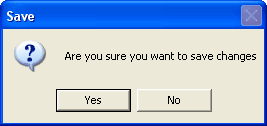
Save Dialog Box
|
|