Setup Scheme Campaign : Follow the under mentioned steps : -
•
|
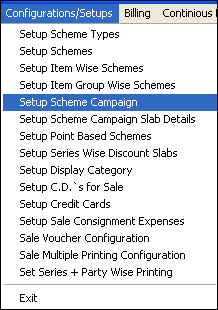
Select the Setup Scheme Campaign from the list as shown in the figure.
|
•
|
Setup Scheme Campaign window appears.
|
•
|
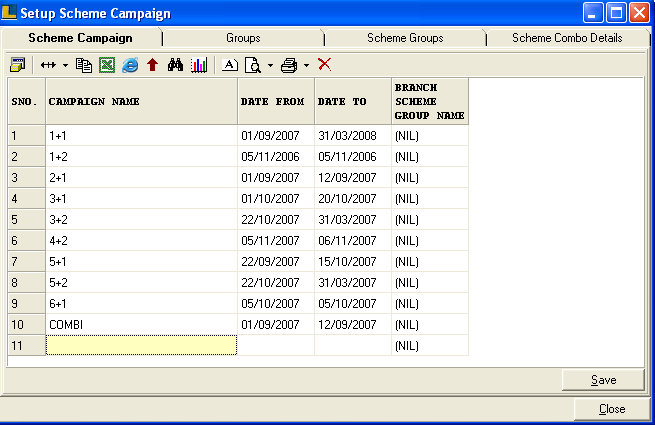
Click the Scheme Campaign tab and enter the Campaign Name & Dates.
|
•
|
Click Save button or press Alt+S to save.
|
•
|
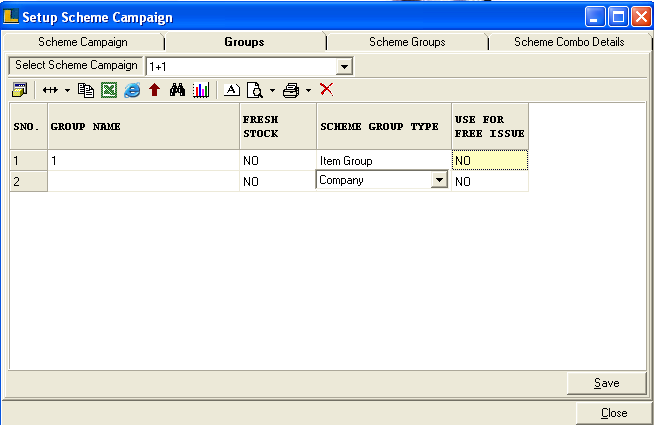
Click the Groups tab and select the Campaign Name from the list.
|
•
|
Now enter the Group Name,Fresh Stock or not,Scheme Group Type.
|
•
|
Click on Save or press Alt+S to save.
|
Note : The Groups are defined only for selected Scheme Campaign.
•
|
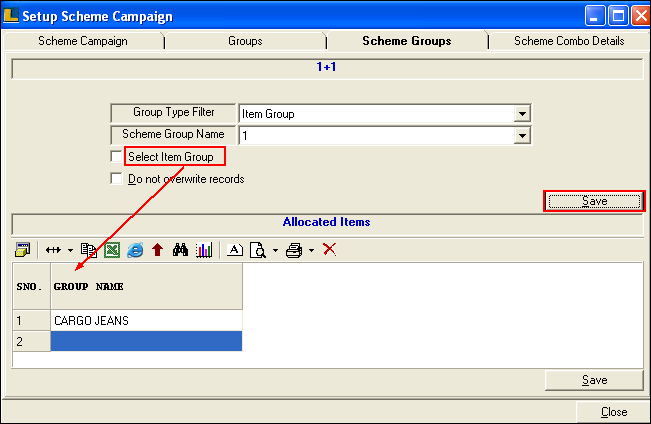
Select the Group Filter,Scheme Group Name and Item Group.
|
•
|
Click Save button or press Alt+S to save.
|
•
|
After saving the Item Group will appear in the grid.
|
•
|
Click Save button or press Alt+S to save.
|
|