Kirana Store Purchase Management: A Complete Guide to Supplier Orders, Credit and Payment Tracking

Summary
A kirana store may purchase hundreds or thousands of products from multiple distributors, wholesalers and local suppliers. Every purchase comes with its own rates, delivery schedules, credit terms, schemes, invoices and payment due dates. When these transactions are recorded in notebooks, spreadsheets or separate systems, it becomes difficult to know exactly what was ordered, what was received, how much is payable and when a supplier needs to be paid.
Poor purchase management can lead to excess stock, missed supplier payments, cash flow pressure, duplicate purchases and disputes over short deliveries. It can also affect customer service when fast-moving products are unavailable because replenishment was not planned properly.
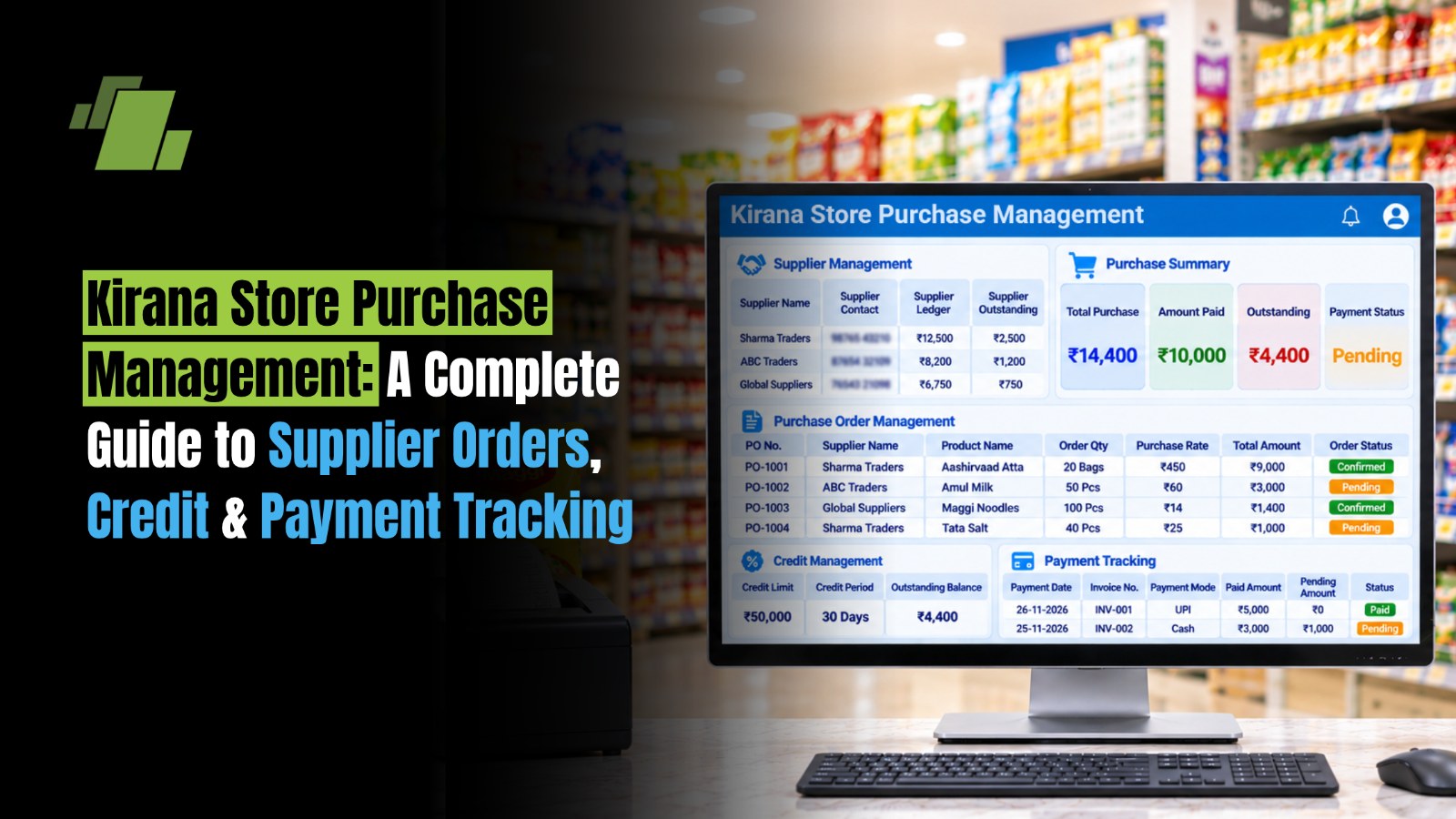
Kirana store purchase management is the process of planning stock purchases, selecting suppliers, creating orders, recording received goods, maintaining supplier accounts and tracking outstanding payments. Kirana store software helps streamline this process by integrating purchasing with inventory management and accounting, enabling store owners to control costs, avoid stock shortages and maintain reliable supplier relationships.
This guide explains how to manage supplier orders, purchase credit and payments efficiently, with practical examples for Indian kirana and grocery stores.
Contact Us
Free Demo Request
What is Kirana Store Purchase Management?
Kirana store purchase management is the systematic process of purchasing products from distributors and manufacturers while maintaining accurate records of orders, deliveries, supplier invoices, credit terms and payments.
It covers the complete purchasing cycle, including:
-
Identifying products that need replenishment.
-
Selecting suppliers and comparing purchase rates.
-
Creating purchase orders with agreed quantities and prices.
-
Receiving and checking delivered goods.
-
Recording supplier invoices and updating inventory.
-
Tracking credit periods, outstanding balances and due dates.
-
Recording payments, purchase returns and supplier adjustments.
-
Reviewing supplier performance and purchase costs.
For example, a grocery store may purchase rice from a local wholesaler, packaged foods from an FMCG distributor, dairy products from a regional supplier and personal care products from a company distributor. Each supplier may offer different prices, delivery schedules, schemes and payment terms.
A centralised purchase management process helps the store owner monitor all these transactions without depending on separate notebooks or manually maintained balances.
Why is Purchase Management Important for Kirana Stores?
Purchase management directly affects product availability, inventory investment, supplier relationships and store profitability. Even a small error in purchase quantity, rate or payment records can create problems across daily operations.
1. Prevents Stockouts and Excess Inventory
Buying too little can result in lost sales, while buying too much can block working capital and increase the risk of expiry or dead stock.
Purchase decisions should consider sales history, current stock, pending orders, supplier lead time and seasonal demand. This helps store owners replenish products according to actual requirements.
2. Improves Supplier Price Control
Different suppliers may offer different purchase rates, discounts, schemes and delivery conditions for the same product.
Maintaining supplier-wise purchase records helps store owners compare prices and identify opportunities to reduce procurement costs.
3. Controls Supplier Credit and Outstanding Payments
Many kirana stores purchase goods on credit and settle payments after an agreed period. Without accurate supplier ledgers, it becomes difficult to identify which invoices are due and how much is payable to each distributor.
A structured system provides visibility into outstanding amounts, payment history and upcoming obligations.
4. Improves Working Capital Management
Money invested in inventory is not immediately available for other business expenses. Purchasing more stock than required can restrict cash flow, even when the store is generating regular sales.
Purchase planning helps balance stock availability with the cash needed for rent, salaries, utilities and supplier payments.
5. Reduces Manual Errors and Disputes
Incorrect quantities, missed purchase entries, duplicate invoices and unrecorded returns can lead to differences between supplier statements and store records.
Maintaining purchase orders, goods receipt records and supplier invoices creates a clear transaction history that can be checked whenever a discrepancy occurs.
What are the Key Components of Kirana Store Purchase Management?
An effective purchase management process should cover more than purchase bill entry. It should connect supplier information, ordering, stock receipt, accounting and payment tracking.
|
Component |
What it Manages |
Business Benefit |
|
Supplier management |
Supplier details, products, contacts and terms |
Centralised vendor information |
|
Purchase planning |
Reorder requirements and stock demand |
Better buying decisions |
|
Purchase orders |
Items, quantities, rates and delivery dates |
Clear order documentation |
|
Goods receipt |
Actual quantities and condition of delivered stock |
Accurate inventory updates |
|
Purchase invoice |
Supplier bill details and charges |
Correct purchase accounting |
|
Supplier credit |
Credit limits, periods and outstanding balances |
Better cash flow visibility |
|
Payment tracking |
Payments, due dates and payment history |
Fewer missed or duplicate payments |
|
Purchase returns |
Damaged, expired or incorrect goods |
Accurate supplier balances |
|
Purchase reporting |
Supplier-wise and product-wise purchase analysis |
Better cost control |
How to Manage Supplier Orders in a Kirana Store
Supplier orders should be based on stock requirements, supplier terms and expected demand rather than assumptions or routine ordering alone.
Step 1: Identify Purchase Requirements
Start by reviewing current inventory and identifying products that need replenishment.
Consider:
-
Current stock quantity.
-
Average daily or weekly sales.
-
Pending customer requirements.
-
Existing purchase orders.
-
Supplier delivery lead time.
-
Seasonal demand and promotional activity.
-
Expiry dates and available shelf life.
For example, if a kirana store sells 20 packets of a particular detergent daily and the supplier takes three days to deliver, the store needs to account for expected sales during that lead time before deciding how much to order.
A basic reorder calculation is:
Reorder Point = Average Daily Sales × Supplier Lead Time + Safety Stock
Suppose:
-
Average daily sales = 20 packets.
-
Supplier lead time = 3 days.
-
Safety stock = 20 packets.
Reorder point = (20 × 3) + 20 = 80 packets.
When available stock approaches 80 packets, the store should review whether a new order is required.
The reorder point is a planning indicator, not an automatic instruction to purchase. Pending orders, seasonality, available cash and supplier minimum order quantities should also be considered.
Step 2: Maintain a Supplier Database
Maintain a central record of every distributor, wholesaler and supplier.
Important supplier information includes:
-
Supplier or distributor name.
-
Contact person and phone number.
-
Products and brands supplied.
-
GSTIN and billing details, where applicable.
-
Purchase rates and applicable schemes.
-
Minimum order quantity.
-
Delivery schedule and lead time.
-
Credit limit and credit period.
-
Return and replacement policies.
-
Outstanding balance and payment history.
A supplier database helps store owners quickly identify the right vendor and review previous purchase transactions.
Step 3: Compare Supplier Rates and Terms
The lowest purchase price does not always represent the best buying decision. Delivery reliability, credit period, minimum order quantity, return policy and product quality also affect the actual cost of procurement.
Consider this example for a kirana store purchasing 100 units of a packaged grocery product:
|
Particulars |
Supplier A |
Supplier B |
|
Purchase rate per unit |
₹95 |
₹93 |
|
Quantity |
100 |
100 |
|
Basic purchase value |
₹9,500 |
₹9,300 |
|
Delivery charge |
₹0 |
₹300 |
|
Effective purchase value |
₹9,500 |
₹9,600 |
|
Credit period |
14 days |
7 days |
Supplier B offers a lower rate, but the delivery charge makes the total purchase value higher. Supplier A also offers a longer credit period.
This comparison shows why purchase decisions should consider the total landed cost and payment terms, not just the quoted product price.
Step 4: Create a Purchase Order
A purchase order (PO) is a formal record of the goods a store intends to purchase from a supplier.
A purchase order should include:
-
PO number and date.
-
Supplier details.
-
Product name and item code.
-
Ordered quantity and unit.
-
Agreed purchase rate.
-
Discount or scheme details.
-
Applicable taxes and charges.
-
Expected delivery date.
-
Credit and payment terms.
For example, a store may create an order for 50 cartons of biscuits, 30 cartons of packaged snacks and 20 cases of cooking oil. The PO records the agreed quantities and rates, making it easier to check the supplier's delivery.
For smaller kirana stores, a formal PO may not be necessary for every purchase. However, maintaining a purchase record is important even when orders are placed through phone calls or distributor visits.
Step 5: Track Order Status and Pending Deliveries
After placing an order, track whether it is pending, partially delivered or fully received.
This helps prevent duplicate ordering and makes it easier to follow up on delayed deliveries.
For example, if a distributor supplies only 40 of the 50 ordered cartons, the remaining 10 cartons should remain visible as pending rather than being treated as fully received.
Step 6: Verify Goods Before Recording Receipt
Check delivered products against the purchase order and supplier invoice.
Verify:
-
Product name and brand.
-
Ordered and delivered quantities.
-
Purchase rate.
-
Batch number, where applicable.
-
Manufacturing and expiry dates.
-
Damaged or leaking packaging.
-
Free quantities and promotional schemes.
-
Tax and invoice details.
A Goods Receipt Note (GRN) can be used to document the actual quantity received. Any shortage, excess or damaged stock should be recorded before the purchase is finalised.
This prevents inventory records from showing quantities that were never physically received.
Step 7: Record the Supplier Invoice
Once the goods and invoice have been checked, record the purchase transaction.
The entry should capture the supplier invoice number, invoice date, item details, quantities, rates, discounts, taxes and other applicable charges.
The purchase entry should update inventory and the supplier account according to the system's configuration. This reduces the need to enter the same transaction separately in multiple records.
How to Manage Supplier Credit in a Kirana Store
Supplier credit allows a kirana store to receive goods and pay the supplier after an agreed period. It can help manage working capital, but only when the credit terms and outstanding liabilities are monitored carefully.
What is Supplier Credit?
Supplier credit is a payment arrangement in which a supplier allows a retailer to purchase goods now and pay later, usually within a specified number of days or by an agreed date.
For example, a distributor may supply goods worth ₹40,000 on 7-day credit. The kirana store receives the goods and records the liability. The payment becomes due according to the agreed terms.
Common Supplier Credit Arrangements
|
Credit Arrangement |
How it Works |
What to Monitor |
|
Cash on delivery |
Payment is made when goods arrive |
Invoice and delivery accuracy |
|
7-day credit |
Payment is due within seven days |
Invoice date and due date |
|
15-day credit |
Payment is due within fifteen days |
Outstanding invoices |
|
30-day credit |
Payment is due within thirty days |
Credit limit and cash flow |
|
Running account |
Multiple purchases and payments are settled against a supplier account |
Invoice-wise reconciliation |
Actual credit periods depend on supplier policies, purchase volumes, business history and negotiated terms. A store should not assume that every distributor will offer the same credit arrangement.
How to Track Supplier Credit Effectively
A supplier credit tracking system should show:
-
Total outstanding amount for each supplier.
-
Individual unpaid invoices.
-
Invoice dates and payment due dates.
-
Agreed credit limits and credit periods.
-
Part payments and remaining balances.
-
Overdue invoices.
-
Supplier statements and reconciliation differences.
For example, suppose a kirana store has the following outstanding supplier invoices:
|
Supplier |
Invoice Amount |
Amount Paid |
Outstanding |
|
FMCG Distributor A |
₹25,000 |
₹10,000 |
₹15,000 |
|
Grocery Wholesaler B |
₹18,000 |
₹8,000 |
₹10,000 |
|
Dairy Supplier C |
₹12,000 |
₹12,000 |
₹0 |
|
Total |
₹55,000 |
₹30,000 |
₹25,000 |
The store has ₹25,000 in outstanding supplier liabilities. This amount should be considered when planning upcoming purchases and daily cash requirements.
Supplier Outstanding = Total Supplier Bills − Payments Made − Applicable Adjustments
Adjustments may include accepted purchase returns, credit notes or other reconciled entries.
How to Avoid Supplier Credit Problems
-
Record every supplier invoice promptly.
-
Confirm credit terms before accepting an order.
-
Avoid purchasing beyond the agreed credit limit.
-
Review upcoming due dates regularly.
-
Record part payments against the correct invoices.
-
Reconcile supplier statements with store records.
-
Avoid treating available supplier credit as additional profit or free cash.
Supplier credit can support business operations, but excessive reliance on delayed payments can damage supplier relationships and interrupt future deliveries.
How to Track Supplier Payments and Outstanding Dues
Supplier payment tracking helps store owners know how much money must be paid, which invoices are pending and whether a supplier account is fully settled.
1. Maintain Invoice-Wise Payment Records
Every payment should be linked to the relevant supplier and invoice. This is especially important when a store makes one payment against multiple invoices or pays a single invoice in instalments.
2. Create a Supplier Payment Schedule
Maintain a payment calendar based on invoice due dates and available cash.
For example:
|
Supplier |
Outstanding |
Due Date |
Payment Priority |
|
FMCG Distributor A |
₹15,000 |
18 November |
High |
|
Grocery Wholesaler B |
₹10,000 |
20 November |
Medium |
|
Dairy Supplier C |
₹8,000 |
22 November |
Medium |
The dates and priorities are illustrative. Actual payment priority should consider contractual terms, overdue status, supply criticality and available cash.
3. Record Every Payment Immediately
Whether the payment is made through UPI, NEFT, IMPS, cheque or cash, record the transaction with the payment date, amount, mode and reference details.
This helps prevent situations where the store has paid a supplier but the payment is not reflected in its internal records.
4. Reconcile Supplier Statements
Compare the supplier's statement with the store's purchase ledger periodically.
Check for:
-
Missing purchase invoices.
-
Payments not reflected by the supplier.
-
Duplicate bill entries.
-
Unrecorded credit notes.
-
Purchase returns awaiting adjustment.
-
Differences in invoice amounts.
Reconciliation helps resolve differences before they become larger disputes.
5. Monitor Overdue Payments
An overdue report highlights invoices whose payment due dates have passed.
Review overdue amounts regularly and communicate with suppliers if a payment delay is expected. This helps maintain transparency and reduces the risk of supply disruption.
How to Calculate Supplier Outstanding and Manage Cash Flow
A store needs to understand not only how much it owes suppliers but also how upcoming payments fit into its cash flow.
Consider the following example:
A kirana store has:
-
Opening supplier outstanding: ₹30,000.
-
New purchases on credit: ₹50,000.
-
Payments made: ₹35,000.
-
Accepted purchase returns and credit notes: ₹5,000.
Closing Supplier Outstanding = Opening Outstanding + New Credit Purchases − Payments − Adjustments
= ₹30,000 + ₹50,000 − ₹35,000 − ₹5,000
= ₹40,000
The store now owes suppliers ₹40,000, subject to invoice-level reconciliation.
For better cash flow planning, the store should also compare expected collections, cash and bank balances, operating expenses and upcoming supplier payments.
A simple weekly cash planning exercise can help answer three questions:
-
How much money is expected to come in?
-
How much must be paid to suppliers and other parties?
-
How much cash will remain after essential payments?
This makes it easier to decide whether a new purchase can be made immediately or should be planned for a later date.
Common Purchase Management Problems in Kirana Stores and Their Solutions
|
Common Problem |
Business Impact |
Recommended Solution |
|
Manual purchase records |
Missing or incorrect entries |
Maintain centralised digital purchase records |
|
Unplanned supplier orders |
Excess stock or stockouts |
Use sales and inventory-based reorder planning |
|
No supplier-wise rate comparison |
Higher procurement costs |
Maintain item-wise supplier purchase history |
|
Unrecorded short deliveries |
Incorrect stock and invoice balances |
Verify receipts against purchase orders |
|
Missed payment due dates |
Supplier disputes and disrupted supply |
Use invoice-wise due-date tracking |
|
Incorrect supplier balances |
Payment and reconciliation errors |
Reconcile ledgers and supplier statements |
|
Unrecorded purchase returns |
Inflated stock and outstanding dues |
Record returns and applicable credit notes |
|
Excessive credit purchases |
Working capital pressure |
Monitor credit limits and payment obligations |
How does Kirana Store Purchase Management Software Help?
Kirana store purchase management software brings supplier information, purchase orders, stock receipts, invoices and payment records into a connected system.
Instead of managing each activity separately, store owners can use integrated software to maintain a consistent view of purchasing and supplier liabilities.
1. Centralised Supplier Management
Maintain supplier details, contact information, products supplied, credit terms and transaction history in one place.
This makes it easier to identify suppliers, review past purchases and check outstanding balances.
2. Purchase Order and Purchase Entry Management
Create and maintain purchase orders with product details, quantities, rates and supplier information. Record purchases against the relevant supplier and maintain a traceable transaction history.
3. Inventory Updates After Purchase
When received goods are recorded, inventory can be updated according to the purchase workflow. This helps store owners maintain more accurate stock records and plan future replenishment.
4. Supplier Ledger and Outstanding Tracking
Maintain supplier-wise accounts showing purchases, payments, returns, adjustments and outstanding balances.
Store owners can review what is payable to each supplier instead of calculating balances manually.
5. Payment and Due-Date Monitoring
Record payments against supplier transactions and monitor pending dues. This helps stores plan payments and reduce the possibility of missing important due dates.
6. Purchase and Business Reports
Purchase reports can help identify:
-
Supplier-wise purchase value.
-
Product-wise purchase quantities.
-
Purchase rate variations.
-
Outstanding supplier balances.
-
Payment history.
-
Purchase returns.
-
Stock movement and replenishment requirements.
When purchasing, inventory, Retail POS and accounting information are connected, store owners can make decisions using a more complete picture of store operations.
How LOGIC ERP Helps Manage Kirana Store Purchases and Suppliers
Managing supplier orders, purchase bills, inventory and payment obligations becomes more difficult as a kirana business grows. A store with multiple suppliers, a larger product range or multiple outlets needs reliable information across its purchasing and financial operations.
LOGIC ERP Kirana Store Software provides an integrated platform for managing key retail activities, including purchase and supplier management, inventory control, billing, accounting and business reporting. Its kirana retail solution covers procurement and purchase management, supplier management, stock replenishment, warehouse management, batch and expiry tracking, cash and bank management, and reporting.
Relevant capabilities include:
-
Purchase Management: Maintain purchase transactions and supplier-related records.
-
Supplier Management: Keep supplier information and purchase history organised.
-
Inventory Management: Track stock movement and availability as purchases and sales are recorded.
-
Stock Replenishment: Use inventory information to support timely purchasing decisions.
-
Accounting and Financial Management: Connect purchase activity with financial records and business accounts.
-
Cash and Bank Management: Maintain visibility into payment transactions and cash position.
-
Business Reporting: Review purchase, inventory, sales and financial information for better decisions.
-
Warehouse Management: Support stock handling and movement as the business expands.
For a kirana store, the objective is not simply to record what was purchased. It is to understand how each purchase affects stock availability, supplier liabilities, cash flow and profitability.
An integrated ERP system can help bring these activities together and reduce dependence on disconnected manual records.
Best Practices for Efficient Kirana Store Purchase Management
A few consistent practices can make purchase management more accurate and easier to control.
-
Review stock before placing orders: Check current inventory, pending deliveries and sales trends to avoid unnecessary purchases.
-
Maintain updated supplier records: Keep contact details, product lists, rates and credit terms current.
-
Compare total purchase costs: Consider discounts, schemes, delivery charges, taxes and payment terms.
-
Document important orders: Maintain purchase orders or written order confirmations for traceability.
-
Verify deliveries: Check quantity, quality, batch and expiry details before finalising goods receipt.
-
Record invoices promptly: Avoid delaying purchase entries, as this can affect stock and supplier balances.
-
Track credit limits: Monitor how much credit is already used with each supplier.
-
Plan payment dates: Review upcoming obligations and prioritise payments based on due dates and business requirements.
-
Reconcile supplier accounts: Compare internal records with supplier statements regularly.
-
Review purchase reports: Identify high-value purchases, rate changes, slow-moving stock and suppliers with recurring delivery issues.
Conclusion
Efficient kirana store purchase management requires more than placing orders with distributors. Store owners need to plan replenishment, compare suppliers, verify deliveries, record invoices, track credit periods and manage payments without losing visibility into cash flow.
When these activities are managed through disconnected records, errors and delays can affect inventory accuracy, supplier relationships and store profitability. A connected purchase management process helps maintain better control over every stage, from supplier selection to final payment.
LOGIC ERP Kirana Store Software brings purchase and supplier management together with inventory, accounting, Retail POS and business reporting capabilities. It helps kirana businesses organise purchasing operations and make more informed decisions as they grow.
Struggling to manage supplier orders, purchase credit, outstanding payments and inventory across your kirana store?
Simplify purchasing, improve supplier visibility and connect purchase operations with inventory and financial management using LOGIC ERP.
Manage Supplier Orders Better. Track Every Payment. Keep Your Kirana Business in Control.

Call at +91-73411-41176/75 or send us an email at sales@logicerp.com to book a free demo today!
Frequently Asked Questions
1. What is Purchase Management in a Kirana Store?
Purchase management in a kirana store involves planning stock purchases, selecting suppliers, placing orders, recording received goods, maintaining supplier invoices and tracking payments. It helps store owners control procurement costs, maintain product availability and manage supplier accounts.
2. How do Kirana Stores Manage Supplier Orders?
Kirana stores can manage supplier orders by reviewing current stock, identifying replenishment requirements, comparing supplier rates, creating purchase orders and tracking deliveries. Recording received quantities against orders helps prevent shortages, excess deliveries and duplicate purchases.
3. How can I Maintain a Supplier Ledger for my Kirana Store?
Maintain a supplier-wise record of purchase invoices, payment transactions, credit notes, purchase returns and outstanding balances. Update the ledger whenever a purchase or payment is made and reconcile it regularly with supplier statements.
4. How do I Calculate Outstanding Payments to Suppliers?
Use the following formula:
Supplier Outstanding = Opening Balance + New Credit Purchases − Payments Made − Adjustments
For example, if the opening balance is ₹20,000, new credit purchases are ₹30,000 and payments are ₹25,000, the closing outstanding is ₹25,000, assuming no other adjustments.
5. What is Supplier Credit in a Kirana Business?
Supplier credit is an arrangement in which a distributor or wholesaler supplies goods to a kirana store and allows payment after an agreed period. Common arrangements include 7-day, 15-day and 30-day credit, depending on supplier terms.
6. How can a Kirana Store Track Supplier Payment Due Dates?
A kirana store can maintain an invoice-wise payment schedule containing supplier names, invoice numbers, outstanding amounts and due dates. Purchase management software can help organise these records and highlight pending or overdue payments.
7. What is the Difference Between a Purchase Order and a Purchase Invoice?
A purchase order is a document created by the buyer to specify the products, quantities, rates and terms of an intended purchase. A purchase invoice is issued by the supplier to record the actual sale and amount payable for the supplied goods.
8. Why Should Kirana Stores Verify Goods Against Purchase Orders?
Verifying goods against purchase orders helps identify short deliveries, excess quantities, incorrect products, damaged packaging and rate differences. It also ensures that inventory and supplier payment records reflect the goods actually received.
9. How does Purchase Management Software Help Kirana Stores?
Purchase management software helps kirana stores maintain supplier details, create purchase orders, record invoices, update inventory, track supplier outstanding balances and manage payments. Integrated systems also connect purchase information with accounting and business reports.
10. What Features Should I Look for in Kirana Store Purchase Management Software?
Look for supplier management, purchase order creation, goods receipt recording, purchase invoice management, supplier ledgers, credit tracking, payment recording, purchase returns, inventory integration and supplier-wise purchase reports.

Author
Gurbir Singh
Co-founder & Managing Director | LOGIC ERP Solutions Pvt. Ltd.
With 30+ years of experience in the tech industry, I took the helm of technology & product development, ensuring LOGIC ERP’s continuous innovation & leadership in the evolving tech landscape.

