Kirana Store Inventory Planning: A Complete Guide to Stock Availability, Reordering and Dead Stock

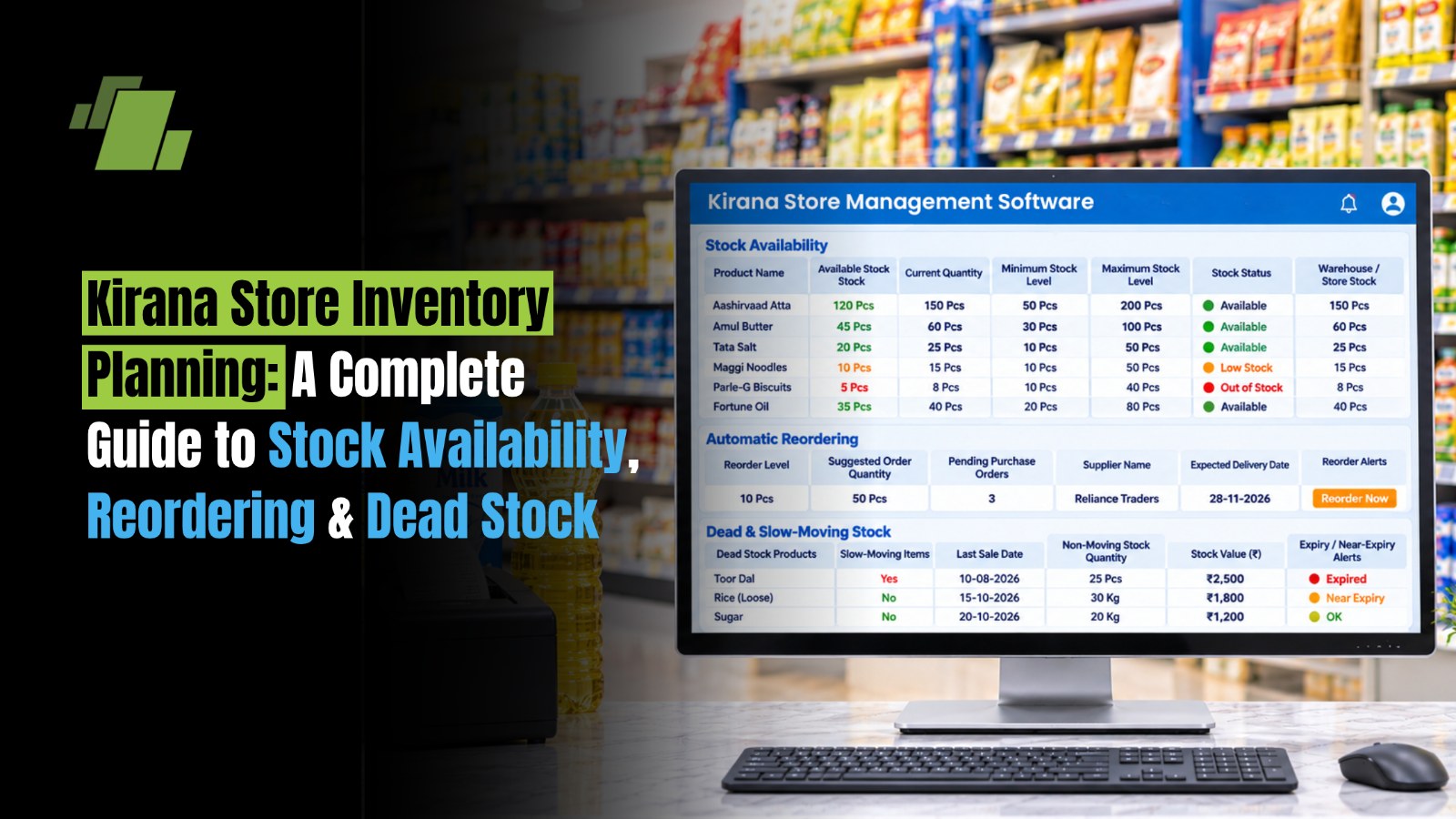
Running a successful kirana store requires more than purchasing products from distributors and selling them to customers. Store owners must continuously balance product availability, customer demand, purchase quantities and inventory costs.
Stocking too little can result in lost sales when customers cannot find their preferred products. Purchasing too much can block working capital, increase storage requirements and create dead stock, particularly when products have limited shelf life or changing demand patterns.
These challenges become more complicated when a kirana store manages thousands of SKUs across categories such as groceries, packaged foods, beverages, dairy products, personal care, household essentials and FMCG products.
Effective kirana store inventory planning helps retailers determine what to purchase, when to reorder and how much stock to maintain. It also helps identify fast-moving products, slow-moving items, seasonal demand patterns and products that are unnecessarily occupying shelf space.
With a structured inventory management process and technology such as LOGIC ERP, kirana retailers can improve stock availability, streamline purchasing and make better inventory decisions.
This guide explains practical inventory planning methods, reorder calculations, stock classification, dead stock management, common mistakes and the role of kirana software in improving kirana store operations.
Contact Us
Free Demo Request
What is Kirana Store Inventory Planning?
Kirana store inventory planning is the process of determining the right products, quantities and reorder timings required to meet customer demand while controlling purchasing and inventory costs.
It involves monitoring stock availability, analysing sales patterns, calculating reorder levels, managing supplier lead times and identifying slow-moving or excess inventory.
For example, a kirana store selling packaged atta, cooking oil, biscuits, detergents and dairy products must maintain different stock levels for each category.
-
Fast-moving products require frequent replenishment to avoid stockouts.
-
Slow-moving products need controlled purchasing to prevent excess inventory.
-
Perishable products require careful expiry and shelf-life monitoring.
-
Seasonal products need demand-based purchasing before peak sales periods.
-
High-value products require closer monitoring to avoid unnecessary working capital blockage.
The objective is not to maintain maximum inventory. It is to maintain sufficient stock to fulfil customer demand without accumulating unnecessary products.
Why is Inventory Planning Important for Kirana Stores?
Inventory planning directly affects the daily operations, cash flow and profitability of a kirana business.
Unlike large supermarket chains with dedicated procurement teams, many independent kirana stores depend on the owner's experience, distributor relationships and manual stock monitoring.
This approach can become unreliable as the number of products and daily transactions increases.
Effective kirana inventory planning helps address several challenges.
1. Prevents Stockouts of Fast-Moving Products
Stockouts occur when customers demand products that are unavailable in the store.
For example, if a kirana store regularly sells 20 packets of a popular biscuit brand every day but maintains insufficient stock, it may lose sales before the next distributor delivery.
Inventory planning helps store owners identify fast-moving products and maintain sufficient replenishment quantities.
2. Reduces Excess Inventory and Dead Stock
Purchasing more products than customers actually demand can block working capital.
Products that remain unsold for extended periods occupy storage space and may eventually become obsolete, damaged or expired.
Regular inventory analysis helps retailers identify products that require reduced purchasing or alternative selling strategies.
3. Improves Working Capital Management
Money invested in inventory cannot be used for other business requirements until products are sold.
By maintaining appropriate stock levels, kirana retailers can avoid unnecessary purchases and allocate working capital more efficiently.
4. Improves Customer Satisfaction
Customers expect their regular grocery and household products to be available whenever they visit.
Consistent stock availability builds trust and encourages repeat purchases.
5. Supports Better Purchase Planning
Inventory data helps retailers prepare purchase orders based on actual product movement rather than relying entirely on assumptions.
It also improves coordination with distributors and helps store owners plan deliveries according to supplier lead times.
6. Reduces Expiry and Product Wastage
Expiry-related losses can affect dairy, packaged foods, beverages and other products with limited shelf life.
Batch-wise inventory monitoring and appropriate stock rotation help retailers identify products requiring attention before they become unsaleable.
How to Classify Kirana Store Inventory for Better Stock Planning
Not every product in a kirana store deserves the same level of inventory investment or monitoring. Some products sell several times a day, while others may remain on shelves for weeks.
Classifying inventory helps store owners prioritise purchasing decisions and identify products that require closer monitoring.
1. Fast-Moving Products
Fast-moving products are items that sell frequently and need regular replenishment.
Examples include:
-
Wheat flour and rice.
-
Cooking oil and sugar.
-
Milk and dairy products.
-
Biscuits and packaged snacks.
-
Tea and coffee.
-
Popular detergents and soaps.
Inventory strategy: Maintain sufficient stock, review sales daily and establish clear reorder points to avoid stockouts.
2. Slow-Moving Products
Slow-moving products generate sales less frequently and may remain in inventory for longer periods.
Examples include:
-
Specialised food products.
-
Premium packaged items.
-
Certain household cleaning products.
-
Less popular personal care brands.
-
Products with limited local demand.
Inventory strategy: Purchase smaller quantities, monitor sales frequency and avoid repeating bulk orders without reviewing existing stock.
3. Non-Moving or Dead Stock
Dead stock refers to products that have remained unsold for an extended period and have little or no expected demand.
Examples include:
-
Discontinued product variants.
-
Outdated packaging or product ranges.
-
Unpopular brands.
-
Seasonal products remaining after the season.
-
Products purchased in excessive quantities.
Inventory strategy: Stop unnecessary replenishment, identify opportunities for returns or promotional clearance and review whether the product should remain in the assortment.
4. Seasonal Products
Seasonal products experience fluctuations in demand depending on weather, festivals, holidays and local buying behaviour.
Examples include:
-
Cold drinks and ice creams during summer.
-
Dry fruits and festive grocery packs during Diwali.
-
Sweets and gift packs during festivals.
-
Hot beverages during winter.
-
Special food products during regional celebrations.
Inventory strategy: Analyse previous seasonal sales, place purchases before expected demand increases and avoid carrying excessive stock after the season ends.
Comparison of Inventory Categories
|
Inventory Category |
Sales Frequency |
Stock Planning Approach |
Review Frequency |
|
Fast-moving |
High |
Frequent replenishment |
Daily |
|
Medium-moving |
Moderate |
Balanced stock levels |
Weekly |
|
Slow-moving |
Low |
Controlled purchasing |
Monthly |
|
Dead stock |
Very low or zero |
Clearance and purchase restrictions |
Monthly |
|
Seasonal |
Period-dependent |
Demand-based stocking |
Before and during season |
The review frequencies are suggested operating guidelines, not fixed industry standards. Retailers should adjust them according to sales volume, product shelf life and supplier delivery schedules.
What is ABC Analysis in Kirana Store Inventory Planning?
ABC analysis is an inventory classification method that groups products according to their annual consumption value or another clearly defined business-value measure.
It helps kirana retailers identify which products deserve the most attention when planning purchases and monitoring stock.
The three categories are:
-
A Category: Products contributing the highest share of annual inventory consumption value.
-
B Category: Products contributing a moderate share.
-
C Category: Products contributing a relatively small share.
A typical ABC classification may use the following approximate distribution:
|
Category |
Share of Inventory Value |
Management Priority |
|
A Items |
70–80% |
Very high |
|
B Items |
15–25% |
Moderate |
|
C Items |
5–10% |
Routine |
These are illustrative ranges, not universal thresholds. Actual classification depends on the store's product mix.
How to Perform ABC Analysis for a Kirana Store
-
Prepare a list of all products maintained by the store.
-
Calculate the annual quantity sold for each product.
-
Multiply annual units sold by the purchase cost per unit.
-
Arrange products from highest to lowest annual consumption value.
-
Calculate each product's cumulative contribution to total inventory consumption value.
-
Classify the products into A, B and C categories.
Example:
Suppose a kirana store sells the following products:
|
Product |
Annual Units Sold |
Purchase Cost |
Annual Consumption Value |
|
Cooking Oil |
2,400 |
₹130 |
₹3,12,000 |
|
Wheat Flour |
3,000 |
₹35 |
₹1,05,000 |
|
Detergent |
1,200 |
₹85 |
₹1,02,000 |
|
Biscuits |
4,000 |
₹12 |
₹48,000 |
|
Premium Sauce |
150 |
₹90 |
₹13,500 |
The retailer can rank these products by annual consumption value and assign appropriate inventory controls.
Important: ABC analysis based on consumption value does not necessarily identify fast-moving products. A high-value product may sell infrequently, while a low-value product may sell several times a day. Combining ABC analysis with FSN (Fast, Slow and Non-moving) analysis provides a more useful purchasing picture.
How to Calculate Reorder Levels for Kirana Store Products?
A reorder level is the stock quantity at which a retailer should initiate a new purchase order to replenish inventory before it runs out.
The reorder point depends on average product sales, supplier delivery time and the additional inventory maintained as a safety buffer.
The basic formula is:
Reorder Point = (Average Daily Sales x Lead Time) + Safety Stock
Example:
A kirana store sells 15 packets of a particular detergent every day. Its distributor takes four days to deliver a new order, and the store maintains safety stock of 20 packets.
|
Particulars |
Quantity |
|
Average daily sales |
15 packets |
|
Supplier lead time |
4 days |
|
Expected sales during lead time |
60 packets |
|
Safety stock |
20 packets |
|
Reorder point |
80 packets |
Reorder at 80 packets
The store should initiate replenishment when its inventory position reaches approximately 80 packets.
Inventory position should consider available stock, pending purchase orders and outstanding customer commitments, rather than looking only at the shelf quantity.
What is Safety Stock and Why Do Kirana Stores Need It?
Safety stock is additional inventory maintained to protect against unexpected demand increases or supplier delivery delays.
For example, a kirana store may normally sell 20 packets of a product daily. However, demand may increase during weekends or festivals. If the distributor also delays delivery, the store may run out of stock before the next replenishment arrives.
Safety stock provides a buffer against such uncertainty.
A simple calculation method is:
Safety Stock = (Maximum Daily Sales x Maximum Lead Time) - (Average Daily Sales x Average Lead Time)
Consider the following example:
|
Particulars |
Value |
|
Maximum daily sales |
25 units |
|
Maximum lead time |
5 days |
|
Average daily sales |
20 units |
|
Average lead time |
3 days |
|
Safety stock |
65 units |
The retailer can use this as an initial safety stock estimate and adjust it based on actual stockout experience, product shelf life and available storage.
Note: Safety stock should not be unnecessarily high for perishable products. Maintaining a large buffer for products with short shelf lives can create expiry-related losses.
How to Decide the Right Purchase Quantity for Kirana Stores?
Knowing when to reorder is only one part of inventory planning. Store owners must also determine how much to purchase.
Ordering too little can lead to repeated distributor visits and stockouts. Ordering too much can increase storage costs and tie up working capital.
The following factors should influence purchase quantities:
-
Average daily or weekly product sales.
-
Current stock availability.
-
Pending purchase orders.
-
Distributor delivery frequency.
-
Minimum order quantities.
-
Supplier discounts and schemes.
-
Product expiry and shelf life.
-
Available storage capacity.
-
Seasonal and promotional demand.
A practical replenishment formula is:
Suggested Purchase Quantity = Target Stock Level - Inventory Position
Example:
A kirana store wants to maintain 150 packets of a fast-moving biscuit product. Its current inventory is 45 packets, and 30 packets are already on order.
150-(45+30)=75
The suggested additional purchase quantity is 75 packets.
This calculation helps prevent duplicate purchasing when orders are already in transit.
Should Kirana Stores Buy Products in Bulk to Get Distributor Discounts?
Bulk purchasing can be beneficial when the product has consistent demand, a long shelf life and a worthwhile purchase discount.
However, discounts should not be the only factor in deciding purchase quantities.
Before placing a bulk order, retailers should evaluate:
-
Expected sales during the stock holding period.
-
Product expiry and shelf life.
-
Storage capacity.
-
Actual savings from the distributor scheme.
-
Working capital blocked in additional inventory.
-
Possibility of price changes or product discontinuation.
A discount on a slow-moving product may create a larger financial loss if the stock remains unsold.
How to Identify and Reduce Dead Stock in Kirana Stores?
Dead stock is inventory that has stopped generating meaningful sales and continues to occupy valuable shelf space and working capital.
Retailers should identify dead stock through product-wise sales and stock movement analysis instead of waiting until the end of the year.
1. Monitor Products with No Sales
Identify products that have not recorded any sales for a defined period.
For example, if a kirana store has 25 packets of a particular packaged food product but has recorded no sales for 90 days, the retailer should investigate its demand and purchase history.
The review period should vary by category. A seasonal product should not be classified as dead stock simply because it is outside its selling season.
2. Analyse Slow-Moving Inventory
Check products with low sales compared with available inventory. This helps identify products that may be overstocked relative to their sales velocity.
3. Stop Unnecessary Reordering
Once a product is identified as slow-moving or non-moving, review its purchase requirement before placing another order.
If sufficient inventory already exists, temporarily stop replenishment until the current stock is sold or a decision is made to discontinue the product.
4. Introduce Suitable Promotional Offers
Retailers can use appropriate discounts, combo offers and product bundles to improve the movement of slow-selling products.
For example, a kirana store can bundle a slow-moving household cleaning product with a complementary fast-moving product, provided the offer makes commercial sense.
5. Coordinate with Distributors for Returns
Where distributor agreements permit, retailers can request returns or exchanges for eligible unsold, damaged or near-expiry products.
This can help recover working capital and reduce potential inventory losses.
6. Review Product Assortment
Not every product needs to remain in the store permanently.
Retailers should periodically review customer preferences, product profitability and sales frequency to decide which items deserve shelf space.
How to Plan Kirana Store Inventory for Seasonal and Festival Demand?
Kirana store demand is influenced by local customer preferences, weather conditions, festivals, weekends and regional buying habits.
A store located in Punjab may experience different seasonal purchasing patterns from one operating in Maharashtra or South India.
For example:
|
Season / Occasion |
Products with Potential Demand Increases |
Planning Approach |
|
Summer |
Cold drinks, juices, ice creams |
Increase replenishment before peak demand |
|
Winter |
Tea, coffee, dry fruits |
Review historical seasonal sales |
|
Diwali |
Ghee, dry fruits, sweets, cooking ingredients |
Plan purchases before the festival |
|
Holi |
Colours, snacks and packaged beverages |
Purchase according to local demand |
|
Raksha Bandhan |
Sweets, chocolates and gift packs |
Monitor short-term demand |
|
Wedding season |
Dry fruits, cooking essentials and beverages |
Coordinate purchases with local demand |
Practical Steps for Seasonal Inventory Planning
-
Analyse sales from previous years during comparable periods.
-
Identify products that experienced increased demand.
-
Check current inventory before placing seasonal orders.
-
Coordinate with distributors regarding delivery schedules.
-
Account for supplier lead times and minimum order quantities.
-
Avoid excessive purchases of products with short shelf lives.
-
Review sales daily during peak demand periods.
-
Reduce replenishment when seasonal demand begins declining.
Historical sales data can help retailers distinguish between recurring seasonal demand and temporary sales fluctuations.
What are the Common Inventory Planning Mistakes Made by Kirana Store Owners?
Many inventory problems arise from purchasing habits and inconsistent stock monitoring rather than a lack of products.
The following mistakes can increase stockouts, overstocking and working capital blockage.
|
Common Mistake |
Business Impact |
Recommended Solution |
|
Purchasing based on memory |
Incorrect purchase quantities |
Use product-wise sales reports |
|
Buying excessive quantities for discounts |
Excess stock and blocked cash |
Evaluate stock cover and demand |
|
Ignoring slow-moving products |
Dead stock accumulation |
Conduct regular FSN analysis |
|
Not considering supplier lead time |
Frequent stockouts |
Establish product-wise reorder levels |
|
Maintaining identical stock levels for every product |
Unbalanced inventory |
Use category-wise stock planning |
|
Ignoring seasonal demand |
Lost sales or excess inventory |
Analyse historical seasonal sales |
|
Not recording every purchase and sale |
Incorrect stock balances |
Integrate billing and inventory |
|
Ignoring expiry dates |
Product wastage |
Implement batch-wise expiry tracking |
|
Reordering without checking pending orders |
Duplicate purchasing |
Consider inventory position |
How can Kirana Store Inventory Management Software Improve Stock Planning?
Manual inventory planning becomes increasingly difficult as a kirana store expands its product range, handles multiple distributors and processes more daily transactions.
Kirana store software helps retailers maintain updated stock records, analyse product movement and make more informed purchasing decisions.
An integrated retail ERP solution such as LOGIC ERP connects inventory, procurement, billing, stock transfers and business reporting to improve visibility across store operations.
1. Real-Time Stock Visibility
LOGIC ERP integrates Retail POS transactions with inventory management.
When products are billed, inventory quantities are updated according to the configured transaction workflow. Retailers can use stock information to understand available inventory and identify products requiring replenishment.
This reduces dependence on manual stock registers.
2. Product-Wise and Category-Wise Sales Analysis
Retailers can analyse product movement and sales performance to identify fast-moving, slow-moving and non-moving products.
This information supports better purchase planning and helps avoid unnecessary replenishment.
3. Automated Reorder Planning
Inventory management capabilities can help retailers establish minimum and maximum stock levels and plan replenishment according to product movement and business requirements.
The availability of automated purchase recommendations depends on the configured modules and workflows.
4. Barcode-Based Stock Management
Barcode scanning helps simplify product identification and inventory operations.
Retailers can use barcode-based processes for:
-
Goods receiving.
-
Product billing.
-
Physical stock verification.
-
Inventory transfers.
-
Product identification.
-
Stock reconciliation.
This reduces manual product identification and quantity-entry errors.

5. Batch-Wise and Expiry-Wise Inventory Management
For grocery products with limited shelf lives, batch-wise inventory tracking helps retailers monitor expiry dates and identify products requiring timely action.
This supports better stock rotation and reduces the risk of retaining unsaleable products.
6. Multi-Location Inventory Management
Kirana businesses expanding into multiple outlets or warehouses need visibility into stock across locations.
LOGIC ERP supports multi-location inventory management and relevant warehouse capabilities, including bin and rack management, barcode scanning and RFID-based processes.
This helps businesses coordinate stock transfers and monitor inventory distribution.
7. Business Insights and Inventory Reporting
Business Insights and relevant reporting modules help management evaluate business performance through available sales, inventory and operational reports.
Retailers can use these insights to review:
-
Product-wise sales.
-
Category-wise performance.
-
Stock availability.
-
Fast-moving and slow-moving inventory.
-
Purchase performance.
-
Inventory adjustments.
-
Store-wise inventory positions.
With better access to inventory information, store owners can make purchasing decisions based on actual product movement rather than assumptions.
Manual Inventory Planning vs. Software-Based Inventory Planning
|
Parameter |
Manual Inventory Planning |
Software-Based Inventory Planning |
|
Stock monitoring |
Registers and spreadsheets |
Centralised inventory records |
|
Sales tracking |
Manual calculations |
POS-integrated sales records |
|
Reorder planning |
Based on experience |
Sales and stock-level analysis |
|
Dead stock identification |
Manual checking |
Product movement reports |
|
Expiry management |
Physical inspections |
Batch-wise and expiry-wise records |
|
Purchase planning |
Manual supplier coordination |
Inventory-supported purchasing |
|
Stock verification |
Manual counting |
Barcode-supported verification |
|
Multi-store management |
Separate records |
Centralised visibility |
Manual methods may be sufficient for very small product ranges. However, as transaction volumes and SKU counts increase, software-based inventory planning can improve consistency, visibility and operational control.
A Practical Daily, Weekly and Monthly Inventory Planning Routine for Kirana Stores
Inventory planning becomes more manageable when retailers follow a fixed review schedule.
Kirana Store Inventory Planning Checklist
Daily activities
-
Review stock availability of fast-moving products.
-
Check low-stock and replenishment requirements.
-
Record all purchases, sales and returns.
-
Check near-expiry products.
-
Review urgent distributor orders.
Weekly activities
-
Review product-wise sales performance.
-
Identify slow-moving inventory.
-
Verify selected physical stock quantities.
-
Review pending purchase orders.
-
Compare supplier delivery performance.
Monthly activities
-
Conduct category-wise inventory analysis.
-
Identify non-moving and dead stock.
-
Review ABC and FSN classifications.
-
Evaluate inventory turnover.
-
Review purchase quantities and supplier terms.
-
Update reorder levels based on changing demand.
Following this routine helps kirana owners maintain better control over purchasing, stock availability and inventory investment.
Conclusion: Make Smarter Inventory Decisions for Your Kirana Store
Effective kirana store inventory planning is about maintaining the right products in the right quantities at the right time.
By identifying fast-moving products, setting appropriate reorder levels, maintaining safety stock, analysing seasonal demand and controlling dead stock, retailers can improve product availability while reducing unnecessary inventory investment.
As a kirana business grows, relying entirely on memory and manual registers can make inventory decisions increasingly difficult. An integrated retail ERP solution provides better visibility into product movement, purchases, stock availability and business performance.
Facing frequent stockouts, excess inventory and money blocked in slow-moving products?
Simplify purchasing, improve stock availability and manage inventory more efficiently with LOGIC ERP Grocery Management Software.

Make every purchase count and every product move. Call at +91-73411-41176/75 or send us an email at sales@logicerp.com to book a free demo today!
Frequently Asked Questions
1. How do You Manage Inventory in a Kirana Store?
Manage kirana store inventory by maintaining product-wise stock records, tracking daily sales, classifying fast-moving and slow-moving products, setting reorder levels, checking expiry dates and conducting regular physical stock audits.
2. How Much Inventory Should a Kirana Store Maintain?
The required inventory depends on daily sales, product demand, supplier lead times, delivery frequency, shelf life, available storage and working capital. Fast-moving products generally require more frequent replenishment, while slow-moving products should be purchased in smaller quantities.
3. How do You Calculate the Reorder Level for a Kirana Store?
Use the formula:
Reorder Level = (Average Daily Sales × Supplier Lead Time in Days) + Safety Stock.
For example, if daily sales are 15 units, supplier lead time is four days and safety stock is 20 units, the reorder level is 80 units.
4. What is Dead Stock in a Kirana Store?
Dead stock refers to products that remain unsold for an extended period and have little or no expected customer demand. Examples include discontinued products, unpopular variants and excess seasonal inventory.
5. How can Kirana Stores Reduce Dead Stock?
Kirana stores can reduce dead stock by analysing product-wise sales, limiting purchases of slow-moving items, offering suitable promotional discounts, coordinating eligible distributor returns and reviewing product assortment regularly.
6. What is ABC Analysis in Inventory Management?
ABC analysis classifies products according to their annual consumption value. A-category products receive the highest monitoring priority, B-category products receive moderate attention and C-category products are managed through routine controls.
7. What is the Difference Between Fast-Moving and Slow-Moving Products?
Fast-moving products sell frequently and require regular replenishment. Slow-moving products generate sales less frequently and generally require smaller, more controlled purchase quantities.
8. How does Safety Stock Help Kirana Stores?
Safety stock provides an additional inventory buffer against unexpected demand increases and supplier delivery delays. It helps reduce stockout risks, particularly for regularly purchased products.
9. How can Kirana Stores Improve Product Availability?
Retailers can improve product availability by analysing historical sales, setting SKU-wise reorder points, monitoring current inventory, considering supplier lead times and reviewing fast-moving products regularly.
10. Which is the Best Inventory Management Software for Kirana Stores?
The right inventory management software should support product-wise stock tracking, purchase management, barcode-based billing, reorder planning, expiry monitoring, sales analysis and inventory reporting. LOGIC ERP offers integrated retail and grocery management capabilities for businesses requiring these processes.
11. How Often Should Kirana Store Owners Check Inventory?
Fast-moving products should be reviewed daily, selected inventory categories can be checked weekly, and a broader inventory review should be conducted monthly. Physical counting frequency should depend on product value, movement and risk.
12. Can Inventory Management Software Automatically Generate Purchase Orders?
Inventory management software can support purchase planning through stock-level monitoring, reorder thresholds and replenishment workflows. Automatic purchase order generation depends on the software's capabilities, configuration and approval rules.

Author
Gurbir Singh
Co-founder & Managing Director | LOGIC ERP Solutions Pvt. Ltd.
With 30+ years of experience in the tech industry, I took the helm of technology & product development, ensuring LOGIC ERP’s continuous innovation & leadership in the evolving tech landscape.

