How to Set Up Customer Discount Cards in ERP Software – Step-by-Step Guide

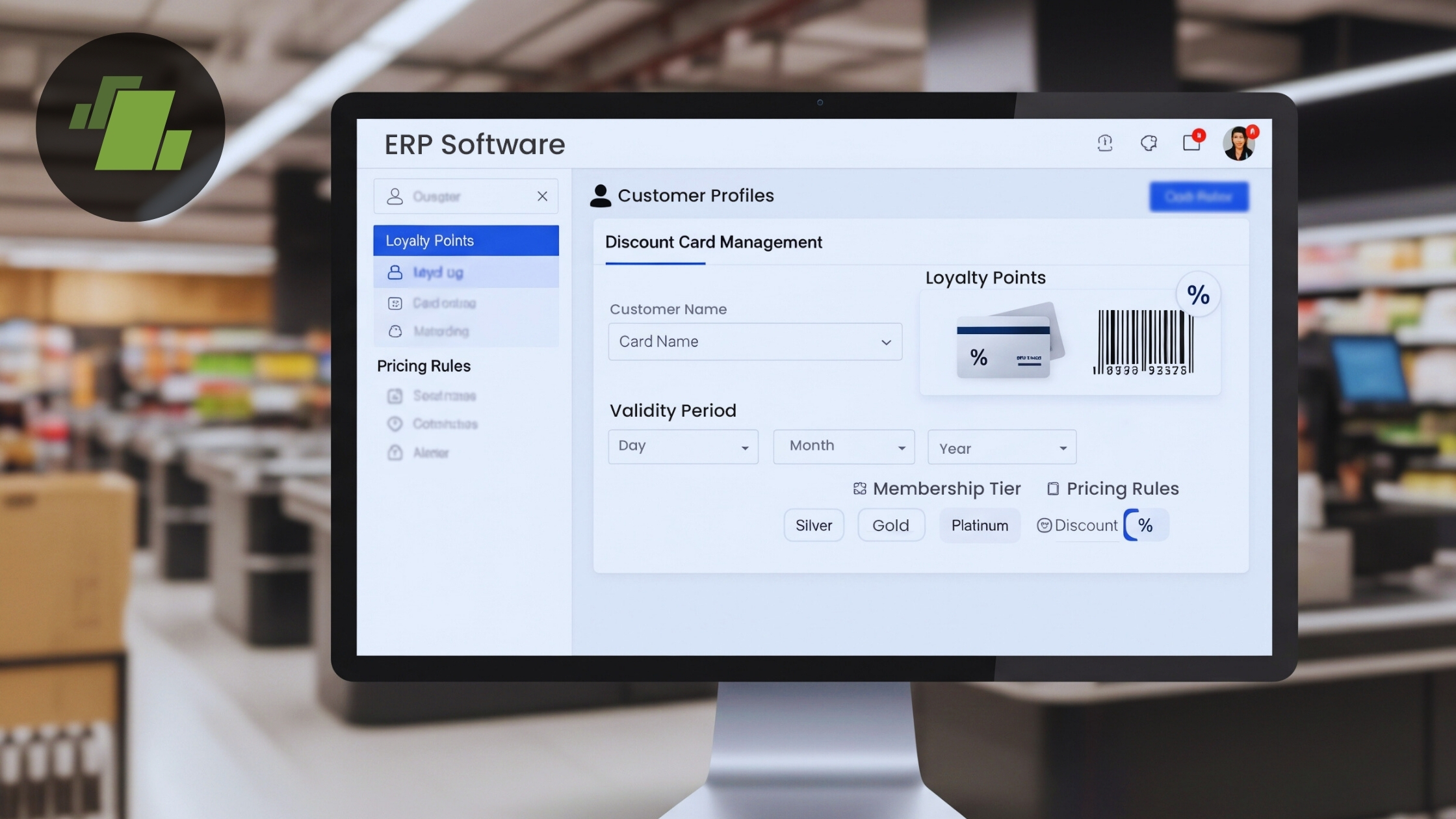
Businesses across India are increasingly adopting loyalty discount software India to reward their customers and drive repeat sales. With ERP discount management for retailers, companies can automate discount applications, reduce billing errors, and streamline operations across multiple branches. Implementing these solutions ensures accurate tracking of customer discounts while boosting efficiency and customer satisfaction.
Offering customer discounts is a proven strategy to increase loyalty and boost sales. With LOGIC ERP, businesses can easily create, manage, and apply Customer Discount Cards automatically. This step-by-step guide will help Indian retailers, wholesalers, and distributors implement a seamless discount system, ensuring accurate billing and improved customer satisfaction.
What are Customer Discount Cards in ERP?
Customer Discount Cards are digital loyalty tools that allow businesses to offer discounts based on predefined discount slabs. These cards can be linked to individual customers, automatically applying discounts on sales bills when specific conditions are met.
Benefits of Customer Discount Cards:
- Automate discount application during billing
- Reward loyal customers with structured incentives
- Track and manage discount usage per customer
- Improve billing accuracy and reduce manual errors
Businesses such as pharmacies, supermarkets, FMCG distributors, retail stores, and multi-branch enterprises across India rely on LOGIC ERP to streamline their operations, manage inventory efficiently, and automate critical processes like billing and customer discount management.
Step-by-Step Process to Set Up Customer Discount Cards in LOGIC ERP
Offering customer discounts and managing loyalty programs is now easy with LOGIC ERP. Here’s a complete guide to set up discount slabs and customer discount cards for Indian retailers, pharmacies, supermarkets, FMCG distributors, and multi-branch businesses.
Step 1: Discount Slab Setup in LOGIC ERP for Indian Retail Stores
- Go to the Setup Module in LOGIC ERP.
- Under Setup > Accounts, open Setup Customer Database.
- Click Setup Discount Slab Types.
- Define the Slab Name and Short Name, then save the changes.
Step 2: Configure Discount Slab Values
- From the Main Menu, open Setup Discount Slab.
- Select the required Slab Name from the dropdown.
- Define the Slab Value.
- Choose the Discount Option – percentage or fixed amount.
- Save the changes.
Pro Tip: Align slab values with your loyalty discount strategy for maximum customer engagement.
Step 3: Create Customer Discount Cards in LOGIC ERP for Indian Retailers
- Open Setup Customer Discount Cards from the Main Menu.
- Define the Card Prefix.
- Enter the number of discount cards to be issued.
- Set the Date of Issue and Expiry Date.
- Link the card to the Discount Slab created earlier.
- Save the configuration.
Step 4: Allocate Discount Cards to Customers
- Go to Edit Entry.
- Select the required Discount Card and click Refresh.
- Allocate cards to the respective customers.
- Save the changes.
Expert Tip: For multi-branch retail stores, LOGIC ERP allows centralized allocation, ensuring consistent ERP discount management for retailers across locations.
Step 5: Apply Discount Cards During Billing
- Open the Sales Bill window and create a new transaction.
- Enter items for billing.
- Create a bill below the slab value – no discount will apply.
- Increase the bill to match or exceed the slab value.
- Under Available Schemes, select the applicable discount. The automated discount application in LOGIC ERP applies the discount immediately.
Benefits of Using Customer Discount Cards in LOGIC ERP
Implementing Customer Discount Cards in LOGIC ERP provides multiple advantages for retailers, pharmacies, FMCG distributors, and multi-branch businesses. Here’s how these benefits translate into real business value:
1. Automated Discounts
With LOGIC ERP loyalty discount software in India, discounts are applied automatically based on predefined slabs, eliminating the risk of manual calculation errors during billing. This ERP discount card system ensures that the right discount is applied to every transaction, enhancing accuracy and saving time for sales staff. Automated discounting also reduces customer disputes and improves overall billing efficiency.
2. Improved Customer Loyalty
Structured and consistent discounts encourage repeat purchases, fostering customer loyalty. By using loyalty discount software in India, businesses can design targeted loyalty programs and reward their customers automatically. This approach not only increases customer retention but also strengthens brand trust and promotes long-term engagement.
3. Operational Efficiency
Manual discount tracking is time-consuming and prone to errors. With LOGIC ERP’s customer discount management for retail, businesses can save hours of administrative work by automating discount allocation and tracking. Employees can focus on higher-value tasks while the system ensures accurate application of discounts across multiple bills and branches.
4. Centralized Control
For multi-branch businesses, managing discounts at each location can be complex. LOGIC ERP provides a centralized ERP discount card system, allowing administrators to configure and allocate discount slabs and cards across all branches. This central control ensures consistency, prevents unauthorized discount usage, and simplifies operational management.
5. Compliance & Transparency
Maintaining records of discount usage is critical for audits and regulatory compliance. LOGIC ERP enables detailed tracking of customer discount management for retail transactions, providing transparency for internal reporting and external audits. Businesses can generate reports of discount usage, slab performance, and customer redemption patterns easily, ensuring accountability and data-driven decision-making.
Conclusion
Setting up Customer Discount Cards in LOGIC ERP empowers businesses to automate loyalty programs, ensure accurate discount application, and enhance customer satisfaction. By following this step-by-step guide, Indian retailers, wholesalers, and distributors can efficiently manage discounts, reduce manual errors, and boost operational efficiency.
Call at +91-73411-41176 or send us an email at sales@logicerp.com to book a free demo for loyalty discount management software today!
Frequently Asked Questions (FAQs)
Q1: What is a discount slab in ERP?
A discount slab defines the criteria and value of discounts applied to bills. Slabs can be percentage-based or fixed-amount and are linked to customer discount cards.
Q2: Can I issue discount cards to multiple customers at once?
Yes. LOGIC ERP allows bulk allocation of discount cards, ideal for multi-branch retail or FMCG businesses.
Q3: Do discount cards automatically apply to sales?
Yes. Once allocated, the system applies the discount automatically when the bill meets the slab criteria.
Q4: Can discount cards have an expiry date?
Absolutely. Each card can be issued with a start and expiry date, ensuring controlled use.
Q5: Which businesses benefit most from customer discount cards?
Pharmacies, supermarkets, FMCG distributors, retail chains, and multi-location businesses benefit from improved customer loyalty and accurate discount tracking.

Author
Sharanjit Ghuman
Director of Communications | LOGIC ERP Solutions Pvt. Ltd.
Leading and managing the company’s internal and external communication strategies and working closely with senior leadership to develop and execute communication plans.


