How to Generate E-Invoice Under GST in India (2026 Complete Guide with Process, Format & Software)

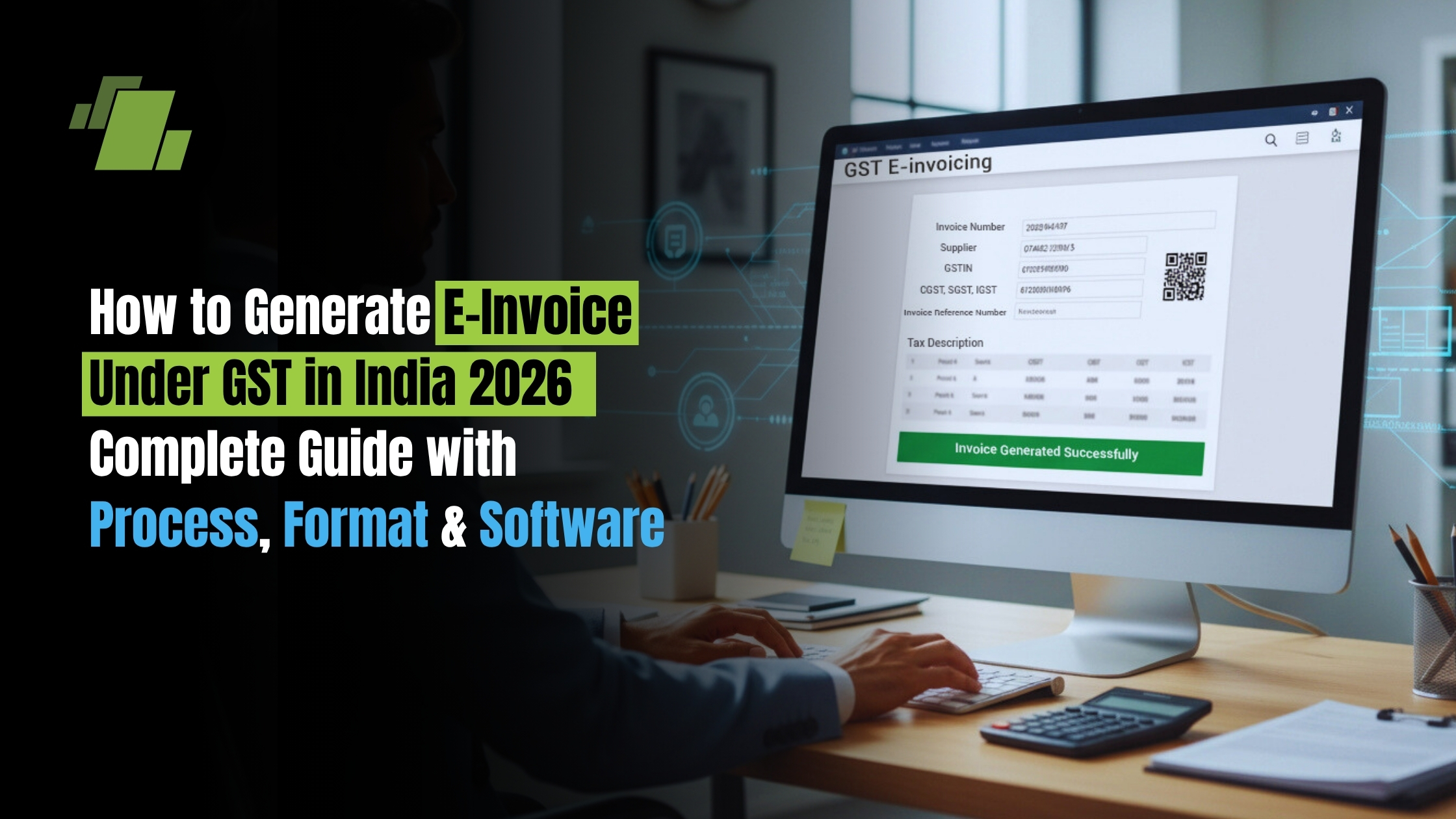
E-invoicing under GST has become a cornerstone of compliance in India. This guide is for Indian businesses subject to GST e-invoicing requirements, accountants, and ERP users. Understanding e-invoicing is crucial for compliance, avoiding penalties, and streamlining business operations. If your business crosses the turnover threshold, understanding how to generate e invoices is mandatory. This guide walks you through everything: the process, format requirements, latest 2026 rules, and how ERP software like LOGIC ERP can automate the entire workflow.
Key Takeaways
- E-invoicing under GST is mandatory for B2B, B2G, and export invoices for businesses with aggregate turnover of ₹5 crore or more (as of August 2023), with a 30-day reporting deadline applying to ₹10 crore+ taxpayers.
- An e-invoice is not created on the GST portal; it originates in your accounting or billing software (like LOGIC ERP), gets converted to JSON format, and is then authenticated by the invoice registration portal (IRP), which returns the invoice reference number (IRN) and signed QR code.
- Missing or incorrect e-invoices (without valid IRN/QR code) are treated as invalid documents, blocking input tax credit for buyers and attracting penalties up to ₹10,000 per invoice or 100% of tax due under Section 122 of the CGST Act.
- Automated GST e invoice software with IRP API integration is the most reliable method for handling bulk invoice generation, avoiding manual errors, and ensuring real-time GST and e way bill compliance.
- This guide explains step by step how to generate electronic invoices, what mandatory fields and formats are required, the latest 2026 rules, common mistakes to avoid, and how LOGIC ERP simplifies your entire invoicing process.
What is E-Invoice in GST? (Simple Explanation)
E-invoicing is a digital system where invoices are generated electronically and submitted to the Invoice Registration Portal (IRP) for authentication. E-invoices are machine-readable formats like XML or JSON that allow for automated processing and validation.
An e-invoice is a regular GST tax invoice whose key invoice details are electronically reported to the government’s invoice registration portal (IRP). The IRP validates the data and issues a unique invoice reference number (IRN) along with a digitally signed QR code.
E-invoicing started in India on 1 October 2020 for very large taxpayers (₹500 crore+ turnover) and has gradually expanded to lower turnover slabs. The government doesn’t create your invoice, it authenticates invoices you create in your billing software or ERP system.
The IRP’s role includes:
- Receiving invoice JSON from your software
- Running de-duplication checks against existing records
- Generating the IRN (a 64-character hash using supplier GSTIN, document number, and financial year)
- Digitally signing the invoice data
- Embedding a scannable QR code
- Pushing validated invoice data to GST and e way bill systems
The key difference between a normal invoice and an e-invoice? Both are created in software, but an e-invoice becomes legally valid only after receiving the IRN and signed QR code from IRP and printing/embedding these on the final invoice shared with your customer.
“E-invoice is a digitally authenticated GST invoice whose details are uploaded to IRP and validated with a unique IRN and QR code.”
Who Needs to Generate E-Invoice in India? (Latest 2026 Rules)
E-invoicing applicability is based on aggregate turnover (AATO) across all GST registrations under a single PAN, not calculated state-wise.
Threshold timeline showing expanded coverage:
| Effective Date | Turnover Threshold |
|---|---|
| 1 October 2020 | ₹500 crore+ |
| January 2021 | ₹100 crore+ |
| April 2021 | ₹20 crore+ |
| 2022 | ₹10 crore+ |
| 1 August 2023 | ₹5 crore+ (current) |
As of FY 2026–27, taxpayers with AATO of ₹5 crore or more in any financial year from 2017–18 onwards must issue e-invoices for B2B, B2G, and export supplies (subject to notified exemptions).
If your business crosses the relevant turnover limit during a financial year, e-invoicing applicability begins from the next financial year. Current coverage includes B2B supplies, supplies to registered government entities, exports, and deemed exports, but not general B2C invoices (though B2C e-invoicing is being discussed for phased implementation).
Verify your applicability using the GST portal’s “e invoice enablement” feature or consult your tax advisor. LOGIC ERP can be configured to enforce e-invoicing rules only for eligible documents automatically.
Exemptions and Transactions Not Covered Under E-Invoicing
Some entities and document types remain exempt from e-invoicing even when turnover crosses the threshold.
Exempt entities include:
- Banking companies, NBFCs, and financial institutions
- Insurance companies
- Goods transport agency (GTA) service providers
- Passenger transportation services
- Cinema exhibitors
- SEZ units (not SEZ developers)
- Government departments and local authorities
- OIDAR suppliers registered under Rule 14
- Input service distributor invoices
Documents not requiring IRN:
- Delivery challans
- Bills of supply
- Bills of entry (imports)
- Documents for wholly exempt or non-GST supplies
Non-covered transactions:
- B2C sales to unregistered consumers
- Nil-rated and fully exempt supplies
- Imports
- Bonded warehouse sales and FTWZ transactions
- Certain reverse charge supplies
Even where IRN isn’t required, maintain regular GST-compliant invoicing and record keeping in your ERP system.
Mandatory Fields Required in E-Invoice Format
The e invoice schema prescribed by GSTN (Form GST INV-01) contains approximately 50 mandatory fields ensuring uniformity across all ERP systems.
Key header fields:
- Supplier GSTIN, legal name, address, state code
- Place of supply
- Recipient GSTIN and trade name
- Document type (invoice, credit note, debit note)
- Document number and invoice date
- Supply type (B2B, SEZ, export)
Item-level mandatory fields:
- HSN code (6-digit for ₹5 crore+ businesses)
- Item description
- Quantity and unit
- Taxable value
- Tax rates and amounts (CGST, SGST, IGST, Cess)
Summary fields:
- Total taxable value
- Tax-wise breakup
- Total invoice value with and without tax
- Round-off details
The IRN and signed QR code fields are added by IRP upon successful validation. These must be stored in your ERP and printed on every final invoice copy.
LOGIC ERP comes pre-mapped to the latest e invoice schema, users simply fill standard invoice screens while the system auto-prepares compliant JSON in the background.
Step-by-Step Process to Generate E-Invoice (IRP Flow)
The complete flow involves creating your invoice in ERP, converting to JSON format, sending to IRP via API/utility, receiving IRN + QR code, and auto-updating GST returns and e way bills.
Step 1 – Create Invoice in ERP or Billing Software
- Issue a regular GST tax invoice in your accounting software or ERP system (like LOGIC ERP), ensuring all mandatory GST fields are correctly captured: GSTINs, HSN codes, tax rates, and values.
- Your invoice number must be unique for the financial year and follow GST document numbering rules. Match details with purchase orders and delivery notes to avoid future cancellations.
- In LOGIC ERP, e-invoice eligible documents are automatically tagged by document type and party category (B2B, export, SEZ), preventing accidental skipping of IRN generation.
Step 2 – Convert Invoice into JSON Format
- The invoice registration portal IRP only accepts invoice data in machine-readable JSON format conforming to the official e invoice schema.
- Modern billing software like LOGIC ERP auto-generates this JSON file in the background when you save the invoice. Smaller businesses with very few invoices may use offline Excel/utility tools released by NIC.
- Think of JSON as a structured data file containing all invoice elements (header, parties, items, tax summary)—not something you manually edit.
Step 3 – Upload JSON to IRP Portal
Main submission methods:
- Direct API integration from your ERP system
- Bulk upload via GST Suvidha Provider (GSP)
- Manual upload using NIC’s e invoice portal or offline tool (for low volumes)
From 1 April 2026, multi-factor authentication (MFA) is mandatory for logging into the IRP and e way bill portal—keep your registered mobile/email accessible.
LOGIC ERP’s e-invoicing module pushes JSON files automatically to IRP via secure APIs, eliminating manual uploading entirely.
Step 4 – IRP Validation & IRN Generation
- IRP performs comprehensive validation:
- Checks JSON schema compliance
- Verifies GSTIN validity for both parties
- Detects duplicate invoice numbers for the same supplier and financial year
- Confirms mandatory field completeness
- If validation passes, IRP generates the unique invoice reference number IRN: a SHA256 hash of supplier GSTIN, document number, and year, returning the 64-character string on success.
- When data is invalid, IRP returns specific error codes. LOGIC ERP surfaces these messages clearly so users can correct and re-upload invoices quickly.
Step 5 – QR Code & Digital Signature
- Once the IRN is generated, IRP digitally signs the invoice payload and generates a QR code containing:
- Supplier and buyer GSTIN
- Document number and date
- Invoice value
- Number of line items
- The IRN itself
- This signed QR code must be printed on invoices shared with customers (PDF or physical) and can be scanned by GST officers, buyers, and auditors for instant verification.
- LOGIC ERP automatically embeds the IRN and QR code into standard invoice print formats and email PDFs without extra manual steps.
Step 6 – Auto Update in GST Returns and E-Way Bills
- After successful registration, IRP shares invoice data with the GST system, which auto-populates your GSTR-1 and pre-fills Part A of the e way bill where applicable.
- This automation reduces manual data entry errors, mismatches, and GST filing time—especially valuable for high-volume sectors like manufacturing, distribution, and retail chains.
- LOGIC ERP syncs IRP acknowledgements with its GST return and e way bill modules, providing a single dashboard view of invoice, IRN, GST, and logistics status.
Can You Generate E-Invoice Manually?
Direct answer: You cannot log into the main GST portal and type invoice details to create an e-invoice. The IRP requires structured JSON data from software, utilities, or APIs.
Small businesses issuing a handful of B2B invoices may use NIC’s free offline/Excel bulk generation tool to prepare JSON and upload manually on the e invoice portal but this approach doesn’t scale.
For growing businesses, recommended options include:
- ERP systems with IRP integration (LOGIC ERP)
- GSP platforms
- In-house API connectors developed using NIC specifications
Even with “manual” upload, the underlying invoice must still be created in some billing system and adhere to the e invoice schema and GST law requirements.
Latest GST E-Invoice Rules & Updates (2026)
GST e-invoicing rules evolve regularly. This section reflects the position as of early 2026.
- 30-day reporting deadline (from 1 April 2026): Taxpayers with AATO of ₹10 crore+ must report invoices to IRP within 30 days of the invoice date. Late IRN generation is treated as non-compliance for the relevant tax period.
- Continued applicability: The ₹5 crore threshold remains the baseline, with additional time limits potentially extending to lower slabs in future.
- Security updates effective April 2026:
- Mandatory multi-factor authentication on IRP and e way bill portals
- Stricter IP whitelisting for API connections
- Recommended strong passwords and role-based access in your ERP system
- Important clarifications:
- IRP treats invoice numbers as case-insensitive (converting to uppercase before IRN generation)
- Avoid duplicate numbering patterns that trigger validation errors
LOGIC ERP can be configured to enforce the 30-day rule with alerts and blocks for overdue invoices, maintaining audit trails of all e invoice generation activities for statutory checks.
Penalties for Not Generating E-Invoice
An invoice required to be e-invoiced but issued without a valid IRN and QR code is treated as an invalid document under GST law.
Statutory penalties under Section 122 of CGST Act:
- Up to ₹10,000 per invoice OR 100% of central tax due (whichever is higher)
- Separate penalties up to ₹25,000 may apply for incorrect documents
Commercial consequences:
- Buyers lose eligibility for input tax credit on such invoices
- Payment disputes and delayed settlements
- Damaged business relationships
Enforcement risks:
- Goods accompanied by invoices without IRN/QR may be detained during inspections
- Logistics disruptions and additional compliance costs
Automated e-invoicing via LOGIC ERP significantly reduces these risks by enforcing mandatory checks and ensuring every eligible invoice goes through IRP before dispatch.
Benefits of E-Invoicing for Businesses
Beyond compliance, e-invoicing delivers operational, financial, and strategic advantages.
Operational Benefits
- Reduced manual data entry across business transactions
- Fewer invoice mismatches and reconciliation errors
- Faster syncing between sales, accounts, GST returns, and e way bills
Accuracy and Fraud Control
- Standardized schema prevents fake invoices
- IRN de-duplication eliminates duplicate claims
- QR-based verification helps curb tax evasion and fictitious ITC
Cash-flow and Efficiency Gains
- Quicker invoice validation by customers
- Improved creditworthiness with lenders through clean digital trails
- Lower costs for paper storage and dispatch
IT and Analytics Advantages
- Centralized, high-quality invoice data for real-time dashboards
- Aging analysis and profitability reporting
- Enhanced GST compliance requirements tracking within ERP like LOGIC ERP
How LOGIC ERP Simplifies E-Invoicing
LOGIC ERP is an integrated GST billing and ERP solution built specifically for Indian tax requirements, including full e-invoice and e way bill automation.
- Auto IRN generation: LOGIC ERP converts invoices to JSON in the background, calls IRP APIs, fetches IRN and signed QR code, and updates invoice records, all without users switching screens.
- Bulk processing capabilities: Generate IRN for hundreds or thousands of invoices in a single batch with status dashboards showing success, failures, and specific error reasons.
- Real-time GST compliance: Automatic sync of e-invoiced data to GSTR-1 reports, reconciliation tools matching IRP records with books, and alerts for anomalies or missing IRN.
- Robust API integration: Secure, scalable connection with IRP and GSPs, supporting high transaction volumes and MFA-compatible authentication flows.
- User-centric features:
- Pre-validation of GSTIN and HSN before invoice creation
- Industry-specific templates (retail, manufacturing, distribution)
- Role-based controls and complete audit logs for all e-invoice activities
Businesses searching for “GST e-invoice software India” or “ERP for e-invoicing GST” can book a demo of LOGIC ERP to see automated invoice generation end-to-end.
E-Invoice Format Sample (Structure Breakdown)
Here’s a textual walk-through of a typical GST e-invoice layout showing how the printed invoice maps to the official schema.
Header block:
- Supplier logo and company details
- Supplier GSTIN, legal name, address, state, and PIN
- Invoice title (“Tax Invoice”)
- Invoice number and date
- Payment terms
Buyer/recipient section:
- Buyer GSTIN and legal name
- Billing and shipping address
- Place of supply
- Supply type (regular, SEZ, export with/without payment)
Item details table:
| Description | HSN/SAC | Qty | Unit | Rate | Discount | Taxable Value | CGST | SGST | IGST |
|---|---|---|---|---|---|---|---|---|---|
| Product A | 847130 | 10 | Nos | 500 | 0 | 5,000 | 450 | 450 | – |
Totals area:
- Sub-total of taxable values
- Tax-wise breakup (CGST, SGST, IGST, Cess)
- Grand total in figures and words
- Round-off adjustments
E-invoice-specific elements:
- IRN printed near header (64-character string)
- Signed QR code placed prominently
- IRP acknowledgement number and timestamp
- Note: “Invoice generated under GST e invoicing system”
LOGIC ERP provides pre-designed print formats meeting these requirements, customizable to your company branding.
Common Mistakes to Avoid in E-Invoicing
Most IRP rejections and compliance issues stem from a few recurring errors that are easily preventable.
Data errors:
- Incorrect or inactive GSTINs
- Mismatched state codes vs GSTIN
- Missing or wrong HSN codes
- Invalid PIN codes or address fields
Calculation issues:
- Inconsistent taxable values vs sum of line items
- Incorrect tax rate application (CGST+SGST instead of IGST for inter-state)
- Round-off differences beyond permitted tolerance
Delayed uploads:
- Exceeding the 30-day limit for ₹10 crore+ taxpayers
- Bulk back-dating of invoices
- Raising delivery challans without timely corresponding e-invoices
Process lapses:
- Editing invoice after IRN without cancelling and re-issuing
- Duplicate invoice numbers within the same financial year
- Using separate numbering for printed vs e-invoice versions
LOGIC ERP prevents many of these issues through validation checks, GST master controls, and clear workflows for cancellation and amendment.
What is the Impact of E-Invoicing on Tax Compliance?
E-invoicing has a transformative impact on tax compliance by introducing automation, real-time reporting, and enhanced transparency into the invoicing ecosystem. It not only simplifies GST/VAT compliance but also plays a critical role in curbing tax evasion and improving overall financial accuracy for businesses. Businesses with a turnover of ₹10 crore or more must report invoices to the IRP within 30 days of issuance effective April 1, 2025. In many regions, e-invoicing is becoming mandatory based on annual turnover requirements.
Reduced Errors Through Automation
- E-invoicing eliminates manual data entry, significantly reducing errors such as typos, incorrect tax calculations, and duplicate invoices.
- Automated data transfer between systems ensures accuracy and consistency, leading to more reliable tax filings and fewer compliance issues.
Real-Time Reporting and Accurate ITC Claims
- E-invoices are reported in real time to the Invoice Registration Portal (IRP), ensuring that transaction data is instantly recorded.
- This enables accurate and faster claiming of Input Tax Credit (ITC), simplifies GST return filing, and reduces discrepancies during reconciliation.
Enhanced Fraud Prevention and Security
- E-invoicing uses digital signatures and encryption to secure invoice data, making it more reliable than traditional paper invoices.
- Each invoice is assigned a unique Invoice Reference Number (IRN) and QR code, ensuring authenticity, preventing duplication, and reducing fraud risks.
Effective Control Over Tax Evasion
- By mandating invoice validation through the IRP, e-invoicing eliminates fake invoices and unauthorized transactions.
- This significantly reduces tax evasion by ensuring that all invoices are tracked, verified, and recorded in the system.
Automated Validation and Compliance Checks
- Digital validation checks are built into the e-invoicing system to detect errors such as incorrect GST rates, missing fields, or duplicate entries before submission.
- This proactive validation ensures compliance and minimizes the risk of penalties.
Real-Time Access for Tax Authorities
- E-invoicing allows tax authorities to access transaction data in real time, increasing transparency and enabling better monitoring.
- This helps identify discrepancies quickly and strengthens regulatory enforcement, leading to higher compliance levels.
Simplified GST/VAT Compliance
- Real-time tax reporting reduces errors in GST/VAT filings and ensures that all transactions are accurately captured.
- This simplifies compliance processes and reduces the administrative burden on businesses.
Standardization and Seamless Reconciliation
- E-invoices follow standardized formats like JSON or XML, enabling smooth integration with ERP and accounting systems.
- This standardization improves reconciliation between invoices, purchase orders, and payments, ensuring better financial control.
Touchless Processing and Faster Payments
- E-invoicing facilitates touchless processing by automatically matching invoices against purchase orders.
- Automated workflows accelerate invoice approvals and payment cycles, improving cash flow and operational efficiency.
Mandatory Compliance and Wider Adoption
- In many regions, including India, e-invoicing is mandatory for businesses exceeding specific annual turnover thresholds.
- This ensures broader adoption, bringing more businesses into the formal tax system and strengthening overall compliance.
Which are the best e-Invoicing Solutions and Software Providers?
Choosing the right e-invoicing solution is essential for businesses aiming to streamline GST compliance, automate billing processes, and improve financial accuracy. Users could be looking for solutions or software options that facilitate e-invoicing, especially those that integrate with existing accounting systems. E-invoicing enables automated processing directly into accounts payable systems.
The best e-invoicing software providers offer seamless integration with ERP systems, real-time Invoice Registration Portal (IRP) connectivity, and support for machine-readable formats like JSON and XML.
Key Features of LOGIC ERP | Top E-Invoicing Solutions
The most effective e-invoicing software includes:
- IRP Integration: Direct connection with the Invoice Registration Portal for instant IRN generation
- Automated Invoice Generation: Create and validate invoices with minimal manual effort
- GST Compliance: Built-in compliance with the latest GST rules and e-invoicing mandates
- Machine-Readable Formats: Support for JSON and XML for automated processing
- Real-Time Data Sync: Seamless integration with ERP and accounting systems
- Bulk Processing: Generate and upload multiple invoices efficiently
Benefits of Using E-Invoicing Software
Modern e-invoicing solutions provide significant advantages:
- Cost Reduction: Automation reduces operational costs by up to 60–80%
- Improved Accuracy: Eliminates manual data entry errors
- Faster Processing: Real-time validation and quicker invoice approvals
- Enhanced Compliance: Ensures adherence to GST regulations
- Seamless Reconciliation: Standardized data improves payment matching and reporting
Top E-Invoicing Software Providers in India
Businesses can choose from various ERP-based and cloud-based solutions depending on their needs. These include:
- ERP-integrated billing systems
- Cloud-based GST invoice generators
- API-based e-invoicing platforms
- Industry-specific billing software
E-invoices are machine-readable formats like XML or JSON that allow for automated processing and validation. E-invoicing automates financial workflows, reducing costs by 60–80% and increasing accuracy by eliminating manual data entry. Standardized data in e-invoicing allows for seamless reconciliation with ERP systems, enhancing payment matching processes.
Why Choose LOGIC ERP e-invoice Software to Generate e-invoice?
LOGIC ERP – A Complete E-Invoicing Solution
For businesses looking for a powerful and scalable solution, LOGIC ERP is one of the leading e-invoicing software providers in India.
Why Choose LOGIC ERP?
- End-to-end GST e-invoicing automation
- Real-time IRP integration for instant IRN generation
- Bulk invoice processing for high-volume businesses
- Seamless ERP and accounting system integration
- Designed for retail, distribution, and enterprise operations
- Ensures full GST compliance with minimal manual effort
LOGIC ERP helps businesses generate invoices, upload invoice details, and manage e-invoicing workflows efficiently, making it an ideal choice for organizations aiming to scale while staying compliant.
Conclusion
E-invoicing under GST is now a core compliance requirement for medium and large Indian businesses. With strict rules around IRN generation, QR code authentication, and the 30-day reporting timeline, getting this right is essential for uninterrupted business transactions and avoiding tax liability issues.
Using the right ERP-based e-invoicing solution transforms this from a manual burden into an automated, low-error process that strengthens both compliance and operational efficiency.
Ready to automate your e-invoicing workflow? Explore LOGIC ERP’s GST e-invoice software, schedule a personalized demo, or speak to an expert about integrating IRP with your billing system before the next financial year. Your path to seamless, error-free e-invoicing starts here. Call at +91-73411-41176 or send us an email at sales@logicerp.com to book a free demo for e-invoice software today!
Frequently Asked Questions (FAQs)
1. What is IRN in e-invoicing and how does it work?
The IRN (invoice reference number) is a unique 64-character hash generated using the supplier’s GSTIN, invoice number, and financial year. IRP validates this hash to ensure no duplicate invoice exists for the same combination. Once generated, the IRN becomes the official reference for that invoice under GST, any cancellation or reference in GST department notices will use this IRN. Without a valid IRN for applicable invoices, the document is treated as not issued for GST purposes.
2. Can I cancel or amend an e-invoice after IRN is generated?
E-invoices can be cancelled on IRP within a limited window (typically 24 hours) if there’s a genuine error. Once cancelled, the same invoice number cannot be reused in that financial year. Amendments after this window are handled through GST returns (e.g., GSTR-1 amendments) or by issuing credit note or debit note documents, not by editing the original IRP record. LOGIC ERP maintains clear workflows for cancellation requests and links credit/debit notes to the original IRN for complete audit trails.
3. What happens if e-invoice is not generated within the 30-day time limit?
For notified taxpayers covered by the 30-day rule, generating IRN after the permissible period constitutes non-compliance. The invoice may still be considered invalid under GST law, exposing the supplier to penalties. Additionally, this can delay or jeopardize input tax credit claims for the buyer, who may insist on a compliant document before payment. Using ERP alerts and date validations—as available in LOGIC ERP, ensures invoices cannot be dispatched without timely IRN generation.
4. Is e-invoicing mandatory for all businesses in India?
E-invoicing is not yet mandatory for all businesses. As of 2026, it applies primarily to businesses whose aggregate turnover crosses the notified threshold (currently ₹5 crore) and who are not in exempt categories like banks, NBFCs, SEZ units, or goods transport agency services. Small businesses below the threshold can continue issuing regular GST invoices without IRN. Check services tax network (GSTN) notifications regularly, as the GST council may further reduce thresholds or expand coverage. An invoice without a valid Invoice Reference Number (IRN) is invalid for Input Tax Credit (ITC) claims.
5. How to generate GST e-invoice using LOGIC ERP software?
The typical flow: configure your GSTIN and e-invoice settings in LOGIC ERP, create invoices through standard invoice screens, click the “Generate IRN” button, and allow the system to automatically send JSON to IRP. LOGIC ERP retrieves the IRN and signed QR code, embeds them in your invoice, and syncs with GST returns, all without manual intervention. After one-time setup, the process becomes largely automatic, with LOGIC ERP handling JSON creation, API calls, error handling, and upload invoices data mapping in the background. Request a demo to see the complete automated e-invoicing cycle live.
6. What is the Invoice Registration Portal (IRP) in GST e-invoicing?
The Invoice Registration Portal (IRP) is a government-authorized platform that validates and authenticates GST invoices in real time. Businesses upload invoice data in a structured format, and the IRP generates a unique Invoice Reference Number (IRN) along with a digitally signed QR code. This ensures that every invoice is verified, standardized, and compliant with GST regulations.
7. What is an Invoice Reference Number (IRN) and why is it important?
The Invoice Reference Number (IRN) is a unique identifier generated for each e-invoice by the IRP. It is created using key invoice details like GSTIN, invoice number, and financial year. The IRN ensures invoice uniqueness, prevents duplication, and is essential for GST return filing, audit tracking, and legal validity.
8. How is IRN generated in the e-invoicing system?
IRN is generated when invoice data is submitted to the Invoice Registration Portal. The system validates the data and creates a unique hash based on supplier GSTIN, invoice number, and financial year. Once verified, the IRP returns the IRN along with a QR code and digital signature, making the invoice officially registered under GST.
9. What invoice data is required for generating an e-invoice?
To generate an e-invoice, businesses must provide essential invoice data such as seller and buyer GSTIN, invoice number and date, item details, HSN codes, taxable value, tax breakdown (CGST, SGST, IGST), and total invoice value. Accurate and complete data is crucial to avoid rejection by the IRP.
10. What is e-invoicing applicability under GST in India?
E-invoicing is mandatory for businesses whose annual turnover exceeds the threshold set by GST authorities, currently ₹10 crore and above. It applies mainly to B2B transactions and exports. Businesses below this limit are not required to generate e-invoices but can adopt the system voluntarily for better efficiency.
11. Can I generate e-invoices directly from the GST portal?
No, e-invoices cannot be generated directly from the GST portal. Businesses must first create invoices using ERP or billing software and then upload the data to the Invoice Registration Portal (IRP) for validation and IRN generation. The GST portal only receives the validated invoice data from the IRP.
12. What is the role of invoice value in e-invoicing?
Invoice value represents the total payable amount, including applicable taxes. It plays a critical role in GST reporting, IRN generation, and compliance validation. Correct invoice value ensures accurate tax calculation and helps avoid discrepancies during audits.
13. How does e-invoicing help curb tax evasion?
E-invoicing helps curb tax evasion by ensuring real-time invoice authentication through the IRP. Each invoice is assigned a unique IRN and QR code, making it traceable and tamper-proof. This reduces fake invoicing, duplication, and underreporting of transactions.
14. What is the connection between IRP and GST portal?
The IRP acts as an intermediary that validates invoices before they are shared with the GST portal. Once an invoice is authenticated and assigned an IRN, the data is automatically transmitted to the GST system for return filing and compliance tracking.
15. What is an Input Service Distributor (ISD) and does it require e-invoicing?
An Input Service Distributor (ISD) is an entity that distributes input tax credit to its branches. Currently, ISD invoices are not covered under mandatory e-invoicing requirements, but businesses should stay updated with future GST changes.
16. What happens if e-invoice is not generated for applicable businesses?
If a business required to generate e-invoices fails to do so, the invoice becomes invalid under GST law. This may result in penalties, denial of input tax credit to the buyer, and compliance issues during audits.
17. How does annual turnover affect e-invoicing compliance?
Annual turnover determines whether a business falls under mandatory e-invoicing rules. If the turnover exceeds the prescribed limit in any financial year, the business must comply with e-invoicing regulations from the applicable date.
18. What is the difference between IRN and invoice number?
The invoice number is created by the business, while the IRN is a system-generated unique identifier assigned by the IRP. The IRN confirms that the invoice is registered and compliant under GST.
19. How can businesses generate e-invoices efficiently?
Businesses can generate e-invoices efficiently by using GST-compliant ERP or billing software integrated with the IRP. These systems automate invoice creation, validation, IRN generation, and GST return updates, reducing manual work and errors.
20. Why is e-invoicing important for GST compliance?
E-invoicing ensures accurate reporting, reduces manual errors, improves transparency, and streamlines GST return filing. It also enhances compliance by enabling real-time invoice tracking and validation.
21. What is IRP in GST?
IRP in GST refers to the Invoice Registration Portal, a centralized system used to authenticate and validate invoices before they are reported under GST. It generates the IRN and QR code, making invoices legally valid and traceable.
22. How is IRN generated?
IRN is generated when invoice details are uploaded to the IRP. The system creates a unique hash using supplier GSTIN, invoice number, and financial year, ensuring that every invoice is unique and verifiable.
23. Who needs e-invoicing in India?
E-invoicing is required for businesses whose annual turnover exceeds ₹10 crore and who are engaged in B2B transactions or exports. These businesses must generate e-invoices through the IRP to comply with GST regulations.
24. Can I generate e-invoice on GST portal?
No, the GST portal does not allow direct e-invoice generation. Businesses must use ERP or billing software to create invoices and then submit them to the IRP for validation and IRN generation before they are reflected in the GST system.
25. What is IRN (Invoice Reference Number) in GST e-invoicing?
IRN (Invoice Reference Number) is a unique 64-character identifier generated by the Invoice Registration Portal (IRP) for every valid e-invoice under GST. It is created using a secure hash based on key invoice details such as supplier GSTIN, invoice number, and financial year. The IRN ensures that each invoice is unique, prevents duplication, and confirms that the invoice is officially registered and authenticated in the GST system.
26. Why is IRN important in GST e-invoicing?
IRN plays a critical role in ensuring invoice authenticity and compliance. Once generated, it validates the invoice, enables seamless GST return filing, and allows real-time tracking of transactions. It also helps prevent tax evasion by eliminating fake or duplicate invoices and ensures transparency between buyers, sellers, and tax authorities.
27. How is IRN (Invoice Reference Number) generated?
IRN is generated when invoice data is uploaded to the Invoice Registration Portal in a prescribed format (JSON). The system verifies the details and generates a unique hash using supplier GSTIN, invoice number, and financial year. After successful validation, the IRP returns the IRN along with a digitally signed QR code, making the invoice legally valid under GST.
28. Is IRN mandatory for all invoices?
IRN is mandatory only for businesses that fall under e-invoicing applicability based on GST turnover thresholds. It is required for B2B transactions and exports for eligible businesses. Invoices without a valid IRN, where applicable, are considered invalid under GST law.
29. What happens if an invoice does not have an IRN?
If an applicable invoice is issued without an IRN, it is treated as invalid under GST regulations. This can lead to penalties, rejection during GST return filing, and denial of input tax credit for the buyer. Generating IRN is therefore essential for legal compliance and smooth business operations.
30. What is the difference between IRN and invoice number?
The invoice number is created by the business for internal tracking, while the IRN is a system-generated unique identifier assigned by the IRP after validation. The IRN ensures that the invoice is officially recorded in the GST system and cannot be duplicated.
31. How to upload invoice details for e-invoicing under GST?
To upload invoice details for e-invoicing, a registered person must first create the invoice in a GST-compliant ERP or billing software. The invoice data is then converted into a JSON format and uploaded to the Invoice Registration Portal (IRP) via API, offline utility, or integrated software. Once uploaded, the IRP validates the details and generates the Invoice Reference Number (IRN) along with a QR code, making the invoice legally valid.
32. How can businesses generate invoices under GST e-invoicing?
Businesses can generate invoices by using ERP or billing software that supports GST e-invoicing. The system allows users to create invoices with all required details such as GSTIN, invoice number, item description, and tax amounts. After creation, the invoice is submitted to the IRP, where it is validated and assigned an IRN. This process ensures compliance and automation in invoice generation.
33. What does it mean to prepare an e-invoice?
Preparing an e-invoice involves creating a digital invoice with all mandatory GST fields and formatting it according to the prescribed schema. The invoice must include details like supplier and buyer information, HSN codes, taxable value, and tax breakdown. Once prepared, it must be uploaded to the IRP for validation and IRN generation to become a valid GST e-invoice.
34. Who is required to generate e-invoices based on annual turnover exceeding Rs threshold?
E-invoicing is mandatory for businesses whose annual turnover exceeds the threshold specified by GST authorities, currently ₹10 crore and above. If a business crosses this limit in any financial year, it must comply with e-invoicing rules for applicable transactions such as B2B sales and exports.
35. Who is considered a registered person for e-invoicing under GST?
A registered person is any business or individual registered under GST with a valid GSTIN. Only registered persons falling under the e-invoicing applicability criteria (based on turnover and transaction type) are required to generate e-invoices through the IRP. Unregistered entities are not eligible to issue GST e-invoices.
36. Can a registered person generate e-invoices manually?
A registered person cannot generate e-invoices manually without system validation. While the invoice can be created manually in software, it must be uploaded to the IRP for IRN generation. Without IRP validation, the invoice is not considered a valid e-invoice under GST.

Author
Gurbir Singh
Co-founder & Managing Director | LOGIC ERP Solutions Pvt. Ltd.
With 30+ years of experience in the tech industry, I took the helm of technology & product development, ensuring LOGIC ERP’s continuous innovation & leadership in the evolving tech landscape.


