IMEI‑Based Inventory and Billing Management: Complete Step‑by‑Step Tutorial

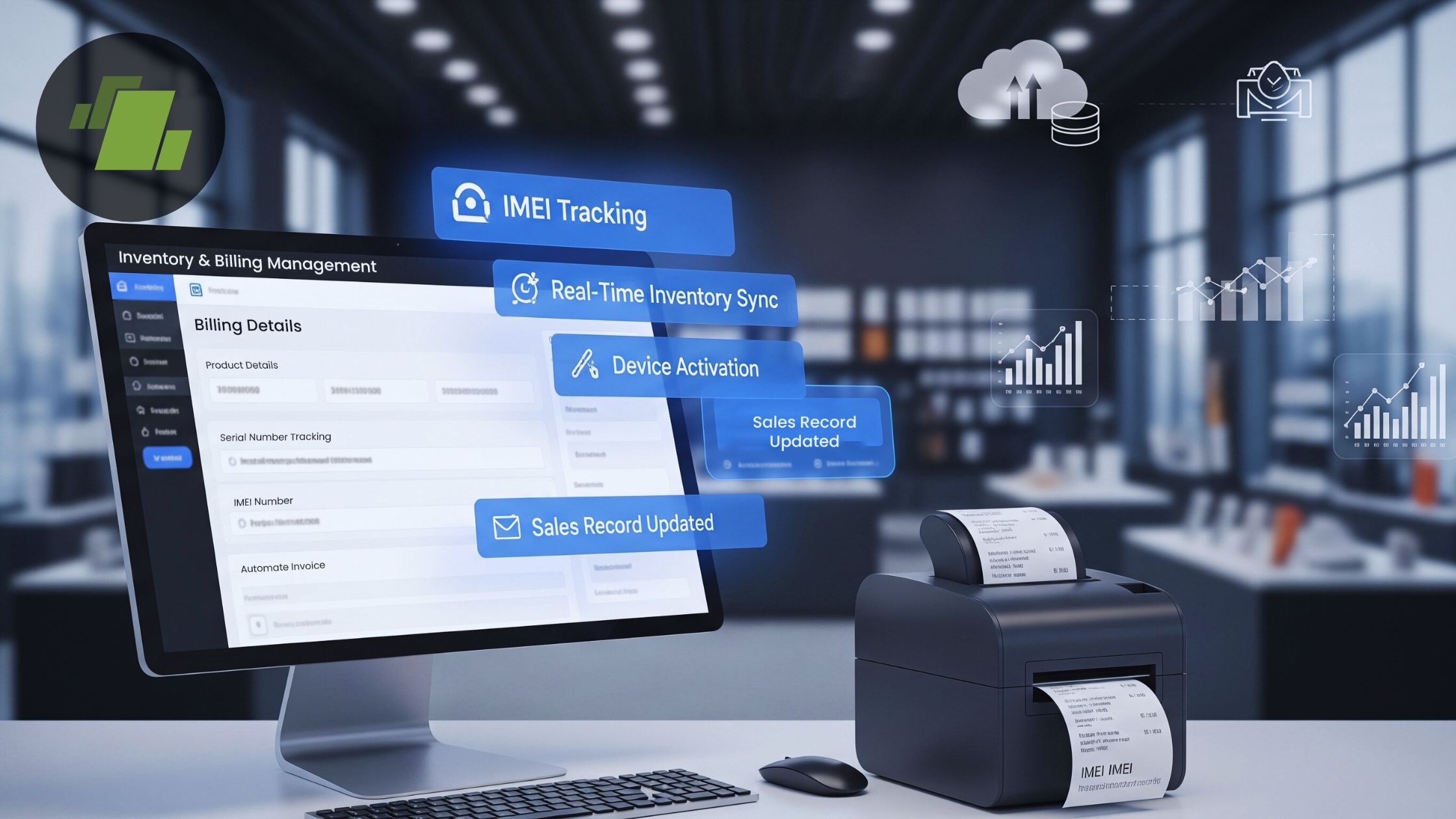
Managing inventory and sales of serialized products like mobile devices requires precise tracking of unique identifiers such as IMEI numbers. IMEI based inventory and billing management with electrical and electronics software helps businesses maintain accurate stock levels, ensure full traceability, and streamline billing workflows. This comprehensive walkthrough will guide you from purchase entry to sales billing and payment processing using best practices for inventory control and billing automation.
Whether you’re a retailer, distributor, or service center, mastering IMEI based inventory and billing management improves accuracy, traceability, and customer satisfaction.
Whether you operate a retail store, distribution center, or service station, this guide will help you implement an efficient IMEI tracking solution using scalable billing software.
Introduction
In businesses that sell mobile devices and other serialized products, every unit has a unique IMEI (International Mobile Equipment Identity) number. Tracking these numbers from purchase through sale is essential for accurate inventory management, warranty tracking, and sales accountability.
What Is IMEI Based Inventory and Billing Management?
IMEI based inventory and billing management is a process in which each product unit is tracked using its unique IMEI/serial number throughout the purchase, stock allocation, sale, and payment lifecycle. This method enhances transactional accuracy, supports warranty tracking, and improves customer service.
Key benefits include:
- Accurate stock tracking at the unit level
- Seamless billing tied to individual IMEI numbers
- Automated traceability from purchase to sale
- Improved customer support with warranty information
This tutorial breaks down the full workflow from purchase entry to payment processing, so you can manage inventory with IMEI precision using your billing software.
Step 1: Creating a Purchase Bill
The foundation of IMEI based inventory begins with recording stock entries properly.
How to Create a Purchase Bill
Navigate to the Purchase Entry module and fill in these essential details:
- Account Name: Vendor or supplier
- Bill Number: Supplier invoice reference
- Bill Date: Date of purchase
Accurate purchase billing ensures all incoming stock is recorded and linked to valid documentation, an important step for compliant inventory management and GST reporting.
Step 2: Adding Items & Assigning IMEI Numbers
When entering purchased items, assign an IMEI/serial number to each unit.
Manual IMEI Entry Process
- Add the item(s) to the purchase bill.
- Open the Serial Number Entry Window.
- Enter:
- Lot number (if applicable)
- Total quantity
- IMEI/Serial numbers individually
Manual IMEI entry works best for small quantities or unique serial numbers that don’t follow a pattern.
Step 3: Bulk IMEI Assignment (Fast Method)
For larger inventory batches, use bulk IMEI assignment to speed data entry and reduce errors.
How Bulk IMEI Assignment Works
- Go to Purchase Voucher in the purchase section.
- Select the relevant purchase voucher.
- Highlight the item to assign IMEIs.
- Press F2 to open the Bulk IMEI Entry Window.
- Provide:
- Starting IMEI number
- Starting row
- Quantity
The system auto generates the remaining IMEI sequence, ensuring consistent serial numbering and quick data input for large shipments.
Step 4: Creating a Sale Bill with IMEI Tracking
Once inventory is updated with IMEIs, it’s time to record sales with accurate tracking.
Configure Sales Voucher First
Before billing:
- Open Sales Voucher Configuration
- Select the appropriate sale bill series
- Under settings, choose Item Code → Serial Mobile Number
This setup ensures the system prompts for IMEI/serial numbers during sale entry.
Sale Bill Entry with IMEI Number
- Scan or manually enter the IMEI/serial number
- The system auto populates:
- Item name
- Model
- Price
- Warranty and linked inventory details
Tracking sales at the IMEI level improves accuracy and supports traceable service history for customers.
Step 5: Capturing Retail Customer Information
Adding customer data during sales helps with post sale services, loyalty programs, and future marketing.
Retail Customer Entry Process
- For new customers: enter name and contact number
- For returning customers: select from existing profiles
Building a customer database enhances service quality and allows businesses to track repeat purchases, warranty issues, and communications.
Step 6: Processing the Payment
Finalize the sale with flexible payment options:
Supported Payment Modes
- Cash
- Credit/Debit Card
- UPI or QR Code
- Digital Wallets
- Split payments (e.g., partial card and cash)
Flexible payment processing boosts convenience and customer satisfaction while keeping financial records accurate.
Why IMEI Based Billing and Inventory Tracking Matters
Efficient IMEI based billing provides several key advantages:
Accuracy and Traceability
Tracking devices at the IMEI level ensures each sale is linked to a unique serial number, preventing stock discrepancies and unauthorized write offs.
Warranty and After Sales Support
When every sold device carries its IMEI, warranty claims and repair tracking become reliable and efficient.
Inventory Control
Current stock levels are always accurate, reducing shrinkage, overstocking, and stockouts.
Billing Automation and Compliance
System driven billing improves accuracy, supports GST compliance, and simplifies audit trails for regulators.
Best Practices for IMEI Based Inventory and Billing
To maximize efficiency, consider the following:
- Always verify IMEI accuracy before entry
- Use bulk IMEI assignment for large purchase orders
- Regularly reconcile inventory reports with physical stock
- Link customer data to sales for better service delivery
Conclusion
Implementing IMEI based inventory and billing management transforms how businesses track serialized products. By tying each transaction to a unique IMEI number from purchase to sale, companies improve stock accuracy, billing precision, and traceability, all of which support better inventory governance and customer satisfaction.
With modern billing software, this process becomes seamless, scalable, and audit ready, helping businesses operate more efficiently and deliver superior service.
Call at +91-73411-41176 or send us an email at sales@logicerp.com to book a free demo today!
Frequently Asked Questions (FAQs)
Q: What is IMEI based inventory tracking?
IMEI based inventory tracking involves assigning a unique IMEI number to each product unit and tracking it from purchase through sale to improve accuracy and traceability.
Q: Why is IMEI tracking important in billing?
IMEI tracking ensures each sale is tied to a specific serial number, improving warranty tracking, inventory accuracy, and customer service.
Q: Can bulk IMEI assignment save time?
Yes, bulk IMEI assignment automates serial number generation, significantly speeding up data entry for large inventory batches.
Q: How does IMEI billing support GST compliance?
IMEI billing ties each transaction to purchase invoices and sales records, creating clear and traceable documentation required for GST reporting.

Author
Gurbir Singh
Co-founder & Managing Director | LOGIC ERP Solutions Pvt. Ltd.
With 30+ years of experience in the tech industry, I took the helm of technology & product development, ensuring LOGIC ERP’s continuous innovation & leadership in the evolving tech landscape.


