What is E-Way Bill: Meaning, Full Form, Portal Login, Cancellation Rules, Tracking, and Bill-to-Ship-To Explained

Summary
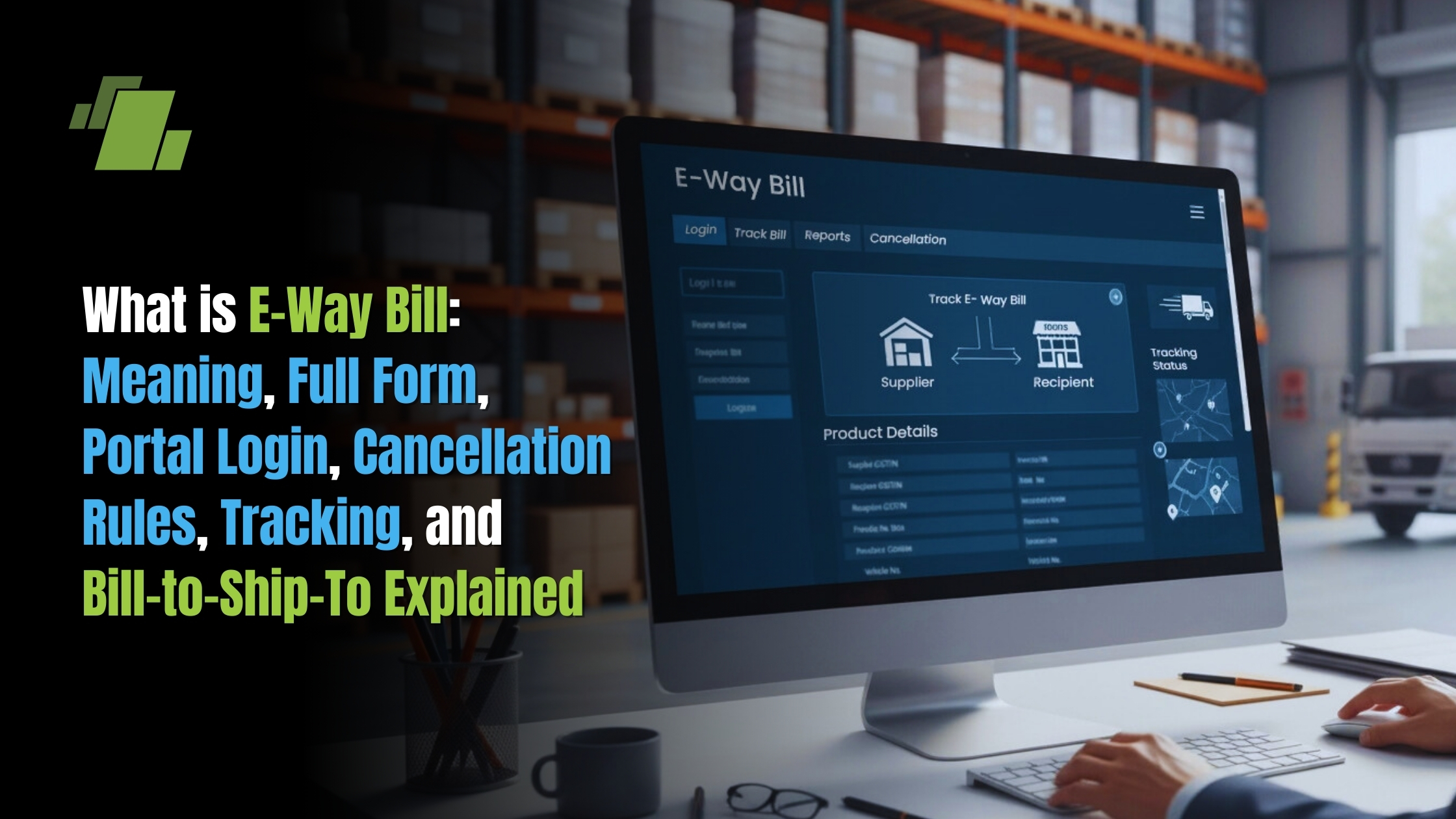
This comprehensive guide explains what is e way bill, its full form, and the GST provisions governing it. Understand the e way bill generation process on the official portal, cancellation rules, validity period, and how to track e way bills online. Explore the bill-to-ship-to concept and common errors to avoid smooth goods transportation compliance.
Table of Content:
- Introduction
- What is E-Way Bill? Meaning, Definition and GST Provision
- E-Way Bill Full Form Explained
- E-Way Bill Start Date in India
- E-Way Bill Portal Login and Online Access
- How to Generate an E-Way Bill Online
- E-Way Bill Cancellation Rules and Time Limit
- E-Way Bill Tracking and Status Check
- E-Way Bill Format and Key Details (Part A & Part B)
- E-Way Bill Limit and Applicability Under GST
- Bill-to-Ship-to Concept in GST and E-Way Bill
- Line Sale in E-Way Bill Explained
- Common E-Way Bill Errors and Troubleshooting
- Recent Updates on E-Way Bill System
- What is the Impact of E-Way on Logistics?
- How Does LOGIC ERP Simplify E-Way Bill Management for Businesses?
- Frequently Asked Questions (FAQs)
Introduction
If you’re moving goods across India and wondering about compliance requirements, understanding the e way bill system is essential. This comprehensive guide covers everything from eway bill meaning and portal login to cancellation rules, tracking methods, and the bill-to-ship-to concept under GST.
Whether you’re a business owner, accountant, or logistics manager, this article will help you navigate the e way bill portal with confidence and avoid common pitfalls that lead to penalties and delays.
What is EWay Bill? (Meaning, Definition and GST Provision)
An eway bill, or electronic way bill, is a digitally generated document mandatory under GST for transporting goods when the consignment value exceeds ₹50,000. It serves as proof of movement of goods and must be generated on the official e way bill portal before dispatch. The system replaced traditional paper way bills to enable real-time tracking and reduce tax evasion.
The eway bill under GST is governed by Section 68 of the CGST Act, 2017, and Rule 138 of the CGST Rules. These provisions empower the central government to require that every conveyance carrying goods above a specified value must carry this electronic document. The waybill meaning in the traditional sense referred to a paper document accompanying goods in transit, but the modern e way bill system digitizes this process entirely.
When a registered person or an unregistered person causes the movement of goods, they must generate an eway bill if the consignment value exceeds ₹50,000 (including applicable taxes). This applies to both inter state movement and intra-state transport of taxable goods. The term “movement” here covers sales, stock transfers, job work, returns, and any other reason for goods transport.
Every e way bill generated on the portal receives a unique 12-digit e way bill number (EBN). This number is visible to all stakeholders the supplier, recipient, and transporter and serves as the primary identifier for tracking and verification. The e way bill generated can be shared instantly via print, PDF, or digital communication.
Generation modes for the e way bill include the online portal, SMS, mobile app, and API integration. For businesses using LOGIC ERP, understanding these mechanisms is crucial because the software can integrate directly with the e bill system to auto-generate compliant e-way bills. This reduces manual entry errors and ensures that invoice data flows seamlessly into the waybill portal.
The e way bill requirements extend beyond just the document itself. The form GST EWB-01 captures detailed information about the consignment, including HSN codes, tax rates, transporter details, and vehicle number. Getting these correct details right the first time prevents detention at checkpoints and penalties under GST law.
EWay Bill Full Form
The e way bill full form is “Electronic Way Bill.” Similarly, the EWB full form in GST stands for Electronic Way Bill, which is the official abbreviation used across GST documentation and compliance systems.
This terminology appears in official forms such as Form GST EWB-01 (for individual e-way bills) and EWB-02 (for consolidated eway bill). The “way bill” portion traces back to traditional commercial documents used under pre-GST state VAT and entry tax systems, which have now been replaced by this uniform digital system managed by the central government.
E-Way Bill Start Date in India
The eway bill system under GST was introduced in a phased manner beginning early 2018. After initial pilot testing, the way bill start date for mandatory inter state transport of goods was set as 1 April 2018 across India. This meant that all registered persons moving goods between states had to generate e-way bills from this date.
Intra-state e-way bill implementation followed a staggered approach. Karnataka notified its intra-state e-way bill requirement from 1 April 2018 itself, while states like Gujarat, Andhra Pradesh, Kerala, and Uttar Pradesh started from 15 April 2018. Bihar, Haryana, and several other states followed between late April and early May 2018. By 1 June 2018, nearly all states and union territory jurisdictions had implemented the intra-state e-way bill mandate.
Before GST, many states had their own waybill systems under VAT or entry tax regimes. These paper-based systems were subsumed when GST took effect, giving way to the unified electronic way bill framework that now operates nationally through a single portal.
E-Way Bill Portal Login and Online Access
The waybill portal for all e-way bill operations in India is the common GST e-way bill system accessible online. Whether you’re searching for “ewaybill login gst,” “e way portal login,” “waybill login portal,” “ebill way login,” or even “eye bill login,” all these queries lead to the same government-run platform.
From 2025, users may encounter references to Portal 1 and Portal 2, but both are official e-way bill systems maintained by GSTN. The core functionality remains the same, and users can access either based on system load or regional preferences.
For businesses using LOGIC ERP, the good news is that the software supports site to site integration with the e-way bill portal. This means you don’t always have to log in manually invoice data can flow directly from your ERP to generate e-way bills via API, saving time and reducing errors.
Official E-Way Bill Portal
The official URL for all e-way bill operations ishttps://ewaybillgst.gov.in. Earlier references to “ewaybillnic gov in” or “ewaybill.nic.in” now redirect to this primary portal. Always verify that you’re on the authentic site by checking for HTTPS and the .gov.in domain to avoid phishing attempts.
The portal’s main menu includes several key sections: e-Way Bill (for generation, modification, and cancellation), Consolidated EWB (for transporters carrying multiple consignments), Reports (for e way bill history and analytics), Registration (for new user setup), and Help (for FAQs and user manuals).
State-specific links like “ewaybill Karnataka login” or “e sugam login” are either integrated into or redirected to this common portal. The unified system ensures that a single e way bill number is valid across all states, eliminating the need for state-by-state permits that existed under earlier regimes.
How to Login to the E-Way Bill Portal
Logging into the e-way bill portal follows a straightforward process. Visit https://ewaybillgst.gov.in and click on the “Login” button on the homepage. Enter your registered username, password, and the displayed captcha, then click “Submit” to access your dashboard.
For first-time users, registration is required before login. This involves entering your GSTIN, verifying via mobile OTP and email, and creating login credentials. The portal links your e-way bill account to your GST registration, ensuring seamless data sharing.
Two-factor authentication (2FA) has been gradually mandated by GSTN advisories, particularly for taxpayers above certain turnover thresholds. From FY 2024-25 onwards, many users are required to complete OTP verification in addition to password entry. Check the latest GSTN circulars to confirm if 2FA applies to your registration.
Common login issues include password expiration, user lockout after failed attempts, and OTP delivery problems. To resolve these, use the “Forgot Username/Password” link, ensure your registered mobile and email are updated via the GST portal, or contact your state helpdesk for assistance. Once logged in, your dashboard shows options for waybill generation, e way bill history, transport details management, and various reports.
How to Generate an E-Way Bill Online
The e way bill generate process can be completed through multiple channels portal, SMS, mobile app, or API but the standard online method remains the most widely used. This section walks through the step-by-step process for generating e-way bills directly on the portal.
Before starting, ensure you have the following prerequisites ready: a valid GSTIN, the invoice or tax document details, transporter details (if applicable), correct pin code for both dispatch and delivery locations, and the approximate distance in kilometers.
For LOGIC ERP users, the software can push invoice data directly into the e bill system via API integration. This automates Part A data entry and significantly reduces the chance of manual errors that can lead to detention or penalties.
Step-by-Step Process to Generate E-Way Bill
Step 1: Login to Portal Visithttps://ewaybillgst.gov.in and log in with your credentials. Navigate to the “e-Way Bill” menu and select “Generate New.”
Step 2: Select Transaction Type Choose whether this is an “Outward” supply (you are the supplier) or “Inward” supply (you are the recipient causing movement). Select the appropriate sub-type such as Supply, Export, Job Work, or SKD/CKD based on your transaction.
Step 3: Enter Party Details Fill in the “From” section with the consignor’s GSTIN, trade name, and dispatch address including pin code. Then complete the “To” section with the consignee’s GSTIN, trade name, and delivery address. For supplies to an unregistered person, enter “URP” in the GSTIN field.
Step 4: Enter Document Details Select the document type Tax Invoice, delivery challan, or Bill of Supply. Enter the invoice number, date, and total consignment value. The portal validates these against your GST registration.
Step 5: Add Item Details For each product, enter the HSN code, product description, quantity, taxable value, and applicable tax rate. The system calculates CGST, SGST, or IGST based on the transaction type.
Step 6: Fill Transporter Details (Part B) Select the mode of transport road, rail, air, or ship. If moving by road, enter the vehicle number and transporter ID. For rail or air, enter the railway receipt number or airway bill number respectively. Specify the approximate distance in kilometers.
Step 7: Generate and Save Click “Submit” to generate the e-way bill. The portal creates a unique 12-digit EBN and displays the eway bill format as per Form GST EWB-01. Download or print the PDF for your records and share with the transporter.
The waybill generated details can be instantly shared with the transporter and recipient via print, PDF, WhatsApp, or email. The e way bill number must accompany the goods throughout transit for verification at checkpoints.
E-Way Bill Cancellation Rules and Time Limit
E-way bill cancellation is permitted only within a limited timeframe and under specific conditions defined by GST law. You can cancel e way bills only when goods have not been transported or when the movement details differ from what was originally declared. Understanding these rules prevents compliance issues and penalties.
Rule 138(9) of the CGST Rules governs cancellation. Only the generator of the e-way bill can initiate cancellation, and this must be done before any proper officer has verified the bill in transit. Once intercepted and verified, cancellation becomes impossible regardless of time elapsed.
For LOGIC ERP users, it’s important to sync cancellations promptly between your ERP system and the portal. This ensures that your books, GST returns, and e-way bill records remain consistent and audit-ready.
What is the E-Way Bill Cancellation Time?
The standard rule is that an e-way bill must be cancelled within 24 hours of generation on the e-way bill portal. This eway bill cancellation time limit applies uniformly, as specified under Rule 138(9) of the CGST Rules.
To cancel within this window, log in to the portal, navigate to “e-Way Bill,” and select “Cancel.” Enter the EWB number, select the reason for cancellation from the dropdown (such as “Goods not transported” or “Duplicate entry”), and submit. The system marks the e-way bill as cancelled immediately.
However, if a proper officer has intercepted and verified the e-way bill during transit even within the 24-hour window cancellation is not permitted. This verification creates a permanent record that cannot be undone through the portal’s cancellation feature.
Can You Cancel an E-Way Bill After 24 Hours?
The direct answer is no the portal does not permit cancellation after 24 hours of e way bill generation. Once this window closes, the “Cancel” option becomes unavailable for that particular EBN.
If errors are discovered after 24 hours, rectification must occur through other GST mechanisms. These include issuing a credit note or debit note to adjust the original invoice, creating a fresh invoice with correct details, and generating a new e way bill for the corrected transaction.
The recipient has a separate facility: they can “Reject” the e-way bill within 72 hours of its details being made available on the portal. This rejection is different from cancellation it creates an audit trail showing the recipient disputes the consignment details, but does not delete the original e-way bill.
Businesses should implement internal controls or ERP validation to catch errors quickly. LOGIC ERP can flag discrepancies between invoice and e-way bill data, helping users identify and correct problems within the 24-hour cancellation window.
How to Cancel an E-Way Bill After 72 Hours (Practical Workarounds)
There is no technical option to cancel an e-way bill on the portal after 72 hours. However, practical remedies exist within GST law to address errors or changed circumstances.
If the recipient identifies incorrect details, they can use the 72-hour rejection window to formally reject the e-way bill. This doesn’t cancel the bill but creates documentation showing the recipient’s objection, which can be useful during departmental scrutiny.
When the supply did not materialize or values were incorrect, the proper approach is to issue a GST credit note referencing the original invoice. This adjusts your tax liability in GST returns. Subsequently, generate a new correct invoice and a new e way bill if goods will actually be transported.
LOGIC ERP accounting software helps ensure that stock levels, tax liabilities, and e-way bill records remain properly aligned with revised documents. It also maintains a complete e-way bill history, providing a reliable audit trail for compliance and verification.
Always maintain documentation supporting any corrections email communications, rejection logs, credit note copies, and revised invoice details. This evidence helps defend your position if the tax department questions the discrepancy between the old e way bill and the corrected transaction.
E-Way Bill Tracking and Status Check
Every waybill bill generated on the portal can be tracked using its 12-digit waybill tracking number (EBN). Tracking helps verify whether an e-way bill is active, cancelled, expired, or rejected by the recipient. This transparency benefits suppliers, transporters, and enforcement officers alike.
Regular status checks help businesses identify issues early. A delayed delivery that causes the validity period to expire, for instance, requires action before the goods reach their destination. Similarly, discovering that a recipient rejected an e-way bill prompts investigation and correction.
LOGIC ERP stores EWB numbers against corresponding invoices, allowing users to check e way bill check online status directly from their ERP dashboard without switching to the portal repeatedly.
1. How to Track E-Way Bill Using Tracking Number
To track an e-way bill, log in to the portal and navigate to “Search” then “e-Way Bill.” Enter the 12-digit e way bill number in the search field, complete the captcha verification, and click “Go.”
The portal displays comprehensive details including consignor and consignee GSTINs, document date, invoice number, vehicle number, transporter id, validity period, and current status. This waybill no tracking feature allows anyone with the EBN to verify the bill’s authenticity.
For enforcement officers at checkpoints, this verification confirms that the physical consignment matches the declared electronic way bill. For recipients, it provides advance visibility into incoming shipments.
2. How to Check E-Way Bill Status Online
The status displayed in the EWB details screen indicates whether the bill is Active, Cancelled, Expired, or Rejected. Active status means the bill is valid for transit. Cancelled shows the generator terminated it within the allowed window. Expired indicates the validity period has lapsed. Rejected means the recipient disputed the details.
Multiple search options are available: by EWB number, by date range, by generator GSTIN, or through report filters. The “Reports” section provides historical data and can export e way bill history for reconciliation with your books.
Businesses should periodically run these reports to identify discrepancies. If your ERP shows an invoice but no corresponding e-way bill, or shows multiple e way bills for a single invoice, investigate and correct promptly. LOGIC ERP’s reconciliation features can automate this comparison.
3. How to Reprint E-Way Bill
To reprint an e-way bill, log in to the portal, go to “e-Way Bill,” and select “Print EWB.” Enter the EBN, verify the captcha, and the system displays the complete eway bill format. Click “Print” or “Download PDF” to save a copy.
This waybill reprint feature is useful when the physical copy is lost, damaged, or when a new driver or vehicle needs a fresh copy. The system allows unlimited reprints while the e-way bill remains in the system records.
Digital copies stored on mobile devices are generally acceptable at checkpoints, but some transporters prefer physical printouts. Either format displays the same QR code that officers can scan for instant verification.
E-Way Bill Format and Key Details
The standardized eway bill format follows Form GST EWB-01 prescribed in the CGST Rules. Every waybill bill contains two main components: Part A with consignment and invoice details, and Part B with transporter and vehicle details. Understanding this structure helps configure ERP systems like LOGIC ERP for accurate API integration.
The format ensures uniformity across India, making verification straightforward for officers in any state. Every e way bill generated displays the same fields, eliminating confusion that existed under disparate state systems.
1. Part A – Consignment and Invoice Details
Part A captures the core transaction information. Key fields include the GSTIN of both consignor and consignee (or “URP” for unregistered person), their trade names, and complete addresses with pin code for both place of dispatch and place of delivery.
Document details form the next cluster: document type (Tax Invoice, delivery challan, Bill of Supply), document number, document date, and total consignment value. These must match your accounting records exactly.
Item-wise details include HSN code, product description, quantity, taxable value, and applicable tax rates for CGST, SGST, IGST, and Cess. Part A is generally completed by the person causing movement of goods—the supplier in outward supply scenarios, or the recipient when goods are received from an unregistered person.
Once Part A is submitted, it cannot be edited. If errors exist, the only remedy is to cancel the e way bill (within 24 hours) and generate a new e way bill with correct details.
2. Part B – Transporter and Vehicle Details
Part B covers the physical transport details. Key fields include mode of transport (road, rail, air, or ship), transporter ID or transporter name, vehicle number, transport document number (like lorry receipt, railway receipt number, or airway bill number), and distance in kilometers.
Critically, Part B details can be updated after initial generation. This flexibility accommodates scenarios where the vehicle is assigned after invoice creation, or when transshipment occurs mid-journey. For movement by road, the vehicle number transport field accepts standard registration formats.
For certain short-distance movements—typically up to 50 km within the same state—relaxation of Part B requirements may apply. However, for inter state movement, Part B is almost always mandatory.
Part B is essential for enforcement officers validating actual movement of goods. At checkpoints, officers verify that the vehicle number on the e-way bill matches the physical vehicle, and that the goods match the consignment details.
E-Way Bill Limit and Applicability Under GST
The term “eway limit” refers to both value thresholds and distance-based validity rules for mandatory e way bill generation. Understanding these limits prevents both over-compliance (generating unnecessary bills) and under-compliance (missing required bills).
The general rule under e way bill under gst is that generation is mandatory when consignment value exceeds ₹50,000. However, various exemptions, special cases, and state-specific rules create a more nuanced landscape.
For dimensional cargo (also known as over-dimensional cargo or ODC), the validity period of the e-way bill is calculated differently. Typically, one additional day is allowed for every 20 km or part thereof, due to the complexity and slower movement involved in transporting such cargo.
When dealing with multiple consignments and consolidated e way bills, it’s important to note that one e way bill cannot be generated for multiple invoices unless a consolidated e way bill is created. Each invoice requires its own e way bill unless they are combined under the consolidated option for efficient goods movement and compliance.
1. ₹50,000 Threshold and Inter-State Movement
For inter state movement of taxable goods, e-way bill is mandatory if the value of a single e way bill consignment exceeds ₹50,000 as per the invoice. This threshold applies to sales, stock transfers, job work movements, and returns.
The consignment value calculation includes the taxable value plus all applicable taxes (CGST, SGST, IGST, Cess). It excludes amounts like freight insurance collected separately post-supply. Multiple invoices to the same party on the same day may each require separate e-way bills if handled as distinct consignments.
Examples triggering e-way bill requirements include a ₹60,000 sale from Delhi to Mumbai, a ₹75,000 stock transfer from head office to branch in another state, and job work material worth ₹55,000 sent to a job worker located in a different state.
When a transporter carries multiple consignments from different consignors in one vehicle and the aggregate value exceeds the threshold, a consolidated e way bill must be generated linking all individual EWBs.
2. Intra-State Rules and Exemptions (High-Level)
Intra-state e-way bill thresholds vary by state. While the default is ₹50,000, several states have notified higher limits. For example, some states apply ₹1,00,000 or even ₹2,00,000 thresholds for movement within the state. A few states have exempted certain goods categories entirely for intra-state movement.
Businesses should check the latest state notifications or state commercial tax department websites for precise intra-state limits. These rules change periodically, and what applies in one state may differ in another.
Certain goods require e-way bill regardless of value—for instance, movement of handicraft goods inter-state by unregistered dealers, or specific notified commodities. Conversely, goods listed in the Annexure to Rule 138, transit cargo moving under customs seal or customs bond, empty cargo containers, and items listed under Schedule III are exempt from e-way bill requirements even if value exceeds ₹50,000.
Goods moving from a customs port, air cargo complex, land customs station, inland container depot, or container freight station under customs supervision may have special provisions based on transit cargo rules.
3. Bill-to-Ship-to Concept in GST and E-Way Bill
The bill to ship to model is a common GST business arrangement where the invoice is raised to one party but goods are delivered to another party or location. This scenario frequently occurs in distribution chains, multi-location businesses, and drop-shipping arrangements.
In such transactions, the e-way bill must accurately capture both the Bill-to address (for invoicing and tax purposes) and the Ship-to address (for actual goods delivery). Incorrect entries can lead to tax disputes, wrong state codes, and checkpoint issues.
LOGIC ERP supports the bill to ship to model in both invoicing and automated e-way bill generation, ensuring that customer masters capture separate bill-to and ship-to details correctly.
4. Bill-to-Ship-to Meaning
The bill to ship to meaning is straightforward: one party receives the bill (Bill-to) while another party or location receives the goods (Ship-to). The billing relationship and the delivery relationship are intentionally separated.
Consider this example: Company A in Delhi orders goods from Supplier B in Mumbai. However, Company A instructs Supplier B to ship the goods directly to Customer C in Jaipur, who is A’s client. The invoice goes from B to A (Bill-to), but the physical delivery goes from B to C (Ship-to).
Under GST, this creates what’s called a “Bill to–Ship to” transaction. The e-way bill must record both the consignor (Supplier B), the Bill-to party (Company A), and the delivery destination (Customer C in Jaipur) to ensure proper documentation and tax treatment.
5. Place of Supply in Bill-to-Ship-to Transactions
Under Section 10(1)(b) of the IGST Act, the place of supply in bill to ship to cases is generally the location of the Bill-to party when goods are delivered to a third person on the direction of the Bill-to party. This determines whether IGST or CGST+SGST applies.
Using our earlier example: Supplier B in Mumbai ships to Customer C in Jaipur on instructions from Company A in Delhi. The first supply (B to A) has place of supply as Delhi (where A is located), making it an inter-state supply from Maharashtra to Delhi, hence IGST applies. If A then sells to C, that’s a separate transaction with its own place of supply determination.
This bill to ship to place of supply rule affects how e-way bills capture “from” and “to” state codes and GSTINs. In multi-leg supply chains, each leg may require a separate e-way bill with correct details for that specific movement.
Bill-to-Ship-to Invoice Format
A proper bill to ship to invoice format must clearly display the Bill-to party name, GSTIN, and address, along with the Ship-to party name, address (not necessarily GSTIN if they’re end-consumer), and the place of supply declaration.
The e-way bill mirrors this structure. Part A captures the consignor (supplier), the consignee (Bill-to party), and separate fields for dispatch and delivery addresses. The “Place of Delivery” field accommodates the Ship-to location even when different from the consignee’s registered address.
ERPs like LOGIC ERP can map invoice “ship-to” fields directly to the e-way bill’s “Dispatch/Delivery” address fields. This automation eliminates manual duplication and ensures consistency between your invoice and waybill bill records.
Bill-to-Place Meaning
The phrase “bill to place meaning” refers to the location (state and address) of the billed customer—the party whose GSTIN appears on the invoice as the buyer. This location typically determines the place of supply and consequently whether CGST+SGST or IGST applies.
For e-way bill purposes, the bill-to place influences the “to” state code. If the bill-to place is in a different state from the consignor, IGST rules apply. Getting this right in your ERP customer masters ensures that e-way bill generation settings automatically calculate the correct tax type.
Line Sale in E-Way Bill Explained
The term “line sale in eway bill” refers to sales executed at the business premises—counter sales or depot sales—where goods are handed over directly to the buyer, often without subsequent transport by the seller.
In pure line sales, if the buyer takes physical possession at the seller’s premises and removes goods using their own means without a motor vehicle journey beyond the premises, e-way bill may not be required. The goods have technically not “moved” in the transport sense covered by Rule 138.
However, if the buyer arranges transport from the seller’s gate, or if the seller’s delivery vehicle carries goods to the buyer’s location, e-way bill is required when the consignment value exceeds the threshold. The key question is whether motorized transport is involved in the movement of goods post-sale.
The e-way bill portal sometimes uses “line sale” terminology in transaction type selections, particularly for special cases like CKD (completely knocked down) or SKD (semi knocked down) supplies. These apply when vehicle parts or machinery are supplied in disassembled form for assembly at the buyer’s end.
Common E-Way Bill Errors and Troubleshooting
Errors in the e bill system can trigger serious consequences: detention of goods, penalties under Section 129 or Section 130 of CGST Act, and reconciliation problems between books and GST returns. Most issues stem from incorrect data entry during e way bill generation.
Common problem areas include mismatched GSTINs, wrong pin code entries, invalid transporter id, incorrect vehicle number formats, and portal login difficulties. Integrated software like LOGIC ERP validates master data before pushing to the waybill portal, catching many errors before they reach the system.
Incorrect GSTIN or Party Details
One of the most frequent waybill generated errors involves wrong GSTIN or mismatched trade names between the invoice and portal records. The portal validates GSTINs against the GST registration database—any discrepancy causes rejection or, worse, generates an e-way bill with incorrect party identification.
Before creating customer masters, verify every GSTIN on the GST portal’s “Search Taxpayer” feature. LOGIC ERP can integrate this verification into your master data workflow, flagging unregistered or cancelled GSTINs before invoicing.
If Part A details are entered incorrectly and you discover the error after generation, the only remedy is cancellation within 24 hours followed by fresh generation with correct details. This emphasizes the importance of validation before submission.
Transporter ID, Vehicle Number, and Distance Errors
Transporter ID issues commonly arise when using an unregistered ID, entering outdated transport codes, or mis-typing the 15-digit transporter ID. The portal validates transporter IDs against the transport registration database.
Distance-related warnings occur when user-entered distances significantly exceed the portal’s auto-calculated pin code-to-pin code distance. If your entry is substantially higher, the system may require justification. Verify pin codes and use the portal’s official distance calculator before EWB generation.
Vehicle number errors—wrong format, typographical mistakes, or unregistered vehicles—can be corrected by updating Part B. Unlike Part A errors, you don’t need to cancel and regenerate the entire e-way bill. Simply navigate to “Update Part B/Vehicle” and enter the correct vehicle number delivery challan or transport details.
Portal Login and Technical Issues
Common login problems include site unavailability during peak hours, 2FA OTP not received due to mobile network issues, expired passwords, and user lockout after multiple failed authentication attempts.
Solutions include trying during off-peak hours (early morning or late evening), confirming your registered mobile and email are current, using “Forgot Username/Password” for credential recovery, and contacting your state commercial tax helpdesk for persistent issues.
High-volume businesses should consider API integration rather than manual portal access. LOGIC ERP’s API connection with the e-way bill system reduces dependence on manual logins, enabling batch generation and updates even when the portal faces access issues.
Recent Updates on E-Way Bill System
Multi-Factor Authentication (MFA) is now mandatory across all businesses, starting with those above INR 20 crore turnover in January 2025, extending to all taxpayers by April 1, 2025. The NIC is launching a second e-way bill portal from 1st July 2025 to eliminate dependency on a single portal and ensure real-time synchronization of data.
How Does LOGIC ERP Simplify E-Way Bill Management for Businesses?
LOGIC ERP simplifies E-Way Bill management by automating the generation, tracking, and updating of E-Way Bills directly from the ERP system. Businesses can automatically capture invoice details, consignment information, and transporter data, reducing manual work and ensuring accurate GST compliance for goods transportation.
Using LOGIC ERP for E-Way Bill generation helps businesses automate the entire process from invoice creation to E-Way Bill generation. The ERP system integrates billing, inventory, and GST compliance, allowing businesses to generate E-Way Bills quickly, reduce errors, and maintain accurate shipment records.
LOGIC ERP improves E-Way Bill compliance by automatically validating shipment data, invoice values, and GST details before generating an E-Way Bill. This reduces compliance errors and ensures businesses follow GST transportation rules, helping companies avoid penalties and maintain smooth logistics operations.
Businesses prefer LOGIC ERP for E-Way Bill automation because it integrates GST billing, inventory management, and logistics tracking into one platform. This allows companies to generate E-Way Bills instantly, track consignment details, and monitor delivery status, improving operational efficiency and tax compliance.
LOGIC ERP enables faster E-Way Bill generation by automatically pulling invoice and shipment details from the ERP system. With one-click integration to the E-Way Bill portal, businesses can generate E-Way Bills in seconds while ensuring accurate transporter details and GST data.
Conclusion
Understanding e-way bill requirements is no longer optional for businesses involved in goods movement across India. From knowing when to generate an e way bill to mastering cancellation rules and tracking methods, compliance depends on accurate knowledge and reliable systems.
For businesses seeking to reduce manual effort and minimize compliance risk, integrating an ERP solution like LOGIC ERP with the e-way bill portal transforms how you handle GST logistics. Automated generation, validation, and tracking ensure that your movement of goods remains smooth, compliant, and audit-ready.
Review your current e-way bill processes today. Ensure your team understands the 24-hour cancellation window, verify your master data accuracy, and consider how ERP integration can streamline your operations across every shipment.
Call at +91-73411-41176 or send us an email at sales@logicerp.com to book a free demo today!
Frequently Asked Questions
1. What is the E-Way Bill System?
The E-Way Bill System is an electronic documentation system under GST that allows businesses and transporters to generate an E-Way Bill for the movement of goods. It records consignment details, transporter information, and invoice data to ensure tax compliance and track the movement of goods across states.
2. What is the E-Way Bill Portal?
The E-Way Bill Portal is the official online platform used to generate, update, cancel, and track E-Way Bills under GST. Businesses can log in to the portal to enter consignment details, invoice information, and transporter data to create a valid E-Way Bill for goods transportation.
3. What is an E-Way Bill Number?
An E-Way Bill Number (EWB number) is a unique 12-digit identification number generated when an E-Way Bill is created on the GST portal. This number helps authorities, transporters, and businesses track the shipment, verify compliance, and check the status of goods movement during transportation.
4. How does E-Way Bill Generation work?
E-Way Bill generation happens through the GST E-Way Bill portal when a supplier, recipient, or transporter enters details such as invoice number, value of goods, transporter information, and consignment details. Once submitted, the system generates a unique E-Way Bill number for tracking and verification.
5. When is an E-Way Bill Required?
An E-Way Bill is required when goods are transported and the value of the consignment exceeds the specified GST threshold. Businesses must generate the bill before transportation and include consignment details, invoice data, and transporter information to ensure legal compliance.
6. What does “E-Way Bill Generated” mean?
When an E-Way Bill is generated, it means the required shipment information has been successfully submitted to the GST portal. The system then creates a unique E-Way Bill number, allowing transporters and authorities to verify goods movement and ensure compliance with GST transportation rules.
7. What is a Bill System in Logistics and GST?
A bill system in logistics refers to the digital process of creating invoices, generating E-Way Bills, and managing shipment documentation. It ensures accurate billing, consignment tracking, and tax compliance, allowing businesses to manage goods movement and financial records efficiently.
8. What are the E-Way Bill Rules under GST?
The E-Way Bill rules under GST require businesses to generate an E-Way Bill when transporting goods with a consignment value exceeding ₹50,000. The bill must include invoice details, transporter information, vehicle number, and consignment details. It must be generated before goods movement and carried during transportation for GST compliance and verification.
9. When is an E-Way Bill required according to GST rules?
According to E-Way Bill rules, businesses must generate an E-Way Bill when goods worth more than ₹50,000 are transported within a state or across states. The bill is required for movement due to sale, transfer, return, or supply, and it must include accurate shipment and transporter details.
10. Who must generate an E-Way Bill under GST rules?
Under E-Way Bill rules, the bill can be generated by the supplier, recipient, or transporter depending on the situation. If the supplier transports goods, they generate it. If a transporter moves goods for a registered supplier, the transporter may generate the E-Way Bill on the GST portal.
11. What is the validity period under E-Way Bill rules?
As per E-Way Bill rules, the validity of an E-Way Bill depends on the distance goods are transported. Typically, it is valid for one day for every 200 kilometers of travel. The validity begins from the time the E-Way Bill is generated on the GST portal.
12. What is E-Way Bill History in the GST portal?
E-Way Bill history refers to the record of all E-Way Bills generated by a taxpayer on the GST E-Way Bill portal. It shows details such as E-Way Bill number, generation date, consignment details, transporter information, and status, helping businesses track shipments and maintain GST compliance.
13. How can I check my E-Way Bill history online?
To check E-Way Bill history, log in to the GST E-Way Bill portal and navigate to the reports or history section. Businesses can view previously generated E-Way Bills, including shipment details, transporter information, and the status of each consignment.
14. Why is E-Way Bill history important for businesses?
E-Way Bill history helps businesses track past shipments, verify goods movement, and maintain accurate GST records. It also helps during tax audits, compliance checks, and financial reporting, ensuring businesses have complete documentation of all goods transported.
15. Can businesses download or view past E-Way Bill records?
Yes, businesses can access past E-Way Bill history through the GST E-Way Bill portal. The system allows users to view, download, and print previous E-Way Bills along with consignment details, invoice numbers, and transporter information for compliance and recordkeeping.
16. What is an E-Way Bill in GST?
An e-way bill is an electronic way bill required under GST for movement of goods worth more than ₹50,000 by a motor vehicle. It is generated on the ewaybillgst.gov.in portal and identified by a unique 12-digit e way bill number (EBN). The bill records who is supplying, who is receiving, what goods are being transported, and how they are being moved.
17. What is the full form of EWB?
The EWB full form is “Electronic Way Bill.” This abbreviation appears in official GST Forms EWB-01 and EWB-02. The digital e-way bill replaced paper way bills that existed under earlier state VAT and entry tax systems, creating a uniform national compliance framework.
18. What is Delayed Delivery in Goods Transportation?
Delayed delivery occurs when goods reach the destination later than the expected delivery time due to factors such as transportation issues, incorrect consignment details, route disruptions, or documentation delays. Monitoring E-Way Bills helps businesses track shipments and reduce delivery delays.
19. What are Consignment Details in an E-Way Bill?
Consignment details refer to the shipment information entered while generating an E-Way Bill. This includes invoice number, value of goods, quantity, transporter ID, vehicle number, and destination address, which helps authorities verify and track goods during transportation.
20. How do I login to the Eway Bill portal?
To login, visit https://ewaybillgst.gov.in and click “Login.” Enter your registered username, password, and the displayed captcha, then submit. First-time users must register using their GSTIN and verify via mobile OTP. Depending on GSTN advisories, two-factor authentication (2FA) may be required based on your turnover.
21. Can I cancel an E-Way Bill after 24 hours?
No, the portal does not permit cancellation of an e-way bill after 24 hours of generation. Additionally, cancellation is blocked if the bill has been verified by an officer in transit, even within 24 hours. Errors discovered after the window must be corrected through credit notes, fresh invoices, and new e-way bills. Recipients can reject e-way bills within 72 hours as a separate facility.
22. What is SMS E-Way Bill?
An SMS E-Way Bill is a feature in the GST E-Way Bill system that allows registered users to generate, cancel, or update an E-Way Bill using SMS from a registered mobile number. It is designed for quick access when internet connectivity or portal access is limited during goods transportation.
23. How to track an E-Way Bill?
Track an e-way bill by logging into the portal, selecting “Search → E-Way Bill,” and entering the 12-digit waybill tracking number with captcha verification. The system displays status, validity period, vehicle details, and party information, allowing you to check e way bill status and verify authenticity.
24. What is the limit for generating E-Way Bill?
Generally, e-way bill is mandatory when the consignment value exceeds ₹50,000, applicable for both inter state movement (nationwide) and intra-state transport (as per state-specific rules). Some goods require e-way bill irrespective of value, while others like goods under customs seal or listed in Rule 138 Annexure are exempt.
25. How does LOGIC ERP help with E-Way Bills?
LOGIC ERP auto-picks invoice data, calculates consignment value, validates GSTINs and pin codes, and integrates with the e-way bill portal via APIs. This generates, cancels, and tracks e-way bills without repeated manual entry. Benefits include fewer errors, faster processing, centralized e way bill history tracking, and better GST compliance for businesses dealing with regular movement of goods.
26. How to cancel e way bill after 72 hours on the GST portal?
An E-Way Bill cannot be directly cancelled after 72 hours on the GST portal because the cancellation window is limited. If the time limit has passed, businesses may need to manage the transaction by issuing a credit note, updating the invoice, or adjusting the shipment record in their accounting or ERP system.
27. Is it possible to cancel an e way bill after 72 hours?
No, the GST system does not allow e way bill cancellation after 72 hours of generation. Once the allowed cancellation time expires, the E-Way Bill remains active in the system. Businesses must correct the transaction through documentation adjustments or invoice updates instead of cancelling the E-Way Bill.
28. What should you do if an e way bill is not cancelled within 72 hours?
If an e way bill is not cancelled within the allowed time, businesses should verify whether the goods were transported or delivered. If the transaction was incorrect, they may issue a credit note, revised invoice, or accounting adjustment to maintain accurate GST records and compliance.
29. What is Way Bill in GST?
A Way Bill is a document used to track the transportation of goods during movement. Under GST in India, the electronic version is called the E-Way Bill, which records shipment details such as invoice number, transporter information, and consignment value to ensure compliance with GST regulations during goods transportation.
30. What is the Meaning of E-Way Bill?
The E-Way Bill meaning refers to an electronic document generated on the GST portal for tracking the movement of goods valued above the prescribed limit. It contains important shipment information like supplier details, transporter details, and vehicle number to ensure transparent and compliant logistics operations.
31. What is the Full Form of E-Way Bill?
The E-Way Bill full form is Electronic Way Bill. It is a digital document required under the Goods and Services Tax (GST) system for transporting goods from one place to another. The E-Way Bill ensures proper tracking of goods movement and prevents tax evasion during transportation.
32. What is the Definition of E-Way Bill?
An E-Way Bill definition refers to a GST-mandated electronic document generated for the movement of goods valued above a specific threshold. It contains details such as invoice information, transporter details, consignment value, and destination to ensure compliance with GST transportation rules.
33. What is the Provision of E-Way Bill under GST?
The E-Way Bill provision under GST requires businesses to generate an E-Way Bill before transporting goods whose value exceeds the prescribed limit. The system records shipment details and allows authorities to track goods movement to ensure tax compliance and transparency in supply chain operations.
34. How to Login to the E-Way Bill Portal Online?
To access the online E-Way Bill login, users must visit the official E-Way Bill portal and enter their GSTIN, username, and password. After successful login, businesses can generate E-Way Bills, track shipment details, update transporter information, and manage their logistics documentation digitally.
35. What is Online Waybill and How Does It Work?
An online waybill refers to the electronic system used to generate and manage way bills through the GST portal. Businesses enter shipment details such as invoice number, consignment value, and transporter details, and the system generates a unique E-Way Bill number used for goods transportation tracking.
36. When Did the E-Way Bill System Start in India?
The E-Way Bill system start date in India was April 1, 2018, when it became mandatory for interstate transportation of goods under GST. Later, states gradually implemented it for intrastate goods movement to ensure proper tax compliance and monitoring of goods transportation.
37. What is the Meaning of E-Way Bill in Hindi?
The E-Way Bill meaning in Hindi refers to “इलेक्ट्रॉनिक वे बिल,” which is a digital document required for transporting goods under GST. It contains shipment details, invoice information, and transporter details to ensure proper monitoring and compliance during goods movement.
38. What is the Meaning of E-Way Bill in Tamil?
The E-Way Bill meaning in Tamil refers to an electronic transport document used under GST for tracking goods movement. It includes important shipment details such as supplier information, transporter details, and vehicle number to ensure legal compliance during transportation.
39. What is Bill-to-Ship-to in E-Way Bill?
The Bill-to-Ship-to concept in E-Way Bill occurs when the billing address and delivery address are different. In this case, the invoice is issued to one party (bill-to), but the goods are shipped directly to another party (ship-to), and the E-Way Bill records both locations.
40. What is the Bill-to-Ship-to Concept in GST?
The Bill-to-Ship-to concept in GST applies when goods are billed to one customer but delivered to a different location or recipient. This model is commonly used in distribution and third-party delivery scenarios where the supplier sends goods directly to the final customer.
41. What is the Place of Supply in Case of Bill-to-Ship-to?
In the Bill-to-Ship-to model, the place of supply is determined based on the billing party’s location. According to GST rules, the place of supply is the location of the person to whom the invoice is issued, even if the goods are delivered to another destination.
42. What is the Bill-to-Ship-to Model in GST?
The Bill-to-Ship-to model in GST refers to a transaction where the supplier issues an invoice to one party but ships the goods directly to another party. This model is commonly used in supply chains involving distributors, dealers, or third-party logistics providers.
43. How Does Bill-to-Ship-to Work Under GST?
Under GST, the Bill-to-Ship-to transaction involves three parties: the supplier, the billing party, and the delivery recipient. The supplier issues the invoice to the billing party while the goods are shipped directly to the final destination, and the E-Way Bill captures both billing and shipping details.
44. How to Cancel EWay Bill After 24 Hours?
An E-Way Bill cannot be cancelled after 24 hours of generation on the GST portal. The GST system allows cancellation only within the 24-hour cancellation window and before the goods are verified during transit. If the time limit has passed, businesses cannot cancel the E-Way Bill and must instead correct the transaction through invoice adjustments, credit notes, or accounting records.
45. Can I Cancel EWay Bill After 24 Hours?
No, you cannot cancel an E-Way Bill after 24 hours on the GST E-Way Bill portal. Once the 24-hour cancellation period expires, the portal disables the cancellation option. If the E-Way Bill contains incorrect details or the shipment does not occur, businesses must resolve the issue using GST documentation corrections or ERP accounting adjustments.
46. What is E-Way Bill Generation Process?
E-way bills can be canceled within 24 hours of generation if the goods are not transported. E-way bills must be generated for each invoice, but a consolidated e-way bill can be created for multiple consignments using Form GST EWB-02.
47. What is the Impact of E-Way on Logistics?
The e-way bill system improves logistics efficiency by streamlining the movement of goods across India. The e-way bill system reduces transit time by expediting the verification process at checkpoints. Dependence on internet connectivity can pose challenges for businesses in rural areas when using e-way bills.

Author
Gurbir Singh
Co-founder & Managing Director | LOGIC ERP Solutions Pvt. Ltd.
With 30+ years of experience in the tech industry, I took the helm of technology & product development, ensuring LOGIC ERP’s continuous innovation & leadership in the evolving tech landscape.


