A database is a structured collection of data stored electronically so people and applications can store, access, update, analyze, and retrieve information efficiently — usually controlled by a database management system (DBMS) that organizes data, protects data integrity, manages multiple users, and supports secure data access.
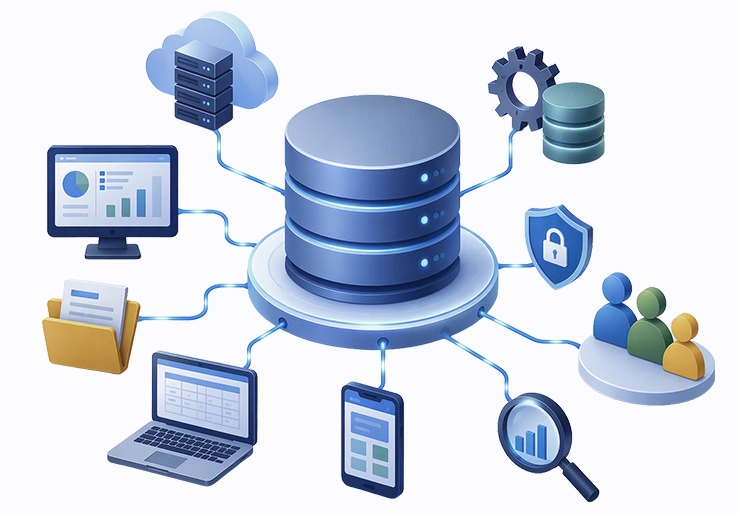
A database is a structured collection of data stored electronically so people and applications can store data, access data, update records, analyze information, and retrieve answers efficiently. In modern business systems, a database is usually controlled by a database management system (DBMS), which is the database software that organizes data, protects data integrity, manages multiple users, and supports secure data access.
This guide explains what a database is, how a database management system works, the main types of databases, and how businesses use database technology in everyday operations. It is written for business owners, IT professionals, students, data analysts, ERP users, and anyone who wants to understand database management without getting lost in unnecessary technical complexity.
A database is not just a digital folder full of files. A database is a managed data storage system that uses database schemas, data structures, query languages, access control, validation rules, and transaction controls to organize data and maintain data consistency.
A database is an organized electronic system for storing and retrieving related information, while a database management system (DBMS) is the software that controls that data — handling schemas, queries, security, multiple users, and transactions to keep data accurate and consistent.
By the end of this guide, you will understand:
A database is an organized electronic system for managing data. It stores related information in a controlled format so users, applications, and database administrators can query, update, validate, and protect records. Unlike simple file storage, databases use a data model, database objects, primary keys, relationships, indexes, permissions, and rules for maintaining data integrity.
For example, a spreadsheet may hold customer records, but a database can connect customers to orders, invoices, payments, inventory, returns, and support tickets. This connection allows a business application such as LOGIC ERP to retrieve accurate transactional data across sales, finance, inventory, procurement, and reporting modules.
Databases handle different data types. Structured data follows a predefined format, such as rows and columns in relational database systems. Unstructured data includes images, videos, emails, scanned documents, and social media content. Semi-structured data sits between both categories and includes JSON, XML, CSV files, logs, and flexible document formats. Modern databases often combine structured and unstructured data to support analytics, automation, and artificial intelligence.
A database management system is the software system that sits between the stored data and the users or applications that need it. The DBMS allows authorized users to manipulate data, define database schemas, manage databases, run queries, enforce database access controls, and recover data after failures. In 2026, database management software is central to ERP systems, banking platforms, healthcare applications, e-commerce websites, data science pipelines, and cloud-native software.
A complete database system includes hardware, software, data, metadata, and users. The hardware infrastructure may include database servers, storage devices, SSDs, NVMe drives, memory, networking equipment, and cloud infrastructure. For a distributed database, the infrastructure may span multiple nodes, regions, and availability zones to support redundancy and high availability.
The software layer is the database management system (DBMS). This includes the query parser, optimizer, execution engine, storage engine, transaction manager, buffer cache, logging system, backup tools, recovery tools, and security controls. Relational database management systems such as Oracle Database, Microsoft SQL Server, MySQL, and PostgreSQL use structured query language (SQL) to define, retrieve, and manipulate data.
The database also contains data and metadata. Data is the actual business information, such as customers, invoices, stock levels, employees, and payments. Metadata describes the structure of that data, including tables, columns, data types, database schemas, indexes, permissions, relationships, and constraints. This metadata helps database administrators and applications understand how all the data is organized and governed.
Other important components include database language support, user roles, access control, transaction logs, backup schedules, replication settings, and monitoring tools. Together, these components support data management, data validation, data consistency, and reliable database performance.
Databases store data using file organization methods designed for fast access and reliable updates. A relational database may store information in rows and columns, while columnar databases store values by column to improve data analytics and reporting performance. Some systems use B-tree indexes, hash indexes, skip lists, clustered indexes, non-clustered indexes, partitions, and sharding to speed up querying data.
When a user or application sends a query, the database management system parses the request, checks permissions, creates an execution plan, retrieves the relevant records, and returns results. In relational databases, users commonly write structured query language commands such as SELECT, INSERT, UPDATE, and DELETE. The DBMS optimizer chooses whether to use an index scan, full table scan, join operation, filter, or aggregation based on cost and performance.
Databases also manage transactions. A database transaction is a controlled unit of work that must be completed correctly or rolled back. ACID properties — atomicity, consistency, isolation, and durability — help ensure that financial records, inventory updates, payroll entries, and ERP operations remain accurate even when multiple users access the system at the same time.
Business applications depend on this reliability. An ERP platform such as LOGIC ERP may use relational database systems to store structured data such as orders, invoices, ledgers, purchase entries, and inventory movements. It may also use document databases for attachments such as scanned purchase orders, and in-memory databases or caching layers for dashboards, reports, and session handling.
There are many types of databases because different workloads require different storage formats, query languages, consistency models, and scaling patterns. Some systems are optimized for transactions, some for analytics, some for flexible documents, and others for complex relationships or real-time performance.
Database models have evolved over time. Early systems included hierarchical databases, where records follow a parent-child structure, and network database models, where records connect through more flexible links. IBM’s IMS is a well-known hierarchical model, while Charles Bachman’s Integrated Data Store helped shape navigational databases and the CODASYL network model. The relational model introduced by Edgar F. Codd in the 1970s changed database technology by organizing information into tables and enabling users to query data declaratively.
Today, most organizations use a combination of relational databases, NoSQL databases, cloud database services, in-memory databases, and data warehouse platforms. The right choice depends on data structures, data access patterns, performance needs, compliance requirements, cost, and integration with existing business systems.
Relational databases organize structured data into tables made of rows and columns. Each row represents a record, and each column represents a field with a defined data type. Primary keys uniquely identify records, while foreign keys connect related tables. This model is widely used because it supports strong data integrity, data consistency, normalization, and predictable querying.
Relational database management systems use structured query language (SQL) for defining database schemas, querying data, manipulating records, controlling permissions, and managing transactions. SQL includes data definition language for creating and changing database objects, data manipulation language for inserting or updating records, data control language for permissions, and transaction control language for commits and rollbacks.
Common examples include MySQL, PostgreSQL, Oracle Database, and Microsoft SQL Server. These relational database systems are often used for ERP software, accounting systems, banking platforms, inventory management, order processing, healthcare records, and other applications where accuracy and transaction control matter.
Relational databases are usually the best fit when data is structured, relationships are clear, and the organization needs strong ACID compliance. For example, an ERP system must not allow an invoice, stock update, and accounting entry to become inconsistent because one part of a transaction failed.
NoSQL databases, often explained as “not only SQL,” are designed for flexible data models, high scalability, distributed workloads, and non-tabular storage. They are useful when data changes frequently, when schema-on-read is preferred, or when applications need to process very large volumes of semi-structured data and unstructured data.
Document databases store records as documents, often in JSON or BSON format. MongoDB and Couchbase are common examples. These systems are useful for product catalogs, user profiles, content systems, event logs, and applications that need flexible fields.
Key-value stores such as Redis and DynamoDB in key-value mode provide very fast lookup using simple key-value pairs. They are often used for caching, session management, shopping carts, rate limiting, and real-time application state.
Column-family databases such as Cassandra and HBase store data in wide-column formats and are useful for high-scale writes, time-series workloads, and distributed analytics. Graph databases such as Neo4j and Amazon Neptune focus on relationships between entities, making them valuable for fraud detection, recommendation engines, social networks, identity graphs, and supply chain relationship analysis.
NoSQL systems may use different query languages and consistency models. Some prioritize availability and horizontal scale over strict consistency, following BASE-style principles rather than traditional ACID behavior. The trade-off should be evaluated carefully when sensitive data, financial records, or regulated workflows are involved.
Cloud databases are managed database services hosted on cloud infrastructure. Examples include AWS RDS, Amazon Aurora, Azure SQL, Google Cloud Spanner, and other database-as-a-service platforms. A cloud database can reduce hardware maintenance, simplify backups, improve elasticity, and support geographic distribution, although businesses must evaluate vendor lock-in, data residency, network latency, and recurring costs.
In-memory databases store primary data or working data in RAM instead of relying mainly on disk. Redis, SAP HANA, and VoltDB are common examples. In-memory databases can deliver ultra-low latency and high throughput for use cases such as real-time analytics, session stores, leaderboards, fraud detection, online trading, and IoT data processing. However, RAM cost, dataset size, and durability planning are important limitations.
Data warehouses are optimized for reporting, business intelligence, and historical analysis. They often use columnar storage and are designed for OLAP workloads rather than high-volume OLTP transactions. A data warehouse helps data analysts study trends, measure performance, and support decision-making across sales, finance, procurement, operations, and customer behavior.
Data lakes store large volumes of structured and unstructured data in raw or lightly processed form. They are useful for machine learning, data science, log analysis, and AI workflows. In 2026, more organizations also use vector databases and embedding indexes to support LLM applications, semantic search, recommendation systems, and AI-assisted knowledge retrieval.
Database management is the discipline of designing, deploying, securing, monitoring, tuning, backing up, and maintaining databases throughout their lifecycle. It involves both technical decisions and business decisions because the database system affects application performance, data security, reporting accuracy, regulatory compliance, and user productivity.
A good implementation starts with understanding the workload. An ERP database has different needs from a customer-facing mobile app, a fraud detection platform, a data warehouse, or a content management system. Some systems need strict transaction control; others need flexible schemas, global distribution, or real-time analytical speed.
Structured query language is the standard database language for relational database operations. Structured query language (SQL) allows users to define tables, insert records, update values, delete rows, retrieve information, create indexes, manage permissions, and control transactions.
SQL is often divided into several functional categories:
NoSQL databases use alternative query methods. Document databases may use JSON-based query syntax. Graph databases may use Cypher, Gremlin, or SPARQL-like traversal languages. Key-value stores may rely on API calls rather than declarative query languages. Some distributed database systems support SQL-like interfaces even when the underlying storage model is not purely relational.
Database administrators also use administration commands for backup and recovery, replication, failover, indexing, monitoring, tuning, encryption, user management, and audit logging. These operations are essential for secure and reliable database management.
Performance: Businesses should define expected read volume, write volume, latency requirements, transaction throughput, reporting complexity, and peak load. Database performance depends on schema design, indexes, hardware, memory, storage type, network latency, query quality, and concurrency controls.
Scalability: Vertical scaling means using a larger machine with more CPU, memory, or storage. Horizontal scaling means adding more nodes. A distributed database or cloud database may support horizontal growth more easily, while some traditional systems are easier to manage when scaled vertically.
Data structure compatibility: Structured data with clear relationships often fits relational databases. Semi-structured data may fit document databases. Relationship-heavy data may fit graph databases. Large-scale analytical data may fit a data warehouse or columnar databases. Schema-on-write works well when rules are stable; schema-on-read works well when data is flexible or exploratory.
Integration: A database must connect reliably with applications, APIs, ERP systems, reporting tools, microservices, data pipelines, and security platforms. For ERP solutions such as LOGIC ERP, integration capabilities, ACID compliance, data validation, access control, and consistent transactional storage are especially important.
Cost: Costs may include licenses, managed service fees, database servers, cloud usage, storage, RAM, backups, networking, monitoring tools, migration services, training, and database administrators. The cheapest platform is not always the lowest-cost platform if it creates downtime, integration issues, compliance risk, or poor performance.
A practical database implementation usually follows a structured process:
Define entities, relationships, primary keys, indexes, constraints, data types, and database schemas. Decide where normalization improves data integrity and where denormalization improves performance.
Choose on-premises, cloud, hybrid, or distributed architecture. Configure database servers, storage, memory, networking, operating systems, and database software.
Move data from legacy systems, spreadsheets, older databases, or third-party applications. Clean duplicates, standardize formats, validate records, and map fields to the new data model.
Run performance tests, stress tests, query profiling, backup restoration tests, security checks, and application integration tests. Tune indexes, queries, partitions, caches, and configuration settings.
Train administrators, developers, business users, and support teams. Prepare rollback plans, schedule deployment windows, document procedures, and monitor the system after launch.
Successful database implementation also requires governance. Teams should define who owns data, who can access sensitive data, how long records are retained, how backups are protected, and how changes to schemas or applications are approved.
Database challenges usually appear in three areas: performance, security, and integration. These problems can affect user experience, reporting accuracy, compliance, operational efficiency, and business continuity.
The solution is not always to buy faster hardware or move everything to the cloud. Often, better database schemas, stronger access policies, optimized queries, cleaner data pipelines, and disciplined database administration solve the problem more effectively.
Slow database performance is often caused by missing indexes, inefficient queries, poorly designed joins, excessive locking, overloaded database servers, network latency, or storage bottlenecks. Query optimization should start with profiling the workload, reviewing execution plans, identifying full table scans, and improving indexes.
Indexing strategies should match the way users access data. B-tree indexes work well for range and equality searches, hash indexes are useful for fast exact matches, and columnar indexes can improve analytical queries. Partitioning and sharding help distribute large datasets, while caching and in-memory databases can reduce repeated reads.
Scaling decisions should be based on workload behavior. Vertical scaling is simpler but has hardware limits. Horizontal scaling can improve resilience and throughput but adds complexity in replication, consistency, and operational management. For real-time dashboards, session data, and high-speed analytics, an in-memory layer may improve responsiveness without replacing the core transactional database.
Data security starts with access control. Users should receive only the permissions they need, using role-based access control, strong authentication, database access controls, and regular permission reviews. Multiple users should not share administrative credentials, and privileged access should be monitored carefully.
Sensitive data should be protected with encryption at rest and encryption in transit. Backup files, replication streams, logs, and exported reports must also be secured because attackers often target these copies. Audit logs help track who accessed data, what changed, and when changes occurred.
Compliance requirements such as GDPR, HIPAA, and CCPA affect how databases are designed and managed. Businesses may need consent tracking, data retention policies, right-to-delete workflows, data residency controls, anonymization, disaster recovery plans, and documented security procedures. Maintaining data integrity and data consistency is part of compliance, not just a technical preference.
Integration problems occur when older systems, modern applications, reporting tools, cloud services, and third-party platforms use different data formats or communication methods. APIs, middleware, ETL pipelines, and data mapping rules help connect these systems safely.
Data format standardization is essential. A business may need to reconcile structured and unstructured data, transform CSV files into database tables, convert XML or JSON documents into a common format, or connect legacy records to a modern ERP system. Data validation should happen during migration and ongoing synchronization.
Legacy system integration should be planned carefully. Older applications may depend on navigational databases, custom data access logic, outdated database access language, or non-standard schemas. A phased migration approach can reduce downtime and protect business continuity while modernizing database management systems.
LOGIC ERP software stands out as a comprehensive solution for efficient data management in modern businesses. It integrates seamlessly with various database management systems, ensuring reliable storage, retrieval, and protection of critical business data. By leveraging LOGIC ERP, organizations benefit from centralized data control, enhanced data integrity, and robust security features that safeguard sensitive information.
The software supports multiple database models, including relational and NoSQL databases, allowing flexibility to handle structured and unstructured data. LOGIC ERP also incorporates advanced features such as role-based access control, transaction management, and real-time data synchronization, which are essential for maintaining accurate and consistent records across departments.
Moreover, LOGIC ERP’s user-friendly interface and powerful reporting tools empower users to generate actionable insights quickly, improving decision-making and operational efficiency. Its scalability ensures that as your business grows, the system can handle increased data volume without compromising performance.
Choosing LOGIC ERP means adopting an integrated database management system that aligns with your organizational needs, supports object-oriented programming environments, and provides a future-proof platform for data-driven success.
A database is essential infrastructure for modern data management. It allows organizations to store data, organize data, retrieve information, protect records, support multiple users, and run business applications with reliable access to accurate information. A database management system turns raw data storage into a controlled environment for querying, security, transactions, analytics, and operational decision-making.
If you are evaluating database management software or planning a new database system, start with these steps:
Related topics worth exploring include SQL fundamentals, database security, ERP database integration, cloud database architecture, data warehouse design, and performance tuning. These areas help organizations move from simply storing information to using data as a dependable operational and strategic asset.
Call at +91-73411-41176 / +91-73411-41175 or send us an email at sales@logicerp.com to book a free demo today!
A database is an organized electronic system that stores data in a structured format to enable efficient data access, management, and retrieval. It supports multiple users and applications by maintaining data integrity, security, and consistency. Databases are foundational to modern software like ERP, banking systems, and web applications.
Database management software, or a Database Management System (DBMS), is software that creates, controls, and manages databases. It allows users to define schemas, run queries, enforce security, handle transactions, and recover data. A DBMS simplifies data organization and ensures reliable, concurrent access by multiple users.
The primary database types include relational databases (structured tables with SQL), NoSQL databases (flexible schemas for unstructured data), cloud databases (hosted on cloud platforms), in-memory databases (data stored in RAM), and specialized models like graph, document, and columnar databases. Each type serves specific data and application needs.
Key DBMS features include data storage and retrieval, query processing, transaction management with ACID compliance, access control and security, backup and recovery tools, metadata management, and support for multiple users and concurrent operations.
Databases centralize data storage, reduce redundancy, enforce data integrity, and enable fast, accurate retrieval of information. This supports decision-making, operational efficiency, regulatory compliance, and data-driven automation in business systems such as LOGIC ERP.
Relational databases store data in predefined tables with strict schemas and use SQL for queries, ensuring strong consistency and ACID transactions. NoSQL databases offer flexible schemas, scale horizontally, and handle semi-structured or unstructured data, favoring availability and partition tolerance over strict consistency.
Data security protects sensitive information from unauthorized access, breaches, and data loss. A DBMS enforces role-based access controls, encryption, audit logging, and compliance with regulations such as GDPR and HIPAA, safeguarding business and customer data.
Cloud databases provide scalable, managed database services that reduce infrastructure costs, improve availability, and accelerate deployment. They enable geographic distribution for lower latency and support hybrid and multi-cloud strategies for business agility.
Metadata describes the structure, relationships, constraints, and properties of data within the database. It helps database administrators and applications understand data organization, enforce rules, optimize queries, and maintain data governance.
Databases use built-in backup tools, transaction logs, and recovery mechanisms to protect data against corruption, hardware failure, or accidental deletion. A DBMS can automate backups and enable point-in-time recovery to ensure business continuity.
Relational database management systems (RDBMS) are software tools designed to store, manage, and retrieve structured data organized into tables consisting of rows and columns. They ensure data integrity by enforcing rules such as primary keys, foreign keys, and constraints that maintain accuracy and consistency across related tables. RDBMS use Structured Query Language (SQL) for defining schemas, manipulating data, and managing transactions to uphold data validity.
Graph databases differ from traditional relational databases by storing data as nodes and edges, representing entities and their relationships directly. This model excels at handling complex, interconnected data such as social networks or recommendation systems, allowing efficient traversal and querying of relationships that would be cumbersome in tabular formats.
Database software serves as the core system that facilitates the creation, management, and interaction with databases. It supports distributed databases by coordinating data storage and access across multiple nodes or locations, ensuring consistency and availability in distributed environments.
Data Definition Language (DDL) is a subset of SQL used to define and modify database structures, including creating, altering, and deleting database schemas. It specifies tables, columns, data types, constraints, and relationships, forming the blueprint that governs data organization within the database.
A data warehouse is a specialized type of database optimized for storing large volumes of historical and aggregated data from multiple sources. It supports business intelligence and analytics by enabling fast query performance, complex reporting, and data mining, helping organizations make informed decisions based on comprehensive data insights.
Use these resources and checklists when evaluating a database or database management system:
Popular Products