A Complete Guide to Understanding Cloud Technology
Explore cloud computing fundamentals, including working, service models, and deployment types. Understand its advantages, limitations, and real-world applications. Learn how IaaS, PaaS, and SaaS drive business efficiency.
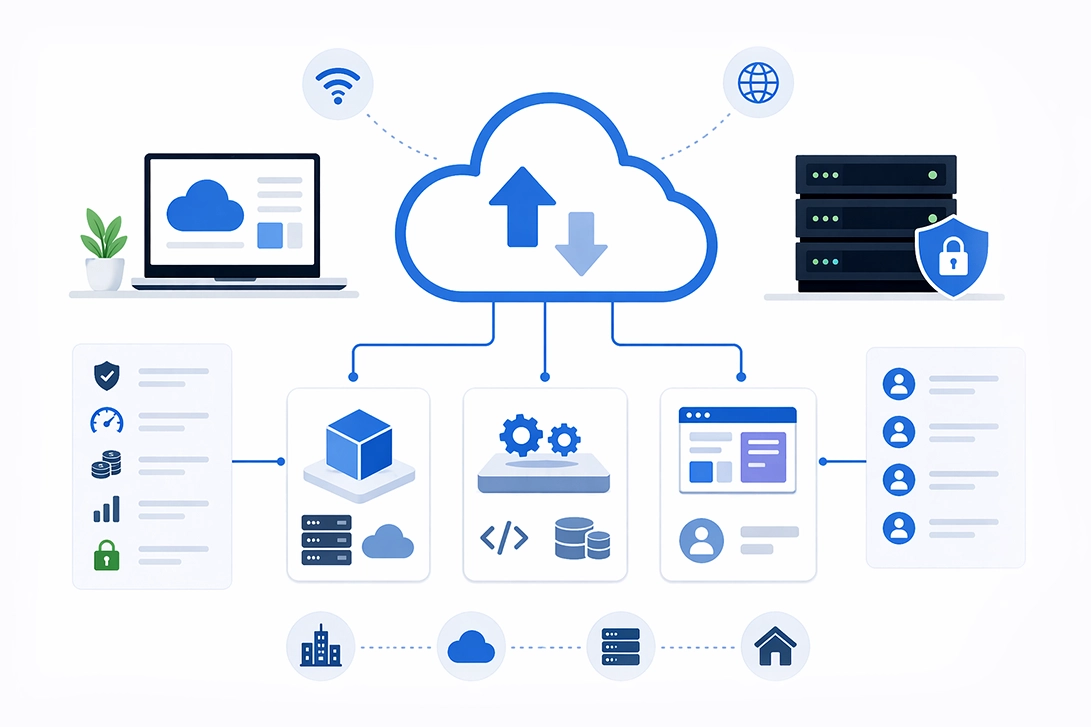
What is cloud computing? Cloud computing is the on-demand delivery of computing services, including servers, storage, databases, networking, software, and analytics, over the internet with pay-as-you-go pricing. Rather than owning and maintaining physical data centers and servers, organizations access computing resources from cloud providers who manage the underlying infrastructure, enabling faster innovation, flexible scaling, and significant cost savings.
By the end of this guide, you will understand:
Cloud computing is the on-demand delivery of IT resources over the internet with pay-as-you-go pricing. It refers to the delivery of IT infrastructure and services through the internet rather than through local servers or personal devices. Unlike traditional data centers where organizations own, operate, and maintain physical servers, cloud computing removes the need for direct hardware management by shifting that responsibility to cloud service providers.
This shift matters because it transforms technology from a capital expense into an operational one. Organizations gain immediate access to computing power without upfront investments, enabling them to focus resources on core business activities rather than IT infrastructure management.
Cloud computing is characterized by several key features that distinguish it from traditional IT infrastructure and enable its broad adoption across industries. These features provide the foundation for cloud's flexibility, scalability, and cost-effectiveness.
Allows users to provision computing resources, such as server time and storage, automatically without requiring human interaction with each service provider. You can spin up virtual machines or deploy cloud applications within minutes through web consoles or APIs.
It means cloud services are available over the network and accessible through standard mechanisms from various devices, including laptops, mobile phones, and tablets. This enables work from anywhere with an internet connection.
It describes how cloud providers host multiple customers using a multi-tenant model, with different physical and virtual resources dynamically assigned according to demand. Users typically don’t know the exact location of their data, though they may specify geographic regions for compliance purposes.
It Enables organizations to scale computing resources up or down quickly, sometimes automatically, matching capacity to demand. From the user perspective, available resources often appear unlimited.
Cloud systems automatically control and optimize resource use through metering capabilities. Usage is monitored, controlled, and reported, providing transparency for both the provider and consumer.
Cloud platforms leverage automation tools to manage resource provisioning, deployment, scaling, and maintenance. Orchestration frameworks coordinate complex workflows, ensuring efficient and reliable cloud operations with minimal manual effort.
Cloud architectures are designed with redundancy across multiple data centers and geographic regions. This ensures continuous service availability and resilience against hardware failures, network outages, or disasters.
Leading cloud providers implement robust security measures including data encryption, identity and access management, network segmentation, and continuous monitoring. Compliance certifications and frameworks help customers meet regulatory requirements.
Cloud services support a variety of operating systems, programming languages, frameworks, and databases, enabling diverse workloads and development environments.
Cloud platforms provide extensive APIs and integration tools that enable seamless connectivity with other cloud services, on-premises systems, and third-party applications, fostering hybrid and multi-cloud strategies.
Together, these key features empower organizations to leverage cloud computing for greater agility, operational efficiency, and innovation, transforming how IT resources are consumed and managed.
Explore Features of Cloud Computing | Book a Free DemoCloud computing architecture relies on vast physical data centers located around the world, each containing thousands of physical servers, storage systems, and networking equipment. These resources are virtualized, divided into virtual machines and containers that can run independently on shared hardware.
Cloud service providers like Amazon Web Services, Microsoft Azure, and Google Cloud maintain this supporting infrastructure, handling hardware maintenance, software updates, physical security, cooling, and power management. This cloud infrastructure forms the foundation upon which various cloud services operate.
Users access these provider's computing resources through web browsers, command-line interfaces, mobile applications, or direct API calls. The connection between your device and remote servers happens transparently over the internet, making the location of physical hardware irrelevant to the end user.
The shared responsibility model defines who secures what: cloud vendors secure the underlying infrastructure, while customers remain responsible for securing their data, applications, access credentials, and configurations within the cloud environment.
This understanding of how cloud systems work provides the foundation for evaluating specific service delivery models. Next, let’s explore the main types of cloud service models and how they differ.
Try Cloud Computing SolutionsCloud computing service models represent different levels of abstraction in what cloud providers offer and what responsibilities remain with customers. The three main types of cloud service models are IaaS, PaaS, and SaaS, each offering different levels of control, flexibility, and management responsibilities for users. These three types of cloud computing services form a hierarchy from basic infrastructure services to complete software applications.
Infrastructure as a service in cloud computing delivers virtualized computing resources over the internet, including virtual machines, storage, and networking capabilities. This cloud computing model provides the most flexibility and control among cloud service models.
With IaaS in cloud computing, you manage operating systems, applications, and development frameworks while the provider handles virtualization, physical servers, storage hardware, and network infrastructure. The provider is responsible for the data centers, physical hardware, and network connectivity.
Leading IaaS examples include Amazon EC2, Google Compute Engine, and Microsoft Azure Virtual Machines. Market data shows IaaS revenue reached approximately $140 billion globally in 2023, with AWS leading at roughly 39% market share, followed by Microsoft at 23% and Google at 8.2%.
Common use cases include development and testing environments, website hosting, high-performance computing, disaster recovery solutions, and replacing traditional client server model infrastructures with scalable resources.
Platform as a Service provides a complete development and deployment environment in the cloud, eliminating the need to manage underlying infrastructure. PaaS in cloud computing includes infrastructure services plus operating systems, middleware, development tools, database management systems, and runtime environments.
Software development teams can build, test, and deploy cloud applications without worrying about server configuration, software maintenance, or capacity planning. The cloud provider manages everything beneath the application layer.
Examples include AWS Elastic Beanstalk, Google App Engine, and Microsoft Azure App Service. The PaaS market is projected to reach approximately $164 billion by 2026, reflecting strong demand for streamlined application development.
Platform as a service in cloud computing benefits organizations seeking rapid application deployment, microservices architectures, continuous integration and deployment pipelines, and reduced infrastructure complexity.
Software as a Service delivers complete software applications over the internet, accessible through web browsers without installation. The SaaS model represents the most abstracted cloud computing approach.
Cloud providers handle everything — application logic, software maintenance, updates, cloud security, and all supporting infrastructure. Users simply access the software, often through subscription-based pricing models.
Familiar SaaS examples include Google Workspace, Microsoft 365, and Salesforce. Benefits include immediate accessibility from any device with an internet connection, automatic updates, predictable subscription costs, and eliminated local software maintenance.
For many businesses, SaaS in cloud computing represents their first experience with cloud computing services and often serves as a gateway to broader cloud adoption.
With a clear understanding of the three main cloud service models, let’s move on to the different ways these services can be deployed and managed through various cloud deployment models.
Explore LOGIC ERP Cloud Services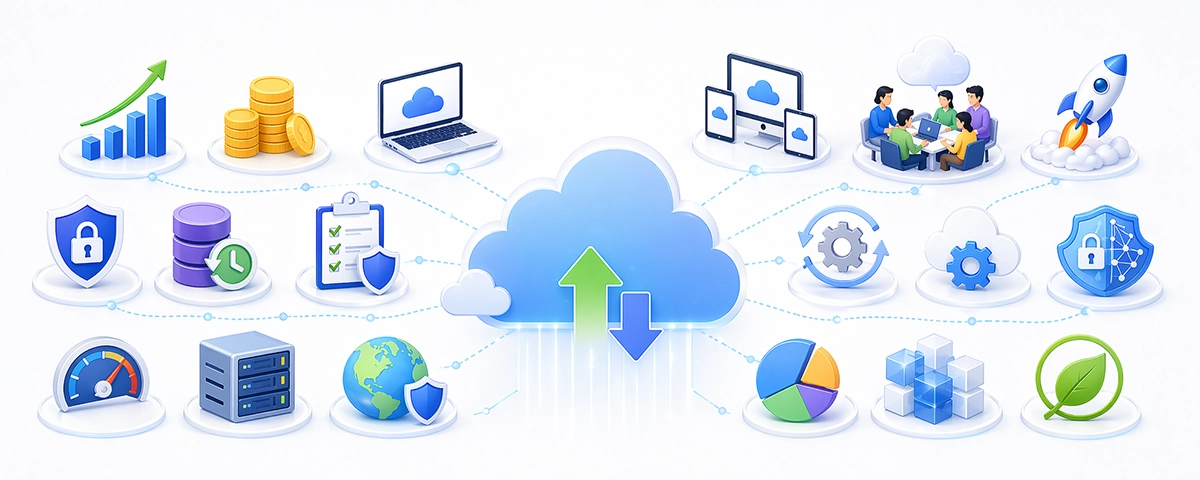
Cloud computing offers numerous advantages that help businesses innovate faster, reduce costs, and improve operational efficiency. Here are the key benefits of cloud computing:
Cloud services allow organizations to quickly scale resources up or down based on demand, enabling seamless handling of workload spikes without overprovisioning.
By adopting a pay-as-you-go pricing model, businesses avoid large upfront capital expenditures on hardware and pay only for the resources they consume, converting capital expenses into manageable operational costs.
Cloud providers offer high redundancy and geographically distributed data centers, ensuring data protection and rapid recovery during outages or disasters.
Cloud computing enables remote access to applications and data from any device with an internet connection, facilitating collaboration across teams and geographies.
Organizations can deploy new applications and services faster, accelerating time to market and fostering innovation with access to cutting-edge technologies.
Leading cloud providers implement advanced security measures, including encryption, continuous monitoring, and compliance certifications, often exceeding the capabilities of traditional IT environments.
Cloud services are regularly updated and maintained by providers, reducing the IT burden on organizations and ensuring access to the latest features and security patches.
Cloud platforms integrate AI, machine learning, big data analytics, and serverless computing, empowering businesses to leverage modern tools without heavy infrastructure investments.
Measured service in cloud computing ensures that usage is metered, allowing costs only for utilized services. This pay-as-you-go model helps organizations avoid paying for idle resources and aligns expenses directly with consumption.
Reliability in cloud services is enhanced through high redundancy and fault tolerance provided by cloud providers. Multiple data centers and backup systems ensure continuous availability and minimize downtime during failures.
Cloud services can scale up or down quickly to manage demand, providing operational flexibility. This elasticity allows businesses to respond dynamically to workload changes without overprovisioning.
Cost savings in cloud computing result from shifting expenses from capital investment to operating expenses. Organizations reduce upfront hardware purchases and pay only for the resources they use, improving financial agility.
Get Advantages of Cloud Computing | Book a Free DemoThe origins of cloud computing technology date back to the early 1960s when Dr. Joseph Carl Robnett Licklider introduced the concept of global networking in a series of memos discussing an Intergalactic Computer Network.
The term 'cloud computing' became widely recognized in 1996 when Compaq Computer Corporation proposed a business plan for future computing and the Internet, envisioning online consumer file storage as commercially viable.
In 2002, Amazon Web Services (AWS) was established, marking the beginning of modern cloud infrastructure for businesses, followed by the launch of Amazon Elastic Compute Cloud (EC2) in 2006, which allowed users to rent virtual computers.
Cloud deployment models determine how cloud resources are organized, who can access them, and where the underlying infrastructure resides. The four main types of cloud deployment models are public cloud, private cloud, hybrid cloud, and multicloud, each offering different levels of control and resource sharing. Choosing the right model influences security posture, cost structure, compliance capabilities, and operational flexibility.
Public cloud services are offered by third-party cloud providers over the public internet, available to anyone who wants to purchase them. In this model, computing infrastructure resides in the provider's own data centers and is shared among multiple customers through secure multi-tenant architecture.
The primary advantages include no capital investment in hardware, instant access to massive computing power, high availability through globally distributed remote data centers, and pay as you go pricing. Organizations avoid the complexity and expense of maintaining their own data centers.
Leading public cloud providers include Amazon Web Services, Microsoft Azure, and Google Cloud Platform, collectively holding over 60% of the market. These providers offer hundreds of multiple cloud services spanning compute, storage, databases, machine learning, and more.
Public cloud deployment works best for startups, organizations with variable workloads, development and testing environments, and applications that don't involve highly sensitive data requiring strict compliance controls.
A private cloud delivers cloud computing resources exclusively to one organization, providing dedicated infrastructure that isn't shared with other customers. This deployment model can exist on-premises in your own physical data centers or be hosted by a third party.
Private cloud implementation offers enhanced cloud security, greater control over computing infrastructure, and the ability to customize everything from hardware specifications to network configurations. Organizations maintain direct oversight of where their data resides.
This model suits regulated industries such as healthcare, finance, and government, where compliance requirements demand strict control over sensitive data. Organizations with existing data center investments may also find private cloud attractive as a way to modernize while preserving infrastructure assets.
The trade-offs include higher costs, slower scalability compared to public cloud, and the need for specialized IT staff to manage cloud infrastructure. Private cloud requires significant upfront investment and ongoing operational expenses.
Hybrid cloud combines public and private clouds, allowing data and applications to move between environments. This approach enables organizations to keep sensitive data in private cloud environments while leveraging public cloud services for less critical workloads or burst capacity.
The hybrid cloud model supports "cloud bursting," where applications normally running in a private cloud can burst into the public cloud during demand spikes. This provides flexibility without over-provisioning private infrastructure.
Multi-cloud strategies involve using cloud services from multiple providers simultaneously. Nearly 85% of enterprises now employ hybrid or multi-cloud approaches to avoid vendor lock-in, satisfy regional compliance requirements, optimize workload placement, and leverage best-in-class services from different cloud vendors.
Both strategies introduce management complexity. Integration between public and private clouds requires careful architecture, consistent security policies, and unified monitoring across environments.
Organizations moving from traditional IT infrastructure to cloud environments must select appropriate migration strategies based on their applications, timelines, and capabilities.
Before choosing a migration approach, it's important to compare the main strategies based on cost, timeline, complexity, and long-term benefits. The table below summarizes the key differences:
| Factor | Lift-and-Shift | Refactoring | Cloud-Native |
|---|---|---|---|
| Cost | Lower initial investment | Moderate investment | Higher initial investment |
| Timeline | Fastest implementation | Medium-term project | Longest implementation |
| Complexity | Low complexity | Moderate complexity | High complexity |
| Cloud Benefits | Limited optimization | Moderate optimization | Maximum optimization |
| Skills Required | Basic cloud knowledge | Cloud architecture expertise | Advanced cloud and DevOps skills |
| Long-term TCO | May be higher | Improved efficiency | Typically lowest over time |
Choose your approach based on application criticality, available skills, timeline constraints, and long-term strategic goals. Many organizations use different strategies for different workloads.
Book Software as a Service (SaaS) Free DemoDespite the compelling benefits of cloud computing, organizations face real challenges during adoption. Addressing these barriers proactively significantly improves cloud migration success rates. Major cloud providers employ advanced security features, including encryption and monitoring, that are more robust than what smaller businesses can typically afford.
Cloud security remains the top concern for organizations considering cloud adoption. In 2025, approximately 80% of cloud breaches stem from basic mistakes: misconfigurations, credential mismanagement, and exposed secrets rather than sophisticated attacks.
Solution: Implement the shared responsibility model deliberately. Understand that cloud providers secure the infrastructure while you secure data, applications, and access controls. Deploy data encryption for both data at rest and in transit. Establish robust identity and access management policies. Conduct regular security audits and penetration testing. Train staff on cloud security best practices, since human error causes most breaches.
For regulated industries, map compliance requirements to cloud provider capabilities before migration. Both the provider and customer share compliance responsibilities depending on the service model used.
While cloud computing promises cost savings, poor management leads to unexpected bills. Common cost leaks include idle computing resources, over-provisioned virtual machines, unused reserved capacity, and underestimated data egress fees.
Solution: Right-size resources by matching instance types to actual workload requirements. Implement automated scaling policies that adjust capacity based on demand rather than maintaining peak capacity continuously. Set up cost monitoring dashboards and budget alerts. Use reserved instances for predictable workloads and spot pricing for fault-tolerant applications. Tag all cloud resources to track spending by project, department, or application.
Many organizations lack internal expertise in cloud technologies, cloud architecture, and cloud operations. This gap slows adoption and increases implementation risks.
Solution: Invest in staff training and cloud certification programs from AWS, Microsoft Azure, or Google Cloud. Start with gradual migration — move non-critical workloads first to build organizational experience. Establish a cloud center of excellence to develop internal best practices. Partner with managed service providers for specialized expertise while building internal capabilities. Involve cross-functional teams in planning to ensure buy-in and knowledge sharing.
These challenges are surmountable with proper planning, and addressing them directly improves business continuity throughout your cloud journey.
LOGIC ERP Cloud Software is specifically designed to meet the unique needs of retail, manufacturing, and distribution businesses. By choosing LOGIC ERP, you gain access to a comprehensive, scalable cloud platform that streamlines operations, enhances inventory management, and improves supply chain visibility. Our solution offers real-time data access from anywhere, empowering your teams to make informed decisions quickly and efficiently.
With built-in analytics and customizable dashboards, LOGIC ERP helps you optimize production schedules, reduce downtime, and improve customer satisfaction. Additionally, our cloud-based software ensures seamless integration with existing systems, minimizing disruption during implementation. Prioritizing security, LOGIC ERP leverages advanced encryption and follows a shared responsibility model to protect your sensitive business data. Choose LOGIC ERP Cloud Software to drive growth, increase operational agility, and stay competitive in today’s fast-paced market.
Get Cloud ERP Software Free DemoCloud computing represents a fundamental shift in how organizations acquire, deploy, and manage computing resources. By leveraging remote servers and infrastructure managed by specialized cloud providers, businesses achieve scalability, cost savings, and access to advanced cloud technologies that would be impractical to build independently.
Whether you choose public cloud services for flexibility, private cloud for control, or hybrid cloud for balanced capabilities, understanding the types of cloud computing models enables informed decisions aligned with your business requirements.
As you move forward, keep an eye on emerging cloud technologies reshaping the landscape. Serverless computing now represents a standard practice for over 50% of global enterprises. Serverless computing allows developers to build and run applications without managing the infrastructure, automatically scaling resources based on demand and charging only for the resources used during execution. Edge computing investments are projected to reach $261 billion in 2025. Artificial intelligence and machine learning services are driving unprecedented demand for scalable cloud infrastructure. These trends will continue expanding what's possible with cloud computing.
Book Cloud ERP System Free Demo!Cloud computing is the delivery of computing services such as servers, storage, databases, networking, software, and analytics over the internet. It allows users to access and process data instead of relying on local servers or personal devices. It abstracts complex IT infrastructure, making computing resources accessible anytime and anywhere via internet connectivity.
Cloud technology encompasses the hardware, software, virtualization, networking, and automation tools that enable cloud computing services. It includes data centers, hypervisors, APIs, and orchestration frameworks that facilitate on-demand access to scalable, managed IT resources delivered over the internet.
Cloud computing allows users to access IT services remotely without owning physical infrastructure. For example, Google Workspace offers cloud-based productivity tools such as Gmail and Google Docs, accessible via web browsers, enabling real-time collaboration and storage without local software installation.
A cloud server is a virtualized server hosted in a cloud provider’s data center that delivers computing power, storage, and networking on demand. Unlike physical servers, cloud servers can be rapidly provisioned, scaled, and managed remotely, supporting flexible and cost-effective IT infrastructure.
Common cloud applications include web hosting, data storage, disaster recovery, SaaS platforms like Salesforce, big data analytics, artificial intelligence services, Internet of Things (IoT) integration, and remote collaboration tools. These leverage cloud scalability and accessibility to enhance business operations.
These enable efficient resource utilization and rapid provisioning in the cloud.
Virtualization is the technology that abstracts physical computing resources into virtual instances such as virtual machines or containers. It allows multiple isolated environments to run on shared hardware, optimizing resource use and enabling scalable cloud service delivery.
An SLA is a contract between a cloud provider and customer defining expected service performance, availability, support, and responsibilities. It ensures transparency and accountability by specifying service levels, remedies, and penalties if commitments are unmet.
These principles enable scalable, flexible, and transparent IT resource delivery over the internet.
Grid computing connects multiple distributed computers to work collaboratively on complex tasks. Cloud computing incorporates grid principles to pool resources for high-performance computing and large-scale data processing.
Applied cloud computing refers to practical use cases where cloud technologies solve business challenges, such as scalable application deployment, remote workforce enablement, workflow automation, and integration of AI services to improve efficiency and innovation.
Cloud security protects data, applications, and infrastructure through encryption, identity and access management, continuous monitoring, and compliance adherence. It operates under a shared responsibility model where both providers and customers play vital roles in maintaining security.
Together, they deliver scalable, on-demand IT services.
Distributed computing involves multiple interconnected computers sharing processing and storage tasks across a network. Cloud computing leverages this to enhance scalability, fault tolerance, and performance for applications.
Cloud services are IT resources such as computing power, storage, software applications, and platforms delivered over the internet by cloud providers. They include IaaS, PaaS, SaaS, and serverless computing, enabling flexible and scalable technology access.
Challenges include security risks, compliance complexity, cost management, data privacy concerns, vendor lock-in, skill shortages, and migration difficulties. Overcoming these requires strategic planning, robust security practices, and continuous governance.
Delivery models define how cloud services are provided:
Each model offers varying levels of control and management responsibility.
Deployment models describe the cloud environment:
Organizations choose models based on security, cost, and operational needs.
A data center is a physical facility housing servers, storage, networking equipment, and infrastructure that cloud providers use to deliver services. Data centers ensure high availability, security, and scalability for cloud resources.
Data cloud refers to cloud-based platforms focused on storing, managing, and analyzing data at scale. It enables organizations to leverage big data, AI, and analytics tools with cloud flexibility and accessibility.
A cloud computing reference model is a framework outlining components, layers, and interactions within cloud systems. It standardizes service delivery, interoperability, and security across providers and users.
A hypervisor is virtualization software that creates and manages virtual machines by abstracting physical hardware. It allows multiple isolated operating systems to run concurrently on a single physical server, forming the basis of cloud infrastructure.
Service-Oriented Architecture (SOA) is a design approach where software components provide services to other components via network communication. In cloud computing, SOA promotes modularity, reusability, and integration, facilitating flexible application development.
Getting Started Guides:
Frameworks and Best Practices:
Certification Programs:
Planning Tools:
Popular Products