A Complete Checklist and Guide on How to Start a Kirana Business in India – 2026

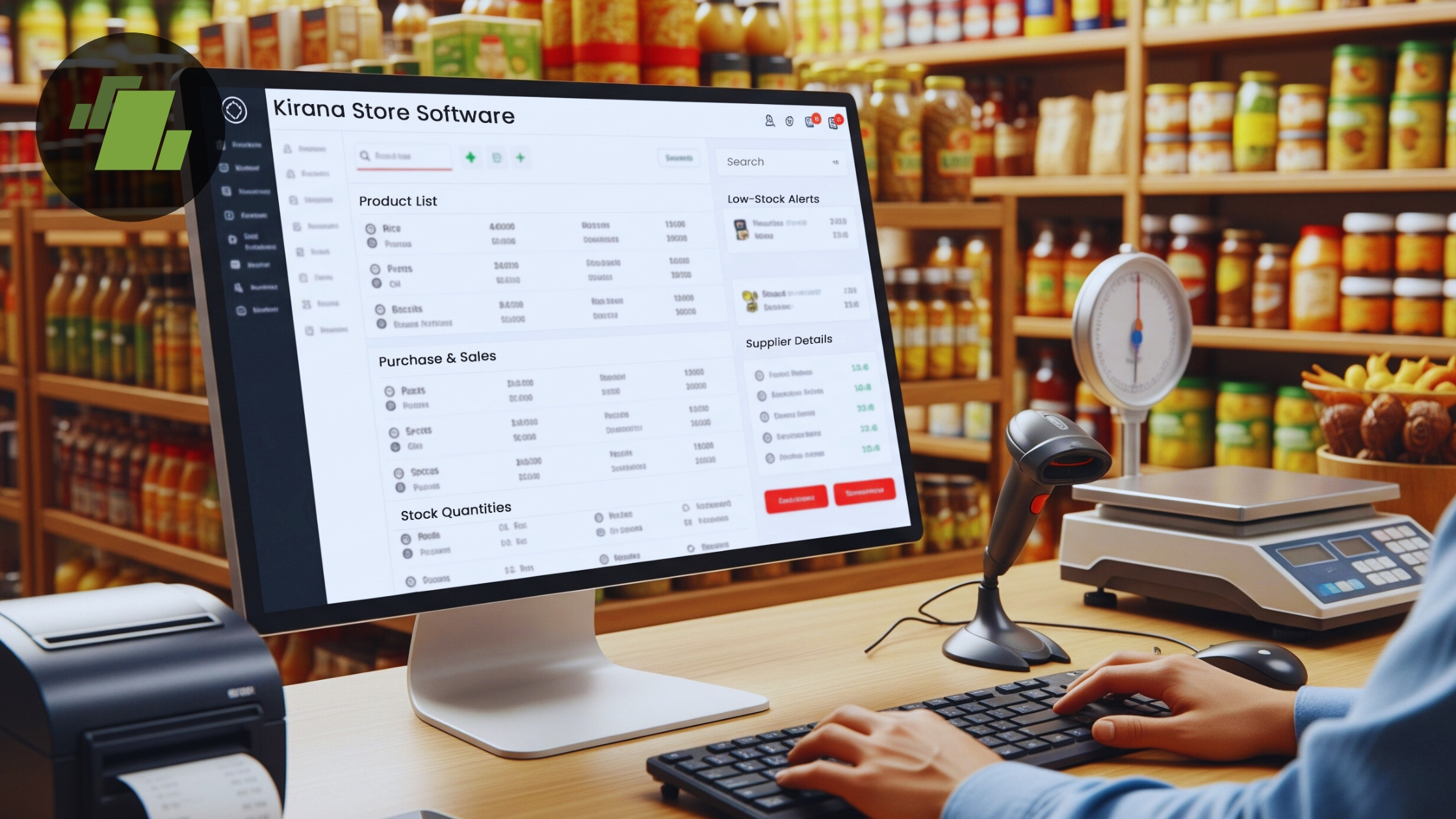
Table of Contents
1. How to Start a Kirana Business?
1.1. Business Plan and Capital Requirement Checklist
1.2. List of Documents and Government Formalities Required
1.2.1. Business Registration
1.2.2. Licenses
2. Download the Ultimate Retail Store Launch Checklist
2.1. GST Registration
2.2. Professional Tax Registration (PT)
3. Checklist for Location and Layout
3.1. Location
3.2. Layout
4. Checklist for Establishing Standard Operating Procedure (SOP)
5. Checklist for Stocking Key Products
6. Checklist for Software Applications in Kirana’s
7. Checklist for Equipment Required for Kirana Business
8. Other Requirements:
8.1. Marketing and Advertising Strategies
8.2. Pricing Strategy
8.3. Recruitment Strategy
9. Conclusion
Introduction
Let’s say you are thinking about starting a small or large-scale Kirana in India. In that situation, it is essential to develop a thorough business plan and checklists that take into account different aspects. Given the intense competition in the Indian market, it’s critical to comprehend industry trends and identify key components in order to guarantee a successful and seamless operation.
A business registration checklist, important licenses, documentation prerequisites, location checklist, operational requirements, SOPs, and software applications required to operate a successful Kirana business are just a few of the extensive requirements we have covered in this article regarding how to launch a Kirana business in India.
After doing extensive research, we have developed a checklist that will act as a road map, guaranteeing the successful launch of your grocery enterprise.
How to Start a Kirana Business?
If you’re a business owner or retailer, you might be asking how to launch a Kirana in India. The government’s business-friendly policies for structured businesses have made it simpler to launch and grow your grocery business in recent years. You may launch a Kirana as quickly and easily as possible if you follow the correct procedures and pay close attention to the checklists listed below.
To launch your own Kirana, adhere to the procedures and criteria listed below:
1. Business Plan and Capital Requirement Checklist
Determining the Kirana’s size and scope, the amount of capital needed, and the available financing choices are crucial.
Here are the main things to think about:
- Establish the space requirements and range of your Kirana.
- Check for the necessary funds and available finance.
- Select a business ownership structure (private limited, partnership, sole proprietorship, etc.).
- Determine possible merchandise choices and brand alliances.
- Calculate the amount of money needed for the different facets of the grocery business:
- Setup expenses include interior design, buying equipment, and property leasing or rental.
- Initial expenses for buying goods from suppliers.
- Expenses for starting a business, including permits.
- Surveillance cameras, checkout counters, and Kirana software are examples of technological investments.
- Marketing costs for brochures, billboards, print ads, and advertising campaigns.
2. List of Documents and Government Formalities Required
Business Registration
You must register your firm in order to get your Kirana enterprise off the ground. Your firm may be registered as a private limited company, limited liability partnership, one-person company, partnership, or sole proprietorship. Customers and stakeholders are reassured by this official registration, which also grants your company the legal status that is required for such a corporation.
Licenses
To safeguard the legal privileges and interests of your Kirana’s employees, you must obtain a Shop and Establishment License. This license ensures an equal and secure workplace for staff members by regulating terms and conditions. Any retail business in India is required by law to acquire this license.
- Shop Act License for regulating work conditions and employee terms.
- FSSAI License for ensuring food safety in the Kirana.
- GST Registration for uniform taxation throughout the country.
- Import Export Code (IEC)
Download the Ultimate Retail Store Launch Checklist
A practical, easy-to-follow checklist to help you launch your store the right way.
1. GST Registration
GST registration is required if your Kirana’s overall company turnover exceeds Rs 40 lakhs (or Rs 20 lakhs in some states). This guarantees adherence to tax laws and certifies your company in the eyes of the governing body. If they operate as separate enterprises, Kirana stores with multiple outlets or locations might also need to apply for GST separately for each branch.
2. Professional Tax Registration (PT)
The income or wage that employees receive in exchange for their labor for the firm is liable for the tax. It is a prerequisite for all companies and independent contractors. The regulations established by the individual state governments determine the professional tax amount. PT registration is not required in various states. Professional tax must be paid on an annual or monthly schedule, based on its application, and returns must be filed.
Documentation Requirements:
To meet the legal requirements for starting a retail store, plenty of documentation must be submitted.
These include:
- PAN Card: Personal Account Number for taxation purposes.
- Aadhar Card: Verification of identification.
- Utility Bills: Use current bills for internet service, water, or electricity (less than three months) as evidence of address.
- Bank Account Statement: For verifying legitimacy and money transfers.
- Photograph of the Applicant: A visual proof of the legitimate owner of the company.
- Incorporation Certificate: Required to facilitate the registration of a private limited company.
- GST Registration Certificate: Verify adherence to tax regulations.
- Composite Scheme: For smaller businesses with an overall turnover below a specific limit, consider using an integrated plan, which simplifies taxation processes.
3. Checklist for Location and Layout
A profitable Kirana business plan must include both choosing a site that promotes commercial outcomes and creating the most practical and effective plan. To achieve maximum reach in the market, conduct in-depth study and give priority to locations with wealthy to middle-class residents, little competition from Kirana stores, and significant foot traffic.
Besides demographics, practical considerations like plenty of parking and inventory storage space are essential for successful operations. Rent or buy pricing should be taken into account while choosing a place so that it fits within the price range. Make sure that aisles offer sufficient room for shoppers with carts and baskets to move comfortably by designing a simple yet precise layout that groups merchandise by category.
Location
- Perform a thorough market analysis, taking into account factors such as possible customer traffic, opponents in the area, advantages of the marketplace, etc.
- Choose regions with a large middle-income population and minimal rivalry from Kirana stores.
- Verify that there is enough room for parking and inventory storage.
- When deciding on a Kirana location, take either rental or purchase rates into account.
Layout:
- Construct an accurate and straightforward design that highlights merchandise by category.
- Make sure there is sufficient space in the aisles for consumers carrying trolleys and carriages.
- Stay mindful of congestion to avoid confusing shoppers.

4. Checklist for Establishing Standard Operating Procedure (SOP)
Strong Standard Operating Procedures (SOPs) are essential for long-term achievement in the fast-paced, tough retail industry. Similar to carefully designed illustrations, SOPs act as the directing foundation, outlining activities and procedures for several situations that could occur in a Kirana setting.
By identifying and resolving the interconnections that inevitably develop in Kirana processes, SOPs are intended to facilitate the smooth running of many departments. SOPs serve as a proactive instrument to detect and address possible operational difficulties, opening the door to more efficient daily operations and fewer interruptions.
By providing staff with a well-defined path to stick to, SOPs act as a guide for reducing errors. This reduces errors and guarantees uniformity in procedures across the Kirana.
Components of Kirana SOPs:
- Inventory Management: Comprehensive instructions for storing, restocking, and maintaining a check on inventories to avoid overstock or inventory shortage crises.
- Customer Service: Methods for providing excellent service to consumers, responding to questions, and quickly resolving client problems.
- Employee Training: An extensive training course that outlines the abilities and information needed for every position in the store.
- Safety and Hygiene: Make sure that procedures for protecting against fires, premises safety, and maintaining a sanitary atmosphere for both clients and staff are followed.
- Cash Handling Procedures: Rules regarding cashiering tasks, correct cash management, and day-end reconciliation procedures.
- Marketing and Promotions: Techniques for organizing and carrying out seasonal events, advertisements, and promotional activities to draw in and keep consumers.
- Technology Integration: SOPs for the usage and upkeep of technological systems, such as software for managing inventory, surveillance cameras, and POS (point of sale) systems.
5. Checklist for Stocking Key Products
The following list describes crucial actions to make sure a store keeps a carefully chosen assortment of goods. In order to prevent shortages of products and maintain ideal quantities of stock, it is crucial to later determine the best-sellers based on consumer requirements, choices, and seasonal sales.
The following is a list of the most crucial products that Kirana stores must carry:
| Category | Products |
|---|---|
| Staples | Sugar, Cooking Oils, Spices, Rice, Pasta, Flour |
| Canned Foods | Vegetables, Fruits, Beans, Soups, Sauces |
| Breakfast Items | Cereals, Oatmeal, Bread, Jam, Honey |
| Snacks | Chips, Cookies, Nuts, Popcorn, Crackers |
| Fresh Produce | Fruits, Vegetables, Herbs, Salad Greens, Fresh Juices |
| Dairy Section | Milk, Cheese, Yogurt, Butter, Eggs |
| Bakery Section | Bread, Pastries, Cakes, Cookies, Bagels |
| Frozen Foods | Frozen Fruits, Frozen Vegetables, Frozen Seafood, Frozen Pizzas, Frozen Meals, Ice Cream |
| Beverages | Water, Soft Drinks, Juices, Tea, Coffee |
| Household & Cleaning | Cleaning Supplies, Laundry Detergent, Trash Bags, Paper Towels, Tissues |
| Beauty & Personal Care | Shampoo, Skincare Products, Soap & Body Wash, Toothpaste, Conditioner, Deodorant |
| Clothing & Apparel | Jeans, T-Shirts, Undergarments, Seasonal Clothing, Sleepwear |
| Home & Kitchen Appliances | Small Kitchen Appliances, Cookware, Utensils, Home Organization Items |
| Toys & Games | Children’s Toys, Board Games, Art Supplies, Puzzles |
| Stationery & School Supplies | Notebooks, Pens & Pencils, Backpacks, Lunchboxes, Art Supplies |
| Baby Care | Diapers, Baby Food, Formula, Wipes |
6. Checklist for Software Applications in Kirana Stores
Software programs, especially Enterprise Resource Planning (ERP) and Unified Point of Sale (POS) systems, play a crucial role in contemporary Kirana management in order to achieve flawless operations and promote long-term development. A thorough checklist is necessary to guarantee the efficacy of these software programs. Kirana retailers looking to use data synchronization and evaluation to support effective expansion and well-informed decision-making might use the following checklist as a reference.
The following considerations should be made before selecting any software supplier or program for your Kirana:
- Make sure the program can manage several stores using a single interface and enables real-time data transfer amongst every single shop.
- Seek out a single system that combines online shopping, customer relationship management, inventory management, billing, point of sale (POS), financial management, and more.
- Analyze the software’s capacity to produce thorough analysis and reporting.
- Make sure the program has features for managing finances, creating coupons, managing memberships, managing customer loyalty, verifying stocks, and more.
- Verify whether the software has tools for examining how old or expired the merchandise is.
- Make sure the software can produce reports or warnings for controlling inventory refilling.
- Determine whether or not the program can accommodate the Kirana’s development plans.
- Assess the degree of orientation needed for new and existing staff members as well as the software’s functionality.
- Make sure the software you select can change to reflect new developments in technology and industry trends.
7. Checklist for Equipment Required for Kirana Business
- Sales Floor Equipment: Advertising banners, discounting signs, and open and closed signboards.
- The counters and accompanying hardware.
- Refrigeration Equipment: Glass door coolers for showcasing icy beverages and perishable products.
- RFID tag readers, invoicing equipment, and handheld electronic devices.
- Label devices, card machines, and computers.
- Cctv surveillance cameras.
- Bags and grocery carts.
- Hanger stands and corporate cases for display.
- Containers for unique or distinctive products.
- The hangers are used to arrange and showcase apparel and other accessories.
- Break Room Equipment: Microwave, espresso machine
- Wastebaskets and comfy chairs for workers.
- Stools and seating for offices.
- Mirrors for the showroom in various dimensions.
- High-quality racks for organizing and fixings.
Other Requirements:
Marketing and Advertising Strategies:
Implement a thorough advertising plan by utilizing digital as well as conventional methods:
- Examine economic patterns, demand for products, and customer preferences.
- When creating advertising and promotional strategies, take into account elements such as buyer behavior.
- Make plans for both traditional and online branding.
- Think about customer loyalty schemes, preliminary offers, and opening-day ceremonies.
Pricing Strategy:
Establishing a successful pricing plan requires knowledge of the market:
- Identify the product category.
- Create an expense plan for different categories of products.
- To learn about customer interests, perform market research studies.
- Determine pricing by taking into account competitors and neighborhood economic criteria.
Recruitment Strategy:
Considering the amount of space and scope of your store, assess how many workers are needed. To ensure that your business runs smoothly, create a strong hiring plan to draw in competent and dedicated employees.
Conclusion
In India, starting a Kirana demands carefully weighing operational, monetary, and regulatory considerations. This article’s lists will assist new businesses in navigating the complexities of the Kirana retail sector. Using software like cloud-based Kirana software is essential for consumer pleasure as well as optimum productivity and effectiveness. You can start a successful Kirana store in India and support the country’s retail industry by adhering to these guidelines and making adjustments for the constantly shifting market conditions.

Call at +91-73411-41176 or send us an email at sales@logicerp.com to book a free demo for the best kirana store software today!
Frequently Asked Questions (FAQ’s)
1. What is the best kirana ERP software for small shops in India?
Logic ERP is the best kirana ERP software that combines billing, inventory, GST compliance, and reporting in a single platform. For small shops, it should be affordable, easy to use, support local tax rules, and work smoothly even with limited staff. Cloud-based ERP systems are ideal as they offer automatic updates, data backup, and remote access.
2. What top features should I look for in Kirana billing software?
Key features to look for include fast billing, GST-ready invoices, inventory tracking, barcode support, expiry alerts, customer management, multiple payment modes, and basic sales reports. A simple interface and reliable customer support are also important for daily operations.
3. Is there affordable kirana billing software with GST compliance in India?
Yes, Logic ERP Kirana billing software solution in India is affordable and fully GST-compliant. These systems support GST invoices, HSN codes, tax reports, and easy filing preparation, making them suitable for small shops with limited budgets.
4. How do I choose the right kirana POS software for a grocery store?
To choose the right kirana POS software, assess your store size, daily billing volume, and inventory complexity. Look for software that is easy to operate, supports inventory automation, works on desktop or mobile, and can scale as your business grows.
5. Does Kirana POS software support mobile apps?
Yes, modern kirana POS systems like Logic ERP offer mobile app support. This allows shop owners to generate bills, check sales, manage stock, and view reports directly from their smartphones, providing flexibility and real-time control.
6. Where can I download kirana retail store software with a free trial?
Call at +91-73411-41176 or send us an email at sales@logicerp.com to book a free demo for the best kirana store software today!
7. Does Kirana billing software include integrated inventory management?
Yes, Logic ERP Kirana Billing Software includes integrated inventory management. It automatically updates stock after each sale, tracks low-stock items, manages purchase entries, and reduces losses due to overstocking or expiry.
8. What do customer reviews say about popular kirana ERP software in India?
Customer reviews often highlight ease of use, billing speed, GST accuracy, and customer support. Many kirana owners prefer software that reduces manual work, improves stock visibility, and helps manage daily operations efficiently.
9. Does Kirana billing software support multi-user access?
Yes, most kirana billing software like Logic ERP supports multi-user access. This allows multiple staff members to operate billing counters with role-based permissions, while the owner retains full control over reports and settings.
10. Which is the best cloud-based kirana retail store software option in India?
Logic ERP Cloud-based kirana software is popular because it allows access from anywhere, ensures data security, and provides automatic updates. This system is ideal for shop owners who want real-time insights and minimal IT maintenance.
11. What hardware components are necessary for a complete retail POS setup?
A complete retail POS setup typically includes a computer or POS terminal, billing software, barcode scanner, receipt printer, cash drawer, weighing scale (optional), and a stable internet connection. For mobile-based POS, a smartphone or tablet can also be used.

Author
Sharanjit Ghuman
Director of Communications | LOGIC ERP Solutions Pvt. Ltd.
Leading and managing the company’s internal and external communication strategies and working closely with senior leadership to develop and execute communication plans.


