Cost vs Value: Is Retail Billing Software Worth the Investment in 2026?

Introduction
Retail in 2026 is faster, smarter, and more data-driven. Customers expect quick checkouts, digital receipts, seamless payment options, and personalized service. At the same time, retailers face rising competition, tighter profit margins, tax compliance requirements, and increasing operational costs.
This shift has pushed many store owners to ask an important question:
Is retail billing software with automation worth the investment or is it just another business expense?
The short answer? For most modern retailers, it’s not an expense. It’s a growth tool.
Let’s break down the real cost, real value, and actual return on investment (ROI) of retail billing software in 2026.
What Is Retail Billing Software?
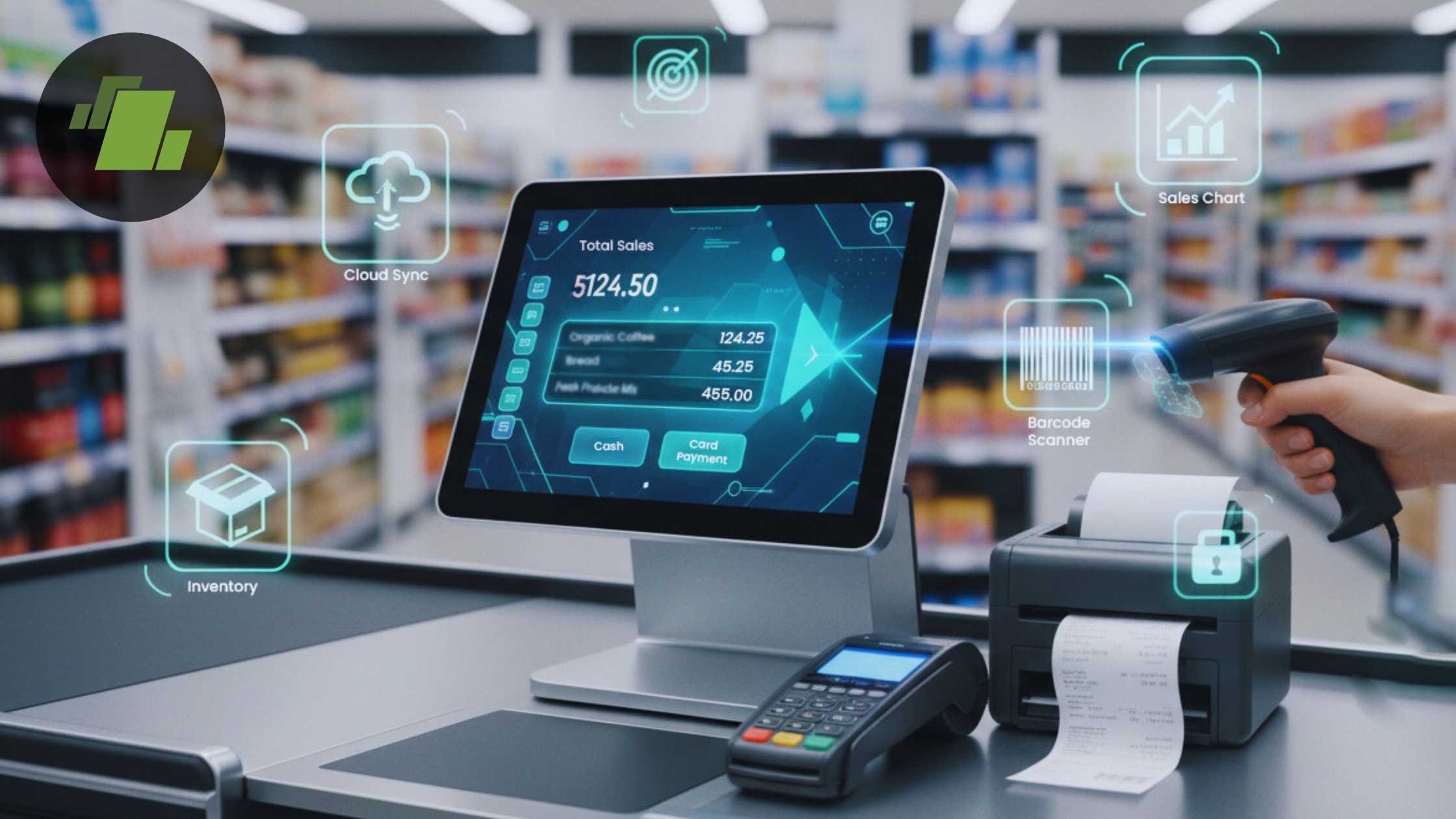
Retail billing software, also known as a retail POS (Point of Sale) system, is a digital solution that automates sales transactions, inventory tracking, tax calculations, reporting, and customer management.
Core Features of Retail Billing Software
1. Fast Checkout & Barcode Scanning
Speed in the billing process is important in retail business. A slow checkout process leads to long queues, frustrated customers, and lost sales.
A modern POS billing system enables:
- Instant barcode scanning for product identification
- Automatic price retrieval
- Quick discount and promotion application
- Real-time bill generation
- Digital and printed receipt options
Barcode integration eliminates manual price entry errors and significantly reduces billing time. In high-traffic stores like supermarkets and apparel outlets, this feature alone can increase daily transaction capacity and improve overall customer satisfaction.
2. Automated Tax Calculation (GST/VAT Compliant)
Tax compliance is a major concern for retailers. Manual tax calculations increase the risk of errors, penalties, and audit issues.
Retail billing software automatically:
- Applies correct GST, VAT, or sales tax rates
- Generates tax-compliant invoices
- Categorizes products by tax slabs
- Maintains transaction logs for audits
- Produces tax summary reports
For businesses operating in regulated markets, GST billing software ensures compliance while saving time and reducing accounting stress.
3. Real-Time Inventory Management
Inventory mismanagement directly impacts profits. Overstocking blocks capital, while understocking leads to lost sales.
Retail inventory management software allows you to:
- Track stock levels in real time
- Monitor product movement
- Set low-stock alerts
- Automate reordering
- Manage batch numbers and expiry dates
- Track multi-store inventory centrally
With real-time updates synced across locations, retailers can prevent shrinkage, reduce dead stock, and maintain optimal inventory turnover.
4. Sales Analytics & Reporting
In 2026, data drives retail growth. Modern POS systems provide actionable insights through built-in analytics.
Retailers can access:
- Daily, weekly, and monthly sales reports
- Best-selling and slow-moving product analysis
- Peak business hour data
- Category-wise performance tracking
- Profit margin reports
- Employee sales performance
These insights help in:
- Smarter purchasing decisions
- Targeted promotions
- Dynamic pricing strategies
- Identifying growth opportunities
Instead of guessing, retailers make data-backed decisions.
5. Multi-Payment Support (UPI, Cards, Wallets, Cash)
Customers expect flexibility in payment options. A modern retail POS system supports:
- Cash payments
- Debit and credit cards
- UPI transactions
- Mobile wallets
- Contactless payments
- Buy Now, Pay Later (BNPL) options
Multi-payment integration improves checkout convenience and reduces abandoned purchases. It also allows retailers to cater to digitally savvy customers who prefer cashless transactions.
6. Customer Data Tracking (CRM Integration)
Retail billing software often includes built-in Customer Relationship Management (CRM) features.
This allows businesses to:
- Store customer contact details
- Track purchase history
- Create loyalty programs
- Offer personalized discounts
- Send targeted SMS or email promotions
Customer data tracking increases repeat purchases and strengthens brand loyalty. Personalized engagement is a major competitive advantage in modern retail.
7. Cloud Data Backup & Remote Access
Cloud-based POS systems store data securely online rather than on local machines.
Benefits include:
- Automatic data backup
- Protection from data loss
- Access from any device
- Real-time synchronization across locations
- Easy system updates
For multi-location retailers or business owners managing remotely, cloud POS software provides flexibility and operational control.
8. AI-Powered Analytics
Artificial Intelligence is transforming retail management.
Modern retail billing software now offers:
- Predictive sales forecasting
- Demand trend analysis
- Automated stock recommendations
- Customer buying behavior insights
- Seasonal sales predictions
AI helps retailers anticipate demand instead of reacting to it. This minimizes stockouts and improves inventory planning accuracy.
9. Predictive Stock Planning
Advanced systems analyze:
- Past sales patterns
- Seasonal fluctuations
- Promotional impacts
- Supplier lead times
Using this data, the system recommends optimal reorder quantities. Predictive planning improves cash flow and reduces excess inventory risk.
10. Omnichannel Integration
Retail is no longer limited to physical stores. Customers shop across:
- In-store
- E-commerce websites
- Social media platforms
- Mobile apps
Modern retail software integrates all sales channels into one dashboard. This enables:
- Unified inventory management
- Centralized order tracking
- Consistent pricing
- Better customer data synchronization
Omnichannel capability ensures seamless customer experiences across platforms.
How Much Does Retail Billing Software Cost in 2026?
One of the most common questions retailers ask before investing in a retail POS system is: “How much does retail billing software cost?”
The honest answer is – it depends on your business size, number of locations, required features, and long-term growth plans. In 2026, pricing models are more flexible than ever, making retail billing software accessible to both small shops and enterprise chains.
Let’s break this down clearly and practically.
Pricing Models of Retail Billing Software
Different retail businesses require different pricing structures. Here are the three primary models used in 2026.
1. Subscription-Based (SaaS POS Software)
This is the most popular model today.
SaaS (Software as a Service) retail POS software operates on a monthly or yearly subscription basis.
How It Works:
- Pay a fixed monthly or annual fee
- Access cloud-based features
- Automatic updates included
- No large upfront investment
Best For:
- Small retail stores
- Grocery shops
- Apparel stores
- Pharmacies
- Growing startups
What’s Included:
- Cloud hosting
- Data backup
- Regular software updates
- Customer support
- Security upgrades
Why it’s popular:
For small and mid-sized retailers, this model reduces financial risk while offering enterprise-level features.
2. One-Time License Model
In this model, you pay a larger upfront fee to purchase the software license.
How It Works:
- One-time purchase cost
- Software installed locally (on-premise)
- Limited recurring charges (support or maintenance fees may apply)
Best For:
- Established businesses
- Retailers with in-house IT support
- Businesses preferring offline systems
Key Considerations:
- Higher initial capital required
- Updates may require additional payment
- Less flexible compared to cloud systems
While recurring costs are lower, long-term upgrades and maintenance can add up. This model is less common in 2026 as cloud POS systems dominate the market.
Average Cost Breakdown (General Estimate)
Although pricing varies by region and vendor, here’s how retailers typically experience cost differences.
Small Retail Store POS System
For a single-location shop:
- Entry-level subscription plans
- Basic inventory management
- Standard reporting
- GST/VAT compliance features
This is typically affordable and helps to minimize financial strain on small businesses.
Multi-Store Retail POS System
For retailers operating multiple branches:
- Higher subscription tier
- Multi-location inventory sync
- Centralized reporting dashboard
- Role-based access control
- Advanced analytics
The cost increases because of added scalability and management features, but so does operational efficiency.
Hardware Costs (Often Separate)
Software is only one part of the investment. Physical retail stores also need hardware.
Common Hardware Components:
- POS Terminal
A touchscreen computer or tablet used for billing. - Barcode Scanner
Speeds up checkout and reduces manual errors. - Receipt Printer
Generates physical invoices for customers. - Cash Drawer
Secures cash transactions.
Some SaaS providers bundle hardware, while others require separate purchases. However, these are usually one-time investments.
Hidden Costs Retailers Often Overlook
While the main pricing may seem straightforward, retailers should consider additional operational expenses.
1. Staff Training
Employees need time to:
- Learn system navigation
- Understand inventory updates
- Generate reports
- Handle refunds and returns
Training ensures smooth adoption but may temporarily affect productivity during transition.
2. Data Migration
Switching from manual billing or old software requires:
- Importing product data
- Transferring customer records
- Migrating sales history
Some vendors charge extra for migration assistance.
3. Custom Integrations
If you need integration with:
- Accounting software
- E-commerce platforms
- Payment gateways
- CRM tools
There may be setup or API charges involved.
4. Software Upgrades
Cloud POS systems usually include updates. However, on-premise systems may charge for:
- Major version upgrades
- New feature modules
- Security enhancements
5. Maintenance and Support
While many SaaS platforms include support:
- Priority support plans may cost extra
- On-site technical assistance may be chargeable
- Hardware repairs are usually separate
Are These Costs Worth It?
Although these additional costs exist, most are:
- One-time investments
- Predictable expenses
- Offset by efficiency gains
When compared to:
- Inventory losses
- Tax penalties
- Billing errors
- Slow checkout times
- Poor sales visibility
Retail billing software often delivers measurable financial returns within months.
The Real Value of Retail Billing Software
Now let’s talk about value, the part that truly matters.
1. Faster Checkout & Better Customer Experience
Long queues reduce sales. A modern retail POS system:
- Speeds up billing
- Supports multiple payment methods
- Sends digital receipts
- Reduces human errors
A smooth checkout directly improves customer satisfaction and retention.
2. Real-Time Inventory Management
Inventory mismanagement is one of the biggest profit killers in retail.
With retail inventory management software, you can:
- Track stock in real-time
- Get low-stock alerts
- Reduce dead stock
- Prevent over-ordering
- Control shrinkage and theft
Better stock control means better cash flow.
3. Sales Analytics That Drive Revenue
Modern retail software provides:
- Daily and monthly sales reports
- Best-selling product insights
- Peak sales hour data
- Customer buying behavior trends
These insights help retailers:
- Plan promotions
- Optimize pricing
- Improve product placement
- Increase upselling opportunities
Data-driven retail wins in 2026.
4. Automated Tax & Compliance
Whether it’s GST, VAT, or sales tax, manual calculations increase risk.
Retail billing software:
- Automatically calculates tax
- Generates compliant invoices
- Reduces accounting errors
- Simplifies audits
This reduces legal risk and saves accounting costs.
5. Scalability for Growing Businesses
Cloud-based POS systems allow:
- Multi-location management
- Centralized reporting
- Remote access from anywhere
- E-commerce integration
Manual billing simply cannot scale like this.
Manual Billing vs Retail Billing Software – Cost vs Value Comparison
| Factor | Manual Billing | Retail Billing Software |
|---|---|---|
| Speed | Slow ⏳ | Instant checkout ⚡ |
| Accuracy | Human errors common ❌ | Automated precision ✅ |
| Inventory Tracking | Manual count 📦 | Real-time tracking 📊 |
| Reporting | Time-consuming ⏱️ | Automated analytics 📈 |
| Tax Compliance | Risky ⚠️ | Built-in automation ✅ |
| Scalability | Limited 🚫 | Easily expandable 📈 |
From an operational perspective, the value clearly outweighs the cost.
ROI of Retail Billing Software – Does It Pay Off?
Now the most important question:
Does retail billing software increase profits?
Yes, the retail billing software implementation helps in multiple ways.
Revenue Growth Factors
- Faster billing drives more customers
- Upselling based on data insights
- Improved customer loyalty
- Fewer stockouts
Cost Reduction Factors
- Reduced staffing inefficiencies
- Fewer accounting mistakes
- Lower inventory losses
- Decreased paperwork
Example Scenario
If a small retail store:
- Reduces inventory loss by even a small percentage
- Serves more customers daily due to faster checkout
- Prevents tax penalties
Conclusion
Retail billing software is a complete retail management system that drives efficiency, accuracy, compliance, and growth. While the initial investment may seem like an added expense, the long-term value far outweighs the cost for most retailers. By automating billing, streamlining inventory management, ensuring GST/VAT compliance, enabling real-time sales analytics, and supporting multi-channel operations, modern retail POS systems reduce losses, improve customer experience, and empower smarter business decisions.
Call at +91-73411-41176 or send us an email at sales@logicerp.com to book a free demo today!
Frequently Asked Questions (FAQs)
1. Is retail billing software mandatory for small businesses?
It depends on regional regulations, but for efficiency, tax compliance, and growth, it is highly recommended in 2026.
2. How long does it take to see ROI from retail POS software?
Many small retailers see measurable returns within a few months through improved efficiency and reduced losses.
3. Can retail billing software increase profits?
Yes. By reducing errors, improving inventory control, and enabling data-driven decisions, it directly contributes to higher profitability.
4. Is cloud POS software secure?
Modern cloud POS systems use encrypted servers and secure backups, making them safer than manual or locally stored data systems.

Author
Sharanjit Ghuman
Director of Communications | LOGIC ERP Solutions Pvt. Ltd.
Leading and managing the company’s internal and external communication strategies and working closely with senior leadership to develop and execute communication plans.


