How Multi-Store POS Software Simplifies Inventory Management Across Outlets?

Summary
The right multi-store POS software centralizes inventory management, provides real-time stock updates, enables smooth inter-store transfers, and offers advanced reporting for smarter decisions. With secure access controls and seamless accounting integration, it improves accuracy, reduces costs, and supports scalable business growth across all outlets.
Key Takeaways
- Multi-store POS software centralizes inventory management across outlets through a unified cloud-based system.
- Real-time inventory synchronization prevents stock mismatches, overselling, and stockouts.
- Inter-store transfer management ensures efficient stock redistribution between locations.
- Advanced reporting and analytics enable data-driven decisions and accurate demand forecasting.
- Cloud-based POS architecture allows remote access and multi-location retail management.
- Role-based access control and secure data encryption protect sensitive business information.
- Integration with accounting and ERP systems streamlines financial reporting and operational workflows.
- Implementing a centralized POS system for multiple locations improves inventory accuracy, reduces costs, and supports scalable business growth.
Introduction
Managing inventory across multiple outlets can quickly become complex when it comes to business expansion. Retail chains, franchise businesses, supermarkets, and restaurants often struggle with stock discrepancies, overstocking, stockouts, and delayed reporting. When each branch operates independently without centralized visibility, operational inefficiencies increase, leading to lost revenue and poor customer experiences.
Choosing multi-store POS software to streamline the franchise store operations is the best decision. By centralizing inventory control, automating stock updates, and providing real-time insights, multi-store POS systems simplify inventory management across outlets and help businesses scale efficiently.
In this article, we’ll explore how multi-store POS software streamlines inventory management, reduces operational costs, and enhances overall business performance.
What Is Multi-Store POS Software?
Multi-store POS software is a centralized point-of-sale system that helps to manage multiple business locations from a single dashboard. Unlike single-store POS systems, it synchronizes sales, stock levels, reporting, and customer data across all branches in real time.
Key Features Include:
- Centralized inventory database
- Real-time stock synchronization
- Inter-store stock transfers
- Automated reorder alerts
- Role-based access control
- Multi-warehouse management
- Cloud-based access
This centralized approach reduces dependency on spreadsheets or disconnected systems.
Inventory Challenges Faced by Multi-Outlet Businesses
Before understanding the solution, let’s examine common inventory problems faced by growing businesses.
Stock Inconsistencies Between Locations
When outlets manage stock independently, data mismatches occur. One branch may show availability while another is overstocked, leading to inefficient inventory distribution.
Overstocking and Stockouts
Without accurate forecasting and centralized control, businesses often:
- Overstock slow-moving products
- Run out of high-demand items
- Increase holding costs
- Miss sales opportunities
Lack of Real-Time Visibility
Delayed reporting prevents managers from making informed decisions. By the time inventory discrepancies are discovered, revenue may already be affected.
Inventory Shrinkage
Stock counting, billing mistakes, and internal theft can lead to significant inventory losses when there is no automated tracking system in place.
How Multi-Store POS Software Simplifies Inventory Management
Multi-store POS software addresses these challenges through automation, centralization, and intelligent reporting.
1. Centralized Inventory Control
With a multi-store POS system, all outlets operate under one unified inventory database. Business owners and managers can:
- Monitor stock levels across branches
- View product movement in real time
- Access consolidated inventory reports
This eliminates data silos and ensures consistent inventory records across all outlets.
2. Real-Time Inventory Tracking
Every sale automatically updates stock levels across the system. This ensures:
- Accurate stock visibility
- Immediate updates across all stores
- Reduced chances of overselling
Real-time tracking also improves online and offline inventory synchronization for omnichannel businesses.
3. Seamless Stock Transfers Between Outlets
Multi-store POS systems allow easy stock transfers from one location to another. For example:
- Transfer slow-moving stock from Store A to Store B
- Move high-demand items to busy locations
- Balance inventory efficiently
All transfers are recorded digitally, maintaining complete transparency and traceability.
4. Automated Reorder Alerts
The system automatically generates low-stock alerts based on predefined thresholds. It ensures:
- Timely restocking
- Reduced stockouts
- Better supplier coordination
Some advanced systems also provide demand forecasting based on historical sales data, helping businesses plan smarter purchases.
5. Barcode and Batch Management
Barcode scanning simplifies stock entry and billing. Batch tracking helps businesses:
- Monitor expiry dates
- Track product batches
- Maintain regulatory compliance
It is especially beneficial for pharmacies, supermarkets, and FMCG businesses.
6. Multi-Warehouse and Omnichannel Integration
For businesses operating warehouses alongside retail outlets, multi-store POS systems synchronize inventory between:
- Warehouses
- Physical stores
- E-commerce platforms
The unified ecosystem prevents duplication and ensures accurate inventory across all sales channels.
Key Benefits of Multi-Store POS Software for Inventory Management
Implementing a multi-store POS system delivers measurable benefits:
Improved Inventory Accuracy
Automation reduces manual errors and ensures accurate stock records.
Reduced Operational Costs
Better inventory planning minimizes overstocking and reduces storage expenses.
Enhanced Customer Satisfaction
Products remain available when customers need them, improving retention and loyalty.
Faster Decision-Making
Real-time reports provide actionable insights for smarter purchasing and distribution decisions.
Better Scalability
As your business grows, adding new outlets becomes seamless without disrupting inventory control.
Real-World Scenario – Before and After Multi-Store POS Implementation
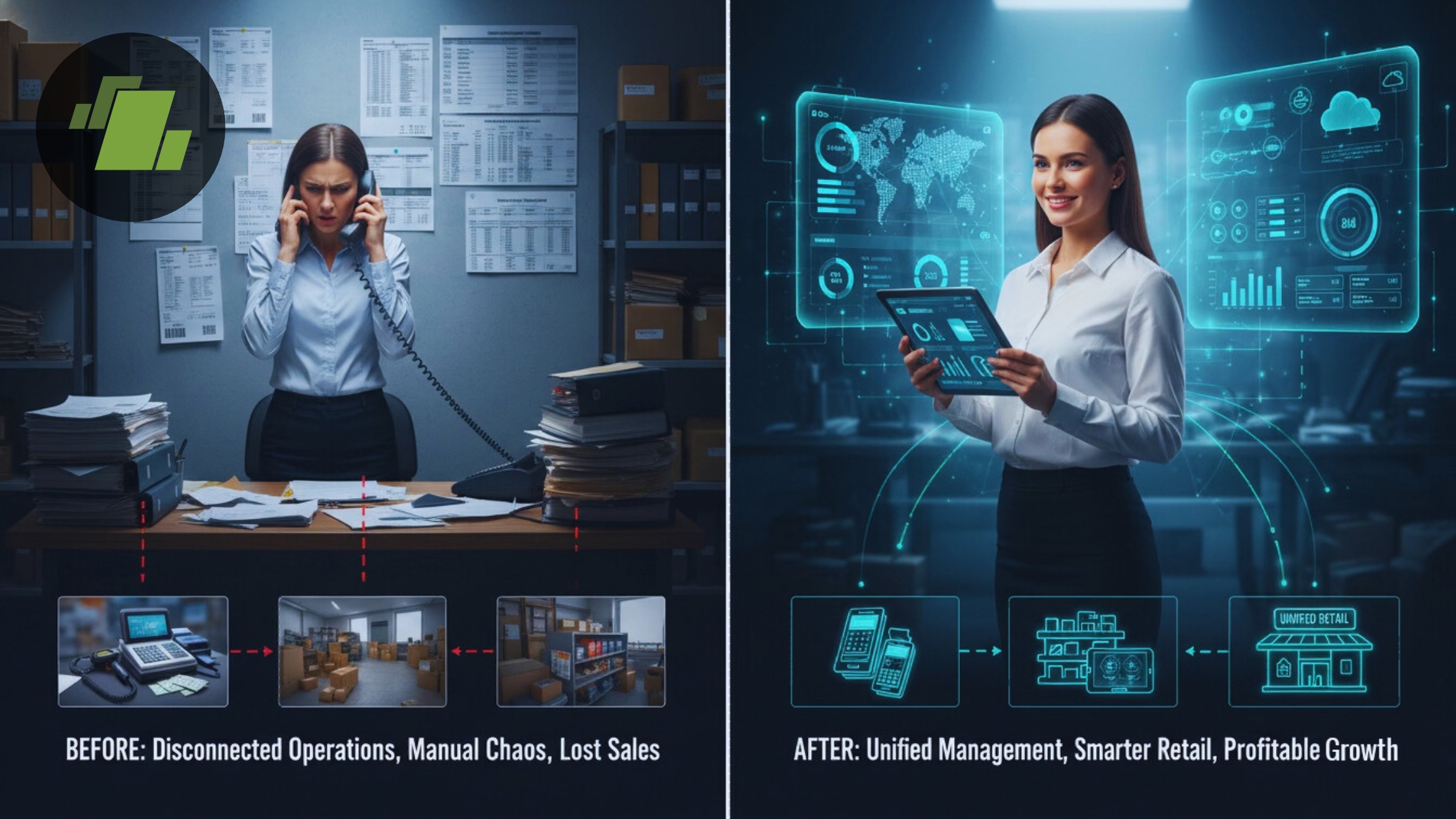
Below is a clear comparison table illustrating how multi-store POS software transforms inventory management across outlets:
| Inventory Management Aspect | Before Multi-Store POS Implementation | After Multi-Store POS Implementation |
|---|---|---|
| Inventory System Structure | Separate inventory systems per outlet | Centralized dashboard for all stores |
| Stock Accuracy | Frequent stock mismatches between branches | Real-time synchronized stock visibility |
| Stock Audits | Manual stock audits with high error risk | Automated tracking with digital logs |
| Reporting Speed | Delayed reporting and outdated data | Instant, real-time reporting |
| Stock Transfers | Manual coordination via calls/emails | Automated inter-store stock transfers |
| Reordering Process | Manual stock level monitoring | Automated low-stock alerts & smart reordering |
| Decision-Making | Based on incomplete or delayed data | Data-driven decisions with accurate forecasting |
| Operational Efficiency | Time-consuming and error-prone | Streamlined and optimized operations |
Features to Look for in Multi-Store POS Software
Choosing the right multi-store POS software is important for businesses managing inventory across multiple outlets. Below is a detailed breakdown of essential features every retail chain, franchise, or multi-location business should prioritize to ensure operational efficiency, inventory accuracy, and scalable growth.
Cloud-Based Architecture
A cloud-based POS system allows business owners and managers to access inventory data anytime, anywhere. Unlike traditional on-premise systems, cloud-based architecture ensures:
- Centralized data storage across all outlets
- Automatic software updates
- Remote monitoring and control
- Reduced IT infrastructure costs
With cloud technology, businesses gain flexibility and real-time access to sales and stock information, making it easier to manage multi-location operations efficiently.
Real-Time Synchronization
Real-time inventory synchronization ensures that stock levels update instantly after every sale, return, or transfer. This feature:
- Prevents overselling and stock discrepancies
- Maintains consistent inventory data across branches
- Improves customer satisfaction with accurate availability
For businesses operating both offline and online stores, real-time synchronization is important for maintaining inventory accuracy across all sales channels.
Inter-Store Transfer Management
Efficient stock movement between outlets is important for balancing supply and demand. A robust multi-store POS system enables:
- Seamless stock transfers between locations
- Automated transfer approvals
- Complete tracking and audit trails
This functionality eliminates paperwork, and ensures optimal inventory distribution across stores.
Advanced Reporting and Analytics
Data-driven decision-making is key to improving profitability. Advanced reporting and analytics features provide insights into:
- Sales performance by location
- Fast-moving and slow-moving products
- Stock turnover rates
- Demand forecasting
These analytics help businesses optimize purchasing decisions, reduce overstocking, and enhance overall inventory management strategies.
Integration with Accounting and ERP Systems
Seamless integration with accounting software and ERP systems streamlines back-office operations. This allows businesses to:
- Automatically sync sales and financial data
- Reduce manual data entry errors
- Improve financial reporting accuracy
- Simplify tax compliance
Integrated systems create a unified business ecosystem, improving workflow efficiency and long-term scalability.
Selecting the right solution ensures long-term operational efficiency and growth.
Conclusion
Managing inventory across multiple outlets with multi-store POS software simplifies inventory management by centralizing control, automating stock updates, enabling real-time tracking, and facilitating smart stock transfers.
For growing retail chains, franchises, and multi-location businesses, investing in a multi-store POS system is important for operational efficiency, scalability, and long-term profitability.
By using LOGIC ERP POS software and inventory management, businesses can reduce errors, optimize stock levels, and deliver a seamless customer experience across every outlet.
Call at +91-73411-41176 or send us an email at sales@logicerp.com to book a free demo today!
Frequently Asked Questions (FAQs)
1. What is the best POS system for multiple locations?
LOGIC ERP is the best POS system for multiple locations that offers centralized control, real-time synchronization, inter-store transfer capabilities, and cloud accessibility.
2. How does a multi-store POS system track inventory?
It automatically updates inventory levels in real time whenever a sale, return, or stock transfer occurs.
3. Can I transfer stock between outlets using POS software?
Yes, multi-store POS systems allow seamless inter-store stock transfers with complete digital tracking.
4. Is cloud-based POS better for inventory management?
Yes, cloud-based POS systems provide real-time data access, remote monitoring, and automatic updates, making them ideal for multi-location businesses.
5. How does multi-store POS reduce stock losses?
By automating inventory updates, tracking product movement, and generating alerts, it reduces human errors, shrinkage and overstocking.

Author
Surendra Nayak
Vice President Enterprise Sales | LOGIC ERP Solutions Pvt. Ltd.
Leading LOGIC ERP enterprise sales with a strategic focus on driving revenue, enhancing customer satisfaction, and strengthening brand positioning.


