How to Start Your Business with LOGIC ERP This Financial Year (2026 Guide)

Summary
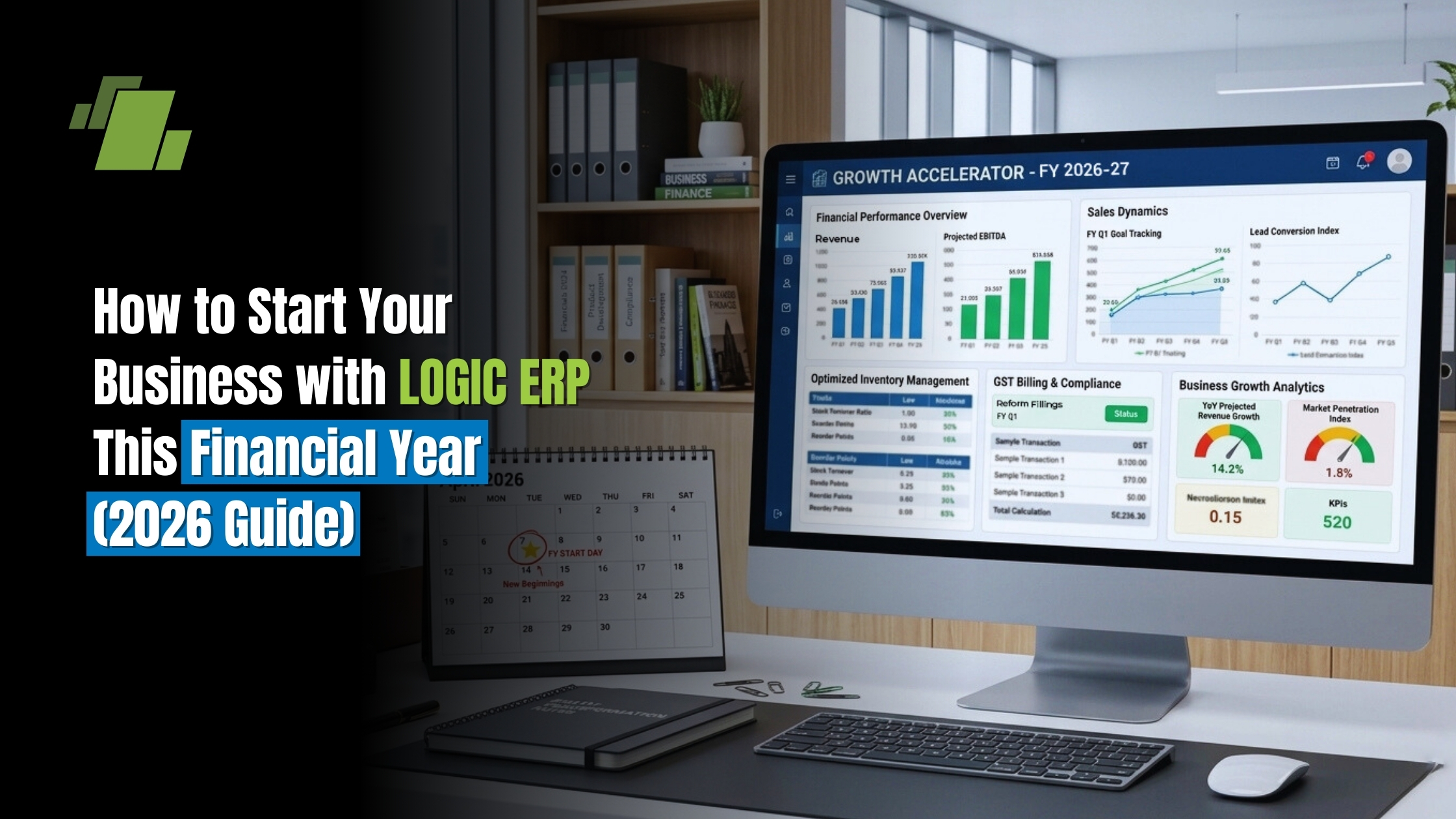
Start your financial year with LOGIC ERP to streamline accounting, inventory, sales, and compliance in one unified system. It automates GST, e-invoicing, and financial processes, reducing errors and saving time for growing businesses.
With real-time dashboards and analytics, it enables faster decision-making and better financial planning. LOGIC ERP helps reduce costs, improve efficiency, and scale operations seamlessly for long-term business growth.
Introduction
Starting a business in the modern digital era demands more than passion and capital, it requires strategic systems that automate tasks, enforce compliance, and provide real time visibility. LOGIC ERP is one of India’s most trusted enterprise resource planning solutions for startups, small businesses, large-scale retailers, distributors, and manufacturers.
This complete guide explains how to start your business with LOGIC ERP this financial year, including implementation steps, high impact features, compliance guidance, and advanced scaling strategies.
Table of Contents
- What Is LOGIC ERP & Why Your Startup Needs It
- Key Benefits of Starting Your Business With LOGIC ERP
- Step by Step Implementation Guide (ERP Deployment)
- Module Breakdown: Choose the Right LOGIC ERP Functionality
- How LOGIC ERP Ensures GST, E Invoice, and E Way Bill Compliance
- Inventory, Finance & Sales Automation With LOGIC ERP
- Best Practices for ERP Usage to Scale in 2026
- Common Startup Challenges Solved by LOGIC ERP
- ROI, Cost Savings & Business Optimization Metrics
- Conclusion
- FAQs on Starting Business With LOGIC ERP
1. What Is LOGIC ERP & Why Your Startup Needs It
LOGIC ERP stands for Logic Enterprise Resource Planning Software: a unified business management system that brings together finance, inventory, sales, purchasing, manufacturing, reporting and analytics into one platform.
1.1 Core Concepts of ERP for Businesses
An ERP system acts as the central database for all business operations. Key advantages include:
A. Automated Workflows
One of the biggest benefits of implementing an ERP system is the ability to automate repetitive tasks. Processes like invoice generation, purchase order creation, stock updates, and payroll can be automated, reducing manual effort and minimizing human errors. This helps businesses save time, cut costs, and increase operational efficiency.
B. Real Time Data Access
An ERP system provides real-time insights into every aspect of your business. From live sales updates to current inventory levels and financial statements, decision-makers have instant access to accurate data. This helps in faster decision-making, better planning, and improved resource allocation.
C. Process Standardization
By integrating all operations into a single system, ERP ensures standardized processes across departments. Whether it’s sales order management, procurement, or production scheduling, every task follows defined workflows, reducing inconsistencies and improving operational efficiency.
D. Error-Free Accounting
Manual accounting often leads to errors, delays, and compliance issues. ERP software automates accounting tasks, ensures GST and tax compliance, and produces accurate financial reports. Businesses can now maintain transparent books of accounts, reduce errors, and simplify audits.
E. End-to-End Visibility
With an ERP system, businesses gain complete end-to-end visibility across all operations. From supplier management to customer delivery, finance to inventory, ERP provides a holistic view of your business, enabling better strategy formulation, risk management, and performance tracking.
1.2 Why New Businesses Should Choose LOGIC ERP in 2026?
Modern startups operate in a highly dynamic environment where rapid business growth, intense market competition, and complex tax regulations are constant challenges. Managing these factors manually or through disconnected systems can lead to inefficiencies, errors, and missed opportunities. This is where LOGIC ERP emerges as a powerful solution, developed to simplify operations and accelerate business success.
How LOGIC ERP Solves Startup Challenges
A. Managing Rapid Business Growth
Startups often experience fast scaling, which can overwhelm traditional systems. LOGIC ERP provides a scalable business management platform that grows with your company. Whether it’s increasing transactions, expanding product lines, or managing multiple locations, ERP ensures smooth operations without disruption.
B. Competing in a Dynamic Market
With rising competition across industries, startups need real-time insights and faster decision-making to stay ahead. LOGIC ERP integrates sales, inventory, and finance data, giving you a unified view of your business. This helps in identifying trends, optimizing pricing strategies, and improving customer experience.
C. Simplifying Complex Tax and Compliance Requirements
India’s tax structure, including GST, e-invoicing, and e-way bills, can be complex for new businesses. LOGIC ERP simplifies compliance by automating:
- GST calculations and return filing
- E-invoice generation
- E-way bill creation
D. Integrated Sales and Financial Management
One of the biggest advantages of LOGIC ERP is its ability to integrate sales with financial operations. Every sales transaction automatically reflects in accounting records, ensuring:
- Accurate financial reporting
- Real-time profit tracking
- Better cash flow management
E. Faster Decision-Making with Analytics Dashboards
LOGIC ERP includes advanced analytics dashboards and business intelligence tools that provide actionable insights. Startups can monitor:
- Sales performance
- Inventory levels
- Profit margins
2. Key Benefits of Starting Your Business With LOGIC ERP
Starting your business with LOGIC ERP gives you a strong technological foundation to manage operations efficiently, reduce costs, and scale faster. As a powerful business management software in India, LOGIC ERP transforms how startups, retailers, distributors, and manufacturers operate by integrating all business functions into one platform.
Below is a detailed breakdown of how LOGIC ERP drives measurable business outcomes
2.1 Centralized Business Operations
One of the most significant advantages of using LOGIC ERP is the ability to centralize all your business processes into a single, unified system. Traditional businesses often rely on separate tools for sales, accounting, inventory, and reporting, which leads to data silos, duplication, and inefficiencies.
LOGIC ERP eliminates these challenges by seamlessly integrating:
- Sales & CRM: Manage leads, customer interactions, and sales orders from one dashboard
- Accounting & Taxation: Automate GST calculations, invoicing, and financial reporting
- Inventory & Warehouse Management: Track stock levels, manage warehouses, and avoid stockouts
- Manufacturing Workflows: Plan production, manage raw materials, and optimize output
- Reporting & Dashboards: Access real-time business insights with customizable reports
With centralized operations, businesses gain better control, improved accuracy, and faster coordination across departments, leading to higher productivity.
2.2 Enhanced Decision-Making With Real-Time Analytics
In today’s competitive business environment, decision-making must be fast and data-driven. LOGIC ERP comes equipped with a powerful business intelligence (BI) engine that provides real-time analytics and actionable insights.
With LOGIC ERP dashboards, you can:
- View live sales performance and trends
- Analyze profit margins and expenses
- Forecast future demand using historical data
- Monitor key performance indicators (KPIs)
These insights enable business owners and managers to make informed strategic decisions, reduce risks, and identify growth opportunities quickly.
2.3 Improved Customer Satisfaction
Customer satisfaction plays a crucial role in business success, especially for startups looking to build a strong reputation. LOGIC ERP enhances customer experience by automating and optimizing the entire order lifecycle.
Key improvements include:
- Automated order processing for faster confirmations
- Real-time order tracking to keep customers informed
- Efficient delivery planning to reduce delays
- Accurate billing and invoicing to avoid disputes
By ensuring timely deliveries and error-free transactions, businesses can increase customer trust, retention, and repeat purchases, ultimately driving long-term growth.
2.4 Cost Savings & Resource Optimization
Cost control is important for startups and growing businesses. LOGIC ERP helps reduce operational expenses by automating processes and optimizing resource utilization.
Here’s how it delivers cost savings:
- Reduces manual errors in accounting and inventory
- Minimizes inventory shrinkage through real-time tracking
- Optimizes procurement with smart purchase planning
- Improves workforce productivity through automation
Additionally, better visibility into operations helps businesses allocate resources efficiently and eliminate waste, resulting in higher profitability and improved ROI.
3. Step by Step Implementation Guide (ERP Deployment)
Implementing an ERP system is an important step for any startup or growing business. A well-planned deployment of LOGIC ERP ensures seamless operations, accurate data management, and faster ROI. By following a structured ERP implementation process, businesses can minimize disruptions and maximize efficiency from day one.
Below is a detailed, step-by-step guide to successfully start your business with LOGIC ERP this financial year.
3.1 Step 1: Define Your Business Goals & Requirements
The foundation of a successful ERP implementation starts with clearly defining your business objectives and operational needs. Without proper planning, even the best ERP software cannot deliver optimal results.
Begin by identifying your core business operations, such as:
- Sales and order management
- Inventory and warehouse management
- Accounting and financial reporting
- Procurement and supply chain
Next, evaluate your current challenges and inefficiencies, including:
- Manual invoicing and billing errors
- Lack of real-time inventory visibility
- Delayed financial reporting
- Poor coordination between departments
By understanding these pain points, you can align LOGIC ERP features with your business goals and ensure a customized ERP implementation strategy.
3.2 Step 2: Choose the Best LOGIC ERP Package
LOGIC ERP offers industry-specific modules, making it one of the most flexible ERP software solutions in India. Selecting the right package ensures that your business gets exactly the features it needs without unnecessary complexity.
LOGIC ERP solutions are tailored for:
- Retail Businesses: POS integration, billing, customer loyalty management
- Distributors & Wholesalers: Supply chain management, order tracking, route planning
- Manufacturers: Production planning, BOM (Bill of Materials), MRP (Material Requirement Planning)
- Service Businesses: Billing automation, client management, financial tracking
Choosing the right ERP module helps in streamlining operations, improving productivity, and reducing costs.
3.2 Step 2: Choose the Best LOGIC ERP Package
LOGIC ERP offers industry-specific modules, making it one of the most flexible ERP software solutions in India. Selecting the right package ensures that your business gets exactly the features it needs without unnecessary complexity.
LOGIC ERP solutions are tailored for:
- Retail Businesses: POS integration, billing, customer loyalty management
- Distributors & Wholesalers: Supply chain management, order tracking, route planning
- Manufacturers: Production planning, BOM (Bill of Materials), MRP (Material Requirement Planning)
- Service Businesses: Billing automation, client management, financial tracking
Choosing the right ERP module helps in streamlining operations, improving productivity, and reducing costs.
3.3 Step 3: Data Migration & Template Setup
Data migration is one of the most crucial steps in ERP implementation. Accurate and well-structured data ensures smooth operations and reliable reporting.
Data to Import into LOGIC ERP:
- Product master data (items, SKUs, categories)
- Customer and supplier databases
- Opening balances and financial records
- Current inventory and stock values
System Configuration Setup:
- GST settings and tax structure
- Financial year and accounting periods
- User roles, permissions, and access control
Proper data migration and configuration enable businesses to maintain data integrity, compliance, and operational continuity.
3.4 Step 4: User Training and Change Management
Even the most advanced ERP system can fail without proper user adoption. Training your team is essential to ensure smooth implementation and maximum utilization of LOGIC ERP features.
Department-Wise Training Approach:
- Sales Team: Order processing, quotation creation, invoicing
- Finance Team: Ledger management, GST filing, financial reporting
- Warehouse Staff: Inventory tracking, stock updates, warehouse operations
In addition to training, focus on change management strategies:
- Encourage employee adoption
- Provide hands-on practice sessions
- Offer continuous support and troubleshooting
This ensures a smooth transition from manual or legacy systems to a fully automated ERP environment.
3.5 Step 5: Go-Live & Quality Assurance
The final stage of ERP implementation is going live with the system. This step requires careful validation to ensure everything functions correctly.
Key Activities Before Go-Live:
- Run test transactions (sales, purchase, accounting entries)
- Verify GST reports and tax calculations
- Check inventory balances and stock movement
- Validate dashboards and analytics reports
Once testing is complete, you can officially launch LOGIC ERP for daily business operations.
Continuous monitoring after go-live helps identify improvements and ensures the system delivers maximum efficiency and accuracy.
4. Module Breakdown: Choose the Right LOGIC ERP Features
LOGIC ERP offers a complete suite of modules that helps to manage end-to-end business operations, including accounting, inventory, sales, manufacturing, and analytics. These modules help businesses automate processes, ensure compliance, and make data-driven decisions.
4.1 Accounting & Finance Module
The accounting ERP module in LOGIC ERP simplifies financial management by automating key processes such as GST, TDS, and e-invoicing. It ensures accurate bookkeeping through automated ledger and journal entries, while features like bank reconciliation and multi-company reporting provide complete financial control and compliance.
Best for: Businesses looking for GST-compliant accounting software in India
4.2 Inventory & Warehouse Management
The inventory ERP module enables real-time stock tracking across multiple locations. With features like multi-warehouse management, FIFO/LIFO valuation, and batch & expiry tracking, businesses can reduce stock losses, prevent overstocking, and improve inventory accuracy.
Best for: Retailers, distributors, and warehouses needing inventory management software in India
4.3 Sales & Distribution Management
LOGIC ERP streamlines the entire sales cycle with sales order processing, quotation generation, route planning, and delivery management. It ensures faster order fulfillment, improved customer service, and efficient distribution operations.
Best for: Businesses requiring sales automation and distribution ERP solutions
4.4 Manufacturing & Production Module
The manufacturing ERP module helps businesses manage production efficiently with production scheduling, Bill of Materials (BOM), and Material Requirement Planning (MRP). It optimizes resource utilization and reduces production costs.
Best for: Manufacturers seeking production planning software in India
4.5 Analytics & Business Intelligence
LOGIC ERP includes powerful business intelligence tools such as KPI dashboards, trend analysis, and forecasting tools. These features provide real-time insights into business performance, enabling smarter and faster decision-making.
Best for: Businesses aiming for data-driven growth with ERP analytics
5. How LOGIC ERP Ensures GST, E-Invoice & E-Way Bill Compliance
One of the biggest challenges for businesses in India is staying compliant with evolving tax regulations such as GST, e-invoicing, and e-way bills. LOGIC ERP simplifies this entire process by automating compliance, reducing manual errors, and ensuring accurate reporting.
With built-in compliance features, LOGIC ERP acts as a complete GST compliance software that helps businesses manage taxation efficiently while avoiding penalties.
5.1 Automatic GST Calculations
LOGIC ERP automates all GST-related processes, ensuring accuracy and compliance with Indian tax laws. The system:
- Applies correct GST tax rates based on product and transaction type
- Automatically calculates CGST, SGST, and IGST
- Generates GST-ready invoices instantly
- Prepares and exports GST returns such as GSTR-1 and GSTR-3B
This automation eliminates manual calculations and ensures error-free tax filing, saving time and effort for businesses.
5.2 E-Invoice & IRP Integration
LOGIC ERP offers seamless integration with the Invoice Registration Portal (IRP), making e-invoicing simple and automated.
The system:
- Automatically sends invoices to the IRP portal
- Generates and retrieves the IRN (Invoice Reference Number)
- Updates invoice records with QR codes and validation details
- Maintains a centralized database of all e-invoices
This ensures businesses meet government mandates for e-invoicing while maintaining transparency and accuracy in financial records.
5.3 E-Way Bill Generation
LOGIC ERP simplifies logistics compliance by automating e-way bill generation during goods movement.
Key capabilities include:
- Instant generation of e-way bills directly from invoices
- Real-time tracking of goods in transit
- Automatic linking of e-way bills with sales and dispatch data
- Easy updates for transporter and vehicle details
This helps businesses streamline logistics operations and comply with transportation regulations without delays.
6. Inventory, Finance & Sales Automation With LOGIC ERP
Automation is a key driver of efficiency in modern businesses, and LOGIC ERP provides advanced automation tools to streamline inventory, finance, and sales processes. By reducing manual intervention, businesses can improve accuracy, save time, and scale operations faster using this powerful business automation software in India.
6.1 Inventory Planning Automation
Efficient inventory management is important to avoid stockouts and overstocking. LOGIC ERP automates inventory planning to ensure optimal stock levels at all times.
Key features include:
- Low stock alerts to prevent inventory shortages
- Automatic purchase order (PO) generation based on predefined stock thresholds
- Real-time item movement tracking across warehouses and locations
These capabilities help businesses maintain accurate inventory records, reduce wastage, and improve supply chain efficiency.
6.2 Finance Automation
LOGIC ERP simplifies financial management by automating core accounting processes. This reduces manual errors and ensures compliance with accounting standards and tax regulations.
Key features include:
- Automatic journal entries for transactions
- Expense tracking and cost management
- Bank reconciliation and audit-ready reports
With finance automation, businesses can achieve accurate financial reporting, faster closing cycles, and improved audit compliance.
6.3 Sales Process Automation
LOGIC ERP enhances sales efficiency by automating the entire sales cycle, from lead generation to billing and customer follow-ups.
Key features include:
- Seamless quotation to invoice conversion
- CRM integration for managing customer interactions and follow-ups
- Recurring billing for subscription-based or repeat customers
This automation ensures faster order processing, improved customer engagement, and higher sales productivity.
7. Best Practices for ERP Usage to Scale Your Business in 2026
To fully leverage the power of LOGIC ERP, businesses must follow proven best practices that ensure efficiency, accuracy, and long-term scalability. Implementing the right ERP strategies helps organizations optimize operations, improve decision-making, and achieve sustainable growth in a competitive market.
7.1 Maintain Clean and Accurate Data
Data is the backbone of any ERP system. Maintaining clean and accurate master data ensures that all business processes run smoothly and reports remain reliable.
Best practices include:
- Regularly updating product, customer, and supplier data
- Eliminating duplicate or outdated records
- Standardizing data entry formats across departments
- Conducting periodic data audits
Accurate data improves forecasting, reporting accuracy, and decision-making, making it essential for scalable business growth.
7.2 Focus on Dashboards & Key Performance Indicators (KPIs)
One of the biggest advantages of LOGIC ERP is access to real-time dashboards and analytics. Businesses should actively monitor key performance indicators (KPIs) to track growth and performance.
Important KPIs to track include:
- Sales Growth %: Measures business expansion and revenue trends
- Profit Margin %: Helps analyze profitability and cost control
- Inventory Turnover: Indicates how efficiently inventory is managed
- Receivables Aging: Tracks outstanding payments and cash flow health
By focusing on these KPIs, businesses can make data-driven decisions, identify inefficiencies, and improve overall performance.
7.3 Optimize Processes Regularly
Continuous improvement is key to scaling any business. LOGIC ERP enables businesses to review and optimize processes regularly for better efficiency and cost control.
Areas to review include:
- Procurement Cycles: Optimize purchasing to reduce delays and costs
- Production Lead Times: Improve manufacturing efficiency and output
- Cost Allocations: Identify areas of unnecessary spending and improve budgeting
Regular optimization ensures that your business remains agile, competitive, and ready to scale in 2026 and beyond.
8. Common Startup Challenges Solved by LOGIC ERP
| Startup Challenge | LOGIC ERP Solution | Key Benefits |
|---|---|---|
| Manual accounting errors | Automated ledger posting | Accurate financial records, reduced manual errors, faster accounting processes |
| Tax compliance issues | GST & e-invoice automation | Error-free GST filing, automated tax reports, compliance with Indian regulations |
| Stock discrepancies | Real-time inventory management | Live stock tracking, reduced losses, improved inventory accuracy |
| Slow decision-making | Real-time analytics dashboards | Faster decision-making, data-driven insights, improved business performance |
| Growth bottlenecks | Scalable modular architecture | Flexible expansion, supports business growth, no system limitations |
9. ROI, Cost Savings & Business Optimization Metrics with LOGIC ERP
Implementing LOGIC ERP delivers measurable financial and operational benefits, making it a high-impact investment for startups and growing businesses. By automating processes and improving efficiency, businesses can track key performance metrics that directly influence profitability and long-term growth.
Key Metrics That Define ERP ROI
A. Reduction in Operational Costs
LOGIC ERP minimizes manual work, reduces dependency on multiple systems, and streamlines workflows. Automation of accounting, inventory, and sales processes significantly lowers administrative and operational expenses.
Impact: Lower overhead costs and improved operational efficiency
B. Decrease in Stock Losses
With real-time inventory tracking and accurate stock management, LOGIC ERP helps eliminate issues like overstocking, stockouts, and shrinkage.
Impact: Better inventory control and reduced financial losses
C. Improved Order Fulfillment Rates
Automation in sales and distribution ensures faster order processing, accurate invoicing, and timely deliveries.
Impact: Higher customer satisfaction and increased repeat business
D. Faster Financial Closure Cycles
LOGIC ERP automates financial reporting, reconciliations, and compliance tasks, allowing businesses to close their books faster.
Impact: Real-time financial visibility and quicker decision-making
E. Better Forecasting Precision
With advanced analytics and historical data insights, LOGIC ERP enables accurate demand forecasting and business planning.
Impact: Improved resource allocation and strategic growth planning
Conclusion
Starting your business with LOGIC ERP this financial year gives you a competitive edge by enabling automation, compliance, scalability, and real time visibility. Whether you are a retailer, distributor, or manufacturer, adopting the right ERP system from day one positions your business for long term growth, profitability, and operational excellence.
Call at +91-73411-41176 or send us an email at sales@logicerp.com to book a free demo today!
Frequently Asked Questions (FAQs)
1. Why should I start my business with LOGIC ERP at the beginning of the financial year?
Starting your business with LOGIC ERP at the beginning of the financial year helps maintain clean financial records, ensures accurate GST compliance, and allows seamless tracking of income, expenses, and profitability from day one.
2. How does LOGIC ERP help manage financial year accounting?
LOGIC ERP automates financial year setup, including opening balances, ledger management, and GST configurations. It enables businesses to generate accurate reports, track transactions, and maintain compliance throughout the financial year.
3. Can LOGIC ERP simplify GST filing for the financial year?
Yes, LOGIC ERP simplifies GST filing by automatically calculating taxes, generating GST invoices, and preparing reports like GSTR-1 and GSTR-3B, making financial year compliance easy and error-free.
4. How does LOGIC ERP help in financial year closing?
LOGIC ERP accelerates financial year closing by automating journal entries, reconciliations, and financial reports. This ensures faster book closure, accurate financial statements, and smooth audit processes.
5. Is LOGIC ERP useful for financial planning in a new financial year?
Yes, LOGIC ERP provides real-time analytics, forecasting tools, and KPI dashboards that help businesses plan budgets, predict demand, and set financial goals for the new financial year.
6. How does LOGIC ERP improve cash flow management during the financial year?
LOGIC ERP tracks receivables, payables, and expenses in real time. It helps businesses manage cash flow efficiently by providing insights into outstanding payments and overall financial health.
7. Can I set financial year parameters in LOGIC ERP?
Yes, LOGIC ERP allows businesses to configure financial year settings, define accounting periods, and customize tax rules according to Indian regulations.
8. Why is ERP important for financial year compliance in India?
LOGIC ERP ensures compliance with GST, e-invoicing, and e-way bill regulations. It automates tax calculations and reporting, reducing errors and helping businesses avoid penalties during the financial year.
9. How soon can a business start using LOGIC ERP?
After initial setup and data migration, businesses can start using LOGIC ERP within days.
10. Does LOGIC ERP support GST compliance?
Yes, it automates GST returns, e invoice generation, and e way bills.
11. Can small businesses afford ERP?
LOGIC ERP offers scalable pricing and modules tailored for startups and SMEs.
12. Is LOGIC ERP cloud based or on premise?
It supports both deployment options based on business needs.

Author
Gurbir Singh
Co-founder & Managing Director | LOGIC ERP Solutions Pvt. Ltd.
With 30+ years of experience in the tech industry, I took the helm of technology & product development, ensuring LOGIC ERP’s continuous innovation & leadership in the evolving tech landscape.


