How to Integrate Grocery Store Software with E-Commerce Platforms

Summary
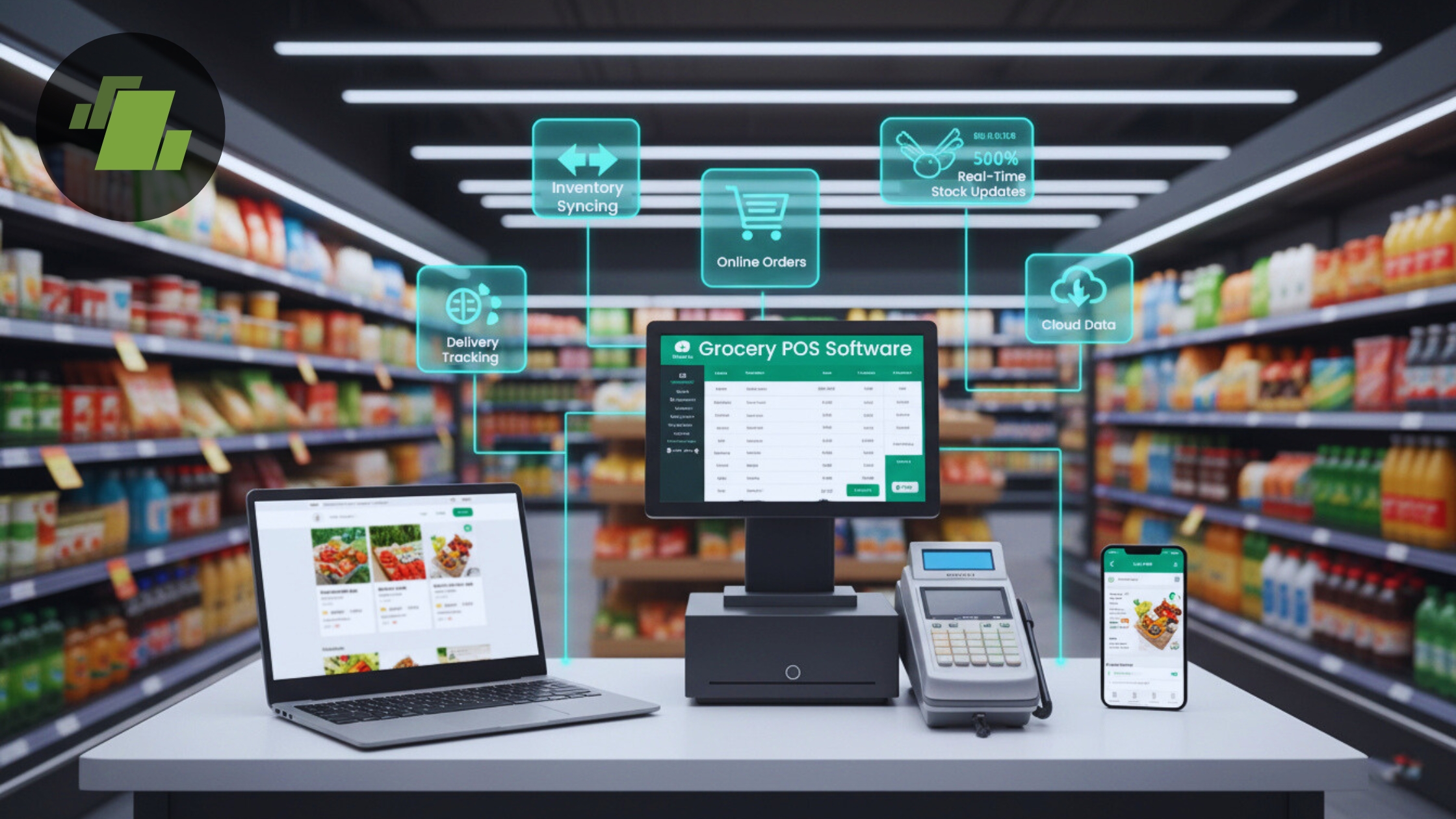
Integrating grocery store software with e-commerce platforms helps businesses automate inventory, orders, pricing, and customer data across online and offline channels. This ensures real-time inventory sync, faster order processing, and accurate stock management, improving efficiency and customer experience. It enables grocery businesses to operate smoothly, increase online sales, and build a scalable omnichannel grocery management system.
Key Takeaways
- Grocery store software integration with e-commerce platforms ensures seamless communication between your POS system and online store.
- Real-time inventory synchronization prevents overselling, improves stock accuracy, and enhances customer trust.
- Automated order processing reduces manual effort and speeds up order fulfillment and delivery.
- Accurate pricing synchronization ensures consistent pricing across online and offline grocery sales channels.
- API integration, native plugins, and middleware connectors are the most common methods for connecting grocery software with e-commerce platforms.
- Unified customer data management helps improve customer engagement, loyalty programs, and personalized marketing.
Introduction
In today’s digital age, grocery businesses must bridge the gap between in store operations and online shopping channels. Integrating grocery store software with e commerce platforms is important for improving customer experience, increasing sales, and streamlining operations.
This guide provides expert, step by step insights into the integration process, best practices, real world examples, and how it can elevate your grocery business online. Whether you’re a small grocer or a multi store chain, you’ll find actionable strategies here.
Why Integration Matters for Grocery Businesses
The grocery industry is rapidly evolving, and online grocery shopping has become a norm. Customers now expect a seamless and convenient shopping experience, which makes integrating grocery store software with e-commerce platforms essential. Without this integration, businesses risk operational inefficiencies and dissatisfied customers.
Key Reasons Integration is Important:
- Real-Time Stock Visibility
Customers want to know exactly what’s in stock before placing an order. By syncing your grocery store software with your online platform, inventory levels update automatically in real time. This prevents overselling, reduces stockouts, and ensures customers can trust your online store. - Accurate Pricing Across Channels
Maintaining consistent pricing between your physical store and online store is critical. Integration ensures price updates in your POS or ERP system reflect instantly on your e-commerce platform, eliminating discrepancies that could confuse or frustrate customers. - Faster Order Processing
Integration streamlines the flow of information between your point-of-sale (POS) system and your online store. Orders are automatically routed to inventory and billing systems, reducing manual work, minimizing errors, and accelerating fulfillment. - Seamless Checkout Experience
A smooth checkout process is key to improving conversions. When your grocery software communicates directly with your e-commerce platform, customers enjoy real-time stock checks, correct pricing, and immediate order confirmation, which enhances trust and encourages repeat purchases.
Benefits of Grocery Store Software + E Commerce Integration
Integrating your grocery store software with e-commerce platforms offers multiple advantages that can transform your business operations, improve efficiency, and elevate customer experience. Let’s break down the key benefits:
1. Real-Time Inventory Sync
With integration, your inventory updates automatically across all channels, both online and in-store. This prevents overselling, reduces stockouts, and ensures customers always see accurate availability. Real-time stock updates also help optimize inventory management and reduce wastage.
2. Faster Order Fulfillment
Orders from your online store are instantly transmitted to your POS or ERP system. This automates order processing, reduces manual work, and enables quicker delivery or pickup. Faster fulfillment enhances customer satisfaction and builds loyalty in the competitive online grocery shopping market.
3. Unified Customer Data
Integration centralizes all customer information, including purchase history, preferences, and contact details. This enables personalized marketing, loyalty programs, and targeted promotions, while providing valuable insights into shopping behavior for smarter business decisions.
4. Automated Pricing Updates
Keeping prices consistent across multiple sales channels is critical. Integration ensures that any price changes in your grocery software reflect instantly on your e-commerce platform, eliminating errors and maintaining transparency for customers.
5. Better Analytics and Reporting
By combining data from both your physical store and online platform, you gain a comprehensive view of sales, inventory trends, and customer behavior. This helps you make informed decisions, forecast demand, and improve operational efficiency.
6. Enhanced Customer Satisfaction
The combined effect of accurate inventory, fast orders, personalized offers, and seamless checkout results in a superior shopping experience. Happy customers are more likely to return, leave positive reviews, and recommend your store to others.
Understanding the Core Components
To successfully integrate your grocery store software with e-commerce platforms, it’s essential to understand the core components that make this connection seamless, secure, and efficient.
1. Grocery Store Software (POS/ERP)
Your Point-of-Sale (POS) or Enterprise Resource Planning (ERP) system is the backbone of your grocery business. It manages:
- Sales transactions – billing and receipts
- Inventory – stock tracking, reorder alerts, and warehouse management
- Vendor and supplier management – purchase orders and supplier data
- Customer data – profiles, purchase history, and loyalty programs
By integrating this software with your online platform, you ensure that all online and offline operations are synchronized, reducing manual work and minimizing errors.
2. E-Commerce Platform
An e-commerce platform is where your customers shop online. Popular options for grocery businesses include:
- Shopify – flexible and beginner-friendly
- WooCommerce – ideal for WordPress users
- BigCommerce – scalable for growing businesses
- Magento – robust and highly customizable
- Custom grocery platforms – tailored for unique business requirements
Integration ensures that product listings, pricing, and inventory on your e-commerce store are always accurate and up-to-date.
3. API (Application Programming Interface)
APIs act as the bridge between your grocery software and the e-commerce platform. They allow:
- Secure communication between systems
- Real-time data exchange – inventory levels, prices, and orders update automatically
- Automation – reduces manual entry and errors
With APIs, your online store can access live data from your POS/ERP system, ensuring a smooth, reliable shopping experience.
4. Middleware/Connector Tools
Sometimes, your POS or e-commerce platform may not natively communicate. Middleware or connector tools help bridge the gap. Examples include:
- Zapier – simple automation for small to medium businesses
- MuleSoft – enterprise-level integration platform
- Custom middleware – tailor-made solutions for complex workflows
These tools translate data between systems, ensuring both platforms ‘speak the same language’ and work together efficiently.
Step by Step Integration Process
Successfully integrating your grocery store software with an e-commerce platform requires careful planning and the right technical approach. The first three steps are critical because they ensure smooth communication between your POS system, ERP software, and online grocery store.
Step 1: Define Your Business Needs
Before starting the integration, it’s important to clearly understand your business requirements. This helps you choose the right e-commerce platform and grocery software integration method.
Key questions to answer:
1. Which e-commerce platform do you want to integrate?
You need to decide whether you will use platforms like Shopify, WooCommerce, Magento, or a custom grocery e-commerce solution. Each platform offers different features, scalability, and integration capabilities. Choosing a compatible platform ensures smooth POS integration and real-time data synchronization.
2. Do you need real-time inventory synchronization?
Real-time inventory sync ensures that stock levels automatically update when a product is sold online or in-store. This prevents overselling, improves inventory accuracy, and enhances customer trust in your online grocery store system.
3. Will you support delivery, pickup, or both?
Your fulfillment model affects how integration works. For example:
- Delivery requires address management, delivery scheduling, and logistics integration
- Store pickup requires real-time order notifications and stock reservation
Defining these requirements ensures your grocery software and e-commerce platform work together efficiently.
Step 2: Choose the Right Technology Stack
The technology stack refers to the combination of software, tools, and systems used to power your grocery operations and online store.
To ensure successful grocery POS integration with e-commerce platforms, your technology stack should include:
Available APIs
APIs allow secure communication between your grocery ERP software and your online store. They enable automatic syncing of orders, inventory, pricing, and customer data.
High-Quality Documentation
Well-documented systems make integration easier and faster. Good documentation helps developers configure integration correctly and troubleshoot issues efficiently.
Support for Real-Time Data Sync
Real-time data synchronization ensures that:
- Inventory updates instantly
- Prices remain consistent
- Orders process automatically
This improves operational efficiency and ensures a seamless omnichannel grocery experience.
Step 3: Map Data Fields Between Systems
Data mapping is one of the most important steps in grocery store software integration. It ensures both systems understand and exchange information correctly.
You must identify how each system stores and processes key business data:
Product SKUs
Each product has a unique SKU (Stock Keeping Unit). Mapping SKUs ensures the correct product is synced between your POS system and e-commerce platform.
Prices
Accurate price mapping ensures customers see the correct product prices online, preventing confusion and pricing errors.
Categories
Product categories help organize your online grocery store and improve navigation, making it easier for customers to find products.
Inventory Levels
Inventory mapping ensures stock levels update automatically across all channels, enabling real-time inventory management.
Customer Profiles
Customer data mapping ensures purchase history, contact details, and preferences are synced, enabling better customer service and targeted promotions.
Orders
Order mapping ensures online orders automatically appear in your grocery software, allowing faster billing, processing, and fulfillment.
Step 4: Build or Configure the Integration
Once your requirements, technology stack, and data mapping are ready, the next step is to build or configure the integration between your grocery store software and e-commerce platform. This step connects both systems so they can automatically exchange inventory, order, pricing, and customer data.
There are three common integration approaches:
1. Native Plugins or Apps (Best for Fast and Simple Integration)
Many e-commerce platforms offer built-in plugins or extensions designed specifically for POS integration and grocery software connectivity. For example, WooCommerce POS plugins allow automatic syncing of products, stock, and orders.
Benefits:
- Easy to install and configure
- Minimal technical knowledge required
- Cost-effective for small and medium grocery stores
- Faster deployment
This approach is ideal for businesses looking for a quick and reliable online grocery store integration solution.
2. Custom API Integration (Best for Advanced and Scalable Solutions)
Custom API integration allows developers to connect your grocery ERP software directly with your e-commerce platform using secure APIs. This approach provides maximum flexibility and control.
Benefits:
- Fully customized workflows
- Real-time inventory synchronization
- Seamless order and billing automation
- Scalable for growing grocery chains
Custom integration is best suited for businesses with complex operations, multiple stores, or advanced automation needs.
3. Third-Party Connectors or Middleware (Best for Faster Setup with Flexibility)
Third-party integration tools act as a bridge between your grocery software and e-commerce platform. These connectors automate data syncing without requiring deep coding.
Benefits:
- Faster implementation
- Reduced development effort
- Supports multiple platforms
- Reliable automated data exchange
This approach is ideal for grocery businesses that want efficient e-commerce integration without building custom solutions from scratch.
Step 5: Test the Integration Thoroughly
Testing is an important step to ensure your grocery store software integration works accurately and reliably before going live. Proper testing helps identify errors, prevents operational issues, and ensures a smooth customer experience.
Important test scenarios include:
Place an order online
Check whether online orders appear correctly in your grocery POS or ERP system.
Verify inventory updates
Ensure stock levels automatically decrease when an order is placed and increase when items are returned.
Process returns and refunds
Confirm that refunds and returns update correctly in both systems.
Check pricing synchronization
Ensure product prices match across your grocery software and e-commerce platform.
Testing ensures your real-time inventory sync, order management, and billing processes work seamlessly.
Step 6: Go Live and Monitor Integration Performance
After successful testing, you can launch the integration and start managing your online and offline grocery operations in a unified system.
Key actions after launch include:
Launch the integration
Activate the connection between your grocery software and e-commerce platform so customers can start placing online orders.
Monitor key performance metrics
Track important indicators such as:
- Failed data sync attempts
- Order processing errors
- Inventory mismatches
- Customer complaints or feedback
Monitoring helps ensure your grocery e-commerce integration continues to function smoothly and efficiently.
Best Practices for Smooth Integration
To ensure successful and reliable grocery store software integration with e-commerce platforms, businesses must follow proven best practices. These practices help maintain data accuracy, improve operational efficiency, and provide a seamless shopping experience for customers.
1. Use Secure Authentication (OAuth, API Keys)
Security is one of the most important aspects of e-commerce integration with grocery POS or ERP software. Secure authentication methods like OAuth and API keys ensure that only authorized systems and users can access and exchange data.
Why this matters:
- Protects sensitive business and customer information
- Prevents unauthorized access and data breaches
- Ensures secure order processing and payment synchronization
- Builds customer trust in your online grocery platform
Secure authentication creates a safe and reliable environment for real-time data exchange between your grocery software and e-commerce system.
2. Automate Inventory Synchronization
Manual inventory updates are time-consuming and prone to errors. Automating inventory synchronization ensures that stock levels update instantly whenever a sale occurs online or in-store.
Benefits of automated inventory sync:
- Prevents overselling and stock mismatches
- Improves inventory accuracy across all sales channels
- Reduces manual workload and human errors
- Ensures customers see real-time product availability
Automated syncing is essential for maintaining an efficient omnichannel grocery management system and improving customer satisfaction.
3. Maintain a Backup Plan and Regular Data Backups
Regular backups protect your business from unexpected issues such as system failures, integration errors, or data corruption. Backups ensure you can quickly restore your data and continue operations without disruption.
Why backups are important:
- Protects inventory, sales, and customer data
- Prevents data loss during system failures
- Ensures business continuity
- Reduces downtime and operational risk
Maintaining backups is an important part of managing a reliable grocery ERP and e-commerce integration system.
4. Track KPIs (Key Performance Indicators)
Monitoring performance metrics helps you evaluate the effectiveness of your grocery store software integration and identify areas for improvement.
Important KPIs to monitor include:
- Conversion rate: Measures how many visitors complete purchases
- Order fulfillment time: Tracks how quickly orders are processed and delivered
- Inventory accuracy: Ensures stock data is reliable
- Customer retention rate: Measures repeat customer behavior
- Order error rate: Identifies integration or processing issues
Tracking these KPIs helps improve efficiency, optimize operations, and increase revenue from your online grocery store.
Conclusion
Integrating your grocery store software with an e-commerce platform is essential for creating a seamless and efficient omnichannel grocery business. It enables real-time inventory synchronization, automated order processing, accurate pricing, and centralized customer data, helping reduce manual errors and improve operational efficiency. With proper integration, grocery businesses can deliver faster fulfillment, enhance customer experience, and manage both online and offline sales from a single system. This not only increases productivity but also supports business growth, improves customer satisfaction, and ensures your grocery store stays competitive in the rapidly growing online grocery shopping market.
Call at +91-73411-41176 or send us an email at sales@logicerp.com to book a free demo today!
Frequently Asked Questions (FAQs)
1. What is grocery store software integration?
It’s the process of connecting your in store management system with an e commerce platform so both systems share real time data (inventory, orders, pricing, etc.).
2. Which e commerce platforms support grocery store integration?
Popular ones include Shopify, WooCommerce, BigCommerce, Magento, and custom web based grocery marketplaces.
3. How long does integration take?
Depending on complexity, integrations can take 2–8 weeks, simple connectors are faster; custom integrations take longer.
4. Is real time inventory sync necessary?
Yes, without real time data, you risk overselling and poor customer experience.
5. Do I need a developer for integration?
For out of the box connectors, minimal tech skills are required. For custom API work, a developer is recommended.

Author
Sharanjit Ghuman
Director of Communications | LOGIC ERP Solutions Pvt. Ltd.
Leading and managing the company’s internal and external communication strategies and working closely with senior leadership to develop and execute communication plans.


