Purchase Order: Meaning, Process, Format, Types, and Best Practices

Summary
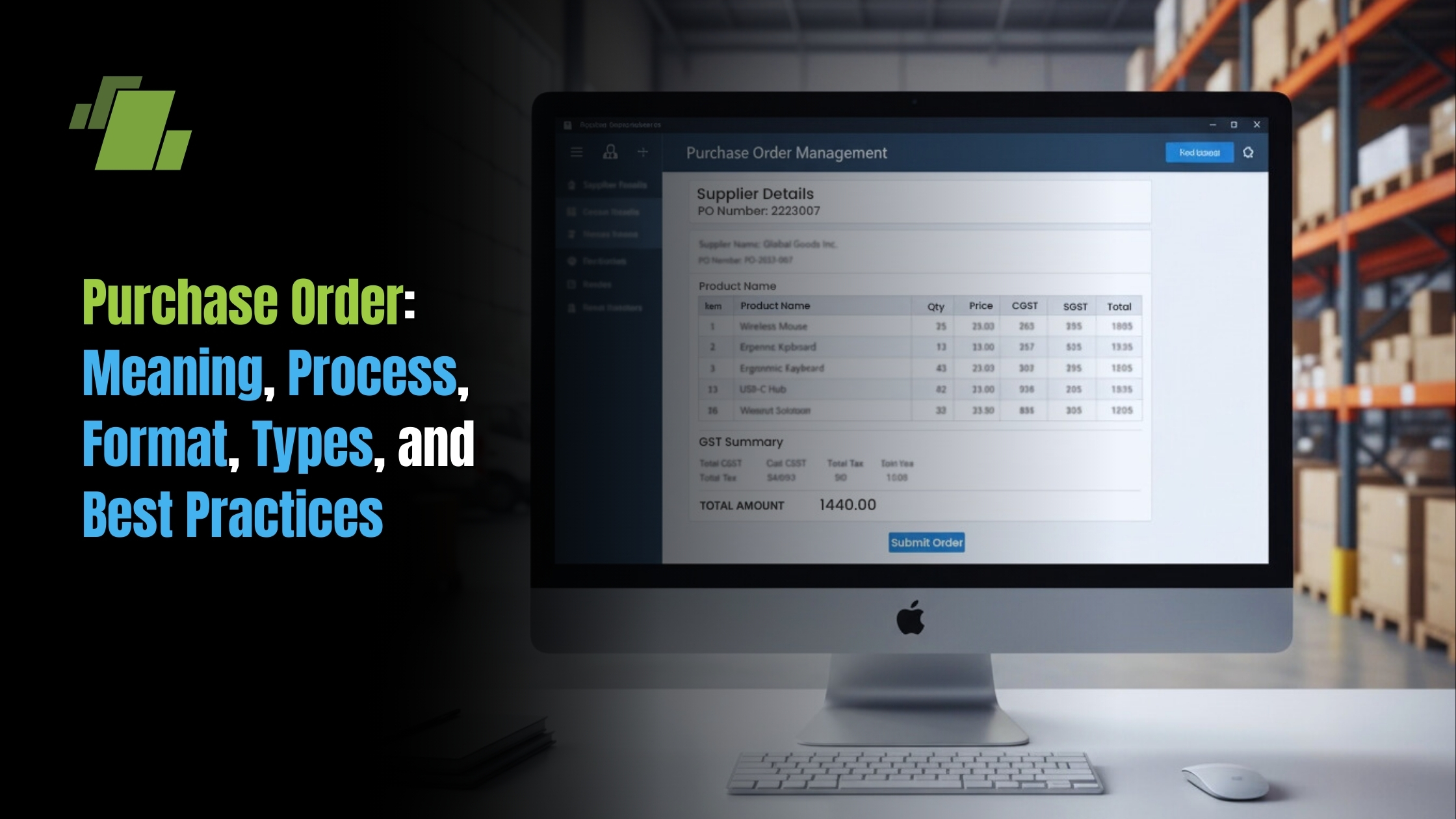
A purchase order (PO) is a formal document issued by a buyer to a supplier to purchase goods or services at agreed prices and quantities. Businesses use a purchase order template to quickly create standardized purchase orders with details like supplier information, item description, quantity, price, tax, and payment terms. A structured purchase order format helps organizations streamline procurement, maintain accurate financial records, and improve inventory and supplier management.
Key Takeaways
- A purchase order (PO) is an official document issued by a buyer to a seller, detailing goods or services, quantities, agreed prices, taxes, and delivery terms, becoming a legally binding agreement once the supplier accepts it.
- Purchase orders help organizations control spend, maintain budgets, and create an auditable trail that simplifies GST/VAT compliance, statutory audits, and financial reviews in business environments.
- Modern purchase order management is most effective when handled through integrated procurement and accounting software like LOGIC ERP, rather than manual Excel or paper-based systems that carry 15-25% error rates.
- The four primary PO types; standard, blanket, contract, and planned serve different procurement scenarios, from one-time laptop purchases to recurring raw material contracts and annual IT service agreements.
- A robust purchase order system improves supplier relationships, reduces disputes by up to 50%, and supports automation with e-invoicing, e-way bills, and electronic approvals.
What Is a Purchase Order?
A purchase order management is a process of formal PO document issued by a buyer to a seller that specifies the products or services being purchased, their quantities, negotiated unit prices, applicable taxes, expected delivery date, and payment terms. It is an official order form that transforms a verbal agreement into documented, trackable communication between both the buyer and seller.
Here’s the important distinction that many businesses miss: a purchase order starts as an offer or intention to buy. It only becomes a legally binding contract when the seller accepts it, either explicitly through signature or email confirmation, or implicitly by fulfilling the order. This acceptance transforms the PO from a mere request into an enforceable agreement under commercial law.
Purchase orders are used across virtually every industry. Manufacturing companies use them to procure raw materials. Retailers rely on them for seasonal inventory. Service businesses issue them for IT contracts and consulting engagements. Whether you’re an MSME handling ₹5,000 petty purchases or an enterprise managing multimillion-dollar deals, the purchase order serves as the foundation of formal procurement.
Give an Example of Purchase Order PO?
A manufacturing company issues PO #PO-2026-0198 to purchase 500 kg of steel coils at ₹120 per kg, with 18% GST, scheduled for delivery by 30 April 2026. This single document captures all the details both parties need item specifications, pricing, tax treatment, and timeline eliminating the ambiguity that leads to disputes.
LOGIC ERP treats purchase orders as core records that flow seamlessly into goods receipt notes (GRNs), vendor bills, inventory updates, and financial ledgers. This integration ensures that a single PO entry triggers accurate updates across your entire business operations without manual data entry at each stage.
Purchase Order Examples:
1. Basic Purchase Order Example
Company: ABC Retail Pvt. Ltd.
Supplier: XYZ Garments Supplier
Purchase Order Number: PO-10245
Order Date: 10 March 2026
| Item | Quantity | Price per Unit | Total |
|---|---|---|---|
| Men’s T-Shirts | 200 | ₹250 | ₹50,000 |
| Women’s Tops | 150 | ₹300 | ₹45,000 |
Total Amount: ₹95,000
Delivery Date: 20 March 2026
Payment Terms: Net 30 Days
2. Purchase Order Example for Raw Materials
Company: Sunrise Manufacturing Ltd.
Supplier: Steel World Pvt. Ltd.
Purchase Order Number: PO-56781
| Material | Quantity | Unit Price | Total |
|---|---|---|---|
| Stainless Steel Sheets | 500 kg | ₹120/kg | ₹60,000 |
| Aluminum Rods | 200 kg | ₹150/kg | ₹30,000 |
Total: ₹90,000
Delivery Location: Factory Warehouse
3. Purchase Order Example for Services
Company: Tech Solutions Pvt. Ltd.
Supplier: Digital Marketing Agency
| Service | Duration | Price |
|---|---|---|
| SEO Optimization | 3 Months | ₹45,000 |
| Social Media Management | 3 Months | ₹30,000 |
Total Service Cost: ₹75,000
Payment Terms: 50% advance, 50% after completion
4. Purchase Order Example for Office Supplies
Company: Bright Corporate Services
Supplier: OfficeMart Suppliers
| Item | Quantity | Unit Price | Total |
|---|---|---|---|
| Printer Paper (A4) | 50 Boxes | ₹300 | ₹15,000 |
| Ball Pens | 200 | ₹10 | ₹2,000 |
| Staplers | 20 | ₹120 | ₹2,400 |
Total: ₹19,400
5. Simple Purchase Order Format Example
Typical purchase order format includes:
- Company Name and Address
- Supplier Details
- Purchase Order Number
- Order Date
- Product or Service Description
- Quantity and Price
- Total Amount
- Delivery Date
- Payment Terms
- Authorized Signature
Importance of Purchase Orders in Business Operations
Formal purchase orders sit at the heart of modern procurement, cash-flow planning, and corporate governance. Far from being mere paperwork, they serve as the structural foundation that keeps purchasing goods and services organized, traceable, and legally protected.
Clear Written Communication
Purchase orders provide unambiguous written communication between buyer and supplier. When you document item specifications, agreed prices, delivery schedules, and shipping information in a single formal document, you slash specification errors by approximately 50%. No more disputes over “I thought you meant the 10mm version” or “We agreed on April delivery, not May.”
Budget Control and Visibility
Each purchase order can be tagged to cost centers, projects, and financial years. For example, tagging all marketing-related POs to “FY Marketing Budget” gives finance teams real-time spend visibility. Organizations enforcing PO approvals report 20-30% reductions in maverick spending, those unauthorized purchases that bypass formal channels and wreck budgets.
Audit and Compliance Support
Purchase orders form an important part of the audit trail for statutory audits, internal reviews, and regulatory compliance. The three-way matching process, comparing PO, GRN, and invoice prevents fraud and catches errors before payment. According to industry analysis, roughly 70% of payment disputes stem from mismatches that proper PO documentation would have caught.
Risk Reduction
When all key terms are documented and approved before ordering, disputes about quality, quantity, delivery, and pricing become far less frequent. The PO acts as your legal document proving what was agreed upon, protecting both parties from costly disagreements.
LOGIC ERP users benefit from built-in PO approval workflows, role-based access, and automated document retention for 7-10 years depending on organizational policy. This means your procurement department always has the documentation needed for any audit or dispute resolution.
Types of Purchase Orders
There are four widely recognized types of purchase orders, each suited to different procurement scenarios. Selecting the correct type can reduce administrative overhead by 30% and help you secure better pricing through appropriate commitment structures.
Understanding these distinctions matters because using a standard PO when you should use a blanket order means missed volume discounts. Conversely, locking into a blanket purchase order when demand is uncertain ties up budget unnecessarily.
| PO Type | Best For | Key Characteristic |
|---|---|---|
| Standard (SPO) | One-time purchases | All details known upfront |
| Blanket (BPO) | Recurring needs | Total quantity/value capped over period |
| Contract (CPO) | Strategic relationships | Terms locked, quantities flexible |
| Planned (PPO) | Seasonal/long lead-time | Targets set, schedules confirmed later |
LOGIC ERP lets users configure and manage all these PO types inside a single, centralized procurement module, eliminating the need for separate systems or workarounds.
Standard Purchase Order (SPO)
The standard purchase order is the most common type, accounting for 60-70% of all POs issued by businesses. Use an SPO when you have a one-time or infrequent purchase where all details : items, quantities, pricing, delivery location, delivery date, and taxes, are known upfront.
Example: Your company needs 25 laptops at ₹55,000 each for a new branch office opening in March 2027. You issue a standard PO specifying:
- Exact laptop model and specifications
- Unit prices with any negotiated discounts
- Delivery to the specific branch shipping address
- Payment terms of Net 30 from invoice date
SPOs work best for ad-hoc capital expenditure purchases, one-off marketing materials, trial production runs with new components, or any purchase where you don’t expect to repeat the same order regularly.
In LOGIC ERP, creating an SPO involves a simple form-like interface with an item grid showing quantities, pricing, taxes, and line totals. The system auto-populates vendor information, tax rates, and item details from master data, reducing errors and speeding up purchase order creation.
Blanket Purchase Order (BPO) / Standing Order
A blanket purchase order establishes an agreement to purchase a pre-defined total quantity or maximum spend over a specific period, with deliveries scheduled as needed through release orders.
Example: You negotiate a blanket PO with your packaging supplier for 1,20,000 units of packaging boxes across 12 months. Instead of creating 12 separate POs, you issue one blanket order and raise monthly call-offs or release orders against it.
The benefits of BPOs include:
- Volume-based discounts (typically 5-15% better pricing)
- Simplified paperwork and approval processes
- Stable supply for recurring requirements
- Predictable budgeting and cash flow planning
Blanket purchase orders are ideal for office supplies, cleaning services, frequently used raw materials, or any item you purchase repeatedly throughout the year.
LOGIC ERP tracks remaining quantities or remaining value under each blanket PO and prevents over-releasing beyond the agreed cap. This means you’ll never accidentally exceed your contracted limits and face unexpected costs.
Contract Purchase Order (CPO)
A contract purchase order locks in commercial terms and conditions: pricing, payment terms, service level agreements (SLAs), warranties, and penalties for a fixed tenure without specifying line-level quantities upfront.
Example: You sign a 24-month IT support contract starting July 2026. The contract PO establishes rates for various service categories, response time requirements, and escalation procedures. Future operational POs for specific services or licenses must follow these master contract terms.
CPOs are widely used for:
- Strategic vendor relationships
- Logistics and transportation contracts
- Facility management agreements
- Annual maintenance contracts (AMCs)
- Long-term service subscriptions
The key distinction from blanket POs: contract purchase orders focus on terms rather than quantities. You’re locking in “how we work together” rather than “how much we’ll buy.”
LOGIC ERP can link operational POs to a master contract record, allowing procurement teams to monitor compliance with negotiated terms and flag any deviations automatically.
Planned Purchase Order (PPO)
A planned purchase order specifies items, target quantities, and estimated prices in advance, but exact delivery dates and sometimes delivery locations are confirmed later through scheduled releases.
Example: A garment manufacturer plans to purchase 10,000 meters of fabric during Q3 2026 for their autumn collection. They issue a planned PO in early 2026, then convert it into firm delivery schedules as production dates approach and requirements crystallize.
PPOs work best in industries with:
- Seasonal demand patterns (fashion, FMCG)
- Long procurement lead times (automotive components)
- Variable production schedules
- Supplier capacity constraints requiring advance commitment
LOGIC ERP supports converting planned POs into scheduled releases, automatically updating MRP (material requirements planning) calculations and inventory projections. This integration ensures your supply chain planning remains synchronized with actual procurement commitments.
Components and Format of a Purchase Order
A well-structured purchase order format reduces ambiguity and makes downstream processes: receiving, billing, and payments significantly smoother. While the typical purchase order varies slightly by industry and region, certain elements are universal.
Every professional purchase order in 2026 and beyond should include:
- Buyer and vendor contact details
- Unique purchase order number and date
- Itemized product or service table
- Tax calculations and totals
- Delivery and payment terms
- Signatures or authorization (where applicable)
The visual layout typically features your company logo at the top, contact details and PO metadata in the header, a clear itemized grid in the center, and summary totals aligned to the right-hand side.
LOGIC ERP standardizes PO formats while allowing customization with your branding, color themes, column selections, and digital signatures. The system ensures compliance with local tax regulations, automatically including HSN/SAC codes for India, GST rate breakdowns, and VAT fields for other regions.
Essential Header Information
The header section establishes the “who” and “when” of your purchase order:
Buyer Information:
- Company name and registered office address
- GST/VAT registration number
- Key contact person (procurement manager name, email, phone)
- Billing address for invoice submission
Vendor Information:
- Legal business name
- Supplier address and shipping address
- Tax identification numbers
- Vendor code as maintained in your system
- Seller’s contact information for communication
PO Metadata:
- Purchase order number (e.g., PO/DEL/2026/00457)
- PO date
- Requisition reference (if applicable)
- Expected delivery date
- Shipping method and shipping terms
LOGIC ERP auto-generates sequential PO numbers using configurable series by branch, division, or financial year. This ensures consistent numbering across your organization and prevents duplicate PO numbers that cause reconciliation nightmares.
Line Items and Pricing Details
The line items section is where you specify exactly what you’re ordering. A typical purchase order includes these columns:
| Column | Description | Example |
|---|---|---|
| Item Code/SKU | Internal product code | RM-STEEL-12MM |
| Description | Full item description | Mild Steel Rod 12mm |
| HSN/SAC Code | Tax classification code | 7214 |
| Quantity | Number of units ordered | 100 |
| UOM | Unit of measure | KG |
| Unit Price | Price per unit | ₹120.00 |
| Discount | Line-level discount | 3% |
| Tax Rate | Applicable GST/VAT | 18% |
| Line Total | Extended amount | ₹13,806.00 |
LOGIC ERP pulls item master data automatically, including default tax rates, units of measure, and preferred vendor pricing. This reduces manual data entry errors by up to 80% and ensures consistent pricing across all purchase orders.
Totals, Taxes, and Other Conditions
The bottom section of your purchase order summarizes the financial details:
- Subtotal before discounts
- Total discounts applied
- Taxable value
- GST/VAT breakdown (CGST, SGST, IGST for India)
- Freight and shipping costs
- Additional charges (handling, insurance)
- Grand total
Best practice includes reflecting totals in both numeric format and words: “Total Amount (in words): Rupees Three Lakh Forty-Two Thousand Only.” This provides legal clarity and reduces disputes over misread figures.
Standard terms and conditions: delivery terms, INCOTERMS for international shipping, warranty clauses, shipping instructions, and penalties for late delivery appear near the bottom or on a separate attachment referenced by the PO.
LOGIC ERP calculates taxes automatically according to your configured tax structure and adapts to changes in tax laws without requiring manual updates to individual POs.
How Purchase Orders Work: Step-by-Step Process
The complete purchase order process typically spans seven key stages: internal requisition, PO creation and approval, supplier dispatch and acceptance, goods receipt, three-way matching, payment processing, and closure with analytics.
While the specific steps vary slightly between SMEs and large enterprises, the core flow remains consistent worldwide. Automation through systems like LOGIC ERP can reduce cycle times from 10-15 days (manual) to 3-5 days, while simultaneously improving accuracy and control.
The goal isn’t just to create purchase orders: it’s to establish a traceable, auditable chain from initial need through final payment that protects your organization and builds stronger supplier relationships.
Internal Purchase Requisition and Approval
The purchasing process begins when someone in your organization identifies a need. A purchase requisition is an internal document raised by departments: production, sales, IT, facilities, requesting items or services from the procurement department.
Example: The production manager submits a purchase request for 2,000 kg of raw material needed for a February 2026 manufacturing run. The requisition includes:
- Specific material specifications
- Required quantity and delivery timeline
- Budget code and cost center
- Justification for the purchase
Requisitions then flow through approval hierarchies based on value thresholds and organizational policies. A ₹50,000 material order might need only department head approval, while a ₹5,00,000 equipment purchase requires finance director sign-off.
Common pitfall: Unapproved requisitions account for approximately 30% of PO rejections. Establishing clear approval workflows prevents wasted effort on orders that will never be authorized.
LOGIC ERP digitizes requisitions, routes them automatically for approval based on configurable rules, and converts approved requisitions to POs, ensuring full traceability from initial need to final purchase.
PO Creation, Review, and Supplier Acceptance
Once requisitions are approved, the procurement team takes over:
- Vendor Selection: Compare quotes from approved suppliers based on price, quality, delivery capability, and past performance
- Draft PO Creation: Enter all required fields including items, pricing, delivery dates, and shipping information
- Internal Review: Verify specifications, confirm budget availability, check pricing against contracts
- Approval: Route high-value or strategic POs through additional approval levels
- Dispatch: Send the approved PO to the supplier
Supplier acceptance transforms the purchase order into a legally binding agreement. Acceptance can be:
- Explicit: Signed acknowledgment, email confirmation, or digital portal acceptance
- Implicit: Supplier dispatches goods according to PO specifications
Not all purchase orders require formal written acceptance: in many cases, shipping the ordered goods constitutes legal acceptance of the PO terms.
LOGIC ERP can email POs directly as PDF attachments, share them via vendor portals, and log supplier acknowledgements automatically. This creates an official record of when the purchase order specifies terms were communicated and accepted.
Goods Receipt, PO Matching, and Invoice Processing
When goods or services arrive, the receiving team performs physical verification and creates a goods receipt note (GRN) referencing the PO number. This GRN documents:
- What was actually received
- Condition of items
- Any discrepancies from the PO
The accounts payable team then performs three-way matching:
| Document | Source | Purpose |
|---|---|---|
| Purchase Order | Buyer | What we ordered |
| Goods Receipt Note | Receiver | What we received |
| Supplier Invoice | Seller | What they’re billing |
Partial Deliveries: When suppliers can’t fulfill complete orders at once, open POs remain partly fulfilled until all quantities are received and invoiced, or formally closed with adjusted quantities.
LOGIC ERP supports automated two-way or three-way matching and blocks invoices that exceed PO tolerances (for example, flagging any invoice with price variance above 2% for manual review).
Payment and PO Closure
With matching complete, payments are scheduled according to agreed terms:
- Net 30/Net 45: Payment due within specified days of invoice
- Early Payment Discounts: Reduced amount for faster payment (e.g., 2% discount if paid within 10 days)
- Milestone-Based: Payments tied to project completion stages
Once payment is released and all items are received, the PO status updates to “Closed.” This prevents further receipts or invoices against that PO number and signals completion to procurement analytics.
In LOGIC ERP, PO status flows automatically: Draft → Approved → Partially Received → Fully Received → Closed. The system maintains a full audit history showing who created, modified, approved, and closed each PO.
Smart organizations use PO analytics: average cycle time from PO to payment, supplier lead time accuracy, price variance trends to drive continuous improvement in their procurement process.
Purchase Order vs Other Procurement Documents
Purchase orders are frequently confused with other procurement documents: invoices, sales orders, and purchase requisitions. Each serves a distinct role, and understanding these differences helps teams design cleaner workflows and avoid duplicate or missing documentation.
LOGIC ERP maintains linked document chains (requisition → PO → GRN → invoice → payment) for complete visibility across your entire procure-to-pay cycle.
Purchase Order vs Purchase Requisition
A purchase requisition is an internal document used to request approval to buy something. It never goes to the supplier and carries no legal weight externally.
A purchase order is an external, legally binding document issued to the supplier after internal approvals are completed. The PO commits your organization to the purchase.
Timeline Example:
- 10 March 2026: Employee raises purchase requisition for office furniture
- 12 March 2026: Department head and finance approve the requisition
- 13 March 2026: Procurement converts to PO and sends to furniture vendor
The requisition asks “Can we buy this?” The purchase order tells the supplier “We are buying this.”
LOGIC ERP can enforce that no PO is created without an approved requisition above specified thresholds, strengthening internal controls and preventing unauthorized purchases.
Purchase Order vs Invoice
The purchase order vs invoice distinction is crucial for accounts payable:
- Purchase Order: Originates from the buyer before goods or services are delivered. Confirms “what we plan to buy.”
- Invoice: Originates from the seller after delivery. Requests “what we must pay.”
Both documents should reference the same PO number for matching purposes.
Example: You issue a purchase order for ₹2,75,000 worth of electronic components. After delivery, the supplier sends an invoice for ₹2,75,000 referencing your PO number. Finance matches these documents before authorizing payment.
When invoices don’t match POs: different quantities, prices, or items, the discrepancy must be investigated before payment. LOGIC ERP’s accounts payable module relies heavily on PO-invoice matching to prevent overbilling and duplicate invoices that can drain cash flow.
Purchase Order vs Sales Order
A sales order is the internal document generated by the supplier in response to the buyer’s PO. It confirms they can fulfill the requested order and triggers their fulfillment process.
From the supplier’s perspective:
- Receive customer’s purchase order
- Create internal sales order referencing customer’s PO number
- Fulfill and ship goods
- Issue invoice referencing both sales order and customer’s PO number
The buyer’s systems track the PO as the anchor document. The supplier’s systems track the sales order. Both reference each other for reconciliation.
Organizations using LOGIC ERP who both buy from vendors and sell to customers handle both sides of this flow. The system maps incoming orders from customers to sales orders while tracking outgoing purchase orders to suppliers, maintaining clear separation and traceability.
Benefits of Using Purchase Orders
Purchase orders are strategic tools that deliver measurable business value, not just administrative paperwork. When integrated with comprehensive ERP solutions like LOGIC ERP, these benefits multiply through automation, analytics, and cross-functional visibility.
Financial Control and Budgeting
Purchase orders require pre-approval for spend, tying each order to a budget code, department, project, or cost center. This creates natural spending checkpoints before money goes out the door.
Practical Example: Your marketing team has a ₹15,00,000 budget for Q2 2026. Each marketing-related PO is tagged to this budget. When someone tries to create a PO that would exceed the remaining budget, the system blocks or warns them.
This prevents budget overruns and ensures financial discipline without requiring manual spreadsheet tracking. Organizations report 20-30% reductions in unplanned spending after implementing mandatory PO requirements.
LOGIC ERP can block or warn users when POs would exceed budgets, helping finance teams maintain discipline while giving procurement teams clear guidance on what’s approved.
Inventory Management and Demand Planning
Purchase orders feed directly into inventory management process calculations. Open and incoming POs tell your system what stock is coming, enabling accurate projections of future inventory levels.
Use Case: A retailer creates POs in August 2026 for Diwali seasonal stock, based on sales history and forecast data. The inventory management system uses these POs to project stock levels, identify gaps, and schedule deliveries to arrive before the sales peak.
Without PO integration, inventory planning relies on guesswork or manual data entry, both error-prone and time-consuming.
LOGIC ERP uses PO data in its inventory and MRP engines to recommend reorder quantities and prevent both stockouts (lost sales) and overstocking (tied-up capital).
Legal Protection and Dispute Resolution
A supplier-accepted PO acts as a legally binding contract that protects both parties. When disagreements arise regarding pricing, quantity, quality, or delivery, the PO serves as the authoritative reference.
Scenario: You ordered 500 units but received only 400. The supplier claims they only promised 400. Your purchase order showing 500 units, accepted by the supplier, proves the original commitment and supports your claim for the remaining 100 units or appropriate compensation.
LOGIC ERP’s document history (created by, approved by, modified on) provides additional evidentiary support. You can demonstrate exactly what was agreed, when, and by whom, important for both internal investigations and external disputes.
Process Efficiency and Automation
Standardized, digital purchase orders slash manual effort across the entire purchasing process:
- Less Data Re-entry: PO data flows to GRN, invoice, and payment without retyping
- Fewer Follow-up Calls: Clear documentation reduces “What did we order?” questions
- Simplified Month-end: Organized purchase orders mean faster reconciliation
- Recurring PO Templates: Create purchase orders for routine services with one click
Organizations using LOGIC ERP can integrate PO workflows with email alerts, vendor portals, and e-invoicing platforms. This end-to-end automation transforms procurement from a bottleneck into a competitive advantage.
Creating a Purchase Order: Templates and Tools
When it comes to purchase order creation, organizations have options ranging from free purchase order templates in Word or Excel to dedicated purchase order software and integrated ERP systems.
While a free purchase order template works for very small businesses or early-stage startups, growing organizations quickly discover the limitations of scattered standalone files: version control nightmares, no approval workflows, and zero integration with accounting and inventory systems.
Using Spreadsheets and Documents (Excel, Google Sheets, Word)
For organizations not yet ready for comprehensive software, here’s how to set up a basic purchase order form template:
Basic Template Structure:
- Header Area: Company name, logo, contact details, PO number, date
- Vendor Section: Supplier name, address, contact details
- Item Table: Columns for product code, description, quantity, unit price, total
- Totals Section: Subtotal, taxes, shipping costs, grand total
- Terms Section: Payment terms, delivery terms, signatures
In Excel or Google Sheets, use formulas to calculate line totals, sum quantities, and compute tax amounts. This reduces manual calculation errors.
Tracking Requirements: Maintain a separate log sheet tracking:
- PO numbers issued (sequential)
- Dates created
- Vendor names
- Order values
- Current status (sent, received, paid)
Limitations to Consider:
- Version control issues (which file is current?)
- Risk of accidental overwriting
- No built-in approval workflows
- Difficult to integrate with accounting systems
- No vendor information validation
- Manual searching for historical POs
These templates work as a stepping stone before migrating to specialized solutions like LOGIC ERP.
Creating Purchase Orders in LOGIC ERP
LOGIC ERP streamlines purchase order creation through an intuitive interface:
- Navigate to the purchase module and select “New Purchase Order”
- Select vendor from your maintained master list (all vendor information auto-populates)
- Add items via item codes, barcode scanning, or search functionality
- Review pricing (system fetches default prices, tax rates, preferred warehouse automatically)
- Submit for approval (if required by your configured thresholds)
- Distribute via PDF export, direct email, or vendor portal integration
Approval rules can be configured so POs above certain values must be digitally approved by senior management before release. This enforces your procurement policy without manual oversight.
Export and distribution options include PDF generation with your company branding, direct email from within LOGIC ERP, and EDI integration for larger trading partners who prefer electronic purchase orders.
Purchase Order Best Practices and Compliance
Beyond simply issuing POs, organizations should follow best practices that maximize control, transparency, and supplier satisfaction. These practices transform purchase orders from administrative necessity into strategic advantage.
Standardization and Policy Enforcement
Every organization should maintain a documented procurement policy that defines:
- When POs are mandatory: All purchases above ₹5,000 or equivalent threshold
- Approval limits by role: Department heads approve up to ₹50,000, directors up to ₹5,00,000
- Emergency exceptions: Process for urgent purchases with post-facto documentation
- Vendor selection criteria: When competitive quotes are required
PO Numbering Convention: Adopt consistent numbering that encodes meaningful information:
- Format: BRANCH/PO/YEAR/SEQUENCE
- Example: MUM/PO/26-27/000321
This makes searching, reporting, and audit tracking significantly easier.
LOGIC ERP enforces these rules systematically, preventing non-compliant POs from being approved or posted regardless of who attempts to bypass controls.
Digital Records, Security, and Audit Readiness
Organizations should maintain digital archives of all POs for at least the statutory minimum period, typically 7-10 years depending on jurisdiction and industry regulations.
Security Requirements:
- Role-based access control (only authorized users can create, edit, approve, or cancel POs)
- Audit logs capturing all actions with timestamps and user identification
- Regular backups protecting against data loss
- Tamper-evident storage for dispute resolution
LOGIC ERP stores complete audit logs and supports automated backups, ensuring POs remain accessible and verifiable for audits years after creation.
Global, Tax, and Regulatory Considerations
PO formats and fields must reflect local tax rules:
- India: GST breakup (CGST, SGST, IGST), HSN/SAC codes, GST registration numbers
- European Union: VAT fields, EORI numbers for cross-border
- United States: State-wise sales tax, resale certificates where applicable
For cross-border transactions, POs may incorporate:
- INCOTERMS (FOB, CIF, DDP, etc.)
- Currency specifications (USD, EUR, INR)
- Customs and import documentation references
- Export licensing information
LOGIC ERP supports multi-currency POs, region-specific tax configurations, and localization options for companies operating across multiple countries or states.
How LOGIC ERP Enhances the Purchase Order System
LOGIC ERP provides comprehensive purchase order management that goes far beyond basic PO creation. The system supports the complete purchase order lifecycle from requisition through payment and closure.
Integration Across Business Functions:
- POs connect directly to inventory management for stock projections
- Goods receipts update quantities and trigger quality inspection workflows
- Accounts payable matching happens automatically with configurable tolerances
- Financial reporting reflects committed and actual spend in real-time
Decision-Maker Features:
- Dashboards showing PO status, pending approvals, and overdue deliveries
- Alerts for POs approaching delivery dates or exceeding thresholds
- Vendor performance metrics (on-time delivery, quality scores, price trends)
- Spend analytics by category, vendor, department, and time period
Scalability for Growth:
- Handle increasing transaction volumes without performance degradation
- Support multiple warehouses with location-specific POs and receipts
- Manage multiple legal entities with consolidated reporting
- Add users and locations without system restructuring
Organizations looking to transform their procurement from manual chaos to automated efficiency can explore LOGIC ERP’s capabilities through demos and case studies that demonstrate real-world implementations.
Conclusion
Purchase orders provide the structure, transparency, and legal protection essential to every stage of the procure-to-pay cycle. From initial requisition through final payment, well-designed PO processes create accountability, prevent disputes, and enable accurate financial records.
The conclusion purchase orders should lead to is clear: selecting the right PO type for each procurement scenario, implementing proper approval workflows, and maintaining consistent formats are fundamental to financial control and supplier collaboration. These aren’t bureaucratic overhead, they’re competitive advantages.
Manual PO processes are increasingly insufficient in 2026 and upcoming years’ business environments. Track purchase orders through scattered spreadsheets, and you’ll face version conflicts, approval bypasses, and audit nightmares. Integrating POs into a comprehensive ERP like LOGIC ERP unlocks automation, analytics, and the real-time visibility that modern supply chain management demands.
Companies with mature purchase order systems are better prepared for rapid scaling, regulatory changes, and supply chain disruptions. Whether you’re managing five suppliers or five hundred, the discipline of formal purchase orders, executed through capable systems, transforms procurement from cost center to strategic asset.
Call at +91-73411-41176 or send us an email at sales@logicerp.com to book a free demo today!
Frequently Asked Questions (FAQs)
This FAQ addresses common, practical questions about purchase order management not fully covered in the main sections above.
1. Can I change or cancel a purchase order after it has been issued?
Yes, changes and cancellations are possible, but they require agreement from both buyer and supplier, especially if the supplier has already committed resources, ordered materials, or begun production.
2. What is purchase order template?
A purchase order template is a legal document that a customer delivers to a vendor or supplier to authorize a transaction.
3. What are the benefits of purchase orders?
Using purchase orders creates a documented record of each sale, which can help resolve disputes.
Purchase orders allow businesses to place orders without immediate payment, aiding cash flow management.
4. How can automated systems help prevent incorrect deliveries in procurement?
Automated systems can help ensure that only items that have been ordered are received, preventing payment for incorrect deliveries.
5. What is the purchase order process in business operations?
The purchase order process is a structured method businesses use to request, approve, and purchase goods or services from suppliers. Purchase order typically includes a purchase request, purchase order creation, supplier acceptance, delivery of goods or services, and payment processing. This process helps maintain accurate records and improves efficiency in business operations.
6. What is purchase order creation and why is it important?
Purchase order creation is the step where a buyer generates an official document listing the items, quantity, price, and terms of purchase. Purchase order ensures both buyer and seller clearly understand the order details and helps prevent errors in procurement and inventory management.
7. How does a purchase order improve business operations?
A purchase order improves business operations by organizing the purchasing process, maintaining proper documentation, and reducing miscommunication between buyers and suppliers. It also helps businesses monitor spending and manage inventory more efficiently.
8. Why are purchase orders important for procurement management?
Purchase orders are important in procurement management because they create a formal record of every purchase. This helps companies track supplier transactions, approve purchase requests, and maintain financial transparency.
9. How does a purchase order PO help track orders?
Each purchase order contains a unique purchase order number, which helps businesses track the order status, delivery timelines, supplier communication, and payment records.
10. How do purchase orders improve supplier relationships?
Purchase orders improve supplier relationships by clearly defining order details, delivery schedules, and payment terms. This reduces confusion and helps maintain smooth communication between the buyer and supplier.
11. Are purchase orders PO useful for financial record keeping?
Yes, purchase orders provide proper documentation for accounting and auditing purposes. They help businesses track expenses, maintain purchase history, and ensure compliance with financial reporting requirements.
12. How do purchase orders PO help with inventory management?
Purchase orders help businesses plan inventory by tracking incoming goods. This allows companies to monitor stock levels, avoid shortages, and maintain efficient supply chain operations.
13. How do purchase orders PO help prevent payment errors?
A purchase order ensures that businesses only pay for the items they actually ordered. By matching the purchase order with the supplier invoice and delivery receipt, companies can verify the quantity, price, and product details before making payment.
14. What are goods or services in a purchase order PO?
In a purchase order, goods or services refer to the products or services a business intends to buy from a supplier. Goods include physical items like raw materials or inventory, while services may include consulting, maintenance, or professional support.
15. Where can I get a free purchase order template?
You can find a free purchase order template online in formats such as Excel, Word, or PDF. These templates help businesses quickly create professional purchase orders by including fields for supplier details, purchase order number, item description, pricing, and payment terms.
16. What is a purchase order number?
A purchase order number is a unique identifier assigned to each purchase order. It helps businesses track orders, manage documentation, and match invoices with the correct purchase transaction during accounting and auditing.
17. What happens when the seller accepts a purchase order?
When the seller accepts a purchase order, it becomes a legally binding agreement between the buyer and supplier. The seller confirms that they will deliver the requested goods or services according to the terms mentioned in the purchase order.
18. Is a purchase order the same as an order form?
A purchase order and an order form are similar but used differently. An order form is typically used by customers to request products, while a purchase order is an official document issued by a business to a supplier confirming a purchase.
19. Can you provide a purchase order example?
A purchase order example usually includes the buyer’s company name, supplier details, purchase order number, product description, quantity, price, delivery date, and payment terms. Businesses use these purchase order details to track and manage procurement transactions efficiently.
20. How does the purchase order system improve business operations?
A purchase order system improves business operations by providing better control over purchasing, reducing errors, improving supplier communication, and maintaining clear financial records for accounting and auditing.
21. What is a purchase request in procurement?
A purchase request is the first step in the procurement process where an employee or department requests approval to buy goods or services. Once approved, it moves to purchase order creation and is sent to the supplier for fulfillment.
22. Where can I download a free purchase order template?
You can download a free purchase order template in formats such as Excel, Word, PDF, or Google Sheets from many business software websites. These purchase order templates allow businesses to easily generate professional purchase orders without creating the format from scratch.
23. What information should be included in a purchase order template?
A standard purchase order template should include:
- Company name and contact details
- Supplier information
- Purchase order number
- Order date
- Product or service description
- Quantity and unit price
- Total cost
- Delivery date
- Payment terms and authorization
24. Why should businesses use a purchase order template?
Using a purchase order template helps businesses standardize their procurement process, reduce errors, maintain accurate records, and improve communication between buyers and suppliers.
25. What is the difference between a purchase order template and an invoice template?
A purchase order template PO is created by the buyer to request goods or services from a supplier, while an invoice template is issued by the seller to request payment after the goods or services have been delivered.
26. Can a purchase order template be customized for different industries?
Yes, a purchase order template can be customized for different industries such as retail, manufacturing, wholesale, and service businesses by adding fields like SKU numbers, warehouse location, or service descriptions.
27. How does a purchase order template improve business operations?
A purchase order template improves business operations by simplifying order tracking, ensuring accurate documentation, improving supplier communication, and helping businesses maintain better financial control.
28. What formats are available for a purchase order template?
A purchase order template is commonly available in:
- Excel purchase order template
- Word purchase order template
- PDF purchase order format
- Google Sheets purchase order template
These purchase order formats help businesses generate and manage purchase orders easily.
29. Is a purchase order template legally binding?
A purchase order becomes legally binding once the seller accepts the order. The purchase order template itself is just a format used to create the document, but the finalized purchase order serves as a formal agreement between the buyer and supplier.
30. How can ERP software automate purchase order templates?
ERP software can automatically generate purchase orders using templates, assign purchase order numbers, track orders, manage inventory, and integrate procurement with accounting and supplier management systems.
31. What does the purchasing department do in the purchase order process?
The purchasing department is responsible for managing procurement and supplier communication. It handles purchase order creation, reviews a purchase order request, and ensures the company receives the correct goods or services. The team also verifies pricing, delivery timelines, and approval before the order is sent to the supplier.
32. How does purchase order creation work in a business?
Purchase order creation begins when a department submits a purchase order request for required goods or services. The purchasing team then creates a purchase order using a purchase order form template that includes all the details such as product description, quantity, billing address, shipping method, and price.
33. What is included in a purchase order form template?
A purchase order form template usually contains all the details needed to process an order, including company information, company logo, billing address, supplier details, item description, quantity, price, and shipping method. Businesses use this template to create purchase orders quickly and maintain an official record of purchasing goods.
34. How do businesses create purchase orders for suppliers?
Businesses create purchase orders using ERP software, spreadsheets, or a purchase order form template. During purchase order creation, companies include all the details like supplier information, product list, quantity, price, and delivery terms to ensure accurate purchasing goods and managing incoming orders.
35. Why is a purchase order considered a legally binding document?
A purchase order becomes a legally binding document once the seller accepts the terms mentioned in the order. The purchase order acts as an agreement between buyer and supplier, confirming the purchase of goods or services and the obligation to request payment after delivery.
36. How can businesses track purchase orders effectively?
Companies can track purchase orders through ERP systems or procurement software that records incoming orders, delivery status, and supplier communication. This helps the purchasing department monitor purchase order creation, manage inventory, and maintain an official record of purchasing goods.
37. What is the difference between a purchase order and an order form?
A purchase order is issued by the buyer to confirm the purchase of goods or services, while an order form is usually used by customers to request products. When the seller accepts the purchase order, it becomes a legally binding document and an official record of the transaction.
38. What details should be included when you create a purchase order?
When you create a purchase order, you should include all the details such as supplier information, item description, quantity, pricing, billing address, shipping method, delivery date, and payment terms. Adding a company logo and order number also helps businesses track purchase orders more efficiently.
39. How do purchase orders help manage incoming orders and payments?
Purchase orders help businesses organize incoming orders, verify delivered goods or services, and request payment accurately. The purchase order acts as a reference document that ensures suppliers deliver the correct items before payment is processed.
40. Why is a purchase order important when purchasing goods?
When purchasing goods, a purchase order ensures clarity between buyer and supplier. It contains all the details of the order, works as a legally binding document, and allows companies to track purchase orders, manage incoming orders, and maintain an official record for accounting.

Author
Surendra Nayak
Vice President Enterprise Sales | LOGIC ERP Solutions Pvt. Ltd.
Driving LOGIC ERP’s enterprise sales with a strategic outlook, my leadership role encompasses forming and executing policies that bolster revenue, customer satisfaction and brand positioning.


