How to Choose the Best Supermarket Billing Software for Your Retail Shop

Introduction
In grocery and supermarket stores, efficiency drives business success and profitability. The right supermarket billing software for your retail shop ensures fast billing, accurate pricing, and real-time inventory updates. It reduces errors, improves customer experience, and helps store owners make smarter business decisions every day.
Whether you manage a small grocery shop or a large supermarket chain, selecting the right billing system can greatly enhance efficiency, accuracy, customer satisfaction, inventory control, and financial performance.
Today’s advanced billing software solutions, i.e. LOGIC ERP has proven to be the best supermarket billing software for supermarket retail shops and stores, integrating inventory management, sales analytics, customer engagement tools, GST compliance, and real-time reporting, enabling retailers to streamline operations and reduce manual effort. As digital transformation continues to reshape retail, the choice of billing software plays an important role in long-term business growth.
This guide provides a comprehensive overview of how to choose the best supermarket billing software for your retail shop, covering essential features, selection criteria, advantages and disadvantages, implementation strategies, and future trends.
What is Supermarket Billing Software for Retail Shops and Stores?
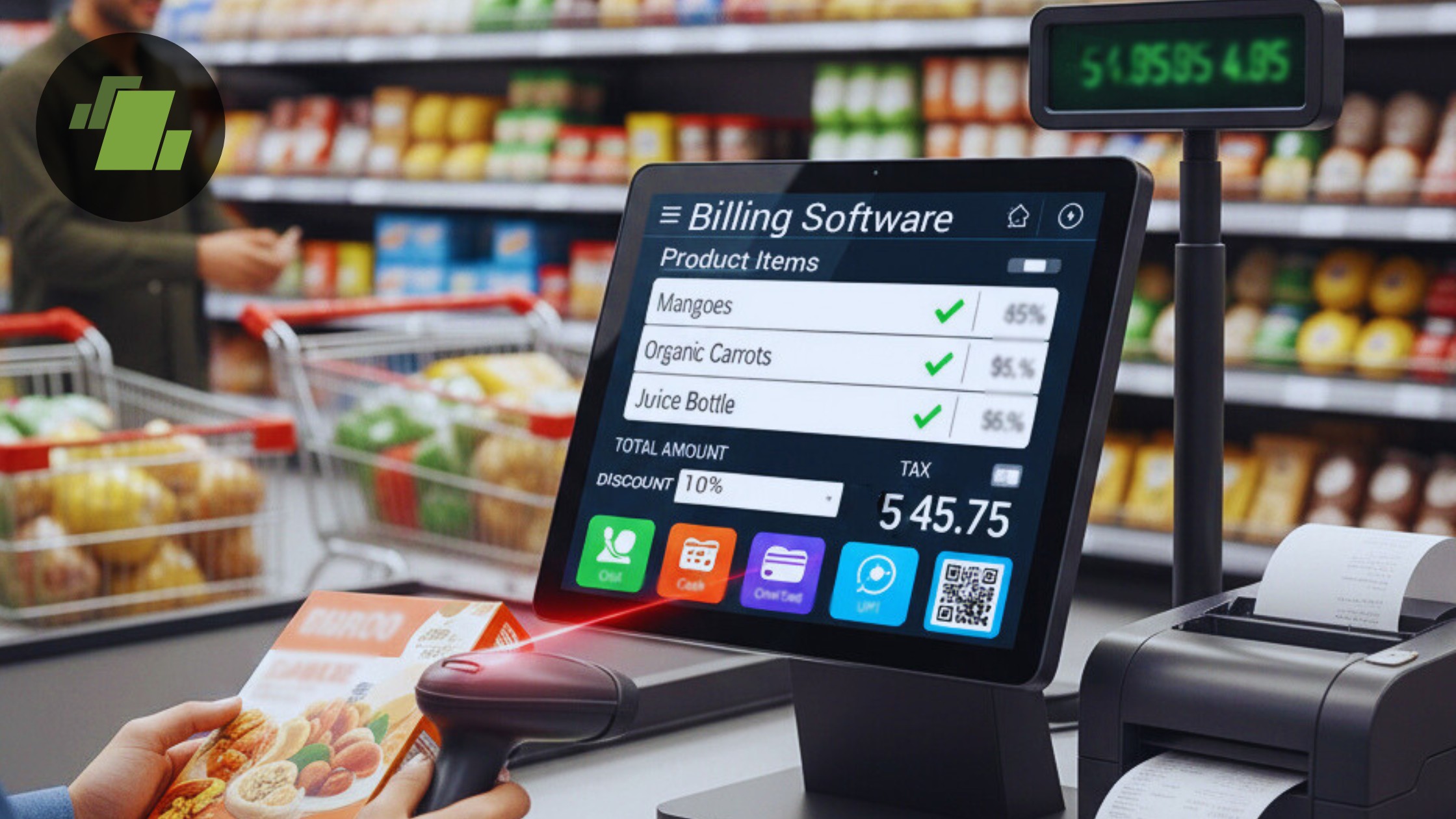
Supermarket billing software is a type of Point of Sale (POS) system that helps retail shops handle sales transactions with speed and accuracy. It typically connects to hardware like barcode scanners, receipt printers, cash drawers, and can also operate on tablets or mobile devices.
Here’s what it does:
- Generates accurate and fast bills
- Tracks inventory in real-time
- Applies discounts, offers, GST/VAT automatically
- Produces sales reports and financial summaries
- Integrates with accounting and supplier systems
The digital POS system implementation empowers retailers to run their stores effectively without losing time on repetitive tasks.
What are the Benefits of Supermarket Retail Billing Software Implementation?
Let’s explore the key advantages supermarket retail stores and shops gain by implementing supermarket billing software.
1. Fast and Accurate Billing
The core benefit of supermarket billing software is speed. Barcode scanning and instant price lookups eliminate manual entry mistakes, reduce queues, and improve customer experience.
2. Real-Time Inventory Tracking
Get real-time insights and updates of your store inventory instantly after each sale. This avoids stockouts, overstocking, and discrepancies between physical and system stock.
3. Better Customer Experience & Loyalty
Advanced supermarket CRM software provides features like loyalty points, member pricing, digital receipts, SMS/Email alerts, which help attract and retain customers.
4. Tax Compliance Made Easy
Supermarket retail software with GST and billing feature automatically calculates taxes like GST, VAT, and service tax based on current regulations.
5. Detailed Reporting & Analytics
Now retailers can easily generate daily sales reports, profit-loss statements, bestseller lists, supplier trends, and more with just a few clicks using supermarket retail software.
6. Multi-Store & Remote Management
Cloud supermarket billing software solutions allow shop owners to manage multiple outlets from anywhere, view consolidated reports, and monitor performance in real-time.
What Features to Look into for Choosing the Best Supermarket Billing Software?
The features that supermarket retailers should look for when selecting the best supermarket billing software for shops and stores include:
1. Point of Sale (POS) Billing
Fast supermarket POS software interface with touchscreen support, barcode scanning, discount application, and receipt printing.
2. Inventory Management
Supermarket inventory management software should track stock levels, batch expiry dates, minimum reorder points, supplier catalogs, and auto alerts for low stock.
3. Barcode & Hardware Support
The software should have compatibility with popular barcode scanners, label printers, and retail hardware, ensuring seamless checkout operations.
4. Multi-Location Support
If you plan to expand, make sure the supermarket retail software supports multiple stores, warehouses, and centralized reporting.
5. Supplier & Purchase Management
Supermarket software with supplier and purchase management should record purchase orders, supplier invoices, item costs, and manage vendor settlements within the same system.
6. Customer Relationship Management (CRM)
It should capture customer data, track purchase history, enable loyalty programs, and send targeted offers.
7. Cloud vs On-Premise
Cloud billing offers remote access, auto-backup, and scalability. On-premise may be preferred by those with limited internet connectivity but requires local maintenance.
Buyer’s Checklist to Select the Best Supermarket Software
Here’s a strategic checklist to help you evaluate options:
1. Budget & Pricing
- Free vs paid software
- Monthly/annual subscription vs one-time license
- Hidden costs (installation, training, support)
2. Scalability
Can the software grow with your business? Choose solutions that support multiple stores, users, and future modules.
3. Usability & Training
A simple and intuitive interface reduces training time and mistakes by staff.
4. Localization
Ensure the system supports Indian tax laws, GST rules, multiple currencies (if needed), and local language options.
5. Integration with Payment Gateways
Support for popular payment methods like UPI, credit/debit cards, wallets, net banking, etc.
6. Vendor Reliability
Check reviews, testimonials, and years in the market. A reputed vendor offers regular updates and reliable support.
7. Data Security
Look for cloud encryption, secure login, regular backups, and compliance with data regulations.
8. Customer Support
24×7 support, training materials, video guides, and on-site assistance can be game-changers.
Cloud-Based vs On-Premise Billing Software
| Features | Cloud-Based | On-Premise |
|---|---|---|
| Accessibility | Anywhere, any device | Only on local machines |
| Data Backup | Automatic cloud backups | Manual or local backups |
| Cost | Subscription model | One-time license |
| Updates | Automatic | Manual |
| Internet Required | Yes | No |
Best choice?
- Cloud: If you want real-time access, remote monitoring, and automatic updates.
- On-Premise: If internet connectivity is inconsistent or you prefer complete local control.

Step-by-Step Evaluation Process to Choose the Supermarket Billing Software
A structured approach ensures you choose the right solution for your retail shop:
Step 1: Define Your Requirements
List your needs: inventory size, number of billing counters, multi-store support, CRM needs, hardware compatibility, etc.
Step 2: Shortlist Solutions
Choose 3–5 billing software options and compare features.
Step 3: Request Demos
Watch live demos to see the interface, speed, and ease of use.
Step 4: Trial Run
Use free trials to test real scenarios like billing peak hours, returns, offers, GST calculations.
Step 5: Score & Decide
Create a comparison chart with weights for key features (inventory, pricing, support, scalability).
Implementation & Training Tips to Select the Supermarket Billing Software for Your Retail Stores and Shops
Choose the right supermarket billing software and ensure effective training for seamless retail operations and maximum efficiency.
1. Data Migration
Safely import existing product lists, customer data, and stock information.
2. Staff Training
Train all staff members thoroughly. Create simple guides for daily tasks.
3. Test Before Go-Live
Run a parallel test with old and new systems to ensure accuracy.
4. Regular Updates & Maintenance
Ensure software updates are applied regularly for new features and security patches.
What are the Future Trends in Supermarket Billing Software?
Keeping an eye on future trends helps you choose a system that remains relevant:
1. AI & Automation
Predictive analytics, automated reorder levels, and smart sales forecasting will become standard.
2. Voice-Activated Billing
Voice commands for billing and inventory actions will improve speed and accuracy.
3. Mobile-First POS
Retailers will increasingly rely on tablets and mobile POS systems for flexible checkout.
4. Omnichannel Retailing
Unified systems that integrate in-store, online, and mobile sales.
5. Advanced Customer Insights
Software that tracks deeper customer behavior and purchase patterns.
Conclusion
Choosing the best supermarket billing software for your retail shop is a strategic decision that impacts productivity, customer experience, inventory control, and profitability. The right software should be easy to use, support your local tax needs (like GST), integrate with hardware and payment methods, and scale with your business growth.
By focusing on the features that matter: fast billing, accurate inventory, secure cloud access, advanced analytics, and reliable support, you can select a solution that empowers your business now and into the future.
Call at +91-73411-41176 or send us an email at sales@logicerp.com to book a free demo for the best supermarket billing software for your retail shop and store today!
Frequently Asked Questions
Q1. How much does supermarket billing software cost?
Pricing varies based on features, number of users, and deployment (cloud vs on-premise). Cloud subscriptions range from affordable monthly plans to enterprise-level packages. Call at +91-73411-41176 or send us an email at sales@logicerp.com to book a free demo today!
Q2. Can the supermarket billing software generate GST invoices?
Yes, quality billing software automatically calculates and prints GST invoices in compliance with Indian GST law.
Q3. Is supermarket cloud billing software secure?
Top providers use encryption, secure servers, and regular backups to protect your data.
Q4. Can a small grocery store benefit from advanced features?
Absolutely. Even small stores benefit from inventory tracking, automatic reorders, and CRM capabilities.
Q5. What hardware is needed for billing?
At minimum: a computer/tablet, barcode scanner, printer, cash drawer, and internet for cloud systems.

Author
Sharanjit Ghuman
Director of Communications | LOGIC ERP Solutions Pvt. Ltd.
Leading and managing the company’s internal and external communication strategies and working closely with senior leadership to develop and execute communication plans.


