Estimate the full cost of importing goods — product price, freight charges, customs duties, taxes, insurance, handling fees, and hidden charges — with a precise, itemized breakdown in seconds instead of hours of spreadsheet work.
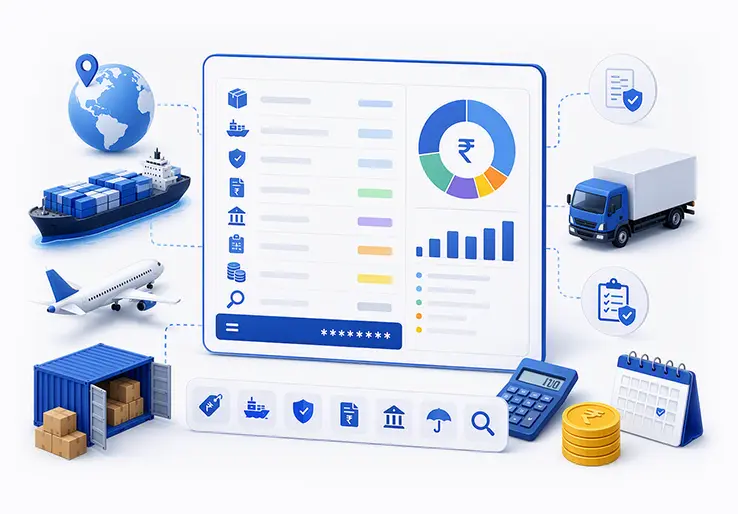
Every international shipment carries a web of costs that extend far beyond the product price on your supplier's invoice. A landed cost calculator is a tool that estimates the full cost of importing goods by calculating product price, freight charges, customs duties, taxes, insurance, handling fees, and other hidden charges, giving you a precise, itemized breakdown in seconds instead of hours of spreadsheet work. For import/export businesses, e-commerce companies, manufacturers, supply chain managers, and finance teams, that accuracy is critical when setting prices, comparing suppliers, planning budgets, and protecting profit margins in global trade.
The outcome is straightforward: you make confident pricing decisions, avoid unexpected fees, and stay competitive without guessing at your true import costs. Whether you're importing raw materials, finished goods, or components across different countries, this page explains what a landed cost calculator is, how LOGIC ERP's tool works, its key features and benefits, who should use it, best practices for landed cost evaluation, how it connects with ERP systems, and how to start calculating accurate landed costs with confidence.
Most online tools and basic cost calculators estimate only the obvious line items: product cost plus rough freight. They miss the dozens of fees, surcharges, and variable expenses that quietly erode your margins, and comprehensive landed cost calculations must account for those overlooked charges across freight and logistics decisions. According to industry analysis, the gap between what a standard ERP reports as COGS and the true landed cost is often 3–12% of COGS and that gap is where profitability disappears.
LOGIC ERP's Landed Cost Calculator is built differently:
Enter Shipment Details
Input your product value, weight, dimensions, and select origin and destination countries. The interface is designed for speed most users complete this step in under 30 seconds.
Select Product Classification
Choose the correct HS tariff code from an integrated database, or let AI suggest the right classification based on your product description. Misclassifying HS codes can mean paying 12% duty instead of 3% or facing fines. This step eliminates that risk.
Receive Complete Breakdown
Get an itemized report showing product price, international freight, customs duties, taxes, insurance, handling fees, brokerage, warehousing, and all other costs connected to your shipment. The landed cost formula is applied automatically: Product Price + Freight + Customs + Insurance + All Other Fees = Total Landed Cost. View results per unit, per shipment, or as percentage breakdowns.
Simple. Fast. No technical overload. Informed sourcing decisions can be made instantly by highlighting exactly where your money is spent during the import process.
Ideal for:
If you want to grow your business in global trade without margin erosion, this calculator fits your needs. Businesses using landed cost calculators can evaluate different shipping methods for cost-effectiveness, negotiate better rates to reduce shipping costs, and use fulfillment centers to optimize customs fees. Optimizing these operations can improve overall profit margins.
Stop losing money on incorrect cost estimates and surprise customs fees. Every shipment you price without a proper landed cost calculation is a gamble with your margins and the data shows that the cost depends on far more variables than most businesses account for.
With LOGIC ERP's landed cost calculator, you can:
The tool is free to start using, requires no technical setup, and delivers immediate value from your first calculation.
Improved Profitability
Avoid underpricing by capturing all costs, ensuring your margins stay intact.
Enhanced Supply Chain Visibility
Understand exactly where money is spent during the import process.
Better Supplier Negotiations
Compare true costs to negotiate better terms with suppliers and carriers.
Reduced Financial Risk
Prevent surprise customs fees and hidden charges that can erode profits.
Faster Decision Making
Get instant cost breakdowns to make timely sourcing and pricing decisions.
Streamlined Operations
Automate cost calculations and integrate with ERP for efficient workflows.
In conclusion, understanding and accurately calculating landed cost is essential for businesses engaged in international trade and supply chain management. Utilizing a sophisticated landed cost calculator enables companies to capture all expenses from product price to shipping fees, customs duties, insurance, and hidden charges ensuring precise cost estimation. This comprehensive visibility empowers informed decision-making, optimizes supplier and shipping method selection, and safeguards profit margins against unforeseen costs. Integrating landed cost evaluation into ERP systems streamlines financial reporting and inventory valuation, aligning with international accounting standards. By adopting best practices in landed cost calculation, businesses can enhance transparency, improve cash flow management, and maintain a competitive edge in the global marketplace.
Call at +91-73411-41176 / +91-73411-41175 or send us an email at sales@logicerp.com to book a free demo today!
Landed cost includes shipping fees, customs duties, taxes, product price, insurance costs, handling fees, brokerage, currency conversion charges, harbor fees, warehousing, and compliance costs. Every expense from supplier to your final destination is captured. Shipping costs vary based on weight and delivery speed, and the calculator adjusts accordingly.
The calculator uses real-time government databases updated daily, delivering 99%+ accuracy on standard shipments. It accounts for trade agreements, GST requirements, anti-dumping duties, and regional tariff variations. Accurate profitability tracking prevents businesses from underpricing their goods based on supplier price alone.
Yes. Save multiple scenarios and compare suppliers, shipping methods, Incoterms, or destination countries. This landed cost analysis capability is essential for strategic decisions for example, comparing air freight versus ocean freight, or evaluating whether a slightly pricier supplier with lower import duties delivers better per unit economics at the buyer's door.
Seamlessly. The calculator integrates with LOGIC ERP for automated landed cost tracking, inventory valuation, and COGS calculation. Confirmed costs flow directly into your financial statements, eliminating duplicate data entry and ensuring your books reflect true acquisition cost.
Absolutely. The tool handles multi-country routing, mixed-product shipments with flexible allocation methods, special trade programs like free trade agreements, and multi-leg logistics. Whether you're shipping a single SKU or a full container with dozens of product lines, the calculator delivers accurate, itemized results.
The cost formula is: Product Price + Freight + Customs + Insurance + Other Costs = Total Landed Cost. The calculator applies this landed cost formula automatically, factoring in every cost component so you don't need to track or sum anything manually.
A calculator landed cost is a tool that provides an accurate estimate of the total cost to import goods, including product price, shipping, customs duties, taxes, and other fees. It helps businesses calculate landed cost quickly for better pricing and budgeting.
To have landed cost accurate calculation, you sum up the product price, freight charges, customs duties, insurance, and other related costs using the cost formula: Product Price + Freight + Customs Duties + Insurance + Other Fees = Total Landed Cost. Using a cost calculator simplifies this process.
Customs duties and customs fees include tariffs imposed by governments on imported goods, value-added taxes, brokerage fees, and any other regulatory charges required for customs clearance.
Cost per unit is the total landed cost divided by the number of units imported. This metric helps businesses price products accurately and understand profitability on a per-item basis.
Currency exchange rates impact the final landed cost, as fluctuations can increase or decrease the amount paid for goods and associated fees. Monitoring currency exchange rates helps avoid unexpected costs and maintain profit margins.
Yes, a cost calculator uses up-to-date customs duties taxes data to provide precise estimates, helping you anticipate and budget for these costs accurately.
By knowing your true landed cost, you can set competitive prices, avoid margin erosion, optimize supplier and shipping choices, and ensure profitability are key factors to grow your business in the global market.
Customs clearance involves the procedures and fees required to legally import goods. These costs are part of the landed cost and must be factored in to avoid surprise expenses.
Yes, duties taxes are a critical component of landed cost. They include tariffs and import taxes levied by customs authorities and are essential for accurate cost estimation.
The cost formula used in landed cost calculation is a simple yet comprehensive equation that sums up all expenses involved in getting a product from the supplier to the customer's door. It is expressed as:
Landed Cost = Product Price + Freight + Customs Duties & Taxes + Insurance + Other Fees
This formula includes the product's purchase price, international freight charges, customs duties and taxes, insurance costs to cover risk during transit, and any additional fees such as handling, warehousing, brokerage, and currency conversion charges. Using this formula ensures that businesses capture the true total cost of importing goods, enabling accurate pricing, budgeting, and profitability analysis.
Popular Products