Understanding the Difference Between ERP and CRM | Key Insights & Integration Benefits

Summary
This guide explores the essential differences between Enterprise Resource Planning (ERP) and Customer Relationship Management (CRM) systems, highlighting their distinct roles in managing internal business processes and customer interactions. Learn about their key features, benefits, target users, integration advantages, and factors to consider when choosing the right solution for your organization.
Table of Content
- Introduction to ERP and CRM
- Understanding ERP and CRM Systems
- Key Differences Between ERP and CRM
- Data Driven Decision Making with ERP and CRM
- Implementation, Cost, and Integration Analysis
- Common Challenges and Solutions
- Why Choose LOGIC ERP CRM Software for Your Business?
- Conclusion and Next Steps
- Frequently Asked Questions
Key Takeaways
- ERP systems centralize and automate internal operations such as finance, supply chain management, and human resources.
- CRM systems focus on managing customer relationships, sales pipelines, and marketing efforts.
- Both ERP and CRM systems collect and analyze data to support data-driven decision making across departments.
- Integrating ERP and CRM solutions provides a unified view of business processes and customer engagement, improving operational efficiency and customer satisfaction.
- Choosing between ERP, CRM, or both depends on your business size, complexity, and strategic goals.
Introduction
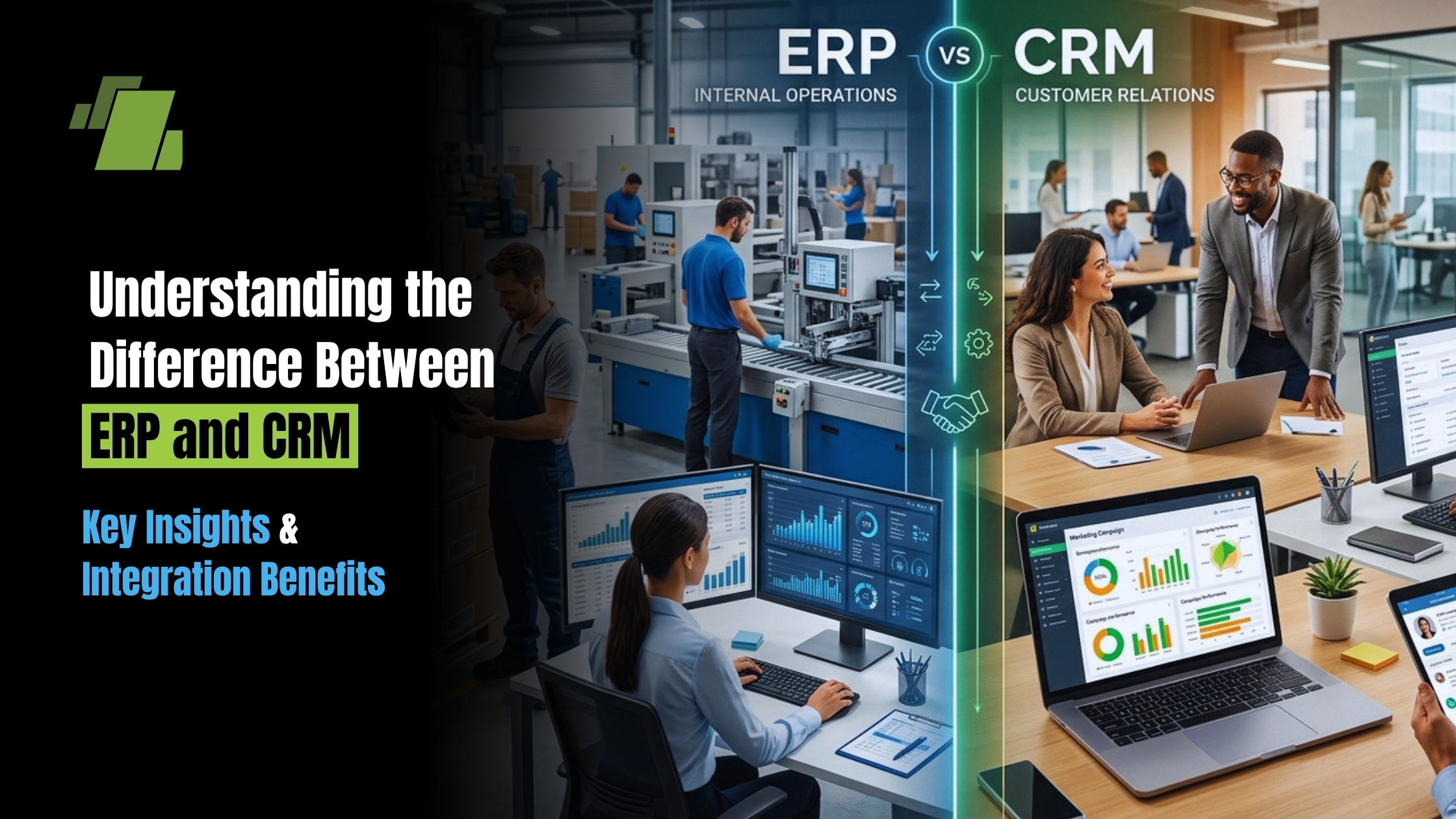
ERP manages internal back-office operations like finance, supply chain management, and human resources, while CRM focuses on customer-facing front-office activities including sales, marketing, and customer service. ERP handles accounting, inventory, and production. CRM optimizes front-office functions to increase revenue and customer satisfaction. This fundamental distinction shapes how businesses select, implement, and integrate these essential software solutions.
ERP systems are designed to unify and automate an organization’s core internal processes, while CRM systems focus on managing and improving interactions with current and potential customers. The main difference between ERP and CRM systems lies in their focus; ERP is business-wide while CRM is customer-centric.
When deciding whether to implement a CRM or ERP system, businesses should consider their size, industry, and specific goals, as the right choice depends on these factors and can significantly impact operational efficiency and customer relationship management. Modern crm software systems can also be integrated with other enterprise solutions to unify business data and processes.
This comprehensive comparison covers definitions of both enterprise resource planning and customer relationship management systems, their functional differences, integration strategies, implementation considerations, and selection criteria. Business leaders, IT decision-makers, and companies evaluating ERP and CRM software will find actionable guidance for making informed technology investments.
Direct answer: Enterprise resource planning (ERP) systems centralize and automate internal business processes across multiple departments, while customer relationship management (CRM) systems optimize how organizations manage customer relationships and sales processes. Most growing businesses benefit from both systems working together.
Key outcomes from this guide:
- Clear understanding of functional differences between ERP and CRM systems
- Knowledge of which departments and users benefit from each system type
- Integration benefits and implementation considerations
- Cost and timeline expectations for both system types
- Selection criteria based on specific business needs
Businesses with complex finances and a few high-value customers may prioritize ERP systems over CRM systems.
Transition: With these foundational definitions in mind, let’s move into a deeper understanding of ERP and CRM systems and how they serve different business needs.
Understanding ERP and CRM Systems
Definition of ERP and CRM
ERP systems are designed to unify and automate an organization’s core internal processes, while CRM systems focus on managing and improving interactions with current and potential customers. The main difference between ERP and CRM systems lies in their focus; ERP is business-wide while CRM is customer-centric.
Both ERP and CRM systems serve as essential business tools for modern organizations, yet they address distinctly different operational needs. Understanding each system’s purpose and capabilities provides the foundation for making strategic technology decisions.
The key features of ERP systems focus on managing internal operations such as finance, supply chain, and inventory, while CRM systems are designed to support customer management, sales, and marketing processes. CRM systems help businesses gain a complete, shared view of each customer’s business and history with the company. CRM systems also play a crucial role in managing customer data by centralizing and organizing customer information, such as contact details, purchase history, and interaction records. These features enable businesses to streamline specific business processes according to their needs.
Both ERP and CRM systems collect, centralize, and analyze data to help cross-functional teams make better decisions.
Transition: Now that we’ve defined ERP and CRM systems and their core purposes, let’s examine the key differences between them in greater detail.
Key Differences Between ERP and CRM
While both systems centralize data and enable process automation, ERP and CRM serve fundamentally different business functions. Recognizing these distinctions helps organizations determine which system addresses their primary operational challenges.
Functional Focus Areas
| ERP Core Focus Areas | CRM Core Focus Areas |
|---|---|
| Financial management (general ledger, AP/AR) | Sales pipeline management and opportunity tracking |
| Supply chain management and inventory control | Marketing automation and campaign management |
| Manufacturing and production operations | Customer service and support ticket resolution |
| Human resources and payroll processing | Contact management and communication logging |
| Procurement and vendor management | Sales forecasting and revenue prediction |
| Compliance and audit trail maintenance | Customer data management and segmentation |
ERP systems optimize internal operations and core business functions, while CRM systems enhance sales and marketing efforts along with customer experience. Some overlap exists both provide reporting and analytics but their primary value propositions remain distinct.
Target Users and Departments
| ERP Users | CRM Users |
|---|---|
| Finance and accounting teams | Sales teams and sales reps |
| Operations managers | Marketing teams |
| Human resources departments | Customer service representatives |
| Procurement staff | Account managers |
| Manufacturing and production teams | – |
User needs shape system design significantly. ERP software requires robust workflow control, data-driven decision making capabilities, and compliance features. CRM software emphasizes ease of use, communication tools, and rapid data entry to support customer-facing activities. This distinction affects implementation approaches and training requirements.
Data Management Scope
| ERP Data Scope | CRM Data Scope |
|---|---|
| Financial transactions and operational data | Customer information and interaction history |
| Inventory levels and supply chain information | Sales opportunities and pipeline stages |
| Employee records and payroll data | Marketing campaign performance metrics |
| Production schedules and asset management | Service cases and outstanding tickets |
| Regulatory compliance documentation | Customer satisfaction scores and feedback |
The difference in data management scope directly impacts business insights. ERP provides visibility into operational efficiency and cost control, while CRM reveals revenue drivers and customer retention patterns. When integrated, these systems enable comprehensive financial and operational data analysis alongside customer behavior insights.
Transition: Next, we’ll explore how these differences impact data-driven decision making within organizations.
Data Driven Decision Making with ERP and CRM
In today’s competitive business landscape, data-driven decision making is essential for organizations seeking to stay ahead. ERP and CRM systems are at the heart of this transformation, providing the tools and insights needed to make informed choices that drive business success. By integrating customer relationship management (CRM) and enterprise resource planning (ERP) systems, companies can achieve a holistic view of their operations, customer relationships, and financial performance.
CRM Data-Driven Insights
- CRM systems excel at capturing and analyzing customer data.
- They enable businesses to understand customer needs, personalize interactions, and enhance customer satisfaction.
- With robust CRM software, sales and marketing teams can:
- Track every stage of the sales pipeline
- Monitor customer engagement
- Refine marketing efforts based on real-time insights
- This level of visibility empowers organizations to build stronger customer relationships, retain customers by providing personalized service and automating engagement processes, and improve customer retention.
ERP Data-Driven Insights
- ERP systems provide a comprehensive overview of internal business processes, including:
- Financial management
- Supply chain management
- Inventory management
- Project management
- Human resources
- By centralizing business data, ERP software enables organizations to:
- Optimize resource allocation
- Streamline operations
- Ensure accurate financial reporting
- This operational transparency supports better risk management and more effective strategic planning.
Benefits of Integration
The true power of data-driven decision making emerges when ERP and CRM systems are integrated.
- Integration eliminates manual data entry and ensures that information flows seamlessly between departments.
- This unified approach allows sales, marketing, and operations teams to collaborate more effectively, leveraging shared business data to:
- Identify opportunities
- Resolve outstanding customer service tickets
- Respond quickly to changing market conditions
With integrated ERP and CRM solutions, organizations benefit from:
- Process automation
- Improved data accuracy
- A single source of truth for all business functions
Sales forecasting becomes more precise when informed by real-time inventory and supply chain data, while marketing teams can tailor campaigns based on comprehensive customer information. Financial management is enhanced by linking revenue data from CRM systems with cost and operational data from ERP systems, supporting more accurate financial reporting and strategic decision making.
Ultimately, leveraging CRM and ERP systems for data-driven decision making leads to:
- Greater operational efficiency
- Improved customer experience
- Sustained business growth
By breaking down data silos and enabling seamless collaboration across multiple departments, businesses can make smarter decisions, optimize internal processes, and deliver exceptional customer service. For organizations looking to drive long-term success, investing in ERP and CRM integration is a critical step toward achieving their goals.
Transition: With a clear understanding of how ERP and CRM systems support data-driven decision making, let’s analyze the practical aspects of implementation, cost, and integration.
Implementation, Cost, and Integration Analysis
Practical considerations around cost, timeline, and integration requirements significantly influence decisions about implementing ERP and CRM software. Understanding these factors helps organizations plan realistic deployments. Many businesses are now exploring crm systems integrating erp to unify data and streamline business processes, which can lead to improved operational efficiency and a more comprehensive view of customer information.
Integrating ERP and CRM provides a 360-degree view of the business.
When considering integration benefits, it’s important to note that integrating CRM and ERP can significantly shorten the quote-to-cash cycle. Additionally, integrating ERP and CRM systems can improve customer service by ensuring that customer information is consistent across all departments. Integrated customer service solutions within these platforms automate and enhance customer support, resulting in better customer experience and improved business performance.
In terms of integration procedures, many vendors offer built-in connections or combined systems that operate from a central database to facilitate ERP and CRM integration.
Cost and Implementation Comparison
| Factor | ERP Systems | CRM Systems |
|---|---|---|
| Implementation Time | 4–24 months (8–12 weeks for simple cloud deployments) | 1–6 months (basic setup in weeks) |
| Cost Range (SMB) | $150,000 – $750,000 | $10,000 – $100,000+ annually |
| Cost Range (Enterprise) | $1M – $3M+ | $200,000 – $1M+ annually |
| Customization Complexity | High (often 40–60% of budget) | Moderate |
| Training Requirements | Extensive across multiple departments | Focused on sales and marketing teams |
| Ongoing Maintenance | 15–20% annually | Included in subscription (typically) |
Critical cost factors for ERP integration:
- Consulting and system integrator fees (40-60% of implementation cost)
- Data migration complexity (10-20% of budget)
- Change management and training programs
- Infrastructure costs (particularly for on-premise deployments)
Research indicates 55-75% of ERP projects exceed original budget or schedule, with average overruns around 189%. This emphasizes the importance of realistic planning and strong project management when implementing ERP solutions.
Integration Procedures and Benefits
CRM and ERP integration becomes valuable when sales and customer interaction data needs to inform operations, fulfillment, and financial reporting. Integration eliminates manual data entry between systems and creates a unified view of business operations.
Step-by-step integration process
- Needs assessment: Identify functional overlap, required data flows, and integration priorities
- Planning: Map data fields between systems, select integration method (API, middleware, iPaaS)
- Technical implementation: Build connectors and establish data synchronization protocols
- Testing: Validate data consistency, measure latency, and implement error handling
- Training: Educate users on integrated workflows and new capabilities
- Governance: Establish ongoing data quality standards and monitoring procedures
Benefits of integrated ERP and CRM systems
- Unified customer view combining sales, service, and fulfillment data
- Automated data flow reducing errors and manual data entry
- Improved sales forecasting informed by inventory and production constraints
- Faster customer service with visibility into order status and history
- Enhanced financial reporting with complete revenue and cost visibility
Real-world integration results demonstrate significant value. One documented case study showed an organization processing over $36 million in orders within two weeks post-integration without major disruption, utilizing API-led architecture with approximately 900 integration flows.
Transition: After understanding the implementation and integration landscape, it’s important to be aware of common challenges and how to address them.
Common Challenges and Solutions
Organizations implementing or integrating CRM and ERP systems frequently encounter predictable obstacles. Proactive planning addresses these challenges before they impact project success.
Data Silos and Integration Complexity
Different data structures, inconsistent field naming, and disconnected legacy systems create integration complexity. Quality issues in source data compound these technical challenges.
Solution: Establish clear data mapping protocols before integration begins. Use API-led architecture with standardized data models and consistent field naming conventions. Clean and validate data prior to migration. Implement real-time monitoring to identify and resolve synchronization issues quickly.
User Adoption and Training
Complex systems alter established workflows, and end-users often resist change. Training costs and time requirements are frequently underestimated, leading to low adoption rates that diminish ROI.
Solution: Invest in comprehensive change management from project initiation. Engage stakeholders early and conduct pilot phases before full deployment. Provide role-based training tailored to specific user needs. Monitor utilization metrics and adapt system configuration based on user feedback. Secure executive sponsorship to reinforce organizational commitment.
System Selection and Vendor Choice
Choosing vendors aligned with business size, industry requirements, existing technology stack, and budget proves challenging. Hidden costs and long-term support considerations complicate decisions.
Solution: Conduct thorough needs assessment gathering requirements across all affected departments. Define must-have versus nice-to-have features with specific success criteria. Evaluate vendor references from similar industries and company sizes. Review product roadmaps for AI capabilities, cloud-native architecture, and modular expansion options. Run proof-of-concept implementations before final commitment.
Transition: With these challenges and solutions in mind, let’s summarize the key points and outline actionable next steps for your organization.
Why Choose LOGIC ERP CRM Software for Your Business?
LOGIC ERP CRM software is designed to provide businesses with a comprehensive, integrated platform that combines the strengths of both enterprise resource planning (ERP) and customer relationship management (CRM) systems. Choosing LOGIC ERP CRM software offers several key advantages:
- Unified Business Management: LOGIC ERP CRM software integrates internal business processes (such as financial management, supply chain management, inventory control, human resources, and project management) with customer-facing activities (including sales pipeline management, marketing automation, and customer service). This unified approach eliminates data silos and improves operational transparency.
- Enhanced Operational Efficiency: By automating manual tasks such as invoicing, payroll, order processing, and data entry, LOGIC ERP CRM software streamlines workflows, reduces errors, and accelerates business processes, helping companies save time and reduce operational costs.
- Improved Customer Engagement: The CRM capabilities within LOGIC ERP CRM software enable businesses to manage customer interactions effectively, track sales opportunities, personalize marketing efforts, and provide exceptional customer service. This leads to increased customer satisfaction, loyalty, and retention.
- Data-Driven Decision Making: LOGIC ERP CRM software centralizes financial data, customer data, and operational data into a single platform, enabling real-time analytics and reporting. This empowers business leaders to make informed decisions based on accurate, up-to-date information.
- Scalability and Flexibility: LOGIC ERP CRM software is designed to grow with your business, supporting expansion into new markets or product lines, and adapting to changing business needs with modular features and cloud-native deployment options.
- Integration and Customization: LOGIC ERP CRM software supports integration with other business tools and offers customization options to fit specific industry requirements or organizational workflows, ensuring a tailored solution that maximizes ROI.
- Support and Expertise: Choosing LOGIC ERP CRM software means partnering with a vendor that offers industry knowledge, customer support, and implementation expertise to ensure a smooth deployment and ongoing success.
In summary, businesses choose LOGIC ERP CRM software to gain a comprehensive, efficient, and customer-centric platform that supports both internal operations and customer relationship management, enabling sustained growth and competitive advantage.
Transition: Now that you understand the benefits of LOGIC ERP CRM software, let’s review the key points and outline actionable next steps for your organization.
Conclusion and Next Steps
ERP and CRM serve different but complementary business functions: ERP optimizes internal operations and resource management while CRM enhances customer relationships and sales processes. Most growing organizations benefit from both systems, either through integrated suites or best-of-breed solutions connected through modern integration platforms.
Immediate action steps:
- Assess current business pain points to determine whether operational efficiency (ERP) or customer engagement (CRM) requires priority attention
- Evaluate existing systems for integration potential and identify data gaps between departments
- Define specific success metrics for any new system implementation
- Research vendors with proven experience in your industry and company size
Related topics worth exploring include digital transformation strategies, AI capabilities in modern business software, and industry-specific implementation best practices that can accelerate time-to-value for either system type.
Call at +91-73411-41176 or send us an email at sales@logicerp.com to book a free demo today!
Frequently Asked Questions
1. Can ERP replace CRM or vice versa?
No. While ERP systems often include basic CRM-like modules for customer records and sales orders, they lack the depth of sales pipeline management, marketing automation, and customer engagement features that dedicated CRM software provides. Similarly, CRM solutions do not manage back-office operations like inventory management, financial management, or supply chain operations. Organizations with complex needs typically require both systems working together.
2. Which system should small businesses implement first?
Most small businesses benefit from implementing CRM first due to lower costs, faster deployment (often 1-3 months for basic setup), and immediate impact on revenue-generating activities. CRM systems help manage customer relationships and sales processes with minimal complexity. As business operations scale and require more sophisticated financial reporting, inventory management, or supply chain capabilities, ERP solutions become necessary additions.
3. How long does ERP vs CRM implementation typically take?
CRM implementations range from a few weeks for basic cloud deployments to 3-6 months for complex enterprise configurations. ERP implementations require significantly more time: simple cloud ERP deployments may take 8-12 weeks, mid-market implementations average 4-9 months, and complex enterprise or global rollouts often require 12-24 months or longer.
4. What are the typical costs for ERP vs CRM systems?
ERP implementation costs for mid-market companies range from $150,000 to $750,000, while enterprise ERP projects often exceed $1 million to $3 million. CRM costs vary by user count and features: SMB CRM solutions may cost $10,000-$100,000 annually, while enterprise CRM deployments can reach several hundred thousand dollars per year. Cloud-based subscription models are now standard for both system types.
5. How do you integrate ERP and CRM systems effectively?
Effective integration requires structured planning: begin with needs assessment to identify priority data flows, then map fields between systems and select appropriate integration technology (APIs, middleware platforms, or iPaaS solutions). Implement data quality standards before migration, test thoroughly across representative scenarios, and train users on integrated workflows. Establish ongoing governance to maintain data consistency.
6. Which industries benefit most from ERP vs CRM?
Manufacturing, distribution, supply chain-intensive, and highly regulated industries (healthcare, finance) typically prioritize ERP for operational control and compliance. Service-based businesses, SaaS companies, retail, and sales-driven organizations often emphasize CRM for customer acquisition and retention. Organizations spanning both operational complexity and customer-intensive activities benefit from integrated ERP and CRM solutions.
7. What are the signs a business needs ERP vs CRM?
Signs indicating CRM need: missed sales opportunities, disjointed customer data across spreadsheets or disconnected systems, inconsistent customer service, limited visibility into sales pipeline, and inability to track marketing effectiveness.
Signs indicating ERP need: chaotic inventory management, lack of financial visibility and reporting, difficulty with regulatory compliance, manual processes creating bottlenecks across multiple departments, and inability to forecast resource requirements accurately.
8. How does LOGIC ERP compare to standalone CRM solutions?
LOGIC ERP provides comprehensive back-office operational capabilities including financial management, inventory management, and supply chain operations with modular architecture and cloud-native deployment options. While LOGIC ERP may include customer-facing functionality, organizations with sophisticated sales and marketing requirements often pair LOGIC ERP with specialized CRM solutions to achieve complete business coverage. The integration between LOGIC ERP and CRM platforms creates unified data access across both operational and customer-facing functions.
9. What is the main difference between ERP and CRM systems?
The primary difference between ERP and CRM systems lies in their focus: ERP (Enterprise Resource Planning) manages internal business processes such as financial management, supply chain, and human resources, while CRM (Customer Relationship Management) focuses on managing customer interactions, sales pipelines, and marketing efforts.
10. Can ERP replace CRM software?
No, ERP software cannot fully replace CRM systems. While some ERP solutions include basic CRM features, dedicated CRM software offers specialized crm tools for managing customer relationships, sales processes, and marketing automation that ERP systems do not provide.
11. What are the key crm benefits for businesses?
CRM benefits include improved customer engagement, streamlined sales and marketing efforts, better customer data management, enhanced customer satisfaction, and increased customer retention through personalized communication and automated customer interactions.
12. How do crm and erp integration improve business operations?
Integrating CRM and ERP systems eliminates data silos, automates workflows, and provides a unified view of customer engagement and internal operations. This crm integration enhances operational efficiency, accelerates sales processes, improves financial reporting accuracy, and drives data-driven decision making.
13. Which businesses should implement ERP and which should start with CRM?
Businesses with complex financial and operational processes, such as manufacturing or supply chain-heavy companies, typically benefit most from ERP systems. Companies focused on sales growth, customer acquisition, and marketing efforts often start with CRM software. Many growing businesses eventually implement both for comprehensive management.
14. How long does it take to implement ERP and CRM systems?
CRM implementations are generally faster, taking from a few weeks to several months depending on complexity. ERP implementations are more complex and can take several months to over a year, especially for large enterprises with extensive customization needs.
15. Are ERP and CRM systems expensive to implement?
CRM systems are usually less expensive and easier to deploy than ERP systems due to their narrower focus and simpler integration. ERP implementations often require higher upfront investment and longer timelines because they cover multiple business functions and require extensive customization.
16. Can integrating ERP and CRM systems improve customer service?
Yes, crm and erp integration ensures consistent and up-to-date customer information across departments, enabling customer service representatives to provide faster, more accurate responses and personalized service, thereby enhancing the overall customer experience.
17. What are the key features to look for in CRM software?
A CRM software helps businesses manage customer relationships, streamline sales processes, and improve overall efficiency by centralizing data and automating key tasks. Choosing the right CRM ensures better lead tracking, enhanced customer engagement, and data-driven decision-making, ultimately driving business growth.
Key Features to Look For:
- Centralized customer & contact management
- Lead management and sales pipeline tracking
- Sales and marketing automation
- Real-time reporting and analytics
- Easy integration with ERP, accounting, and other tools
- Mobile accessibility for on-the-go usage
- Customization and scalability
- Customer support and ticket management
- Data security and role-based access
- Omnichannel communication (email, WhatsApp, social media)
18. What is the difference between ERP and CRM?
Enterprise Resource Planning (ERP) systems manage internal business processes such as financial management, supply chain, and human resources, while Customer Relationship Management (CRM) systems focus on managing customer interactions, sales pipelines, and marketing efforts.
19. Can ERP replace CRM software?
No, ERP software cannot fully replace CRM systems. While some ERP solutions include basic CRM features, dedicated CRM software offers specialized tools for managing customer relationships, sales processes, and marketing automation that ERP systems do not provide.
20. What are the key benefits of CRM systems?
CRM benefits include improved customer engagement, streamlined sales and marketing efforts, better customer data management, enhanced customer satisfaction, and increased customer retention through personalized communication and automated customer interactions.
21. How do ERP and CRM systems work together?
ERP and CRM integration creates a unified platform that connects front-office customer interactions with back-office operations, providing a complete view of business performance and customer activity. This integration improves operational efficiency, accelerates sales processes, and enhances financial reporting accuracy.
22. Which businesses should implement ERP and which should start with CRM?
Businesses with complex financial and operational processes, such as manufacturing or supply chain-heavy companies, typically benefit most from ERP systems. Companies focused on sales growth, customer acquisition, and marketing efforts often start with CRM software. Many growing businesses eventually implement both for comprehensive management.
23. How long does it take to implement ERP and CRM systems?
CRM implementations are generally faster, taking from a few weeks to several months depending on complexity. ERP implementations are more complex and can take several months to over a year, especially for large enterprises with extensive customization needs.
24. Can integrating ERP and CRM systems improve customer service?
Yes, ERP and CRM integration ensures consistent and up-to-date customer information across departments, enabling customer service representatives to provide faster, more accurate responses and personalized service, thereby enhancing the overall customer experience.
25. What key features should I look for in CRM software?
Look for centralized customer and contact management, lead management and sales pipeline tracking, sales and marketing automation, real-time reporting and analytics, easy integration with ERP and other business tools, mobile accessibility, customization options, customer support and ticket management, data security, and omnichannel communication capabilities.
26. What are common challenges when implementing ERP and CRM systems?
Common challenges include high implementation costs (especially for ERP), integration issues between different systems, user adoption difficulties, data migration challenges, and ongoing maintenance and customization needs.
27. How do ERP and CRM systems support data-driven decision making?
Both systems centralize and analyze data from multiple departments. CRM provides insights into customer behavior and sales performance, while ERP offers visibility into financial and operational data. Together, they enable informed strategic planning and improved business outcomes.
28. How does customer engagement improve with CRM integration?
CRM integration enhances customer engagement by providing a unified view of customer data across sales, marketing, and service teams. This enables personalized communication, faster response times, and more consistent interactions, ultimately boosting customer satisfaction and loyalty.
29. What are the benefits of CRM integration for managing customer engagement?
Integrating CRM systems streamlines customer engagement by automating marketing efforts, tracking customer interactions, and facilitating collaboration among sales and service teams. This leads to improved customer relationships, increased retention, and more effective sales and marketing strategies.
30. What is ERP software?
ERP software (Enterprise Resource Planning) is a business management system that integrates core processes like accounting, inventory, procurement, and operations into a single platform to improve efficiency, accuracy, and real-time decision-making.
31. What is CRM software?
CRM software (Customer Relationship Management) is a tool used to manage customer data, track leads, automate sales, and improve customer relationships, helping businesses increase conversions and revenue.
32. What is ERP and CRM?
ERP and CRM are business software systems where ERP manages internal operations such as finance and inventory, while CRM focuses on customer interactions, sales, and marketing processes.
33. What is the full form of ERP and CRM?
ERP stands for Enterprise Resource Planning, and CRM stands for Customer Relationship Management, both essential systems for managing business operations and customer relationships.
34. What is the difference between ERP and CRM?
The key difference between ERP and CRM is that ERP focuses on internal business processes like accounting and supply chain, while CRM focuses on customer management, sales tracking, and marketing automation.
35. Is ERP and CRM the same?
No, ERP and CRM are different systems. ERP manages backend operations, while CRM handles frontend customer interactions, though both can be integrated for better business efficiency.
36. What is ERP and CRM software?
ERP and CRM software together provide a complete solution for managing business operations and customer relationships, enabling better coordination, automation, and data-driven decision-making.
37. What is ERP and CRM integration?
ERP and CRM integration connects customer data with business operations, allowing seamless data flow between sales, finance, and inventory, improving efficiency and customer experience.
38. What is the relationship between ERP and CRM?
ERP and CRM work together by sharing data, where CRM captures customer information and ERP processes orders, billing, and delivery, ensuring smooth end-to-end business operations.
39. What are ERP and CRM systems?
ERP and CRM systems are enterprise software solutions that help businesses manage operations, customer data, sales processes, inventory, and financial reporting in an integrated way.
40. What is ERP, CRM, and SCM?
ERP, CRM, and SCM are core business systems where ERP manages operations, CRM handles customer relationships, and SCM manages supply chain activities like procurement and logistics.
41. What is the difference between ERP, CRM, and SCM?
ERP manages overall business operations, CRM focuses on customers and sales, and SCM handles supply chain processes such as inventory, logistics, and distribution.
42. What is ERP and CRM in cloud computing?
ERP and CRM in cloud computing are cloud-based solutions that allow businesses to access data online, offering scalability, remote access, real-time updates, and reduced infrastructure costs.
43. What is the difference between ERP and CRM in cloud computing?
In cloud computing, ERP manages internal operations, while CRM manages customer interactions, with both systems hosted online for real-time data access and improved collaboration.
44. What are ERP and CRM applications?
ERP and CRM applications are software tools used to manage business processes such as inventory, accounting, sales, customer data, and reporting from a centralized system.
45. What are ERP and CRM software solutions?
ERP and CRM software solutions provide integrated tools for managing operations and customer relationships, helping businesses automate workflows, improve productivity, and scale efficiently.
46. What are ERP and CRM services?
ERP and CRM services include implementation, customization, integration, training, and support to ensure businesses successfully deploy and use these systems.
47. What is the best ERP and CRM software?
The best ERP and CRM software offers features like automation, real-time analytics, integration capabilities, scalability, and industry-specific solutions for retail, manufacturing, and distribution.
48. What is the best ERP and CRM for small businesses?
The best ERP and CRM for small businesses are affordable, easy to use, cloud-based, and include features like inventory management, billing, sales tracking, and automation.
49. What are some ERP and CRM examples?
Popular ERP and CRM examples include solutions used in retail, FMCG, and manufacturing industries to manage inventory, sales, accounting, and customer relationships efficiently.
50. What is Microsoft Dynamics ERP and CRM?
Microsoft Dynamics 365 is a cloud-based business application that combines ERP and CRM capabilities to manage finance, operations, sales, and customer service in one platform.
51. What is open source ERP and CRM?
Open source ERP and CRM are software solutions with publicly available code, allowing businesses to customize features, reduce costs, and adapt the system to their specific requirements.
52. What is ERP and CRM development?
ERP and CRM development involves designing, customizing, and implementing software solutions tailored to business processes, improving efficiency, automation, and scalability.
53. What is ERP and CRM integration in business?
ERP and CRM integration in business connects customer data with backend processes like inventory and billing, enabling better coordination, faster operations, and improved customer satisfaction.
54. What does ERP and CRM stand for?
ERP stands for Enterprise Resource Planning, and CRM stands for Customer Relationship Management, both essential for managing operations and customer data.
55. What is the difference between ERP and CRM software?
ERP software manages internal functions like finance and inventory, while CRM software focuses on managing customer interactions, sales pipelines, and marketing campaigns.
56. How to compare CRM and ERP systems?
CRM and ERP systems can be compared based on features, business focus, integration, scalability, cost, and ease of use to determine the best fit for business needs.
57. What is the relationship between ERP, CRM, and SCM systems?
ERP, CRM, and SCM systems work together to manage operations, customer relationships, and supply chain processes, ensuring smooth and efficient business workflows.
58. What is the integration of ERP, SCM, and CRM applications?
Integration of ERP, SCM, and CRM applications ensures real-time data sharing across departments, improving efficiency, reducing errors, and enhancing decision-making.
59. What is ERP and CRM in simple terms?
ERP manages business operations like inventory and finance, while CRM manages customers and sales, helping businesses run smoothly and grow faster.

Author
Gurbir Singh
Co-founder & Managing Director | LOGIC ERP Solutions Pvt. Ltd.
With 30+ years of experience in the tech industry, I took the helm of technology & product development, ensuring LOGIC ERP’s continuous innovation & leadership in the evolving tech landscape.


