How to Configure Rate Difference Calculation in Purchase in LOGIC ERP (Complete Guide)

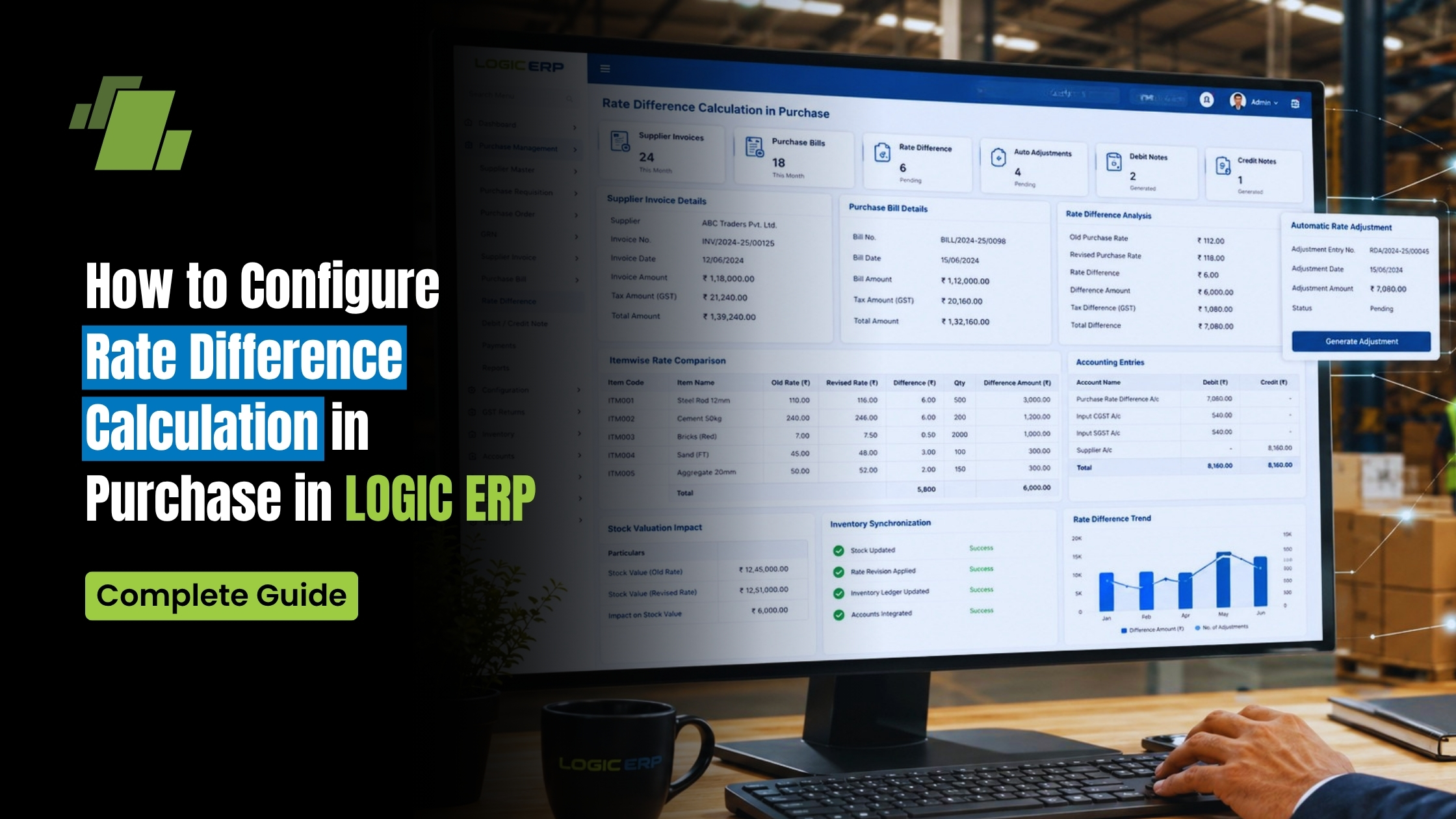
Managing rate differences between Purchase Orders (PO) and actual purchase invoices is critical for maintaining cost control, vendor accountability, and accurate financial reporting. LOGIC ERP provides a flexible configuration that allows businesses to define how these rate differences are calculated, tracked, and displayed during purchase entry.
This guide explains how to configure “Rate Difference As” in Purchase Voucher Configuration, along with real-world examples, use cases, and best practices, optimized for both operational efficiency and GST-compliant accounting.
Contact Us
Free Demo Request
What is “Rate Difference” in Purchase?
Rate Difference refers to the variance between:
- The rate defined in the Purchase Order (PO)
- The rate entered in the Purchase Voucher (Invoice)
Example:
- PO Rate: ₹1,000
- Invoice Rate: ₹1,100
- Rate Difference: ₹100
This difference can impact:
- Purchase cost
- Profit margins
- Vendor evaluation
- Inventory valuation
Why Rate Difference Configuration Matters
Cost Control
Ensures purchases are aligned with agreed vendor pricing.
Transparency
Highlights discrepancies instantly during purchase entry.
Financial Accuracy
Prevents unnoticed cost inflation in procurement.
Audit Readiness
Maintains a clear trail of pricing deviations for compliance and audits.
Step-by-Step: Access Rate Difference Configuration in LOGIC ERP
Follow these steps to configure how rate differences are handled:
Step 1: Open Purchase Voucher Configuration
- Go to Purchase Voucher Configuration from the main menu
Step 2: Navigate to Other Settings 2
- Click on Other Settings 2 tab
- This section contains advanced purchase-related configurations
Step 3: Locate “Rate Difference As”
- Find the option: “Rate Difference As”
- Select from the drop-down list
This dropdown contains multiple parameters that define:
- How the difference is calculated
- How it is displayed or prompted during entry
Understanding “Rate Difference As” Options
Depending on your configuration, LOGIC ERP can:
- Calculate difference based on rate variance
- Display prompt alerts during voucher entry
- Track differences against PO vs Purchase Invoice
- Help in analyzing vendor pricing deviations
The exact behavior depends on the selected parameter from the dropdown.
Testing the Configuration (Practical Example)
Let’s understand how it works in a real scenario:
Step 1: Create Purchase Voucher
- Open Purchase Entry
- Retrieve an existing Purchase Order (PO)
Step 2: Enter Different Rate
- PO Rate: ₹1,000
- Enter Invoice Rate: ₹1,100
Step 3: System Response
- LOGIC ERP automatically detects the difference
- A prompt appears showing:
Rate Difference: ₹100
What This Means:
- The system compares PO vs Invoice rate in real time
- Alerts the user before finalizing the transaction
- Helps prevent unnoticed pricing deviations
Key Benefits of Using Rate Difference Configuration
1. Real-Time Alerts
Instant notification of pricing mismatches during purchase entry.
2. Better Vendor Control
Helps identify vendors deviating from agreed pricing.
3. Accurate Inventory Valuation
Ensures stock is recorded at correct cost.
4. Improved Decision-Making
Provides insights for negotiation and procurement strategies.
5. Reduced Financial Leakage
Prevents unnoticed cost escalations.
Business Use Cases
Retail & Supermarkets
Track supplier pricing differences across bulk orders.
Distribution Businesses
Ensure consistency in procurement rates across multiple vendors.
Manufacturing Units
Monitor raw material cost fluctuations effectively.
Best Practices for Effective Use
- Always link Purchase Orders with Purchase Vouchers
- Regularly review rate difference reports
- Set internal approval workflows for high deviations
- Train users to verify prompts before saving vouchers
- Use consistent configuration across all branches
Common Mistakes to Avoid
- Ignoring rate difference prompts during entry
- Not configuring the correct parameter in settings
- Entering purchase without referencing PO
- Lack of monitoring for repeated vendor deviations
How This Improves Financial Control
By enabling Rate Difference tracking in LOGIC ERP, businesses can:
- Maintain strict control over procurement costs
- Improve pricing accuracy across inventory
- Strengthen audit trails and compliance
- Enhance profitability through better cost management
Conclusion
The “Rate Difference As” configuration in LOGIC ERP is a powerful feature that ensures transparency and control in purchase transactions. By automatically detecting and highlighting deviations between PO and invoice rates, it helps businesses maintain financial discipline and operational accuracy.
Implementing this feature effectively can significantly improve cost management, vendor accountability, and overall procurement efficiency.
Call at +91-73411-41176/75 or send us an email at sales@logicerp.com to book a free demo today!
Frequently Asked Questions (FAQs)
Q1. What triggers the rate difference alert in LOGIC ERP?
The alert is triggered when the invoice rate differs from the Purchase Order rate.
Q2. Can I customize how the rate difference is calculated?
Yes, the “Rate Difference As” dropdown provides multiple configuration options.
Q3. Is this feature useful for all industries?
Yes, especially for retail, distribution, and manufacturing businesses.
Q4. Does this affect accounting entries?
It helps in accurate cost tracking, which indirectly impacts accounting and reporting.

Author
Gurbir Singh
Co-founder & Managing Director | LOGIC ERP Solutions Pvt. Ltd.
With 30+ years of experience in the tech industry, I took the helm of technology & product development, ensuring LOGIC ERP’s continuous innovation & leadership in the evolving tech landscape.


