How to Calculate Reorder Quantity

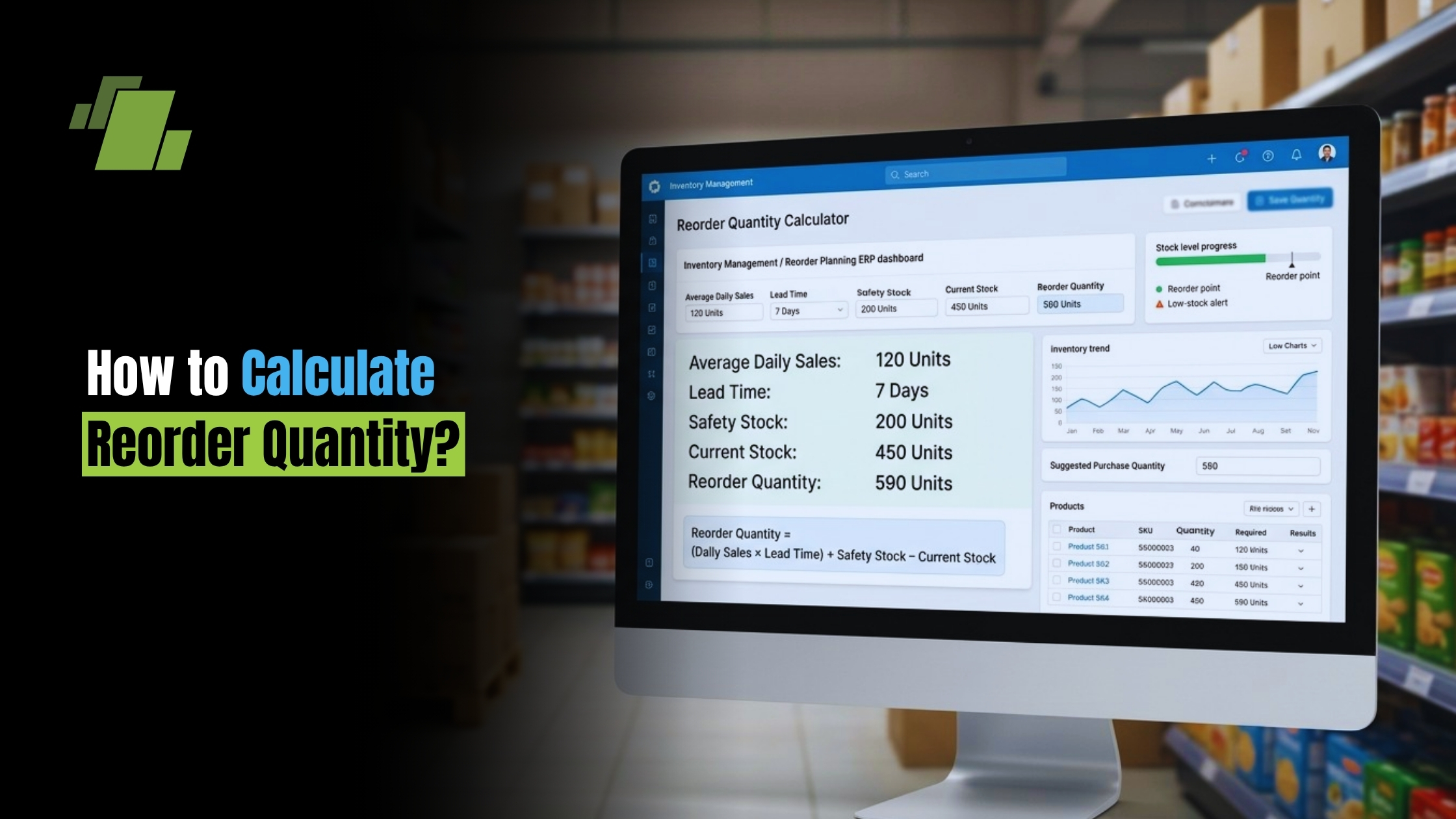
Reorder quantity is the number of units you buy or make when stock runs low. Done well, it keeps products available without tying up too much cash in extra stock. This guide shows how to calculate reorder quantity, how it differs from reorder point and EOQ, and how to adjust your math for lead time, safety stock, seasons, and cost.
Contact Us
Free Demo Request
What is Reorder Quantity?
Reorder quantity is the amount of inventory you order when it is time to restock. In simple terms, the inventory reorder level tells you when action is needed, while reorder quantity tells you how much to buy or make. For a retailer, that may mean ordering 300 units of a fast-moving item. For a maker, it may mean producing enough parts for the next run.
The goal is balance. Order too little, and you risk stockouts, late orders, missed sales, or production downtime. Order too much, and you raise storage costs, use more working cash, or end up with slow stock.
A good reorder quantity process gives your inventory choices a repeatable rule. Instead of guessing from shelf looks or last week’s rush, you use demand, supplier timing, and cost to guide buying.
How do You Calculate Reorder Quantity?
To calculate reorder quantity, multiply average daily usage by average lead time. Then add safety stock if you need a buffer. The basic reorder quantity formula is: Reorder Quantity = Average Daily Usage × Average Lead Time. When demand or supplier timing is uncertain, many businesses use: Reorder Quantity = Average Daily Usage × Average Lead Time + Safety Stock.
Here is what each part means:
- Average Daily Usage (ADU): The average number of units sold, used, or consumed each day.
- Average Lead Time (ALT): The number of days between placing an order and getting usable stock.
- Safety Stock: Extra inventory held to protect against higher demand or supplier delays.
For example, if you sell 10 units per day and your supplier takes 29 days to deliver, your basic reorder quantity is:
10 units × 29 days = 290 units
If you also keep 40 units of safety stock because demand often spikes or deliveries run late, the adjusted reorder quantity becomes:
290 units + 40 units = 330 units
This is the simplest answer to how to find reorder quantity, but the best result depends on good inputs. If your average daily usage is based on a very slow month, you may under-order. If your lead time leaves out supplier delays or customs delays, your math may look right but fail in real life.
The Key Inputs Behind the Formula
A formula is only as good as the numbers you put in it. Before you decide how to calculate reorder quantity for any SKU, gather data that reflects normal business conditions and known exceptions.
Average Daily Usage Should Reflect Real Demand
Average daily usage is usually found by dividing total units sold or used by the number of days in the period. If you sold 900 units over 90 days, your average daily usage is 10 units.
But average can hide key patterns. A product that sells at a steady pace all year is easier to plan than one that jumps during holidays, promos, or weather shifts. For seasonal items, it may be better to use ADU from the same time last year or from a recent high-demand period rather than a full-year average.
Useful ways to improve ADU include:
- Separate normal demand from promo demand. A flash sale can distort your average if you count it as daily sales.
- Review by SKU, not only by product group. One size, color, or version may move much faster than the rest.
- Update the average often. A reorder quantity based on old demand can cause stockouts for growing items or excess stock for falling ones.
- Leave out abnormal stockout days. If you had no stock for a week, sales from that week may understate true demand.
Lead Time Should Include Every Delay
Lead time is more than shipping time. It can include supplier order processing, production time, quality checks, freight delays, receiving, inspection, and internal putaway. If a vendor ships in 10 days but your warehouse takes three more days to receive and make the stock ready, your actual lead time is closer to 13 days.
Many inventory mistakes happen because businesses use best-case lead times. A supplier may quote 14 days, but real deliveries may range from 14 to 24 days. In that case, using 14 days can leave you exposed. A better plan is to track real lead times across several orders and use the average, or use a conservative lead time for key items.
Safety Stock Protects Against Uncertainty
Safety stock is not a guess. It is a planned buffer for times when demand rises, suppliers run late, or both happen at once. Whether you add safety stock to reorder quantity depends on how your inventory system is set up.
If safety stock is already built into your reorder point, you may not need to add it again to reorder quantity. Doing so could double-count the buffer and create extra stock. If your reorder point only covers expected usage during lead time, then adding safety stock to reorder quantity may make sense.
A simple rule works well: include safety stock once, in the place that best fits your replenishment process. The more uneven your demand and lead time are, the more important that buffer becomes.
Reorder Quantity and Reorder Point are not the Same
Reorder point tells you when to reorder. Reorder quantity tells you how much to reorder. This difference matters because many people searching for how to calculate reorder quantity also need to calculate reorder point, and mixing the two can lead to bad buying choices.
A common reorder point formula is:
Reorder Point = Average Daily Usage × Lead Time + Safety Stock
For example, if daily usage is 10 units, lead time is 29 days, and safety stock is 40 units, the reorder point is:
10 × 29 + 40 = 330 units
That means when available inventory falls to 330 units, it is time to place a new order. The reorder quantity may also be 330 units in a simple system, but it does not have to be. You might reorder 500 units because the supplier offers a better carton price, or you might order 250 units because warehouse space is tight.
Think of it this way:
- Inventory reorder level or reorder point: The trigger.
- Reorder quantity: The order size.
- Safety stock: The cushion.
- Lead time: The waiting time you must cover.
Keeping these terms separate makes inventory control techniques easier to use and easier to automate.
How Reorder Quantity Differs from EOQ
Economic order quantity, or EOQ, is related to reorder quantity but has a different goal. Reorder quantity focuses on replacing enough stock to meet demand. EOQ focuses on finding an order size that balances ordering costs and holding costs.
That difference matters when learning how to calculate reorder quantity in costing. A demand-based reorder quantity may tell you that you need 290 units to cover lead time. But cost questions add another layer: is it cheaper to order 290 units, 500 units, or 1,000 units after you factor in freight, supplier minimums, storage, insurance, spoilage, and cash flow?
EOQ can help answer that cost question, but it needs inputs such as annual demand, order cost, and holding cost. Many small businesses start with the basic reorder quantity formula because it is easier to use, then refine order sizes as they collect more cost data.
In practice, you may use both:
- Use reorder point to know when to act.
- Use reorder quantity to cover expected demand and avoid stockouts.
- Use EOQ or cost analysis to decide whether that order size is financially smart.

Cost Factors that Should Shape your Order Size
A correct reorder quantity can still be a poor business choice if it ignores cost. Inventory ties up money, takes up space, and can become old. At the same time, ordering too often can raise admin work, freight costs, and supplier fees.
When adjusting your reorder quantity, consider:
- Quantity discounts: A larger order may lower unit cost, but only if the savings beat the carrying cost.
- Freight efficiency: Shipping a full pallet or carton may cost less per unit than shipping small amounts.
- Storage limits: A bargain order is no help if it fills your warehouse or creates handling issues.
- Product shelf life: Perishable, trend-based, or version-sensitive items may need smaller, more frequent orders.
- Cash flow: Buying too much stock can limit money for marketing, payroll, or faster-moving items.
- Supplier minimums: Minimum order sizes may force you to buy more than the formula suggests.
The best order size is not always the smallest or the largest. It is the size that protects supply while keeping total inventory cost under control.
Practical Inventory Management Tips for Better Replenishment
Good replenishment is a habit, not a one-time math step. A simple spreadsheet can work if you keep the data clean, but growing businesses often do better with inventory software that updates demand patterns, lead times, and stock alerts on its own.
Use these inventory management tips to make reorder quantity more reliable:
- Review fast-moving items more often. Small errors on high-volume SKUs can become costly fast.
- Group products by importance. Give critical, profitable, or hard-to-source items more attention than low-risk items.
- Track supplier performance. Record promised lead time and actual lead time so your numbers match reality.
- Plan for known demand spikes. Adjust reorder quantity before holidays, campaigns, or large orders.
- Do not rely only on on-hand stock. Check allocated, incoming, damaged, and reserved inventory too.
- Set alerts before stock gets low. Waiting until shelves are nearly empty leaves no room for delay.
- Watch slow-moving stock. Extra stock can hurt as much as stockouts if it traps cash in items that do not sell.
A Simple Checklist Before Placing a Replenishment Order
Before you approve the next purchase order or production run, pause long enough to test the number. This checklist turns the math into a better business choice.
Ask yourself:
- Has average daily usage been updated with recent sales or use data?
- Does the lead time include supplier work, shipping, receiving, and internal handling?
- Is safety stock included in the reorder point, the reorder quantity, or both by mistake?
- Are there coming promos, holidays, bulk orders, or seasonal changes?
- Will the order create storage, handling, spoilage, or obsolescence risk?
- Are supplier minimums, carton sizes, or freight breaks changing the final order size?
- Is there enough cash on hand without hurting other parts of the business?
- Do open purchase orders already cover part of the need?
If the answer to any of these changes, your reorder quantity may need to change too. The formula gives you a starting point. Business judgment makes it useful.
Common Mistakes to Avoid
The most common mistake is treating reorder quantity as fixed. Demand changes, suppliers change, and business goals change. A quantity that worked six months ago may be too high or too low now.
Another mistake is mixing sales history with future demand. Past usage is useful, but it should be adjusted for promos, stockouts, price changes, new rivals, or product life-cycle shifts. If you know demand is about to rise, waiting for the average to catch up can leave you short.
Finally, avoid double-counting safety stock. If your reorder point already includes a buffer and your system also adds a target quantity, adding safety stock again can quietly create extra inventory.
Conclusion
Reorder quantity answers one of the most practical inventory questions: how much should you order when it is time to restock? Start with the reorder quantity formula, using average daily usage and average lead time, then adjust carefully for safety stock, seasons, supplier reliability, and cost.
For better results, keep reorder quantity separate from reorder point and EOQ. One tells you how much to order, one tells you when to order, and one helps judge cost efficiency. When those parts work together, your inventory system is easier to manage, less reactive, and better matched to customer demand.

Call at +91-7341141176/75 or send us an email at sales@logicerp.com to book a free demo today!
Frequently Asked Questions
1. Should Safety Stock be Added to Reorder Quantity Every Time?
Not always. Safety stock should be included once in your replenishment logic, either in the reorder point or in the reorder quantity, based on how your inventory system works. If your reorder point already includes safety stock, adding it again to reorder quantity can double-count the buffer and create extra inventory.
2. Why can Reorder Quantity and Reorder Point Sometimes be the Same Number?
They can be the same in a simple system when both are based on expected usage during lead time plus the same safety stock. But they serve different jobs. Reorder point is the trigger that tells you when to place an order, while reorder quantity is the order size. Supplier minimums, carton sizes, storage limits, freight breaks, and cash flow may make the final reorder quantity different from the reorder point.
3. How Often Should a Business Update Reorder Quantity Calculations?
Reorder quantity should be reviewed often, especially for fast-moving, seasonal, critical, or hard-to-source items. Demand patterns, supplier performance, lead times, promos, and product life cycles can all change. Using old data can lead to stockouts for growing products or excess stock for declining products.
4. When Should EOQ be Used Instead of the Basic Reorder Quantity Formula?
EOQ is useful when you want to optimize order size based on cost, not just demand coverage. The basic reorder quantity formula helps estimate how much stock is needed to cover usage during lead time. EOQ adds ordering costs, holding costs, and annual demand into the decision, helping you see whether a larger or smaller order is more financially efficient.

Author
Gurbir Singh
Co-founder & Managing Director | LOGIC ERP Solutions Pvt. Ltd.
With 30+ years of experience in the tech industry, I took the helm of technology & product development, ensuring LOGIC ERP’s continuous innovation & leadership in the evolving tech landscape.

