How to Start a Grocery Store with LOGIC ERP Grocery POS Software?

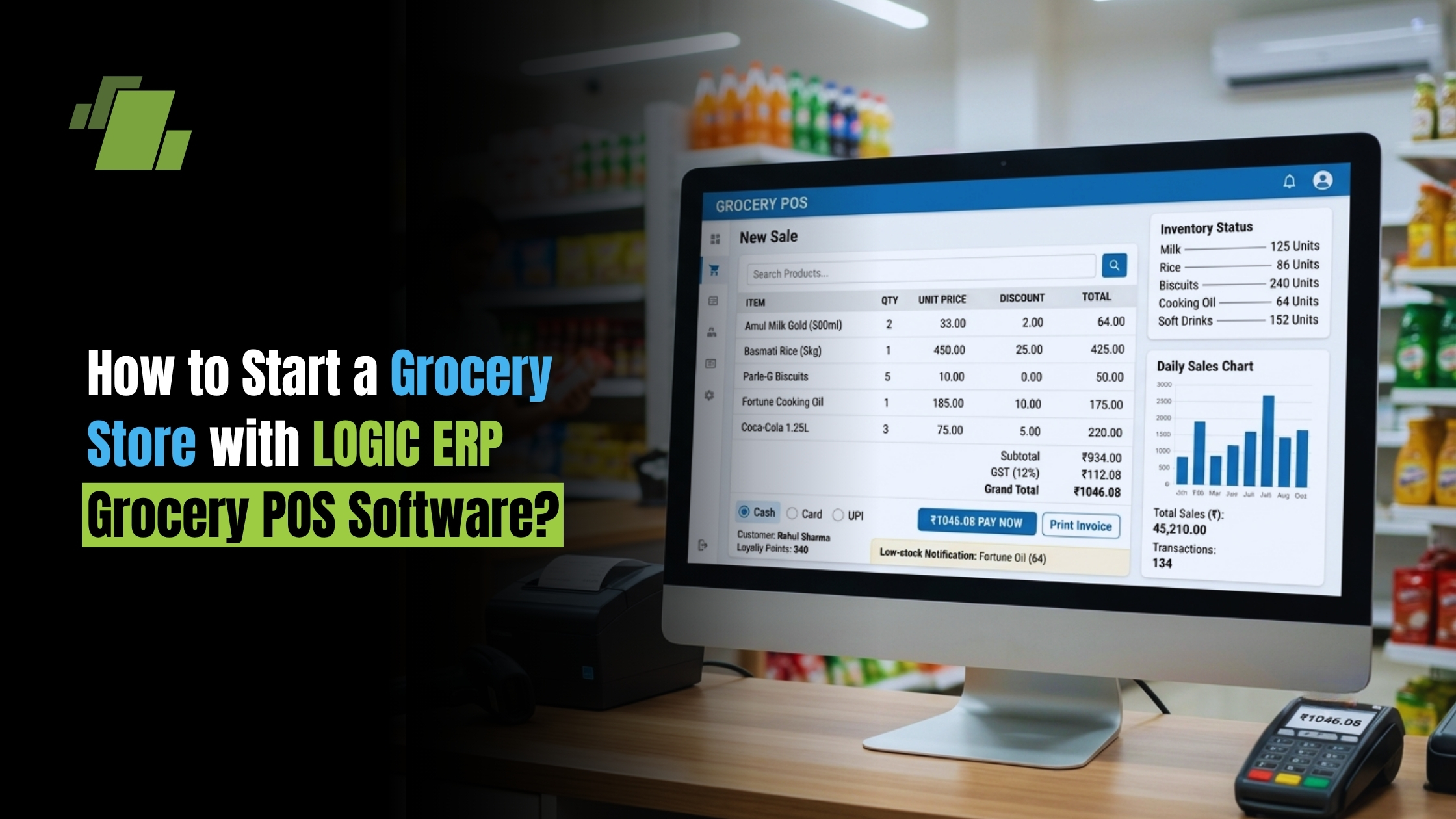
Starting a grocery store can be a profitable business opportunity when you choose the right location, stock the products customers need, manage your expenses carefully, and provide fast service. However, as the store grows, managing billing, inventory, purchases, customers, and daily sales manually can become difficult.
This is where LOGIC ERP Grocery POS Software can help. A modern POS and retail management solution can bring billing, inventory management, purchase management, GST billing, and business reports together in one system.
Contact Us
Free Demo Request
In this guide, we explain how to start a grocery store and how POS software can help you manage the business more efficiently.
1. Decide Your Grocery Store Business Model
Before investing in your store, decide what type of grocery business you want to operate.
You can start with:
- A small neighborhood grocery store
- A medium-sized grocery shop
- A supermarket-style grocery store
- A specialty grocery store
- An online + offline grocery business
- Multiple grocery outlets
Your business model will determine your store size, investment, inventory requirements, staff, and technology needs.
For a growing store, it is useful to select billing and inventory software that can scale with your business.
2. Select the Right Location
Location is one of the most important factors when starting a grocery store.
Look for an area with:
- Residential customers
- Regular foot traffic
- Limited direct competition
- Easy customer access
- Parking or convenient stopping space
- Nearby apartments, offices, or housing societies
A convenient location can help generate repeat customers and regular daily sales.
3. Plan Your Initial Investment
Your initial investment may include:
- Shop rent and security deposit
- Interior and shelves
- Refrigerator or freezer
- POS computer or billing machine
- Barcode scanner
- Printer
- Weighing machine
- Initial inventory
- Licenses and registrations
- Working capital
- Marketing expenses
Instead of looking only at the cost of opening the store, keep sufficient working capital to purchase inventory and manage expenses during the initial months.
4. Decide What Products to Sell
A successful grocery store generally focuses on products that customers purchase frequently.
Your product categories may include:
Grocery and Food
- Rice
- Flour
- Pulses
- Cooking oil
- Spices
- Sugar
- Salt
- Biscuits
- Snacks
- Packaged foods
Beverages
- Tea
- Coffee
- Soft drinks
- Packaged water
- Juices
Household Products
- Detergents
- Cleaning products
- Dishwashing products
- Garbage bags
- Household essentials
Personal Care
- Soap
- Shampoo
- Toothpaste
- Toothbrushes
- Personal hygiene products
Start with products that have consistent demand and gradually expand your range based on customer buying patterns.
5. Find Reliable Suppliers
Supplier selection directly affects your margins and inventory availability.
Compare suppliers based on:
- Purchase price
- Credit terms
- Delivery schedule
- Minimum order quantity
- Product availability
- Return policies
- Discounts and schemes
Maintain records of your purchases so you can identify which suppliers offer the best prices and terms.
With LOGIC ERP Grocery POS Software, purchase and inventory records can be managed digitally, helping you maintain better visibility into your stock and purchasing activity.
6. Set Up Your Grocery POS System
Once your store is ready, set up a POS system for daily billing and business management.
A grocery POS system can help you manage:
- Product master
- Barcode billing
- Retail sales
- Purchase entries
- Stock management
- Customer records
- GST billing
- Discounts
- Sales returns
- Purchase returns
- Business reports
Instead of maintaining separate registers for sales and stock, your POS system can connect these operations.
7. Use LOGIC ERP Grocery POS Software for Billing
Fast billing is important for a grocery store, particularly during busy hours.
With LOGIC ERP Grocery POS Software, you can use a computerized billing system to process customer purchases and maintain sales records.
Barcode-based billing can make the process faster for products that have barcodes. The system can also help maintain product prices and sales information, reducing the need for repetitive manual calculations.
A faster checkout experience can help reduce queues and improve customer satisfaction.
8. Manage Your Inventory Digitally
Inventory management is one of the biggest challenges for grocery stores.
Too much stock can block your working capital, while insufficient stock can result in lost sales.
A POS and inventory management system can help you monitor:
- Current stock
- Fast-moving products
- Slow-moving products
- Purchase quantities
- Sales quantities
- Stock adjustments
- Reorder requirements
For example, if a particular brand of cooking oil sells frequently, your sales history can help you understand its demand and plan future purchases.
9. Track Product Expiry
Many grocery products have limited shelf lives.
Expired or damaged products can result in financial losses if they are not identified on time.
Your inventory process should therefore include expiry monitoring, particularly for products such as:
- Packaged food
- Dairy products
- Beverages
- Snacks
- Personal care products
Digital inventory management can make it easier to maintain product-level information and identify stock that needs attention.
10. Manage GST Billing
If your business is registered under GST, proper billing and tax records are important.
Your billing software should support the GST requirements applicable to your business and help maintain appropriate sales records.
LOGIC ERP can help retailers manage computerized billing and maintain business transaction records, making daily operations more organized.
Always consult your accountant or tax professional for GST registration, tax rates, filing requirements, and compliance specific to your business.
11. Understand Your Daily Sales
Opening a grocery store is not just about making sales. You need to understand where your revenue is coming from.
Regularly monitor:
- Daily sales
- Weekly sales
- Monthly sales
- Product-wise sales
- Category-wise sales
- Payment modes
- Discounts
- Returns
- Gross margins
Reports from your POS system can help you make better purchasing and pricing decisions.
12. Build Customer Loyalty
Grocery stores have one major advantage over many large retailers: personal relationships with customers.
You can improve customer retention through:
- Quick billing
- Competitive pricing
- Product availability
- Personalized service
- Loyalty offers
- Customer-specific discounts
- Home delivery
- Digital payment options
Maintaining customer information and purchase history can also help you understand buying patterns and offer more relevant promotions.
13. Monitor Your Fast-Moving Products
Not every product contributes equally to your sales.
Identify products that sell frequently and ensure they remain available.
For example, if customers regularly purchase:
- Milk
- Bread
- Rice
- Cooking oil
- Biscuits
- Snacks
- Detergent
you should prioritize their availability.
Sales reports from your POS system can help you identify your fast-moving products and plan your purchases accordingly.
14. Reduce Manual Work as Your Store Grows
Initially, a small grocery store may be manageable with notebooks and spreadsheets. But as the number of products, customers, and transactions increases, manual management becomes increasingly difficult.
A dedicated POS system can bring multiple operations together:
Purchasing → Inventory → Billing → Sales → Customers → Reports
This gives the store owner better visibility into day-to-day operations.
15. Scale Your Grocery Business with LOGIC ERP
Once your store becomes established, you may want to expand your product range, add staff, introduce delivery, or open additional outlets.
Choosing scalable retail management software from the beginning can make this transition easier.
LOGIC ERP’s retail solutions can help businesses manage their billing, inventory, purchases, sales, and reporting requirements from a centralized system.
Conclusion
Starting a grocery store requires more than simply renting a shop and purchasing inventory. You need to carefully manage products, suppliers, pricing, billing, stock, customers, and cash flow.
A reliable grocery POS Software can simplify many of these daily activities.
With LOGIC ERP Grocery POS Software, retailers can digitize billing and inventory operations while gaining better visibility into sales and business performance.
If you are planning to start a grocery store, investing in the right POS and inventory management system from the beginning can help you build a more organized, efficient, and scalable retail business.
Call at +91-7341141176/75 or send us an email at sales@logicerp.com to book a free demo today!
Frequently Asked Questions
1. What is Grocery POS Software?
Grocery POS Software is a retail billing and management system designed to help grocery stores manage sales, billing, inventory, purchases, customers, and business reports.
2. Is POS Software Useful for a Small Grocery Store?
Yes. Even a small store can benefit from computerized billing, inventory tracking, sales reports, and easier record management.
3. Can Grocery POS Software Manage Inventory?
Yes. Retail POS systems can connect sales and inventory records, helping store owners monitor stock levels and product movement.
4. Can I Manage GST Billing with Grocery POS Software?
GST billing capabilities depend on the software and your business requirements. Choose a system that supports the applicable GST billing and reporting requirements for your business.
5. Why Should I use LOGIC ERP for my Grocery Store?
LOGIC ERP grocery POS Software can help bring essential retail operations such as billing, inventory, purchases, sales, and reporting into one system, helping retailers reduce manual work and manage their stores more efficiently.

Author
Gurbir Singh
Co-founder & Managing Director | LOGIC ERP Solutions Pvt. Ltd.
With 30+ years of experience in the tech industry, I took the helm of technology & product development, ensuring LOGIC ERP’s continuous innovation & leadership in the evolving tech landscape.

