How to Reduce Billing Errors in High-Volume Retail Stores with LOGIC ERP?

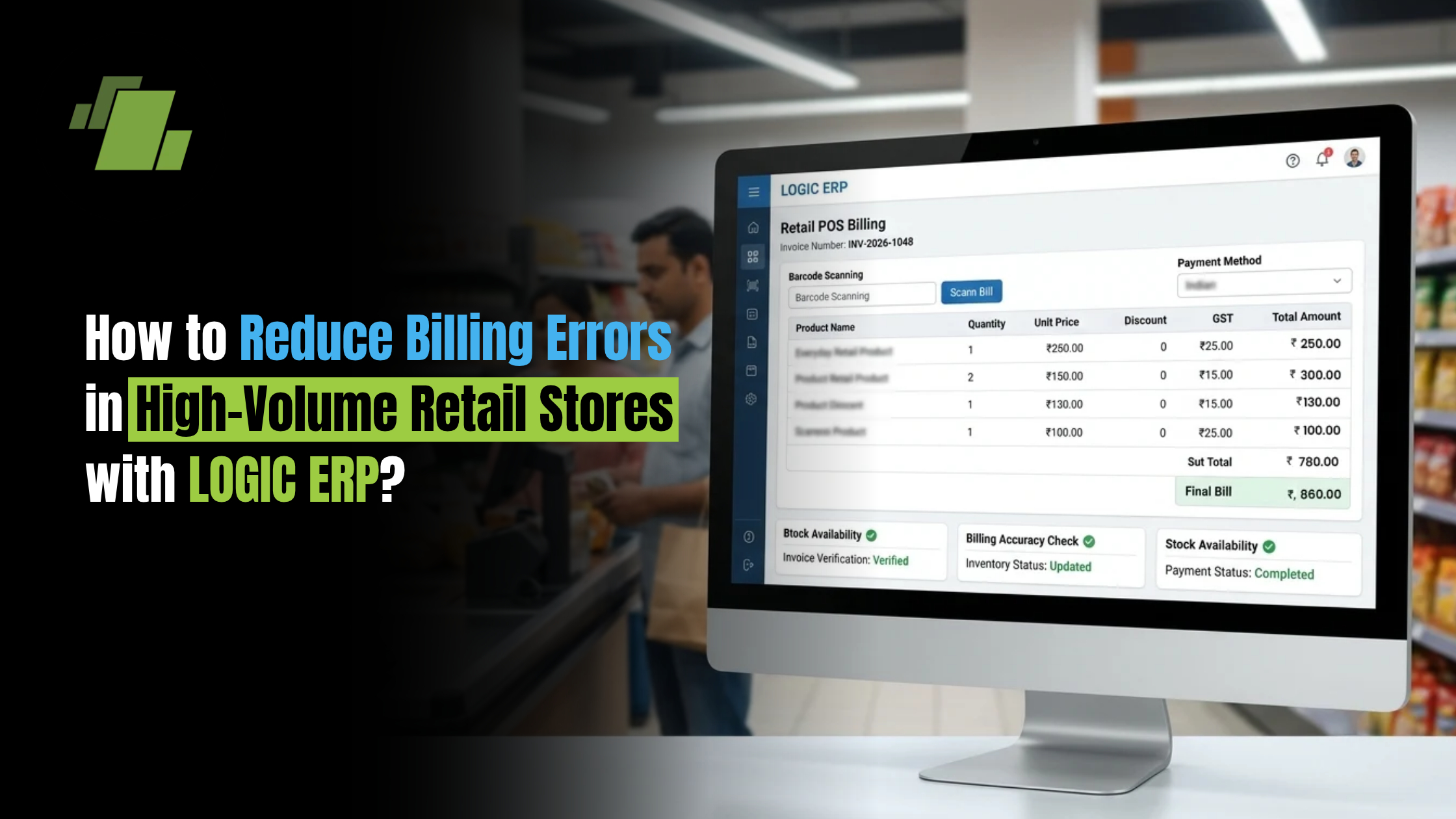
Billing errors can become a serious operational challenge for high-volume retail stores. When hundreds or thousands of transactions are processed every day, even a small percentage of incorrect bills can result in revenue leakage, customer complaints, stock discrepancies, and additional reconciliation work.
Retailers can reduce these errors by combining accurate product data, barcode-based billing, automated pricing, inventory integration, employee controls, and real-time reporting through a retail POS ERP and billing system.
What are Billing Errors in Retail?
A billing error occurs when the amount charged to a customer does not accurately reflect the products purchased, applicable price, discount, tax, or payment received.
Common retail billing errors include:
- Incorrect product selection
- Wrong quantity entered
- Incorrect selling price
- Outdated product prices
- Incorrect discounts
- Duplicate billing
- Incorrect GST or tax calculation
- Barcode scanning issues
- Manual entry mistakes
- Wrong payment mode
- Return and refund errors
- Mismatch between billed and actual inventory
In a high-volume store, these seemingly small errors can accumulate and affect both customer experience and profitability.
Why Billing Errors Increase in High-Volume Retail Stores?
High-volume retail environments process a large number of transactions within a limited period. Supermarkets, grocery stores, fashion outlets, department stores, and multi-counter retail businesses may have several billing counters operating simultaneously.
The risk of errors increases because of:
High Transaction Volumes
Cashiers may need to process multiple customers within minutes, increasing the possibility of selecting the wrong product or quantity.
Manual Data Entry
Entering product codes, prices, quantities, or discounts manually increases the risk of human error.
Frequent Price Changes
Retail prices may change because of supplier price revisions, promotions, seasonal offers, or pricing strategies. If the POS system contains outdated prices, customers may be billed incorrectly.
Multiple Discounts and Offers
Retailers often run combinations of:
- Product discounts
- Quantity offers
- Buy-one-get-one promotions
- Category discounts
- Customer-specific pricing
- Loyalty offers
Manually calculating these offers can lead to inconsistent billing.
Multiple Billing Counters
When several counters operate at the same time, inconsistent product or pricing information can create billing discrepancies.
Large Product Assortments
Stores with thousands of SKUs face a greater risk of incorrect product selection, especially when similar products have different sizes, variants, or prices.
How to Reduce Billing Errors in Retail Stores?
Retailers can significantly reduce billing errors by standardizing the billing process and automating repetitive calculations.
1. Use Barcode-Based Billing
Barcode scanning is one of the simplest ways to reduce manual product-entry errors.
Instead of entering product details manually, the cashier scans the product barcode. The POS system retrieves the corresponding:
- Product name
- SKU
- Selling price
- Applicable tax
- Discount
- Inventory information
This reduces the chances of selecting the wrong product or entering the wrong price.
For high-volume retail stores, faster barcode-based billing can also reduce checkout queues.
2. Maintain Accurate Product Master Data
A POS system can only generate an accurate bill when its underlying product information is correct.
Retailers should regularly review:
- SKU codes
- Product names
- Selling prices
- Purchase prices
- Tax rates
- Product categories
- Units of measurement
- Barcode mappings
- Promotional prices
A centralized product master helps ensure that the same product information is available across billing counters.
3. Automate Price Calculations
Cashiers should not have to manually calculate product prices or discounts.
The POS system should automatically apply the configured selling price and relevant pricing rules when a product is scanned.This is particularly important for stores where prices change frequently.
4. Automate Discounts and Promotions
Manual discount calculation is a common source of billing errors.
Retail POS software can apply predefined promotional rules based on:
- Product
- Category
- Quantity
- Customer type
- Date
- Store
- Promotion
For example, if a store offers a discount when a customer purchases three units of a product, the system can automatically apply the appropriate offer instead of relying on manual calculations.
5. Integrate Billing With Inventory
Billing and inventory should not operate as separate systems.
When a product is sold, the inventory should be updated automatically.
This creates a connection between:
Product Sold → Bill Generated → Stock Reduced → Sales Recorded
This integration helps retailers identify discrepancies between physical stock and system inventory.
6. Use Role-Based User Access
Not every employee needs access to every billing function.
Retailers can use role-based controls to determine who can:
- Change selling prices
- Apply manual discounts
- Cancel bills
- Process refunds
- Edit transactions
- Modify customer information
Restricting sensitive actions can reduce accidental changes and unauthorised billing adjustments.
7. Add Approval Controls for Discounts and Voids
High-volume stores should pay special attention to:
- Bill cancellations
- Item deletions
- Manual discounts
- Price overrides
- Refunds
For selected actions, retailers can introduce approval controls so that cashiers cannot independently make changes beyond their assigned permissions.
8. Display the Bill Before Payment
Customers should have an opportunity to verify the bill before completing payment.
A clear bill should show:
- Product name
- Quantity
- Selling price
- Discount
- Tax
- Final amount
This provides an additional checkpoint for identifying incorrect quantities, prices, or discounts.
9. Integrate Multiple Payment Modes
Retail stores may accept:
- Cash
- Debit cards
- Credit cards
- UPI
- Wallets
- Other digital payment methods
Integrating payment processing with POS billing can reduce the risk of recording the wrong payment method or amount.
It can also simplify end-of-day reconciliation.
10. Reconcile Bills and Payments Regularly
Retailers should compare:
Sales → Bills → Payments → Cash → Digital Collections
Regular reconciliation helps identify discrepancies before they become difficult to trace.
Daily reports can help store managers identify:
- Cancelled bills
- Refunds
- Discounts
- Price overrides
- Payment discrepancies
- Unusual transactions
How LOGIC ERP Helps Reduce Retail Billing Errors?
LOGIC ERP Retail POS brings billing, inventory, pricing, and business operations together to help retailers create a more controlled checkout process.
1. Barcode-Based POS Billing
Retailers can use barcode scanning to identify products quickly and reduce manual product-entry errors.
2. Centralized Product and Pricing Information
Product information and pricing can be managed systematically so that billing counters work with updated product data.
3. Automated Discounts and Pricing
Configured pricing and promotional rules can reduce the need for cashiers to calculate discounts manually.
4. Integrated Inventory
Sales transactions can be connected with inventory management, helping retailers maintain more accurate stock records.
5. GST-Compliant Billing
Automated tax calculations can help reduce manual GST calculation errors and improve billing consistency.
6. Multiple Billing Counter Support
High-volume stores can manage multiple billing counters while maintaining centralised transaction data.
7. User-Level Controls
Role-based access can help retailers control who can modify prices, apply discounts, cancel bills, or process returns.
8. Reports and Business Insights
Retail managers can use transaction reports to monitor billing activity and identify unusual or incorrect transactions.
How to Identify Billing Errors Quickly?
Reducing errors is important, but retailers should also be able to identify them quickly when they occur.
Managers should regularly monitor reports for:
1. Cancelled Bills
A high number of cancelled transactions may indicate operational issues or require further investigation.
2. Manual Price Overrides
Frequent price overrides can indicate incorrect product pricing or unauthorized changes.
3. Excessive Discounts
Unexpectedly high discounts may indicate incorrect promotion configuration or misuse of discount permissions.
4. Refunds and Returns
Unusual refund patterns can help identify process problems.
5. Stock Variances
Differences between physical stock and system stock can indicate billing, receiving, or inventory-related discrepancies.
6. Cash and Payment Differences
Daily reconciliation can highlight differences between recorded sales and actual collections.
Best Practices for Error-Free Retail Billing
Retailers can follow these practices to improve billing accuracy:
- Use barcode-based POS billing wherever possible.
- Keep product and pricing data updated.
- Automate discounts and promotional offers.
- Integrate POS billing with inventory.
- Use role-based access for sensitive functions.
- Monitor price overrides, cancellations, and refunds.
- Reconcile sales and payments every day.
- Train cashiers on POS processes and exception handling.
- Standardize billing procedures across all counters.
- Use reports to identify recurring billing discrepancies.
How Billing Accuracy Improves Retail Profitability?
Billing accuracy is not just a customer-service issue. It directly affects retail profitability.
Accurate billing can help retailers:
- Reduce revenue leakage
- Prevent incorrect discounts
- Improve inventory accuracy
- Reduce reconciliation time
- Minimize customer complaints
- Improve checkout efficiency
- Strengthen transaction controls
- Improve financial reporting
For stores processing a large number of transactions every day, even a small reduction in billing errors can have a meaningful operational impact.
Conclusion
Billing errors become harder to control as transaction volumes, product assortments, billing counters, and promotional offers increase. Manual processes can make these challenges worse.
The key is to reduce the amount of information cashiers need to enter or calculate manually.
By combining barcode billing, accurate product data, automated pricing and discounts, integrated inventory, access controls, and transaction reporting, retailers can create a faster and more reliable billing process.
LOGIC ERP Retail POS helps high-volume retail stores streamline billing while connecting sales, pricing, inventory, and business data in one system.
Call at +91-73411-41176/75 or send us an email at sales@logicerp.com to book a free demo today!
Frequently Asked Questions
What are the most common billing errors in retail stores?
Common errors include incorrect product selection, wrong quantity, outdated prices, incorrect discounts, GST calculation mistakes, duplicate bills, incorrect refunds, and payment mismatches.
How can barcode scanning reduce billing errors?
Barcode scanning retrieves the product information stored in the POS system, reducing the need for cashiers to manually enter product codes and prices.
How can retail POS software improve billing accuracy?
Retail POS software can automate product identification, pricing, discounts, taxes, inventory updates, and transaction recording, reducing manual calculations and data-entry errors.
How can retailers prevent incorrect discounts?
Retailers can configure discount and promotional rules in the POS system and restrict manual discount permissions using role-based controls.
Why should billing and inventory be integrated?
When billing and inventory are integrated, every sale can automatically update stock records. This reduces manual stock adjustments and helps retailers identify inventory discrepancies.
How can high-volume stores manage multiple billing counters?
A centralized retail POS system can connect multiple billing counters to common product, pricing, inventory, and transaction data while allowing managers to monitor transactions across counters.
Can LOGIC ERP help reduce billing errors in retail stores?
Yes. LOGIC ERP Retail POS supports barcode-based billing, centralized product and pricing management, automated discounts and taxes, inventory integration, user-level controls, and transaction reporting to help retailers improve billing accuracy.

Author
Gurbir Singh
Co-founder & Managing Director | LOGIC ERP Solutions Pvt. Ltd.
With 30+ years of experience in the tech industry, I took the helm of technology & product development, ensuring LOGIC ERP’s continuous innovation & leadership in the evolving tech landscape.