Supermarket Multi-Store Management: A Complete Guide to Centralised Purchasing, Stock and Store Performance

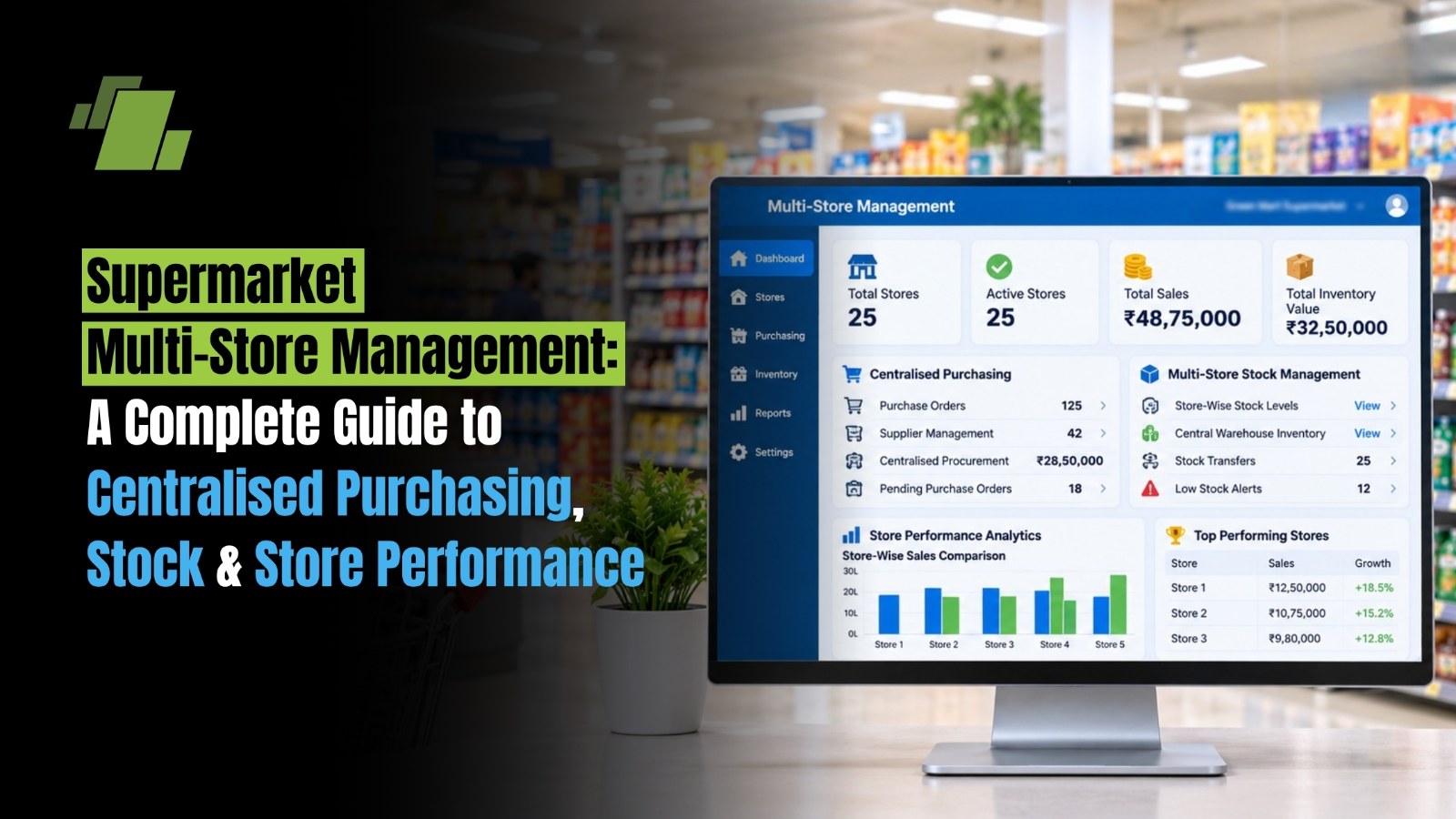
Managing one supermarket is complex. Managing a chain of supermarkets adds another layer of operational challenges: inconsistent pricing, uneven stock levels, duplicated purchasing, delayed reporting and limited visibility into individual store performance.
Supermarket multi-store management is the process of coordinating purchasing, inventory, pricing, sales, transfers and reporting across multiple outlets through standardised processes and connected systems. The objective is to give head office central control while allowing each store to serve its local customers efficiently.
For supermarket chains in India, effective multi-store management helps balance bulk purchasing with local demand, reduce stock discrepancies, improve replenishment and make store-level decisions using reliable data.
Contact Us
Free Demo Request
What is Supermarket Multi-Store Management?
Supermarket multi-store management is the centralised coordination of multiple retail outlets, warehouses and supporting operations. It connects head-office planning with store-level execution so that product data, inventory movements, purchases, sales and financial reports remain aligned.
A multi-store supermarket operation typically includes:
-
Centralised product, supplier and pricing records
-
Chain-wide purchasing and vendor management
-
Store-wise inventory tracking and replenishment
-
Warehouse-to-store and inter-store transfers
-
Standardised billing, promotions and operating procedures
-
Consolidated and store-level performance reporting
A connected retail ERP or POS system can help maintain a unified view of these operations. The exact capabilities depend on the software, configuration and implementation.
Why Multi-Store Supermarket Management Matters
As a supermarket chain expands, operational issues that were manageable in one store can become expensive across several outlets.
|
Challenge |
Impact on the Supermarket Chain |
|
Separate purchasing at each store |
Missed volume discounts and duplicate orders |
|
Inaccurate stock records |
Stockouts, overstocking and lost sales |
|
Untracked transfers |
Inventory discrepancies and delayed replenishment |
|
Different prices across outlets |
Customer complaints and brand inconsistency |
|
Delayed store reports |
Slow decisions and limited accountability |
|
Excess stock in one branch |
Working capital tied up while another branch runs short |
Centralised operations can reduce these problems by standardising processes and connecting store data. Retail software providers commonly identify unified inventory, pricing, transfers and consolidated reporting as core multi-outlet management capabilities.
1. Centralised Purchasing and Procurement
Centralised purchasing allows head office or a designated procurement team to coordinate purchases for multiple stores instead of leaving every outlet to order independently.
How Centralised Purchasing Works
-
Collect Store Demand: Review sales, current stock, pending orders and upcoming promotions.
-
Consolidate Requirements: Combine demand for the same products across outlets.
-
Compare Suppliers: Evaluate rates, availability, delivery timelines, quality and credit terms.
-
Create Purchase Orders: Issue consolidated or supplier-specific orders according to the procurement structure.
-
Receive and Verify Goods: Match delivered quantities against purchase orders and goods receipt records.
-
Allocate Stock: Distribute received products to the central warehouse or individual stores based on demand.
Benefits of Centralised Purchasing
-
Improved Buying Power: Consolidated orders can help the chain negotiate volume-based pricing.
-
Reduced Duplication: Head office can identify overlapping orders before they are placed.
-
Consistent Supplier Terms: Vendor rates, payment terms and service expectations can be standardised.
-
Better Purchase Planning: Orders can be based on sales trends, stock on hand and replenishment needs.
-
Improved Control: Purchase approvals and supplier records can be maintained centrally.
Centralised purchasing is particularly useful for high-volume FMCG products, packaged foods, household essentials and other items sold across multiple outlets. However, local purchasing may still be appropriate for fresh produce, regional products or urgent store-specific requirements.
Centralised Versus Store-Level Purchasing
|
Purchasing model |
Best suited for |
Main consideration |
|
Centralised |
Common products with predictable demand across stores |
Requires accurate store-level demand data |
|
Store-level |
Local products, fresh items and urgent requirements |
Needs purchase limits and approval controls |
|
Hybrid |
Chains with both common and local assortment needs |
Requires clear rules for central and local authority |
A hybrid model often provides a practical balance: head office manages common products and supplier negotiations, while stores retain limited flexibility for local demand.
2. Multi-Store Inventory Management
Inventory management across supermarket branches requires more than knowing the total quantity available across the chain. Managers need to know which products are available, at which location, in what condition and whether they are already committed.
Maintain Accurate Stock by Location
Every product should have a consistent item code and master record across the chain. Inventory should be tracked separately for:
-
Each retail outlet
-
Central warehouses and distribution centres
-
Stock in transit between locations
-
Damaged, expired or quarantined goods
-
Reserved or allocated stock, where applicable
A unified item master reduces duplicate product records and makes store-to-store comparisons more reliable.
Set Store-Specific Reorder Levels
A single chain-wide reorder level may not suit every store. A high-footfall outlet may sell a product much faster than a smaller neighbourhood branch.
A practical reorder point is:
Reorder Point = Average Daily Demand × Supplier Lead Time + Safety Stock
For example, if a store sells 20 units per day, supplier lead time is 4 days and safety stock is 30 units:
Reorder point = (20 × 4) + 30 = 110 units
When available stock approaches 110 units, the store can trigger replenishment. The calculation should be adjusted for demand variability, delivery schedules, shelf capacity and product shelf life.
Manage Expiry and Stock Ageing
Supermarkets must pay particular attention to perishable and date-sensitive products. Use batch or expiry tracking where required, and establish routines for:
-
First-expiry-first-out (FEFO) stock rotation
-
Near-expiry alerts and review
-
Damaged-stock recording
-
Slow-moving and dead-stock identification
-
Markdown or transfer decisions before products become unsellable
3. Warehouse and Inter-Store Stock Transfers
Stock transfers help redistribute products from locations with excess inventory to stores where demand is higher.
For example, if one outlet has excess packaged beverages while another is approaching a stockout, transferring available stock may be faster and more economical than placing a new supplier order.
A Controlled Transfer Process
-
Identify the need: A store raises a transfer request based on stock availability and expected demand.
-
Approve the movement: The responsible manager verifies quantity, urgency and transfer rules.
-
Dispatch stock: The sending location records the quantity issued and the transfer reference.
-
Track goods in transit: Stock remains visible as in-transit inventory rather than disappearing from both locations.
-
Receive and reconcile: The receiving store confirms quantities and records shortages, damage or discrepancies.
A documented, two-step transfer process helps prevent inventory from becoming temporarily invisible or being counted at both locations.
When Should Supermarkets Transfer Stock?
-
One store has excess stock and another has low availability.
-
A promotion creates higher-than-expected demand at a particular outlet.
-
Seasonal demand differs between locations.
-
Products are approaching expiry and may sell faster elsewhere.
-
A new store needs initial stock allocation.
Transfers should be evaluated against transport costs, handling time, product shelf life and the cost of placing a fresh purchase order.
4. Standardise Pricing and Promotions Across Stores
A multi-store supermarket chain needs consistent pricing rules without ignoring local market conditions.
Head office should maintain a central price book for product cost, selling price, tax information and approved promotions. If local price variations are permitted, they should be controlled through documented rules and approvals.
Central price management can help:
-
Update prices across selected outlets
-
Reduce manual price-entry errors
-
Keep billing and shelf prices aligned
-
Schedule promotions by store and date
-
Review sales and margin impact by location
For supermarket chains, price changes should be tested and communicated before they reach checkout counters. POS systems that synchronise pricing and promotions across outlets can reduce discrepancies between stores.
5. Monitor Store-Wise and Chain-Wide Performance
Consolidated reporting shows how the chain is performing overall. Store-level reporting explains where performance differs and where management action is needed.
Key Supermarket Multi-Store KPIs
|
KPI |
What it measures |
|
Net sales |
Sales after discounts and returns |
|
Gross margin |
Gross profit as a percentage of net sales |
|
Inventory turnover |
How frequently inventory is sold and replenished |
|
Stockout rate |
Frequency of unavailable products |
|
Sell-through rate |
Share of received or available stock sold during a period |
|
Shrinkage |
Inventory loss from theft, damage, expiry or recording errors |
|
Average transaction value |
Average amount spent per transaction |
|
Purchase order fulfilment |
Whether suppliers deliver ordered quantities on time |
|
Transfer fulfilment time |
Time taken to complete stock transfers |
6. Use Supermarket POS and ERP Software for Centralised Control
A supermarket POS records checkout transactions. A retail ERP connects those transactions with purchasing, inventory, accounting and management reporting.
For multi-store operations, evaluate whether the system supports:
-
Centralised product and supplier masters
-
Store-wise inventory and stock valuation
-
Purchase orders, goods receipt and supplier returns
-
Warehouse and inter-store transfers
-
Central and local pricing controls
-
Fast barcode-based billing
-
Consolidated and branch-level reports
-
Role-based access and approval workflows
-
GST-related billing and reporting requirements
-
Batch, expiry and stock-age tracking where needed
A unified system can help head office monitor the chain while store teams continue handling daily billing, receiving and stock operations.
7. Common Multi-Store Management Mistakes
Avoid these practices when managing supermarket branches:
-
Using separate product masters: Creates duplicate SKUs and inconsistent reports.
-
Reordering from chain-wide averages alone: Ignores differences in store demand.
-
Allowing undocumented transfers: Makes stock reconciliation difficult.
-
Centralising every decision: Can slow down urgent local responses.
-
Reviewing only total sales: Hides weak margins, shrinkage and excess inventory.
-
Ignoring supplier performance: Repeated short deliveries or delays can cause store-level stockouts.
-
Treating software implementation as the whole solution: Processes, training, ownership and data quality remain essential.
8. Best Practices for Supermarket Multi-Store Management
-
Establish one product and supplier master for the chain.
-
Define which purchasing and pricing decisions belong to head office and which belong to stores.
-
Set reorder points using store-level demand and supplier lead times.
-
Record every transfer with dispatch, in-transit and receipt status.
-
Use cycle counts for high-value and fast-moving products.
-
Review expiry, ageing and shrinkage regularly.
-
Compare stores using sales, margin, availability and inventory efficiency together.
-
Train store teams on receiving, returns, stock adjustments and daily closing.
-
Use a central dashboard for exceptions that require management attention.
How LOGIC ERP Supports Supermarket Multi-Store Management
LOGIC ERP supermarket retail software capabilities support centralised operations across multiple outlets, including product master management, inventory visibility, purchasing, stock transfers, pricing controls and consolidated reporting. The platform can help supermarket chains coordinate head-office planning with store-level execution.
LOGIC ERP also documents a supermarket implementation at Desi Mart in Kosli, Haryana, which operates one warehouse and three retail outlets with an assortment of more than 10,000 SKUs. The case study describes centralised management of inventory, procurement, billing and supply-chain operations.
Read Full Case Study here: LOGIC ERP x Desi Mart | Driving Efficiency with Supermarket Multi-Chain Retail Software
Conclusion
Effective supermarket multi-store management requires centralised control over purchasing, inventory, pricing, stock transfers and store performance. As supermarket chains expand, maintaining consistent operations across outlets becomes essential for improving stock availability, reducing operational inefficiencies and protecting profit margins.
A connected supermarket POS system helps businesses maintain accurate store-wise inventory, streamline procurement, coordinate stock movements and monitor chain-wide performance through consolidated reporting. However, technology must be supported by standardised processes, trained teams and regular performance reviews.
LOGIC ERP helps supermarket chains manage multiple outlets through integrated POS, inventory, purchasing, pricing and reporting capabilities. With better visibility and control over day-to-day operations, supermarket businesses can improve operational efficiency, make informed decisions and build a scalable foundation for growth.
Call at +91-73411-41176/75 or send us an email at sales@logicerp.com to book a free demo today!
Frequently Asked Questions
How does Centralised Purchasing Help Supermarkets?
It consolidates demand across stores, supports supplier negotiations, reduces duplicate orders and improves purchase planning.
How can Supermarkets Track Stock Across Multiple Branches?
By maintaining location-wise inventory records and recording every purchase, sale, return, adjustment and transfer in the system.
What is Inter-Store Stock Transfer?
It is the movement of inventory from one supermarket outlet to another to balance stock availability and respond to differences in demand.
Should Every Supermarket Store Have the Same Reorder Level?
No. Reorder levels should reflect each store’s sales velocity, supplier lead time, safety stock and storage capacity.
How can Supermarket Chains Reduce Stockouts?
Use accurate inventory records, store-specific replenishment rules, supplier lead-time monitoring and timely transfers from locations with excess stock.
How can Supermarket Chains Control Pricing Across Outlets?
Maintain a central price book, synchronise approved changes and define controlled exceptions for local pricing or promotions.
Which KPIs Should Supermarket Chains Monitor?
Track net sales, gross margin, inventory turnover, stockout rate, sell-through, shrinkage, average transaction value and supplier fulfilment.
What is the Difference Between Supermarket POS and ERP Software?
POS software focuses on checkout transactions. ERP connects POS with purchasing, inventory, accounting and broader business reporting.
Can Supermarket ERP Software Manage Warehouses and Retail Stores Together?
A multi-location ERP may support warehouses and stores in one inventory model, including stock allocation and transfers, depending on its capabilities and configuration.
How can Supermarket Chains Reduce Excess Inventory?
Use demand-based purchasing, store-level stock analysis, ageing reports, cycle counts and transfers to outlets with stronger demand.
What Should Supermarkets Consider When Choosing Multi-Store Software?
Evaluate inventory accuracy, purchasing workflows, transfers, pricing controls, POS speed, reporting, integrations, implementation support and scalability.

Author
Gurbir Singh
Co-founder & Managing Director | LOGIC ERP Solutions Pvt. Ltd.
With 30+ years of experience in the tech industry, I took the helm of technology & product development, ensuring LOGIC ERP’s continuous innovation & leadership in the evolving tech landscape.

