Supermarket Workforce Management: A Complete Guide to Staff Scheduling, Roles and Store Productivity

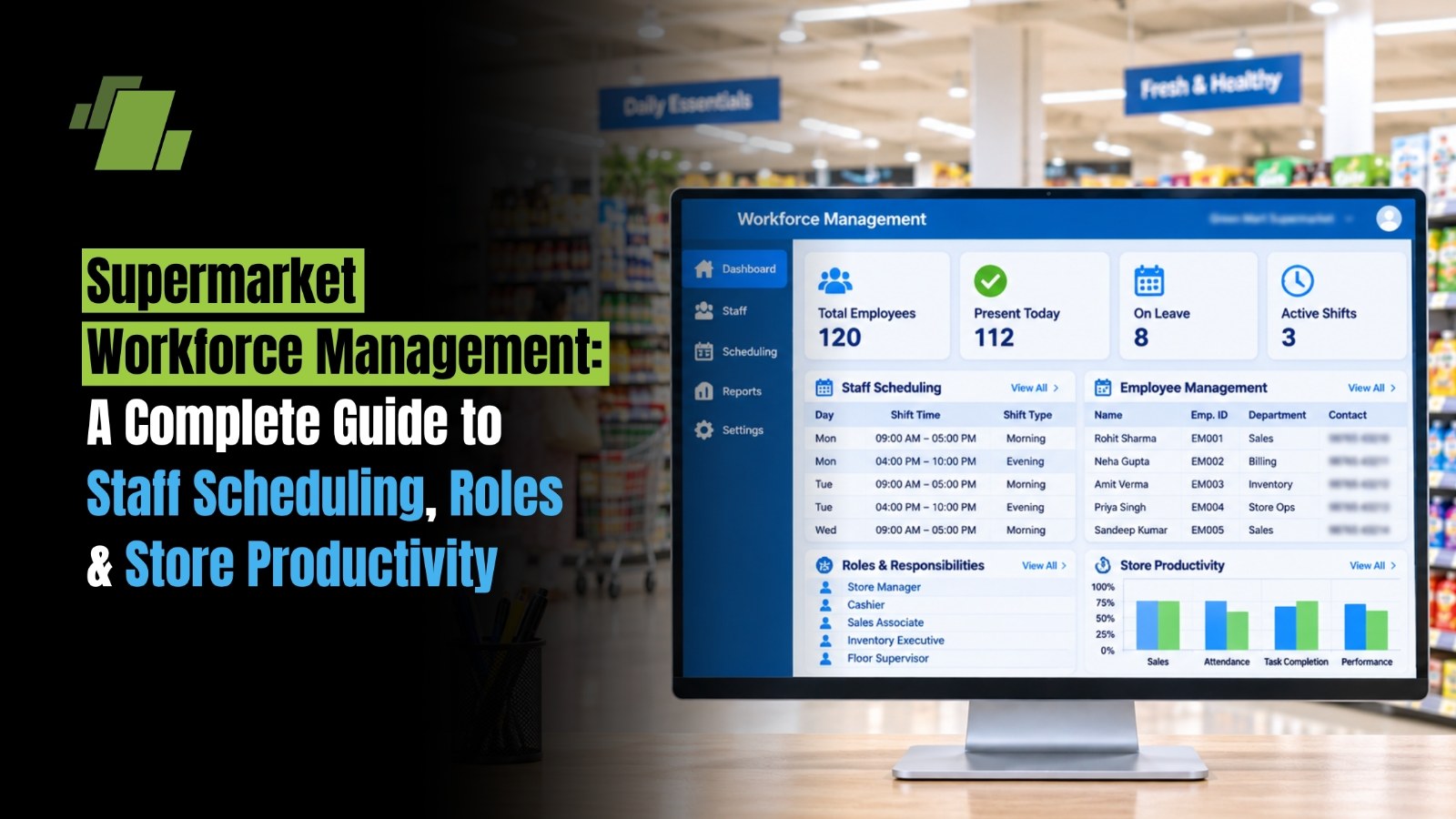
Supermarket's performance depends on more than product availability, pricing and checkout speed. It also depends on having the right employees in the right roles at the right time.
From cashiers and floor associates to inventory teams, supervisors and store managers, every role contributes to the customer experience and daily store operations. Poor scheduling can lead to long billing queues, unattended shelves, delayed stock replenishment and unnecessary labour costs.
Supermarket workforce management with LOGIC ERP supermarket POS software brings together employee scheduling, role allocation, attendance, task management, productivity monitoring and workforce planning. For supermarket chains, the goal is to maintain consistent store operations while matching staffing levels to customer demand.
Contact Us
Free Demo Request
What is Supermarket Workforce Management?
Supermarket workforce management is the process of planning, organising, scheduling and monitoring employees to ensure that every store has adequate staff to handle customer demand and operational responsibilities.
It involves more than maintaining attendance records or preparing employee rosters. It connects workforce availability with store activities, customer footfall, sales patterns, inventory requirements and service expectations.
A supermarket workforce management system or process typically covers:
-
Staff Scheduling: Preparing daily, weekly and monthly employee shifts.
-
Role Allocation: Assigning responsibilities to cashiers, floor associates, supervisors and inventory staff.
-
Attendance Management: Tracking employee attendance, late arrivals, leave and shift adherence.
-
Task Management: Assigning and monitoring activities such as shelf replenishment, cleaning and stock checks.
-
Workforce Planning: Estimating staffing requirements based on store traffic and operational workload.
-
Productivity Monitoring: Evaluating employee performance against defined responsibilities and store targets.
-
Multi-store Workforce Coordination: Managing staffing requirements across multiple supermarket outlets.
The objective is to maintain the right balance between employee availability, customer service, operational efficiency and labour costs.
Why is Workforce Management Important for Supermarkets?
Supermarkets operate throughout the day, and customer traffic is rarely consistent. Weekday mornings, evening rush hours, weekends, salary days and festive seasons can all create different staffing requirements.
If a supermarket schedules the same number of employees throughout the day, it may experience unnecessary labour costs during quiet hours and inadequate service during peak periods.
According to McKinsey's research on retail labour scheduling, retailers can improve both operating costs and customer service by matching employee working hours to store workload rather than relying only on broad sales forecasts.
Key benefits of effective workforce management
|
Benefit |
How it Helps Supermarket Operations |
|
Better staff utilisation |
Matches employee availability with actual workload |
|
Faster checkout |
Provides sufficient cashier coverage during busy hours |
|
Improved customer service |
Keeps employees available to assist shoppers |
|
Controlled labour costs |
Reduces unnecessary overtime and overstaffing |
|
Efficient store operations |
Ensures routine tasks are completed on time |
|
Better accountability |
Establishes clear responsibilities for every role |
|
Consistent store performance |
Standardises workforce processes across outlets |
Effective workforce management is not simply about reducing employee hours. It is about allocating available working hours where they create the greatest operational value.
Identify Key Employee Roles in a Supermarket
A supermarket requires employees with different responsibilities across its departments. Clearly defined roles help prevent task duplication, improve accountability and ensure that important activities are not overlooked.
Common supermarket employee roles
|
Employee Role |
Key Responsibilities |
|
Store Manager |
Overall store operations, sales, staffing and performance |
|
Floor Supervisor |
Supervising employees and monitoring floor activities |
|
Cashier |
Billing, payments, returns and customer checkout |
|
Sales Associate |
Customer assistance, product information and shelf organisation |
|
Inventory Executive |
Stock checks, replenishment and inventory accuracy |
|
Receiving Executive |
Receiving goods and verifying supplier deliveries |
|
Warehouse Staff |
Storage, picking, stock movement and dispatch |
|
Department Supervisor |
Managing category-specific activities and employees |
|
Housekeeping Staff |
Maintaining cleanliness and store hygiene |
|
Security Personnel |
Monitoring store security and loss prevention |
Why Role Clarity Matters?
When employees do not have clearly assigned responsibilities, essential activities can be delayed or overlooked.
For example, if nobody is specifically responsible for monitoring shelf availability, products may remain in the backroom even when the corresponding shelves are empty.
A role-based responsibility structure helps ensure that:
-
Every department has an assigned supervisor or responsible employee.
-
Cashiers understand billing and checkout procedures.
-
Inventory teams follow standard receiving and stock-check processes.
-
Floor associates know their replenishment and customer-service responsibilities.
-
Store managers can identify who is responsible for operational issues.
Staff Scheduling and Shift Planning
Staff scheduling is one of the most important parts of supermarket workforce management. It determines how many employees are required, which roles they should perform and when they should work.
A good schedule considers both customer-facing responsibilities and operational activities that happen outside peak shopping hours.
Factors to consider when preparing supermarket staff schedules
1. Customer Footfall
Analyse the number of customers visiting the supermarket during different hours and days. Higher footfall generally requires greater cashier and floor coverage.
2. Sales Patterns
Review hourly and daily sales trends. However, sales value alone may not accurately represent workload. A store selling many low-value grocery items may need more checkout support than a store with fewer, higher-value transactions.
3. Store Size and Layout
Larger supermarkets may require more employees to cover separate departments, aisles, counters and storage areas.
4. Department Requirements
Different departments have different staffing needs. Fresh food counters, bakery sections, checkout counters and receiving areas may require dedicated employees.
5. Employee Availability
Consider employee availability, weekly offs, approved leave, shift preferences and applicable working-hour requirements.
6. Promotional and Seasonal Demand
Festive sales, weekend offers, month-end shopping and special promotions may require additional staff.
Example of a Supermarket Shift Schedule
The following is an illustrative staffing plan for a supermarket operating from 9 AM to 10 PM. Actual schedules should be adapted to store traffic, opening and closing responsibilities, employee availability and applicable labour rules.
|
Shift |
Timing |
Main Responsibilities |
|
Morning |
8 AM–4 PM |
Store opening, receiving, shelf replenishment and early customer service |
|
General |
10 AM–6 PM |
Floor operations, customer assistance and billing |
|
Evening |
2 PM–10 PM |
Peak-hour billing, replenishment and store closing |
|
Flexible support |
Demand-based |
Checkout assistance, stock movement and customer support |
How to Prepare an Effective Staff Roster?
-
Review historical customer footfall and transaction patterns.
-
Identify staffing requirements for each department.
-
Check employee availability and skill sets.
-
Assign shifts according to workload and minimum coverage requirements.
-
Allocate weekly offs, breaks and leave coverage.
-
Publish the roster in advance.
-
Monitor actual attendance and adjust for unexpected absences.
Fixed Versus Flexible Staff Scheduling
|
Scheduling Model |
How it Works |
Best Suited for |
|
Fixed scheduling |
Employees work predetermined shifts |
Stores with relatively predictable workloads |
|
Rotational scheduling |
Employees rotate between shifts |
Supermarkets operating extended hours |
|
Flexible scheduling |
Working hours are adjusted according to demand |
Stores with fluctuating customer traffic |
|
Demand-based scheduling |
Staffing is planned using footfall, transactions and workload forecasts |
High-volume supermarkets and chains |
A hybrid approach often works well. Core employees maintain consistent shifts, while trained support staff help cover predictable demand peaks.

Demand-Based Staff Allocation
A common workforce planning mistake is scheduling employees based only on store opening hours or total daily sales.
Supermarkets should also understand when customers visit, which departments experience higher workloads and how much time different activities require.
Research on traffic-based labour planning highlights the importance of relating workforce allocation to customer traffic and store performance.
How Demand-based Staffing Works?
Consider a supermarket that experiences the following customer traffic:
|
Time |
Customer Traffic |
Staffing Requirement |
|
9 AM–11 AM |
Low |
Basic cashier and floor coverage |
|
11 AM–2 PM |
Moderate |
Additional floor and checkout support |
|
2 PM–5 PM |
Moderate |
Standard departmental coverage |
|
5 PM–8 PM |
High |
Additional cashiers and floor associates |
|
8 PM–10 PM |
Moderate to high |
Billing, replenishment and closing support |
This is an illustrative pattern, not a universal supermarket traffic curve. Each outlet should use its own transaction and footfall data.
A practical Approach to Workforce Demand Forecasting
-
Review historical footfall by hour and day.
-
Analyse transaction counts and average basket size.
-
Identify promotional periods and seasonal variations.
-
Estimate workload for checkout, replenishment and receiving.
-
Calculate required employee hours by role.
-
Compare planned staffing with actual demand.
-
Adjust future schedules based on performance.
A useful planning concept is:
Required Labour Hours = Forecasted Workload × Standard Time per Activity
For example, if a supermarket expects 120 shelf-replenishment tasks and each task takes an average of 5 minutes:
Total replenishment time = 120 × 5 = 600 minutes, or 10 labour hours.
This is a simplified illustration. Actual planning should account for task complexity, travel time, employee skill levels and other operational activities.
Attendance, Leave and Shift Management
Even a well-prepared roster can fail when attendance is not monitored properly. Late arrivals, unplanned absences and overlapping shifts can affect checkout operations and departmental coverage.
An organised attendance and leave management process helps store managers understand actual workforce availability.
Important Attendance Management Activities
-
Employee clock-in and clock-out recording
-
Shift-wise attendance monitoring
-
Late arrival and early departure tracking
-
Leave applications and approvals
-
Weekly off management
-
Overtime recording
-
Shift swaps and replacements
-
Absence alerts and exception reporting
Best Practices for Attendance Management
-
Establish standard attendance policies for all outlets.
-
Define shift start and end times clearly.
-
Maintain accurate attendance records.
-
Establish an approval process for leave and shift changes.
-
Monitor overtime and additional working hours.
-
Maintain backup coverage for critical roles.
-
Review attendance exceptions regularly.
For supermarket chains operating across different Indian states, attendance and working-hour policies should also reflect the applicable Shops and Establishments legislation, other relevant labour requirements and the organisation's employment policies. Compliance should be reviewed with qualified HR or legal professionals.
Task Management and Daily Store Operations
Workforce management also involves ensuring that employees complete their assigned operational activities on time.
Supermarket operations include several tasks that may not directly involve customer billing but are essential for maintaining store readiness.
Common Saily Supermarket Tasks
|
Department |
Daily Activities |
|
Checkout |
Counter preparation, billing and cash reconciliation |
|
Sales floor |
Shelf arrangement, product facing and customer assistance |
|
Inventory |
Stock checks, replenishment and discrepancy reporting |
|
Receiving |
Goods verification and inward entry |
|
Fresh food |
Quality checks, temperature monitoring and expiry checks |
|
Housekeeping |
Cleaning aisles, counters and common areas |
|
Store management |
Opening checks, employee allocation and closing reports |
How Task Allocation Improves Productivity?
A task management process should define:
-
What needs to be completed
-
Who is responsible
-
When it should be completed
-
What completion standard applies
-
Who verifies the work
For example, a store manager can assign shelf replenishment to specific employees before evening peak hours. A supervisor can then verify shelf availability before the busiest shopping period begins.
Digital task management tools can help track assignment, progress and completion across departments and outlets.
Employee Cross-Training and Workforce Flexibility
Supermarkets experience sudden changes in workload. A cashier may need assistance during a billing rush, while the inventory team may require additional support during a large supplier delivery.
Cross-training helps employees develop skills beyond their primary responsibilities, allowing managers to reallocate staff when necessary.
Examples of Cross-training in Supermarkets
|
Primary Role |
Additional Skill |
|
Cashier |
Customer assistance and returns |
|
Floor associate |
Shelf replenishment and stock checks |
|
Inventory executive |
Goods receiving and barcode verification |
|
Department associate |
Basic POS operations |
|
Store supervisor |
Shift coordination and operational reporting |
However, employees should only be assigned tasks for which they are trained and authorised. Cross-training should support flexibility without compromising accuracy, food safety, security or customer service.
Monitor Employee Productivity and Store Performance
Employee productivity should be evaluated through a combination of operational output, service quality and adherence to responsibilities.
Measuring only sales per employee can create an incomplete picture because different roles contribute to supermarket performance in different ways.
Important Supermarket Workforce KPIs
|
KPI |
What it Measures |
|
Sales per labour hour |
Sales generated relative to employee working hours |
|
Transactions per cashier hour |
Checkout transaction volume handled per cashier hour |
|
Labour cost as % of sales |
Workforce cost relative to store sales |
|
Schedule adherence |
Whether employees work according to assigned shifts |
|
Task completion rate |
Percentage of assigned tasks completed |
|
Absenteeism rate |
Frequency of employee absence |
|
Overtime hours |
Additional hours worked beyond scheduled hours |
|
Customer waiting time |
Time customers spend waiting for service |
|
Employee turnover rate |
Employee exits over a defined period |
Important Workforce Productivity Formulas
1. Sales per Labour Hour
Sales per Labour Hour = Net Sales / Total Labour Hours
Example:
If a supermarket generates ₹1,20,000 in net sales using 120 labour hours:
Sales per labour hour = ₹1,000.
2. Labour Cost Percentage
Labour Cost % = (Total Labour Cost / Net Sales) x 100
Example:
If monthly labour cost is ₹3,00,000 and net sales are ₹30,00,000:
Labour cost percentage = 10%.
3. Task Completion Rate
Task Completion Rate = (Tasks Completed / Tasks Assigned) x 100
Example:
If employees complete 180 out of 200 assigned tasks:
Task completion rate = 90%.
4. Absenteeism Rate
Absenteeism Rate= (Unscheduled Absence Days / Scheduled Working Days) x 100
These calculations should use consistent definitions and reporting periods. Productivity metrics should also be interpreted alongside customer service, task quality and employee workload.
Multi-Store Workforce Management for Supermarket Chains
Managing employee schedules at one supermarket is different from coordinating the workforce across ten, twenty or fifty outlets.
A multi-store supermarket chain needs central oversight while allowing individual store managers to respond to local operational requirements.
Key Areas of Multi-store Workforce Coordination
Centralised Workforce Policies
Head office can establish common guidelines for employee roles, attendance, shift structures, reporting and performance evaluation.
Store-wise Staff Allocation
Each outlet should have staffing levels based on its size, customer traffic, departments and operational workload.
Consistent Reporting
Management should be able to compare attendance, labour costs, overtime and productivity across outlets.
Employee Transfers and Backup Planning
For businesses that permit cross-location staffing, managers need a clear process for temporary employee deployment and shift coverage.
Store-level Accountability
Every outlet should have defined responsibilities for roster preparation, attendance review, task completion and performance reporting.
Example: Comparing Workforce Performance across Stores
|
Metric |
Store A |
Store B |
Store C |
|
Monthly sales |
₹30 lakh |
₹24 lakh |
₹18 lakh |
|
Labour cost |
₹3 lakh |
₹2.8 lakh |
₹2.1 lakh |
|
Labour cost % |
10% |
11.67% |
11.67% |
|
Labour hours |
3,000 |
2,800 |
2,100 |
|
Sales per labour hour |
₹1,000 |
₹857 |
₹857 |
This comparison helps management identify where labour costs or productivity differ. It does not automatically mean that Store B or C is overstaffed. Differences in store size, service counters, opening hours, product mix and customer requirements should also be considered.
Common Supermarket Workforce Management Challenges
|
Challenge |
Operational Impact |
Recommended Approach |
|
Inaccurate shift planning |
Overstaffing or understaffing |
Use historical traffic and workload data |
|
Unclear employee responsibilities |
Missed or duplicated tasks |
Define roles and ownership |
|
High absenteeism |
Disrupted store operations |
Maintain backup staffing plans |
|
Manual attendance records |
Errors and limited visibility |
Use reliable digital attendance processes |
|
Poor communication |
Delayed task execution |
Establish standard communication channels |
|
Inconsistent store policies |
Different operating standards |
Centralise workforce guidelines |
|
Limited productivity tracking |
Difficult performance evaluation |
Monitor role-specific KPIs |
|
Insufficient training |
Errors and slower operations |
Introduce structured training and cross-training |
Best Practices for Improving Supermarket Workforce Productivity
Supermarkets can improve workforce efficiency through a combination of structured planning, employee training, clear accountability and operational data.
-
Plan shifts around demand: Use customer traffic and transaction patterns to identify peak staffing requirements.
-
Define role-wise responsibilities: Ensure that every employee understands their daily tasks and reporting structure.
-
Prepare rosters in advance: Give employees sufficient notice of their schedules.
-
Monitor attendance consistently: Track shift adherence, overtime and unplanned absences.
-
Use task checklists: Establish clear daily, weekly and monthly operational responsibilities.
-
Train employees across relevant functions: Improve flexibility during unexpected workload changes.
-
Review productivity regularly: Evaluate role-specific performance rather than relying on sales alone.
-
Standardise multi-store processes: Maintain consistent workforce policies across outlets.
-
Use operational data: Connect sales and transaction trends with workforce planning decisions.
-
Prioritise employee well-being: Maintain reasonable workloads, rest breaks and fair scheduling practices.
How Retail ERP and POS Software Support Supermarket Workforce Productivity?
Supermarket ERP and POS software can provide operational information that helps managers plan and monitor store activities.
A POS system records billing transactions, sales volumes and checkout activity. An ERP system can connect this information with inventory, purchasing, warehouse operations and management reporting.
Together, these systems can help supermarket managers understand workload patterns and make more informed staffing decisions.
Important Software Capabilities to Evaluate
|
Software Capability |
How it Supports Store Operations |
|
POS transaction reporting |
Helps identify peak billing hours |
|
Hourly sales analysis |
Provides insight into changing customer demand |
|
Store-wise reporting |
Helps compare operational performance |
|
Inventory management |
Helps plan receiving and replenishment activities |
|
Stock movement tracking |
Provides visibility into store and warehouse activities |
|
MIS dashboards |
Supports management review and decision-making |
|
Role-based access |
Helps control access to operational information |
Important distinction: POS and ERP software does not automatically replace a dedicated workforce management or HRMS platform. Attendance, leave, payroll, rostering and employee scheduling should be evaluated as separate capabilities or integrations.
Read Full Case Study here: LOGIC ERP x Desi Mart | Driving Efficiency with Supermarket Multi-Chain Retail Software
How LOGIC ERP Helps Supermarkets Improve Store Operations?
Managing supermarket productivity requires visibility into sales, billing, inventory and store-level activities. When these functions operate in disconnected systems, managers may struggle to identify operational bottlenecks and understand differences between outlets.
LOGIC ERP provides retail ERP, supermarket POS, inventory management and reporting capabilities that help supermarket businesses coordinate their retail operations.
Its operational data can support workforce planning by helping managers:
-
Review store-wise and hourly sales trends.
-
Understand billing volumes and checkout activity.
-
Monitor inventory and replenishment requirements.
-
Review business performance through management reports.
-
Coordinate operations across multiple supermarket outlets.
For dedicated employee scheduling, attendance and payroll requirements, businesses should evaluate the relevant HRMS functionality or integration separately.
When employee allocation is disconnected from actual store demand, productivity and customer service can suffer. LOGIC ERP connects supermarket POS, inventory and business reporting to give management better operational visibility.
Call at +91-73411-41176/75 or send us an email at sales@logicerp.com to book a free demo today!
Frequently Asked Questions
What is Workforce Management in a Supermarket?
It involves planning employee schedules, assigning responsibilities, monitoring attendance and measuring productivity to ensure smooth supermarket operations.
2. What are the Main Roles in a Supermarket?
Common roles include store managers, cashiers, floor supervisors, sales associates, inventory executives, receiving staff, warehouse employees and housekeeping personnel.
3. How do Supermarkets Prepare Employee Schedules?
They analyse customer footfall, sales trends, operational workload, employee availability, shift requirements and expected peak periods before preparing staff rosters.
4. What is Demand-based Staff Scheduling?
Demand-based scheduling allocates employees according to expected customer traffic and operational workload instead of maintaining identical staffing levels throughout the day.
5. How Can Supermarkets Reduce Employee Overtime?
They can improve shift planning, monitor attendance, forecast workload, allocate backup employees and review overtime patterns regularly.
6. How is Employee Productivity Measured in Supermarkets?
Productivity can be measured through sales per labour hour, transactions per cashier hour, task completion, schedule adherence and service-related indicators.
7. What is the Role of a Floor Supervisor in a Supermarket?
A floor supervisor coordinates employees, monitors shelf availability, assists customers, checks departmental tasks and reports operational issues to the store manager.
8. How Can Supermarkets Manage Staff Across Multiple Outlets?
They can establish centralised workforce policies, maintain store-wise employee records, standardise reporting and allow local managers to adjust staffing according to operational requirements.
9. Why is Cross-training Important for Supermarket Employees?
Cross-training allows employees to perform additional authorised tasks, helping managers respond to changing workloads and unexpected staffing shortages.
10. What is the Difference between Workforce Management and HR Management?
Workforce management focuses on operational staffing, scheduling, attendance and productivity. HR management covers broader employee lifecycle activities such as recruitment, employee relations, training and compensation.
11. How does POS Software Help with Supermarket Workforce Planning?
POS software provides transaction and sales data that can help managers identify busy periods, evaluate checkout workload and make better-informed staffing decisions.
12. What Should Supermarkets Look for in Workforce Management Software?
They should evaluate shift scheduling, attendance, leave management, employee availability, task allocation, reporting, overtime monitoring, integrations and multi-store support.
13. What is Supermarket Workforce Management?
Supermarket workforce management is the process of scheduling, allocating, monitoring and managing employees to ensure that stores have adequate staff for customer service and daily operations.
14. How do Supermarkets Manage Employee Schedules?
Supermarkets manage employee schedules by analysing customer footfall, sales patterns, department workload, employee availability and shift requirements to prepare daily or weekly staff rosters.
15. How can Supermarkets Improve Employee Productivity?
Supermarkets can improve employee productivity through clear role allocation, demand-based scheduling, attendance monitoring, task management, cross-training and regular performance reviews.
16. What are the Key KPIs for Supermarket Workforce Management?
Key KPIs include sales per labour hour, labour cost percentage, transactions per cashier hour, task completion rate, absenteeism, overtime and customer waiting time.
