Billing Software: Complete Guide to GST Billing, Invoicing & Accounting with LOGIC ERP

Summary
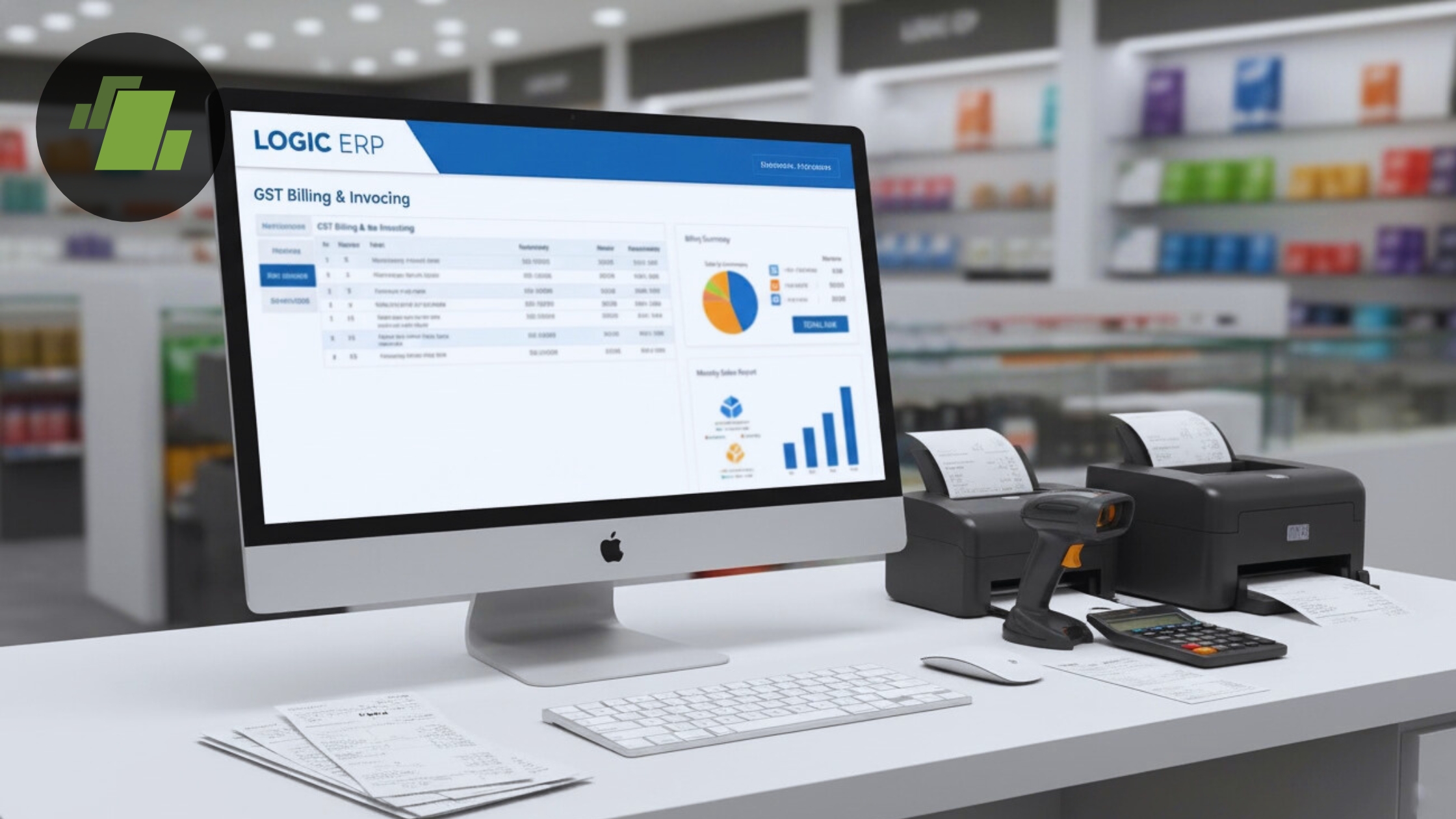
Running a business in India without proper billing software in 2026 is like navigating Mumbai traffic without GPS, technically possible, but unnecessarily painful and prone to expensive mistakes. Whether you’re managing a single retail shop or coordinating multiple distribution outlets, the right billing system transforms how you handle invoices, taxes, inventory, and cash flow.
Key Takeaways
- Billing software is a digital system that automates invoice generation, GST calculations, payment tracking, and accounting tasks, eliminating manual errors that affect up to 30% of businesses still using spreadsheets or paper records.
- Modern GST billing software must support e-invoicing (mandatory for businesses above INR 5 crore turnover), e way bills for inter-state movement, multi-device access, and automatic CGST/SGST/IGST calculations based on place-of-supply rules.
- Concrete benefits include faster cash flow through automated payment reminders, 100% GST compliance with pre-filled GSTR-1 and GSTR-3B reports, zero calculation errors, and real-time inventory tracking across all business locations.
- LOGIC ERP has served Indian businesses since the late 1990s, processing millions of invoices daily for SMEs, retailers, and multi-outlet chains with deep expertise in India’s GST framework and retail-distribution operations.
- This guide covers everything from billing software basics and GST compliance features to cloud vs offline deployment, industry-specific use cases, implementation steps, and how LOGIC ERP compares as an all-in-one solution.
Summary
Billing software in 2026 solves real operational headaches that Indian businesses face daily from generating accurate GST invoices and managing e-invoicing compliance to tracking inventory levels and collecting payments on time. The best billing software for small business operations goes far beyond simple invoice printing; it integrates invoicing software capabilities with inventory management, accounts receivable tracking, and GST filing support in one unified system.
For retailers, distributors, pharmacies, and service providers across India, online billing software has become essential infrastructure rather than optional technology. Cloud based GST billing and accounting software enables business owners to access sales data, generate reports, and monitor cash flow from anywhere, whether at the shop counter, warehouse, or home. Free billing software options exist but typically limit features, users, or invoice volumes, making professional solutions like LOGIC ERP more practical for growing businesses.
LOGIC ERP provides a unified platform combining billing, GST compliance, inventory tracking, accounting, and analytics specifically designed for Indian MSMEs and adaptable to international VAT requirements. Whether you operate a supermarket chain, pharmaceutical distribution network, or consulting practice, this guide will help you understand what features matter, how to evaluate options, and how to implement billing software that actually improves your entire business performance.
What Is Billing Software?
Billing software is a digital system that automates the creation, management, and tracking of invoices, bills, and related financial documents for products and services. It fundamentally replaces what was traditionally a manual, error-prone process involving spreadsheets, paper records, or basic word processors with a streamlined workflow that handles calculations, tax compliance, and record-keeping automatically.
The critical distinction lies between basic invoicing software, which focuses solely on generating and sharing invoices, and comprehensive billing and accounting software that integrates multiple business functions. A full-featured billing system handles:
- Invoice generation with automatic tax calculations
- Books of accounts updated in real-time
- Inventory management with stock adjustments per transaction
- Bank reconciliation and payment tracking
- GST compliance including e-invoicing and filing support
Several related terms describe overlapping functionality in this space:
| Term | Primary Focus |
|---|---|
| GST Billing Software | Indian GST compliance with HSN/SAC codes and multi-slab tax handling |
| Invoicing Software | Document creation, invoice generation, and sharing |
| POS Billing Software | Point-of-sale billing and transactions in retail environments |
| Cloud Billing Software | Web-based billing access across multiple devices and locations |
| Accounting Software | Complete books of accounts, ledgers, and financial reporting |
A modern billing system workflow typically follows this sequence: set up item masters with product details, HSN codes, prices, and tax rates; create customer and vendor databases with GSTINs; generate tax invoices by selecting items and applying appropriate GST slabs (0%, 5%, 12%, 18%, or 28%); share via WhatsApp, email, or print; accept payments through UPI, cards, or cash; and automatically sync to accounts for GST reports.
Common document types generated by billing software include:
- Tax invoice (mandatory for GST-registered businesses)
- GST invoice with proper CGST/SGST/IGST breakdowns
- Proforma invoice (preliminary quotes before final billing)
- Estimate or quotation (non-binding price offers)
- Delivery challan (goods movement without invoice)
- Credit notes and debit notes (for adjustments and returns)
- E-invoice (JSON-formatted for IRP submission)
- Purchase invoices for inward supplies
Why Billing Software Is Important for GST Businesses in India?
India’s GST regime, effective since July 1, 2017, unified taxation across the country but introduced complexities that make manual billing increasingly impractical. E-invoicing requirements now apply to businesses exceeding INR 5 crore aggregate annual turnover, with thresholds adjusted periodically by the GST Council. E-way bills remain mandatory for inter-state goods movement above INR 50,000 value.
Despite over 1.4 crore GST-registered businesses filing returns monthly, manual billing persists in 40-50% of SMEs, leading to widespread compliance issues and financial losses.
Pain Points of Manual Billing
The problems with spreadsheet-based or paper billing are severe and measurable:
- Tax calculation errors: CGST/SGST/IGST miscalculations occur in up to 30% of cases due to place-of-supply confusion (intra-state splits vs. inter-state IGST)
- Mismatched returns: Errors create discrepancies between GSTR-1 (outward supplies) and GSTR-3B (summary returns), triggering notices
- Penalties: Mistakes can result in penalties up to 100% of tax evaded plus interest at 18% per annum
- Payment delays: Lost or misplaced invoices extend payment collection by 15-30 days on average
- Stock mismatches: Unrecorded sales lead to overstocking (20-30% excess inventory costs) or stockouts (10-15% lost sales)
A 2024 NASSCOM report noted that manual errors contribute to 25% of GST notices issued by tax authorities.
How GST Billing Software Solves These Issues?
Proper GST billing software addresses each pain point systematically:
- Automated tax application: HSN/SAC-based tax slab selection (5% on essentials, 28% on luxury items) eliminates calculation guesswork
- Place-of-supply logic: Automatic determination of CGST/SGST for intra-state vs. IGST for inter-state transactions
- Pre-filled GST reports: One-click generation of GSTR-1, GSTR-3B, and GSTR-9 summaries ready for filing
- E-invoicing integration: JSON submission to Invoice Registration Portal (IRP) for IRN and QR code embedding
- E-way bill generation: Invoice data auto-fills transporter details and generates EWB numbers instantly
- Audit-ready records: Change logs and complete transaction trails reduce notice risks by up to 90%
LOGIC ERP embeds these compliance features with GSP integration for seamless GST portal filing. The system adapts to VAT and sales-tax regimes in markets like UAE and Southeast Asia for businesses with international operations.
GST Billing Software for Small Businesses
GST billing software typically provides customizable invoice templates to reflect a business’s branding. Users are likely looking for information on how billing software can help streamline their invoicing and accounting processes, particularly in relation to GST compliance and inventory management.
Many GST billing software solutions offer features for automatic data backup to ensure business data is secure. GST billing software often includes features for managing multiple payment options, enhancing customer convenience. Many GST billing software solutions are designed to be user-friendly, allowing small business owners to manage their billing without extensive training.
GST billing software helps small businesses generate GST-compliant invoices quickly and efficiently. GST billing software allows users to track inventory levels in real-time, helping to manage stock effectively. GST billing software can simplify the process of filing GST returns by generating necessary reports like GSTR-1 and GSTR-3B. Users can create and send invoices through various channels such as email, SMS, or WhatsApp using GST billing software.
Core Features of Modern Billing Software (What to Look For)
Selecting the best GST billing software requires evaluating features against your actual business operations. This checklist covers essential capabilities for 2025, whether you’re running a small shop or managing distribution across multiple locations.
Invoice Generation Essentials
Must-have invoicing capabilities include:
- Multiple invoice formats (A4, A5, thermal prints for POS)
- Support for both GST and non-GST invoices
- Customizable invoice template with business logo
- Barcode scanning for 2-5 second item entry
- Multi-GST slab handling with cess where applicable
- Discount structures (item-wise, scheme-based, bill-level)
- Professional invoices that clients can pay directly via embedded links
Payment Features
Your billing app should handle diverse payment methods:
- UPI QR code generation (handling 80% of India’s digital transactions per 2025 RBI data)
- Card payments integration
- Cash and wallet tracking
- Bank transfer recording
- Partial and advance payments
- Multiple payment options on single invoices
- Automatic payment reminders via SMS, WhatsApp, and email
- Payment history tracking per customer
These features directly improve cash flow by cutting receivables by 20-40% through systematic follow-up on overdue payments.
Advanced Workflow Capabilities
Beyond basic invoice generation, look for:
- Recurring invoices for subscription and service businesses
- Quotation-to-invoice conversion with one click
- Delivery challan to invoice conversion
- Purchase order to purchase bill workflows
- Role-based multi-user access (cashier view vs. manager view)
- Create invoices from mobile devices while visiting clients
- Bill-wise adjustment for tracking payment history against specific invoices
Analytics and Reporting
Error free invoices mean nothing without visibility into business performance. Essential reports include:
| Report Type | Purpose |
|---|---|
| Daily Sales Summary | Track daily revenue and transactions |
| Profit & Loss Statement | Understand margins and expenses |
| Balance Sheet | View overall financial position |
| GST Registers | CGST/SGST/IGST summaries for filing |
| Stock Summary | Current inventory levels |
| Ageing Receivables | Who owes money and for how long |
| Ageing Payables | What you owe vendors |
| User-wise Billing | Staff performance tracking |
LOGIC ERP delivers all these features out-of-the-box with additional modules for accounting tasks, POS, retail chain management, and distribution operations. The system includes CRM capabilities for loyalty programs and BI dashboards with AI-powered alerts for informed business decisions.
Types of Billing Models
Users may want to understand the different types of billing models (like recurring and one-time billing) and how they can apply these models to their business operations.
- One-time billing by software refers to a billing model where a customer is charged a single, one-time fee for a product or service.
- Prepaid billing process is a type of billing system where a customer pays for goods or services in advance of receiving them.
- Recurring billing process helps businesses maintain a predictable cash flow by providing a steady stream of revenue over a period of time.
- One-time billing simplifies the payment process for both the customer and the business, allowing customers to make a one-time payment without worrying about recurring charges.
Prepaid billing by LOGIC ERP software provides businesses with a steady and predictable stream of revenue, helping them to better manage their cash flow. Recurring billing by LOGIC ERP is a payment model in which customers are charged automatically and on a regular basis for a service or product that is delivered periodically. - Invoice billing by LOGIC ERP is a method of billing where a seller sends a document (the invoice) to a buyer with a detailed description of goods or services provided and the amount owed.
Cloud-Based vs Offline Billing Software
The deployment model for your billing system significantly impacts daily operations, scalability, and data access patterns. Understanding the trade-offs helps match software to your business reality.
Cloud-based billing software operates via web browsers and mobile apps, storing data on secure remote servers. Offline desktop billing software installed on local computers or LAN networks with data residing on-premise.
Benefits of Cloud Billing Software
Users are likely looking for insights on the features and benefits of using cloud-based billing software, especially in terms of accessibility, security, and scalability for their businesses.
- Cloud-based billing software ensures data security by encrypting sensitive financial information and providing automatic backups.
- Cloud-based billing software allows businesses to handle invoicing and manage financial information securely over the internet.
- Cloud-based billing software reduces operational costs by eliminating the need for expensive IT infrastructure and allowing businesses to pay only for what they use.
Table for this Content:
- Access anytime, anywhere across Windows, Mac, Android, and iOS devices
- Automatic daily backups without manual intervention
- Real-time multi-branch synchronization for centralized inventory and pricing
- Scalability from 1 to 1000+ stores without infrastructure changes
- Automatic updates when GST rules change (like 55th Council meeting amendments)
- Multi-language interface support (English, Hindi, Gujarati, Punjabi)
- 99.9% uptime typical for professional cloud platforms
- Ideal for remote oversight, check sales data from anywhere
Importance of Effective Billing Practices
- Users might be seeking guidance on the importance of effective billing practices and how they can enhance cash flow management and customer relationships.
- Clear and accurate billing information minimizes confusion and disputes over charges, improving customer satisfaction.
- Providing multiple payment options increases the likelihood of timely payments from customers.
- Prompt follow-up on overdue payments is essential for maintaining positive cash flow and customer relationships.
- Effective billing practices build trust and maintain good relationships with customers by providing clear and transparent billing information.
- Accurate and detailed billing statements help prevent disputes and chargebacks, which can be costly for businesses.
- Timely and effective billing is crucial for maintaining a steady revenue stream and financial stability for businesses.
- A solid billing system by LOGIC ERP helps businesses stay on top of their financial game and maintain a strong defense against revenue loss.
When Offline or Hybrid Software Makes Sense
Offline solutions suit specific scenarios:
- Low-internet rural areas (approximately 30% of India lacks reliable broadband)
- Single-PC setups with no need for remote access
- Businesses with data-sovereignty mandates requiring on-premise storage
- Environments where internet latency affects checkout speed
The trade-offs are real: offline systems risk data silos, require manual backups, and complicate multi-location coordination.
Hybrid Models
The best approach often combines both: local billing continues during internet outages, with automatic synchronization when connectivity resumes. This prevents lost sales while maintaining centralized business data.
LOGIC ERP supports cloud, on-premise, and hybrid deployments. A business can start with offline software and migrate to cloud based operations when ready—or run hybrid models where retail counters work offline while syncing to central cloud servers hourly.
GST, E-Invoicing & E-Way Bill Capabilities
E-invoicing mandates have expanded significantly: from INR 100 crore annual aggregate turnover in 2020 to INR 5 crore by August 2023, with further expansion to INR 10 crore for subsequent phases. This means approximately 80% of B2B invoices now require e-invoicing compliance.
E-Invoicing Requirements
Proper e invoicing software should:
- Generate IRN-ready JSON files meeting schema v3.1+ specifications
- Auto-submit to any of 10+ Invoice Registration Portals (IRPs)
- Embed signed QR codes on invoices after IRN generation
- Handle bulk invoice submission for high-volume businesses
- Create gst reports showing e-invoicing status and any rejections
The system should also support B2C QR codes, mandatory since 2020 for businesses crossing specified thresholds.
E-Way Bill Generation
For goods movement, your online gst billing software should enable:
- Auto-fill of invoice data into e-way bill forms
- Transporter GSTIN and vehicle details entry
- Distance calculation and validity determination (1 day per 200km)
- Bulk e way bills generation for 500+ shipments
- EWB number tracking linked to original invoices
Automated GST Reports
The billing process should automatically populate GST returns from transaction data:
- GSTR-1: Outward supplies (weekly or monthly based on scheme)
- GSTR-3B: Monthly summary returns
- GSTR-9: Annual return summaries
- Reconciliation reports: Flags mismatches between sales registers and GST portal data
LOGIC ERP automates e-invoice and e-way bill creation directly from invoices. What previously took hours of manual data entry now completes in minutes, reducing errors and ensuring full GST compliance. The system integrates with GSP networks for seamless gst filing without switching between multiple portals.
Inventory & Stock Management with Billing Software
Every sale, purchase, and return should update stock levels in real time. Without this integration, margins become guesswork, reorder timing fails, and dead stock accumulates unnoticed. Inventory tracking is fundamental to retail profitability.
Key Inventory Features
Comprehensive inventory management includes:
- Batch and expiry management: Critical for pharma and FMCG, preventing 15% expiry losses that occur without systematic tracking
- Size and color variants: Essential for apparel and footwear retailers
- Serial numbers and IMEI tracking: Required for electronics warranty management
- Multiple units of measure: Handle kg, pieces, boxes, and custom units
- Godown/warehouse-wise stock: Visibility across multiple storage locations
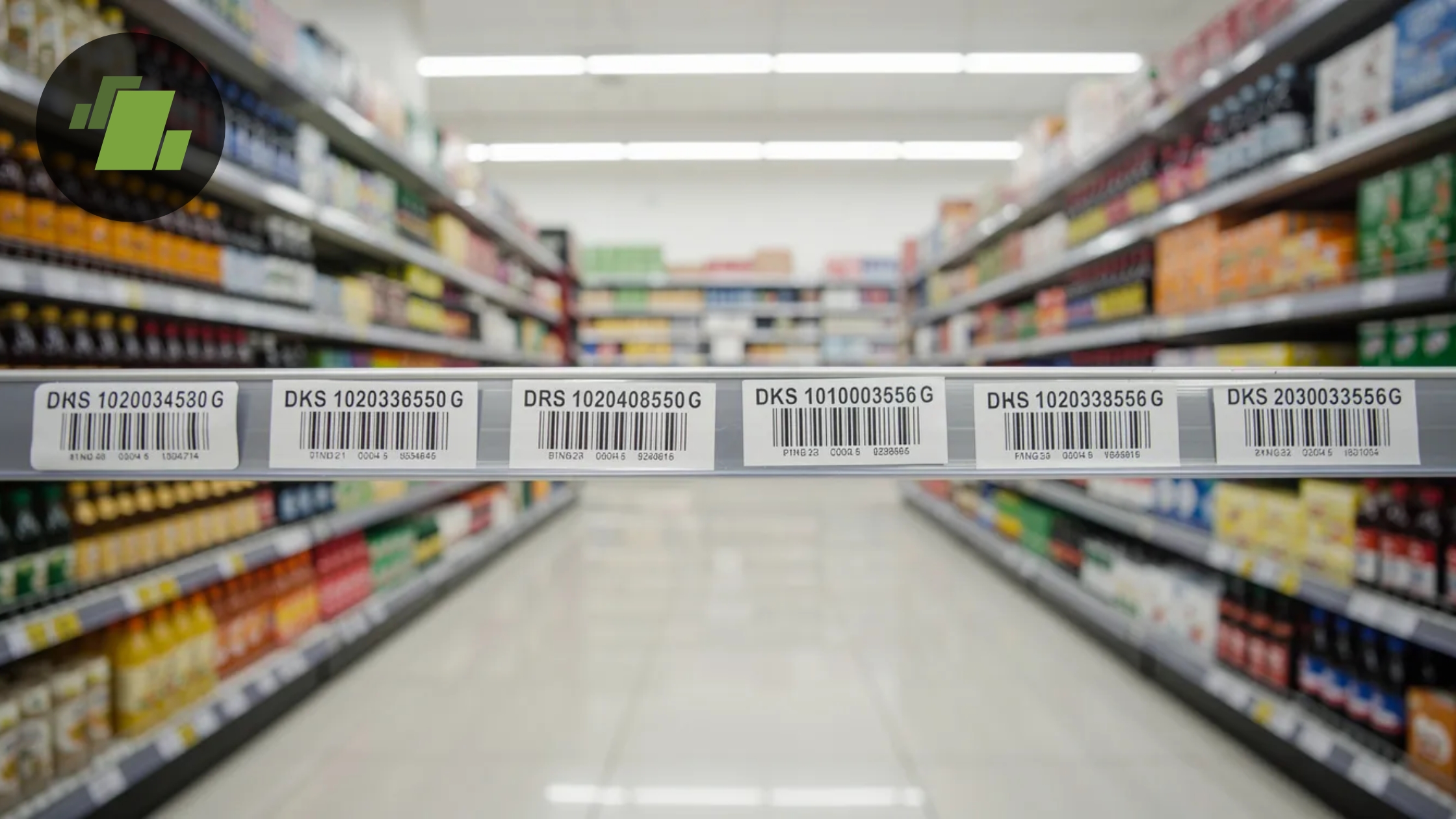
- Barcode integration: Enable fast checkout with scanning
Smart inventory systems enable:
- Minimum and maximum level settings per item
- Low-stock alerts before stockouts occur
- Automatic purchase suggestions based on sales velocity
- Vendor-wise purchase history for negotiation
- Track sales patterns to predict seasonal demand
Inventory Reports
Your billing system should generate:
| Report | Use Case |
|---|---|
| Stock Summary | Current inventory levels across all locations |
| Stock Ledger | Detailed transaction history with stock valuation |
| Dead Stock | Identify items with no movement for 90+ days |
| Slow-Moving Items | Track products with low turnover |
| Stock Valuation | Calculate inventory value using FIFO or weighted average methods |
| Item-wise Profitability | Analyze profit margins for each product |
LOGIC ERP serves supermarkets, apparel stores, electronics retailers, and pharma businesses because of strong inventory and barcode billing capabilities. The system supports weighing scale integration for produce and expiry alert automation for pharmaceuticals.
Cash Flow, Payments & Business Reports
Billing software is not just for printing invoices, it’s a cash flow management tool showing who owes how much and when. For most SMEs, accounts receivable management determines whether the business thrives or struggles with working capital.
Accounts Receivable Features
Track outstanding invoices systematically:
- Party-wise outstanding balances
- Ageing analysis (0-30, 30-60, 60-90, 90+ days buckets)
- Send payment reminders automatically via SMS, WhatsApp, and email
- Bill-wise adjustment linking payments to specific invoices
- Payment terms tracking per customer
- Request payment directly through invoice links
- Outstanding invoices dashboard for daily review
Automated reminders alone can cut Days Sales Outstanding (DSO) by 25%, directly improving cash flow without additional collection effort.
Accounts Payable Features
Manage vendor dues effectively:
- Vendor-wise payable summaries
- Purchase due dates and credit periods
- Interest/penalty tracking for overdue payments
- Purchase invoices linked to goods received
Essential Business Reports
Beyond GST compliance, generate reports for informed business decisions:
- Day book: All transactions chronologically
- Cash book: Cash inflows and outflows
- Bank book: Bank account movements
- Profit & loss: Revenue minus expenses
- Balance sheet: Assets, liabilities, and equity position
- Sales by customer: Identify top buyers
- Sales by item: Product performance analysis
- User-wise collections: Staff accountability
LOGIC ERP provides real-time dashboards and visual charts helping owners make decisions about pricing, discount policies, stock purchases, and credit limits. The system transforms financial data into actionable insights for business management.
Industries & Business Types That Need Billing Software
Billing software serves MSMEs, SMEs, freelancers, traders, manufacturers, and service providers across India and internationally. However, requirements vary significantly by industry—and generic solutions often fail where specialized features matter.
Retail and Distribution
| Business Type | Key Billing Needs |
|---|---|
| Retail Shops | Fast POS billing, barcode scanning, GST compliance |
| Supermarkets | Weighing scale integration, promotions, loyalty programs |
| FMCG Distributors | Route sales, scheme management, auto-replenishment |
| Pharmacies | Batch and expiry tracking, Drug License integration |
| Apparel Stores | Size and color variants, season management |
| Electronics Retailers | IMEI/serial number tracking, warranty management |
| Hardware Stores | Multi-UOM handling (pieces, kg, meters), project quotations |
| Automobile Spares | Part number lookup, vehicle compatibility tracking |
Food and Beverage
Restaurants and cafes need specialized features:
- Kitchen Order Tickets (KOT) for food preparation
- Table management and split bills
- Quick menu-based billing without barcode scanning
- Online store integration for delivery orders
Service Businesses
Different billing patterns apply:
- Repair centers: Job cards, parts + labor billing
- Consultants and agencies: Time-based billing, recurring invoices
- CA firms: Client-wise tracking, non-GST and GST invoice types
- Freelancers: Simple invoicing, multiple payment options
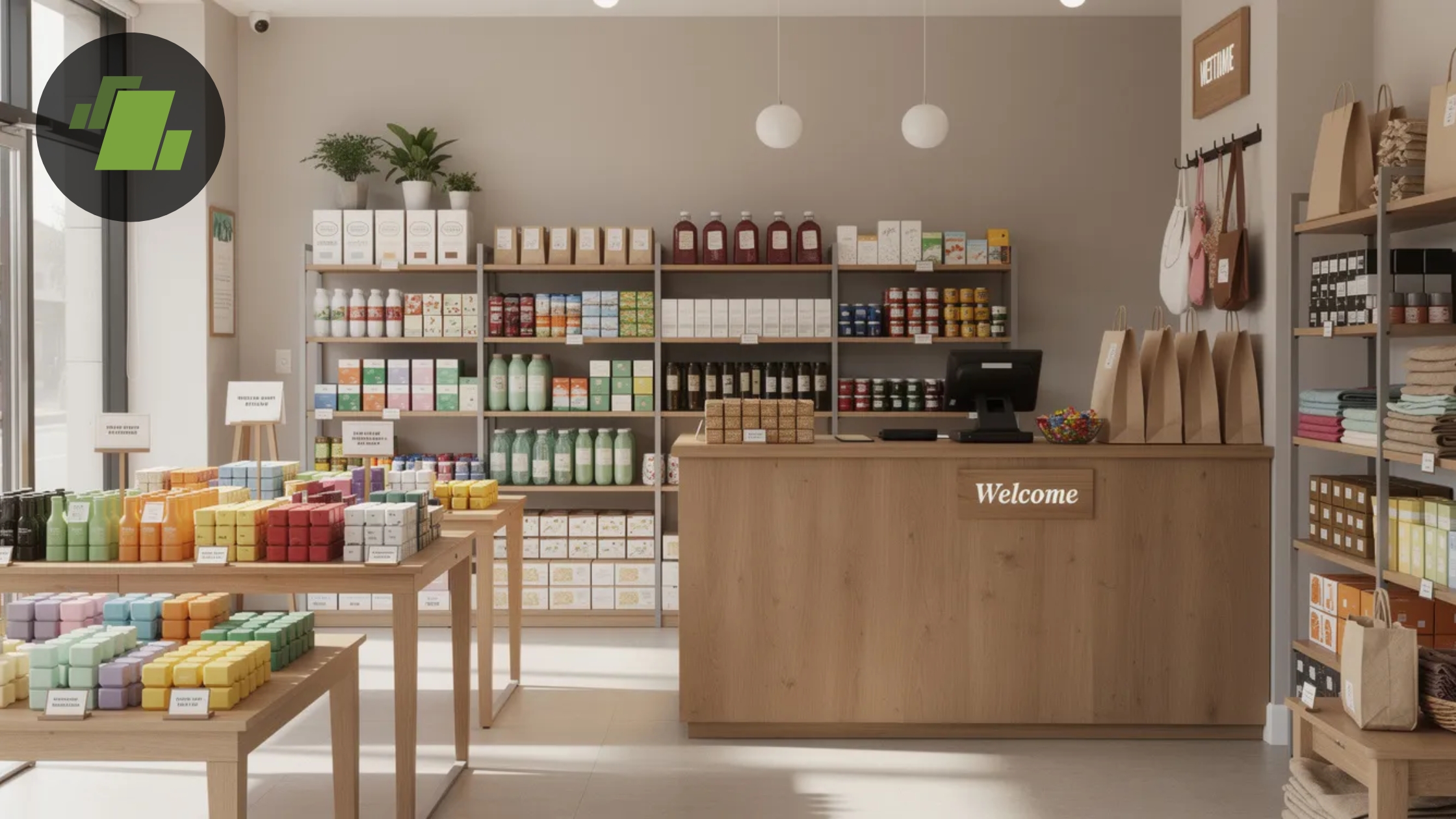
LOGIC ERP customizes implementations for each vertical: grocery POS with weighing integration, pharmacy expiry alerts, apparel variant handling, and distribution route management. The retail billing software adapts to business-specific workflows rather than forcing businesses into generic patterns.
Small Businesses and Startups
Small businesses need gst billing app capabilities that don’t require accounting knowledge to operate. Essential requirements include:
- Simple interface for staff training
- Mobile billing app for on-the-go invoicing
- Free gst software trials to evaluate before purchasing
- Scalability as transaction volumes grow
How LOGIC ERP Billing Software Stands Out
LOGIC ERP has served Indian businesses since the late 1990s, building deep expertise in retail, distribution, and manufacturing operations. The platform processes millions of invoices daily for SMEs, retailers, and multi-outlet chains across diverse industries.
Key Differentiators
- Deep retail and distribution expertise: Built specifically for Indian trading patterns and GST requirements
- Robust GST compliance: E-invoicing, e-way bills, GSP integration, and auto-updated tax tables
- Scalability: Works for single shops through 1000+ outlet chains
- Integration: Connects accounting, payroll, CRM, and manufacturing modules
- Omnichannel support: POS, e-commerce, and mobile billing unified
Usability Strengths
The system prioritizes daily operational efficiency:
- Intuitive billing screen with barcode scanning
- Fast checkout even during peak hours
- English and Indian regional language support
- Quick staff onboarding—most users productive within hours
- Create gst bills without complex training
Deployment Flexibility
Choose the model matching your infrastructure:
- On-premise: Full local control for businesses requiring it
- Private cloud: Dedicated cloud environment
- Multi-branch cloud: True SaaS with centralized management
- Hybrid: Local operation with cloud sync
All deployments include secure role-based access, data encryption, and automatic data backup to protect customer data and financial records.
Support and Updates
LOGIC ERP provides:
- Implementation assistance with data migration
- Staff training programs
- Ongoing phone and ticket support
- Regular updates aligned with CBIC notifications
- Compliance changes incorporated automatically
Pricing, Free Trials & How to Choose the Best Billing Software
Pricing for billing software in India ranges from free basic apps to premium ERP-grade platforms. Understanding pricing structures helps avoid surprises and ensures you get appropriate value.
Pricing Considerations
Key factors affecting billing software pricing:
| Factor | Impact on Price |
|---|---|
| Number of Users | Per-user licensing increases overall cost |
| Number of Devices | POS terminals, desktops, or mobile devices counted in pricing |
| Branches / Locations | Multi-branch or multi-location setups often come with premium plans |
| Invoice Volume | Higher volumes (10k+ invoices/month) may require higher subscription tiers |
| Required Modules | Additional modules like POS, accounting, inventory, or manufacturing affect pricing |
| Support SLAs | Priority or advanced support services may add extra cost |
Free Software Limitations
Many providers offer free billing software or free gst billing software with constraints:
- Limited to 100-500 invoices monthly
- No advanced inventory management
- Restricted GST report types
- Single-user or single-device only
- No multi-branch support
- Limited invoice template customization
- Minimal support resources
A 2024 industry analysis found 60% of businesses outgrow free invoicing software within six months, requiring migration to paid solutions anyway.
LOGIC ERP Pricing Approach
LOGIC ERP offers customized plans based on:
- Business size and industry vertical
- Required module combinations
- User and branch counts
- Deployment model (cloud vs. on-premise)
Demo access allows thorough evaluation before commitment. There are no hidden fees—pricing discussions cover all applicable costs upfront.
Evaluation Checklist
Before selecting any billing system, verify:
- GST compliance depth (e-invoicing, e-way bills, filing support)
- Inventory features matching your product types
- Payment tracking and reminder capabilities
- Report types for your decision-making needs
- Integration with existing systems (banks, e-commerce)
- Data security measures and backup policies
- Support responsiveness and training availability
- Hidden fees or renewal surprises
Implementation: From Signup to First Invoice
Moving from spreadsheets or legacy systems to proper billing software follows a straightforward roadmap. Planning each step prevents disruption and ensures your team adopts the new system successfully.
Step 1: Data Preparation
Gather existing business data before implementation:
- Customer lists with names, addresses, GSTINs, contact details
- Item masters with product names, HSN/SAC codes, prices, tax rates
- Vendor information for purchase tracking
- Opening balances for accounts if migrating mid-year
- Price lists and discount structures
- Bank account details for payment tracking
Export to Excel format for easy import into new systems.
Step 2: Company Setup
Configure your business profile in LOGIC ERP:
- Business GSTIN and legal name
- Addresses for all business locations
- Business logo for professional invoices
- Invoice series numbering (separate for tax invoices, challans, etc.)
- Financial year settings
- Tax configurations and default rates
- Bank details for payment collection
Step 3: Master Creation
Populate the system with operational data:
- Import products via Excel bulk upload
- Set units of measure per item
- Configure tax rates and HSN mappings
- Define warehouse/godown locations
- Create user roles with appropriate permissions
- Import customer accounts with credit limits
LOGIC ERP supports bulk Excel import for thousands of items, eliminating manual entry.
Step 4: Trial Invoices
Test before going live:
- Create sample GST invoices
- Verify tax calculations are accurate
- Test share methods (WhatsApp, email, print)
- Check print formats (A4, A5, thermal)
- Confirm QR codes generate correctly
- Validate e-invoice submission if applicable
- Generate reports to verify data accuracy
Step 5: Go Live
Launch production operations:
- Train staff on daily billing process
- Establish purchase entry workflows
- Set up collection recording procedures
- Configure automatic data backup schedules
- Document procedures for common scenarios
- Identify super-users for first-level support
LOGIC ERP’s implementation team provides hands-on support during this phase, helping manage customer accounts setup and workflow configuration.
Security, Backups & Compliance
Billing software contains sensitive financial data—sales figures, profit margins, customer details, and GST numbers. Protecting this information is both a business necessity and legal requirement.
Security Essentials
Professional billing software must include:
- Role-based access: Restrict features by user type (cashier can bill, only manager can edit prices)
- User permissions: Granular control over view, edit, delete capabilities
- Strong password policies: Enforced complexity and rotation
- Audit logs: Complete trail of edits, deletions, and access
- IP/device restrictions: Limit access to authorized locations
- Encryption: AES-256 for data at rest and in transit
Backup Practices
Protect against data loss:
- Automatic cloud backups at least daily
- Local export options for redundancy
- Point-in-time recovery capabilities
- Tested restore procedures
- Geographic redundancy for cloud deployments
Legal and Compliance Requirements
Indian businesses must maintain records for:
- GST Act: 6 years from due date of annual return
- Income Tax Act: 7 years from end of relevant assessment year
- Companies Act: 8 years for books of account
Similar retention requirements apply internationally for VAT and corporate tax compliance.
LOGIC ERP uses industry-standard encryption, secure hosting environments, and regular security updates. The system incorporates GST notification changes automatically, ensuring continued compliance without manual intervention.
Conclusion
The right billing software directly impacts every aspect of business operations—from cash flow speed and GST compliance accuracy to inventory visibility and customer satisfaction. For Indian businesses navigating complex GST requirements while trying to grow, automated billing isn’t optional; it’s fundamental infrastructure.
LOGIC ERP offers a complete billing, GST, inventory, and accounting platform built specifically for Indian MSMEs, retailers, distributors, and service businesses. The system handles everything from simple tax invoice generation to complex multi-branch inventory management and e-invoicing compliance. International businesses benefit from adaptable VAT and sales tax support across multiple jurisdictions.
Moving away from manual Excel workflows and basic tools toward integrated billing software eliminates the calculation errors, compliance gaps, and payment delays that constrain growth. The investment in proper business management software pays returns through faster collecting payments, accurate financial management, and time saved on accounting tasks.
Ready to transform your billing operations? Request a personalized demo from LOGIC ERP to see how the platform handles your specific industry requirements. Talk to implementation experts about migration from existing systems, or start a trial to experience faster, error-free billing firsthand.
Frequently Asked Questions (FAQs)
1. Which is the best billing software for small businesses in India?
The “best” billing software depends on your specific size, industry, and compliance requirements. Small businesses should prioritize: comprehensive GST support including e-invoicing capabilities, integrated inventory management, mobile app access for billing on the go, both offline and online modes for flexibility, and responsive local support.
LOGIC ERP serves as a strong choice for SMEs needing integrated billing, inventory, and accounts in one system, with specific adaptations for Indian GST requirements. The platform scales from single shops to multi-location operations without requiring system changes.
Basic free billing apps that only generate invoices typically lack inventory depth, multi-user access, and advanced GST features, limitations that become apparent as transaction volumes grow. Most businesses outgrow free tools within six months.
2. Is there free GST billing software, and what are the limitations?
Many providers offer free gst billing software or free trials with constrained capabilities. Common limitations include:
- Invoice count caps (100-500 per month)
- No batch/expiry management for inventory
- Restricted GST report types (no GSTR-9, limited reconciliation)
- Single-user access only
- No multi-branch support
- Basic invoice templates without customization
- Email-only support with slow response times
LOGIC ERP provides demo and trial access for evaluation, recommended for businesses wanting to avoid the disruption of outgrowing a free gst software solution within months. Professional tools cost more but prevent repeated migrations and data loss.
3. Can billing software work offline if my internet connection is poor?
Deployment models differ significantly in connectivity requirements. Pure cloud billing software requires consistent internet, problematic in approximately 30% of India lacking reliable broadband. Hybrid and desktop solutions work offline with periodic synchronization.
LOGIC ERP supports offline billing at counter level with data syncing to central servers or cloud when connectivity becomes available. Transactions process locally without delays, while inventory and reports update centrally when online. This model suits rural retail, warehouse locations with poor connectivity, or businesses wanting local speed with cloud backup.
During evaluation, explicitly ask about offline capabilities, sync frequency, and conflict resolution when the same item sells from multiple offline locations before reconnection.
4. How secure is my financial data in billing software?
Professional billing software implements multiple security layers: AES-256 encryption for stored and transmitted data, secure data center hosting with physical access controls, role-based user permissions limiting access to job requirements, activity logs tracking all changes for audit trails, and regular automated backups with geographic redundancy.
LOGIC ERP treats data security as a core priority, implementing measures designed to protect against unauthorized access and data loss. The system maintains audit logs meeting statutory requirements and encrypts sensitive customer data and financial data throughout.
Businesses should maintain additional safeguards: periodic data exports to secure local storage, internal access policies limiting who sees what information, and regular reviews of user permissions as staff roles change.
5. Can I migrate from another billing or accounting system to LOGIC ERP?
Migration from basic billing apps, spreadsheets, or legacy accounting software is common and well-supported. The typical process involves:
- Data export: Extract customer lists, item masters, vendor details, and opening balances from existing systems
- Format preparation: Structure data in Excel templates matching LOGIC ERP import requirements
- Validation: Review for missing HSN codes, incorrect GSTINs, or duplicate entries
- Import: Bulk upload via LOGIC ERP’s import tools
- Verification: Cross-check totals and sample records against source system
- Parallel operation: Run both systems briefly to confirm accuracy
LOGIC ERP’s implementation team assists with migration planning and execution, minimizing downtime and data loss risk. Historical invoices can be imported for continuity, while opening balances ensure accounting accuracy from day one.
6. What is a GST invoice and why is it important for businesses?
A GST invoice is a tax-compliant bill issued when goods or services are sold. It includes details such as GSTIN, invoice number, HSN/SAC codes, tax rates, and transaction value. Using GST invoicing software helps businesses generate accurate invoices automatically and maintain proper records for tax compliance and reporting.
7. How does billing software help in business management?
Modern billing software plays a key role in business management by automating invoicing, tracking payments, managing inventory, and generating financial reports. This allows businesses to streamline operations, reduce manual errors, and make better business decisions.
8. How can software improve daily business operations?
Billing and invoicing tools simplify business operations by automating tasks such as invoice creation, payment tracking, tax calculation, and inventory updates. This reduces administrative work and helps businesses focus on growth and customer service.
9. How do payment reminders help reduce overdue payments?
Automated payment reminders notify customers about pending invoices through SMS, email, or messaging apps. This helps businesses reduce overdue payments, improve cash flow, and maintain healthy financial management without manually following up with customers.
10. Why do small businesses need GST invoicing software?
Small businesses benefit from GST invoicing software because it simplifies tax calculations, generates GST-compliant invoices, and prepares reports required for tax filing. It saves time, reduces accounting errors, and ensures compliance with government regulations.
11. Is free billing software suitable for small businesses?
Some free billing software options provide basic features like invoice creation and payment tracking. However, businesses that need advanced features like GST invoicing, payment reminders, and e-way bill generation may benefit from professional billing software solutions.
12. What features should the best GST billing software include?
The best GST billing software should include features like automated GST invoice generation, tax calculations, inventory management, payment reminders, financial reporting, and integration with accounting systems.
13. What are e-way bills and how does billing software help generate them?
E-way bills are electronic documents required for transporting goods above a specified value under GST regulations. Billing software can automatically generate e-way bills by integrating transaction data, helping businesses comply with transportation and tax regulations.
14. Can billing software provide invoice templates for businesses?
Yes, most invoicing systems include customizable invoice templates that allow businesses to create professional invoices quickly. These templates can include company branding, GST details, product information, and payment terms.
15. Do business owners need accounting knowledge to use billing software?
Basic accounting knowledge can help users understand financial reports, but modern billing software is designed to be user-friendly. Many systems automate calculations, generate reports, and simplify financial processes for business owners.

Author
Surendra Nayak
Vice President Enterprise Sales | LOGIC ERP Solutions Pvt. Ltd.
Leading LOGIC ERP enterprise sales with a strategic focus on driving revenue, enhancing customer satisfaction, and strengthening brand positioning.


