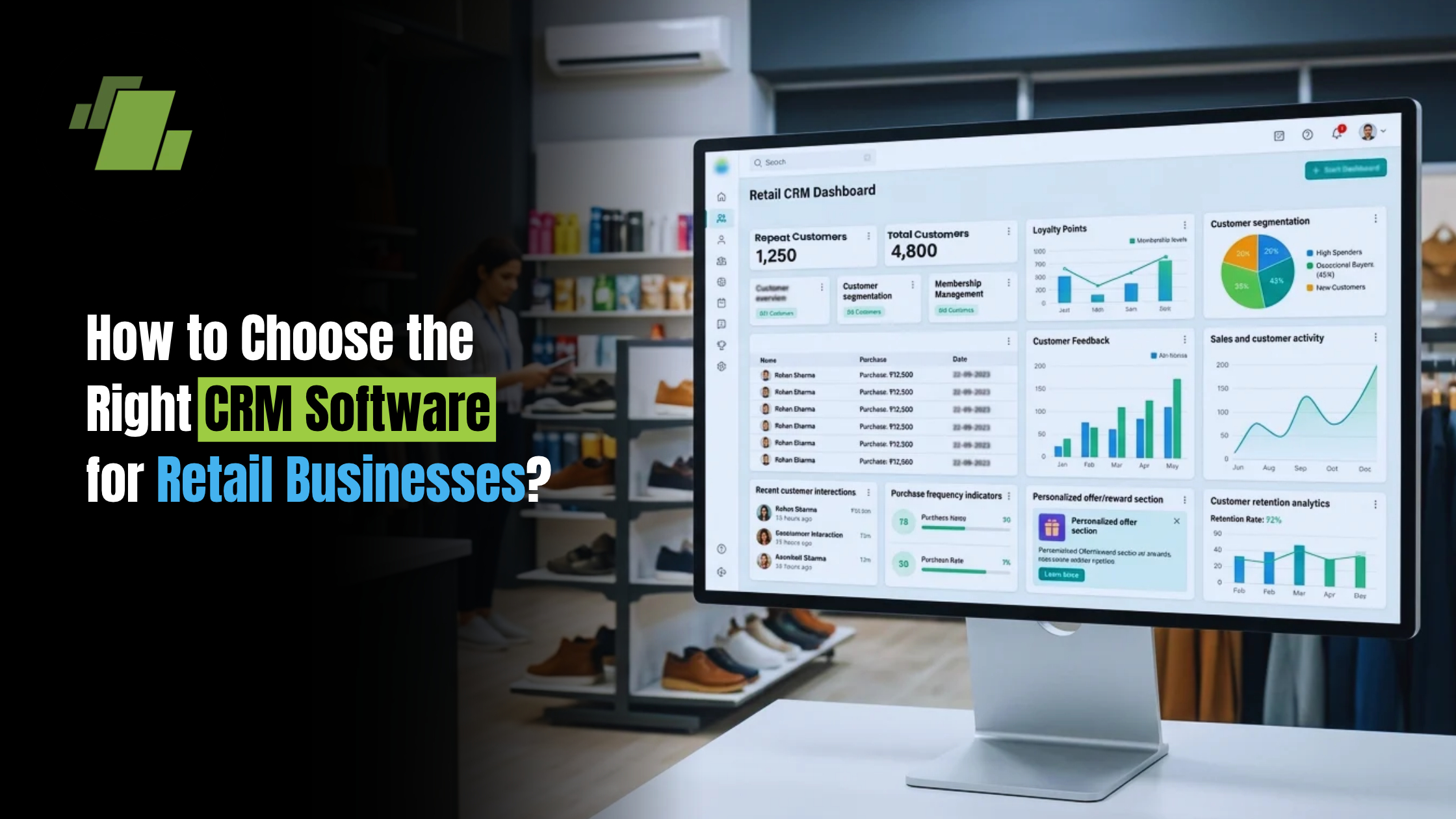
How to Choose the Right CRM Software for Retail Businesses?

Introduction
Managing customer relationships is essential for retail businesses looking to improve customer loyalty, increase repeat purchases, and deliver personalised shopping experiences. As retailers expand across physical stores, e-commerce platforms, and multiple locations, managing customer data and interactions becomes increasingly complex.
Retail CRM software helps businesses centralise customer information, track purchase history, manage loyalty programs, and improve customer engagement. When integrated with retail POS and ERP systems, it can connect customer data with sales transactions and broader business operations.
Choosing the right CRM software for retail businesses requires evaluating features, integration capabilities, scalability, pricing, reporting, security, and ease of use.
In this guide, we explain how to choose the right retail CRM solution, explore essential features and benefits, and discuss what retailers should evaluate before investing in a retail CRM system.
Contact Us
Free Demo Request
What Is Retail CRM Software?
Retail CRM software is a customer relationship management solution that helps retailers manage customer information, track interactions, analyse purchasing behaviour, and strengthen customer relationships.
A retail customer management system brings customer data together in a centralised platform, allowing businesses to understand customer preferences, manage loyalty programs, and create targeted marketing campaigns.
Unlike general CRM platforms, retail customer relationship management software is designed around retail requirements such as purchase history tracking, customer segmentation, loyalty management, POS integration, and multi-store customer management.
A modern retail CRM platform can help businesses manage:
- Customer profiles and contact information
- Purchase history and transactions
- Customer preferences and behaviour
- Customer segmentation
- Loyalty and rewards programs
- Marketing campaigns
- Customer engagement
- Customer retention
- Sales and customer analytics
Why Do Retail Businesses Need CRM Software?
Retailers interact with customers across multiple touchpoints. Without a centralised system, customer information can become fragmented across stores, POS systems, spreadsheets, e-commerce platforms, and marketing tools.
A retail CRM system helps businesses bring this information together.
1. Centralised Customer Data Management
Retail customer data management software consolidates customer profiles, contact details, purchase history, preferences, and interactions.
A centralised retail customer database software solution allows authorised employees to access relevant customer information from a single system.
2. Improved Customer Retention
Retail customer retention software helps retailers identify repeat customers, analyse purchase frequency, and create targeted engagement strategies.
Retailers can use purchase behaviour and customer segments to develop offers and campaigns focused on increasing repeat purchases.
3. Personalised Customer Experiences
A retail CRM solution can help businesses understand individual customer preferences and buying behaviour.
Retailers can use these insights to create personalized customer offers, product recommendations, and targeted promotions.
4. Better Customer Loyalty Management
Retail customer loyalty software and a retail loyalty management system can help businesses manage loyalty points, rewards, memberships, and promotional incentives.
5. Data-Driven Marketing
Retail marketing CRM and retail marketing automation software can help businesses segment customers and create targeted campaigns.
For example, retailers can create campaigns for:
- Frequent buyers
- High-value customers
- Inactive customers
- New customers
- Customers purchasing specific product categories
6. Improved Customer Engagement
Retail customer engagement software enables retailers to maintain relevant communication with customers through promotions, loyalty programs, personalised offers, and follow-ups.
7. Omnichannel Customer Management
Omnichannel retail CRM software helps retailers maintain customer information across physical stores, e-commerce websites, mobile applications, and other sales channels.
This creates a more unified view of customer interactions.
What Are the Key Features to Look for in Retail CRM Software?
When comparing the best retail CRM software for your business, evaluate features based on your specific customer management and operational requirements.
1. Centralised Customer Database
A good CRM should provide a centralised customer database for storing:
- Customer profiles
- Contact details
- Purchase history
- Preferences
- Transaction records
- Loyalty information
- Customer interactions
This makes retail customer management software more useful for both store teams and management.
2. Customer Segmentation
Retail customer segmentation software helps businesses group customers according to:
- Purchase frequency
- Spending patterns
- Product preferences
- Location
- Customer value
- Recency of purchase
These segments can then be used for targeted marketing and personalised customer offers.
3. Loyalty and Rewards Management
Look for retail loyalty program software that supports:
- Loyalty points
- Rewards
- Memberships
- Discounts
- Promotional offers
- Reward redemption
- Customer loyalty reporting
This can be particularly important for supermarkets, fashion retailers, grocery stores, and other high-frequency retail businesses.
4. Purchase History Tracking
Retail purchase history tracking software records customer transactions and product preferences.
Retailers can use this information to understand:
- What customers purchase
- How frequently they purchase
- Average spending
- Preferred product categories
- Repeat purchase patterns
5. Marketing Automation
Retail CRM automation software can simplify repetitive marketing activities.
Look for retail CRM software with marketing automation capabilities such as:
- Automated campaigns
- Customer follow-ups
- Promotional messages
- Re-engagement campaigns
- Personalised offers
- Campaign tracking
6. POS Integration
Retail POS CRM software connects customer profiles with point-of-sale transactions.
When evaluating retail CRM software with POS integration, check whether it can:
- Link customers with bills
- Capture purchase history
- Track loyalty points
- Record customer transactions
- Provide customer-linked sales information
Retail POS with CRM integration can give store teams better access to customer information during billing and sales interactions.
7. ERP Integration
A retail ERP with CRM can connect customer relationship management with broader business operations.
Integration with ERP systems can connect CRM information with:
- Sales
- Inventory
- Purchasing
- Accounting
- Product information
- Business reporting
A retail inventory and CRM software solution can also help retailers connect customer purchasing patterns with product and inventory information, depending on the available integrations.
8. Customer Analytics
Retail customer analytics software helps retailers understand customer behaviour and engagement.
When evaluating retail CRM software with customer analytics, look for reports covering:
- Customer purchase behaviour
- Repeat purchases
- Customer retention
- Customer segments
- Loyalty performance
- Campaign performance
- Customer spending patterns
9. Multi-Store Management
Retail CRM software for multi-store businesses should allow customer information to be managed across multiple outlets.
This is particularly important for retail chains that want a unified customer database across locations.
10. Lead Management
While customer retention is a major focus in retail, some businesses also need retail lead management software to capture and manage prospective customers, enquiries, memberships, or high-value sales opportunities.
11. Customer Feedback Management
Retail customer feedback software can help businesses capture customer responses and identify areas for improving the customer experience.
12. Data Security and Access Controls
Customer information should be protected through appropriate access controls, permissions, and secure data handling.
How to Choose the Right CRM Software for Retail Businesses
1. Identify Your Retail Business Requirements
Before comparing CRM platforms, identify what your business needs to achieve.
For example:
- Improve customer retention
- Increase repeat purchases
- Manage customer loyalty
- Centralise customer data
- Improve customer engagement
- Track customer purchase history
- Automate marketing
- Manage customers across multiple stores
Your requirements should determine which retail CRM software for retail chains, small businesses, or individual stores is appropriate.
2. Evaluate Retail-Specific Features
Avoid choosing a CRM based only on its general customer management capabilities.
Evaluate whether the platform supports retail-specific requirements such as:
- POS integration
- Purchase history
- Loyalty programs
- Customer segmentation
- Multi-store management
- Retail analytics
- Promotional campaigns
3. Check POS and ERP Integration
Integration should be one of the most important evaluation criteria.
Check whether the CRM supports retail CRM software with POS integration and can connect with your existing ERP.
This can reduce data duplication and create a more connected view of customers and transactions.
4. Assess Omnichannel Capabilities
If your business sells through physical stores and online channels, consider omnichannel retail CRM software.
Check whether customer information can be consolidated across:
- Retail stores
- E-commerce
- Mobile applications
- Online marketplaces
- Other customer touchpoints
5. Evaluate Scalability
The CRM should be able to support business growth.
Check whether the retail CRM software for retail chains can accommodate:
- More stores
- More users
- Larger customer databases
- Additional sales channels
- New integrations
6. Compare Pricing and Total Cost
Don’t compare software based only on the initial subscription or licence cost.
Consider:
- Software fees
- User costs
- Implementation
- Customisation
- Integration
- Training
- Support
- Maintenance
7. Evaluate Ease of Use
Store employees should be able to use the system without unnecessary complexity.
Check the workflows for:
- Customer registration
- Customer lookup
- Purchase history
- Loyalty management
- Customer communication
- Reporting
8. Check Analytics and Reporting
A CRM should turn customer data into useful insights.
Look for retail CRM software with customer analytics that provides dashboards and reports for customer behaviour, loyalty, retention, and campaign performance.
9. Assess Marketing Capabilities
If marketing automation is important to your business, evaluate retail CRM software with marketing automation.
Check whether you can create customer segments and deliver personalized customer offers based on customer behaviour.
10. Request a Demo
Before selecting a CRM, request a demonstration and test actual retail workflows.
Evaluate:
- Customer profile creation
- Customer segmentation
- Purchase history
- Loyalty management
- POS integration
- Marketing automation
- Customer analytics
- Multi-store management
Retail CRM Software Comparison Checklist
| Evaluation Criteria | What to Check |
|---|---|
| Customer Database | Centralised customer profiles |
| Customer Management | Customer information and interactions |
| Segmentation | Behaviour and purchase-based segments |
| Loyalty | Points, rewards and memberships |
| Purchase History | Customer-linked transactions |
| POS Integration | Billing and transaction synchronisation |
| ERP Integration | Connection with retail operations |
| Marketing Automation | Automated campaigns and offers |
| Customer Analytics | Customer behaviour and performance reports |
| Lead Management | Enquiries and prospective customers |
| Omnichannel | Store and online customer data |
| Multi-Store | Centralised customer management |
| Security | Permissions and access controls |
| Scalability | Users, stores and customer database growth |
| Pricing | Total cost of ownership |
| Support | Training and technical assistance |
What Are the Benefits of Retail CRM Software?
The right retail customer management system can help businesses improve customer engagement while gaining greater visibility into customer behaviour.
Improved Customer Retention
Understand customer purchase patterns and create relevant engagement strategies.
Increased Repeat Sales
Use purchase history and customer insights to identify repeat purchase opportunities.
Better Customer Engagement
Retail customer engagement software helps retailers communicate with customers using targeted campaigns and personalised offers.
Stronger Customer Loyalty
Retail loyalty management system capabilities help businesses manage rewards and membership programs.
More Targeted Marketing
Retail marketing CRM and marketing automation help businesses reach specific customer segments with relevant campaigns.
Better Customer Experience
A unified customer profile helps employees understand customer history and preferences.
Improved Customer Insights
Retail customer analytics software can help businesses identify customer trends and purchasing behaviour.
Common Mistakes to Avoid When Choosing Retail CRM Software
Choosing Software Only on Price
The lowest-cost solution may not provide the integrations or features your business requires.
Ignoring POS Integration
Disconnected billing and CRM systems can make customer purchase tracking more difficult.
Overlooking Scalability
A CRM should support your future store and customer growth.
Choosing a Generic CRM Without Retail Features
Retailers should assess whether the software supports POS, loyalty, purchase history, segmentation, and retail-specific workflows.
Ignoring Data Migration
Check how existing customer records will be imported and maintained.
Overlooking Employee Adoption
A technically capable CRM is less useful if store teams find it difficult to operate.
Not Testing the Software
Always test important workflows through a demo before making a decision.
How to Implement CRM Software in a Retail Business
Step 1: Define Business Objectives
Identify goals such as customer retention, loyalty growth, repeat purchases, or improved customer engagement.
Step 2: Organise Customer Data
Clean existing customer records and remove duplicate or outdated information.
Step 3: Configure the CRM
Set up customer profiles, segmentation, loyalty rules, workflows, and reports.
Step 4: Integrate POS and ERP
Connect CRM with your retail POS and ERP systems to synchronise relevant customer and transaction data.
Step 5: Train Employees
Train store teams and management on customer management, loyalty, reporting, and CRM workflows.
Step 6: Test the System
Test customer registration, billing integration, purchase history, loyalty points, segmentation, and reporting.
Step 7: Launch and Monitor
Monitor adoption, customer engagement, repeat purchases, and other relevant KPIs.
Step 8: Optimise
Use CRM insights to refine customer segments, loyalty programs, campaigns, and personalised offers.
How Does Retail CRM Software Integrate With ERP and POS Systems?
Retail CRM and POS Integration
Retail POS CRM software connects customer profiles with billing and transaction records.
This enables retailers to:
- Track customer purchases
- Link customers with transactions
- Manage loyalty points
- Access purchase history
- Analyse customer-linked sales
Retail CRM and ERP Integration
A retail ERP with CRM connects customer management with sales, inventory, purchasing, accounting, and reporting.
This provides a more connected view of customer and business information.
Key Benefits of Integration
- Centralised customer and transaction data
- Reduced duplicate data entry
- Better purchase history visibility
- Connected loyalty management
- Improved customer analytics
- More informed customer engagement
Retail CRM Software vs General CRM Software
| Evaluation Criteria | What to Check |
|---|---|
| Customer Database | Centralised customer profiles |
| Customer Management | Customer information and interactions |
| Segmentation | Behaviour and purchase-based segments |
| Loyalty | Points, rewards and memberships |
| Purchase History | Customer-linked transactions |
| POS Integration | Billing and transaction synchronisation |
| ERP Integration | Connection with retail operations |
| Marketing Automation | Automated campaigns and offers |
| Customer Analytics | Customer behaviour and performance reports |
| Lead Management | Enquiries and prospective customers |
| Omnichannel | Store and online customer data |
| Multi-Store | Centralised customer management |
| Security | Permissions and access controls |
| Scalability | Users, stores and customer database growth |
| Pricing | Total cost of ownership |
| Support | Training and technical assistance |
Industry-Specific Retail CRM Software
Different retail segments have different customer management requirements.
Fashion and Apparel Retail
Fashion retail CRM software, apparel retail CRM software, and clothing store CRM software can help retailers manage customer preferences, purchase history, loyalty, and personalised offers.
Footwear Retail
Footwear retail CRM software can help businesses track customer purchases, preferences, and repeat buying behaviour.
Grocery and Supermarket Retail
Grocery store CRM software and supermarket CRM software can support frequent-purchase tracking, customer loyalty, segmentation, and promotional campaigns.
Jewellery Retail
Jewellery store CRM software can help businesses maintain customer profiles, purchase history, preferences, and customer engagement records.
Cosmetics Retail
Cosmetics retail CRM software can support customer preferences, purchase history, loyalty, and targeted promotions.
Electronics Retail
Electronics retail CRM software can help retailers manage customer purchase records and engagement.
Furniture Retail
Furniture retail CRM software can help businesses manage customer enquiries, purchase history, follow-ups, and customer relationships.
Pharmacy Retail
Pharmacy CRM software can support customer management and purchase-related engagement, subject to applicable privacy and regulatory requirements.
Department and Lifestyle Retail
Department store CRM software and lifestyle retail CRM software can help multi-category retailers manage customer relationships across different product categories and stores.
How Much Does Retail CRM Software Cost?
The cost of CRM software depends on the features, number of users, stores, integrations, deployment model, implementation requirements, and support services.
Before selecting a platform, compare:
- Software subscription or licence
- Number of users
- Number of stores
- Implementation costs
- POS/ERP integration
- Customisation
- Training
- Support and maintenance
For small retailers, a basic retail CRM platform may be sufficient, while larger businesses may require advanced automation, analytics, omnichannel capabilities, and multi-store management.
Conclusion
Choosing the right CRM software for retail businesses starts with understanding your customer management requirements and evaluating features such as customer data management, purchase history tracking, customer segmentation, loyalty programs, marketing automation, analytics, and POS integration.
Retailers should also consider scalability, omnichannel capabilities, ERP integration, security, ease of use, pricing, and vendor support.
The right retail CRM solution can help businesses organise customer information, understand purchasing behaviour, improve customer engagement, and build more effective retention and loyalty strategies.
Call at +9173411-41176/75 or send us an email at sales@logicerp.com to book a free demo for the best CRM software for retail industry today!
Frequently Asked Questions
1. What is Retail CRM Software?
Retail CRM software helps retailers manage customer profiles, purchase history, customer interactions, loyalty programs, segmentation, and customer engagement through a centralised system.
2. How Do I Choose the Right CRM Software for a Retail Store?
Identify your business requirements, evaluate retail-specific features, check POS and ERP integration, assess scalability and pricing, and test the software through a demo.
3. What Features Should Retail CRM Software Have?
Important features include customer database management, segmentation, purchase history tracking, loyalty management, marketing automation, POS integration, customer analytics, and multi-store management.
4. What is the Best Retail CRM Software?
The right CRM depends on your business requirements, retail format, number of stores, customer base, integrations, budget, and desired features. Businesses should compare solutions against their specific requirements rather than selecting based only on price or feature count.
5. How Much Does Retail CRM Software Cost?
Pricing varies according to features, users, stores, integrations, implementation, deployment model, and support requirements.
6. Can Retail CRM Software Integrate With POS Systems?
Yes. Retail CRM software with POS integration can connect customer profiles with billing records, purchase history, transactions, and loyalty activities, depending on the integration capabilities.
7. How Does CRM Software Improve Customer Retention in Retail?
CRM software helps retailers analyse purchase history, segment customers, manage loyalty programs, and create targeted engagement strategies that can support repeat purchases.
8. Is CRM Software Suitable for Small Retail Businesses?
Yes. Retail CRM software for small business can help retailers organise customer data, track purchases, manage loyalty programs, and improve customer engagement.
9. What is the Difference Between Retail CRM and Retail ERP Software?
Retail CRM focuses primarily on customers, engagement, loyalty, and customer data, while retail ERP manages broader business functions such as inventory, purchasing, sales, accounting, and reporting.
10. Can Retail CRM Software Manage Loyalty Programs?
Yes. Retail loyalty program software can manage loyalty points, rewards, memberships, discounts, and promotional incentives, depending on the platform.
11. How Does CRM Software Help Multi-Store Retail Businesses?
Retail CRM software for multi-store businesses helps centralise customer records and manage customer interactions and loyalty programs across multiple retail locations.
12. Can Retail CRM Software Automate Marketing?
Yes. Retail CRM software with marketing automation can support customer segmentation, targeted campaigns, personalised offers, follow-ups, and campaign tracking.
13. Can Retail CRM Software Provide Customer Analytics?
Yes. Retail CRM software with customer analytics can provide insights into customer purchasing behaviour, retention, loyalty, spending patterns, and campaign performance.
14. What is Retail POS With CRM?
Retail POS with CRM connects customer relationship management with point-of-sale transactions, allowing retailers to associate customer profiles with purchases, billing, loyalty, and transaction history.
15. How Does CRM Software Help Retail Chains Manage Customers?
CRM software provides centralised customer information across stores, allowing retail chains to manage customer profiles, purchase history, loyalty programs, segmentation, and customer engagement from a unified system.

Author
Gurbir Singh
Co-founder & Managing Director | LOGIC ERP Solutions Pvt. Ltd.
With 30+ years of experience in the tech industry, I took the helm of technology & product development, ensuring LOGIC ERP’s continuous innovation & leadership in the evolving tech landscape.