What is a Cloud Kitchen? How it Works, its Benefits, and the Role of Technology in Managing Operations

Summary
Dine-in restaurants, takeaway outlets, and cloud kitchens differ mainly in their seating arrangements, staffing needs, location, order channels, and revenue models. While dine-in restaurants focus on customer experiences within the premises, takeaway outlets prioritize quick order fulfillment, and cloud kitchens operate primarily through online delivery channels. Understanding these differences helps food businesses choose the right operational model and technology to manage orders, sales, inventory, and customer service efficiently.
Contact Us
Free Demo Request
Table of Content
- Introduction to Cloud Kitchens in 2026
- What Is a Cloud Kitchen? (Meaning, Concept, and Common Terms)
- Cloud Kitchen vs Traditional Restaurant
- How Does a Cloud Kitchen Work? End to End Workflow
- Types of Cloud Kitchens and Virtual Brands
- Core Cloud Kitchen Operations: What Has to Run Like Clockwork
- Benefits of the Cloud Kitchen Business Model
- Challenges and Risks in Running a Cloud Kitchen
- Key Components of Cloud Kitchen Technology Stack
- Cloud Kitchen Order Management and Delivery System
- Inventory, Recipe, and Food Cost Management in Cloud Kitchens
- Billing, Accounting, and Financial Insights for Cloud Kitchens
- Multi Brand and Multi Location Cloud Kitchen Management
- How to Start a Cloud Kitchen: Step by Step Guide
- How to Choose the Right Cloud Kitchen Management Software
- Role of Technology in Optimizing Cloud Kitchen Operations
- How LOGIC ERP Streamlines Cloud Kitchen Management
- Conclusion and Call to Action
- FAQs on Cloud Kitchens, Operations, and Software
Introduction to Cloud Kitchens in 2026
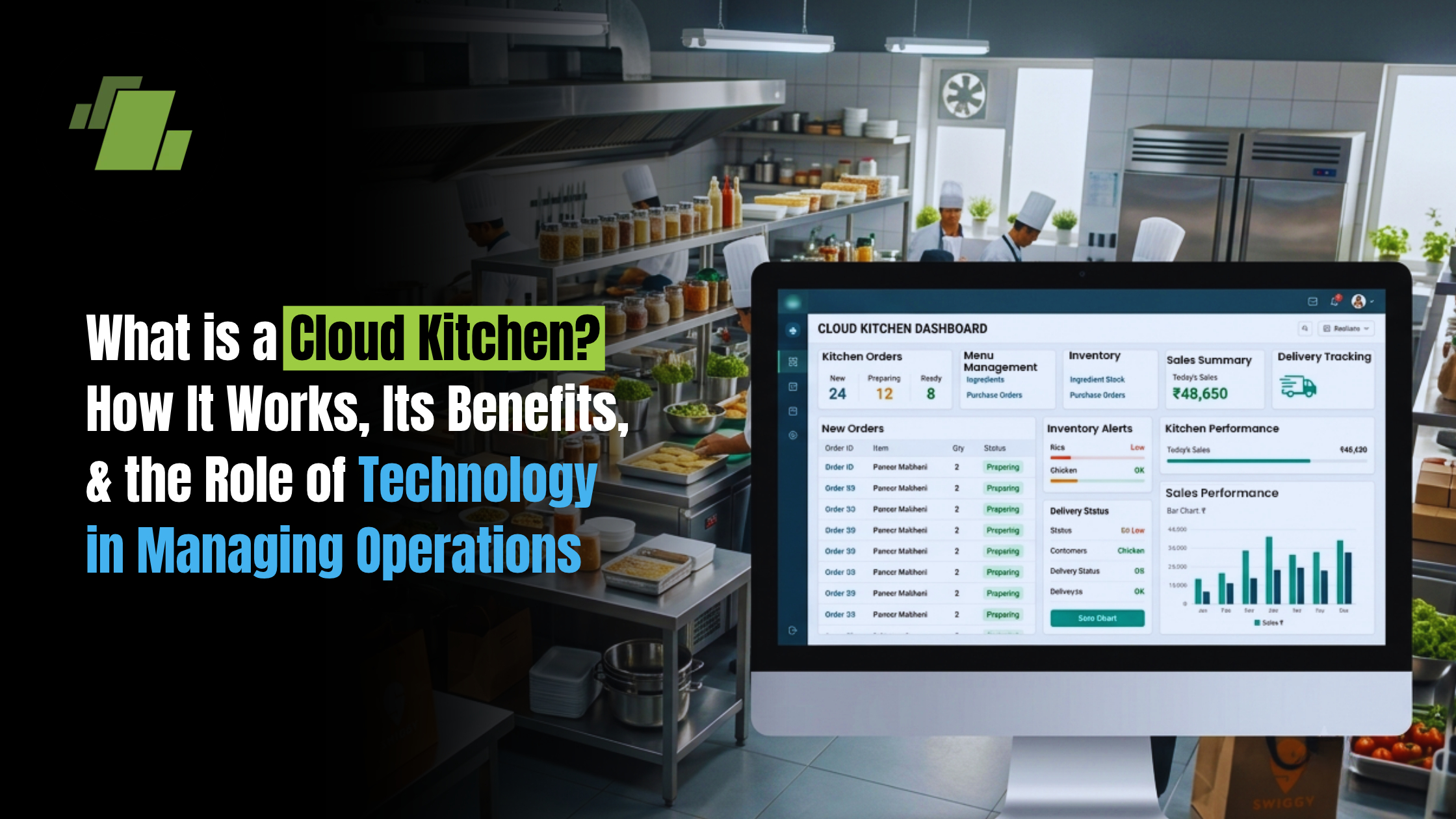
The food delivery industry has undergone a massive shift over the past few years. At the center of this shift is the cloud kitchen – a delivery-only food preparation facility with no dine-in area, built to prepare and dispatch meals for online orders through aggregator apps or direct channels.
A cloud kitchen, also called a ghost kitchen or virtual kitchen, operates without any dine-in area. There are no tables, no waitstaff, no storefront signage trying to attract foot traffic. Instead, customers place orders online through platforms like Swiggy, Zomato, DoorDash, or the kitchen’s own website and WhatsApp channels, while the business relies on technology to manage orders, inventory, billing, and delivery flow.
What makes this model compelling is also what makes it complex. A single cloud kitchen may run multiple brands, accept orders from multiple delivery platforms, manage perishable inventory, coordinate with riders, and track profitability across every dish – all simultaneously. For aspiring and current cloud kitchen operators, culinary entrepreneurs, and restaurant owners exploring a delivery-only model, getting these systems right is what determines whether the business scales or slips into operational chaos.
This article from LOGIC ERP breaks down what a cloud kitchen is, how it works end to end, the main types and business models, its benefits over traditional restaurants, the operational challenges operators face, the technology stack needed to run it well, a practical path to launching one, and how integrated restaurant management software holds the entire operation together.
What is a Cloud Kitchen? (Meaning, Concept, and Common Terms)
The cloud kitchen meaning is straightforward: it is a professional food preparation facility built exclusively for fulfilling delivery and takeaway orders. A cloud kitchen operates exclusively for delivery-only meals. There is no customer seating, no dining ambience, and no front-of-house service. Cloud kitchens have no physical dining space or customer seating – the entire investment goes into kitchen equipment, packaging, and dispatch logistics.
Cloud kitchens focus on digital customer interaction without face-to-face service. Orders arrive through online channels – aggregator apps, the brand’s own website or app, phone calls, or WhatsApp – and are managed through specialized POS software and kitchen management software.
You will see several terms used interchangeably in this space:
- Ghost Kitchen – emphasizes the “invisible” nature (no public-facing storefront).
- Virtual Kitchen – highlights the online-only brand presence.
- Delivery Only Kitchens – describes the operational model directly.
- Virtual Brands – online-only menu concepts that share one physical kitchen but carry separate menus, packaging, and brand identity.
Here is a quick comparison to clarify the differences:
| Feature | Dine-In Restaurant | Takeaway Outlet | Cloud Kitchen |
|---|---|---|---|
| Customer seating | Yes | Limited or none | None |
| Front-of-house staff | Required | Minimal | Not needed |
| Location type | High-street / mall | Visible storefront | Industrial / secondary area |
| Order channels | Walk-in, phone, online | Walk-in, phone, online | Online orders only |
| Primary revenue | Dine-in + delivery | Takeaway + delivery | Delivery + takeaway |
Cloud Kitchen vs Traditional Restaurant
The core difference between a cloud kitchen and a traditional restaurant comes down to where the money goes.
Real Estate: Traditional restaurants need high-visibility locations – malls, high streets, busy intersections. Cloud kitchens reduce the need for expensive real estate by operating from low-cost industrial zones, basements, or secondary commercial areas. In Indian metros, the rent difference between a high-street restaurant and a cloud kitchen space can be 5–10x lower.
Staffing: Restaurants require front-of-house teams – hosts, servers, cashiers, cleaners for the dining area. Cloud kitchens eliminate this entirely. The kitchen staff focuses on production, packaging, and dispatch.
Operational Costs Comparison:
- Rent: significantly lower for cloud kitchens
- Interior fit-out: minimal vs extensive dining décor
- Utilities: lower (no air conditioning for dining halls)
- Marketing: digital-first vs both digital and offline
- Aggregator commissions: 25–30% of order value (a cost traditional dine-in doesn’t bear as heavily)
- Technology spend: higher for cloud kitchens (POS, KDS, aggregator integrations)
Customer Experience: In restaurants, experience is built around ambience, table service, and atmosphere. In cloud kitchens, it hinges entirely on food quality on arrival, packaging integrity, delivery speed, and the app interface. Customer satisfaction depends on what happens after the food leaves the kitchen.
Compliance: Both models must follow the same food safety regulations – FSSAI licensing in India, fire safety NOCs, trade licenses, GST registration, and health inspections. Cloud kitchens need strict adherence to food safety licenses and health inspections just as traditional restaurants do.
How Does a Cloud Kitchen Work? End to End Workflow
Understanding how a cloud kitchen works means tracing the journey of every order from the moment a customer taps “Place Order” to the moment food reaches their door.
Here is the step-by-step workflow:
- Order Capture: A customer places an order through Swiggy, Zomato, the kitchen’s own website/app, WhatsApp, or a call center. All incoming orders funnel into one POS system and appear on a single dashboard.
- Order Routing: The cloud kitchen POS system automatically routes each order to the correct kitchen station. A kitchen display system (KDS) or KOT printer shows the order details – items, quantities, special instructions, and time elapsed – to the relevant cooks and stations.
- Kitchen Production: Chefs prepare the food following standardized recipes. Each dish is cooked, plated into delivery-friendly containers, and checked for temperature and portion accuracy.
- Quality Check and Packaging: Completed orders go through a quality check – correct items, proper quantities, sealed and tamper-evident packaging with branding labels. Good packaging protects food quality during transit.
- Dispatch and Delivery: The order is handed to either an in-house rider or a third-party delivery partner. The delivery system coordinates pick-up timing, rider assignment, and route planning. Real-time order tracking lets both the operations team and the customer monitor the order status from kitchen to doorstep.
- Feedback Loop: After delivery, customer ratings, reviews, and complaints feed back into the system. Cloud kitchen operations use this data to fine-tune recipes, adjust portions, improve packaging, and optimize prep scheduling during peak hours.
The entire cycle – from order received to food dispatched – often needs to happen within 15–20 minutes during peak hours. This is why efficient order processing and a reliable delivery management system are non-negotiable.
Types of Cloud Kitchens and Virtual Brands
Not all cloud kitchens look the same. There are multiple cloud kitchen business models, each with different capital requirements, complexity levels, and technology demands.
- Independent Single-Brand Cloud Kitchen: One concept, one menu, one kitchen. Ideal for first-time operators testing a cuisine or market. Lower complexity, simpler kitchen management.
- Multi Brand Cloud Kitchen: Multiple virtual brands operated from the same kitchen. For instance, the same kitchen might run a biryani brand, a burger brand, and a dessert brand – each with separate menus, listings, and packaging. A single physical kitchen can host multiple virtual brands simultaneously, maximizing utilization.
- Shared / Co-Working Kitchens: Multiple independent operators share kitchen space, equipment, and utilities. Each brand gets a cooking station. Lower capital per operator.
- Aggregator-Owned Kitchens: Platforms like Swiggy or Zomato lease kitchen spaces to operators, providing built-in logistics, equipment, and platform visibility.
- Hybrid Cloud Kitchens: Combine a small dine-in or takeaway counter with delivery-only brands. Useful for operators who want walk-in revenue alongside delivery volumes.
Virtual brands deserve special attention. These are online-only menu concepts created under separate brand names but cooked in the same physical kitchen. They allow operators to test niche cuisines, ride trends, and attract customers across different segments without opening additional kitchens. Managing multiple cloud kitchen brands requires centralized menu management and standardized recipe management to ensure consistent taste across every brand.
Core Cloud Kitchen Operations: What Has to Run Like Clockwork
Cloud kitchen operations rest on six pillars, and weakness in any one of them cascades into delays, bad reviews, and lost revenue.
- Order Capture: Receiving and consolidating orders from multiple channels into one system without manual re-entry.
- Kitchen Production: Cooking at speed and scale, following SOPs, maintaining consistent quality across every dish and every shift.
- Packaging: Sealing food properly, applying correct labels, ensuring the right items go in the right bags.
- Dispatch: Coordinating rider pickups, managing delivery tracking, and meeting promised ETAs.
- Inventory Management: Keeping raw materials stocked, tracked, and fresh – without over-ordering or running out mid-service.
- Customer Service: Handling complaints, processing refunds, and using feedback to improve.
The complexity multiplies during peak hours – lunch rush, dinner peak, festival surges – when order volumes spike and every minute counts. Standardized kitchen operations and SOPs are essential to maintain food quality and speed under pressure.
This is why cloud kitchen management systems exist. They orchestrate tasks between chefs, packers, riders, and managers, ensuring smooth operations even at high volume. One POS system and one dashboard for coordinating multi-channel orders is the foundation of efficient kitchen operations.
Benefits of the Cloud Kitchen Business Model
Cloud kitchens are popular among culinary startups for flexibility and lower costs. Here is why this model continues to attract entrepreneurs:
Lower Startup Investment: Cloud kitchens require significantly lower startup costs compared to traditional restaurants. In Indian metros, you can launch a single-brand cloud kitchen with ₹10–15 lakh (roughly USD 12–20K). In tier-2 cities, this drops to ₹5–8 lakh. Compare that to a full-service restaurant in a mall or high street, which might need ₹40–80 lakh or more.
Higher Profit Margins: Well-run cloud kitchens earn net margins between 15–25%, compared to 5–15% for traditional restaurants with higher overheads. Reducing operating costs at the front-of-house level is the primary driver.
Operational Flexibility: Want to test a new cuisine? Launch a virtual brand this week and retire it next month if it does not perform. Quick menu changes, seasonal concepts, and regional launches happen without construction or new leases.
Scalability: Once recipes, supply chains, and SOPs are standardized, replicating a cloud kitchen in a new location becomes a repeatable process. One kitchen’s playbook becomes the template for multiple kitchens.
Data-Driven Decision Making: Cloud kitchens can leverage data-driven insights from delivery aggregators for marketing, menu engineering, pricing optimization, and delivery zone expansion. Real-time sales data helps optimize menu pricing and reduce losses.
B2C and B2B Flexibility: Cloud kitchens operate under B2C and B2B models. B2C kitchens serve individual customers directly through apps and websites. B2B kitchens supply meals in bulk to businesses – corporate offices, events, tiffin services. Many cloud kitchens operate both B2C and B2B simultaneously from the same infrastructure.
Wider Reach: Online orders open up an entire city’s customer base, not just foot traffic near the restaurant. Cloud kitchens focus exclusively on delivery or takeout meals, which means their addressable market is defined by delivery radius, not storefront visibility.
Challenges and Risks in Running a Cloud Kitchen
The cloud kitchen model is not without serious risks. Understanding them upfront helps you plan around them.
Intense Competition: Cloud kitchens face intense competition in a crowded digital marketplace. On Swiggy or Zomato, your biryani brand competes with dozens of others in the same pin code. Visibility depends on ratings, ad spend, and platform algorithms. Customer retention is challenging for cloud kitchens due to competition – switching costs for consumers are nearly zero.
Thin Profit Margins: Aggregator commissions of 25–30% eat into revenue immediately. Add packaging costs, delivery charges, discount campaigns to attract customers, and food costs, and margins shrink fast. Without disciplined food cost management, profitability stays elusive.
Peak-Hour Bottlenecks: Order spikes during lunch and dinner rushes strain kitchen capacity. Delays and errors during peaks directly impact ratings. Operational stress – kitchen bottlenecks, order piling, rider no-shows – can damage a cloud kitchen brand’s reputation overnight.
Quality Consistency: Maintaining food quality during delivery is a significant challenge. Food that tastes great in the kitchen can arrive lukewarm, soggy, or rearranged. Across multiple locations and virtual brands, ensuring consistent taste without standard recipes and portion controls is nearly impossible.
Delivery Dependency: Cloud kitchens rely on third-party delivery platforms for food distribution, which means the last-mile experience is often outside your control. Logistics and last-mile delivery issues can lead to late orders and negative reviews you did not cause.
Rising Costs: Cloud kitchens face rising real estate costs in urban areas, even in secondary locations, as the model becomes more popular and landlords adjust pricing.
Compliance: Cloud kitchens must comply with local health and safety regulations – FSSAI, fire safety, trade licenses, GST – and non-compliance can result in shutdowns.
Robust cloud kitchen management software reduces many of these risks through automation, visibility, and centralized control. The best systems do not eliminate every challenge, but they give you the data and speed to respond before small issues become big losses.
Key Components of Cloud Kitchen Technology Stack
The typical technology stack for a cloud kitchen includes several interconnected layers:
- Cloud Kitchen POS System: Central hub for billing, order capture, and sales tracking. Must integrate with multiple delivery platforms.
- Kitchen Display System (KDS): Digital screens replacing paper KOTs, showing orders by station with time-elapsed counters.
- Inventory and Recipe Management: Tracking raw materials, BOM per dish, auto-deductions, and reorder alerts.
- Delivery Integrations: APIs connecting to Swiggy, Zomato, and other aggregators for auto-accept, rider assignment, and delivery tracking.
- Analytics and Reporting: Dashboards showing sales trends, food costs, brand-wise performance, and peak-hour patterns.
- Accounting Integration: Syncing sales with ledgers, handling GST, and reconciling aggregator payouts.
Cloud kitchen software automates order flow from multiple channels into one system, replacing spreadsheets, phone-based order taking, and manual data entry. A unified management system is always better than multiple disconnected tools because it provides a single source of truth. The user interface needs to be clean and intuitive – kitchen staff working at speed cannot afford complex navigation or slow-loading screens.
For a deeper look at how POS systems power this model, see How Advanced POS Systems Are Powering the Growth of Cloud Kitchens.
Cloud Kitchen Order Management and Delivery System
Order management is the nervous system of every cloud kitchen. Get it wrong, and everything downstream – kitchen production, packaging, delivery – falls apart.
Centralized Order Management means all orders from aggregators, your website, mobile app, call center, and walk-in takeaway land in one dashboard. Centralized order management reduces human error in processing orders by eliminating the need to manually re-enter orders from different platforms. A single dashboard allows real-time tracking of all orders – from received to in-kitchen to ready to picked-up to delivered.
Centralized systems automate order flow from multiple delivery apps, which means when an order hits Zomato, it appears on your KDS within seconds without anyone copying it by hand. Automated order entry decreases order entry mistakes significantly. Automated order flow reduces entry mistakes and communication faults between front-desk and kitchen.
Cloud kitchens can integrate with Swiggy and Zomato (and other platforms) through APIs or middleware. Real-time order tracking enhances customer service and satisfaction because both staff and customers know exactly where each order stands.
Delivery Coordination includes integration with third party aggregators for auto-accept and rider assignment, or managing an in-house fleet with route planning and ETA visibility. A well-designed delivery service layer helps maintain SLAs and improves customer experience on aggregator platforms, which directly impacts ratings and future visibility.
Centralized order management improves efficiency in kitchen operations – and the efficiency gains compound when you scale to multiple outlets. For related insights on omnichannel order handling, centralized systems follow the same principle: every channel funnels into one system for complete control.
Cloud kitchen software manages orders from multiple delivery platforms without requiring kitchen staff to juggle separate tablets or screens – everything appears on a single screen.
Inventory, Recipe, and Food Cost Management in Cloud Kitchens
After order management, inventory management is the second most critical function in a cloud kitchen. Poor inventory control leads to stockouts (lost orders), over-ordering (wasted money), and spoilage (thrown-away ingredients).
Real-Time Inventory Tracking: Automated inventory tracking reduces waste and controls costs by monitoring stock levels continuously. Real-time stock updates help manage ingredient usage efficiently – every time a dish is sold, the system automatically deducts the exact quantities of each ingredient used, keeping food costs under control. Centralized inventory management allows monitoring across multiple locations from one place. Inventory control systems track ingredient usage in real time, preventing both over-ordering and stockouts.
Recipe Management and BOM: Each dish has a Bill of Materials – a list of every ingredient and its exact quantity. Standardized recipes ensure consistent taste and predictable costs. When a biryani is sold, the system deducts rice, spices, oil, and protein in precise amounts. This is how you manage inventory with precision rather than guesswork.
Food Cost Control: Accurate costing per recipe helps price menus correctly. If your target food cost percentage is 30–35%, the system flags recipes where actual consumption exceeds the theoretical BOM – indicating waste, pilferage, or portion inconsistencies. Automated deductions on sales keep food costs under control.
Vendor and Batch Management: The system tracks supplier details, purchase orders, batch/lot codes, and expiry dates for perishable goods. Automatic re-order levels trigger purchase planning before stock runs out.
For a detailed breakdown of how restaurant inventory management software works, including the features that apply directly to cloud kitchens, this guide covers the fundamentals.
Billing, Accounting, and Financial Insights for Cloud Kitchens
Financial visibility separates profitable cloud kitchens from ones that look busy but bleed money.
Integrated Billing: A cloud kitchen POS system handles POS billing with multiple tax slabs, discount structures, combo pricing, and delivery charges. Every transaction is recorded and categorized automatically – no manual entry into separate accounting software.
Accounting Sync: Sales data flows directly into accounting ledgers. Each delivery partner, direct channel, and walk-in takeaway gets tracked separately. This makes it easy to see which channels generate the most revenue and which cost the most in commissions.
Aggregator Reconciliation: This is where many operators lose money without realizing it. Settlement reconciliation matches aggregator payouts against actual orders, deducting commissions, TCS/TDS, cancellations, and refunds. Without automated reconciliation, discrepancies go unnoticed.
Key Financial Reports:
- Daily and weekly sales summaries
- Brand-wise profitability (essential for multi brand operations)
- Outlet-wise P&L for multiple locations
- GST and tax reports for compliance and audits
- Food cost variance reports
Financial visibility helps owners decide which virtual brands or locations to expand – and which to shut down before they drain resources further. For integrated billing and financial management, having everything in a complete system eliminates the guesswork from these decisions.
Multi Brand and Multi Location Cloud Kitchen Management
Running multiple brands from one kitchen is one of the cloud kitchen model’s strongest advantages – and one of its biggest operational challenges.
You can manage multiple brands from a single cloud kitchen setup. Cloud kitchen software allows managing orders from various brands simultaneously, routing each order to the right station and tagging it to the correct brand for separate reporting. Centralized systems reduce errors in multi brand operations by keeping everything visible in one dashboard.
Central Kitchen Model: A central kitchen produces semi-finished or finished items and transfers stock to satellite cloud kitchen outlets using stock transfer documents. This approach standardizes quality and lowers per-unit production costs.
Multi-Location Visibility: Real-time inventory tracking supports multiple brand management across locations. Owners need one dashboard to view sales, inventory, and costs across all brands and locations for centralized decision-making. Multi-brand support simplifies operations across different food concepts.
Cloud kitchen systems support multi-brand operations from one dashboard – whether you run three brands from one kitchen or fifteen brands across multiple outlets, helping standardize each cloud kitchen brand across franchise and company-owned locations. Inter-location transfers, franchise vs company-owned outlet control, and standardized SOPs all become manageable with the right management system.
For operators handling B2B bulk orders alongside D2C delivery, multi-location management becomes even more critical.
How to Start a Cloud Kitchen: Step by Step Guide
If you are planning to enter the cloud kitchen business in 2026, here is a practical sequence:
- Market Research and Cuisine Selection: Study your target delivery area. What cuisines are underserved? What price points work? Analyze competitor listings on Swiggy and Zomato.
- Business Plan and Financials: Map out startup costs (₹5–15 lakh depending on city and model), monthly operating costs, and break-even projections. A typical single-brand cloud kitchen can break even in 6–9 months with disciplined cost control.
- Location and Kitchen Layout: Choose a location within strong delivery zones. Plan cooking stations, prep areas, cold storage, packaging zones, ventilation, and dishwashing areas for efficient kitchen operations.
- Licensing and Compliance: Obtain FSSAI registration/license, trade license, fire safety NOC, gas safety clearance, GST registration, and municipal health approvals.
- Equipment and Vendors: Source commercial kitchen equipment, negotiate with raw material suppliers (multiple sources for reliability), and select packaging suppliers for delivery-friendly containers.
- Technology Setup: Choose your cloud kitchen POS, KDS, inventory management software and delivery integrations from day one. Adding these later is always more painful and costly.
- Hiring and SOPs: Recruit cooks, packers, and (if using in-house fleet) riders. Train everyone on standardized recipes, packaging SOPs, and quality checks. Define KPIs: ticket time, food cost %, wastage %, customer ratings.
- Launch: Onboard to aggregator platforms, build your own ordering channels (website, WhatsApp), invest in food photography, and run introductory promotions.
How to Choose the Right Cloud Kitchen Management Software
Not all kitchen management software is built equally. Here is what to evaluate:
Essential Features:
- Centralized order management with aggregator integrations via multiple delivery channels
- Kitchen display system support for efficient order processing
- Inventory and recipe management with BOM, auto-deduction, and reorder alerts
- Billing, accounting, and tax compliance
- Analytics and reporting – brand-wise, outlet-wise, dish-wise
- CRM and loyalty tools for building direct customer relationships, including tracking order history
Non-Feature Factors:
- User interface quality – can kitchen staff use it under pressure with minimal training?
- Uptime and reliability – downtime during dinner rush is unacceptable
- Data security and role-based access
- Mobile access for owners and managers
- Vendor support, localization, and implementation speed
Scalability Matters: The system must support adding new brands, new locations, and higher order volumes without replacing the core platform. The best systems grow with your business needs.
Before committing, shortlist vendors, request demos, simulate peak-hour scenarios, and compare implementation timelines and total cost of ownership. For a checklist of what to look for, review 10 key features of restaurant ERP software.
Role of Technology in Optimizing Cloud Kitchen Operations
Technology is not a nice-to-have in cloud kitchens – it is the backbone of the entire operation.
AI-Driven Demand Forecasting uses past sales data, weather patterns, festivals, and local events to predict order volumes. This lets operators plan production quantities, staff shifts, and purchase orders in advance, reducing waste and ensuring smooth operations during surges.
IoT and Sensors monitor refrigerator temperatures, humidity in storage areas, and hygiene compliance. Sensor logs provide documentation for food safety audits and help prevent spoilage before it happens.
Integrated Systems vs Piecemeal Tools: Running your cloud kitchen on a combination of WhatsApp, spreadsheets, and three different aggregator tablets creates data silos, delays, and human error. One integrated management system provides a single source of truth – fewer errors, faster decisions, and complete control over every aspect of operations.
Technology also supports hybrid business models. From the same infrastructure, operators can handle B2C delivery, B2B bulk orders, catering, and subscription meals. The same kitchen, same inventory, and same team – just different order flows managed by one system.
For insights on how POS systems evolve into full online restaurant management platforms, the integration between in-kitchen tools and online channels is where the real leverage lies.
How LOGIC ERP Streamlines Cloud Kitchen Management
LOGIC ERP is designed as an integrated cloud kitchen management solution – not just a POS terminal, but a complete system that connects every layer of cloud kitchen operations.
Order Management: LOGIC ERP consolidates online orders from aggregators, direct website/app channels, and walk-ins into one POS system and one dashboard. Ensuring smooth operations across multiple delivery platforms, the system automates order routing to kitchen stations and provides real-time order status visibility from acceptance through dispatch.
Inventory and Recipe Management: LOGIC ERP supports automated stock deduction per recipe using BOM configurations. Every sale triggers precise ingredient deductions, making it easy to track inventory levels, flag variances, and manage purchase planning. Batch tracking and expiry management handle perishable goods with the rigor cloud kitchens demand.
Billing and Financial Control: The platform delivers outlet-wise and brand-wise profitability reports, GST/tax compliance, aggregator payout reconciliation, and centralized financial statements. Owners get financial clarity across all their cloud kitchen outlets without waiting for month-end manual tallies.
Multi-Brand and Multi-Location Support: Whether you operate a single kitchen with multiple virtual brands or a chain of cloud kitchens across a city, LOGIC ERP handles inter-location stock transfers, franchise controls, and consolidated reporting. The system manages separate menus, separate pricing, and separate brand identities from one platform.
Usability and Access: LOGIC ERP’s user interface is designed for fast onboarding and minimal errors, with role-based access controls. Cloud reports are accessible from web and mobile, giving owners and managers real-time visibility whether they are in the kitchen or across town.
Conclusion
The cloud kitchen model rewards operators who combine culinary skill with disciplined, technology-driven operations. Understanding the cloud kitchen meaning is just the starting point – success comes from mastering order management across multiple channels, controlling food costs through precise recipe management, maintaining consistent quality under pressure, and making decisions backed by real-time data.
A cloud kitchen’s success depends on how well its systems work together. Disconnected tools create gaps; integrated cloud kitchen management software like LOGIC ERP closes them – unifying orders, inventory, billing, and analytics into one dashboard for faster, better-informed decisions.
Struggling to manage cloud kitchen orders, inventory, and daily operations efficiently? LOGIC ERP helps streamline kitchen management with inventory tracking, billing, and real-time business insights. Book a demo to see how LOGIC ERP can support your cloud kitchen – whether you are launching your first brand or scaling to multiple outlets across the city.
Call at +91-73411-41176/75 or send us an email at sales@logicerp.com to book a free demo today!
Frequently Asked Questions
1. What is a Cloud Kitchen and How Does it Work in 2026?
A cloud kitchen is a delivery-only food preparation facility with no dine-in area. Orders come through delivery apps, websites, or direct channels, are prepared in an optimized kitchen, packaged for transit, and dispatched via in-house or third-party riders. Cloud kitchen operations rely heavily on technology for order management, inventory tracking, and delivery coordination.
2. What is the Difference Between a Cloud Kitchen and a Traditional Restaurant?
A traditional restaurant invests heavily in front-of-house – dining space, décor, servers. A cloud kitchen eliminates all of this, operating from low-cost locations and focusing entirely on kitchen operations, packaging, and delivery. Cloud kitchens typically have lower startup and operating costs but depend on aggregators for customer acquisition.
3. What are the Main Benefits of Starting a Cloud Kitchen Business?
Lower capital investment, higher potential profit margins (15–25%), flexibility to launch and retire virtual brands quickly, scalability through standardized processes, and data-driven decision making using real sales and order data.
4. How Does Cloud Kitchen Order Management Software Help With Multi-Channel Orders?
It centralizes orders from multiple platforms – Swiggy, Zomato, your own app, WhatsApp – into a single dashboard. Centralized order management reduces errors and speeds up processing by eliminating manual re-entry and giving kitchen staff a single screen to work from.
5. Which Equipment and Licenses are Required to Start a Cloud Kitchen in India?
Equipment includes commercial burners, ovens, prep tables, cold storage, ventilation/exhaust systems, and packaging stations. Licenses include FSSAI registration/license, trade license, fire safety NOC, gas safety certificate, GST registration, and local municipal health approvals.
6. How Does Cloud Kitchen Inventory Management Software Reduce Food Wastage?
By tracking ingredient consumption in real time against standardized recipe BOMs. The system highlights variances between theoretical and actual usage, flags potential wastage or pilferage, and sets automatic reorder levels to prevent both over-ordering and stockouts.
7. Can One POS System Manage Multiple Virtual Brands and Locations?
Yes. A well-designed cloud kitchen POS manages multiple virtual brands with separate menus, pricing, and reporting – all from one system. It also supports multiple locations with consolidated dashboards for centralized oversight.
8. How Can Cloud Kitchen Owners Track Food Costs And Profitability in Real Time?
Through recipe-level costing (BOM per dish), automated ingredient deductions on every sale, and real-time dashboards showing actual food cost percentages against targets. Brand-wise and outlet-wise P&L reports let owners see which concepts are profitable and which are not.
9. What Makes LOGIC ERP Suitable for Cloud Kitchen Management?
LOGIC ERP integrates order management, inventory and recipe control, billing, accounting, and analytics into a single platform. It supports multi-brand and multi-location operations, aggregator reconciliation, and real-time reporting – covering the end-to-end needs of cloud kitchen businesses from a single location to a growing chain.
10. What Role Do Food Delivery Platforms Play in Cloud Kitchen Operations?
Food delivery platforms are essential for cloud kitchens as they provide the primary channel for receiving customer orders. Integration with these platforms through cloud kitchen software ensures seamless order processing and timely dispatch.
11. How Does Cloud Kitchen Software Improve Multi-Brand Operations?
Cloud kitchen software centralizes management of multiple brands from one system, enabling efficient order routing, inventory tracking, and sales reporting on one dashboard, which simplifies multi-brand operations.
12. Why is Maintaining Food Quality Important in Cloud Kitchens?
Since cloud kitchens operate delivery-only, maintaining food quality during preparation and packaging is critical to ensure customer satisfaction upon delivery, directly impacting brand reputation and repeat business.
13. What Features Should a Cloud Kitchen Management System Have?
A robust management system should include centralized order processing, inventory and recipe management, billing, real-time analytics, and a user-friendly interface that supports smooth kitchen operations.
14. How Does the User Interface of Cloud Kitchen Software Affect Order Processing?
An intuitive user interface simplifies order processing by reducing errors and training time for staff, enabling faster response to orders and improving overall kitchen efficiency.
15. Can Cloud Kitchen Software Provide All Operations Data on One Dashboard?
Yes, leading cloud kitchen software consolidates orders, inventory, billing, and performance analytics into one dashboard, offering comprehensive visibility and control over the entire operation.

Author
Gurbir Singh
Co-founder & Managing Director | LOGIC ERP Solutions Pvt. Ltd.
With 30+ years of experience in the tech industry, I took the helm of technology & product development, ensuring LOGIC ERP’s continuous innovation & leadership in the evolving tech landscape.