How to Cancel E Invoice: A Step-by-Step Guide

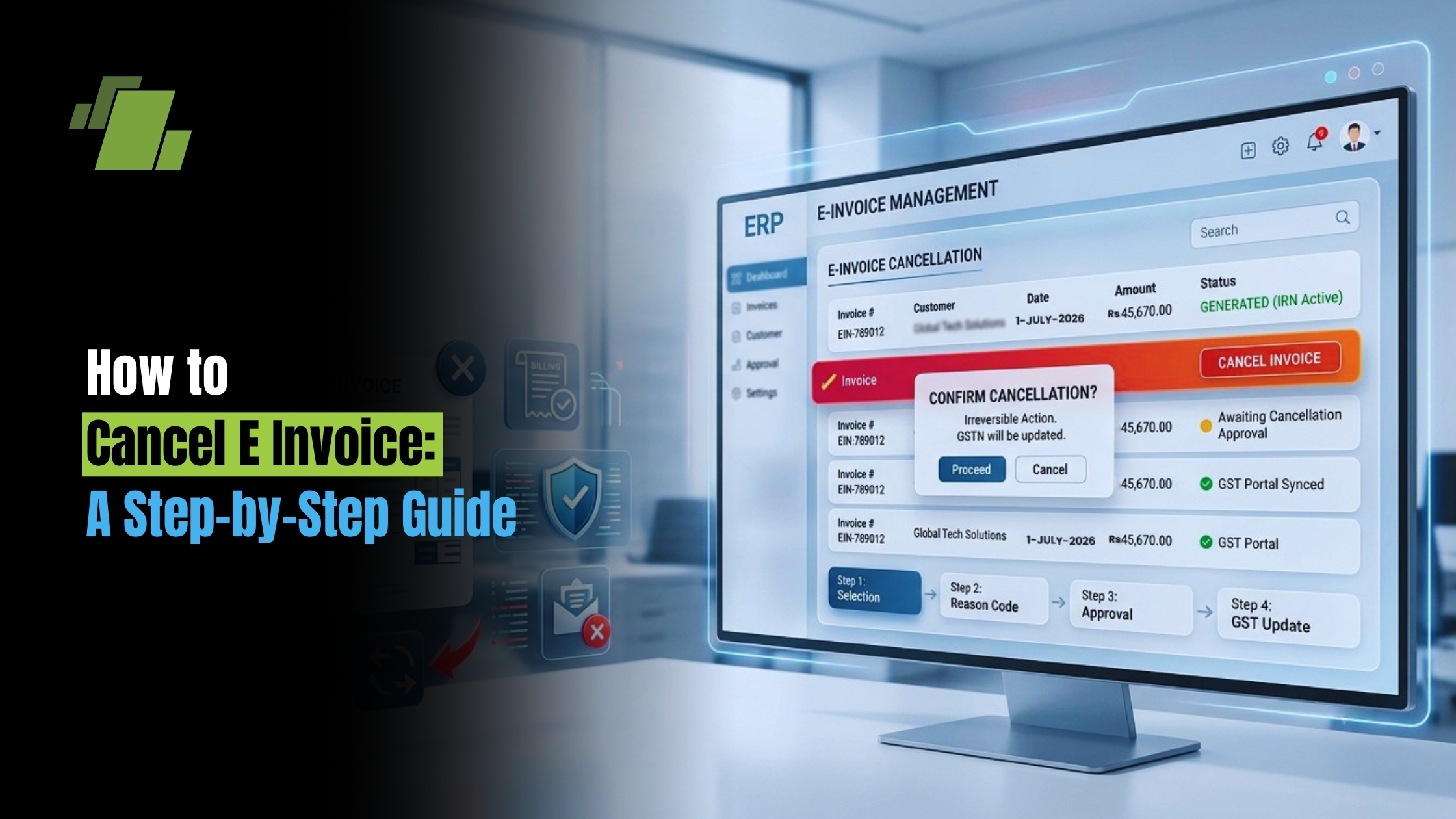
Canceling an e-invoice can be a daunting task for many. It’s a crucial part of e-invoice management. This guide explains how to cancel e invoice with confidence, outlining the invoice cancellation process so you stay compliant. Understanding the process is essential to avoid errors and ensure compliance.
E-invoice cancellation must be done within a specific time frame. Typically, this window is 24 hours from the time of generation. Be aware of the e invoice cancellation time to avoid issues. Missing this deadline can lead to complications.
Different platforms have unique cancellation processes. Whether using Tally Prime or the e-way bill system, knowing the steps is vital. If you’re asking how to cancel e invoice in tally prime or how to cancel invoice in e way bill, the steps below cover both. Each system has its own set of rules and procedures.
Contact Us
Free Demo Request
Proper documentation is key. Keeping accurate records helps in audits and compliance. It also supports the invoice cancellation process and aids in resolving any disputes that may arise.
This guide will walk you through the steps to effectively cancel an e-invoice. From understanding the basics to platform-specific instructions, we’ve got you covered for smoother e-invoice management.
Understanding E-Invoice Cancellation: Basics and Importance
E-invoice cancellation is an integral aspect of e-invoice management. It’s necessary when errors occur or when the transaction is no longer valid. Ensuring proper cancellation keeps your financial records precise and transparent.
Timing is crucial in the e-invoice cancellation process. Usually, cancellations must happen within a short window, often just 24 hours. This e-invoice cancellation time is strict in most systems. Missing this timeframe means you might need to amend rather than cancel.
Cancellation is not just about pressing a delete button. It involves specific steps that vary across platforms. Understanding these can save time and prevent potential penalties. Each system may require different actions for a successful cancellation.
Maintaining compliance is a key reason to master e-invoice cancellations. Legal considerations play a role, and non-compliance can result in fines or audits. Proper management of this process helps protect your business from such issues.
Key reasons to ensure proper e-invoice cancellations include:
- Avoiding penalties and legal issues
- Keeping accurate financial records
- Managing audit trails effectively
E-Invoice Cancellation Time Frame and Legal Considerations
Understanding the time frame for e-invoice cancellation is vital. The typical window is within 24 hours of invoice generation. Missing this deadline restricts the option to amend the invoice later.
Legal aspects are intertwined with the e-invoice cancellation process. Failing to comply with timing regulations can lead to penalties. Ensure that cancellations adhere to the stipulated time frame to avoid potential issues.
Businesses must be proactive about these regulations to ensure compliance. Keeping abreast of any updates to legal requirements is also crucial. Every canceled invoice should align with legal standards to prevent audits.
Key legal considerations for e-invoice cancellation:
- Adhering to the 24-hour cancellation window
- Keeping up-to-date with regulatory changes
- Maintaining proper documentation for audit purposes
Remaining compliant is essential for smooth business operations, and it ensures that financial records reflect true transactions.
General Step-by-Step Process: How to Cancel an E-Invoice
Canceling an e-invoice requires careful attention to detail. Following a systematic approach minimizes errors. If you need a quick refresher on how to cancel e invoice, use the steps below. This invoice cancellation process varies slightly across different platforms.
Begin by logging into the e-invoice management portal. Navigate to the dashboard where invoices are listed. Identify the specific invoice you need to cancel.
Check the invoice details thoroughly before proceeding. Ensure that there are no transactions linked to this invoice. Accuracy is key to avoid disruptions in financial reporting.
Once verified, select the ‘Cancel’ option. The system may prompt you to provide a reason for cancellation. This step is essential for maintaining accurate records.
Confirm the cancellation after entering the required details. The system will generate a unique cancellation reference number. Keep this number for future reference and audits.
Step-by-Step Guide:
- Log into the e-invoice portal.
- Locate the invoice list or dashboard.
- Verify the invoice details.
- Select the ‘Cancel’ button.
- Enter the cancellation reason.
- Confirm and note the reference number.
Each step in the process is crucial to ensure legal and financial compliance. Proper execution helps maintain smooth business operations and accurate financial management.
How to Cancel E-Invoice in Tally Prime
Canceling an e-invoice in Tally Prime is a straightforward task with the right guidance. If you’re wondering how to cancel e invoice in tally prime, the outline below will help. This popular accounting software has features that facilitate the smooth management of e-invoices.
Begin by launching Tally Prime and accessing the Gateway of Tally. From there, navigate to the e-Invoice Reports section. This section houses all your generated e-invoices.
Select the specific invoice you aim to cancel. It’s critical to review the invoice details thoroughly. Ensuring accuracy at this stage prevents future discrepancies.
Once you’ve verified the information, choose the option to cancel the invoice. Tally Prime will prompt you to enter a cancellation reason. This reason is necessary for internal and external auditing purposes.
After entering the necessary details, finalize the cancellation. Be sure to record the unique cancellation number provided. This reference aids future inquiries and record-keeping.
Steps to Cancel in Tally Prime:
- Open Gateway of Tally.
- Navigate to e-Invoice Reports.
- Select the invoice to cancel.
- Enter the cancellation reason.
- Confirm the cancellation process.
Following these steps ensures a smooth cancellation procedure. It also aids in keeping your financial records accurate and compliant.
How to Cancel Invoice in E-Way Bill System
Canceling an invoice in the e-way bill system requires precision and understanding of the process. The e-way bill system plays a crucial role in tracking goods transportation. If you need to know how to cancel the e way bill invoice or how to cancel invoice in e way bill, follow the actions below.
Firstly, ensure you have the necessary login credentials for the e-way bill portal. Accessing the portal is the first step towards initiating the cancellation.
Navigate to the ‘E-Way Bill’ section on the portal. Here, you will find an option labeled ‘Cancel.’ Select this option to proceed with the cancellation process.
You must provide the e-way bill number for the specific invoice you wish to cancel. Carefully verify that the details match those of the intended invoice.
Once confirmed, submit the cancellation request. Be prompt, as cancellations must occur before the associated e-way bill is used or prior to dispatch.
Key Steps:
- Log into the e-way bill portal.
- Select ‘Cancel’ in the E-Way Bill section.
- Enter the e-way bill number.
- Confirm and submit the cancellation request.
These steps help ensure compliance and avoid potential issues with canceled invoices in transit. Proper handling of this process streamlines your logistics and financial records.
Platform-Specific Instructions: GST Portal and Other Major Systems
The GST portal is vital for many businesses dealing with e-invoices. Canceling an invoice here involves specific steps. First, log into the GST portal using your credentials.
Once logged in, navigate to the ‘E-Invoice’ section of the portal. This section provides access to manage your e-invoices effectively.
Identify the invoice you wish to cancel. Make sure the invoice details are correct to avoid errors. The portal provides a systematic approach to track and manage these details.
Click on ‘Cancel Invoice’ after verifying the information. It’s crucial to complete this step within the allowable time frame, typically 24 hours, to meet e-invoice cancellation requirements.
Other systems like accounting software often integrate with the GST portal. These integrations streamline the cancellation process, ensuring all records are consistently updated.
Key Actions on the GST Portal:
- Log into the GST portal.
- Go to the ‘E-Invoice’ section.
- Verify invoice details and select ‘Cancel Invoice.’
- Confirm within the 24-hour window.
Remember to check for any updates or changes in the process. Staying informed helps maintain compliance and accuracy in your e-invoice management practices.
Common Issues and Troubleshooting in E-Invoice Cancellation
Canceling an e-invoice can sometimes be fraught with challenges. Understanding common issues can save time and frustration. Many users face difficulties due to system delays or errors.
It’s crucial to ensure your internet connection is stable. Connectivity issues can lead to incomplete cancellations. Keeping your browser updated can also prevent glitches.
Another frequent issue is incorrect invoice details. Double-check information such as invoice numbers and amounts to prevent errors. Misentered data often leads to failed cancellations.
Finally, compliance issues can arise if cancellations are not within the designated time. Adhering to the 24-hour rule is key. If you face problems, consult with support services or refer to platform-specific guides.
Key Troubleshooting Tips:
- Maintain a stable internet connection.
- Update your browser regularly.
- Verify invoice details carefully.
- Ensure cancellations occur within time limits.
Best Practices for E-Invoice Management and Record-Keeping
Proper e-invoice management is essential for maintaining financial health. Good practices help reduce errors and improve efficiency. By keeping organized records, you minimize compliance risks.
Start by creating a systematic process for handling invoices. This should include how you generate, verify, and store them. Clarity in processes helps ensure nothing slips through the cracks.
Regular audits are another best practice. These can identify and rectify any discrepancies early. Frequent checks ensure your invoicing system stays accurate.
Effective record-keeping is crucial. Maintain detailed logs of all transactions, including cancellations. Documentation supports audits and provides clarity in case of disputes.
Best Practices to Follow:
- Establish clear invoicing processes.
- Conduct regular audits.
- Keep detailed records.
- Prioritize timely compliance with all legal requirements.
Conclusion: Streamlining Your Invoice Cancellation Process
Streamlining the invoice cancellation process is essential for maintaining financial accuracy. Ensuring efficient operations involves understanding each step of the process.
Implement best practices such as timely cancellations and accurate record-keeping. These practices minimize errors and facilitate compliance with legal standards.
Regular training and updates can enhance your team’s proficiency in managing e-invoices. By doing so, you reduce the likelihood of errors and improve operational efficiency. With the right strategies in place, you can handle cancellations smoothly and maintain better business practices across your e-invoice management workflows.
Call at +91-73411-41176/75 or send us an email at sales@logicerp.com to book a free demo today!
Frequently Asked Questions
1. What is the time frame to cancel an e-invoice, and what if I miss it?
The typical cancellation window is 24 hours from the time the e-invoice is generated. If you miss this strict timeframe, you generally can’t cancel the invoice and may need to amend it instead. Failing to follow the timing rules can trigger compliance issues, including potential penalties or audits, so act promptly and keep proper documentation.
2. How do I cancel an e-invoice on the GST portal?
Log in to the GST portal, go to the E-Invoice section, locate and verify the invoice details, then select Cancel Invoice and confirm within the allowed 24-hour window. Always double-check the information before confirming and stay updated on any process changes; many accounting systems integrate with the GST portal to keep records in sync.
3. How do I cancel an e-invoice in Tally Prime?
Open Tally Prime and go to Gateway of Tally > e-Invoice Reports, select the invoice you want to cancel, enter the cancellation reason when prompted, and confirm. Record the unique cancellation reference number provided, as it’s important for audits and future inquiries.
4. How do I cancel an invoice in the e-way bill system, and when must it be done?
Log into the e-way bill portal, navigate to the E-Way Bill section, choose Cancel, enter the specific e-way bill number, verify the details, and submit. Be sure to cancel before the e-way bill is used or prior to dispatch to avoid compliance and logistics issues.
5. Why might my e-invoice cancellation fail, and how can I fix it?
Common causes include unstable internet, outdated browsers, incorrect invoice details (like numbers or amounts), or attempting cancellation after the time limit. Stabilize your connection, update your browser, carefully recheck all invoice data, and ensure you’re within the 24-hour window. If issues persist, consult platform-specific help or support.
6. What are the essential steps to cancel an e-invoice on any platform?
Follow a structured flow: log into the relevant portal, locate the invoice on the dashboard/list, verify all details and ensure no linked transactions, click Cancel, provide a clear cancellation reason, then confirm and save the unique cancellation reference number. This systematic approach minimizes errors and supports compliance and audits.
7. What documentation should I retain after canceling an e-invoice, and why?
Keep the unique cancellation reference number, the stated cancellation reason, and any related logs or screenshots. These records preserve a clear audit trail, help resolve disputes, and demonstrate compliance with timing and procedural requirements.
8. Are there platform-specific rules I should watch out for (GST portal, Tally Prime, e-way bill)?
Yes. Across systems, the typical cancellation window is 24 hours from generation. On the GST portal, you must confirm within this window. In Tally Prime, you’ll be prompted to enter a cancellation reason and should record the reference number. In the e-way bill system, cancel before the bill is used or before dispatch; once used, cancellation isn’t permitted.
9. How does canceling an e-invoice impact my financials and inventory records?
Cancellations can alter accounting and inventory balances, so verify that records are updated immediately after cancellation. If your accounting software integrates with the GST portal, ensure synchronization completes; otherwise, update entries manually and confirm reports reflect the change.
10. What practical steps help prevent cancellation errors and compliance issues?
Act within the 24-hour window, double-check invoice numbers and amounts before canceling, maintain a stable internet connection and updated browser, and keep processes documented. Regular team training, routine audits, and staying current with regulatory changes further reduce risks and keep you compliant.

Author
Gurbir Singh
Co-founder & Managing Director | LOGIC ERP Solutions Pvt. Ltd.
With 30+ years of experience in the tech industry, I took the helm of technology & product development, ensuring LOGIC ERP’s continuous innovation & leadership in the evolving tech landscape.