How Grocery Retailers Can Prevent Stockouts of Everyday Essentials?

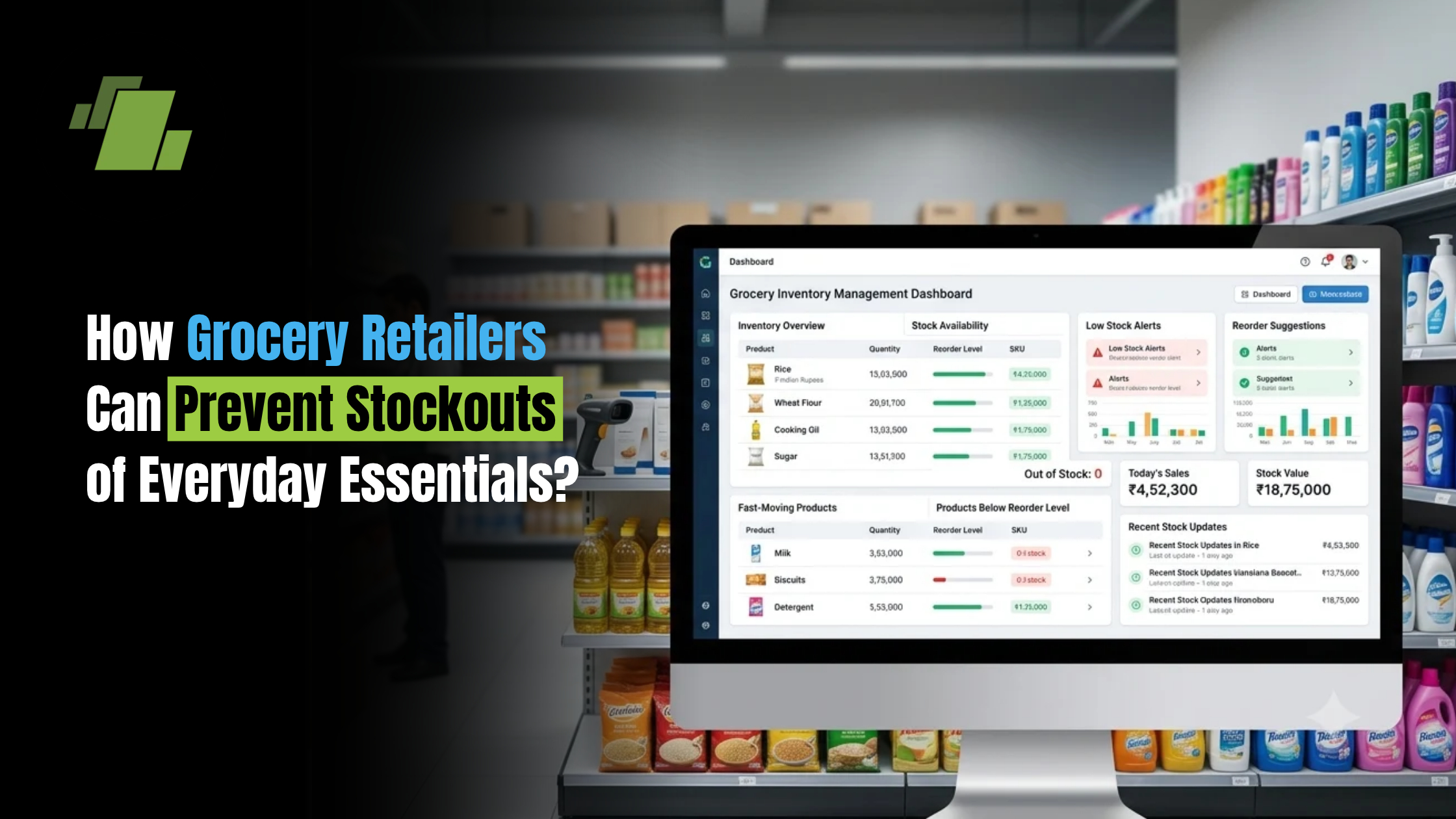
Running out of everyday essentials can cost a grocery retailer more than a single lost sale. When customers repeatedly find their preferred products unavailable, they may switch to another store or online platform for their next purchase.
Products such as milk, bread, rice, flour, cooking oil, packaged foods, beverages and household essentials can move quickly, making inventory planning particularly important. At the same time, keeping excessive quantities of every product increases working capital requirements, storage costs and the risk of slow-moving or unsold inventory.
Contact Us
Free Demo Request
The goal is not simply to keep more stock. Grocery retailers need to maintain the right products, in the right quantities, at the right time.
This requires better visibility into sales, inventory levels, product movement, supplier lead times and changing customer demand.
What is a Stockout in Grocery Retail?
A stockout occurs when a product is unavailable when a customer wants to purchase it.
For example, a grocery store may normally sell a particular brand of cooking oil every day. If the available stock reaches zero before the next purchase arrives, customers looking for that product cannot complete their purchase.
Stockouts can occur with:
- Rice and flour
- Cooking oil
- Sugar and salt
- Milk and dairy products
- Bread and bakery products
- Packaged foods
- Snacks and beverages
- Personal care products
- Cleaning products
- Other frequently purchased household essentials
A temporary stockout may appear insignificant, but frequent stockouts of high-demand products can affect customer satisfaction, sales and store loyalty.
Why Do Grocery Stores Run Out of Essential Products?
Several operational problems can contribute to stockouts.
Unpredictable Customer Demand
Customer demand is not always consistent. Sales may increase during weekends, festivals, holidays, weather changes or local events.
A product that normally sells 20 units per day could suddenly sell twice that quantity, leaving insufficient stock until the next purchase arrives.
Poor Reorder Planning
Some retailers reorder products based on visual inspection or experience rather than actual sales data.
This can result in orders being placed too late, particularly for fast-moving products.
Inaccurate Stock Records
If the recorded stock quantity does not match the actual quantity available on the shelf or in the backroom, retailers may assume that sufficient inventory is available when it is not.
Manual stock updates, unrecorded sales, damaged products and stock adjustments can all contribute to inaccurate inventory records.
Delayed Supplier Deliveries
Even when a retailer places an order on time, supplier delays can affect product availability.
If a retailer does not account for supplier lead time while calculating reorder levels, essential products can run out before the next shipment arrives.
Overstocking Slow-Moving Products
Stockouts and overstocking can occur at the same time.
A retailer may have excess quantities of slow-moving products while fast-moving essentials are unavailable. This ties up working capital without improving product availability where it matters most.
Seasonal and Promotional Demand
Demand can change significantly during festivals, holidays, promotional campaigns and seasonal periods.
Retailers that rely only on average historical demand may underestimate the quantity required during these periods.
Lack of Real-Time Inventory Visibility
When retailers cannot quickly see current stock levels and recent sales, replenishment decisions become slower and less accurate.
10 Ways Grocery Retailers Can Prevent Stockouts
1. Identify Your Essential and Fast-Moving Products
Not every product requires the same inventory strategy.
Retailers should identify products that:
- Sell frequently
- Generate consistent demand
- Have high customer dependency
- Contribute significantly to store revenue
- Have limited acceptable substitutes
These products should receive greater attention during inventory planning.
For example, a grocery retailer may consider cooking oil, milk, rice, flour and popular packaged food products as high-priority items based on actual sales patterns.
Understanding product movement allows retailers to focus replenishment efforts where stockouts can have the greatest impact.
2. Set Reorder Levels for High-Demand Items
A reorder level indicates when a retailer should place a new purchase order before available inventory becomes critically low.
Instead of waiting until a product is almost out of stock, retailers can establish a minimum level based on:
- Average daily sales
- Supplier lead time
- Safety stock
- Demand fluctuations
Different products should have different reorder levels because their sales velocity and supplier lead times vary.
3. Track Sales Velocity
Sales velocity shows how quickly a product is selling over a particular period.
For example, if one product sells 50 units per day while another sells five units per week, both products should not be managed using the same replenishment rule.
Tracking sales velocity helps retailers identify:
- Fast-moving products
- Slow-moving products
- Products with increasing demand
- Products with declining demand
- Products requiring more frequent replenishment
This helps shift inventory planning from guesswork to actual sales behaviour.
4. Monitor Real-Time Stock Levels
Knowing the current quantity of every important product can help retailers identify potential stockouts earlier.
When a sale is completed, the corresponding stock quantity should be updated as quickly as possible.
Real-time inventory visibility can help retailers answer questions such as:
- How many units are available?
- How many units were sold today?
- Which products are below their reorder level?
- Which products need to be purchased?
- Which products are available in another store or warehouse?
This is particularly useful for grocery businesses with large product assortments.
5. Maintain Safety Stock for Critical Products
Safety stock acts as a buffer against unexpected changes in demand or supply.
For example, if a supplier normally delivers within three days but demand suddenly increases, additional inventory can help prevent the product from reaching zero before the next delivery.
Safety stock should not be identical for every product.
Retailers should consider:
- Product demand
- Demand variability
- Supplier reliability
- Lead time
- Product shelf life
- Storage capacity
Products with predictable demand and short supplier lead times may require less safety stock than products with uncertain demand or longer lead times.
6. Plan Purchases Using Historical Sales Data
Historical sales can provide useful information for future purchasing decisions.
Retailers can compare:
- Daily sales
- Weekly sales
- Monthly sales
- Previous-year sales
- Weekend demand
- Festival-period sales
- Promotional-period sales
For example, if a product consistently experiences higher demand every weekend, purchasing decisions can account for that pattern rather than relying on the weekday average.
7. Monitor Supplier Lead Times
Reorder planning should consider how long suppliers take to deliver products.
If one supplier typically delivers within two days and another takes seven days, their products should not necessarily have the same reorder point.
Retailers should monitor:
- Average delivery time
- Delayed orders
- Order fulfilment rates
- Supplier-wise purchase quantities
- Frequently unavailable products
This can help retailers choose better reorder timings and identify unreliable supply patterns.
8. Track Seasonal and Promotional Demand
Demand for grocery products can change significantly during special periods.
Examples include:
- Festivals
- Holidays
- Weddings and local events
- Summer
- Winter
- Monsoon
- Promotional campaigns
- Local market events
Retailers should analyse previous sales during similar periods and adjust purchase quantities accordingly.
This helps avoid situations where an unexpected demand increase quickly exhausts available inventory.
9. Review Slow-Moving Inventory
Preventing stockouts does not mean increasing inventory across every product category.
Retailers should regularly identify slow-moving products and understand how much working capital is tied up in them.
Useful indicators include:
- Stock ageing
- Units sold
- Days in inventory
- Inventory turnover
- Last sale date
Reducing unnecessary slow-moving stock can free up capital for products that generate more frequent sales.
10. Automate Replenishment Alerts
Manual inventory monitoring becomes increasingly difficult as the number of products grows.
Automated alerts can notify retailers when selected products reach their defined reorder levels.
For example:
Current Stock → Reorder Level Reached → Alert → Purchase Review → Supplier Order → Stock Replenishment
This allows retailers to take action before an essential product reaches zero stock.
How Reorder Levels Help Prevent Grocery Stockouts
A reorder level helps retailers determine when a product should be purchased again.
A commonly used approach is:
Reorder Point = Average Daily Sales × Supplier Lead Time + Safety Stock
For example, if a grocery store sells an average of 20 units of a product per day, the supplier takes five days to deliver, and the retailer maintains 30 units as safety stock:
Reorder Point = 20 × 5 + 30 = 130 units
When available inventory approaches this level, the retailer can review and place a replenishment order.
The actual calculation can vary depending on demand patterns, supplier reliability and the retailer’s inventory strategy.
How Sales Data Helps Grocery Retailers Predict Demand
Sales data gives retailers a clearer picture of what customers are actually purchasing.
Instead of asking only, “How much stock do we have?”, retailers can also ask:
- How quickly is this product selling?
- Is demand increasing?
- Which days generate the highest sales?
- Did a recent promotion increase demand?
- Is the product seasonal?
- Which products are frequently purchased together?
For example, a retailer may discover that a particular beverage sells significantly faster on weekends. This insight can influence purchasing and replenishment decisions before the next weekend begins.
Sales data can therefore become an important input for inventory planning.
How Inventory Visibility Reduces Stockout Risk
Effective replenishment depends on connecting sales activity with inventory information.
A typical process looks like:
Sale → Stock Deduction → Current Inventory → Reorder Level → Purchase Planning → Supplier Order → Replenishment
If these activities are managed separately, retailers may have to manually compare sales records with stock records before deciding what to purchase.
An integrated system can make this process more connected and provide faster visibility into product movement.
How Grocery Retailers Can Balance Stock Availability and Inventory Cost
The easiest way to prevent stockouts may appear to be buying more inventory.
However, excessive inventory can create another set of problems.
Too much stock can lead to:
- Higher working capital requirements
- Storage constraints
- Slow-moving inventory
- Product expiry
- Wastage
- Reduced inventory turnover
The objective should therefore be optimal inventory availability, rather than maximum inventory.
Retailers should prioritise products based on their sales velocity, customer importance, supplier lead time and shelf life.
What Should Grocery Retailers Track to Prevent Stockouts?
| Metric | Why It Matters |
|---|---|
| Current Stock | Shows how much inventory is available |
| Daily Sales | Indicates the rate at which products are being sold |
| Sales Velocity | Identifies fast-moving products |
| Reorder Level | Indicates when replenishment should be considered |
| Supplier Lead Time | Helps determine when to reorder |
| Safety Stock | Provides a buffer against unexpected demand or delays |
| Stock Ageing | Identifies inventory that is remaining unsold |
| Inventory Turnover | Shows how efficiently inventory is moving |
Tracking these metrics together gives retailers a more complete view of inventory health.
How Technology Can Help Grocery Retailers Prevent Stockouts
As the number of products and daily transactions increases, manually monitoring every item becomes difficult.
Technology can connect sales and inventory processes so that retailers have better visibility into product movement.
A connected retail system can help with:
- Real-time stock updates
- Barcode-based billing
- Product-level sales tracking
- Reorder alerts
- Purchase planning
- Supplier management
- Stock ageing analysis
- Fast-moving and slow-moving product reports
- Category-wise sales analysis
- Multi-store inventory visibility
When billing and inventory are connected, every sale can contribute to a more accurate picture of available stock.
For grocery retailers looking to improve this connection, a grocery POS software solution can bring billing, inventory, sales and purchasing information into a unified workflow.
Conclusion
Preventing stockouts is not about keeping more inventory across the board. It is about understanding what sells, how quickly it sells, when it needs to be reordered and how long replenishment takes.
By identifying essential products, monitoring sales velocity, setting appropriate reorder levels, maintaining safety stock, analysing demand patterns and tracking supplier lead times, grocery retailers can improve product availability without unnecessarily increasing inventory.
Connecting billing, sales and inventory data can make this process even more effective. With better visibility into product movement and stock levels, retailers can make faster replenishment decisions and keep everyday essentials available when customers need them.
Call at +9173411-41176/75 or send us an email at sales@logicerp.com to book a free demo today!
Frequently Asked Questions
What Causes Stockouts in Grocery Stores?
Common causes include inaccurate inventory records, unexpected demand, delayed supplier deliveries, poor reorder planning, insufficient safety stock and lack of real-time visibility into product movement.
How Can Grocery Retailers Prevent Stockouts?
Retailers can reduce stockouts by identifying fast-moving products, setting reorder levels, maintaining appropriate safety stock, monitoring supplier lead times, analysing sales trends and using timely replenishment alerts.
What is a Reorder Level?
A reorder level is the inventory quantity at which a retailer should review or initiate replenishment to avoid running out of stock before the next shipment arrives.
How Do You Calculate a Reorder Point for Grocery Products?
A commonly used formula is:
Reorder Point = Average Daily Sales × Supplier Lead Time + Safety Stock
Retailers can adjust the calculation according to demand variability, supplier reliability and their inventory strategy.
Why is Safety Stock Important in Grocery Retail?
Safety stock provides a buffer against unexpected increases in demand or supplier delays. It can help reduce the risk of essential products reaching zero stock before replenishment arrives.
How Can Sales Data Help Prevent Stockouts?
Sales data shows how quickly products are moving and can reveal seasonal, weekly, daily or promotional demand patterns. Retailers can use these insights to improve purchase and replenishment planning.
How Can POS Systems Help with Stock Replenishment?
A connected POS system can update inventory when sales occur, provide product-level sales information, identify stock levels and support replenishment decisions through inventory reports or alerts.

Author
Gurbir Singh
Co-founder & Managing Director | LOGIC ERP Solutions Pvt. Ltd.
With 30+ years of experience in the tech industry, I took the helm of technology & product development, ensuring LOGIC ERP’s continuous innovation & leadership in the evolving tech landscape.