How to Reduce Checkout Waiting Time in High-Volume Retail Stores?

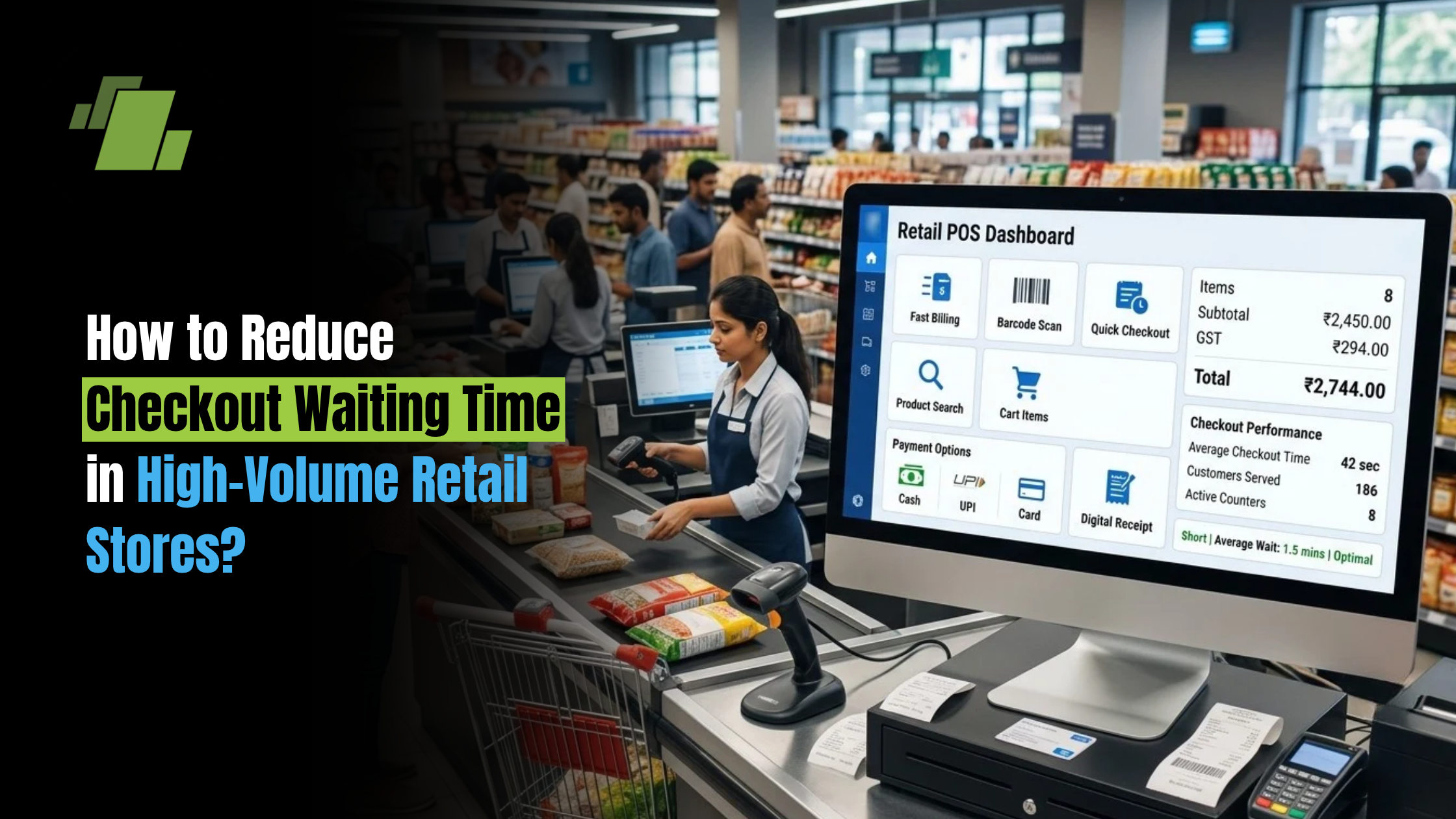
Long checkout queues can quickly turn a positive shopping experience into a frustrating one. In high-volume retail stores, even a few extra seconds spent scanning products, checking prices, applying discounts or processing payments can create significant queues during peak hours.
For supermarkets handling hundreds or thousands of transactions every day, improving checkout speed is not simply about adding more billing counters. Retailers need to simplify the entire checkout process from product scanning and price verification to payment, invoicing and inventory updates.
A combination of streamlined processes, accurate product data, barcode-based billing, multiple checkout counters, automated promotions and integrated retail technology can help stores serve more customers without compromising billing accuracy.
Contact Us
Free Demo Request
Why Do Customers Face Long Queues at Retail Checkout?
Checkout delays can occur at several stages of a retail transaction. Identifying the actual bottleneck is the first step toward reducing waiting time.
Slow Product Scanning
Manually searching for products or entering product information takes considerably longer than scanning a barcode. Problems such as damaged barcodes, incorrect product masters or missing product information can create additional delays.
For stores with thousands of SKUs, having accurate product information readily available at the billing counter is essential for faster transactions.
Manual Price and Discount Verification
Price mismatches can slow down billing when cashiers have to verify prices or promotional offers manually.
Retailers may have different prices, offers or discounts for particular products, categories or customer groups. Automating these rules helps cashiers complete transactions without repeatedly checking promotional information.
Payment Delays
Payment is another potential bottleneck, particularly during peak shopping hours.
Customers may use cash, cards, UPI or other digital payment methods. Failed transactions, delayed confirmations or manual payment verification can increase the time required to complete each bill.
Returns and Exchanges
Returns and exchanges often require additional verification. If staff need to manually locate an earlier invoice, confirm the transaction or calculate the adjustment, the process can take longer and create another queue.
Uneven Workload Across Billing Counters
A store may have several billing counters but still experience long queues if customer traffic is unevenly distributed.
Managers need visibility into transaction volumes and counter performance to understand when additional counters or staff are required.
10 Ways to Reduce Checkout Waiting Time
Reducing checkout time requires retailers to look at the complete billing process rather than focusing on one step.
1. Use Barcode-Based Product Scanning
Barcode scanning allows cashiers to retrieve product information quickly instead of manually searching for products or entering item details.
A barcode can connect the product to information such as:
- Product name
- Selling price
- MRP
- Tax information
- Product category
- Available offers
- Stock information
This reduces manual data entry and helps cashiers process larger baskets more efficiently.
For high-volume supermarkets, barcode-based billing becomes particularly important because even small improvements in transaction time can make a noticeable difference across hundreds of daily bills.
2. Maintain Accurate Product and Pricing Data
Fast checkout depends on accurate product information.
Retailers should regularly maintain their product master so that cashiers can access the correct price, tax, barcode and promotional information at the time of billing.
A centralised product database can also help maintain consistency across multiple counters and outlets.
This is especially useful for retailers dealing with frequent price changes across FMCG and grocery products.
3. Enable Multiple Billing Counters
Multiple billing counters allow retailers to process several customers simultaneously.
However, simply installing additional counters is not enough. All counters should have access to the same product, pricing and promotional information.
A connected checkout environment allows retailers to:
- Process transactions simultaneously
- Maintain consistent pricing
- Track counter-wise sales
- Monitor cashier performance
- Manage peak-hour demand
- Reduce dependency on manual coordination
For high-volume stores, this can significantly improve customer throughput.
4. Accept Multiple Digital Payment Methods
Customers increasingly expect convenient payment options at checkout.
Retailers can reduce payment-related delays by supporting commonly used methods such as:
- UPI
- Debit and credit cards
- Cash
- Digital wallets and other supported payment methods
Payment integration can also reduce manual confirmation and help staff identify successful transactions more quickly.
The objective is simple: once the products are scanned and the bill is generated, payment should be completed with minimal additional steps.
5. Automate Discounts and Promotions
Manual discount calculations can slow down checkout and increase the risk of errors.
Retailers can define promotional rules in advance for offers such as:
- Quantity-based discounts
- Buy-one-get-one offers
- Category-level promotions
- Product-specific discounts
- Customer-specific offers
- Loyalty discounts
When the applicable offer is automatically identified during billing, cashiers do not need to calculate or verify every discount manually.
This makes billing faster while also ensuring that promotional rules are applied consistently.
6. Make Returns and Exchanges Easier
Returns and exchanges can become a major source of delays when previous transactions are difficult to locate.
Retailers should maintain accessible transaction records so staff can quickly verify:
- Original invoice
- Product purchased
- Purchase date
- Quantity
- Selling price
- Applicable discount
- Payment details
A connected billing system can make this process easier and reduce the amount of manual verification required.
7. Monitor Counter Performance
Checkout performance should be measured rather than estimated.
Retailers can monitor indicators such as:
- Number of bills processed
- Average transaction time
- Transactions per hour
- Counter-wise sales
- Peak transaction periods
- Payment failures
- Average basket size
These insights can help managers identify counters that consistently experience delays and understand when additional staff or counters are required.
8. Use Real-Time Sales and Checkout Visibility
Retail managers need visibility into what is happening across the store while transactions are taking place.
Real-time reporting can help identify:
- Sudden increases in transaction volume
- Busy billing counters
- Peak shopping periods
- Slow-moving counters
- Sales trends
- Payment-related issues
This information allows managers to make faster operational decisions instead of relying solely on end-of-day reports.
9. Connect Billing With Inventory
A checkout transaction should not end with invoice generation.
When billing is connected with inventory, every completed sale can automatically update stock levels.
This eliminates the need for staff to separately record sold products and helps retailers maintain more accurate inventory information.
The connection between billing and inventory can also support:
- Replenishment planning
- Stock availability monitoring
- Product movement analysis
- Purchase planning
- Stock reporting
This is particularly valuable for supermarkets with a large number of SKUs.
10. Optimise Staff Allocation During Peak Hours
Checkout data can help retailers understand when customer traffic is highest.
Instead of keeping the same number of counters active throughout the day, stores can allocate staff based on actual demand.
For example, if transaction data shows that customer volume increases significantly during evening hours or weekends, managers can schedule additional cashiers during those periods.
This can help reduce queues without unnecessarily increasing staffing throughout the entire day.
How Barcode-Based Billing Speeds Up Retail Checkout
Barcode-based billing can remove several manual steps from a transaction.
Instead of searching for a product and manually entering its details, the cashier can scan the barcode and retrieve the associated product information.
A typical process can work like this:
Scan Product → Retrieve Product Information → Apply Price/Offer → Calculate Tax → Add to Bill → Accept Payment → Generate Invoice → Update Inventory
When these steps are connected, the cashier spends less time switching between different processes.
For high-volume retailers, this can improve transaction consistency and reduce manual billing errors.
How Multi-Counter Billing Helps High-Volume Retail Stores
A busy supermarket may have hundreds of customers attempting to complete purchases within the same period.
A single billing counter can quickly become a bottleneck.
Multi-counter billing allows multiple transactions to take place simultaneously while maintaining access to a common product and pricing database.
Single Store With Multiple Counters
Retailers can monitor each counter independently while maintaining centralised control over:
- Products
- Prices
- Discounts
- Taxes
- Sales
- Cashier activity
- Inventory
Multiple Stores With Centralised Operations
For retailers operating multiple outlets, centralised data can provide a broader view of sales and store performance.
Management can compare outlets, monitor sales patterns and understand how individual stores are performing without depending entirely on manually consolidated reports.
How Retailers Can Identify Checkout Bottlenecks
Retailers should track checkout performance using measurable indicators rather than relying only on customer complaints.
| KPI | What It Helps Measure |
|---|---|
| Average Transaction Time | Time required to complete a bill |
| Bills Per Hour | Counter productivity |
| Queue Length | Customer waiting pressure |
| Peak-Hour Transactions | Periods requiring additional resources |
| Payment Failure Rate | Delays caused by payment issues |
| Average Basket Size | Number and complexity of products per transaction |
| Counter-Wise Sales | Performance of individual billing counters |
Tracking these indicators can help retailers identify whether the problem is related to staffing, scanning, pricing, promotions, payment processing or transaction complexity.
Checkout Speed Is More Than Just Faster Billing
Reducing checkout time does not mean simply making the cashier scan products faster.
The complete customer journey needs to work efficiently:
Product Selection → Queue → Scanning → Pricing → Promotions → Payment → Invoice → Exit
A retailer may have fast barcode scanning but still experience long queues if prices need manual verification.
Similarly, a store may have multiple counters but still experience delays if payment processing or promotional calculations are slow.
That is why checkout optimisation should consider the entire transaction.
What Should Retailers Look for in a Checkout Solution?
When evaluating technology for a high-volume retail environment, retailers should consider more than billing speed.
Fast Barcode Scanning
The system should allow cashiers to quickly identify products and add them to a transaction.
Multi-Counter Support
Multiple counters should be able to process transactions simultaneously while working with consistent product and pricing information.
Centralised Product and Pricing Data
Product details, prices, taxes and promotional rules should be available across billing counters.
Automated Promotions
The system should support different promotional and discount rules without requiring manual calculations.
Multiple Payment Options
Customers should be able to complete payments through commonly used payment methods.
Real-Time Inventory Updates
Completed sales should automatically reflect in inventory to maintain better stock visibility.
Sales and Counter-Level Reporting
Managers should be able to analyse transaction volumes, sales and counter performance.
Multi-Store Management
Retailers with multiple outlets should be able to monitor operations through centralised information.
Easy Staff Operation
Cashiers should be able to learn and operate the system without unnecessarily complicated workflows.
How an Integrated Retail POS System Can Reduce Checkout Delays
An integrated retail POS system connects several activities that otherwise operate separately.
Instead of managing billing, inventory, pricing, promotions and reporting as independent processes, retailers can connect them through a common system.
The workflow can look like:
POS Billing → Inventory Update → Sales Record → Payment Record → Reporting → Replenishment Insights
This integration reduces duplicate data entry and gives retailers better visibility into their operations.
For supermarkets and other high-volume retailers, an integrated supermarket POS software solution can help bring billing, inventory, pricing, promotions, payments and reporting into one connected workflow.
The result is not just faster billing. It can also mean fewer manual errors, better stock visibility and more consistent customer service.
Conclusion
Reducing checkout waiting time requires more than adding billing counters. Retailers need to identify where delays occur and streamline every stage of the transaction from barcode scanning and price verification to promotions, payments, invoicing and inventory updates.
Barcode-based billing, multi-counter operations, automated promotions, integrated payments, real-time reporting and connected inventory can help high-volume retail stores improve checkout efficiency while maintaining billing accuracy.
For supermarkets handling large transaction volumes and extensive product assortments, an integrated retail POS system can provide the technology foundation needed to make checkout faster, more consistent and easier to manage.
Call at +9173411-41176/75 or send us an email at sales@logicerp.com to book a free demo today!
Frequently Asked Questions
1. What Causes Long Checkout Queues in Supermarkets?
Long queues can result from slow product scanning, manual price verification, complicated promotions, payment delays, insufficient billing counters, returns and exchanges, or uneven customer traffic across counters.
2. How Can Barcode Scanning Reduce Billing Time?
Barcode scanning eliminates much of the manual product entry process. The system can retrieve product information, price and applicable details as soon as the barcode is scanned.
3. Does Multi-Counter Billing Reduce Customer Waiting Time?
Yes. Multiple counters allow several transactions to be processed simultaneously. However, counters should be connected to consistent product, pricing and promotional information to work efficiently.
4. How Can Retailers Speed Up Digital Payments at Checkout?
Integrating supported payment methods and reducing manual payment verification can help minimise payment-related delays.
5. How Can Supermarkets Manage Peak-Hour Billing?
Retailers can use transaction and counter-level data to identify peak periods and allocate additional counters or staff when customer traffic increases.
6. Can POS Systems Automatically Apply Discounts?
Yes. Retail POS systems can support predefined promotional rules, including product-level, quantity-based, category-level and customer-specific discounts, depending on the system configuration.
7. How Can Retailers Measure Checkout Performance?
Retailers can monitor metrics such as average transaction time, bills per hour, queue length, counter-wise sales, payment failures and average basket size.
8. Can Checkout Systems Update Inventory Automatically?
An integrated POS system can update inventory when a sale is completed, helping retailers maintain more accurate stock information and reduce duplicate manual entries.

Author
Gurbir Singh
Co-founder & Managing Director | LOGIC ERP Solutions Pvt. Ltd.
With 30+ years of experience in the tech industry, I took the helm of technology & product development, ensuring LOGIC ERP’s continuous innovation & leadership in the evolving tech landscape.