How Grocery Stores Can Manage Frequent Price Changes Across Products with LOGIC ERP?

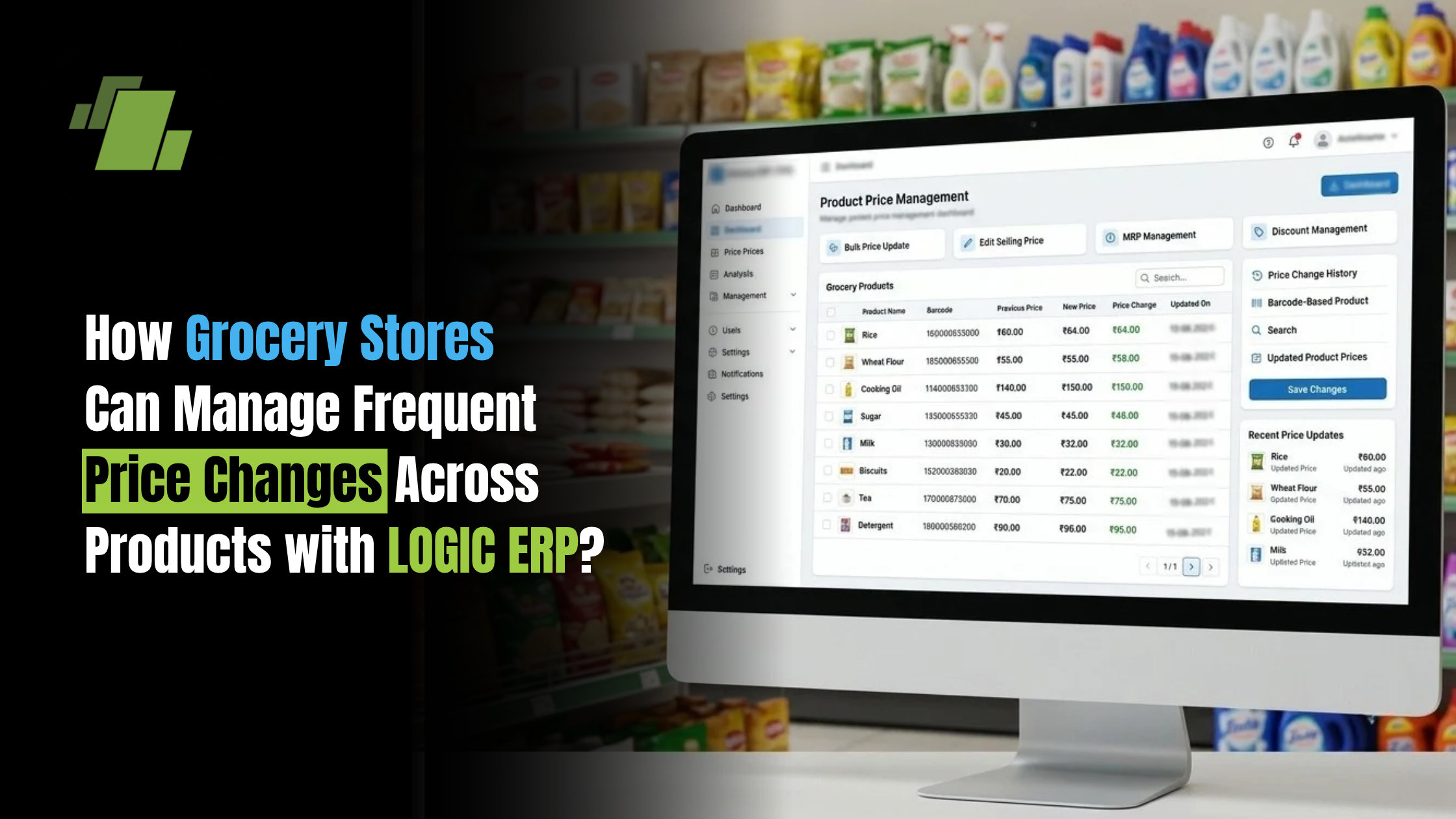
Grocery stores deal with frequent changes in product prices due to supplier revisions, changing purchase costs, promotions, seasonal demand and market conditions. When these changes are managed manually, retailers can face incorrect billing, pricing mismatches, margin loss and additional administrative work.
A Grocery POS Software solution can help retailers maintain product prices, update selling rates, manage discounts and connect pricing with inventory and billing. With LOGIC ERP Grocery Software, retailers can manage product-level pricing while keeping sales, purchases and inventory connected.
Contact Us
Free Demo Request
Why Do Grocery Stores Face Frequent Price Changes?
Grocery retailers purchase products from multiple suppliers, and the purchase price of the same product can change over time. Manufacturers may also revise prices, while retailers may adjust selling prices based on margins, competition or promotional campaigns.
Common reasons for price changes include:
- Supplier price revisions
- Changes in purchase costs
- Manufacturer price updates
- Seasonal offers
- Promotional campaigns
- Market price fluctuations
- Different supplier rates
- Changes in product margins
- Store-specific pricing strategies
For stores managing thousands of SKUs, keeping every product’s price accurate can become difficult without a centralised system.
What Problems Can Frequent Price Changes Create?
Frequent price changes can affect several areas of grocery store operations.
Incorrect Billing
If the billing system contains an outdated selling price, customers may be charged incorrectly. This can result in billing disputes and additional manual corrections.
Margin Loss
When purchase prices increase but selling prices remain unchanged, the retailer’s margin can decline. Monitoring both purchase costs and selling prices is therefore important.
Price Mismatch
A difference between the displayed product price and the price charged at the billing counter can create customer dissatisfaction.
Manual Data Entry Errors
Updating hundreds or thousands of products manually increases the possibility of entering an incorrect price or missing a product update.
Difficulty Managing Multiple Stores
Retailers operating multiple grocery outlets may need to apply the same approved price changes across different stores. Managing these changes individually can consume significant time.
How Can Grocery Stores Manage Frequent Price Changes Efficiently?
An organised pricing process can help retailers reduce errors and maintain better control over product prices.
Maintain a Centralised Product Master
Product information, purchase prices, selling prices, barcodes, taxes and other relevant details should be maintained in a centralised product database.
This gives the retailer a consistent source of product information for purchasing, inventory and billing.
Track Purchase Price Changes
Retailers should monitor changes in supplier purchase prices. A change in purchase cost can be an important trigger to review the product’s selling price.
Use Product-Level Pricing
Different products may require different pricing strategies. A retailer may maintain different margins based on product category, demand, competition and purchase cost.
Maintain Price History
Keeping a record of previous prices allows retailers to understand how product prices have changed and review pricing decisions when required.
Review Margins After Price Updates
A price change should not only be viewed as a billing update. Retailers should also check how the new purchase and selling prices affect product profitability.
Manage Prices Across Multiple Stores
For businesses with multiple outlets, an integrated Grocery Store Software solution can make it easier to manage approved pricing changes across relevant stores.
How Grocery POS Software Helps Manage Price Changes
Grocery POS Software connects product information with the billing process, making price management more structured.
A suitable grocery POS system can help retailers:
- Maintain product-wise selling prices
- Record purchase costs
- Update product prices
- Manage barcode-based billing
- Apply discounts and offers
- Maintain different pricing options
- Track product price history
- Connect pricing with inventory
- Monitor product-level margins
- Manage multiple retail outlets
This reduces dependence on spreadsheets and manual price updates and gives retailers better visibility over product pricing.
How to Manage Different Prices for the Same Product?
Grocery retailers may encounter situations where the same product needs different pricing because of changes in purchase costs, customer segments, promotions or sales channels.
For example, a retailer may need to manage:
- Retail selling price
- Wholesale price
- Promotional price
- Customer-specific price
- Store-specific price
- Different prices based on purchase conditions
Instead of maintaining these details separately, retailers can use Grocery Software to centralise pricing information and apply the appropriate price during billing.
How to Prevent Price and Billing Mismatches?
Price mismatches can be reduced by creating a controlled pricing workflow.
Retailers should:
- Maintain an accurate product master.
- Record supplier price changes promptly.
- Review purchase and selling prices.
- Update approved selling prices before billing.
- Use barcode-based product identification.
- Synchronise pricing information across relevant outlets.
- Review promotional prices before activating offers.
- Regularly audit product prices.
An integrated Grocery POS Software system can connect these processes and reduce the need for repeated manual data entry.
How LOGIC ERP Helps Grocery Stores Manage Frequent Price Changes
LOGIC ERP Grocery Software helps retailers manage product, purchase, inventory and billing information through an integrated retail management system.
Retailers can use LOGIC ERP to manage areas such as:
- Product and SKU management
- Barcode-based billing
- Purchase management
- Selling price management
- Inventory tracking
- Offers and discounts
- Product-level profitability
- Sales and purchase reporting
- Multi-store operations
This allows retailers to connect a product’s purchase information with its selling and billing information, helping them make better pricing decisions.
A Practical Price Management Workflow
A grocery retailer can follow a workflow such as:
Supplier Price Change → Update Purchase Cost → Review Margin → Decide Selling Price → Update POS → Bill at Current Price → Monitor Profitability
This approach helps ensure that pricing decisions are connected to purchasing and inventory information rather than being managed in isolation.
Example: Managing a Supplier Price Increase
Consider a grocery store selling a product for ₹100 after purchasing it for ₹90.
If the supplier increases the purchase price to ₹95, the retailer needs to evaluate whether the selling price should also change.
The retailer can:
- Identify the updated purchase cost.
- Review the desired margin.
- Determine the revised selling price.
- Update the product price in the system.
- Ensure the updated price is available at the billing counter.
- Monitor the product’s sales and profitability.
With Grocery POS Software, these pricing and billing processes can be managed within a connected system instead of relying on separate manual records.
Best Practices for Grocery Price Management
Grocery retailers can improve price management by following these practices:
Review Supplier Price Changes Regularly
Monitor purchase invoices and supplier price updates so that significant cost changes are not missed.
Maintain Accurate Product Information
Keep product names, SKUs, barcodes, purchase costs and selling prices updated.
Set Product-Level Pricing Rules
Avoid applying the same pricing approach to every product when different categories require different margins.
Track Price History
Maintain historical pricing information to understand changes and review previous decisions.
Check Promotions Before Activation
Discounts and promotional prices should be reviewed to ensure they do not unnecessarily reduce margins.
Synchronise Prices Across Stores
Multi-store retailers should have a controlled process for applying approved price changes across outlets.
Monitor Product-Level Profitability
Review whether changes in purchase and selling prices are affecting margins.
Common Grocery Price Management Mistakes
Retailers should avoid:
- Maintaining product prices only in spreadsheets
- Updating selling prices without checking purchase costs
- Applying identical margins to every product
- Forgetting to update prices across stores
- Not maintaining price history
- Using outdated product information
- Running promotions without reviewing margins
- Making uncontrolled manual price changes
- Not checking updated prices at billing counters
How Grocery Software Supports Better Price Management
The main benefit of Grocery Software is that it brings different retail processes together.
Instead of managing pricing, purchases, inventory and billing separately, retailers can connect these functions:
Purchasing → Product Cost → Pricing → Inventory → Billing → Sales → Profitability
This connected approach gives grocery retailers better visibility and helps reduce errors caused by disconnected systems.
Conclusion
Frequent price changes are a normal part of grocery retail, but managing them manually can lead to incorrect billing, pricing mismatches and reduced margins.
By using Grocery POS Software, retailers can centralise product pricing, connect purchase costs with selling prices, manage offers and discounts, and keep billing information updated.
LOGIC ERP Grocery Software helps bring sales, purchasing, inventory and billing together, giving grocery retailers greater control over product pricing and day-to-day store operations.
Call at +9173411-41176/75 or send us an email at sales@logicerp.com to book a free demo today!
Frequently Asked Questions
1. How Can Grocery Stores Manage Frequent Price Changes?
Grocery stores can manage frequent price changes by maintaining centralised product information, tracking supplier costs, reviewing margins and using Grocery POS Software to update selling prices and billing information.
2. How Does Grocery POS Software Help With Price Management?
Grocery POS Software helps retailers maintain product prices, update selling rates, manage discounts, connect prices with inventory and ensure the billing system uses current product information.
3. Why Do Grocery Product Prices Change Frequently?
Prices can change because of supplier price revisions, changing purchase costs, manufacturer updates, promotions, seasonal demand and market conditions.
4. How Can Grocery Stores Prevent Price Mismatches?
Retailers can reduce price mismatches by maintaining accurate product masters, updating prices promptly, using barcode-based billing and ensuring approved price changes are reflected in the POS system.
5. Can Grocery Software Manage Different Prices for Different Products?
Yes. Grocery Software can support product-level pricing and can help retailers manage different prices based on products, customer segments, promotions, stores and other business requirements.
6. How Can Retailers Protect Margins When Purchase Prices Increase?
Retailers can review the new purchase cost, calculate the required selling price, update the product price and monitor product-level profitability after the change.
7. Can LOGIC ERP Help Manage Grocery Product Prices?
Yes. LOGIC ERP helps grocery retailers connect product, purchasing, inventory, sales and billing information, supporting more controlled price management and retail operations.

Author
Gurbir Singh
Co-founder & Managing Director | LOGIC ERP Solutions Pvt. Ltd.
With 30+ years of experience in the tech industry, I took the helm of technology & product development, ensuring LOGIC ERP’s continuous innovation & leadership in the evolving tech landscape.