Benefits of Invoice Automation for Businesses

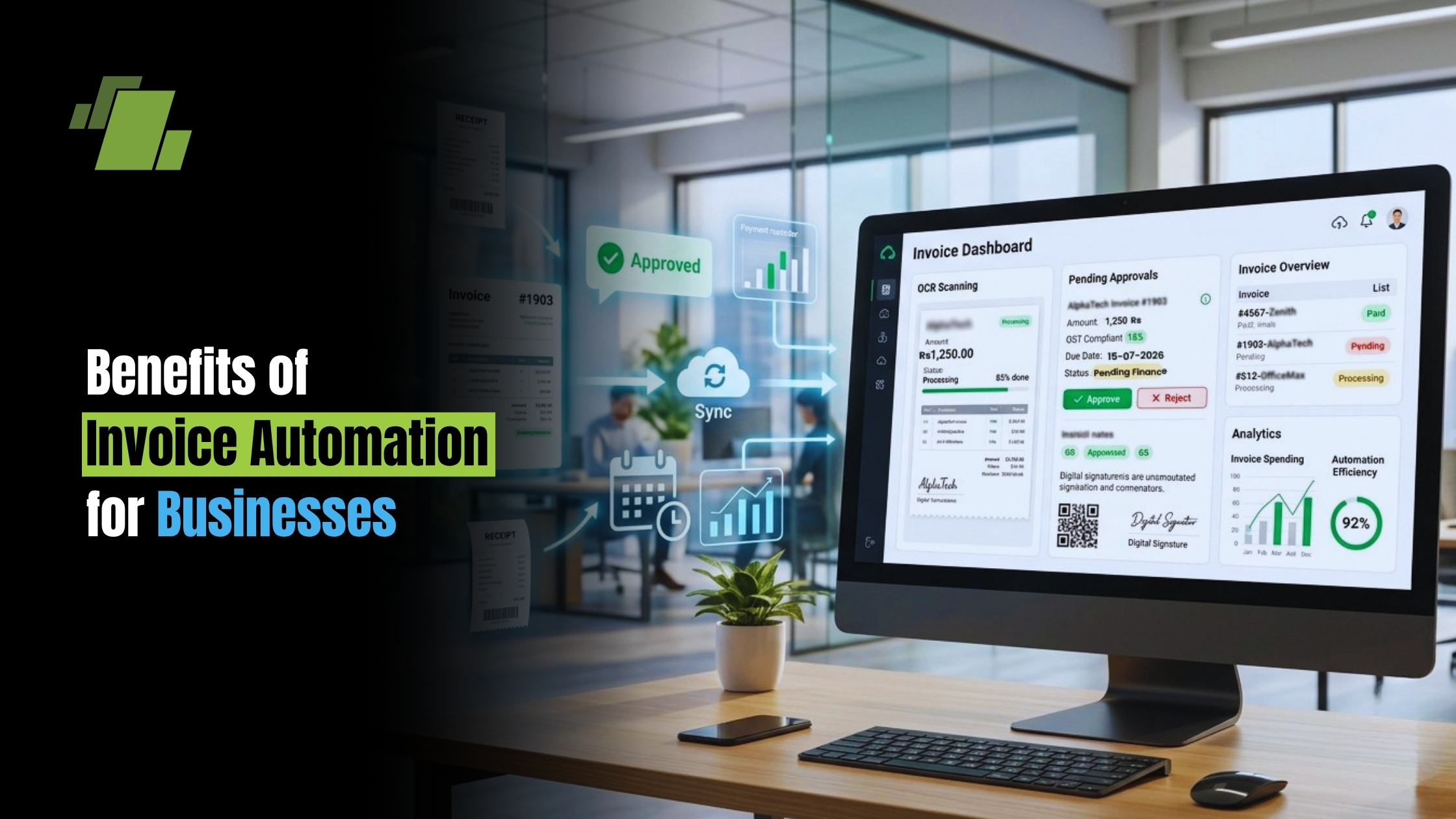
Invoice automation is transforming how businesses handle their billing processes. It streamlines operations, reduces errors, and saves time. Modern invoice software enables digital invoicing with electronic invoices and billing automation, making the shift smoother.
Manual invoicing is prone to mistakes and delays. An invoice automation solution offers a way to speed up the entire process.
Businesses can benefit from faster payments and improved cash flow. Automated systems integrate seamlessly with existing accounting software and invoice management platforms, as well as common invoicing tools.
Contact Us
Free Demo Request
This integration enhances accuracy and compliance with tax regulations. It also supports sustainability by reducing paper usage. Automated invoice processing further strengthens data consistency.
Explore how invoice automation can revolutionize your business operations. Discover the key benefits, features, and leading invoicing solutions behind this innovative technology.
What is Invoice Automation?
Invoice automation is a technology-driven process that replaces manual invoicing tasks with digital solutions. This transformation employs software to handle tasks such as generating, sending, and managing invoices through automated invoicing and, in some cases, invoice processing automation software designed for scale.
It significantly reduces the need for human intervention in invoice processing. Automation tools can manage high volumes of invoices efficiently. This technology ensures that billing is accurate and timely.
Key features of invoice automation include integration with accounting systems, real-time tracking, and automated reminders. These smart invoicing capabilities enhance overall operational efficiency.
Benefits of Invoice Automation:
- Reduces manual data entry
- Minimizes human errors
- Speeds up payment processing
- Supports digital document handling and electronic invoices
By automating invoicing, businesses can focus more on growth-oriented tasks. They benefit from streamlined operations and improved financial accuracy. As a result, businesses can maintain better control over their cash flow and compliance standards.
Key Benefits of Invoice Automation
Invoice automation presents numerous benefits for businesses of all sizes. It transforms tedious tasks into streamlined operations. By automating, businesses can achieve substantial operational enhancements.
First, automated invoicing speeds up the billing process. Businesses can generate and send invoices much faster. This leads to quicker payments from clients.
Invoice automation also reduces manual data entry. This cuts down on common human errors that can lead to costly mistakes. Automation ensures greater data accuracy and consistency.
Key Advantages:
- Speeds up billing cycles
- Minimizes manual input errors
- Increases data accuracy
- Streamlines workflows
Additionally, businesses save money by reducing processing times. Automation offers a strong return on investment by cutting labor costs. It allows reallocation of resources to more critical business areas.
Finally, invoice automation tools offer robust compliance features. They keep records accurate and up-to-date, aligning with regulatory requirements, and provide audit trails and centralized invoice management.
Improved Efficiency and Speed
Automation drastically improves both the speed and efficiency of the invoicing process. Invoicing systems can handle numerous invoices in seconds. This means quicker processing and faster billing cycles for businesses.
With automation, payment reminders and follow-ups can be automated, further enhancing speed. Businesses can set parameters that automatically trigger reminders. This proactive approach ensures that payments are received promptly.
Key Features for Efficiency:
- Fast invoice generation
- Automated payment reminders
- Quick processing time
By enhancing efficiency, businesses can focus on core activities. They can allocate time and resources to growth and strategic planning. This brings about significant productivity gains.
Enhanced Accuracy and Reduced Errors
Manual invoicing often results in data errors. Invoice automation minimizes these inaccuracies significantly. By eliminating manual entry, businesses ensure more reliable information.
Automation tools maintain data consistency across platforms. This reduces error rates commonly seen in manual processes. Comprehensive checks are executed automatically, preventing discrepancies capabilities that are core to invoice processing automation software.
Key Features for Accuracy:
- Auto data entry
- Consistent data management
- Automated checks for discrepancies
With increased accuracy, businesses enjoy fewer disputes and revisions. This reliability enhances client trust and satisfaction. It facilitates smoother financial operations and planning.
Cost Savings and ROI
Implementing invoice automation results in significant cost savings. It reduces labor costs associated with manual processing. Businesses can reallocate savings to other business priorities.
Automation tools often have a rapid return on investment. Time saved translates to financial savings and improved revenue cycles. Reduced errors also mean fewer costly adjustments or corrections.
Financial Benefits:
- Reduced labor costs
- Faster return on investment
- Fewer adjustment requirements
Altogether, cost efficiency and ROI significantly improve with automation. Businesses can invest in other growth areas, driving sustainable success. Automation ensures a future-proof invoicing system.
Better Cash Flow and Faster Payments
Invoice automation improves cash flow management. Automated systems ensure timely invoice generation and distribution. This encourages prompt payments from clients.
Faster payment cycles enhance a company’s cash flow. With automation, businesses can optimize their financial health. They can make informed decisions about investments and expenses.
Cash Flow Benefits:
- Timely invoicing
- Faster payments
- Improved cash management
These improvements provide valuable insights into payment patterns. Businesses can better forecast revenues and plan for growth. This financial clarity supports overall business agility.
Improved Compliance and Security
Automation ensures that invoices comply with regulatory standards. This is crucial for avoiding penalties and maintaining trust. Invoice software keeps records updated and accurate.
Additionally, automation enhances data security. Electronic records are easier to protect than physical documents. Businesses benefit from secure, audit-ready invoicing systems.
Compliance and Security Features:
- Automatic compliance checks
- Enhanced data protection
- Secure audit trails
With these features, businesses reduce the risk of fraud and errors. Automation supports secure financial practices, safeguarding company assets. It positions businesses to tackle compliance challenges efficiently.
How Invoice Automation Works
Invoice automation streamlines the billing process by utilizing advanced technologies. Software systems replace manual input with automated workflows. This reduces the need for human intervention.
Data extraction tools play a key role in this process. They pull necessary data from various sources and prepare it for invoicing. These tools ensure that the data is accurate and up-to-date.
Once prepared, invoices are automatically generated and distributed. Systems can send invoices through multiple channels, including email and online platforms. This ensures invoices reach clients promptly. Some teams start with invoice generator Excel automation before adopting dedicated platforms.
Key steps in invoice automation include:
- Data extraction and validation
- Automatic invoice generation
- Distribution through digital channels
- Monitoring and reconciliation of payments
The entire process increases efficiency while reducing errors. Automation tools ensure invoices are processed consistently and reliably. This leads to improved financial operations for businesses.
Core Features of Invoice Automation Solutions
Invoice automation solutions come equipped with a variety of powerful features. These features ensure efficiency and accuracy in invoice processing.
One standout feature is the integration capability. Solutions can seamlessly integrate with existing accounting software. This allows for enhanced coordination and data flow.
Markdown list of core features:
- Seamless software integration
- Advanced data validation
- Automated invoice generation
- Real-time tracking and reporting
- Built-in invoice management
- Support for electronic invoices
Another key feature is the real-time tracking of invoices. Businesses can monitor the status of invoices from creation to payment. This enables timely interventions if issues arise, ensuring smooth operations.
Incorporating these features helps businesses optimize their invoicing processes. They support scalability and enhance financial visibility. This empowers companies to manage their invoicing with confidence and precision.
Choosing the Right Invoice Automation Solution
Selecting the ideal invoice automation solution requires careful consideration of several factors. Start by analyzing your business needs. This helps in identifying the features necessary for your operations.
Evaluate how well the software integrates with existing systems. Seamless integration ensures smooth data exchange across platforms. Compatibility with current accounting software is crucial. If you handle large volumes, consider invoice processing automation software that scales effectively.
Compare providers to find the best invoice automation software for your needs.
Markdown list of key considerations:
- Integration with existing systems
- Scalability for business growth
- User-friendliness
Scalability should also be a priority when choosing software. The solution must handle increased workloads as your business expands. This future-proofing prevents the need for frequent software changes.
User-friendliness is also key to a successful implementation. If the system is too complex, it may lead to resistance among staff. Opt for solutions that offer comprehensive support and training.
Markdown list of user-centric features:
- Intuitive interface
- Available customer support
- Training resources
When selecting a solution, consider user reviews and industry recommendations. Real-world feedback can provide insights into software reliability. Choose a provider known for robust service and continuous updates.
Real-World Examples and Use Cases
In numerous industries, invoice automation has revolutionized billing practices. A logistics company, for instance, reduced invoice processing time by 80% after automation. This led to faster collections and improved cash flow.
Small businesses often use invoice automation for streamlined invoicing. A boutique consultancy saw a 40% decrease in administrative costs. This allowed them to focus resources on expanding services.
Markdown list of benefits observed:
- Reduced processing time
- Lower administrative costs
- Increased resource availability
Larger enterprises leverage automation for compliance and scalability. A multinational firm implemented automated invoicing, improving accuracy and reducing errors. This ensured better regulatory compliance across international borders.
Getting Started with Invoice Automation
Embracing invoice automation is simpler than you might think. Start by evaluating your current invoicing process. Identify pain points and areas for improvement. Then, research different invoicing tools and invoice software to find the best fit.
Consider features like integration capability and user-friendliness. Once chosen, implement the solution step-by-step to minimize disruptions. Training staff is crucial to maximize benefits and ensure smooth transitions.
Markdown list of initial steps:
- Evaluate current processes
- Research suitable invoicing tools and invoice software
- Implement in phases
- Train staff and users
Begin with a small set of invoices to test the system. Adjust settings as needed based on feedback. This approach helps build confidence and gradually enhances efficiency throughout the organization.
Conclusion: The Future of Invoicing is Automated
Invoice automation is transforming how businesses manage billing. As technology advances, more companies will adopt smart invoicing. The benefits are clear efficiency, accuracy, and cost savings are just the beginning.
Companies embracing digital invoicing will stay competitive in dynamic markets. By investing in the right invoice automation software, businesses can focus on growth and innovation rather than administrative tasks. The time is now to transition to automated invoicing and enjoy long-term gains.
Call at +91-73411-41176/75 or send us an email at sales@logicerp.com to book a free demo today!
Frequently Asked Questions
1. What Is Invoice Automation and How Does It Work?
Invoice automation uses software to automatically create, send, track, and manage invoices. It reduces manual data entry, minimizes errors, speeds up billing, and integrates with accounting systems for seamless financial operations.
2. What Are the Main Benefits of Invoice Automation for Businesses?
Invoice automation improves efficiency, reduces processing costs, increases invoice accuracy, accelerates payment collection, enhances cash flow, and helps businesses maintain compliance with tax and financial regulations.
3. Can Invoice Automation Software Integrate with Existing Accounting Systems?
Yes. Most invoice automation solutions integrate with popular accounting, ERP, and financial management software, allowing businesses to synchronize customer data, invoices, payments, and financial records in real time.
4. Is Invoice Automation Suitable for Small and Growing Businesses?
Absolutely. Invoice automation is ideal for businesses of all sizes. Small businesses can reduce administrative workload, while growing enterprises can scale their invoicing processes without increasing manual effort.
5. How Do I Choose the Right Invoice Automation Software?
When selecting invoice automation software, consider factors such as ease of use, integration capabilities, automation features, scalability, security, compliance support, reporting capabilities, and customer support to ensure it meets your business requirements.

Author
Gurbir Singh
Co-founder & Managing Director | LOGIC ERP Solutions Pvt. Ltd.
With 30+ years of experience in the tech industry, I took the helm of technology & product development, ensuring LOGIC ERP’s continuous innovation & leadership in the evolving tech landscape.