How Kirana Stores Can Manage Purchases From Multiple Suppliers?

Introduction
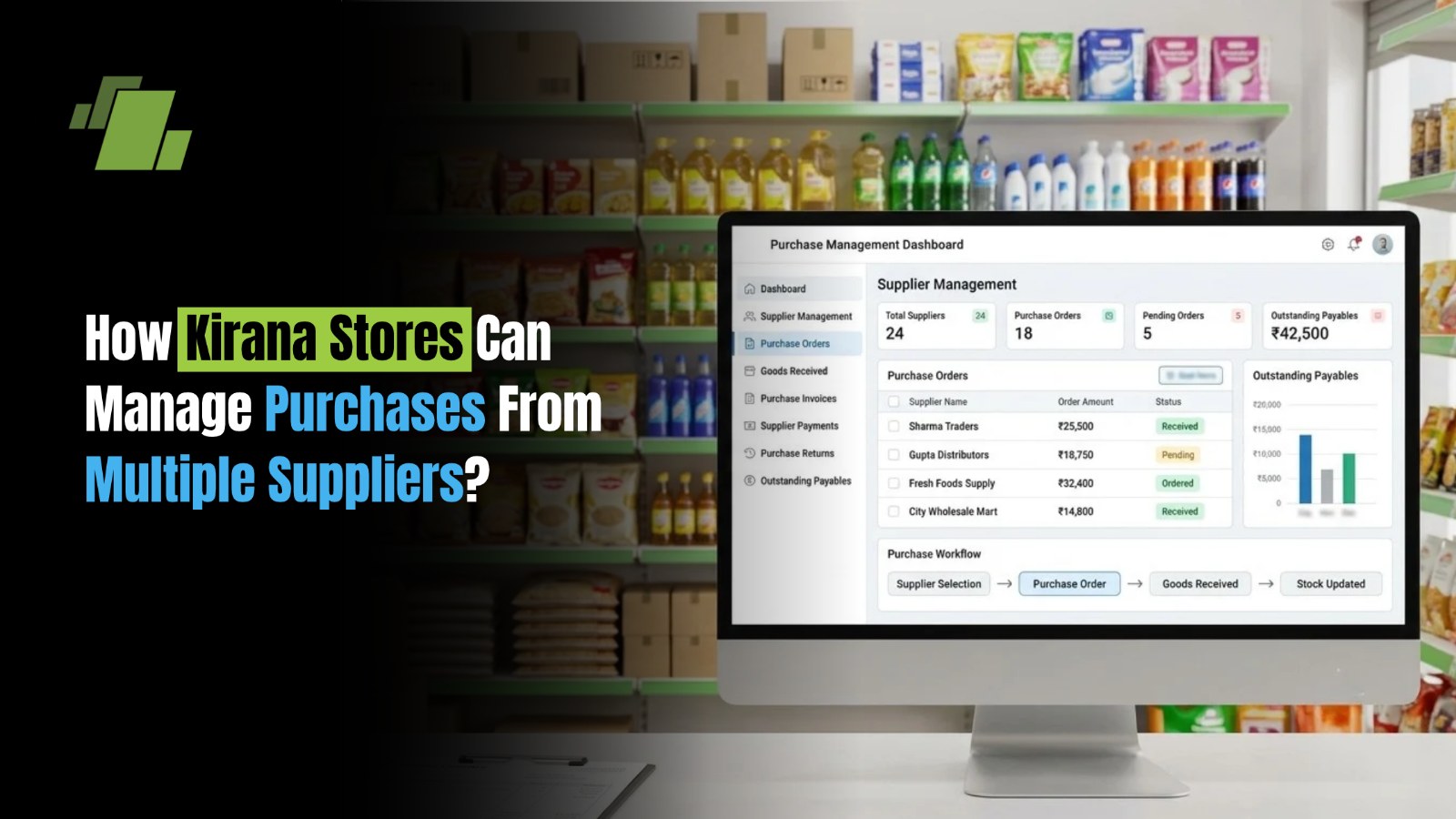
Running a kirana store involves purchasing groceries, packaged foods, beverages, personal care products, household essentials, and other daily-use items from multiple suppliers. Some products may come from company distributors, while others are sourced from wholesalers, local vendors, or cash-and-carry markets. Managing these purchases manually can become challenging as the number of suppliers and products increases. Different purchase prices, credit periods, delivery schedules, minimum order quantities, and discount schemes can make it difficult to decide what to buy, when to order, and which supplier offers the best overall value. Kirana stores can manage purchases from multiple suppliers by maintaining centralised supplier records, comparing purchase prices, planning orders according to stock and sales data, tracking deliveries, and monitoring supplier payments. Kirana POS and inventory management software can help organise these activities and improve purchasing decisions.
Contact Us
Free Demo Request
Why Do Kirana Stores Purchase From Multiple Suppliers?
Kirana stores often work with multiple suppliers because no single supplier may offer every product, price, or delivery arrangement the business needs. Using different suppliers can provide greater flexibility in purchasing and replenishment. Key reasons include:
- Product availability: Different distributors specialise in different brands, categories, and product ranges.
- Competitive pricing: Wholesale rates, promotional schemes, and bulk discounts can vary between suppliers.
- Flexible credit terms: Suppliers may offer different payment periods and credit limits.
- Faster replenishment: Local vendors can help replenish fast-selling products when regular deliveries are delayed.
- Reduced supply dependency: Alternative suppliers can help stores respond to shortages or delivery disruptions.
- Category-specific sourcing: A store may purchase packaged foods from one distributor, dairy products from another, and household goods from a third.
However, working with multiple suppliers requires accurate purchase records and a consistent process for comparing costs, placing orders, receiving goods, and settling payments.
Common Challenges of Managing Multiple Suppliers
Without a systematic purchase management process, kirana retailers may face the following challenges.
1. Different Purchase Prices for the Same Product
The same product may be available at different rates from different suppliers. If purchase prices are not recorded correctly, retailers may miss cost-saving opportunities or calculate product margins inaccurately.
2. Difficulty Tracking Pending Orders
When orders are placed with several suppliers, it becomes harder to remember which products are expected, which deliveries are delayed, and which quantities are still pending.
3. Overstocking and Duplicate Purchases
Poor coordination between purchase records and current inventory can result in ordering products that are already available in sufficient quantities or are expected in upcoming deliveries.
4. Supplier Payment and Credit Management
Different credit periods and invoice due dates can make payment tracking complicated. Missing due dates or overlooking outstanding bills can affect cash flow and supplier relationships.
5. Purchase Invoice and Delivery Mismatches
Suppliers may deliver fewer items than ordered, substitute products, or issue invoices with discrepancies. Without proper verification, these differences can go unnoticed.
6. Limited Supplier Performance Visibility
Without supplier-wise records, it can be difficult to identify which vendors offer competitive prices, deliver on time, fulfil orders accurately, and maintain consistent product quality.
How to Manage Purchases From Multiple Suppliers Efficiently?
Kirana retailers can simplify supplier management by following a structured purchasing process. These steps help coordinate orders, control buying costs, maintain stock availability, and keep supplier accounts organised.
1. Maintain a Centralised Supplier Database
Start by maintaining a single record of all suppliers instead of relying on separate notebooks, spreadsheets, or message histories. Record the following information for each supplier:
- Supplier name and contact details
- Products and brands supplied
- Product-wise purchase prices
- Minimum order quantities
- Available discounts and promotional schemes
- Credit limits and payment terms
- Delivery schedules and typical lead times
- Outstanding bills and payment history
For example, if a kirana store purchases cooking oil from two distributors, maintaining both suppliers' rates and terms makes it easier to compare offers before placing the next order. A centralised supplier database also helps retailers identify alternative suppliers when their regular vendor cannot fulfil an order.
2. Compare Supplier Prices Before Placing Orders
The lowest quoted price does not always mean the lowest overall purchase cost. Delivery charges, minimum order quantities, discounts, credit terms, and delivery reliability can all influence the final cost. Kirana retailers should compare suppliers using consistent criteria.
| Comparison Factor | What to Check |
|---|---|
| Purchase Price | Cost per unit or pack |
| Bulk Discounts | Discounts available at different order quantities |
| Delivery Charges | Additional transportation or handling costs |
| Minimum Order Quantity | Minimum quantity required per order |
| Credit Terms | Payment period and applicable conditions |
| Delivery Reliability | Whether the supplier delivers as scheduled |
| Product Quality | Condition, shelf life, and product specifications |
Example: Supplier A offers a carton of cooking oil at ₹1,800, while Supplier B offers the same carton at ₹1,770 but charges ₹60 for delivery. The total cost is ₹1,800 from Supplier A and ₹1,830 from Supplier B, before any other applicable charges or discounts. Comparing the complete purchase cost helps retailers make better sourcing decisions instead of selecting suppliers based on quoted prices alone.
3. Create Purchase Orders Based on Stock Requirements
Kirana stores should plan purchases using actual stock requirements rather than ordering products simply because a supplier is offering a discount. Before placing an order, check:
- Current stock available in the store
- Recent sales and expected demand
- Minimum stock and reorder levels
- Quantities already ordered
- Pending supplier deliveries
- Minimum order quantities and available storage space
A purchase order records the products, quantities, agreed prices, and supplier details for an intended purchase. It also provides a reference for checking the goods received and the supplier's invoice. For example, if a store has 12 packets of a particular detergent, expects to sell 20 packets before the next delivery, and already has 10 packets on order, it should consider the incoming stock before placing another order. This approach helps prevent duplicate purchasing and keeps working capital available for other business needs.
4. Track Deliveries and Verify Received Goods
Placing an order is only one part of purchase management. Retailers must also confirm that the correct products and quantities have arrived. When receiving a delivery:
- Match the delivery against the purchase order, where applicable.
- Count the items and verify product variants, pack sizes, and quantities.
- Check damaged packaging, expiry dates, and product condition where relevant.
- Record shortages, excess quantities, substitutions, and rejected goods.
- Verify the supplier's invoice against the actual delivery.
- Update inventory and record any discrepancies for resolution.
Suppose a kirana store orders 50 cartons of biscuits but receives only 46. Recording the shortage immediately helps ensure that inventory reflects the actual quantity received and that the discrepancy can be resolved with the supplier. Accurate goods receipt records also reduce errors in stock valuation and supplier payments.
5. Monitor Supplier-Wise Payments and Credit Periods
When purchases come from several suppliers, each may have a different payment schedule. A store might pay one supplier immediately, another within seven days, and another after 15 or 30 days, depending on the agreed terms. To manage supplier payments effectively, maintain records of:
- Purchase invoice numbers and dates
- Invoice amounts and due dates
- Payments made and outstanding balances
- Credit limits and agreed payment terms
- Debit notes, credit notes, and purchase returns, where applicable
Review upcoming payment obligations regularly and reconcile supplier statements against purchase invoices and payment records. Supplier-wise payment tracking helps retailers plan cash outflows, avoid overlooked bills, and maintain reliable business relationships. It also provides a clearer picture of how much working capital is committed to pending supplier payments.
6. Track Product-Wise Purchase Prices and Margins
Purchase prices can change because of supplier promotions, market conditions, brand policies, or changes in order quantities. Retailers need visibility into these changes to make informed pricing decisions. Maintain a history of purchase rates for important products and review how cost changes affect selling prices and gross margins. For example, if the purchase cost of a product increases from ₹80 to ₹84 while its selling price remains ₹100, the gross profit per unit decreases from ₹20 to ₹16, before other expenses. Purchase price tracking helps retailers identify rising costs, compare supplier offers, review pricing decisions, and understand product-level profitability.
7. Evaluate Supplier Performance Regularly
Price is important, but a reliable supplier can also help prevent stockouts and reduce operational disruptions. Review suppliers periodically using the following criteria:
- On-time delivery rate
- Order fulfilment accuracy
- Consistency of purchase prices
- Product quality and shelf life
- Responsiveness to shortages and complaints
- Flexibility in order quantities
- Credit terms and payment-related conditions
Use actual purchase and delivery records to identify dependable suppliers. Maintain alternative sourcing options for essential products so that a delay from one vendor does not immediately affect product availability.
How Can Kirana Stores Decide How Much to Buy From Each Supplier?
The quantity to purchase should depend on expected demand, available inventory, supplier lead times, pending deliveries, and the cost of holding additional stock. A practical purchase planning process includes the following steps:
- Review sales history: Identify fast-moving, slow-moving, and seasonal products.
- Check available stock: Consider the quantity currently available and any stock reserved for other purposes.
- Account for pending orders: Include quantities already ordered but not yet received.
- Estimate demand during lead time: Calculate how much stock is likely to sell before the next delivery arrives.
- Check supplier conditions: Consider minimum order quantities, delivery schedules, bulk discounts, and credit limits.
- Account for shelf life: Avoid purchasing excessive quantities of perishable or expiry-sensitive products.
- Calculate the replenishment quantity: Order enough to cover expected demand while maintaining an appropriate buffer.
A basic replenishment calculation is: Suggested order quantity = Target stock level − Available stock − Confirmed incoming stock The target stock level should account for expected demand, supplier lead time, and the store's desired buffer stock. The final order quantity may also need to be adjusted to meet supplier minimums or pack-size requirements.
Practical Example of Multi-Supplier Purchase Planning
Consider a kirana store that sells a popular detergent brand and sources it from two suppliers.
|
Detail |
Quantity |
| Current stock | 30 packs |
| Expected sales before replenishment | 50 packs |
| Confirmed incoming stock | 10 packs |
| Desired closing buffer | 15 packs |
| Suggested additional order | 25 packs |
The store needs 50 packs for expected sales and wants to retain 15 packs as a buffer. After accounting for 30 packs in current stock and 10 packs already on order, it needs another 25 packs. The retailer can then compare the two suppliers' prices, delivery timelines, and order conditions before deciding where to purchase those 25 packs. This calculation is a planning example rather than a demand forecast; actual quantities should reflect sales patterns and supplier lead times.
How Purchase Management Software Helps Kirana Stores
As a kirana store expands its product range or works with more suppliers, managing purchase activities manually becomes increasingly difficult. Purchase management software, particularly when connected to POS and inventory records, helps bring related information into one workflow.
Supplier-Wise Purchase Records
Software can maintain supplier details, purchase histories, transaction records, and applicable product rates. Retailers can use this information to review past transactions and compare suppliers.
Stock and Reorder Tracking
When inventory records are maintained accurately, configured reorder levels and sales information can help retailers identify products that need replenishment. This reduces dependence on manual stock checks.
Purchase Order and Goods Receipt Management
Purchase workflows can help retailers record ordered quantities, track deliveries, verify received goods, and identify discrepancies between orders and invoices.
Supplier Outstanding and Payment Tracking
Supplier account records help retailers review purchase bills, payments, due dates, and outstanding balances. This makes it easier to plan payments and reconcile accounts.
Purchase and Inventory Reports
Purchase reports can provide visibility into supplier-wise spending, product purchase rates, stock movement, and purchasing trends. Retailers can use these insights to review costs and improve replenishment decisions.
Reduced Manual Data Entry
When purchase, inventory, and billing records are integrated appropriately, retailers can reduce repeated data entry and the inconsistencies that arise from maintaining disconnected records. The benefits depend on the software's available features and how consistently the store records purchases, receipts, returns, and payments.
How LOGIC ERP Kirana Software Supports Purchase Management?
Managing multiple suppliers becomes easier when purchase records, stock information, and sales data can be accessed through an integrated retail management system. LOGIC ERP Kirana software can be presented as a solution for retailers looking to organise purchasing and inventory operations. Relevant capabilities should be demonstrated against the features available in the applicable product configuration.
Centralised Purchase and Supplier Records
Organised supplier and purchase records help retailers review transaction histories, monitor purchase costs, and maintain visibility into their sourcing activities.
Purchase Price and Inventory Tracking
Access to purchase and inventory information helps retailers evaluate supplier rates alongside current stock levels, supporting better-informed purchasing decisions.
Purchase Order and Goods Receipt Workflows
Where supported by the configured system, purchase order and goods receipt workflows help retailers track what was ordered, what arrived, and whether any discrepancies need attention.
Supplier Outstanding and Payment Visibility
Supplier account and payment records help retailers review outstanding amounts and plan payments according to agreed terms.
Stock and Sales Reports
Sales and inventory reports help retailers identify fast-moving products, monitor stock availability, and plan replenishment according to demand. For kirana retailers, the objective is to connect purchasing decisions with actual business requirements rather than treating supplier management, inventory, and payments as separate activities.
Best Practices for Managing Multiple Suppliers in a Kirana Store
Follow these practices to maintain an organised and cost-conscious purchasing process:
- Standardise Purchase Approvals: Establish clear rules for who can place orders and approve exceptional purchases.
- Compare Total Costs: Consider discounts, delivery charges, credit terms, and order requirements instead of comparing prices alone.
- Maintain Accurate Records: Update supplier details, purchase prices, received quantities, and outstanding bills regularly.
- Verify Deliveries: Check quantities, product condition, and invoices before completing purchase records.
- Plan Supplier Payments: Review upcoming due dates and reconcile supplier statements periodically.
- Review Slow-Moving Stock: Check existing inventory and expiry dates before reordering.
- Avoid Unnecessary Bulk Purchases: Evaluate demand, storage capacity, cash flow, and product shelf life before accepting volume discounts.
- Maintain Backup Suppliers: Identify alternative vendors for essential products.
- Review Supplier Performance: Use delivery accuracy, pricing history, and product quality to guide sourcing decisions.
- Use Connected Software: Integrate purchasing with inventory and sales records wherever possible to reduce manual work.
Simplify Supplier and Purchase Management With LOGIC ERP
Managing purchases from multiple suppliers requires more than comparing wholesale rates. Kirana retailers also need to coordinate purchase orders, verify deliveries, monitor stock levels, and keep supplier payments organised. LOGIC ERP Kirana software helps retailers bring purchasing and retail management activities into a more organised workflow, with relevant capabilities depending on the configured solution. Better visibility into stock, sales, and purchase records can support more informed buying decisions and help retailers maintain product availability while controlling inventory costs. Struggling to manage multiple suppliers, purchase costs, and stock replenishment?
Explore how LOGIC ERP Kirana software can help streamline your store operations and support better purchasing decisions. Call at +91-73411-41176/75 or send us an email at sales@logicerp.com to book a free demo today!

Frequently Asked Questions
How can Kirana Stores Manage Purchases from Multiple Suppliers?
Kirana stores can manage purchases from multiple suppliers by maintaining centralised supplier records, comparing prices, planning purchase orders based on stock requirements, tracking deliveries, and monitoring outstanding payments. Purchase management software can help organise these activities and improve purchasing visibility.
How can a Kirana Store Compare Prices from Different Suppliers?
A kirana store should compare product rates, bulk discounts, delivery charges, minimum order quantities, credit periods, and supplier reliability. Comparing the total purchase cost helps retailers identify the supplier that offers the best overall value.
How can Kirana Stores Track Supplier Payments and Outstanding Balances?
Kirana stores can maintain supplier-wise purchase invoices, payment records, due dates, and outstanding balances. Accounting or ERP software can help organise these records, reconcile supplier accounts, and plan payments according to agreed credit terms.
How Does Inventory Software Help with Supplier Management?
Inventory software connects stock records with purchase planning, helping retailers monitor product availability, review purchase histories, track incoming goods, and identify replenishment requirements. When integrated with POS data, it can also help retailers use sales trends to guide purchasing decisions.
How can Kirana Stores Avoid Overstocking When Buying from Multiple Suppliers?
Kirana stores can review current stock, recent sales, confirmed incoming orders, supplier lead times, and product expiry dates before purchasing. Reorder levels and demand-based purchase planning help reduce excess inventory and avoid tying up working capital in slow-moving products.

Author
Gurbir Singh
Co-founder & Managing Director | LOGIC ERP Solutions Pvt. Ltd.
With 30+ years of experience in the tech industry, I took the helm of technology & product development, ensuring LOGIC ERP’s continuous innovation & leadership in the evolving tech landscape.

