How to Enable MM/YYYY Format for Expiry & MFG Dates in Purchase | LOGIC ERP Guide (2026)

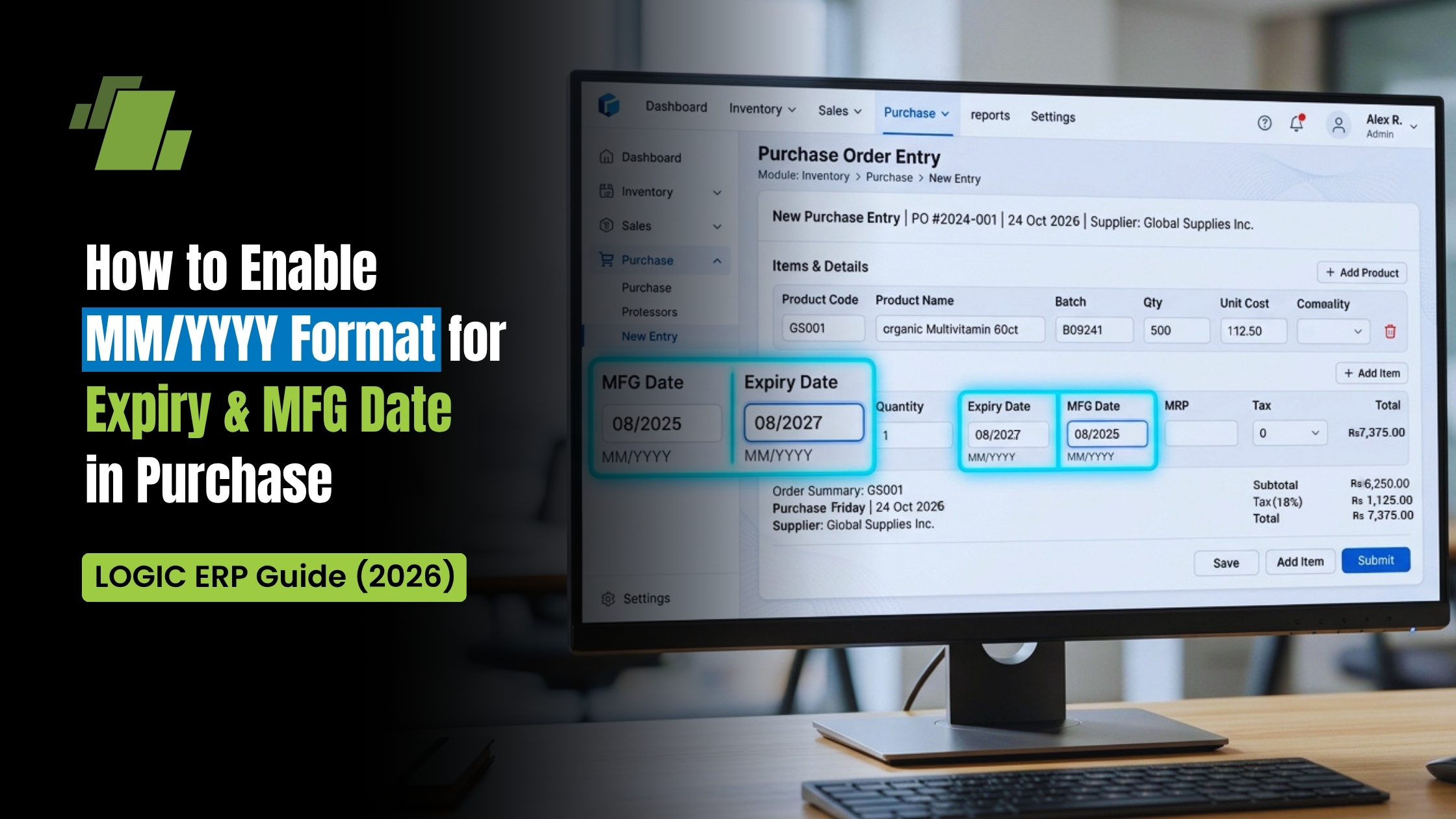
Accurate tracking of expiry dates and manufacturing dates (MFG) is important for businesses handling inventory such as FMCG, pharmaceuticals, grocery retail, cosmetics, and distribution. However, entering full dates (DD/MM/YYYY) during purchase entry can be time-consuming and prone to errors, especially when dealing with bulk invoices.
To address this, LOGIC ERP provides a configuration that allows users to enter dates in a simplified MM/YYYY format. This guide provides a detailed, step-by-step explanation, along with practical use cases, benefits, and best practices to help you implement this feature effectively.
Contact Us
Free Demo Request
What is the MM/YYYY Format in Purchase Entry?
The MM/YYYY format allows users to enter only the month and year for:
- Expiry Date
- Manufacturing Date
Example:
Instead of entering 15/08/2025, you simply enter:
08/2025
This is particularly useful in industries where batch validity is tracked monthly rather than by exact day.
Why This Feature Matters
Industry Relevance
- Widely used in FMCG distribution, pharmaceutical supply chains, and retail inventory systems
- Aligns with how many suppliers print expiry details (Month-Year only)
Operational Efficiency
- Reduces manual effort during high-volume purchase entries
- Minimizes billing delays during stock inward
Data Accuracy and Compliance
- Eliminates incorrect date formats (such as wrong day entries)
- Ensures consistent batch tracking for audits and reporting
Step-by-Step Configuration in LOGIC ERP
Follow the steps below to enable the MM/YYYY format:
Step 1: Open Logic Admin
- Go to your system’s LOGIC ERP installation folder
- Locate and run Logic Admin
Note: Ensure you have admin rights to modify global settings.
Step 2: Access Global Settings
- Inside Logic Admin, click on Global Settings
- This section controls system-wide configurations
Step 3: Navigate to Purchase Tab
- Within Global Settings, select the Purchase tab
- This tab includes all configurations related to purchase transactions and inventory inward
Step 4: Enable Month-Year Format Option
- Find the option:
“Allow Expiry and MFG Date in Purchase in Month Year Format” - Enable this option
This activation changes how date fields behave in purchase entry screens.
Step 5: Save Settings
- Click on Save to confirm changes
Step 6: Restart LOGIC ERP
- Close the software completely
- Restart LOGIC ERP to apply the new configuration
This step is mandatory for the changes to take effect.
How the Feature Works in Purchase Entry
Once enabled, the system modifies the input behavior during purchase transactions.
Steps to Use:
- Open the Purchase Entry Module
- Create a new purchase voucher
- Enter supplier and item details
- Navigate to the batch or expiry section
Updated Input Behavior:
- The Expiry Date field accepts only:
- Month (MM)
- Year (YYYY)
- The same applies to the Manufacturing Date
Example Entry:
- Expiry Date: 08/2025
- MFG Date: 07/2024
What Changes in the System?
- Date fields restrict input to Month-Year format
- Manual typing accepts only MM/YYYY format
- The system standardizes the date internally for processing
- Reports and batch tracking continue to function without disruption

Real Business Use Cases
FMCG Distribution
Products like packaged food and daily essentials often come with month-based expiry labeling. This feature speeds up inward entries significantly.
Pharmaceutical Industry
Medicines commonly use MM/YYYY expiry formats, making this setting highly relevant for chemists and distributors.
Supermarket and Retail Chains
Businesses handling high SKU volumes benefit from faster and more accurate purchase entries.
Key Benefits of MM/YYYY Format in LOGIC ERP
Faster Data Entry
Reduces keystrokes and speeds up billing operations during stock inward.
Reduced Human Errors
Avoids incorrect day entries that can impact inventory accuracy.
Better Batch Management
Standardized format improves tracking across reports and stock registers.
Improved User Experience
Simplifies the interface for billing operators and reduces training time.
Scalable for Bulk Operations
Ideal for businesses handling large purchase volumes daily.
Best Practices for Using This Feature
- Use MM/YYYY format only if your suppliers follow the same format
- Train staff to ensure consistent data entry across locations
- Regularly verify batch reports for accuracy
- Combine with barcode or batch tracking for better efficiency
Common Mistakes to Avoid
- Forgetting to restart the software after enabling the setting
- Entering full date format (DD/MM/YYYY) after activation
- Using inconsistent formats across different users
Conclusion
Enabling the MM/YYYY format for expiry and manufacturing dates in LOGIC ERP is a practical configuration for businesses aiming to improve efficiency, accuracy, and speed in purchase entry operations.
By simplifying date input and aligning with industry practices, this feature helps reduce manual effort, enhance batch tracking, and streamline overall inventory management.

Call at +91-73411-41176/75 or send us an email at sales@logicerp.com to book a free demo today!
FAQs
Q1. Is restarting LOGIC ERP mandatory after enabling this setting?
Yes, restarting is required for the changes to take effect.
Q2. Can I disable the MM/YYYY format later?
Yes, you can uncheck the option anytime from Global Settings.
Q3. Will this affect existing purchase records?
No, existing data remains unchanged. The setting applies only to new entries.
Q4. Is this feature suitable for all industries?
While available for all, it is most beneficial for FMCG, pharmaceutical, and retail sectors.

Author
Gurbir Singh
Co-founder & Managing Director | LOGIC ERP Solutions Pvt. Ltd.
With 30+ years of experience in the tech industry, I took the helm of technology & product development, ensuring LOGIC ERP’s continuous innovation & leadership in the evolving tech landscape.


