Inventory Reconciliation Guide and Best Practices

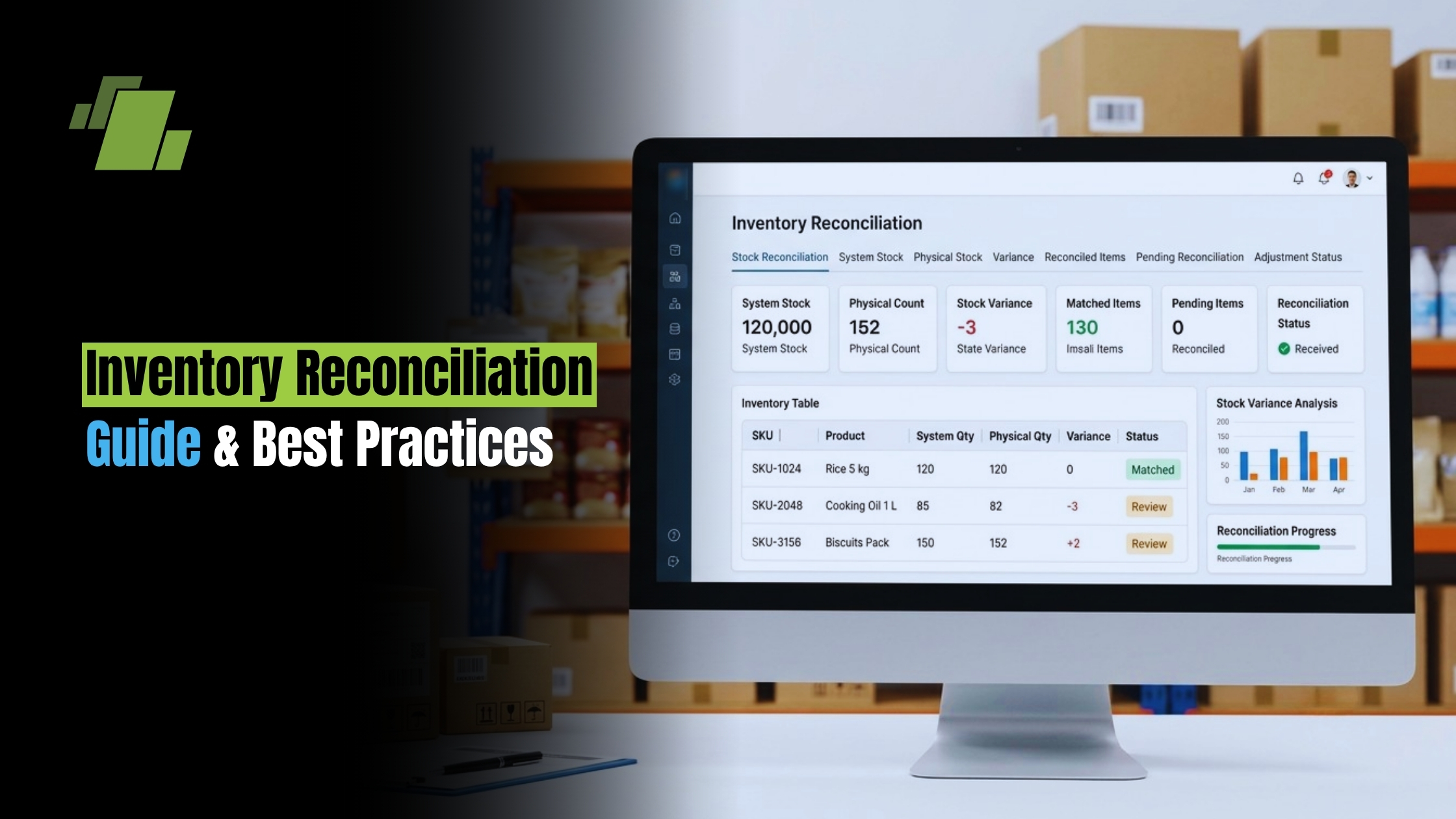
Inventory reconciliation is the practice of checking whether your recorded stock matches what is physically available in your warehouse, store, production area, or other storage location.
When done consistently, it improves inventory accuracy, strengthens inventory control, and gives teams more confidence in purchasing, Order fulfillment, finance, and operations decisions. This article explains the process, common methods, useful tools, and practical ways to make reconciliation part of everyday inventory management.
Contact Us
Free Demo Request
What is Inventory Reconciliation?
Inventory reconciliation is the comparison of recorded inventory data against an actual physical count, followed by investigating and correcting any differences. In simple terms, the stock reconciliation meaning is this: your system says you have one quantity, your shelves show another, and reconciliation explains the gap so the records can be trusted again.
This matters because inventory data supports more than warehouse activity.
It affects sales promises, production planning, financial reporting, purchasing, customer service, and cash flow. If the system shows stock that is not really available, customers may face delays or cancellations. If physical inventory is higher than records show, the business may reorder too soon, tie up working capital, or overlook slow-moving items.
Stock reconciliation and inventory reconciliation often overlap. Both focus on aligning book stock with actual stock. The broader discipline also connects with stock verification, inventory audit routines, inventory analysis, and ongoing stock management practices.
Accurate Stock Records Protect Daily Operations
Good inventory control starts with reliable records. A business can have sophisticated ordering rules, forecasting tools, or warehouse layouts, but if the underlying stock data is wrong, decisions become guesswork.
Inventory reconciliation helps reveal the small mistakes that build into larger problems: missed receipts, duplicate entries, damaged goods that were never written off, picking errors, misplaced products, or unrecorded returns.
The practical benefit is clarity. Teams can see what is available, what needs replenishment, what may be missing, and which items require closer attention. This creates better handoffs between purchasing, warehouse operations, sales, accounting, and leadership.
Reconciliation also supports loss prevention. Discrepancies do not always mean theft, but repeated unexplained shortages can signal process weaknesses or shrinkage. By reviewing patterns, managers can decide whether the issue is training, supplier documentation, receiving discipline, storage control, or security.
The Inventory Reconciliation Process, Step by Step
A strong reconciliation process is structured enough to be repeatable but flexible enough to fit the size and complexity of the business.
The goal is not just to fix the number. The goal is to understand why the number changed and prevent the same problem from recurring.
A typical inventory reconciliation process includes:
- Prepare the inventory records. Freeze or clearly timestamp the inventory data you will compare against. Make sure recent receipts, transfers, returns, production usage, and shipments have been entered before counting begins.
- Perform the physical count. Count items in their actual storage locations. Use clear item identifiers, units of measure, bin locations, lot numbers, serial numbers, or expiration details when relevant.
- Compare counted stock with system stock. Match the physical count to records in your inventory tracking system, spreadsheet, ERP, WMS, or other stock management platform.
- Identify discrepancies. Separate shortages, overages, unit-of-measure issues, location errors, and timing differences. A product may not be missing; it may simply be in the wrong bin or recorded under the wrong SKU.
- Investigate root causes. Review receipts, pick tickets, supplier documents, transfer records, returns, production consumption, damage logs, and adjustment history. The investigation is what turns reconciliation from an accounting exercise into a practical tool.
- Adjust records with approval. Once the cause is confirmed, update the inventory system. If the cause remains uncertain, document the uncertainty and follow the company’s approval process for adjustments.
- Create an inventory reconciliation report. Record the items counted, discrepancies found, explanations, adjustments made, responsible team members, and follow-up actions.
- Review trends and improve controls. Use the results to refine receiving, picking, cycle counting, supplier checks, staff training, or system integrations.
This structure keeps reconciliation consistent. It also gives finance and operations a shared record of what changed and why.
How does an Inventory Reconciliation Example Work in Practice?
An inventory reconciliation example might start with a simple finding: your system shows 500 units of a fast-moving SKU, but a physical count finds 472 units. The 28-unit difference is not corrected blindly. The team checks recent sales orders, returns, transfers, damage records, and receiving documents to find the cause.
They may discover that 20 units were damaged during handling and moved to a quarantine area without being written off. Another 8 units may have been picked for an order but not yet posted in the system. After confirming the details, the team updates the records, documents the discrepancy, and adjusts the process so damaged goods are logged immediately.
This example shows why reconciliation is not only about counting. The count exposes the difference, but the investigation protects the business from repeating it. Over time, these findings can improve inventory accuracy across locations, shifts, suppliers, and product categories.

Practical Methods for Different Inventory Environments
Not every business should reconcile inventory in the same way. A small retailer, a manufacturer, a distributor, and a multi-location ecommerce business all face different risks. The best method depends on inventory volume, item value, workflow disruption, and available technology.
Common approaches include:
- Full physical inventory count: Best for periodic verification of all stock. It provides a complete snapshot but can be disruptive, especially if operations must pause.
- Cycle counting: Counts selected items on a rotating schedule. It is useful for larger inventories because it spreads work throughout the year and reduces disruption.
- Spot checks: Focuses on specific items after a suspected issue, unusual transaction, or customer complaint. It is fast and targeted, but not a substitute for a broader plan.
- ABC ranking: Gives the most attention to items with the highest value, risk, or impact. High-value or fast-moving items are checked more often than low-value, slow-moving items.
- Location-based counts: Reviews inventory by warehouse zone, aisle, bin, store, truck, or production area. This is helpful when discrepancies are tied to movement or storage practices.
The right method is often a blend. For example, a business may run annual full counts, weekly cycle counts for key SKUs, and immediate spot checks when receiving or fulfillment errors appear.
Inventory Audits Turn Reconciliation into Accountability
An inventory audit is a more formal review of stock records, physical counts, controls, and documentation. It may be performed internally or as part of financial reporting and compliance procedures. While reconciliation corrects mismatches, an audit evaluates whether the process is reliable.
A strong audit trail helps answer important questions.
Who made the adjustment? What evidence supported it? Was the discrepancy approved? Has the same SKU had repeated issues?
Without documentation, even accurate adjustments can create confusion later.
This is where an inventory reconciliation report becomes valuable. It should be practical, not just administrative. A useful report typically includes:
- Item name, SKU, batch, lot, or serial details where applicable
- Recorded quantity before the count
- Physical quantity counted
- Difference between recorded and actual stock
- Suspected or confirmed cause
- Adjustment made and approval status
- Location, date, and team responsible
- Follow-up action to prevent recurrence
These reports help managers move from isolated fixes to inventory analysis. When patterns appear, the business can address the process behind the discrepancy.
Software Makes Reconciliation Faster and More Reliable
Manual counting may still have a place, especially for smaller operations, but manual records are vulnerable to timing gaps, duplicate entries, and data entry mistakes. Inventory reconciliation software can reduce those risks by connecting transactions, counts, approvals, and reports in one system.
Useful tools may include barcode scanning, RFID, warehouse management systems, inventory management platforms, accounting integrations, ERP systems, and mobile counting apps. The best choice depends on the complexity of the business. A small team may need simple scanning and clean reporting. A multi-location operation may need real-time inventory tracking, transfer visibility, role-based approvals, and integration with purchasing and finance.
For companies using enterprise systems, the inventory reconciliation process in SAP or similar ERP platforms typically relies on structured physical inventory documents, count entry, variance review, and approved posting of adjustments. The exact workflow depends on configuration, permissions, and business rules, but the core principle is the same: count, compare, investigate, approve, and document.
When evaluating tools, look for features that support daily discipline rather than occasional cleanup:
- Real-time or near-real-time stock updates
- Barcode or RFID capture to reduce manual entry
- Clear variance reporting
- Adjustment approval workflows
- Audit history by item, user, and location
- Integration with purchasing, sales, accounting, ERP, or WMS systems
- Support for cycle counting and multiple locations
Reconciliation Strengthens the Whole Inventory Management Strategy
Inventory reconciliation should not live as a once-a-year activity that everyone dreads. It works best when it is built into the wider inventory management strategy. That means connecting reconciliation results to forecasting, replenishment, supplier management, warehouse layout, staff training, and loss prevention.
For example, repeated overages may indicate receipts are being entered late or items are being returned without proper documentation. Repeated shortages in a picking area may reveal training gaps, unclear labels, or poor bin control. High discrepancies on seasonal items may suggest the business needs tighter checks before and after peak periods.
Multi-location businesses should also reconcile transfers carefully. Stock may leave one location before it is received into another, creating temporary gaps in the system. Clear transfer rules, timestamps, and confirmation steps help prevent confusion. For vendor-managed inventory or contract manufacturing, shared expectations are even more important: both parties need agreed counting schedules, data exchange rules, and discrepancy resolution procedures.
Simple Habits that Improve Inventory Accuracy
The best reconciliation programs rely on everyday discipline, not heroic cleanup. Small habits make counts easier and discrepancies less frequent.
Use this checklist to strengthen inventory accuracy:
- Keep item names, SKUs, units of measure, and locations consistent.
- Record receipts, transfers, returns, and shipments promptly.
- Separate damaged, quarantined, returned, and sellable stock.
- Label bins and shelves clearly so counters can identify items quickly.
- Train teams on the difference between moving stock and recording stock.
- Use cycle counting for important items instead of waiting for a full annual count.
- Review recurring discrepancies by SKU, supplier, location, and employee workflow.
- Require approval and notes for inventory adjustments.
- Keep reconciliation reports accessible for audits and management review.
- Choose inventory software that matches operational complexity.
These habits make reconciliation less disruptive because records are cleaner before the count begins. They also make inventory audit results more useful because the supporting data is easier to understand.
A Clearer View of Stock Creates Better Decisions
Inventory reconciliation gives businesses a practical way to close the gap between what the system says and what is physically available. It supports inventory control, improves inventory accuracy, strengthens stock verification, and gives teams better information for purchasing, fulfillment, finance, and customer service.
The most effective approach combines regular counting, careful investigation, documented adjustments, and the right level of technology. Whether you are managing a simple stockroom or a complex operation with ERP workflows, reconciliation should be treated as an ongoing business habit. When stock records are trusted, every inventory decision becomes easier to make.

Call at +91-7341141176/75 or send us an email at sales@logicerp.com to book a free demo today!
Frequently Asked Questions
1. How Often Should a Business Perform Inventory Reconciliation?
The right frequency depends on inventory volume, item value, business risk, and business complexity. Many businesses use a blended approach: annual full physical counts, regular cycle counts for important or fast-moving SKUs, and spot checks when a discrepancy, customer complaint, receiving issue, or fulfillment error appears. The key is to make reconciliation an ongoing habit rather than a once-a-year cleanup.
2. What is the Difference Between Inventory Reconciliation and an Inventory Audit?
Inventory reconciliation focuses on comparing recorded stock to physical stock, investigating differences, and correcting the records. An inventory audit is broader and more formal. It reviews the reliability of stock records, physical counts, controls, documentation, approvals, and adjustment history. In short, reconciliation fixes and explains mismatches, while an audit evaluates whether the overall process can be trusted.
3. Why is Investigating the Cause of a Discrepancy so Important?
Simply adjusting the number may make the system look accurate temporarily, but it does not prevent the same issue from happening again. Investigating root causes can reveal missed receipts, delayed postings, picking errors, damaged goods, location mistakes, supplier documentation problems, or weak transfer controls. This turns reconciliation into a practical tool, not just a counting exercise.
4. What Should be Included in an Inventory Reconciliation Report?
A useful report should include the item name, SKU, batch, lot, or serial details where relevant; the recorded quantity; the physical quantity counted; the variance; the suspected or confirmed cause; any adjustment made; approval status; location; date; responsible team members; and follow-up actions. This documentation supports audits, management review, inventory analysis, and future process improvements.
5. How can Software Improve Inventory Reconciliation?
Inventory reconciliation software can reduce manual entry errors, timing gaps, duplicate records, and unclear approvals. Tools such as barcode scanning, RFID, WMS platforms, ERP systems, accounting integrations, and mobile counting apps can connect counts, transactions, variance reports, approvals, and audit history. The best software depends on the size and business complexity of the operation, but it should support accurate daily inventory discipline.

Author
Gurbir Singh
Co-founder & Managing Director | LOGIC ERP Solutions Pvt. Ltd.
With 30+ years of experience in the tech industry, I took the helm of technology & product development, ensuring LOGIC ERP’s continuous innovation & leadership in the evolving tech landscape.

