Benefits of Cloud Accounting Applications for Businesses

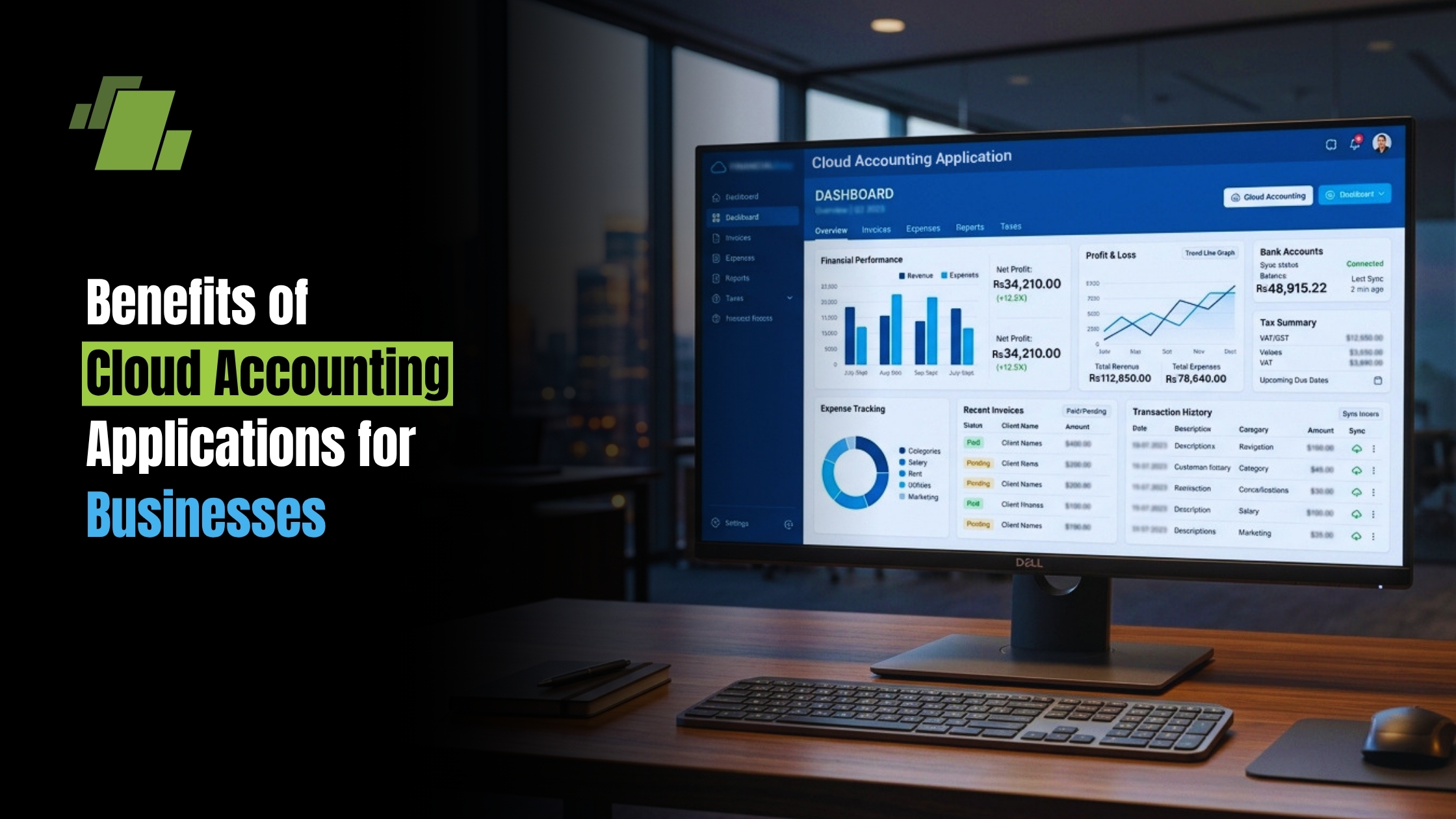
Cloud accounting applications are transforming how businesses manage their finances. They offer a modern solution to traditional accounting challenges. With cloud accounting, businesses can access financial data anytime, anywhere. This flexibility is crucial for today’s fast-paced business environment. These applications provide enhanced security, protecting sensitive financial information from unauthorized access. Businesses can rest easy knowing their data is safe. Automation features in cloud accounting save time by handling repetitive tasks. This allows businesses to focus on growth and strategy.
Contact Us
Free Demo Request
For small businesses, cloud accounting offers cost-effective solutions. They can choose from free or subscription-based models, making it accessible for all. Many startups begin with free accounting software for small business and later upgrade to the best accounting software or the best accounting software for small business as their needs expand.
What Are Cloud Accounting Applications?
Cloud accounting applications are software tools hosted online, designed to manage business finances. Unlike traditional software, they do not require installation on local machines. Businesses access them through the internet using web browsers or a mobile accounting app.
These applications offer a wide range of accounting functionalities. They handle tasks such as invoicing, expense tracking, payroll, and financial reporting. As cloud accounting software, they consolidate essential accounting software functions into a single online hub. They streamline financial management, making it simpler and more efficient.
Key features of cloud accounting applications include:
- Real-time data access
- Automated financial processes
- Enhanced data security
- Integration with other business tools
They provide a centralized platform for all financial activities. For teams on the go, a business accounting app mirrors these capabilities on mobile. This accessibility and convenience make cloud accounting an attractive choice for businesses aiming to modernize their financial practices. By adopting cloud accounting, companies can improve operational efficiency and financial decision-making.
✨ Summarize this article with AI


Key Benefits of Cloud Accounting Applications
Cloud accounting applications bring numerous advantages to modern businesses. They provide seamless access to critical financial information. This access can boost decision-making and strategic planning.
The automation features reduce the workload of repetitive tasks. By minimizing manual data entry, companies save time and reduce human error. Financial processes become more streamlined and accurate.
The adoption of cloud accounting solutions facilitates:
- Real-time data updates
- Secure data storage
- Easy scalability
- Cost savings on IT infrastructure
With these benefits, businesses can enhance efficiency. They can focus on growth rather than administrative tasks. Cloud-based solutions offer a modern approach to managing finances, driving businesses toward greater success.
1. Real-Time Access and Financial Visibility
Real-time access to financial data keeps businesses agile. It allows managers to make informed decisions promptly. Cloud accounting applications update data instantly, ensuring accuracy.
This visibility aids in monitoring financial health with ease. Detailed reports can be generated swiftly, presenting a clear snapshot of finances. Stakeholders stay informed, and potential issues are identified early.
Key benefits include:
- Instant access to financial records
- Comprehensive reporting tools
- Immediate data updates
These features allow businesses to adapt quickly. They provide a competitive edge by enabling proactive strategy adjustments. With real-time insights, companies can confidently drive their business forward.
2. Enhanced Security and Data Protection
Security is critical when handling financial data. Cloud accounting applications prioritize robust security measures. They employ encryption and two-factor authentication to protect data.
These applications reduce the risk of data breaches. Financial information is stored safely in the cloud, preventing unauthorized access. Regular security updates also ensure systems remain protected.
Security features include:
- Data encryption
- User authentication controls
- Automatic backups
Businesses can trust that their data is secure. This peace of mind allows them to focus on operations without worry. Enhanced security features are vital for maintaining trust with clients and partners.
3. Automation and Time Savings
Automation is a standout benefit of cloud accounting. It streamlines repetitive tasks, freeing time for more important business activities. Automated processes ensure consistency and accuracy.
For instance, recurring invoices or expense tracking can be automated. This reduces the chances of human error and improves efficiency. Financial reporting is also streamlined, offering quick access to key data.
Automation highlights:
- Recurring transaction automation
- Error reduction through consistent processes
- Enhanced report generation
By leveraging automation, businesses can enhance productivity. They achieve more with less time spent on manual tasks. This efficiency is essential for scaling operations and staying competitive.
4. Scalability and Flexibility for Growing Businesses
Cloud accounting applications grow with your business. They offer flexible solutions that adjust to changing needs. As business requirements evolve, these applications can easily scale.
Whether expanding into new markets or increasing transaction volumes, they adapt seamlessly. Businesses avoid the high costs of upgrading traditional infrastructure. This flexibility is crucial for sustainable growth.
Scalability features:
- Seamless system expansion
- Flexible user access
- Adjustable resource allocation
Flexible solutions are key to managing growth effectively. As businesses develop, they need systems that support their evolving demands. Cloud accounting ensures smooth transitions during these changes.
5. Collaboration and Remote Work Support
Modern businesses thrive on collaboration. Cloud accounting applications enhance team cooperation. They allow multiple users to access financial data simultaneously.
This setup is particularly advantageous for remote work. Teams can work from anywhere, sharing financial insights in real-time. It fosters a collaborative environment that boosts productivity.
Collaboration features:
- Multi-user access
- Real-time data sharing
- Remote work capability
Embracing this technology supports a distributed workforce. It ensures seamless collaboration and consistent communication across teams. Businesses remain agile, adapting to new ways of working effectively.
6. Cost-Effectiveness and Subscription Models
Cloud accounting is budget-friendly for businesses. Subscription models offer predictable expenses, crucial for financial planning. Companies only pay for the resources they need, avoiding waste.
These models eliminate the need for costly hardware investments. Maintenance and upgrades are handled by service providers, reducing IT costs. Businesses gain a modern solution at an affordable price. This is especially helpful when evaluating cloud accounting software for small business or broader small business accounting software bundles.
Cost benefits include:
- Subscription-based pricing
- Lower IT maintenance costs
- Access to latest updates
For small businesses, this affordability is vital. It allows them to access advanced tools without financial strain. Cost-effective solutions encourage businesses to modernize their financial practices efficiently.
7. Integration with Other Business Tools
Cloud accounting seamlessly integrates with various tools. From CRM systems to e-commerce platforms, integrations streamline operations. They create a cohesive business ecosystem, simplifying data flow.
These applications work alongside payment gateways for efficient processing. They also connect with inventory and project management tools. This interoperability enhances overall business efficiency.
Integration benefits:
- Cross-platform compatibility
- Streamlined workflows
- Enhanced data accuracy
Businesses benefit from smoother operations. Data moves effortlessly between systems, reducing manual input. This integration empowers businesses to optimize their processes and improve overall performance.
Cloud Accounting Software Features to Look For
Choosing the right cloud accounting software involves understanding essential features. These features ensure the software meets business needs effectively. A robust set of features supports diverse financial processes.
Look for software with comprehensive reporting tools. These tools offer insightful analytics for informed decision-making. Automated reconciliation features enhance accuracy and reduce errors.
A reliable accounting solution should include:
- Multi-currency support
- Customizable dashboards
- Automated invoicing and billing
- Budgeting and forecasting capabilities
Consider solutions that offer seamless integration with other business tools. This compatibility ensures streamlined workflows and efficient data management. Prioritize user-friendly interfaces that simplify complex financial tasks.
Free and Paid Cloud Accounting Software Options
Businesses have a variety of cloud accounting software options, both free and paid. Free solutions can be ideal for startups. They often come with basic features suitable for small-scale operations.
However, paid options usually offer more comprehensive features. These include advanced analytics, robust security, and customizability. For growing businesses, investing in paid software can offer significant benefits.
Free accounting software and online accounting software for small business can handle core bookkeeping, invoicing, and reporting needs. As requirements expand, consider shortlisting the best accounting software for small business that aligns with your workflows and industry.
When considering your options, evaluate:
- Feature set
- Scalability
- Security levels
Balancing cost with functionality is key. Choose a solution that matches your budget and business needs.
Cloud Accounting Software in India: Local Considerations
When choosing cloud accounting software in India, local compliance is crucial. Indian businesses must ensure software meets local accounting standards and tax regulations.
Several factors can influence your choice of cloud accounting applications in India:
- GST compliance
- Multi-currency support
- Localized customer service
When researching accounting software india options, confirm GST e-invoicing support, TDS configuration, and local statutory reports.
Understanding these factors will ensure seamless operations. Businesses should also consider integration capabilities with popular Indian e-commerce platforms. Choosing software that supports local needs facilitates efficiency and peace of mind.
How to Choose the Best Cloud Accounting Software for Your Business
Selecting the right cloud accounting software is vital for your business’s success. Begin by assessing your business needs and financial goals.
Here are key factors to consider:
- Budget and pricing plans
- Scalability for future growth
- User-friendly interface
Testing software through free trials provides valuable insights into its features. Ensure that the software supports integration with other tools you use. Additionally, consider the level of customer support provided. Create a shortlist of the best accounting software for small business and, where relevant, cloud accounting software for small business that fits your industry, compliance needs, and future roadmap. This careful evaluation can aid in making an informed decision.
Getting Started: Steps to Move Your Business to Cloud Accounting
Transitioning to cloud accounting can seem daunting, but a structured approach makes it manageable. First, evaluate your current accounting processes to identify areas for improvement.
Consider these steps for a smooth transition:
- Choose the right cloud accounting software.
- Train your team on new software features.
- Migrate existing financial data carefully.
Ensure you back up all data before migration to prevent loss. Gradually integrate additional features as your team becomes more familiar with the software. This methodical approach ensures a seamless move to cloud accounting, optimizing financial operations efficiently.
Conclusion: Embracing the Future of Business Accounting
Cloud accounting applications are transforming how businesses manage finances. Adopting this technology enhances efficiency, security, and flexibility in financial operations. As businesses strive to stay competitive, cloud accounting offers tools and insights that are indispensable.
The future of accounting is digital, and embracing cloud solutions today paves the way for sustainable growth. Cloud accounting is no longer optional – it’s a strategic advantage for any business aiming for success in a fast-paced digital world.
Call at +91-73411-41176/75 or send us an email at sales@logicerp.com to book a free demo today!
Frequently Asked Questions
1. What are cloud accounting applications, and how are they different from traditional accounting software?
Cloud accounting applications are online, browser- or mobile-based tools that manage core finance tasks like invoicing, expense tracking, payroll, and reporting without needing local installation. Unlike traditional, on-premise software, they centralize accounting functions in the cloud, offering real-time data access, automated processes, enhanced security, and seamless integrations with other business tools making financial management more flexible, efficient, and accessible from anywhere.
2. How do cloud accounting platforms protect sensitive financial data?
They prioritize robust, built-in security measures. Common protections include data encryption, user authentication controls (such as two-factor authentication), and automatic backups. Because systems are cloud-hosted, providers deliver regular security updates that reduce vulnerabilities and help prevent unauthorized access giving businesses confidence that their financial information is safeguarded.
3. Which automation features matter most, and how do they save time and reduce errors?
Automation in cloud accounting streamlines repetitive, error-prone tasks. Key examples include recurring transaction automation (like invoices), automated expense tracking, automated reconciliation (where supported), and enhanced report generation. By reducing manual data entry and standardizing processes, businesses gain accuracy and speed, freeing teams to focus on growth and strategy.
4. How do integrations with other business tools improve efficiency?
Cloud accounting systems connect with CRMs, e-commerce platforms, payment gateways, inventory tools, and project management apps to create a cohesive ecosystem. This interoperability streamlines data flow across systems, minimizes manual input, improves data accuracy, and simplifies workflows ultimately boosting overall operational efficiency.
5. What are the first steps to move a business to cloud accounting successfully?
Start by assessing current accounting processes and selecting software that fits your budget, scalability needs, interface preferences, and integration requirements. Use free trials to validate fit. Train your team on key features, back up all existing data, and migrate financial records carefully. Then roll out additional features gradually as users become comfortable, ensuring a smooth transition and quick productivity gains.

Author
Gurbir Singh
Co-founder & Managing Director | LOGIC ERP Solutions Pvt. Ltd.
With 30+ years of experience in the tech industry, I took the helm of technology & product development, ensuring LOGIC ERP’s continuous innovation & leadership in the evolving tech landscape.


