Advantages of Using a Billing Printer

Summary
A billing printer is a practical solution for businesses that handle frequent invoices, bills, and receipts. Compared with standard office printers, a dedicated invoice printing machine offers faster output, consistent formatting, lower operating costs, and better compatibility with POS systems. Thermal printers are ideal for fast retail billing, while dot matrix printers are better suited for multipart invoices. Choosing the right printer based on paper size, connectivity, printing volume, and software compatibility can help businesses create a faster and more efficient billing process. Integrating the printer with reliable billing software or GST software can further streamline invoicing and support accurate tax-compliant billing.
Contact Us
Free Demo Request
Takeaway: A Billing Printer Is a Productivity Upgrade
A dedicated invoice printing machine isn’t just a hardware purchase it’s a workflow improvement. The right billing printer reduces queue time, improves invoice clarity, supports automation, and integrates neatly with your POS and accounting tools. Focus on paper size, connectivity, and invoice printing software compatibility, and you’ll end up with a printer for shop billing that pays for itself in speed and fewer headaches.
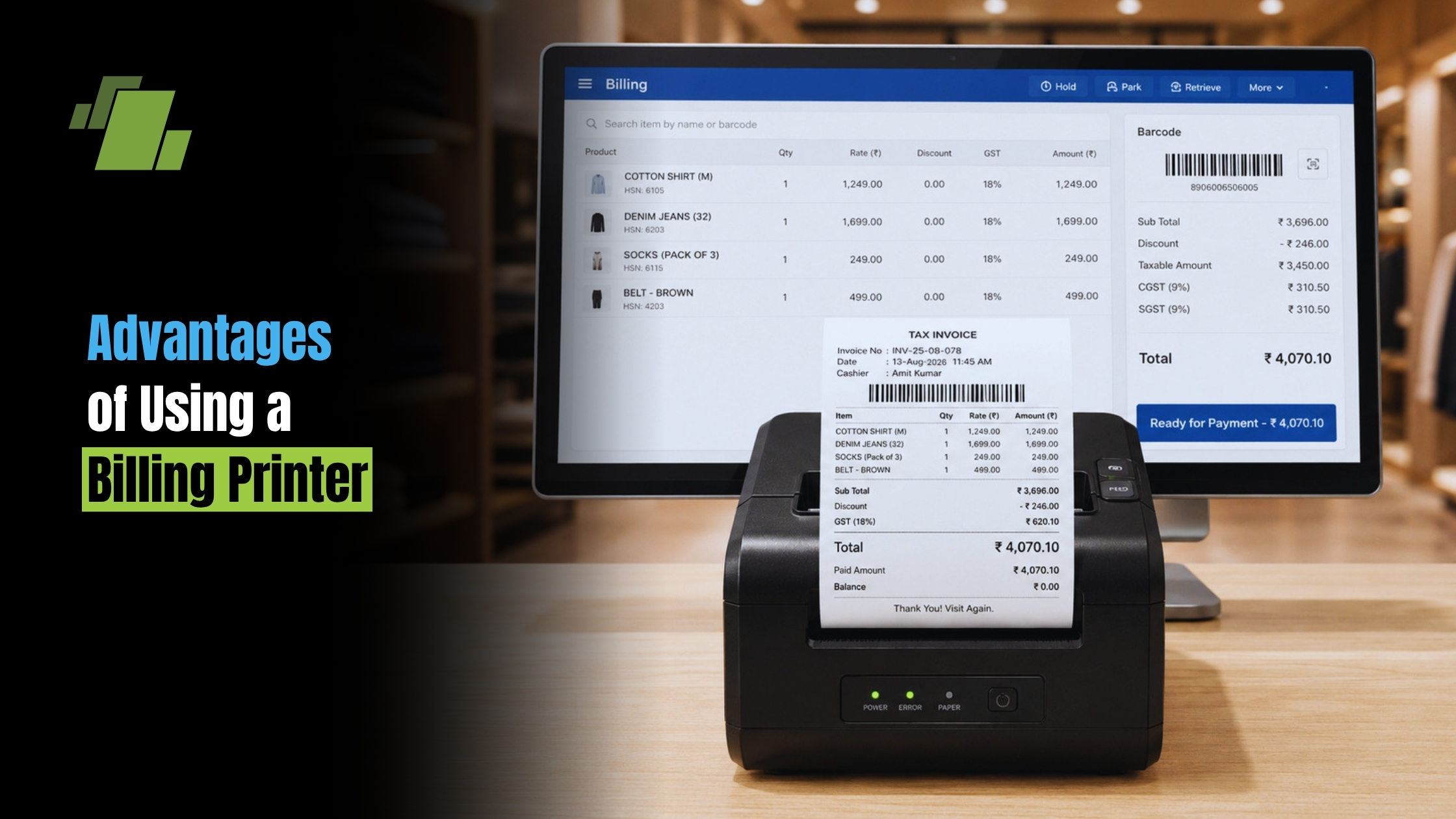
If you still print invoices from a standard office printer, you’re likely losing time at the counter, dealing with misaligned formats, and paying more per page than you need to. A dedicated invoice printing machine often called a billing printer is designed for fast, consistent billing documents, with fewer jams and fewer “why doesn’t this look right?” moments. Whether you run a retail store, pharmacy, warehouse, café, or service desk, the right printer can make billing smoother, more accurate, and easier to scale.
Why a Billing Printer Beats a Regular Office Printer
A billing printer is purpose-built for frequent, repetitive printing exactly what invoices, bills, and receipts require. Compared with general inkjet/laser printers, it typically offers:
- Faster output for continuous billing (less waiting in queues)
- Cleaner formatting for invoice templates and POS layouts
- Lower downtime (fewer paper-feed issues when used correctly)
- Better counter ergonomics (compact footprint; “print and tear” workflow)
This is why many businesses choose a printer for shop billing rather than sharing one office printer for everything.
Key Advantages of Using an Invoice Printing Machine
1) Faster Billing and Shorter Customer Lines
Speed is the most obvious win. A thermal invoice printer can print rapidly without warm-up time. That means smoother peak hours and fewer billing bottlenecks.
If you’re researching how to print invoices automatically, pairing a billing printer with your POS or accounting workflow is usually the first step: print triggers can be automated from your billing screen, reducing manual clicks.
2) More Professional, Consistent Invoices
Dedicated printers maintain consistent alignment, margins, and scaling especially when used with the right templates and drivers. This matters for:
- Tax invoice formatting
- Return/refund processing
- B2B documentation where line-items must be clear
- barcode and QR code invoice printing for faster scanning and inventory tracking
3) Lower Operating Cost Over Time
While bill printer machine price varies widely, dedicated billing printers often reduce long-term cost because they’re designed for high-volume workflows.
- Thermal models reduce ink-related expenses (they don’t use ink)
- Dot matrix models reduce cost for multipart stationery and impact printing
When comparing billing printer price options, look beyond the purchase cost: calculate paper, consumables, maintenance, and downtime.
4) Better Fit for Small Counters and Mobile Billing
Many businesses don’t have room for a full-size printer near the checkout. A small billing printer or mini bill printing machine fits beside a POS terminal without clutter.
For delivery, pop-up stores, or field services, consider a mobile invoice printer Bluetooth WiFi model so staff can bill on-site and print instantly from a phone/tablet app.
Choosing the Right Type: Thermal vs Dot Matrix
A common buying question is receipt printer vs invoice printer. The truth: many printers can handle both, but your document requirements decide what’s best.
Thermal Invoice Printer (Best for speed + clean output)
A thermal invoice printer is ideal if you mostly print single-copy invoices/receipts quickly.
Pros
- Fast, quiet printing
- Sharp text and QR/barcodes
- Minimal maintenance (no ink ribbons)
Cons
- Thermal paper can fade over time depending on quality and storage
- Not ideal for multipart (carbon) copies
Best for: retail billing, cafés, clinics, standard POS invoices, and an invoice printer for small business that values speed.
Dot Matrix Invoice Printer (Best for multipart forms)
If you need multi-layer forms, a dot matrix invoice printer is still the go-to.
Pros
- Supports multipart stationery
- Durable for back-office environments
- Works well with pre-printed invoice books
Cons
- Noisy
- Lower print resolution than thermal
This is often the right carbon copy invoice printing solution when you must produce duplicate/triplicate copies (customer, accounts, delivery).
Essential Buying Factors (What Actually Matters)
Before you decide, check these practical details.
Invoice Printer Paper Size Options
Your workflow may require different invoice printer paper size options:
- 80mm thermal rolls (common for POS-style invoices)
- 58mm thermal rolls (compact setups)
- A4/Letter (less common for “billing printers,” more common for office printers)
- Multipart continuous stationery (dot matrix)
If you’re asking what’s the best printer for invoice paper, the best answer is: the one that matches your invoice format, storage needs, and customer expectations.
POS System Invoice Printer Integration
For retail and restaurants, smooth POS system invoice printer integration is crucial. Verify:
- Connection type: USB / LAN (Ethernet) / Bluetooth / Wi Fi
- Supported print languages/drivers (ESC/POS is common for thermal)
- Auto-cutter support (saves time)
- Cash drawer port (common in POS counters)
Invoice Printing Software Compatibility
Don’t buy hardware in isolation check invoice printing software compatibility first. Confirm your billing tool supports your printer model via:
- Official drivers
- Standard print dialogs
- Templates compatible with 58/80mm widths
- QR/barcode support
If you specifically need what printer works with QuickBooks invoices, the safest approach is to choose a well-supported printer brand/model with stable Windows/macOS drivers and test print from QuickBooks using your invoice template. Many businesses print QuickBooks invoices to a standard A4/Letter printer, but for counter-style invoices, you may use a POS/thermal printer with the right formatting and driver support.
Practical Invoice Printer Setup Guide (Fast, Low-Stress)
A simple invoice printer setup guide checklist:
Pick the right connection
- USB for one-counter setups
- LAN for multiple terminals
- Bluetooth/Wi Fi for mobile billing
Install the correct driver
- Use manufacturer drivers when possible
- Confirm paper width (58/80mm) in printer preferences
Set default paper and scaling
- Disable “Fit to page” if it shrinks content
- Use fixed-width templates for thermal printing
Run a test print with real data
- Try long product names, taxes, discounts, and totals
- Validate barcode/QR scannability
Enable automatic printing (where supported)
- Configure your POS/billing app rules for how to print invoices automatically
- Reduce extra prompts to speed up checkout
Solving Common Problems (So Your Billing Doesn’t Stop)
Ink Smudging on Invoices Fix
Smudging is usually an inkjet/laser issue rather than thermal. An ink smudging on invoices fix may include:
- Switch to “Plain paper” or “Invoice” media settings (reduces excess ink/toner)
- Use higher-quality paper (coated paper can cause longer dry times)
- Let pages dry before stacking (especially humid environments)
- For heavy billing use, consider moving to thermal to avoid ink altogether
Faded Thermal Prints
If customers complain about fading:
- Use premium thermal rolls
- Avoid heat/sunlight exposure during storage
- Store invoices flat, away from plasticizers (some plastics accelerate fading)
Misaligned or Cut-Off Invoices
- Confirm paper width and margins in your template
- Check driver settings (80mm vs 58mm)
- Turn off unnecessary headers/footers in the print dialog
What to Expect on Price (Without Guesswork)
Bill printer machine price depends on print technology, durability, and connectivity. In general:
- Basic thermal units are often the most cost-effective for POS counters
- Rugged, branded models cost more but may reduce downtime
- Dot matrix printers can be higher-cost upfront but save money if you must print multipart forms
When evaluating billing printer price, ask vendors for:
- Total cost of ownership (paper, ribbon if dot matrix, spare parts)
- Warranty and service availability
- Compatibility proof (test prints with your software/POS)
Best-Fit Recommendations by Use Case
- High-speed retail checkout: thermal invoice printer + auto-cutter + LAN
- Small shop counter: mini bill printing machine or small billing printer (USB)
- Delivery/field service: mobile invoice printer Bluetooth WiFi
- Warehousing/dispatch needing duplicates: dot matrix invoice printer as a carbon copy invoice printing solution
- Businesses printing scannable codes: prioritize barcode and QR code invoice printing quality and driver support
Conclusion
Choosing the right billing printer can significantly improve the speed, accuracy, and efficiency of your billing operations. Whether you manage a retail store, pharmacy, restaurant, warehouse, or small business, a dedicated invoice printing machine can reduce waiting time, minimize printing issues, and deliver professional-looking invoices.
Before purchasing, consider your printing volume, invoice format, paper size, connectivity, and POS or GST software compatibility. With the right combination of billing hardware and software, businesses can create a smoother checkout experience, reduce operational costs, and manage invoice printing more efficiently.
Call at +91-73411-41176/75 or send us an email at sales@logicerp.com to book a free demo today!
Frequently Asked Questions
1. What is a billing printer?
A billing printer is a dedicated printer designed to quickly print invoices, bills, receipts, and other transaction documents. It is commonly used with POS and billing software in retail stores, restaurants, pharmacies, and other businesses.
2. What are the main benefits of using a billing printer?
A billing printer provides faster printing, consistent invoice formatting, lower operating costs, compact counter setups, and better integration with POS and billing systems.
3. Which is better for billing: a thermal printer or a dot matrix printer?
A thermal invoice printer is generally better for fast, single-copy receipts and invoices, while a dot matrix invoice printer is more suitable for businesses that need multipart or carbon-copy invoices.
4. What paper sizes are commonly used with billing printers?
Common options include 58mm and 80mm thermal paper rolls. Businesses using dot matrix printers may use continuous multipart stationery, while A4 invoices are generally printed using standard office printers.
5. Can a billing printer print GST invoices?
Yes. A compatible billing printer can print GST invoices when connected to billing or GST software that supports the required invoice format and tax details.
6. Can billing printers print barcodes and QR codes?
Yes. Many thermal billing printers can print barcodes and QR codes when supported by the printer, driver, and billing software. This can help with product identification, payment processing, and invoice scanning.
7. How do I choose the right billing printer for my business?
Consider your billing volume, invoice format, paper size, connectivity, printing speed, POS compatibility, and whether you need single or multiple invoice copies. Also check compatibility with your existing billing or GST software.
8. Can a billing printer work with POS software?
Yes. Most modern billing printers can integrate with POS software through USB, Ethernet, Bluetooth, or Wi-Fi, depending on the printer model and software support.
9. How can I reduce billing printer maintenance?
Use good-quality paper, keep the printer clean, install the correct drivers, avoid overloading paper rolls, and follow the manufacturer’s maintenance guidelines. Regular maintenance can help reduce printing errors and downtime.
10. Is a billing printer suitable for small businesses?
Yes. Small businesses can benefit from compact small billing printers or mini thermal printers that take up little counter space while providing fast invoice and receipt printing.

Author
Gurbir Singh
Co-founder & Managing Director | LOGIC ERP Solutions Pvt. Ltd.
With 30+ years of experience in the tech industry, I took the helm of technology & product development, ensuring LOGIC ERP’s continuous innovation & leadership in the evolving tech landscape.