Stock Inventory Management Guide by LOGIC ERP

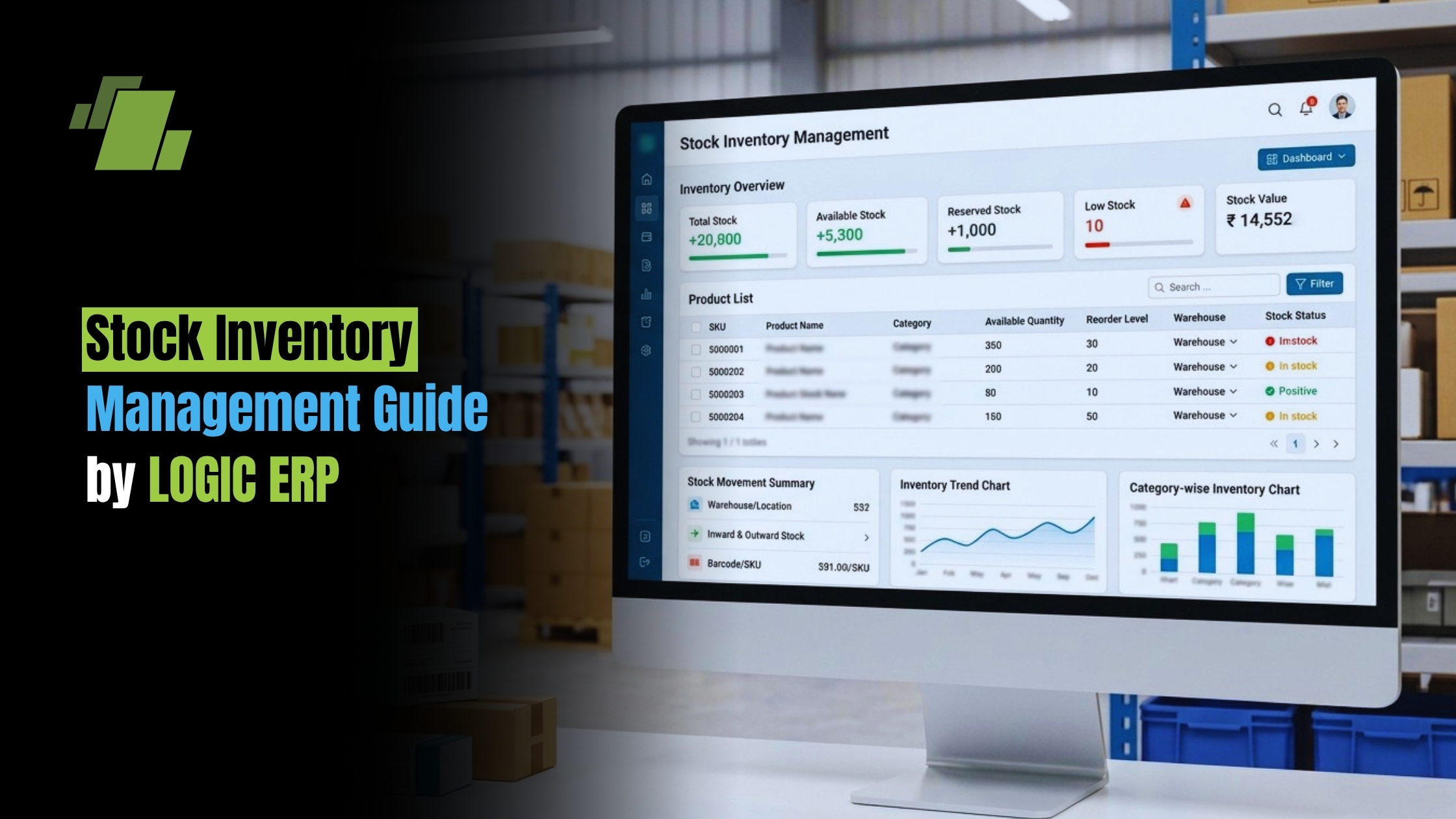
Stock inventory management means knowing what products you have, where they are, what they are worth, and when they need to move. Done well, it helps a business avoid stockouts, cut extra product stock, protect cash flow, and serve customers faster. This guide explains the key terms, the inventory and stock difference, and simple ways to build a reliable inventory system without making the work harder than it needs to be.
Contact Us
Free Demo Request
What does Stock Inventory Mean?
The stock inventory meaning is simple: it is the goods a business has on hand for sale or issue at a given time. In day-to-day use, stock usually means finished goods ready to sell, while inventory can also include raw materials, work in process, packaging, spare parts, and other supplies used to run the business.
That difference matters because product inventory is not always ready for customers. A furniture maker may hold timber, screws, half-built tables, and finished chairs in one warehouse. Only the finished chairs are stock in the sales sense, but all of those items belong in inventory management.
For multilingual teams, the meaning of stock inventory can be explained as “the stock of goods available for sale.” In business accounting, inventory may also refer to raw materials, work-in-progress, and finished goods.
Stock and Inventory are Related, But Not the Same
Many people use inventory vs stock as if the words mean the same thing. In casual retail talk, that is often fine. But for operations, accounting, purchasing, and forecasting, the difference between stock and inventory can change how you track value, plan orders, and measure performance.
Stock is usually the sellable part of inventory. Inventory is the wider group that covers everything a company holds to make, support, store, package, or sell goods. So all stock is inventory, but not all inventory is stock.
A useful way to separate the terms is by business role:
- Sales teams care about stock: what can be promised, sold, reserved, or shipped.
- Operations teams care about inventory: materials, WIP, finished goods, returns, packaging, and supplies.
- Finance teams care about stock valuation and total inventory value because these numbers affect reports, margins, and planning.
- Purchasing teams care about stock levels and reorder timing so they do not buy too late or tie up cash too early.
The Main Types of Inventory to Track
Clear grouping is the base of stock control. If every item is treated the same way, it becomes harder to see what is sellable, what is waiting for production, and what is only there to support operations.
Raw Materials
Raw materials are the basic inputs used to create a product. For a bakery, this may include flour, sugar, yeast, and packaging labels. For a maker, it may include metal, plastic, fabric, or parts. These items are inventory, but they are not stock until they become finished goods ready for sale.
Work in Process
Work in process, often called WIP, includes items that are partway through production. They have value because materials and labor have already been used, but they are not ready to sell yet. Tracking WIP helps a business find bottlenecks and see how much cash is tied up before products become sellable.
Finished Goods
Finished goods are completed items ready for customers, resellers, distributors, or internal use. This is where stock inventory usually sits. These goods need close inventory tracking because they affect sales, customer promises, warehouse space, and shipping speed.
MRO and Operating Supplies
Maintenance, repair, and operations supplies include items used to keep the business running, such as tools, cleaning supplies, replacement parts, or warehouse materials. They may not be sold to customers, but weak tracking can still cause problems. A missing machine part or label roll can slow work just as much as a product stock shortage.
Why Stock Levels Deserve Constant Attention
Stock levels show whether a business has enough sellable goods to meet demand without tying up cash or storage space. Too little stock can cause missed sales, delayed orders, and unhappy customers. Too much stock can lead to markdowns, spoilage, old stock, higher insurance costs, and crowded storage.
Good stock optimization is not about keeping the lowest number on hand. It is about keeping the right amount in the right place at the right time. That depends on demand patterns, supplier reliability, lead times, seasonal demand, storage limits, and how fast items become outdated.
A practical stock analysis should review:
- Fast-moving items that sell often and need regular replenishment.
- Slow-moving items that take up space and may need promotions, bundles, or lower reorder amounts.
- High-value items that need tighter approval, security, and valuation checks.
- Seasonal products that need earlier planning and careful end-of-season decisions.
- Critical items that may not sell often but cause major problems when missing.
This kind of review helps managers make better buying choices instead of relying on guesswork.
How can Businesses Manage Stock Inventory More Effectively?
Businesses manage stock inventory better by combining accurate records, clear reorder rules, regular checks, and the right inventory solutions for their size and needs. The goal is not only to count products. It is to build a repeatable process that shows what is available, what is reserved, what is coming in, and what needs attention.
Start with clean item data. Every product should have one name, one SKU or code, one unit of measure, one location, cost data, and a status. If the same item appears under three different names, even the best inventory software will give confusing results.
Next, set minimum and maximum stock levels. A minimum level tells you when it is time to reorder. A maximum level helps prevent overbuying. These numbers should be checked often because demand, suppliers, lead times, and customer behavior change.
A practical stock control routine may include:
- Record every movement as soon as stock is received, sold, moved, damaged, returned, or adjusted.
- Use reorder points based on demand and lead time rather than guesswork.
- Separate available stock from reserved stock so teams do not promise items already committed to another order.
- Count inventory regularly through cycle counts instead of waiting only for year-end.
- Investigate variances instead of only fixing the number and moving on.
- Review aging stock to decide whether to discount, bundle, return, or stop selling items.
These habits make inventory management more dependable and reduce last-minute surprises.
Manual Tracking and Excel Still Have a Place
Not every business needs a complex platform on day one. A small operation with a narrow product range may start with a spreadsheet, especially while it learns sales patterns. A format inventory stock excel file can work well if it is designed carefully and updated on time.
A basic Excel inventory sheet should include SKU, product name, category, opening quantity, purchases received, sales or issues, returns, adjustments, closing quantity, reorder level, unit cost, and total value. It should also include a date, responsible person, and location if stock is stored in more than one place.
However, spreadsheets become risky as order volume, product range, or team size grows. Manual entry errors, duplicate files, late updates, and formula mistakes can create false confidence. If two people update different versions of the same sheet, the business may no longer know which number is correct.
Use Excel when the operation is simple and controls are clear. Move to a stronger inventory system when you need real-time visibility, multi-location tracking, barcode scanning, purchase order workflows, or links with sales channels and accounting tools.

Inventory Software can Strengthen Visibility and Control
Inventory software helps businesses automate repetitive work and reduce dependence on memory, paper notes, or separate spreadsheets. The right system can track receiving, sales, returns, transfers, adjustments, batches, locations, and reorder alerts from one shared source of truth.
When comparing inventory solutions, focus on the problems you need to solve rather than the longest feature list. A retailer may need barcode scanning and point-of-sale links. An ecommerce brand may need marketplace, shipping, and warehouse links. A maker may need raw material tracking, WIP visibility, bills of materials, and production planning.
Look for features such as:
- Real-time inventory tracking across warehouses, stores, or sales channels.
- Low-stock alerts based on reorder points.
- Barcode or QR code scanning to cut manual entry.
- Purchase order creation and supplier tracking.
- Stock transfers between locations.
- Reports for slow-moving, fast-moving, and high-value items.
- User permissions so changes are controlled and traceable.
- Integration with accounting, ecommerce, shipping, or point-of-sale systems.
The best inventory software is the one your team will use well. A simple tool used every day is better than a powerful system filled with bad data.
Stock Valuation Connects Operations with Finance
Stock valuation is the process of giving value to goods held by the business. It affects cost of goods sold, gross profit, taxes, financial reports, and planning. Because stock represents money tied up in products, valuation is not just an accounting task; it also shows how much cash is sitting on shelves.
Common valuation methods include FIFO, LIFO, and weighted average. FIFO assumes the oldest items are sold first. LIFO assumes the newest items are sold first, though its use depends on the accounting rules in the relevant place. Weighted average smooths cost changes by averaging the cost of similar items.
In periodic inventory system closing stock is valued at the end of the accounting period after a physical count or calculation. In a periodic system, stock quantities and values are not updated in real time after every transaction. Instead, the business updates closing stock on a set schedule, such as monthly, quarterly, or yearly.
By contrast, a perpetual inventory system updates inventory records in real time as goods are bought, sold, or adjusted. This can give managers more current information, especially when supported by scanning, linked sales data, and steady receiving processes.
Better Stock Optimization Starts with Better Decisions
Stock optimization improves when teams stop treating every item the same. Some products need more review because they sell fast or earn strong margins. Others need strict limits because they move slowly, expire, or take up too much space.
A simple ranking method is to group products by importance. High-value or high-demand items should get closer monitoring, tighter reorder points, and more frequent counts. Low-value or predictable items may need simpler controls. This approach keeps attention where it matters most.
Demand forecasting also helps, but it should stay practical. Review recent sales, seasonal demand, promotions, supplier lead times, and known customer commitments. Then compare forecast demand with actual results so the process improves over time.
Good decisions also need cross-team communication.
Sales may know about a coming promotion.
Purchasing may know a supplier is delayed.
Warehouse teams may know certain items are damaged, misplaced, or hard to pick.
Inventory management works best when these signals are shared before they turn into emergencies.
A Practical Checklist for Healthier Inventory Management
Use this checklist to see whether your current process is strong enough:
- Every product has one approved SKU, name, and unit of measure.
- Stock levels are visible to the people who make purchasing and sales decisions.
- Reorder points are based on demand, lead time, and safety stock needs.
- Physical counts are scheduled and variances are reviewed.
- Slow-moving stock is found before it becomes obsolete.
- Damaged, returned, and reserved items are kept separate from available stock.
- Stock valuation methods are written down and used the same way each time.
- Spreadsheet users follow one shared format and version-control process.
- Inventory software, if used, is linked to the systems that create stock movements.
- Reports lead to action, not just record-keeping.
If several items on this list are missing, the issue may not be effort. The process may have outgrown the tools, the roles may be unclear, or the business may be tracking numbers without using them to make decisions.
The Takeaway
Effective stock inventory management brings together clear terms, accurate tracking, disciplined stock control, and practical technology. Once you understand the difference between stock and inventory, it becomes easier to group items, manage stock levels, choose the right inventory solutions, and protect cash from excess stock or avoidable shortages.
Start with the basics: clean product data, steady counting, realistic reorder points, and regular stock analysis. Then add tools, automation, and deeper reporting as the business grows. The strongest inventory system is not the most complex one. It is the one that keeps your product stock visible, valued the right way, and ready when customers need it.

Call at +91-7341141176/75 or send us an email at sales@logicerp.com to book a free demo today!
Frequently Asked Questions
1. What is the Simplest Way to Remember the Difference Between Stock and Inventory?
Stock is usually the part of inventory that is ready to sell, while inventory is the wider group that includes raw materials, work in process, finished goods, packaging, spare parts, and operating supplies. In other words, all stock is inventory, but not all inventory is stock.
2. When Should a Business Move From Excel to Inventory Software?
Excel can work well for a small business with a limited product range, low order volume, and clear controls. A business should think about inventory software when it needs real-time visibility, multi-location tracking, barcode scanning, purchase order workflows, user permissions, or links with sales, accounting, shipping, or ecommerce systems.
3. Why is Separating Available Stock from Reserved Stock Important?
It keeps teams from promising products that are already committed to another customer or order. This helps reduce overselling, late fulfillment, customer frustration, and confusion between sales, warehouse, and purchasing teams.
4. How do Stock Valuation Methods Affect Business Decisions?
Stock valuation affects cost of goods sold, gross profit, taxes, financial reports, and planning. Methods such as FIFO, LIFO, and weighted average can give different values for the same stock, especially when costs change, so the chosen method should be written down and used in the same way each time.
5. What is the First Step Toward Better Stock Optimization?
Stop treating every item the same. Businesses should group products by demand, value, seasonality, movement speed, and importance, then apply tighter controls and more frequent reviews to the items that affect sales, cash flow, and operations most.

Author
Gurbir Singh
Co-founder & Managing Director | LOGIC ERP Solutions Pvt. Ltd.
With 30+ years of experience in the tech industry, I took the helm of technology & product development, ensuring LOGIC ERP’s continuous innovation & leadership in the evolving tech landscape.