How to Improve Purchase Decisions Using Kirana Sales History With LOGIC ERP Kirana POS Software?

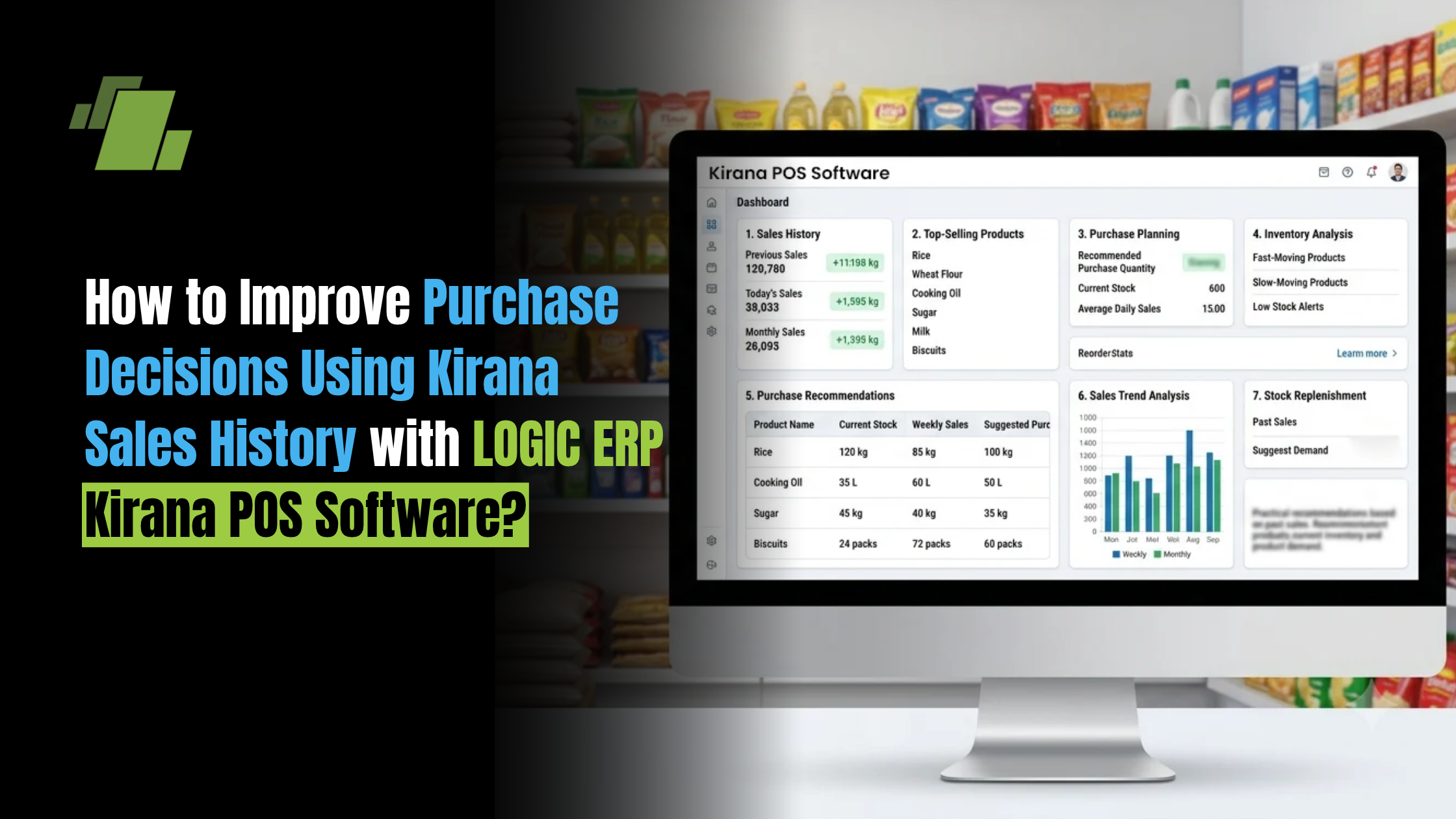
For a Kirana store, every purchase decision affects inventory, cash flow and customer satisfaction. Buying too much can lock money into slow-moving stock, while buying too little can result in stockouts and lost sales.
Instead of relying only on experience or assumptions, Kirana retailers can use sales history to understand what customers buy, how frequently products sell and when demand changes. With Kirana POS Software, retailers can connect historical sales data with current inventory and purchase information to make more informed buying decisions.
Contact Us
Free Demo Request
Why Should Kirana Stores Use Sales History for Purchase Decisions?
Historical sales data provides a clearer picture of actual customer demand. Instead of estimating how much stock may be required, retailers can analyse previous sales and identify consistent purchasing patterns.
Sales history can help Kirana retailers:
- Identify products that sell quickly
- Find slow-moving and non-moving products
- Understand product-wise demand
- Track changes in sales over time
- Plan purchases around seasonal demand
- Set appropriate reorder levels
- Reduce excess inventory
- Prevent stockouts
- Improve inventory turnover
- Make better use of working capital
What Can Kirana Sales History Tell Retailers About Product Demand?
Sales history can reveal more than just the total number of products sold. When analysed properly, it can show which products, brands, pack sizes and categories customers prefer.
For example, a retailer may discover that one particular brand of cooking oil consistently sells more than competing brands. This information can help the retailer prioritise that product when planning the next purchase.
Similarly, if a product has shown declining sales for several months, the retailer may reduce future purchases and avoid accumulating unnecessary stock.
How to Identify Fast-Moving Products Using Sales Data?
Fast-moving products require regular monitoring because running out of them can directly affect sales.
Retailers can review:
- Quantity sold during a specific period
- Frequency of sales
- Current stock available
- Previous sales trends
- Supplier delivery time
Products with consistently high sales can be prioritised during purchase planning. Kirana POS Software can make this process easier by providing product-wise sales and inventory information.
How to Identify Slow-Moving and Non-Moving Products?
Slow-moving products occupy valuable shelf and storage space while tying up working capital.
By comparing current inventory with historical sales, retailers can identify products that:
- Sell infrequently
- Have remained in stock for a long period
- Have declining demand
- Are repeatedly purchased but rarely sold
- Are approaching expiry, where applicable
This information can help retailers reduce unnecessary purchases and create strategies for clearing existing stock.
How Can Sales History Help Set Better Reorder Levels?
A reorder level indicates when a product should be purchased again. Setting the same reorder level for every product may not work because different products have different sales patterns.
Retailers can consider:
- Average daily or weekly sales
- Current stock
- Supplier lead time
- Seasonal demand
- Safety stock requirements
- Recent changes in demand
For example, if a product consistently sells 10 units per day and the supplier usually takes several days to deliver, the retailer needs to reorder before the available stock reaches a critical level.
A Kirana POS Software solution can help retailers monitor sales and stock levels to support more timely replenishment.
How Can Kirana Retailers Use Seasonal Sales Data for Purchase Planning?
Customer demand can change significantly during festivals, holidays, weather changes and local events.
For example:
- Cold beverages may see higher demand during summer.
- Certain food products may sell more during festivals.
- Rain-related products may experience seasonal demand during monsoon.
- Gift and celebration-related products may see increased sales during specific periods.
Reviewing sales from previous seasons can help retailers anticipate these changes and plan inventory accordingly.
However, historical data should be treated as a reference rather than a guarantee. Current market conditions, pricing, competition and customer behaviour should also be considered.
How to Match Current Stock With Historical Sales?
Before placing a purchase order, retailers should compare current stock with recent sales.
A simple approach is:
Current Stock + Expected Purchases − Expected Sales = Projected Stock
By reviewing this information, retailers can determine whether another purchase is actually necessary.
For example, if historical sales indicate that a product sells 100 units per month and the store already has enough inventory to meet expected demand, placing another large order may unnecessarily increase stock levels.
How Can Kirana POS Software Improve Purchase Planning?
Manual records can make it difficult to analyse large volumes of sales and inventory information. Kirana POS Software can bring these processes together and provide retailers with a clearer view of business performance.
A POS system can help retailers access:
- Product-wise sales history
- Daily and monthly sales reports
- Fast-moving product information
- Slow-moving stock reports
- Current inventory levels
- Purchase history
- Supplier information
- Reorder levels
- Category-wise sales
- Sales and inventory trends
This allows retailers to move from intuition-based purchasing toward data-supported purchase planning.
How Does LOGIC ERP Help Kirana Retailers Make Better Purchase Decisions?
LOGIC ERP helps retailers connect sales, inventory and purchasing information within their retail management system.
With LOGIC ERP, Kirana retailers can use business and inventory information to understand product movement, monitor stock levels and make more informed purchasing decisions.
Relevant capabilities include:
- Sales and purchase management
- Product-wise sales analysis
- Inventory tracking
- Fast-moving and slow-moving stock identification
- Reorder-level management
- Supplier and purchase management
- Business reports and dashboards
- Multi-store visibility for businesses operating multiple outlets
By bringing these areas together, retailers can use actual business data to support purchasing decisions rather than depending entirely on manual calculations.
What Reports Should Kirana Retailers Review Before Placing an Order?
Before making a purchase, retailers can review reports such as:
Product-Wise Sales Report
Shows how much of each product has been sold during a selected period.
Fast-Moving Product Report
Helps identify products that require frequent replenishment.
Slow-Moving Stock Report
Highlights products that may be tying up working capital.
Stock Availability Report
Shows current inventory levels across products.
Purchase Report
Helps retailers review previous purchases and supplier buying patterns.
Category-Wise Sales Report
Provides an overview of which product categories are generating higher sales.
Stock Ageing Report
Helps identify inventory that has remained unsold for an extended period.
Common Purchase Planning Mistakes in Kirana Stores
Even experienced retailers can make purchasing decisions that result in excess inventory or missed sales.
Common mistakes include:
- Buying stock based only on intuition
- Ignoring historical sales data
- Purchasing large quantities because of supplier discounts
- Failing to monitor slow-moving products
- Not considering supplier lead times
- Ignoring seasonal demand
- Maintaining inaccurate stock records
- Reordering without checking existing inventory
- Treating every product with the same reorder level
Using Kirana Store Management Software can help reduce dependence on manual records and provide better visibility into sales and inventory.
Best Practices for Data-Driven Kirana Purchasing
Kirana retailers can improve their purchasing process by following a consistent approach:
- Review recent and historical product sales.
- Identify fast-moving and slow-moving products.
- Check current stock before placing an order.
- Set product-specific reorder levels.
- Consider supplier lead times.
- Analyse seasonal demand.
- Monitor stock ageing.
- Compare purchase quantities with actual sales.
- Review product and category-level profitability.
- Use Kirana POS Software to centralise sales, inventory and purchase information.
Conclusion
Better purchase decisions start with better visibility into what customers actually buy. By analysing Kirana sales history, retailers can identify fast-moving products, reduce excess inventory, understand seasonal demand and determine when products need to be reordered.
Instead of relying entirely on assumptions, retailers can use Kirana POS Software to connect sales, inventory and purchase data. This provides a stronger foundation for purchase planning, inventory control and day-to-day business decisions.
With LOGIC ERP, Kirana retailers can bring sales, inventory, purchasing and business reporting together to make more informed decisions and maintain better control over their retail operations.

Call at +9173411-41176/75 or send us an email at sales@logicerp.com to book a free demo today!
Frequently Asked Questions
1. How Can Sales History Improve Purchase Decisions for Kirana Stores?
Sales history helps Kirana retailers understand which products sell frequently, which products move slowly and how demand changes over time. This information can be used to plan purchases and maintain appropriate inventory levels.
2. What Sales Data Should a Kirana Retailer Analyse Before Purchasing Stock?
Retailers can analyse product-wise sales, category-wise sales, sales frequency, fast-moving products, slow-moving products, seasonal trends and previous purchase quantities before placing new orders.
3. How Does Kirana POS Software Help With Purchase Planning?
Kirana POS Software connects sales and inventory information, helping retailers review product movement, current stock levels, purchase history and reorder requirements before purchasing additional stock.
4. How Can Kirana Retailers Identify Fast-Moving Products?
Retailers can compare the quantity and frequency of product sales over a defined period. Products with consistently high sales can be classified as fast-moving and monitored more closely for replenishment.
5. How Can Sales History Help Prevent Stockouts?
Historical sales data helps retailers understand typical product demand. When combined with current stock levels and supplier lead times, this information can help retailers reorder products before inventory runs out.
6. How Can Kirana Stores Reduce Overstocking Using Sales Data?
Retailers can identify slow-moving and non-moving products by comparing historical sales with current inventory. They can then reduce unnecessary purchases and focus working capital on products with stronger demand.
7. Can Kirana POS Software Help Set Reorder Levels?
Yes. Kirana POS Software can use sales and inventory information to help retailers monitor stock levels and establish product-specific reorder points based on demand and replenishment requirements.
8. Why is Historical Sales Data Important for Kirana Inventory Management?
Historical sales data helps retailers understand demand patterns, identify products that require frequent replenishment and recognise inventory that is not moving as expected. This supports better inventory and purchasing decisions.

Author
Gurbir Singh
Co-founder & Managing Director | LOGIC ERP Solutions Pvt. Ltd.
With 30+ years of experience in the tech industry, I took the helm of technology & product development, ensuring LOGIC ERP’s continuous innovation & leadership in the evolving tech landscape.