Supermarket Checkout Management: A Complete Guide to Billing Counters, Queue Management and POS Operations

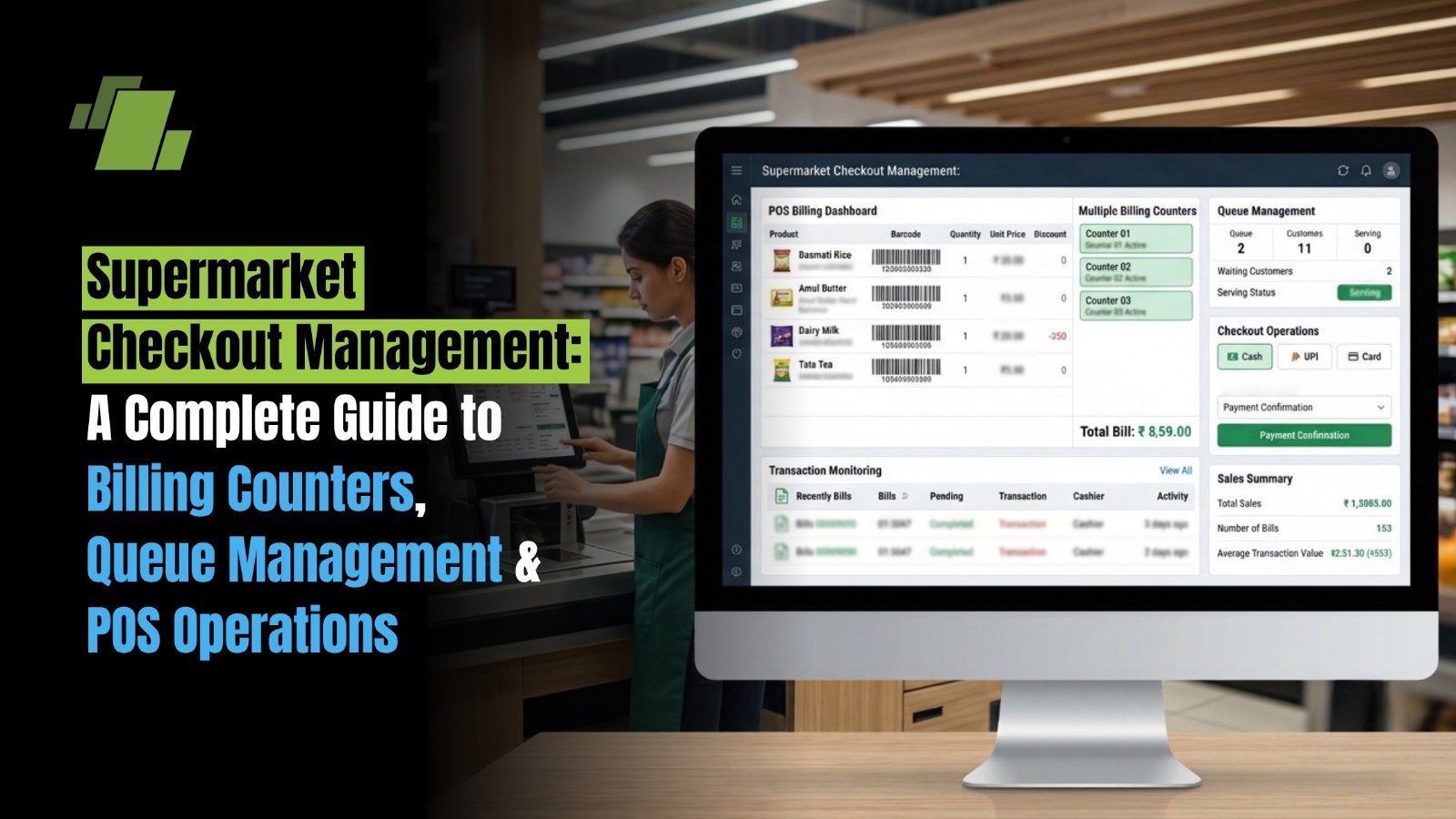
A supermarket can have well-stocked shelves, competitive prices and an excellent product range, but inefficient checkout operations can undermine the entire shopping experience. Long billing queues, slow barcode scanning, incorrect prices, payment delays and insufficient cashier availability can turn a convenient shopping trip into a frustrating experience.
For supermarket owners, checkout management is not simply about processing bills. It involves coordinating billing counters, managing customer queues, allocating cashiers, maintaining transaction accuracy and ensuring that every sale is reflected correctly in inventory and accounts.
An effective supermarket checkout management system brings these activities together through standard operating procedures and integrated Point of Sale (POS) technology.
This guide explains how supermarkets can improve billing counter efficiency, manage queues, optimise POS operations and select the right software to support faster and more controlled checkout processes.
Contact Us
Free Demo Request
What is Supermarket Checkout Management?
Supermarket checkout management is the process of organising and controlling customer billing operations, cashier activities, payment collection and queue movement at checkout counters.
It ensures that customers can complete purchases quickly while maintaining billing accuracy, inventory visibility and transaction accountability.
A complete supermarket checkout management process includes:
-
Billing Counter Management: Assigning cashiers, managing registers and distributing customer traffic.
-
Queue Management: Monitoring waiting lines and controlling customer flow.
-
POS Operations: Scanning products, calculating prices, applying discounts and generating invoices.
-
Payment Management: Processing cash, UPI, debit cards, credit cards and other payment methods.
-
Inventory Synchronisation: Updating stock quantities after every completed transaction.
-
Transaction Monitoring: Tracking voids, returns, discounts, cash collection and cashier performance.
For example, consider a supermarket in Chandigarh with three billing counters. During normal hours, two counters may be sufficient. However, during evening rush hours, weekends or festive periods, the store may need all three counters operating simultaneously.
An effective checkout process allows the store manager to identify this demand, allocate staff accordingly and prevent unnecessary customer waiting.
Why is Efficient Checkout Management Important for Supermarkets?
Checkout is the final operational touchpoint before a customer leaves the store. Delays at this stage can affect customer satisfaction, store efficiency and the likelihood of repeat visits.
Here are the major reasons why supermarkets need structured checkout management.
1. Reduces Customer Waiting Time
Long queues are particularly frustrating when customers have already completed their shopping and simply want to pay.
A well-managed checkout system distributes customers across available counters, reduces unnecessary billing interruptions and helps cashiers process transactions efficiently.
2. Improves Billing Counter Productivity
Without proper monitoring, some counters may remain underutilised while others experience excessive queues.
Monitoring transactions per cashier, average billing time and counter utilisation helps managers identify operational inefficiencies.
3. Prevents Billing Errors
Manual product searches, incorrect price entries and improperly applied discounts can lead to billing discrepancies.
Barcode-based billing reduces manual entry and retrieves product details and configured prices directly from the system.
4. Improves Inventory Accuracy
Every completed supermarket transaction should update the corresponding stock records.
When POS and inventory management are integrated, supermarkets can track product movement, identify fast-selling items and maintain more accurate stock visibility.
5. Supports Better Customer Service
Faster billing gives store employees more time to handle customer queries, product exchanges, loyalty benefits and other service requirements.
What Are the Major Challenges in Supermarket Checkout Operations?
Supermarkets handle a wide variety of products, transaction sizes and payment methods. These factors create several challenges at billing counters.
|
Checkout challenge |
Operational impact |
Recommended solution |
|
Long customer queues |
Customer dissatisfaction and potential walkaways |
Monitor queues and activate additional counters |
|
Slow manual billing |
Increased transaction time |
Barcode-based POS billing |
|
Incorrect product prices |
Billing disputes and rework |
Centralised price management |
|
Manual discount calculations |
Inconsistent offers and cashier errors |
Automated promotion rules |
|
Payment processing delays |
Interrupted checkout |
Multiple payment options |
|
Insufficient cashier availability |
Uneven workload |
Demand-based staff scheduling |
|
Stock discrepancies |
Incorrect inventory records |
Integrated POS and inventory |
|
Unmonitored cash handling |
Reconciliation problems |
Cashier-wise shift management |
One important distinction is that checkout efficiency cannot be improved by simply asking cashiers to bill faster. Product identification, pricing, payment processing, staff availability and system response times must all work together.
How to Manage Supermarket Billing Counters Efficiently?
Billing counter management involves deciding how many counters should operate, who should operate them and how transactions should be distributed.
The following practices can help supermarkets improve counter performance.
1. Determine the Right Number of Billing Counters
The number of billing counters should depend on customer footfall, average basket size, transaction time and peak-hour demand.
Operating too few counters creates long queues, while keeping every counter open throughout the day can increase staffing costs.
A simple planning calculation is:
Required counters = Total customers per hour × Average checkout time in minutes ÷ (60 × Target utilisation)
Consider an illustrative supermarket receiving 120 customers per hour.
Assume:
-
Average checkout time: 3 minutes.
-
Target counter utilisation: 80%.
Calculation:
1203600.80=7.5
The store would require approximately eight counters to handle this demand under the assumed operating conditions.
This is a theoretical staffing estimate. Actual requirements should also account for transaction complexity, breaks, customer arrival patterns, service variability and available space.
2. Allocate Cashiers According to Customer Traffic
Customer traffic is rarely uniform throughout the day.
A supermarket may experience:
-
Lower footfall during morning hours.
-
Increased traffic during lunch breaks.
-
Higher billing volumes during evening hours.
-
Significant demand on weekends and public holidays.
Review historical POS transactions to identify these patterns.
Use the information to prepare cashier schedules and ensure that additional staff are available during high-demand periods.
3. Introduce Standard Billing Procedures
Every cashier should follow a consistent billing process.
A recommended procedure is:
-
Welcome the customer and prepare the billing counter.
-
Scan products using a barcode scanner.
-
Verify product descriptions, quantities and prices.
-
Apply eligible offers and discounts.
-
Confirm the final bill amount.
-
Collect payment using the customer's preferred method.
-
Generate the invoice and complete the transaction.
-
Hand over the products and receipt.
Standardised procedures reduce confusion, improve training and help maintain consistency across counters.
4. Monitor Counter-Wise Performance
Store managers should evaluate billing counter performance using measurable indicators.
|
KPI |
What it measures |
|
Average checkout time |
Time taken to complete a customer transaction |
|
Transactions per hour |
Number of completed bills per cashier |
|
Counter utilisation |
Percentage of available operating time spent processing transactions |
|
Average basket value |
Average revenue generated per transaction |
|
Billing error rate |
Frequency of incorrect billing transactions |
|
Void and cancellation rate |
Frequency of cancelled or reversed transactions |
|
Queue waiting time |
Time customers spend waiting before billing |
For example, if Cashier A processes 35 transactions in an hour while Cashier B processes 24, the difference deserves investigation.
However, transaction count alone does not establish cashier performance. Basket size, number of items, weighing requirements, customer queries and payment complexity must also be considered.
How Can Supermarkets Reduce Long Checkout Queues?
Queue management is one of the most important parts of supermarket checkout operations.
The objective is not simply to shorten the visible line. It is to reduce actual waiting time while ensuring that customers receive consistent service.
1. Use Dedicated Billing Counters Where Appropriate
Different types of customers may require different checkout arrangements.
For example:
-
Express counters for customers with a small number of items.
-
Regular counters for standard grocery purchases.
-
Bulk billing counters for large shopping baskets.
-
Assisted counters for senior citizens or customers requiring additional support.
Dedicated counters can improve service flow when transaction types are predictable and clearly communicated.
However, the best arrangement depends on store size, customer traffic and cashier productivity. Research on supermarket queue configuration demonstrates that a dedicated queue can outperform a pooled arrangement under particular operating conditions.
Management Science+1
2. Introduce Express Checkout
Customers purchasing only a few products should not always have to wait behind customers with full shopping trolleys.
An express checkout counter can handle smaller transactions separately.
For example, a customer purchasing bread, milk and a packet of biscuits can complete billing through an express counter while bulk shoppers use regular counters.
The store should define a clear item limit and monitor whether the express counter actually reduces waiting time.
3. Use Barcode Scanning to Accelerate Billing
Manually searching for products and entering prices increases checkout time.
Barcode scanning allows the POS system to identify products and retrieve configured pricing information.
It is particularly useful for supermarkets managing:
-
Packaged FMCG products.
-
Personal care products.
-
Household items.
-
Packaged groceries.
-
Multiple product variants.
-
Products with different units of measurement.
For loose groceries, fruits and vegetables, integration with electronic weighing scales and barcode label printing can further streamline checkout.
4. Open Additional Counters During Peak Hours
Store managers should establish predefined triggers for activating additional billing counters.
For example, a supermarket may decide to open another counter when:
-
The waiting line exceeds a specified number of customers.
-
Average waiting time crosses its internal service target.
-
Transaction volumes increase beyond available cashier capacity.
These thresholds should be based on actual store data rather than arbitrary industry-wide benchmarks.
5. Monitor Queue Length and Waiting Time
Queue monitoring can involve manual observation, POS transaction analysis, CCTV-based analytics or specialised queue management technology.
A more advanced setup can combine customer counts and estimated basket complexity to help managers distribute checkout traffic.
A 2025-published IEEE conference paper describing research conducted in 2024 explored combining CCTV monitoring and IoT-based cart information for dynamic multi-cashier queue allocation.
DOI+1
Such technology is an additional operational layer; a conventional POS system should not automatically be assumed to include automated queue detection.
6. Make the Waiting Experience More Comfortable
Queue management also involves how customers perceive waiting.
Supermarkets can improve the experience by:
-
Maintaining clear queue markings.
-
Providing visible counter information.
-
Keeping checkout areas organised.
-
Ensuring that customers have sufficient space.
-
Communicating delays where possible.
-
Providing assistance to customers who need it.
Research on Indian retail checkout experiences highlights the importance of customer discomfort before joining queues, during waiting and while billing.
Paradigm
What is the Role of POS Software in Supermarket Checkout Management?
Supermarket POS software is the technology used to process sales transactions, generate invoices, collect payments and record product movement.
However, an effective supermarket POS system should do more than generate bills. It should connect checkout activities with inventory, pricing, customer management and business reporting.
Here are the major capabilities to evaluate.
1. Fast Barcode-Based Billing
A supermarket POS should support barcode scanning to identify products quickly.
The system should retrieve product details, applicable selling prices and tax configurations without requiring cashiers to enter information manually.
This is particularly important for supermarkets with thousands of SKUs.
2. Multi-Counter Billing
Multi-counter billing allows several cashiers to process transactions simultaneously while maintaining centralised sales and inventory records.
For example, a supermarket operating five billing counters should be able to track sales from each counter without maintaining separate manual stock registers.
3. Product and Price Management
Supermarkets regularly manage changes in product prices, promotional offers and supplier costs.
A centralised system helps maintain consistent product information across billing counters and store locations.
Important capabilities include:
-
Product and barcode master management.
-
Category-wise pricing.
-
GST configuration.
-
Discount management.
-
Promotion and scheme management.
-
Multiple units of measurement.
4. Integrated Payment Processing
Customers in India use several payment methods, including:
-
Cash.
-
UPI.
-
Debit cards.
-
Credit cards.
-
Digital wallets.
-
Gift vouchers.
-
Split payments.
The POS should record payment modes accurately and support reconciliation between billing transactions and payment collections.
5. Returns, Exchanges and Bill Cancellation
Customer returns and billing corrections are unavoidable in supermarket operations.
A POS system should support controlled returns, exchanges, bill cancellation and refund processing.
These activities should be recorded with appropriate user permissions and transaction references to maintain accountability.
6. Cashier and Shift Management
Supermarkets operating multiple counters need visibility into cashier-wise sales and cash collection.
A suitable POS should support:
-
Cashier login and logout.
-
Counter-wise transactions.
-
Shift opening and closing.
-
Cash-in and cash-out records.
-
Cash reconciliation.
-
User permissions.
-
Discount and cancellation authorisation.
These controls help store managers monitor transactions and identify discrepancies.
7. Real-Time Inventory Updates
Inventory integration ensures that completed sales are reflected in stock records.
For example, when a customer purchases five units of a packaged grocery product, the system should update the corresponding stock quantity after the transaction is completed.
This helps prevent inaccurate stock availability and supports better replenishment planning.
8. Sales and Performance Reporting
A supermarket POS should provide reports that help owners and managers understand business performance.
Useful reports include:
-
Counter-wise sales reports.
-
Cashier-wise sales reports.
-
Hourly sales reports.
-
Product-wise sales reports.
-
Category-wise sales reports.
-
Payment-mode reports.
-
Discount and cancellation reports.
-
Daily sales summaries.
These insights help managers make better decisions about staffing, pricing, promotions and inventory.
How to Improve Supermarket Checkout Operations During Peak Hours?
Peak-hour checkout management requires preparation, monitoring and quick operational decisions.
The following approach can help supermarkets manage heavy customer traffic.
Step 1: Analyse historical sales data
Identify the days and time slots when customer transactions are highest. Use hourly sales reports to understand recurring traffic patterns.
Step 2: Prepare cashier schedules
Allocate additional cashiers during high-demand periods. Avoid scheduling staff solely according to fixed shifts without considering actual customer traffic.
Step 3: Check POS hardware before peak hours
Ensure barcode scanners, weighing scales, receipt printers, cash drawers and payment terminals are working correctly.
Step 4: Keep high-demand products properly labelled
Products without readable barcodes or accurate price labels can slow down billing. Review product identification and pricing before busy periods.
Step 5: Establish additional-counter activation rules
Define when supervisors should open another counter and who is responsible for making that decision.
Step 6: Monitor transactions and waiting times
Compare counter-wise transaction volumes and identify counters experiencing unusual delays.
Step 7: Review performance after peak hours
Analyse transaction data, billing interruptions, customer complaints and cashier performance to identify improvements for the next busy period.
Example: Peak-Hour Checkout Management in an Indian Supermarket
Consider a supermarket in Mohali that experiences a significant increase in customer traffic between 6 PM and 9 PM.
The store previously operated three billing counters throughout the day. During peak hours, customers experienced long queues because each cashier handled large baskets, product price queries and multiple payment types.
The store introduces the following measures:
|
Operational problem |
Improvement |
|
Long queues |
Activate additional counters |
|
Slow product identification |
Improve barcode coverage |
|
Manual price verification |
Maintain centralised product pricing |
|
Cashier workload imbalance |
Monitor counter-wise transactions |
|
Payment delays |
Support multiple payment methods |
|
Limited performance visibility |
Review hourly POS reports |
The supermarket can then compare average waiting time, transaction duration and counter utilisation before and after implementation.
The example is illustrative; actual improvements should be measured using the store's own transaction data.
How Does POS Integration with Inventory and ERP Improve Supermarket Operations?
Checkout operations do not end when the customer receives an invoice. Every sale affects stock, revenue, taxes and financial records.
This is why growing supermarkets benefit from connecting POS software with a broader ERP system.
An integrated setup can connect the following business processes:
|
Business function |
Role in supermarket operations |
|
Retail POS |
Billing, payments and sales transactions |
|
Inventory management |
Stock updates and product availability |
|
Procurement |
Purchase planning and supplier orders |
|
Warehouse management |
Stock movement and warehouse visibility |
|
Accounting |
Financial entries and payment reconciliation |
|
Customer management |
Loyalty, customer information and purchase history |
|
Business intelligence |
Sales, profitability and operational reporting |
For example, when a customer purchases a product at a supermarket billing counter:
-
The POS identifies the product and generates the bill.
-
The transaction updates the relevant inventory records.
-
The sales value is captured for reporting and accounting.
-
The system updates relevant product movement information.
-
Managers can analyse sales and stock performance through reports.
For supermarkets with multiple branches, centralised ERP integration can also provide better visibility into branch-wise sales, inventory and business performance.
How to Choose the Right Supermarket Checkout and POS Software?
Selecting supermarket POS software requires more than comparing billing screens or subscription prices.
The system should support the store's present operations while accommodating future expansion.
Evaluate these factors before making a decision.
|
Selection criteria |
What to check |
|
Billing speed |
Barcode scanning and quick product lookup |
|
Counter management |
Simultaneous billing across multiple counters |
|
Inventory integration |
Automatic stock updates after sales |
|
Product management |
SKU, barcode, category and unit management |
|
Pricing |
Centralised pricing and discount controls |
|
Payment support |
Cash, UPI, card and split payments |
|
Cashier controls |
User permissions and shift management |
|
Reporting |
Sales, cashier and counter-wise reports |
|
Multi-store management |
Centralised branch-level visibility |
|
Hardware compatibility |
Barcode scanners, scales and receipt printers |
|
Scalability |
Ability to support more counters, users and outlets |
|
ERP integration |
Connectivity with procurement, warehouse and accounts |
Supermarket POS Software vs Standalone Billing Software
|
Parameter |
Standalone billing software |
Integrated supermarket POS/ERP |
|
Basic billing |
Supported |
Supported |
|
Barcode scanning |
Depends on solution |
Generally supported in retail-focused systems |
|
Inventory management |
May be limited |
Connected inventory management |
|
Procurement |
Often separate |
Integrated procurement workflows |
|
Accounting |
May require another system |
Can connect sales with accounts |
|
Multi-store visibility |
Varies |
Centralised management capabilities |
|
Business reporting |
Primarily billing reports |
Cross-functional business insights |
|
Scalability |
Depends on architecture |
Suitable for broader operational requirements |
A small supermarket with one billing counter may find standalone billing software sufficient. However, supermarkets operating multiple counters, warehouses and branches should consider an integrated POS and ERP solution to reduce data silos and manual reconciliation.

How LOGIC ERP Helps Improve Supermarket Checkout and POS Operations
For supermarkets looking beyond basic billing, LOGIC ERP provides an integrated business management platform connecting Retail POS, ERP, inventory management, warehouse operations and business reporting.
Its retail capabilities help businesses manage billing activities while maintaining visibility into other important retail operations.
Relevant capabilities include:
Faster Retail POS Billing
LOGIC ERP supports retail POS operations that help cashiers process customer transactions, manage product information and handle everyday billing activities.
Barcode-based product identification and flexible POS functionality help streamline checkout workflows.
Centralised Inventory Management
Supermarkets need accurate stock visibility to avoid stock discrepancies and replenishment delays.
LOGIC ERP connects retail sales with inventory operations, helping businesses monitor product movement and stock availability.
Product and Pricing Management
Retail businesses manage multiple products, categories, barcodes, prices and promotional schemes.
Centralised product and pricing management helps maintain consistency across retail operations.
Multi-Store Retail Management
Supermarket businesses operating multiple outlets need visibility into branch-wise sales and inventory.
An integrated ERP platform helps centralise business information and supports coordinated operations across locations.
Business Reporting and Insights
Store owners need accurate information about sales, stock movement and business performance.
LOGIC ERP's Business Insights and reporting capabilities help management access relevant business information and make informed operational decisions.
Connected Warehouse and Procurement Operations
Checkout data becomes more valuable when connected with purchasing and warehouse activities.
LOGIC ERP supports broader inventory, procurement and warehouse workflows, helping supermarkets connect front-end retail sales with back-end operations.
The key advantage of an integrated approach is that billing, stock movement, purchasing and reporting do not have to operate as disconnected processes.
Common Supermarket Checkout Management Mistakes to Avoid
Even supermarkets with modern POS systems can experience checkout inefficiencies if their operational processes are not properly managed.
Here are some common mistakes and how to address them.
|
Common mistake |
How to avoid it |
|
Keeping too few counters open during rush hours |
Use hourly transaction data to plan counter availability |
|
Relying on manual product entry |
Improve barcode coverage and product identification |
|
Ignoring cashier performance |
Review transaction-level and cashier-wise reports |
|
Applying discounts manually |
Configure authorised promotional rules |
|
Not monitoring billing errors |
Review voids, cancellations and price corrections |
|
Maintaining disconnected inventory records |
Integrate POS with inventory management |
|
Ignoring payment reconciliation |
Compare POS payment records with actual collections |
|
Not training cashiers |
Introduce standard billing procedures and regular training |
|
Using outdated product prices |
Maintain centralised price and product masters |
Best Practices for Better Supermarket Checkout Management
Supermarket owners can follow these practices to maintain efficient checkout operations.
-
Review checkout performance daily: Monitor average billing time, counter-wise sales and transaction volumes.
-
Maintain accurate product information: Keep barcodes, product prices, tax configurations and units updated.
-
Train cashiers regularly: Ensure employees understand billing procedures, payment processing and return policies.
-
Prepare for peak-hour demand: Schedule additional cashiers during weekends, evenings and festive seasons.
-
Maintain functional billing hardware: Check scanners, printers, weighing scales and payment terminals regularly.
-
Control discounts and cancellations: Apply role-based permissions for sensitive POS activities.
-
Connect billing with inventory: Ensure completed transactions are reflected in stock records.
-
Use reports for operational decisions: Analyse sales trends, cashier productivity and product movement.
-
Review customer feedback: Identify recurring complaints related to billing delays and checkout experiences.
-
Evaluate system scalability: Select software that can accommodate additional counters, stores and business requirements.
Conclusion: Build Faster and More Efficient Supermarket Checkout Operations
Efficient supermarket checkout management requires a combination of well-organised billing counters, effective queue management, trained cashiers and reliable POS technology.
Reducing waiting time is only one part of the process. Supermarkets must also maintain billing accuracy, control cash collections, update inventory records and gain visibility into counter-wise business performance.
An integrated supermarket retail management system helps connect these activities, reducing dependence on disconnected software and manual processes.
Managing multiple billing counters, long checkout queues and disconnected inventory records?
Explore how integrated retail technology can support faster billing and better business control. Call at +91-73411-41176/75 or send us an email at sales@logicerp.com to book a free demo today!
Frequently Asked Questions
1. What is Supermarket Checkout Management?
Supermarket checkout management is the process of managing billing counters, cashiers, customer queues, payments and POS transactions to ensure fast and accurate customer checkout.
2. How can Supermarkets Reduce Long Billing Queues?
Supermarkets can reduce queues by introducing barcode-based billing, activating additional counters during peak hours, allocating cashiers according to customer traffic, using express checkout and monitoring transaction times.
3. What is the Role of POS Software in Supermarket Checkout Management?
POS software processes customer transactions, scans products, calculates prices, applies discounts, accepts payments and generates invoices. Integrated POS systems also update inventory and provide sales reports.
4. How Many Billing Counters Should a Supermarket Have?
The number depends on hourly customer traffic, average checkout time and target counter utilisation. A supermarket can estimate its requirements using:
Required counters = (Customers per hour × Average checkout time in minutes) ÷ (60 × Target utilisation).
5. What is the Difference Between Supermarket POS Software and Billing Software?
Billing software primarily handles invoice generation and payment transactions. Supermarket POS software can provide broader retail capabilities, including barcode scanning, inventory updates, cashier management, promotions and sales reporting.
6. How does Barcode Scanning Improve Supermarket Billing?
Barcode scanning identifies products automatically and retrieves their configured prices and product information. It reduces manual product entry, improves billing accuracy and helps cashiers process transactions more efficiently.
7. What are the Most Important Features of Supermarket Billing Software?
Important features include multi-counter billing, barcode scanning, product and price management, GST configuration, multiple payment methods, discount management, inventory integration, cashier controls and sales reporting.
8. How can Supermarkets Manage Peak-Hour Checkout Traffic?
Supermarkets can analyse historical transaction data, schedule additional cashiers, activate extra counters, introduce express checkout and monitor counter-wise transaction volumes during busy periods.
9. Why Should Supermarket POS Software Integrate with Inventory Management?
POS and inventory integration ensures that completed sales update stock records. It helps supermarkets monitor product movement, identify low-stock items, improve replenishment planning and maintain accurate inventory visibility.
10. Can Supermarket POS Software Manage Multiple Billing Counters?
Yes. Multi-counter POS software allows multiple cashiers to process customer transactions simultaneously while maintaining centralised sales records, inventory updates and counter-wise performance reports.
11. What KPIs Should Supermarkets Track for Checkout Efficiency?
Important KPIs include average checkout time, average queue waiting time, transactions per hour, counter utilisation, cashier-wise sales, billing error rate, void and cancellation rate, and average basket value.
12. How does ERP Software Improve Supermarket Checkout Operations?
ERP software connects supermarket POS transactions with inventory, procurement, warehouse management, accounting and business reporting. This provides better operational visibility and reduces manual data reconciliation.

Author
Gurbir Singh
Co-founder & Managing Director | LOGIC ERP Solutions Pvt. Ltd.
With 30+ years of experience in the tech industry, I took the helm of technology & product development, ensuring LOGIC ERP’s continuous innovation & leadership in the evolving tech landscape.

