Discover how multi-warehouse management software streamlines inventory across multiple locations, improves operational efficiency, and supports business growth. Learn about key features, benefits, challenges, and use cases for retail, manufacturing, FMCG, and e-commerce.
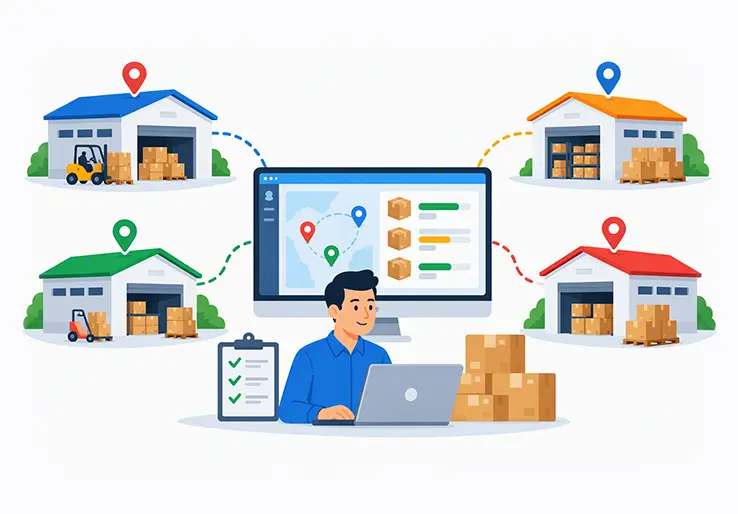
If your business runs more than one warehouse, store, or fulfillment point, you already know the chaos of managing stock across different locations. One site runs out of a bestseller while another sits on surplus. Transfer requests get lost in WhatsApp threads. Month-end reconciliation turns into a week-long headache. In 2026, with India’s e-commerce market racing toward ₹15–18 trillion by 2030 and quick commerce growing at an 86% CAGR, these problems aren’t just inconveniences—they’re profit killers.
This article is a deep dive into multi warehouse inventory management software, with a focus on how ERP platforms like LOGIC ERP deliver centralized inventory control across every warehouse, store, and depot. Whether you run three warehouses or thirty, the principles remain the same.
So what exactly separates multi warehouse inventory management from managing just one location? In a single-warehouse setup, inventory visibility is straightforward—stock comes in, stock goes out, and tracking is linear. Once you add a second location, complexity multiplies: you need to coordinate transfers, prevent duplicate procurement, handle regional demand variation, and maintain a consolidated view of stock that is physically scattered. It stops being a spreadsheet problem and becomes a systems problem.
The payoff for getting this right is significant: better inventory visibility across all locations, faster order fulfillment, lower logistics costs, and the operational foundation to support omnichannel and e-commerce growth. For growing businesses in India and globally, multi location inventory management is no longer optional—it’s the backbone of scalable operations.
Multi-warehouse management is the discipline of coordinating stock, orders, and transfers across two or more storage locations. Instead of treating your inventory as a single pool, you maintain precise records for each site while retaining a unified, consolidated view at the top.
These locations come in many forms. A business might operate regional distribution centers that supply state-level depots, dark stores for quick commerce fulfillment, retail outlets with their own floor stock, cold-storage facilities for perishable goods, or even vendor-managed hubs where suppliers hold inventory on your behalf.
The typical workflow looks like this: a purchase order is received into a central DC in, say, Delhi. From there, stock is redistributed to city warehouses in Mumbai and Bengaluru based on demand forecasts. Online orders are routed to the warehouse closest to the customer. Offline orders are fulfilled from the local store’s own stock, replenished periodically from the nearest DC.
Consider an apparel brand with warehouse locations in Delhi, Mumbai, and Bengaluru. Each city has different demand patterns—Mumbai moves more summer collections, Bengaluru sells more casual wear year-round, Delhi sees seasonal spikes. Daily decisions around stock placement, inter-warehouse transfers, and reorder quantities depend entirely on accurate, real-time inventory data from every site.
Without unified inventory tracking, businesses default to disconnected spreadsheets, phone calls, and guesswork. That approach works until it doesn’t—and for most companies, it breaks down well before they expect it to.
The decision to add warehouses is usually driven by a handful of hard operational realities, not ambition alone.
The most common driver is faster delivery SLAs. When marketplaces like Amazon and Flipkart promise same-day or next-day delivery, that promise only works if products are physically close to customers. A single warehouse in Gurgaon cannot serve Bengaluru customers with next-day delivery at a reasonable cost. Multiple warehouses positioned near key customer clusters cut transport distances, reduce shipping costs, and make competitive delivery timelines feasible.
Regional tax and logistics optimization also plays a role, especially in India. Warehousing in certain states can reduce freight costs, streamline GST compliance, and avoid regulatory delays. Cold chain requirements for FMCG, food, or pharma products may demand specialized storage locations in specific geographies. Manufacturing businesses often keep raw materials separate from finished goods in different warehouses entirely.
Risk diversification is another critical factor. Improved business resilience allows other locations to fulfill orders during disruptions—whether a natural disaster, a local labor strike, or a logistics bottleneck at one facility. Distributed inventory protects revenue continuity.
Then there are industry-specific reasons: returns hubs for e-commerce operations, WIP stores for manufacturing, and dark stores for quick commerce fulfillment. Each serves a distinct operational purpose.
Most businesses add their second warehouse when they notice a pattern: delivery times to distant zones are degrading, shipping costs per order are rising, or one warehouse is frequently stocked out while another is sitting on idle inventory. Expanding to new cities or launching new sales channels usually tips the scale.
Moving from one warehouse to two doesn’t double complexity—it multiplies it. And going from two to five or more? That’s where things can spiral without the right systems in place.
Data inconsistencies increase with multiple warehouse locations, especially in complex warehouse operations. When each site maintains its own records—whether in separate spreadsheets, desktop billing apps, or standalone systems—discrepancies creep in. Ghost stock appears: the system says 200 units are available, but physically only 140 exist. Meanwhile, poor visibility makes it hard to track inventory across locations, so one warehouse might reorder a product that’s sitting in excess at another.
Inventory level imbalances can lead to stockouts or excess inventory. A fast-moving location runs dry while a slower site accumulates dead stock. Stock transfer complications arise without integrated systems—wrong SKUs get shipped, quantities don’t match, transfer receipts aren’t posted on time, and "in-transit" stock becomes invisible, creating risk of double-selling.
The financial consequences are real. Increased costs result from inefficiencies in inventory management: carrying cost on surplus stock, emergency procurement at premium prices when a location runs out, and write-offs on expired or obsolete items that nobody tracked.
Consider a retail chain with five stores across Jaipur. One store is out of stock on a top-selling SKU while another store—fifteen minutes away—has 80 units collecting dust. Without centralized inventory visibility, the store manager doesn’t even know the stock exists. Sales are lost, customers leave unhappy, and capital remains locked in inventory that isn’t moving. This scenario played out at Family Supermart, where disconnected systems led to ₹32 lakhs in dead stock before they implemented centralized management.
Multi-warehouse management software is inventory management software built specifically to handle stock across multiple warehouses and locations. It goes well beyond basic tools that track total inventory from just one location.
Where basic inventory software handles simple purchase orders, sales, and a running stock count, multi-warehouse software tracks stock by warehouse, by bin or zone within each warehouse, and supports structured inter-warehouse transfers. Multi-location inventory management tracks stock across multiple sites, giving operations teams and decision-makers a single consolidated view alongside granular, warehouse-level detail.
In an ERP like LOGIC ERP, multi-warehouse capabilities are embedded across finance, purchasing, sales, production, and POS modules. This means a purchase order, a sales invoice, a production consumption entry, and a POS transaction all tie into the same inventory master—segmented by warehouse. Employing a unified ERP system supports visibility and accurate inventory counts across the entire network.
The core purpose is centralized visibility and control: knowing exactly what stock is available, reserved, damaged, or in-transit at every location, and using that data to drive smarter purchasing, allocation, and fulfillment decisions.
These systems are used by retail chains, wholesale distributors, manufacturers, FMCG players, pharma companies, and e-commerce brands—essentially any business that manages multi location inventory and cannot afford blind spots.
At its core, the workflow follows a logical sequence: define warehouse locations, receive stock into specific sites, allocate inventory to orders, transfer between sites as needed, and reconcile data continuously.
Businesses create and maintain separate inventory records per warehouse while still seeing a consolidated, real-time view at headquarters. Each warehouse has its own stock buckets—available, reserved, damaged, in-transit—so warehouse operations stay precise and local, while leadership gets the aggregate picture.
A typical flow might look like this: a purchase order is received into Warehouse A (a central DC). Based on demand signals, stock is moved to Warehouse B (a city fulfillment center) via an inter-warehouse transfer. From Warehouse B, it’s consumed via an online sale or dispatched to a retail store. Every event—purchase, transfer, sale, return, adjustment—triggers real-time inventory updates across the system.
Multi-location inventory management software automates stock updates, so there’s no lag between a physical action and its reflection in the system. Real-time tracking reduces errors in multi-location inventory management by eliminating the gap between what happened on the warehouse floor and what the screen shows.
Cloud-based or web-accessible deployments take this further. A manager in Delhi and a warehouse supervisor in Bengaluru can see the same live inventory data simultaneously, making everyone part of the same page when it comes to stock decisions.
Centralized inventory management is the "single source of truth" for multi location inventory. Instead of piecing together data from five different systems or spreadsheets, every warehouse, branch, and store feeds into one unified platform.
Users can filter inventory by warehouse, city, state, or region. They can also see total group-level availability for each SKU—critical when a large B2B order comes in and you need to know, across all locations, whether you can fulfill it today. Multi-location management software provides a centralized inventory overview that makes this possible without phone calls or manual tallying.
Key views typically include item-wise stock by warehouse, stock aging by location, and open orders versus available quantities. Decision-makers get real time inventory visibility: which warehouse can ship an urgent order, where to plan stock replenishment, and where excess is building up.
Centralize inventory data for consistent stock information—this is the principle that underpins everything else. Centralized software supports real-time updates for inventory levels, so purchasing, sales, and warehouse teams are always working from the same numbers.
LOGIC ERP’s role here is to unify POS, wholesale, and e-commerce stock into one central inventory control layer—so whether a sale happens at a Jaipur store counter or on a marketplace in Bengaluru, the stock count reflects it instantly.
Effective multi-warehouse software maintains separate stock buckets for each warehouse, helping teams execute warehouse tasks accurately at each site. At any given warehouse, you can see available stock, reserved stock (committed to orders), damaged or quarantined items, and goods currently in-transit from or to that location. This level of warehouse-wise stock tracking prevents the confusion that comes from treating all stock as one undifferentiated pool.
For larger facilities, the system extends to bin locations, racks, and zones. A DC with 50,000 square feet of warehouse space might organize stock into receiving zones, bulk storage areas, pick-face zones, and dispatch staging areas—each tracked at the bin or shelf level.
Serial number and batch tracking per warehouse is essential for specific industries. Electronics need serial tracking for warranty management. Pharma, food, and FMCG need batch/lot tracking with expiry dates to ensure FEFO (First Expiry, First Out) dispatch. Tracking inventory accuracy is essential for effective multi-warehouse management—inaccurate records at even one location cascade into wrong decisions across the network.
Accurate inventory tracking per location also supports better decisions on markdowns, promotions, and stock liquidation. If aging reports show that a particular warehouse has 90-day-old stock while others sold through in 30 days, that’s actionable intelligence.
Cycle counting and location-wise stock checks, rather than relying solely on annual physical counts, help maintain stock accuracy rates above 98%. These processes, run per warehouse, catch variances early before they compound.
Stock transfers between warehouses are one of the most error-prone areas in multi-warehouse operations—and one of the most important to get right.
The full transfer lifecycle works in defined stages: identify the stock requirement at the destination, raise a transfer request, get approval, pick and pack at the source warehouse, dispatch, track the goods in-transit, receive into the destination warehouse, and update inventory records automatically at both ends.
The critical detail is in-transit tracking. Multi-warehouse software auto-updates "in-transit" quantities the moment goods leave the source warehouse, and it prevents that stock from being allocated to other orders. Without this, you risk double-selling inventory that’s sitting on a truck somewhere between two cities.
Automated stock transfers minimize emergency expedited shipping costs because planned, system-driven transfers replace last-minute scrambles. When the system flags that Warehouse B is approaching low stock thresholds, a transfer from Warehouse A can be triggered before the situation becomes urgent.
Barcode scanning at both dispatch and receiving validates SKUs and quantities, catching discrepancies in real time rather than days later during reconciliation. Mobile devices used by warehouse staff at loading docks make this process fast and accurate.
LOGIC ERP generates transfer challans, internal documents, and reports that show transfer lead times, accuracy rates, and any variances—giving operations managers clear visibility into how efficiently stock moves between sites.
One of the highest-impact features of multi-warehouse software is intelligent order allocation: the system automatically selects which warehouse fulfills each order based on stock availability, customer location, and predefined service-level rules.
Faster shipping times are achieved by positioning products closer to customers. Distance-based warehouse selection means an order from Mumbai gets fulfilled from the Mumbai warehouse, not shipped across the country from Delhi. This reduces freight costs, shortens delivery times, and improves customer satisfaction.
Automated order routing reduces shipping costs and transit times by removing the manual decision-making that typically slows down order fulfillment processes. Priority rules can be configured: first, try the nearest warehouse with full availability; if that location can’t fulfill completely, split the order or route to an alternate warehouse.
For B2C e-commerce, this means auto-selecting the nearest fulfillment point. For B2B distribution, allocation might follow customer region managers or contractual warehouse assignments. The logic adapts to the business model.
This centralized approach avoids the classic problem of a warehouse manager manually deciding where to ship from—often based on habit rather than data. Automated allocation is faster, more consistent, and optimizes across the entire network rather than one location’s perspective.
One-size-fits-all reorder levels don’t work when you have multiple sites with different demand patterns, lead times, and supplier relationships. Demand forecasting should be conducted at the individual warehouse level, using each location’s own sales history, seasonality, and trends.
Multi-warehouse software lets you set warehouse-wise reorder levels, safety stock, and maximum stock thresholds—customized for local conditions to optimize stock levels at each location. Safety stock should be calculated dynamically based on demand variability and lead times, not set once and forgotten. Location-specific reorder points prevent stockouts and overstocked inventory by reflecting each site’s unique rhythm.
The system uses historical sales data and trend analysis to forecast demand per warehouse and suggest whether to place a purchase order with a supplier or transfer stock from another location that has excess. Optimized stock distribution analyzes localized demand trends to make sure the right products are in the right places.
Automated reordering prevents stockouts in multiple warehouses by triggering alerts and purchase suggestions when quantities fall below defined thresholds. This shifts the operations team from reactive (scrambling when stock runs out) to proactive (replenishing before it becomes a problem).
ABC analysis categorizes SKUs by velocity and value for strategic inventory positioning—fast movers get higher safety stock and more frequent replenishment, while slow movers get tighter controls to prevent dead stock accumulation.
Regularly reviewing these parameters using inventory valuation, aging, and performance reports within LOGIC ERP ensures that planning stays aligned with actual demand, not outdated assumptions.
Barcode scanning supports every critical warehouse task: receiving, put-away, picking, packing processes, and inter-warehouse transfers. Each scan validates the right SKU, right quantity, and right location—minimizing manual data entry and the errors that come with it.
Batch and lot tracking adds another layer, capturing attributes like MRP, manufacturing date, and expiry date for each stock unit. This is non-negotiable for FMCG distribution, pharma, and food businesses where regulatory compliance depends on full traceability from receipt to dispatch.
Mobile devices—rugged handhelds, Android phones, or tablets—connect to the ERP to perform real-time inventory transactions on the warehouse floor. A worker receiving stock at a Bengaluru warehouse scans each carton, confirms the batch number, and the system updates inventory data instantly. No paper forms, no end-of-day data entry, no lag.
Real-time tracking reduces manual errors in inventory management and speeds up cycle counting significantly. Instead of shutting down a warehouse for a full physical count, teams can count zones or bins throughout the week using mobile devices, with results posted directly into the system.
Picture this: a warehouse worker receives a transfer dispatch from Delhi. They scan each item at the receiving dock, the system matches it against the transfer document, flags any discrepancies immediately, and auto-updates both warehouse records. That entire process takes minutes, not hours.
Without good reporting, multi-warehouse management is flying blind. The right software delivers warehouse-wise stock summaries, stock movement reports, transfer history, inventory aging, valuation reports, and slow/fast-mover analysis—all filterable by location, time period, and product category.
Managers can compare different warehouses on key KPIs:
| KPI | What It Measures |
|---|---|
| Stock accuracy | System stock vs physical count variance |
| Order fulfillment time | Order placement to dispatch |
| Inventory turns | How often stock cycles through per period |
| Fill rate | Percentage of orders fulfilled completely |
| Transfer lead time | Time from transfer request to receipt |
| Dead stock percentage | Inventory past useful sale window |
Real-time dashboards surface low stock items, high-value stock by location, and items nearing expiry—enabling action before problems escalate. Visualizations like inventory aging charts by warehouse and excess stock heatmaps by region help operations and finance teams align on priorities.
LOGIC ERP exports these reports for finance reviews, procurement planning, and audit preparation, ensuring warehouse data reaches every stakeholder who needs it.
The benefits compound across operations, finance, and customer experience.
Inventory management software improves visibility across multiple locations, which directly reduces discrepancies, prevents ghost stock, and ensures that every sales channel reflects accurate availability. Centralized visibility prevents dead stock accumulation by monitoring stock levels across locations—if stock is aging at one site, it can be transferred to where it will sell.
Operationally, centralization reduces duplicate purchases, excess safety stock, and the manual reconciliation burden that eats up staff time every month. Fewer emergency purchases, fewer write-offs, and more predictable cash flow follow naturally. One textile business in Surat, Vardhman Fabrics, reduced stock mismatches by 88% after implementing unified cloud inventory across three godowns—saving approximately ₹4.2 lakhs per month in dead stock losses.
For customers, the impact is tangible: higher fill rates, fewer order cancellations, accurate stock shown on online channels, and shorter delivery times. When order fulfillment processes are automated and optimized across multiple sites, customer satisfaction improves measurably.
Strategically, leadership gains data-backed insights for decisions about warehouse expansion, consolidation, or relocation. Instead of guessing which region needs a new depot, demand and fulfillment data point the way.
Before implementing multi-warehouse software, the daily reality for many businesses looks like this: separate spreadsheets per warehouse, stock updates shared via WhatsApp or phone calls, and delayed data entry that means yesterday’s numbers are today’s "real-time" view.
Conflicting stock numbers between sites are common. Transfer records go missing. The true available-to-promise inventory is unknown because nobody accounts for in-transit stock or reserved quantities consistently. Month-end reconciliation becomes a multi-day exercise involving manual matching of purchase records, sales logs, and physical counts across every location.
Management struggles to identify excess or obsolete stock without consolidated aging reports. A product sitting unsold for 120 days in one warehouse could have been sold in another market—but without centralized reporting, nobody noticed until it was too late.
The financial and compliance impact is serious: incorrect stock valuation on the balance sheet, delayed audits, difficulty meeting GST and e-way bill requirements, and inability to provide accurate inventory records to auditors or regulators.
The contrast after implementing an ERP-based solution like LOGIC ERP is stark: a unified view of inventory replaces fragmented data, automated workflows replace manual handoffs, and real-time visibility replaces guesswork.
Retail businesses manage inventory across central warehouses, regional distribution centers, and hundreds of stores. Store-wise replenishment rules ensure fast-movers are restocked before shelves go empty. Multi-store POS integration connects every register to the same stock master.
Distributors operate depots across multiple states, handle bulk B2B orders, and manage stock transfers to secondary distributors. Distribution management software tracks shipments, manages regional pricing, and optimizes logistics processes.
A manufacturing business needs to track raw materials in one warehouse, work-in-process in production stores, and finished goods in dispatch warehouses. The system links production orders to specific storage locations and tracks consumption accurately.
These industries demand expiry tracking, batch-wise dispatch using FEFO, and high-frequency stock replenishment to distributors and stockists. Cold chain compliance and regulatory traceability make warehouse management solutions with batch tracking non-negotiable.
E-commerce brands route orders to the nearest fulfillment location, synchronize stock across marketplaces, and manage returns into designated hubs. Omnichannel retail strategies depend on unified inventory across online and offline sales channels.
Clear roles for each warehouse optimize inventory management and fulfillment processes—a returns hub has different workflows than a primary dispatch center, and the software should reflect that.
Centralized rules and approval workflows for stock adjustments and transfers tighten inventory control significantly. Every adjustment requires a reason code, every transfer requires approval—no untracked stock movement.
Cycle counting replaces the old-fashioned annual shutdown. The system generates count sheets per warehouse, zone, or product category, and staff can conduct counts using mobile devices without disrupting everyday operations. Conduct regular audits to maintain accurate inventory records—this is a discipline, not a one-time exercise.
Detailed transaction logs record who moved what, when, from where, and to where. This traceability is critical for both internal accountability and external compliance. Variance reports highlight discrepancies immediately, so root causes can be investigated while the trail is still fresh.
Best practices include reviewing variance reports weekly, analyzing root causes of recurring mismatches, and using that analysis to refine warehouse processes. LOGIC ERP helps auditors quickly reconcile book stock versus physical stock and generate compliance-ready reports for GST, internal audit, or statutory purposes.
When evaluating warehouse management software for multi site operations, focus on these criteria:
Enterprises with SAP environments may also evaluate SAP Extended Warehouse Management for large-scale, advanced warehouse needs.
For growing businesses, scalability matters more than feature count. A system that works well for two warehouses but struggles at ten is a costly mistake. Look for flexible configuration that accommodates different warehouse types—a cold storage facility and a dark store have very different business workflows.
Start with a pilot across 2–3 warehouses. Validate performance, usability, and data accuracy before rolling out to the full network.
Centralize your item masters, units of measure, and naming conventions. Duplicate SKUs across warehouses—same product with three different names—is one of the fastest ways to undermine trust in the system.
Define standard operating procedures for receiving, put-away, picking, packing, stock transfers, and returns handling. Standardize processes across locations to avoid mistakes that come from each warehouse inventing its own workflow. Standardized processes improve efficiency across different locations and make staff training consistent.
Automate stock replenishment to prevent stockouts. Use real-time tracking to improve inventory visibility. These aren’t aspirational goals—they’re table-stakes capabilities that modern WMS systems and ERP platforms provide out of the box.
Monitor KPIs continuously: stock accuracy, stockout frequency, inventory turns, and warehouse-wise service levels. Use data from these metrics to refine reorder points, transfer policies, and staffing decisions.
Invest in ongoing staff training. Systems evolve, warehouse processes change, and new team members need to be brought up to speed. The best software in the world underperforms if the people using it don’t follow the process.
LOGIC ERP is a comprehensive, India-ready ERP solution with deep multi-warehouse and multi location inventory management capabilities built for the realities of Indian business—GST compliance, e-way bill generation, and multi-state distribution logistics.
Core strengths include centralized inventory management across unlimited locations, warehouse-wise tracking with bin/batch/serial support, inter-warehouse transfer workflows with in-transit visibility, barcode scanning integration, and mobile device support for warehouse floor operations.
Integration options span the full business stack: POS for retail stores, e-commerce portals, marketplace sync, accounting modules, and production planning—all feeding into the same inventory master.
LOGIC ERP serves verticals including fashion and apparel, FMCG, pharma, food and grocery, consumer electronics, and distribution-focused businesses. Whether you’re running five retail outlets or fifty distribution points, the platform scales without requiring a rip-and-replace.
If you’re outgrowing single-warehouse tools, free inventory apps, or disconnected spreadsheets, evaluating LOGIC ERP is a practical next step.
Centralized, ERP-based multi-warehouse management is the operational backbone of any business scaling beyond a single location. Without it, inventory chaos grows faster than revenue.
The outcomes are clear: real time inventory visibility across every warehouse, optimized stock allocation that matches supply to demand by location, faster order fulfillment that keeps customers coming back, and lower operational costs through automation and smarter logistics.
Automation, analytics, and consistent processes form the foundation for scalable multi location inventory management. These aren’t future aspirations—they’re capabilities available today in platforms like LOGIC ERP.
For businesses still running on spreadsheets, desktop apps, or disconnected systems, the shift to a unified multi-warehouse platform isn’t just an upgrade. It’s the difference between reacting to problems and preventing them. And as supply chain management grows more complex—with omnichannel expansion, warehouse automation, AI-powered demand forecasting, and mobile devices becoming standard on the warehouse floor—having the right foundation matters more than ever. The best time to build that foundation was yesterday. The second-best time is now.
Call at +91-73411-41176 / +91-73411-41175 or send us an email at sales@logicerp.com to book a free demo today!
Multi-warehouse management software is inventory management software designed to track, manage, and control stock across multiple warehouses, stores, and fulfillment points from a single system. It provides centralized visibility into inventory levels, supports inter-warehouse transfers, and automates stock updates across all locations.
In an ERP like LOGIC ERP, every transaction — purchases, sales, returns, transfers, and production — is tagged to a specific warehouse. The system maintains separate inventory records per location while providing a consolidated view. Real-time tracking ensures all locations reflect current stock status.
Single-warehouse management handles stock at just one location with simple tracking. Multi-warehouse management adds warehouse-wise stock tracking, inter-warehouse transfers, order routing logic, and location-specific demand forecasting — capabilities unnecessary when operating from just one location.
Yes. LOGIC ERP supports unlimited warehouse locations with features including warehouse-wise tracking, batch/serial management, barcode scanning, and integration with POS and e-commerce channels. It’s designed for businesses managing stock across multiple sites.
The system follows a defined workflow: transfer request → approval → pick and dispatch → in-transit tracking → receipt at destination → automatic inventory update at both ends. Barcode scanning at dispatch and receiving verifies accuracy.
Absolutely. That’s the core function. Each warehouse maintains its own stock records (available, reserved, damaged, in-transit), while dashboards show aggregate stock across all locations for any SKU.
By automatically routing orders to the nearest warehouse with available stock, reducing transit times and shipping costs. Automated allocation eliminates manual decision-making and ensures orders are processed faster with fewer errors.
Any business operating from multiple locations—retail chains, distributors, manufacturers, FMCG companies, pharma firms, and e-commerce brands. If managing stock across different warehouses with spreadsheets is causing errors, delays, or financial losses, it’s time to invest.
Demand forecasting is conducted at the individual warehouse level using local sales history and trends. Automated reordering prevents stockouts in inventory systems, while aging and velocity reports flag slow-moving stock before it becomes dead inventory.
Start by standardizing your SKU master and naming conventions. Define your warehouse locations and stock categories in the system. Run a pilot with 2–3 locations, test transfer workflows and barcode scanning, and validate data accuracy before scaling. Speak with LOGIC ERP implementation partners for a setup tailored to your business.
Routine tasks in multi-warehouse management include activities such as receiving, put-away, picking, packing, shipping, and inventory reconciliation. These tasks are standardized across locations to ensure consistency and efficiency. Automating and streamlining routine tasks help reduce errors, save time, and improve overall warehouse productivity.
Third party logistics (3PL) providers often use advanced warehouse management software to handle inventory storage, order fulfillment, and shipping on behalf of their clients. Integration with multi-warehouse management systems allows seamless coordination between the 3PL and the business, ensuring real-time inventory visibility and efficient stock movement across multiple locations.
Augmented reality (AR) is increasingly being used in warehouses to assist workers with picking and inventory management. AR devices can overlay digital information onto the physical environment, guiding employees to the correct stock locations, improving accuracy, and speeding up routine tasks. This technology enhances operational efficiency and reduces training time.
Small businesses operating multiple locations benefit from multi-warehouse management software by gaining centralized inventory visibility and control. This software helps avoid stock discrepancies, optimizes stock levels, and supports scalable growth. Even small enterprises can improve order fulfillment speed and reduce operational costs by adopting such systems.
Optimized stock levels ensure that each warehouse maintains the right amount of inventory based on local demand and sales trends. This prevents overstocking and stockouts, reduces carrying costs, and improves cash flow. Multi-warehouse software uses demand forecasting and real-time data to help businesses maintain balanced inventory across locations.
Business Central is an ERP solution by Microsoft that integrates financials, sales, service, and operations, including warehouse management. It supports multi-location inventory management by providing real-time stock visibility, automated workflows, and integration with barcode scanning and mobile devices, helping businesses streamline warehouse operations.
Warehouse Management System (WMS) software improves inventory accuracy, enhances order fulfillment, and optimizes warehouse space utilization. It supports real-time tracking of inventory movement, automates routine tasks, and integrates with other enterprise systems to provide a comprehensive view of warehouse operations.
Inventory movement is tracked through barcode scanning, RFID, and mobile devices integrated with warehouse management software. Each transaction, including receiving, picking, and transferring stock between warehouses, is recorded in real time, ensuring accurate and up-to-date inventory records across all locations.
Managing multiple warehouse locations involves challenges such as maintaining accurate inventory visibility, coordinating stock transfers, standardizing processes, and ensuring timely order fulfillment. Without centralized software, these tasks become prone to errors, delays, and inefficiencies that can impact customer satisfaction and operational costs.
Inventory management software is essential for multi-warehouse operations as it centralizes stock data, automates replenishment, and provides real-time insights into inventory levels. This software reduces manual errors, improves coordination between locations, and supports strategic decision-making to optimize warehouse performance.
Inventory visibility provides real-time information on stock levels across all warehouses, enabling better demand planning, faster order fulfillment, and reduced stock discrepancies. Enhanced visibility helps businesses respond quickly to market changes and improves overall supply chain efficiency.
Barcode scanning streamlines inventory tracking by automating data capture during receiving, picking, packing, and shipping. It reduces manual entry errors, speeds up processes, and improves accuracy in stock records. Integration with warehouse management systems ensures real-time updates and better control over inventory movement.
Mobile devices such as handheld scanners and tablets allow warehouse staff to perform inventory transactions on the go. They enable real-time data entry, barcode scanning, and access to inventory information, which increases operational efficiency, reduces errors, and supports dynamic workflows in multi-location warehouses.
Regular audits help maintain inventory accuracy by identifying discrepancies between physical stock and system records. They enable early detection of issues such as theft, damage, or misplacement, ensuring data integrity and compliance. Audits are critical for effective inventory control and continuous improvement in warehouse operations.
Popular Products