GST Challan Payment Guide for Easy Compliance

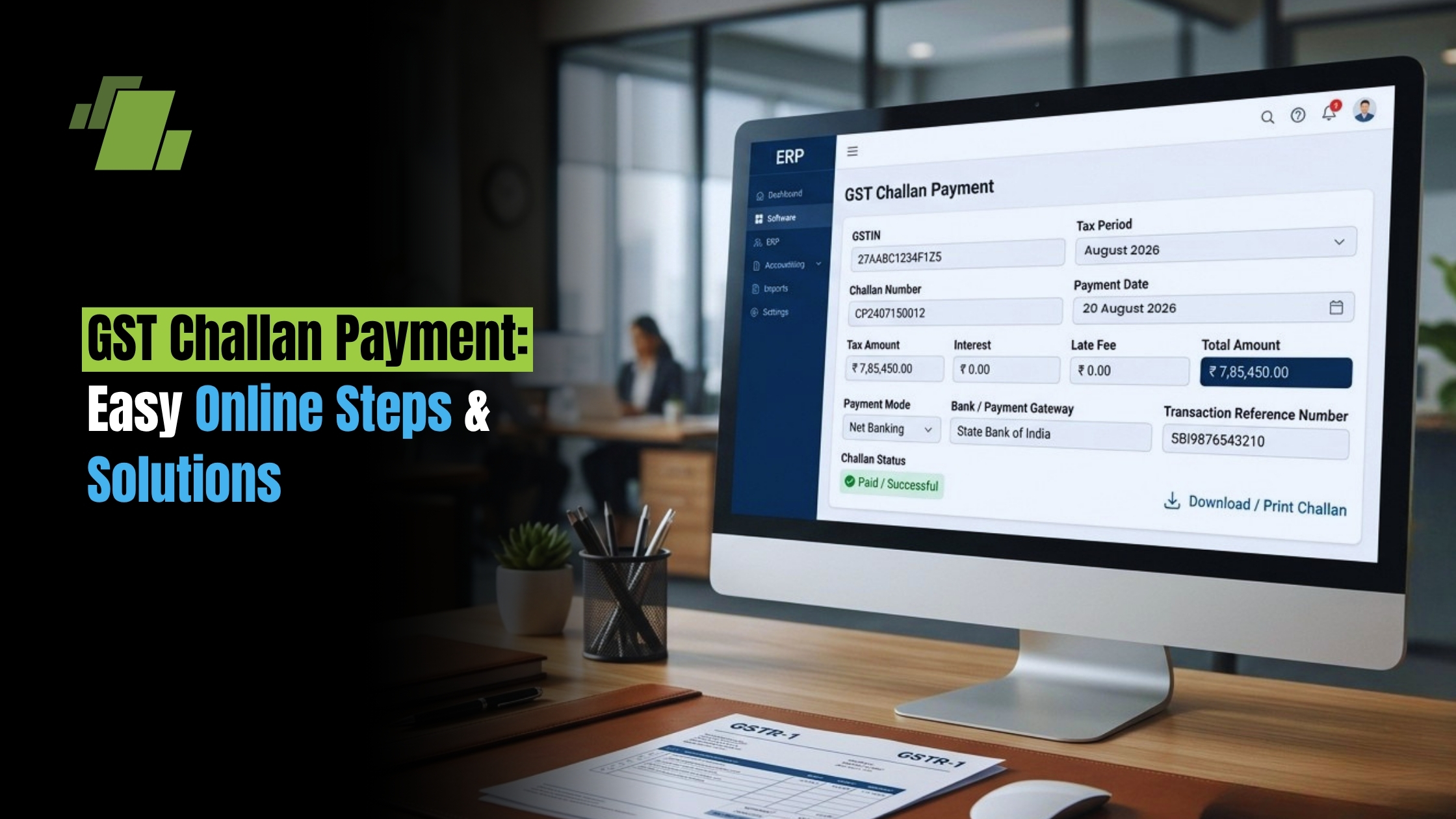
Paying GST on time helps you stay compliant, avoid notices, and keep input tax credit moving. Many taxpayers still get stuck at the challan step: they must create the challan, choose the right mode, and fix issues like GST challan paid but not reflected. With GST software, businesses can simplify GST compliance, manage tax records, and streamline the payment process. This guide explains GST challan payment in simple steps so you can complete it accurately and on time.
Contact Us
Free Demo Request
What Is a GST Challan and Why It Matters?
A GST challan is a payment slip made on the GST portal to deposit tax and other dues. It is the starting point for payment of tax in GST when you pay output tax, interest, late fee, penalty, TDS, or a demand.
You will see challans used for:
- Regular tax payments such as IGST, CGST, SGST, and cess
- GST interest late fee payment guide cases
- GST TDS payment for deductors under GST TDS rules
- Demand payments and other items in the electronic ledger
Think of it as the link between the GST portal and your bank. Without a challan, the portal cannot map your deposit to the right taxpayer or tax head.
GST Challan vs GST Return Filing: Do Not Mix Them Up
A common mix-up is GST challan vs GST return filing.
- Return filing, such as GSTR-3B, is where you report liability.
- GST challan payment is where you deposit money to clear that liability.
In many cases, you file first and pay later, or pay first and offset later. The two steps are linked, but they are not the same. This matters even more when you use PMT-06.
Key Terms You Must Know: CPIN, CIN, and PMT
When you create challan GSTN, the system gives you a CPIN, or Common Portal Identification Number. The bank then gives you a CIN, or Challan Identification Number, after payment is complete. The CIN is proof that the money was received and mapped.
PMT forms you may use:
- GST PMT-06 payment process is used mostly to put money into the electronic cash ledger for later use.
- Many users also search gst pmt 06 payment online when they want to add funds before filing or offsetting.
Create Challan GST: Step-by-Step on the GST Portal
If you are looking for create challan GST or create GST challan on GSTN, use this flow:
Step 1: Log in and open payments
- Go to the GST portal and log in.
- Open Services → Payments → Create Challan. Menu names can change slightly after portal updates.
Step 2: Choose the right heads and amount
Pick where the money should go:
- Tax
- Interest
- Late fee
- Penalty
- Others, if needed
This step is important for correct payment of tax in GST. If you pick the wrong head, offset errors can happen later.
Step 3: Choose the payment mode
You will usually see:
- e payment of GST through net banking
- NEFT RTGS payment for GST
- OTC GST challan payment at bank
Step 4: Generate the challan
Check the details and generate it. The portal gives you the CPIN and a challan summary.
Practical tip: If you pay often, keep a short checklist for your usual tax head split. It can cut mistakes during gst challan payment online.
How to Pay GST Challan Online: Net Banking Steps
For most users, gst challan payment online through net banking is the fastest choice.
Net banking GST payment steps
- Generate the challan and choose Net Banking.
- Select your bank.
- You will move to the bank portal.
- Authorize the payment.
- Return to the GST portal after success.
- Save the CIN for your records. GST CIN number meaning and use matters here.
Many teams also call this gst bill payment.
If you want to know how to pay gst challan online, net banking is usually the easiest route if you have access.
NEFT/RTGS Payment for GST: When to Use It
NEFT RTGS payment for GST is useful when:
- You need to pay a higher amount
- Your bank limits net banking tax payments
- You prefer a bank transfer style process
Typical flow:
- Create the challan and choose NEFT or RTGS.
- The portal generates a mandate or payment advice.
- Start the transfer from your bank using the details shown.
- Wait for the CIN to be generated and posted on the GST portal.
Tip: NEFT and RTGS are reliable, but if you need a fast ledger update, net banking is often quicker.
OTC GST Challan Payment at Bank
OTC GST challan payment at bank works when online banking is not possible. The usual steps are:
- Create the challan and choose OTC.
- Print the challan.
- Visit the authorized bank branch, if allowed.
- Pay by cash, cheque, or demand draft within bank limits.
Always check branch rules first. OTC is usually slower to reflect than online payment.
GST PMT-06 Payment Process
The GST PMT-06 payment process is commonly used to deposit money into the electronic cash ledger for later use. That is why many users search gst pmt 06 payment online.
Common use cases:
- You want to add funds before filing and use them later
- You want to avoid last-minute payment stress near due dates
- You need to pay interest or late fee and offset it soon
Simple flow:
- Open the PMT-06 path and create the cash deposit challan.
- Pay through net banking, NEFT, RTGS, or OTC.
- Check that the cash ledger is updated, then use the balance to pay liabilities.
GST TDS Challan and GST TDS Payment
If you are a deductor under GST TDS, you may need a GST TDS challan and GST TDS payment steps.
Keep these points in mind:
- The liability is TDS-specific and must go under the right head.
- Select the correct ledger and tax head while creating the challan.
- Use a separate internal checklist so your regular tax payment template does not get reused by mistake.
GST Challan Download from GST Portal
For records, audits, and internal approval, you may need GST challan download from GST portal.
Usually:
- Go to Services → Payments → Challan History
- Search by date or CPIN
- Download or print the challan and receipt details, including CIN
Keep a monthly folder with:
- Challan copy with CPIN
- Bank confirmation with CIN
- Cash ledger screenshot or export, if needed
GST Challan Payment Status Check
A GST challan payment status check helps you confirm that the transaction was posted correctly.
Check these places:
- Challan history or status in the portal
- Electronic cash ledger
- CIN generation status
If the challan shows paid, confirm:
- A CIN exists
- The amount appears in the cash ledger
- The balance can be used to offset the liability
GST Challan Paid but Not Reflected Solution
GST challan paid but not reflected solution is a common issue, especially after NEFT, RTGS, or a redirected net banking session.
Try this sequence:
- Wait and recheck. NEFT and RTGS can take time.
- Verify the CIN. If CIN is present, the bank has accepted the payment.
- Check the cash ledger. Sometimes the ledger updates before the challan status, or the other way around.
- Confirm the GSTIN and CPIN mapping.
- Raise a grievance or ticket on the portal with:
- CPIN and CIN
- Date and time
- Bank reference number or UTR
- Screenshot or PDF proof
Practical tip: Save the bank confirmation page as PDF right away.
GST Challan Error Code Troubleshooting
For GST challan error code troubleshooting, most issues fall into a few groups:
- Bank page timeout or session expired
- Log in again, avoid extra tabs, and try during a quiet time.
- Payment debited but no CIN
- Check with the bank for status or UTR, then follow the grievance route.
- CPIN expired
- CPINs have a time limit. Create a new challan if needed.
- Wrong head or amount entered
- Deposit the right amount under the right head, then follow the correction path if needed.
Tip: Use a stable network and avoid mobile redirects if your bank portal is sensitive to session drops.
Best Payment Method for GST Dues
The best payment method for GST dues depends on your situation:
- Net banking: best for speed and quick posting, especially on the due date
- NEFT/RTGS: good for higher-value or team-based workflows
- OTC: use only when online access is not possible
GST Interest, Late Fee, and Due Date Rules You Should Track
Two things drive most compliance stress: timing and extra charges.
GST tax payment due date rules
Your due dates depend on the return type and taxpayer category, and they can change through notices. Keep your calendar in line with the latest portal and department updates, and avoid last-day traffic where possible.
GST interest late fee payment guide
If you think a delay may happen:
- Estimate the interest or late fee early
- Deposit the amount through PMT-06 so the cash is ready
- Offset the liability once the final amount is known
This also helps you make gst payment with fewer last-minute mistakes.
Final Takeaway: Make GST Challan Payment Clear and Easy to Check
A clean gst challan payment process comes down to three things: create the right challan, pick the right payment mode, and confirm posting with CIN and ledger checks. Whether you use gst challan payment online, e payment of gst, NEFT RTGS payment for GST, or OTC, keep CPIN and CIN records and run a GST challan payment status check.
If a payment does not reflect, follow the GST challan paid but not reflected solution and the GST challan error code troubleshooting steps. With these habits, how to pay gst challan online becomes a repeatable routine. With the right GST software and these habits, how to pay GST challan online becomes a simple, accurate, and repeatable routine.
Call at +91-73411-41176/75 or send us an email at sales@logicerp.com to book a free demo today!
Frequently Asked Questions
1. Is Generating a GST Challan the Same as Filing a GST Return?
No. Filing a return such as GSTR-3B is where you report GST liability. Creating and paying a challan is how you deposit money to clear or offset that liability. The two steps are linked, but they are separate actions on the GST portal.
2. Which GST Payment Method Should I Choose if I Need Fast Posting?
Net banking is usually the fastest choice and is often best for last-day payments. NEFT and RTGS can work well for higher-value payments or larger teams, but they may take longer to reflect. OTC should be used only when online payment is not possible.
3. What Should I Check After Making a GST Challan Payment?
Check that a CIN has been generated, the amount appears in your electronic cash ledger, and the balance can be used to offset the right liability. Keep the challan copy, bank confirmation, and ledger proof for records and audits.
4. What Should I do if my GST Challan is Paid But not Reflected on the Portal?
First wait and recheck, especially if you paid by NEFT or RTGS. Then confirm the CIN, check the cash ledger, and verify the GSTIN and CPIN mapping. If the issue continues, raise a grievance with the CPIN, CIN, date and time, UTR or bank reference number, and supporting screenshots or PDFs.
5. Why does the Tax Head Matter When Creating a GST Challan?
A wrong head, such as tax instead of interest, or the wrong IGST, CGST, SGST, or cess split, can cause offset problems later. The challan amount must be mapped correctly so it can be used against the intended liability without extra correction steps.

Author
Gurbir Singh
Co-founder & Managing Director | LOGIC ERP Solutions Pvt. Ltd.
With 30+ years of experience in the tech industry, I took the helm of technology & product development, ensuring LOGIC ERP’s continuous innovation & leadership in the evolving tech landscape.